A WYSIWYG Typst editor for papers, reports, exams, resumes, charts, posters, sheet music, and slides exported as PPTX.
Install
# from npm (prebuilt)
dsh plugin --profile web add dsh-tylina
# from GitHub (first run asks for allowBuilds approval — follow the hint, retry)
dsh plugin --profile web add github:tylina/dsh-tylina#path:/bundle-wasm
Any plugin you install runs third-party code with your own permissions — it can read your files, use your credentials, and reach the network, and tool approvals don’t sandbox it. GitHub-sourced plugins also run build scripts at install time — pnpm blocks those until you allow them, so an install can stop with ERR_PNPM_GIT_DEP_PREPARE_NOT_ALLOWED or ERR_PNPM_IGNORED_BUILDS; dsh prints the exact key to add under allowBuilds in your profile’s pnpm-workspace.yaml, and the install works on the next run. Allowing a build is a trust decision: only install sources you trust, and pin a commit (github:owner/repo#sha).
README
Beautiful documents, right beside your agent.
Website · Try the Web editor · 简体中文
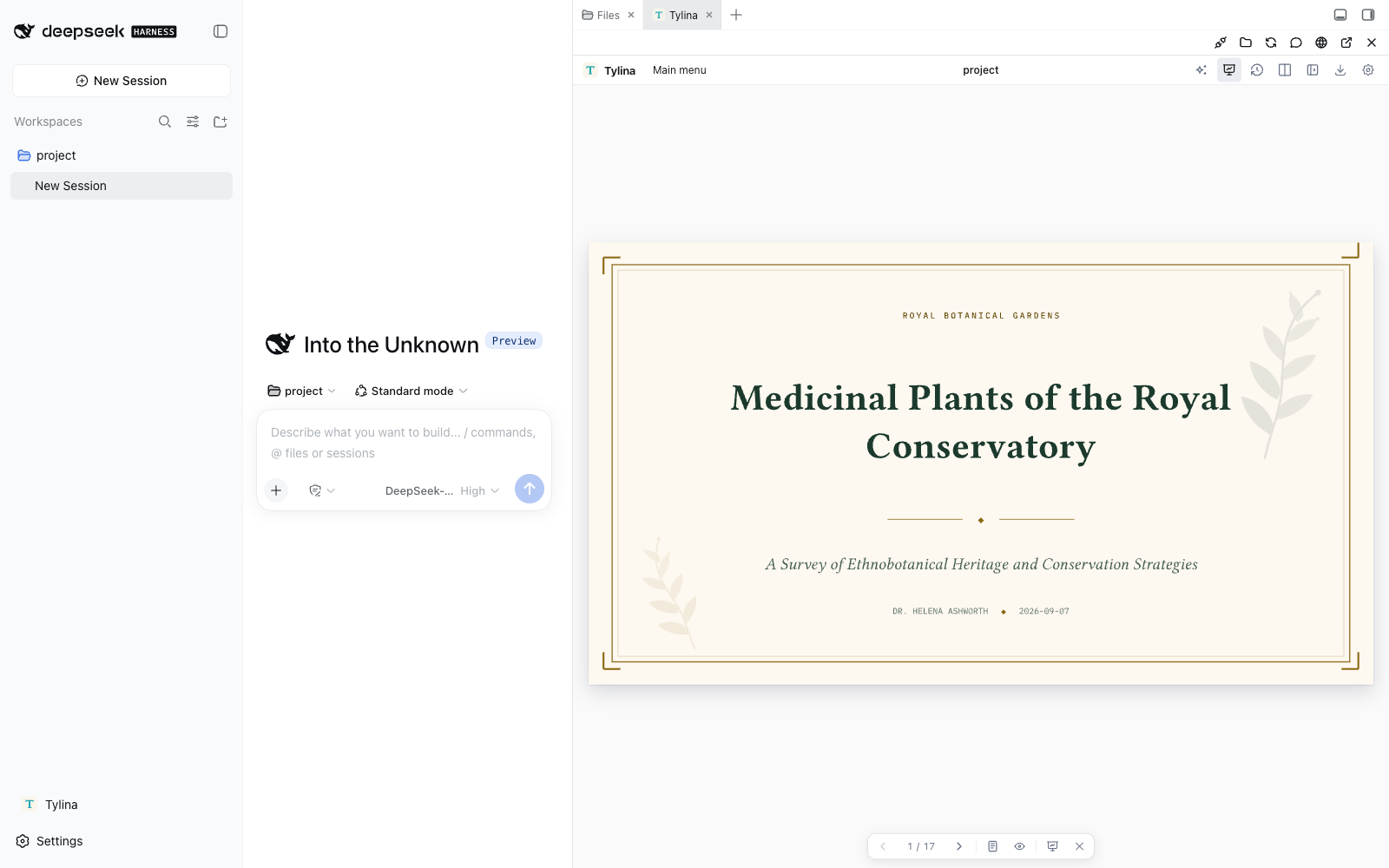
Create résumés, posters, academic slides, charts, papers, notes, and reports. Edit the typeset page directly, or open the source beside it. The document and your Harness agent share the conversation's workspace, with Typst Skills, document tools, and MCP.
Typst compilation runs in WASM Workers in your browser.
dsh plugin --profile web add dsh-tylina
dsh web
Update:
dsh plugin --profile web update dsh-tylina@latest
Restart Harness after updating. Verify the installed version with
dsh plugin --profile web list dsh-tylina --depth 0.
If pnpm's release-age delay keeps an older version, use the exact command in the
latest release.
Open Tylina, choose or create a conversation, and open its document project. The editor uses Better Sidebar tabs when available, or its own resizable sidebar. You can also open a separate window.
Includes templates, fonts loaded on demand, Slides Mode, presenter view, and PDF export. Requires Node.js 22.19+ and DeepSeek Harness 0.1.2-rc.1. Install one Tylina edition per profile.
Your Harness provider owns model credentials and conversations. No Tylina account, model proxy, source checkout, or Rust toolchain is required.
Full guide and template gallery · Development and MCP setup
Tylina is proprietary software. Third-party components, fonts, and templates retain their own licenses.
Links
More in this category
tt-a1i/archify#integrations/deepseek-harness★ 92724
Generate validated, self-contained interactive architecture, workflow, sequence, data-flow, and lifecycle diagrams from repositories or system descriptions.
dream-num/dsh-univer-office★ 657
Give DeepSeek Harness a real office environment. Univer Office Plugin brings spreadsheets, docs, slides, canvases, relational tables, and more into one runtime — with connected data, validation, versioned changes, and isolated worktrees for multi-agent collaboration.
ECNU/EduWork#dsh-knowledge-studio★ 275
A workspace-based Studio for source-grounded reports, slides, tables, mind maps, quizzes, flashcards, audio and video, using DSH models and shared artifact services. Office generation requires Python 3.12+ with its dependencies and DSH_OFFICE_PYTHON configured; media rendering requires Chromium, and local ASR additionally requires whisper.cpp and a model.
PerryLink/dsh-industry-research★ 215
Deterministic industry research reports for DeepSeek Harness — company and industry research flows produce structured, verifiable reports from staged evidence.
HuanLinOTO/dsh-plugin-mineru★ 51
Expose MineRU document parsing tools to the model.
PolinniZhong/dsh-knit★ 48
Puts the Markdown documents, source files, images and video that already exist anywhere in the session workspace into the DSH sidebar, ranked by relevance to the current conversation. The default lexical mode matches your recent messages against title, summary and body locally with IDF weighting (BM25) — no model calls, no network, nothing leaves the machine. The list comes from scanning the workspace rather than from a recent-files list, so restarting DSH or opening a new session does not empty it. Results are organised into a three-tier reading order (primary / supporting / related) with a verifiable reason on every row — which field matched, which document cites this one — and one click opens an in-place preview: Markdown as rendered text, relative-path images actually drawn, source code with the host's own syntax highlighting, video streamed over HTTP Range. The same Context Pack is exposed to the agent as a knit_docs tool. Later versions added read evidence and lifecycle tracking (attribution is frozen at the moment of reading), pin / exclude (exclusion applies before retrieval, and is undoable), relation evidence (references / imports / tests, with line numbers) and an incremental index reused across restarts. Since v0.23 there is also an optional hybrid mode: it is off by default and only runs once you configure an Ollama or OpenAI-compatible embedding provider yourself. When it runs, what leaves the machine is your query text plus each candidate file's title and summary — a Markdown summary is an excerpt of the body's first paragraph (at most 60 characters), a code file's summary is its workspace-relative directory, and an image or video contributes its file name; full bodies and absolute paths are not sent, and a loopback provider keeps everything on this machine. Since v0.24 it also associates uncommitted changes: a read-only git status (fixed argv, no shell, whitelisted child-process environment) combined with the same reference / import / test / mention evidence shows which files a change is likely to drag along, and it is off by default. The benefit of semantic retrieval still awaits a real-provider run, so no recall improvement is claimed.
Community comments
Comments are public GitHub Discussions. Loading them connects to GitHub and Giscus; a GitHub account is required to post.