Typst 文档编辑工具:WYSIWYG 编辑排版论文、报告、试卷、简历、图表、海报、乐谱和可导出为 PPTX 的 Slides。
安装
# npm 包(预构建)
dsh plugin --profile web add dsh-tylina
# GitHub 源码(首次需按提示配置 allowBuilds 构建授权后重试)
dsh plugin --profile web add github:tylina/dsh-tylina#path:/bundle-wasm
装任何插件都等于在你的机器上跑第三方代码,权限和你本人一样大——能读你的文件、用你的凭据、访问网络,工具审批管不到它。GitHub 来源的插件还会在安装时执行构建脚本——pnpm 默认拦截,所以安装可能停在 ERR_PNPM_GIT_DEP_PREPARE_NOT_ALLOWED 或 ERR_PNPM_IGNORED_BUILDS;dsh 会打印出需要添加的确切键名,把它加进该 profile 的 pnpm-workspace.yaml 的 allowBuilds 下,重跑一次即可装上。放行构建本身就是一次信任判断:请只安装可信来源,并尽量锁定 commit(github:owner/repo#sha)。
README
该插件的 README 只有英文版本。
Beautiful documents, right beside your agent.
Website · Try the Web editor · 简体中文
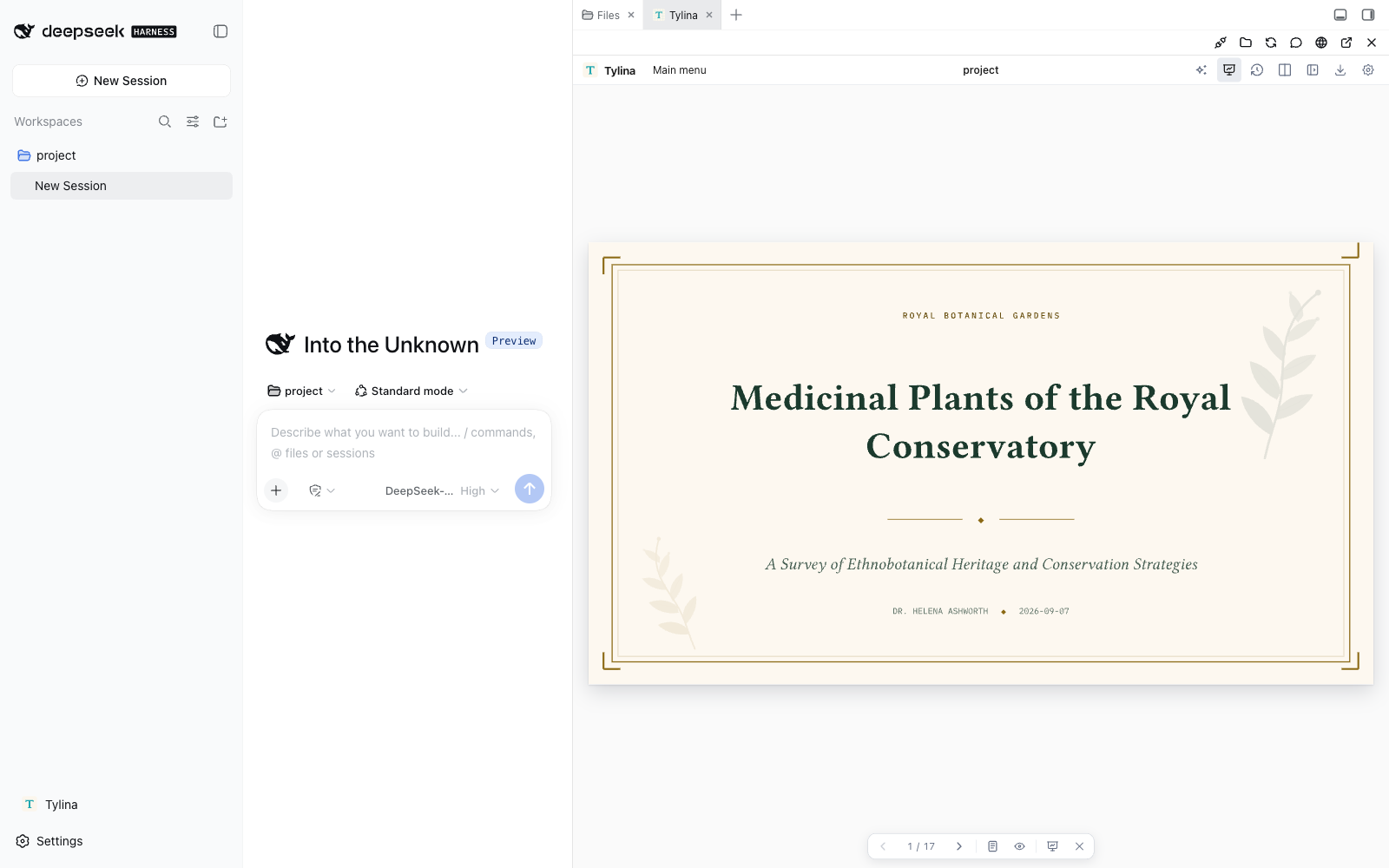
Create résumés, posters, academic slides, charts, papers, notes, and reports. Edit the typeset page directly, or open the source beside it. The document and your Harness agent share the conversation's workspace, with Typst Skills, document tools, and MCP.
Typst compilation runs in WASM Workers in your browser.
dsh plugin --profile web add dsh-tylina
dsh web
Update:
dsh plugin --profile web update dsh-tylina@latest
Restart Harness after updating. Verify the installed version with
dsh plugin --profile web list dsh-tylina --depth 0.
If pnpm's release-age delay keeps an older version, use the exact command in the
latest release.
Open Tylina, choose or create a conversation, and open its document project. The editor uses Better Sidebar tabs when available, or its own resizable sidebar. You can also open a separate window.
Includes templates, fonts loaded on demand, Slides Mode, presenter view, and PDF export. Requires Node.js 22.19+ and DeepSeek Harness 0.1.2-rc.1. Install one Tylina edition per profile.
Your Harness provider owns model credentials and conversations. No Tylina account, model proxy, source checkout, or Rust toolchain is required.
Full guide and template gallery · Development and MCP setup
Tylina is proprietary software. Third-party components, fonts, and templates retain their own licenses.
链接
同类插件
tt-a1i/archify#integrations/deepseek-harness★ 92724
从仓库或系统描述生成经过校验的自包含交互式架构图、流程图、时序图、数据流图和生命周期图。
dream-num/dsh-univer-office★ 657
为 DeepSeek Harness 打造一个真正的办公环境。Univer Office 插件将电子表格、文档、幻灯片、画布、多维表格等汇聚到同一个运行时——数据互联、修改经过校验、变更按版本管理,并以隔离工作树支持多 Agent 协作。
ECNU/EduWork#dsh-knowledge-studio★ 275
基于工作区资料的 Studio,复用 DSH 模型与共享成果服务,制作报告、演示文稿、表格、思维导图、测验、闪卡及音视频。Office 生成需 Python 3.12+ 及相关依赖,并配置 DSH_OFFICE_PYTHON;媒体渲染需 Chromium;本地语音转写另需 whisper.cpp 和模型。
PerryLink/dsh-industry-research★ 215
面向 DeepSeek Harness 的确定性行业研究报告:公司与行业研究流程基于分阶段证据产出结构化、可核验的报告。
HuanLinOTO/dsh-plugin-mineru★ 51
向模型暴露 MineRU 文档解析工具。
PolinniZhong/dsh-knit★ 48
把会话工作区里已有的 Markdown 文档、源码、图片与视频列进 DSH 侧边栏,按与当前对话的相关性排序。默认的词法模式用最近几条消息在本地与标题、摘要、正文做带 IDF 加权的匹配(BM25)—— 不调用模型、没有网络出口,内容不出本机。列表来自工作区扫描,而不是「最近打开记录」,所以重启 DSH 或新开会话都不会变空。排序结果组织成主要 / 辅助 / 相关三层的阅读顺序,每一条都写明可核验的理由(命中了哪个字段、被哪一篇引用),点一行即可就地预览:Markdown 按渲染后的样子显示、相对路径图片真实渲染、源码走宿主自带的语法高亮、视频走 HTTP Range 流式播放。同一份 Context Pack 也作为 knit_docs 工具交给 agent。后续版本陆续补上读取证据与生命周期(归因在读那一刻冻结)、固定 / 排除(排除先于检索生效,且可恢复)、关系证据(引用 / 导入 / 测试,带行号)与增量索引(重启后复用)。v0.23 起还多一条可选的混合检索:默认关闭,只有你自己配好 Ollama 或 OpenAI 兼容的 embedding 服务才会生效。它生效时,发出去的是你这句查询原话加上每篇候选文件的标题与摘要 —— Markdown 的摘要取自正文首段(不超过 60 字),代码的摘要是它所在的工作区相对目录,图片 / 视频贡献的是文件名;完整正文与绝对路径都不发送,指向本机服务(loopback)时内容不出这台机器。v0.24 起还能做变更关联:用一条只读的 git status(固定 argv、不走 shell、子进程环境白名单),配合同一套引用 / 导入 / 测试 / 提及证据,指出这次改动大概率该一起看哪些文件 —— 默认关闭。语义检索的收益仍待真 provider 实测,因此不承诺召回提升。
社区评论
评论公开保存在 GitHub Discussions。加载评论会连接 GitHub 和 Giscus;发表内容需要 GitHub 账号。