Claude Code Desktop-style theme for DeepSeek Harness (DSH) Desktop 0.2.0-rc.2 on macOS and Windows, with compact sidebar and chat layouts, light and dark themes, model and reasoning-effort controls, and an interactive pixel whale with spout, hop and tail-wag reactions on new sessions.
Install
# from npm (prebuilt)
dsh plugin --profile web add dsh-claude-desktop-theme
# from a prebuilt release tarball
dsh plugin --profile web add "https://github.com/zkforge/dsh-claude-desktop-theme/releases/download/v0.2.0/dsh-claude-desktop-theme-0.2.0.tgz"
# from GitHub (first run asks for allowBuilds approval — follow the hint, retry)
dsh plugin --profile web add github:zkforge/dsh-claude-desktop-theme
Any plugin you install runs third-party code with your own permissions — it can read your files, use your credentials, and reach the network, and tool approvals don’t sandbox it. GitHub-sourced plugins also run build scripts at install time — pnpm blocks those until you allow them, so an install can stop with ERR_PNPM_GIT_DEP_PREPARE_NOT_ALLOWED or ERR_PNPM_IGNORED_BUILDS; dsh prints the exact key to add under allowBuilds in your profile’s pnpm-workspace.yaml, and the install works on the next run. Allowing a build is a trust decision: only install sources you trust, and pin a commit (github:owner/repo#sha).
README
DSH Claude Desktop Theme
Bring the Claude Code Desktop look to DeepSeek Harness (DSH) Desktop.
简体中文 · English
Install · Screenshots · Configuration · Architecture · Installation guide · Report an issue
Quick install
In DSH, open Plugins → Add plugin and enter dsh-claude-desktop-theme, or run:
dsh plugin --profile desktop add dsh-claude-desktop-theme
For installation from source and platform-specific CLI paths, see the installation guide.
Using the theme
Under Settings → Claude Theme → Modules → Home background animation, choose Space explorer for a pixel astronaut that drifts toward the mouse. Click an empty area to send a shooting star across the sky. You can also choose character ripples or turn the animation off.
Enter /clear in a conversation to clear its model context while keeping the same session, name, project, model, project instructions and skills. The original log remains available through View history. Run the command after the response finishes and the message queue is empty. Fully quit and reopen DSH after installation to load the host command.
Screenshots
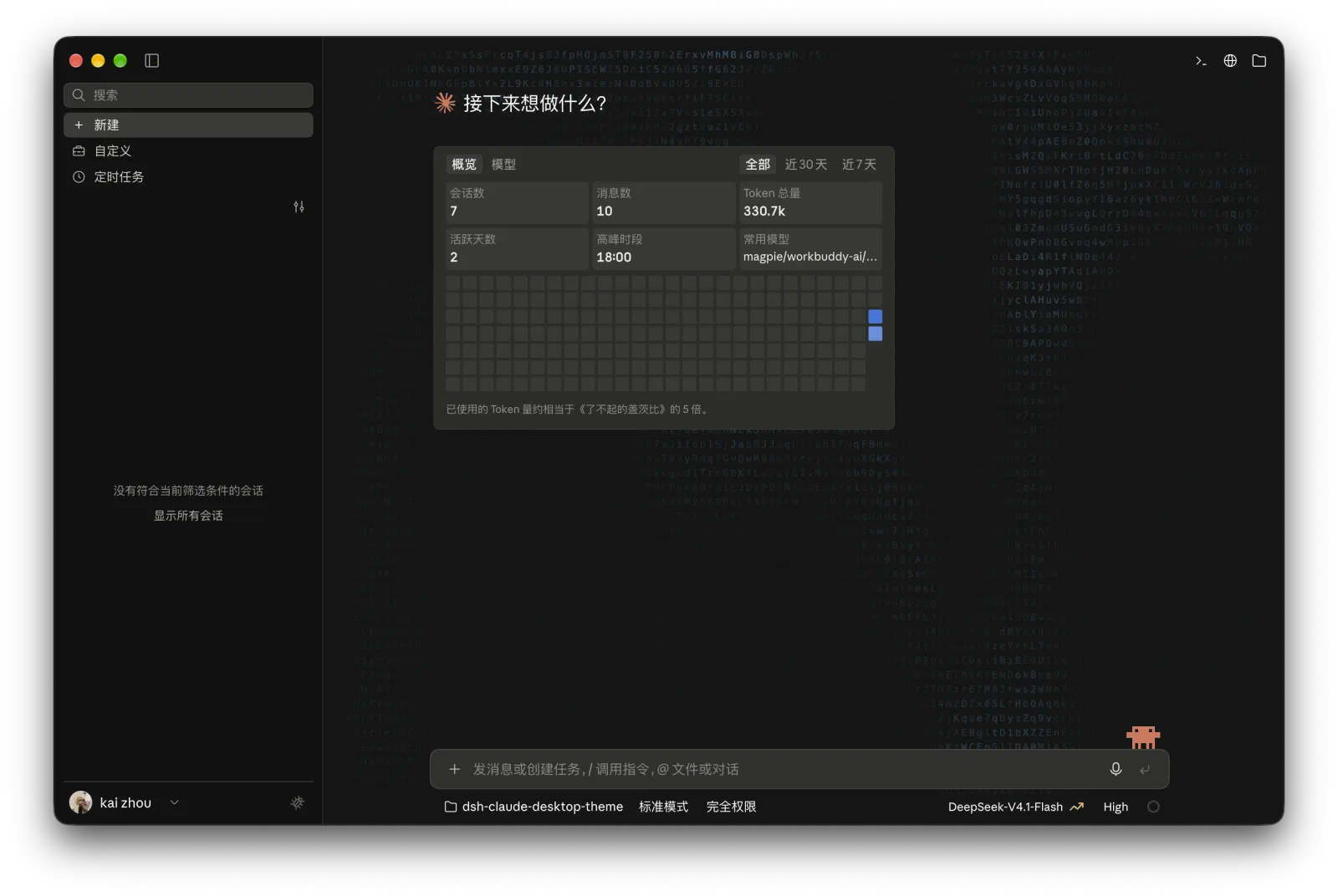
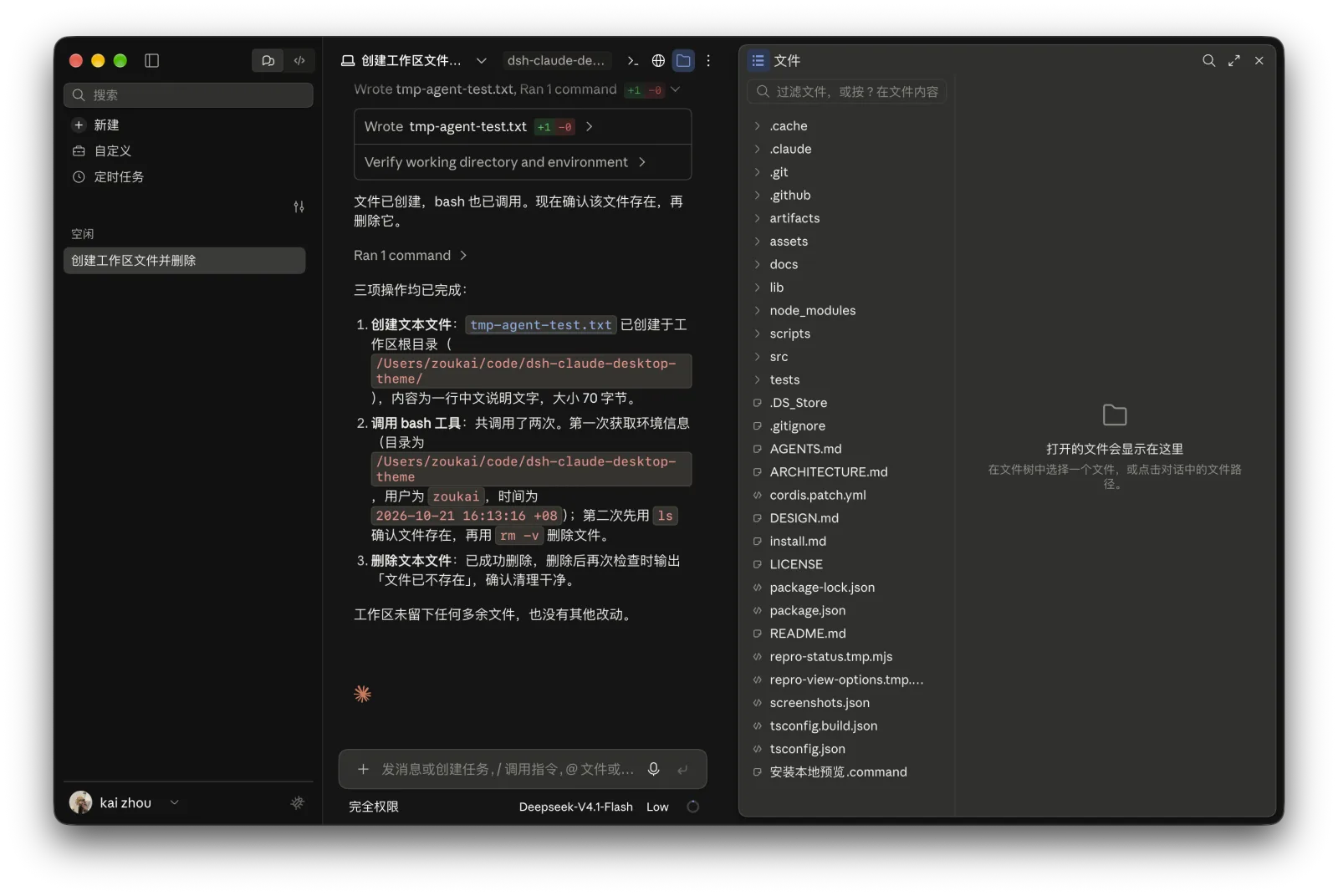
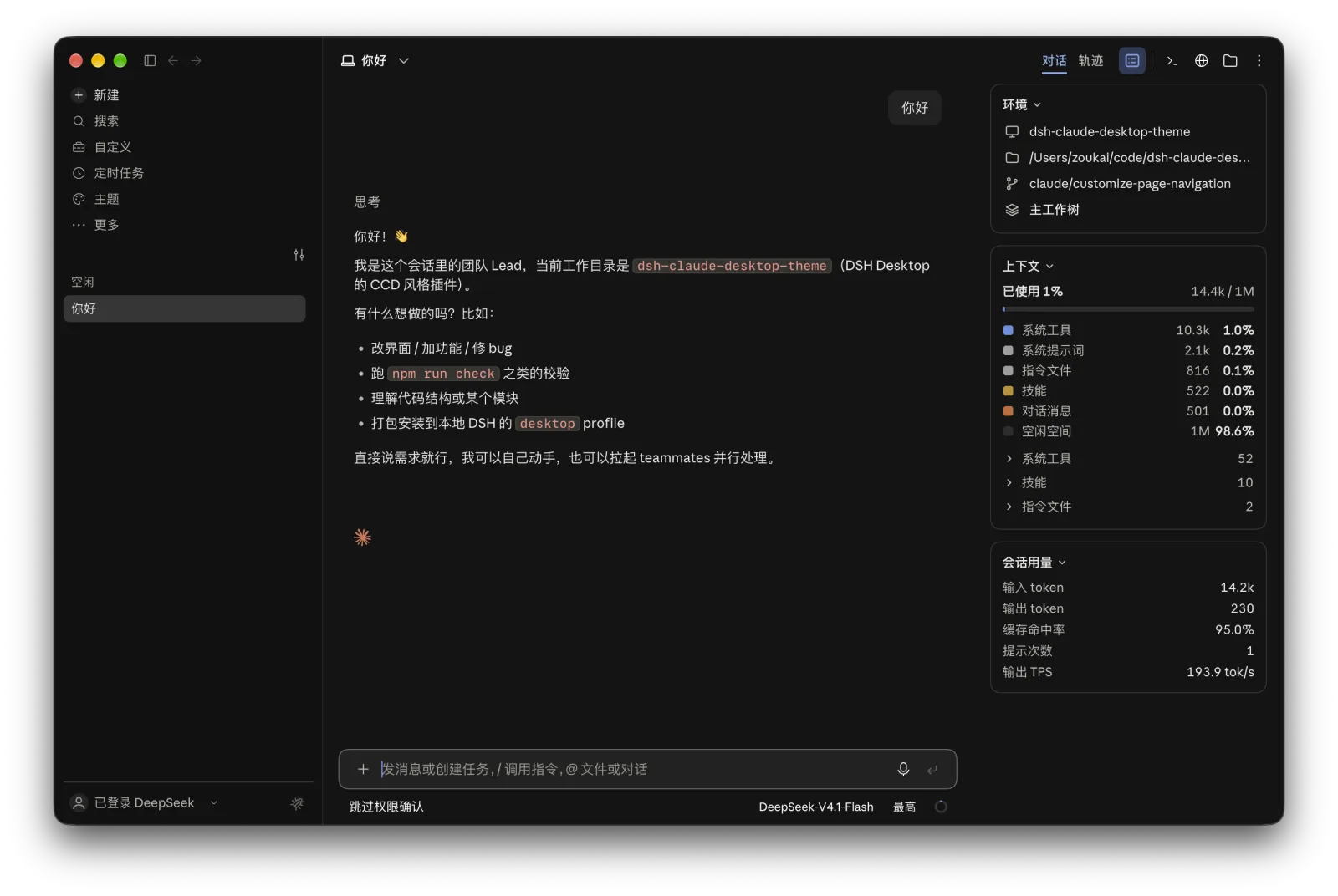
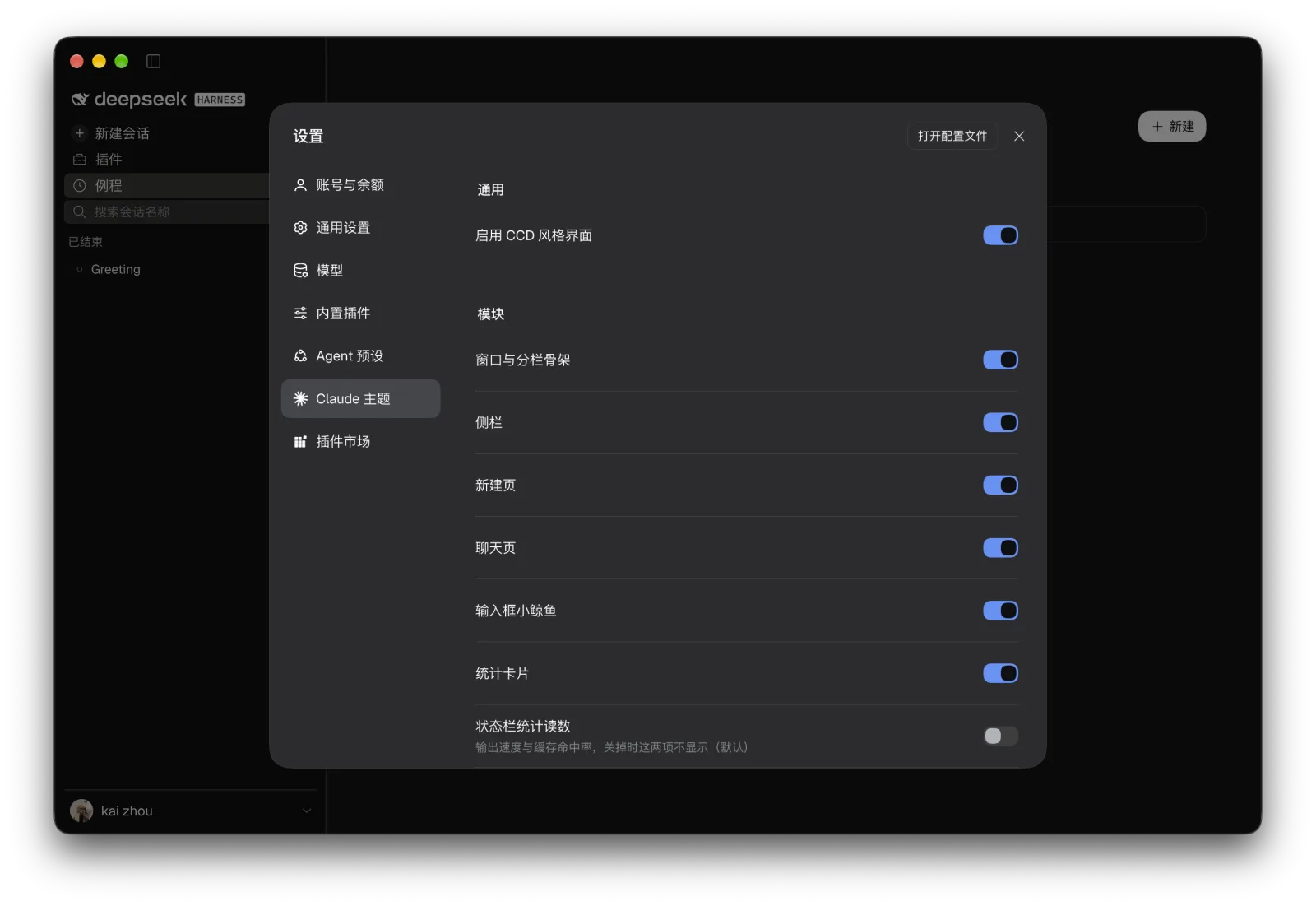
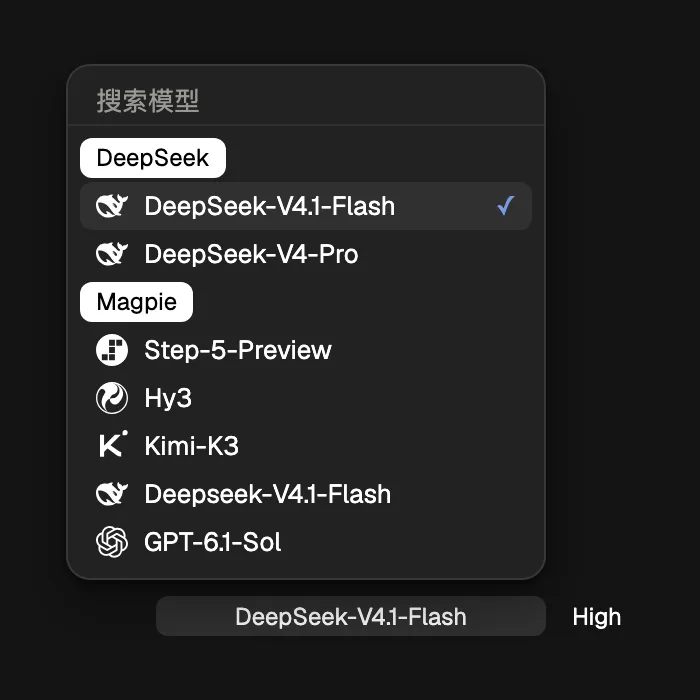
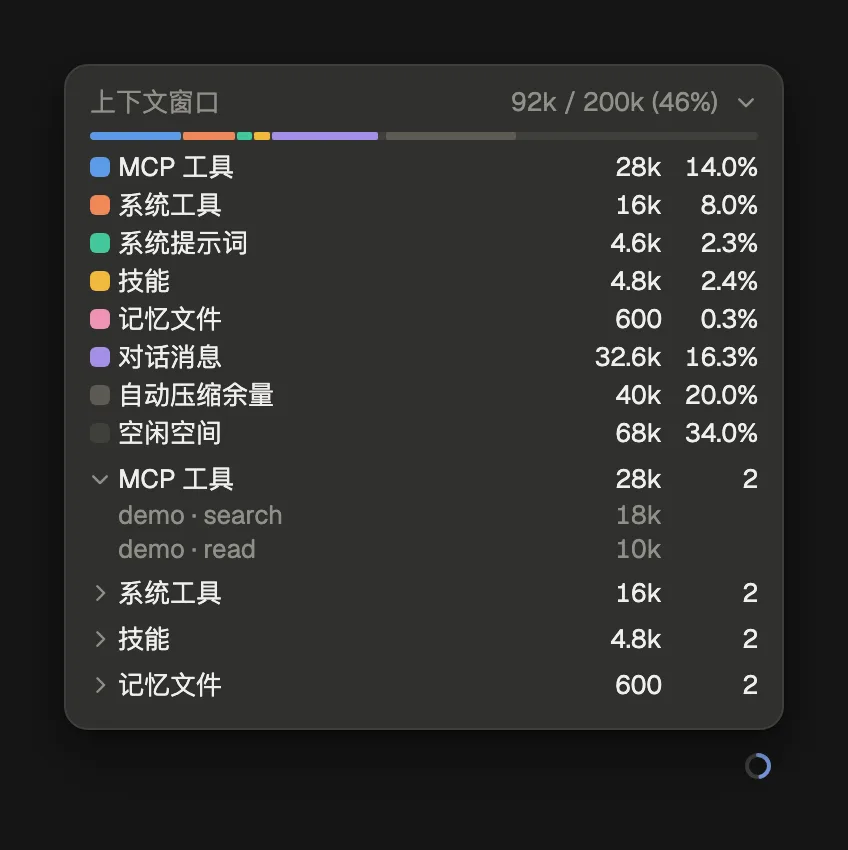
The previews show the macOS light and dark themes. The home page uses the Claude companion and greeting, ripples, and the statistics card.
| Screen | Light | Dark |
|---|---|---|
| New session | 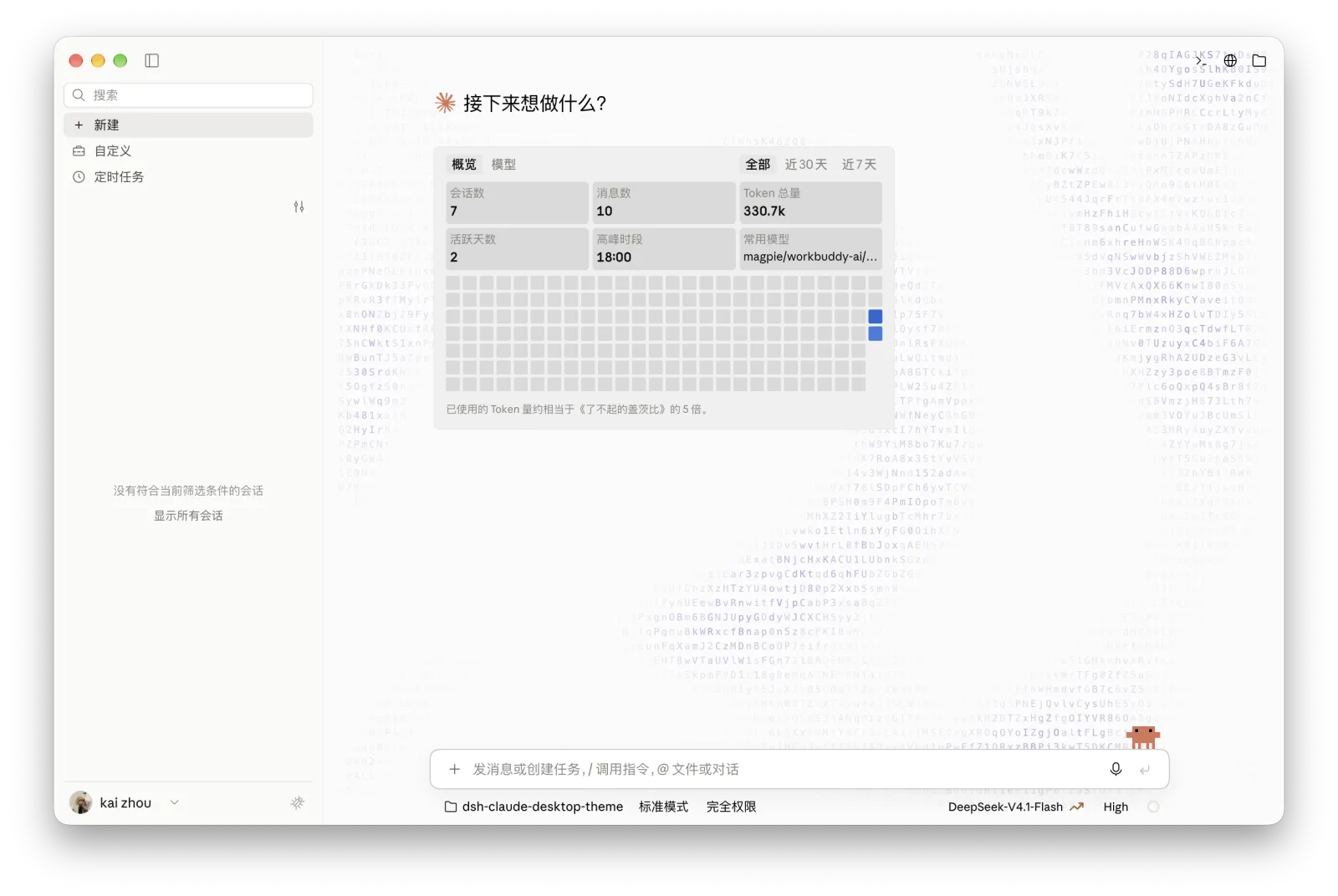 |
 |
| Conversation | 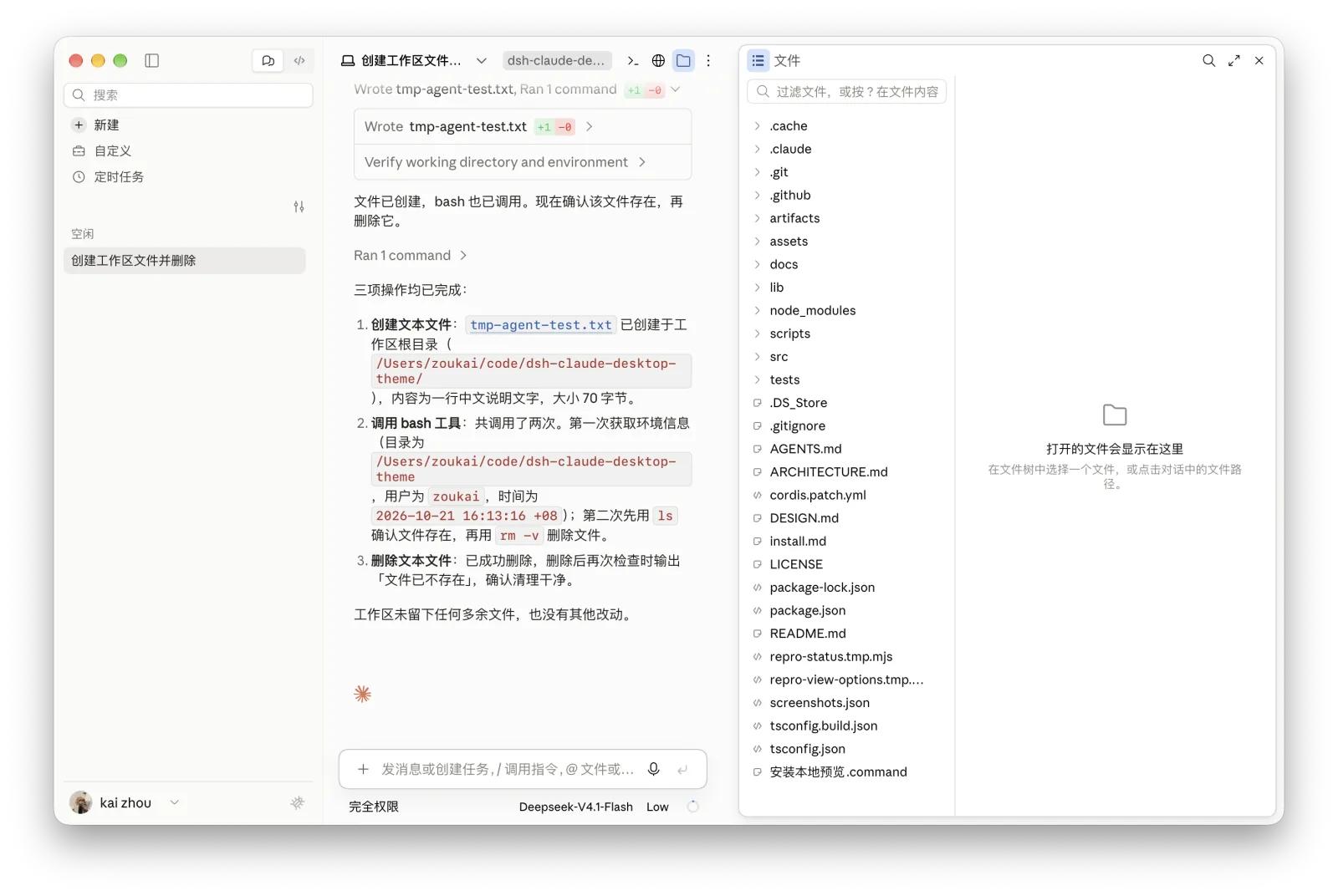 |
 |
| Session information | 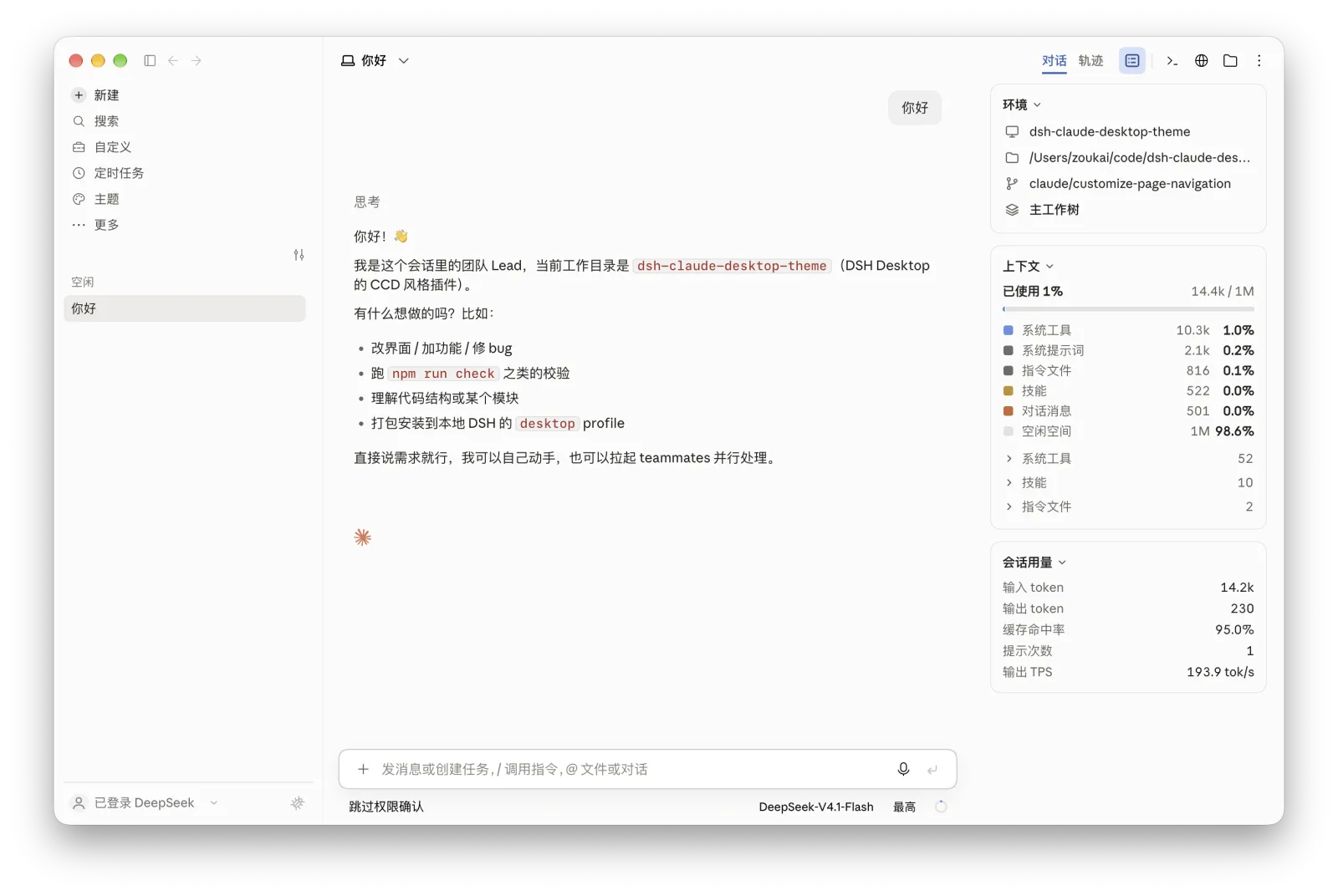 |
 |
| Settings | 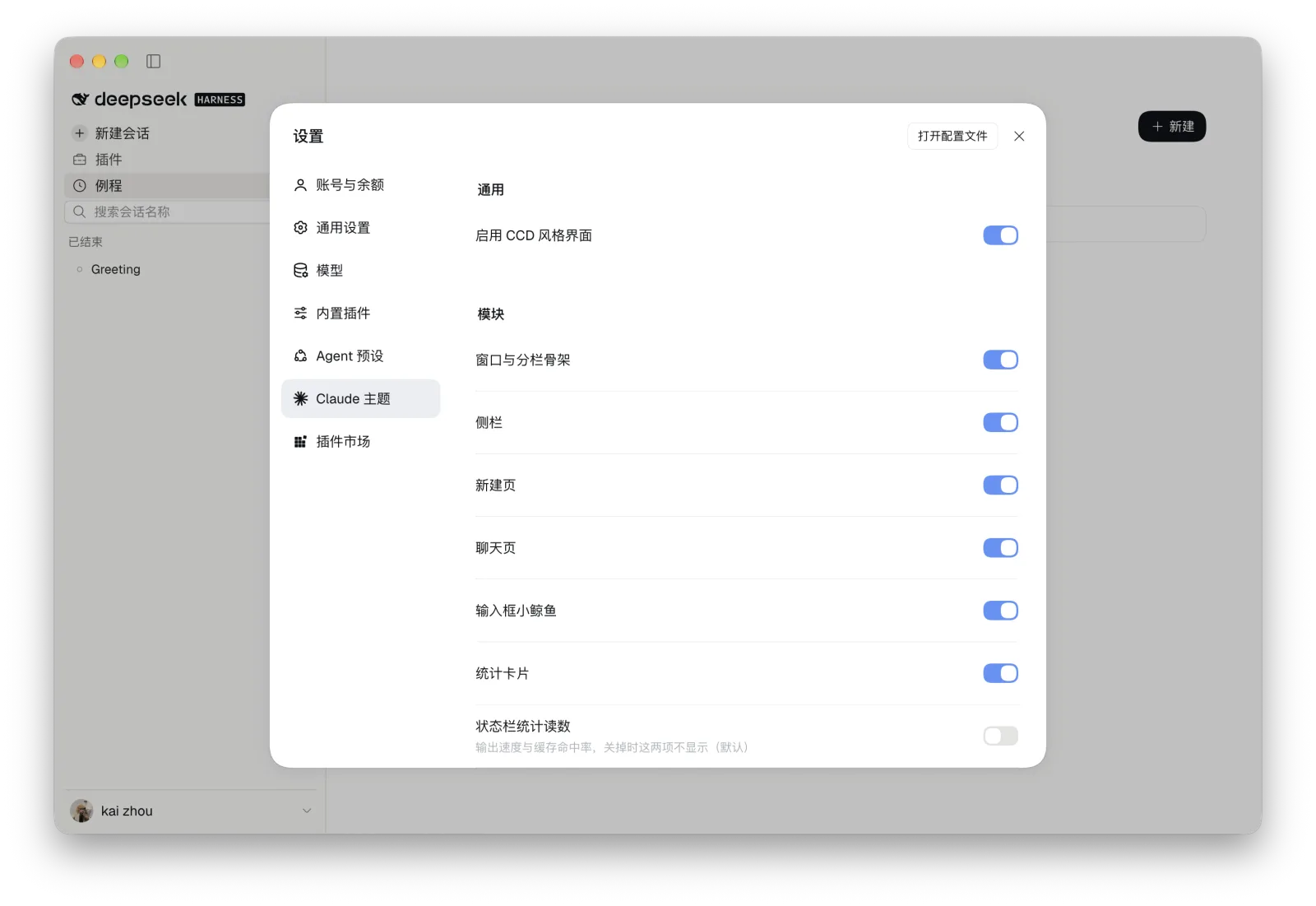 |
 |
| Model picker | 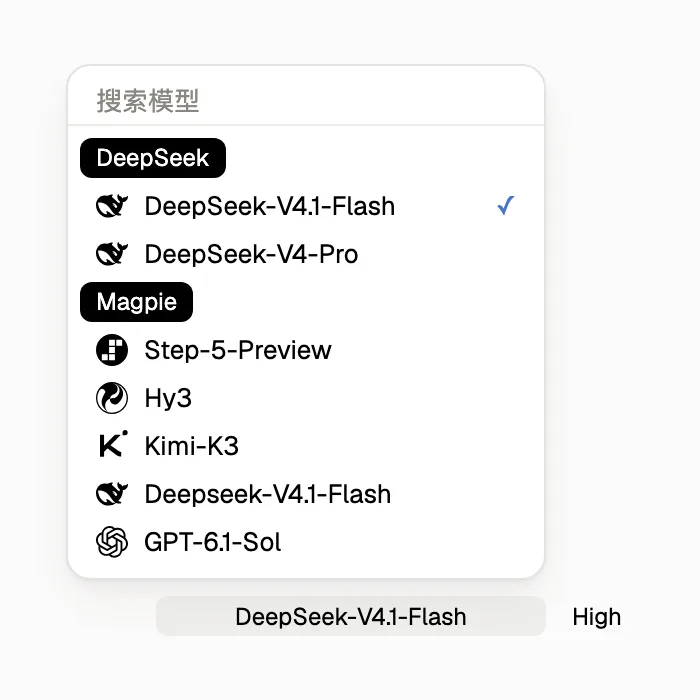 |
 |
| Context breakdown | 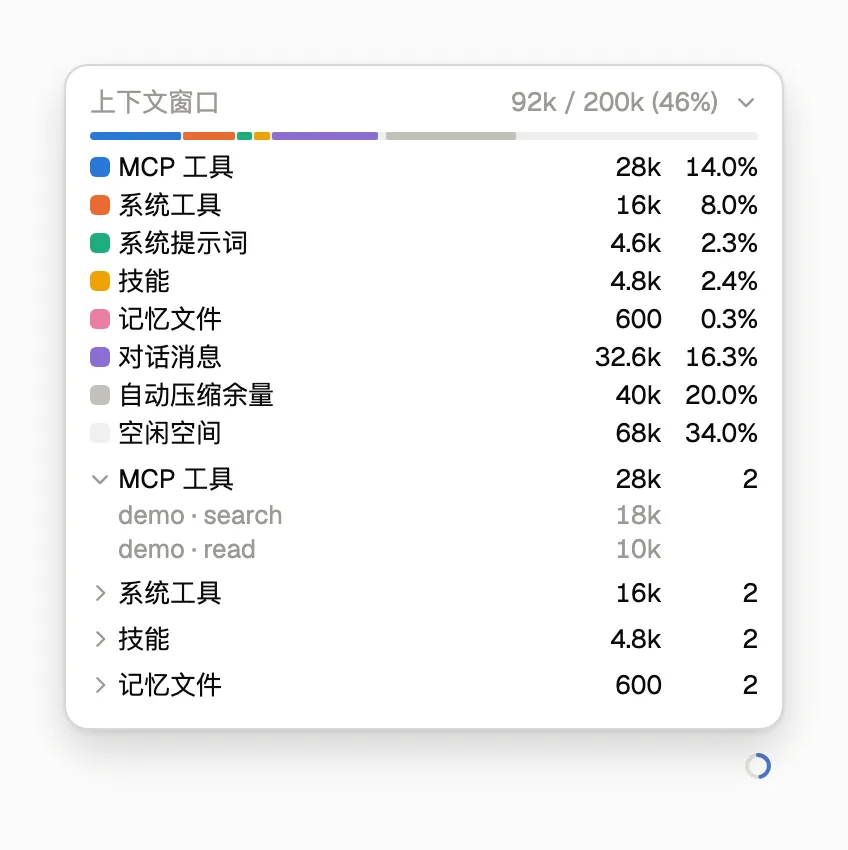 |
 |
Click the whale or Claude companion to play its reaction. Select the companion under Settings → Claude Theme → Personalization → Pet style.
The highest effort setting adds an animated pixel effect.
Configuration
Open Theme in the sidebar or Settings → Claude Theme. Changes take effect immediately.
| Group | Options |
|---|---|
| Modules | Sidebars, new session, home background animation, conversation, tool calls, composer companion, statistics card, status-bar statistics and context breakdown |
| Appearance | System, light or dark theme, conversation background and sidebar background |
| View | API balance, model icons, separate model and effort controls, conversation process, sidebar brand, header entries and empty groups |
| Personalization | Companion, running status, reply signature and home greeting styles |
| Typefaces | Interface and code fonts. The Chinese interface font can be set in the profile's cordis.patch.yml. |
Custom background colours apply in light mode. The default font stacks begin with Anthropic Sans Web, Anthropic Serif Web and SF Mono. The repository includes fonts for local installation under assets/fonts/.
Requirements
The DSH Desktop version range is >=0.2.1-rc.3 <0.3.0-0, allowing later 0.2.x releases and prereleases, including 0.2.2-rc.1. This range does not imply every version has been tested. The macOS Apple silicon build has been tested with rc5. Windows 10 and later (64-bit) installation is supported, though the newer Windows host build has yet to be verified. Building from source requires Node.js 22.18.0 or newer.
Fully quit and reopen DSH after upgrading to load host interfaces and session projections.
Feedback and license
Use the feedback button beside the account menu or open an issue with your DSH version, window size and reproduction steps.
MIT © 2026 zkforge.
Links
More in this category
elysia395/dsh-wallpaper-engine★ 6498
Requires DeepSeek Harness 0.1.5-rc.1+ (DSH Desktop >= 2.0.7) and dsh-better-sidebar >= 0.19.0 - update both before installing or updating this plugin. Plays local Wallpaper Engine Video/Web wallpapers behind the chat, renders Scene wallpapers as extracted static frames, and adds content-rating/type filters, custom uploads and an iOS-style liquid-glass settings window.
Small-tailqwq/dsh-deep-whale#maid-atelier★ 3093
Whale-girl skin series for the DSH Web UI (maid-atelier).
Nwflower/dsh-claude-style★ 570
Claude Code Desktop look-and-feel for the DSH Web GUI — ivory/warm-black dual canvas, clay accent, three-font typography, permission segmented control and brand switcher, via CSS overrides and client DOM overrides.
d-dev0101/open-sea-skin★ 391
Realtime WebGPU ocean skin with quick controls for waves, daylight, glass opacity, and an automatic day cycle.
kingOfSoySauce/dsh-liang-skin★ 384
Adaptive reasoning slider skin that maps each model's available reasoning efforts onto a 0–30 visual intensity scale, with synchronized portraits, background, and interface colors.
RevolutionLA/dsh-dream-skin★ 301
One-command skin plugin: 8 original themes, translucent wallpaper with opacity/blur, per-user accent, and shareable theme-pack import/export, favorites and surprise-me — purely native on DSH's token system.
Community comments
Comments are public GitHub Discussions. Loading them connects to GitHub and Giscus; a GitHub account is required to post.