Requires DeepSeek Harness 0.1.5-rc.1+ (DSH Desktop >= 2.0.7) and dsh-better-sidebar >= 0.19.0 - update both before installing or updating this plugin. Plays local Wallpaper Engine Video/Web wallpapers behind the chat, renders Scene wallpapers as extracted static frames, and adds content-rating/type filters, custom uploads and an iOS-style liquid-glass settings window.
Install
# from npm (prebuilt)
dsh plugin --profile web add dsh-plugin-wallpaper-engine
# from GitHub (first run asks for allowBuilds approval — follow the hint, retry)
dsh plugin --profile web add github:elysia395/dsh-wallpaper-engine
Any plugin you install runs third-party code with your own permissions — it can read your files, use your credentials, and reach the network, and tool approvals don’t sandbox it. GitHub-sourced plugins also run build scripts at install time — pnpm blocks those until you allow them, so an install can stop with ERR_PNPM_GIT_DEP_PREPARE_NOT_ALLOWED or ERR_PNPM_IGNORED_BUILDS; dsh prints the exact key to add under allowBuilds in your profile’s pnpm-workspace.yaml, and the install works on the next run. Allowing a build is a trust decision: only install sources you trust, and pin a commit (github:owner/repo#sha).
README
English | 中文 | Beginner guide
🆕 Never used the command line? Start here: beginner-friendly guide → (a simplified walkthrough in Chinese for users who have never touched a terminal).
A DSH bundle that turns your Wallpaper Engine wallpapers into the background of the DSH web GUI (dsh web).
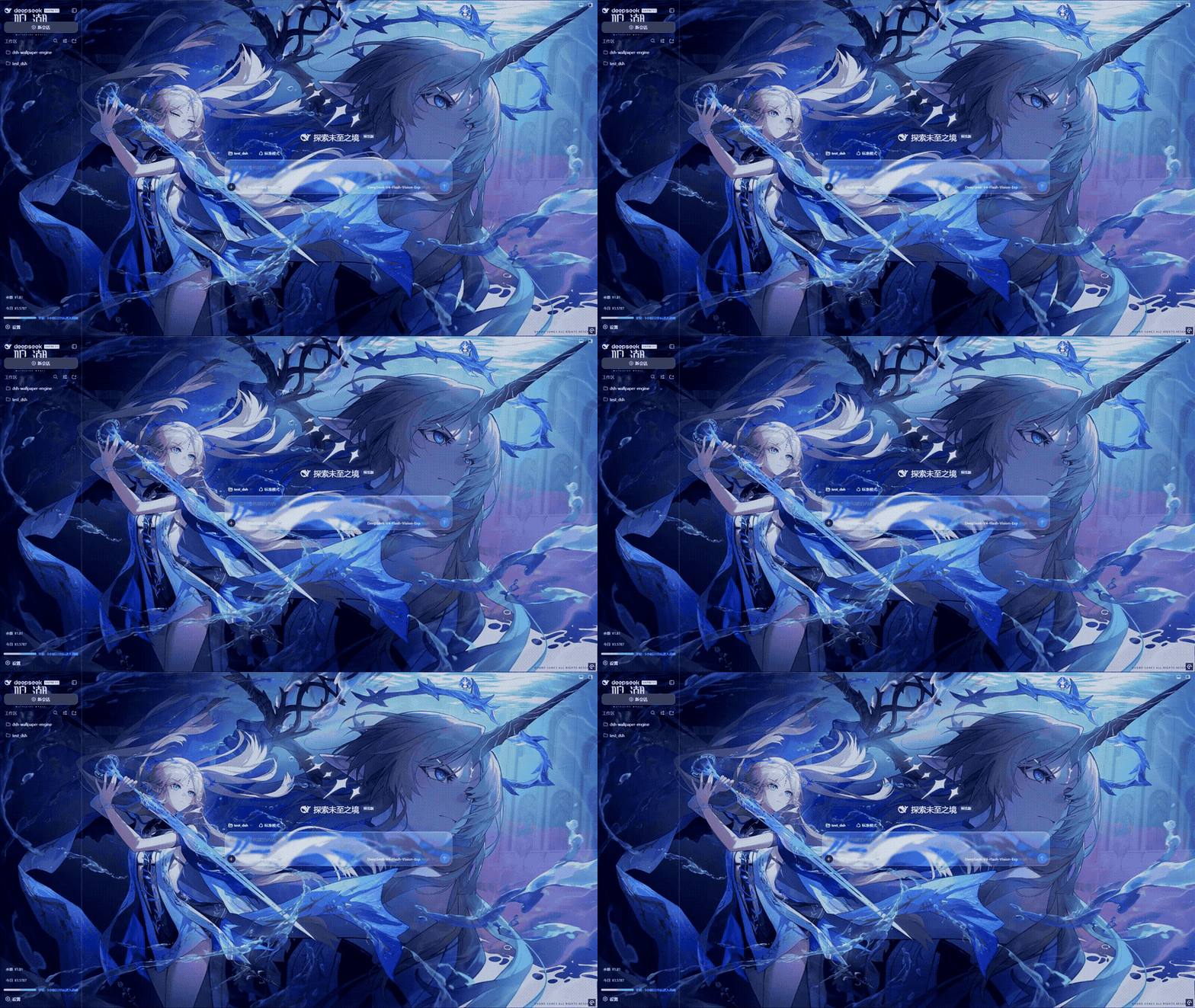
Wallpaper + scrim + iOS liquid glass rendered behind the DSH GUI.
Contents
- What it does · Prerequisites for updating · Which wallpaper types are supported? · How it works
- Install · Usage · Configuration · dsh-better-sidebar compatibility · Limitations · Development / rebuild · Contact · Acknowledgments
- Version numbers, issue numbers and benchmark figures live in
docs/CHANGELOG.md; update prerequisites indocs/UPGRADING.md. - 📦 The npm package does not ship
docs/(what ships is the runtime:lib/**,cordis.patch.yml,scripts/prepare.mjsand the three READMEs) ⇒ thosedocs/…links do not resolve on npm / in the plugin market; read them in the source repository https://github.com/elysia395/dsh-wallpaper-engine at the same paths.
What it does
It discovers the Wallpaper Engine install on your machine, lists your wallpapers, and renders the portable types into a fixed layer behind the DSH chat interface, wrapped in an iOS-style liquid glass UI makeover.
Version numbers, issue numbers and benchmark figures all live in
docs/CHANGELOG.md.
Wallpaper rendering (core)
- Three wallpaper types, three render paths: Video plays directly; Web / HTML runs through the built-in WebWallGL web mount (host-injected WE API + strict sandbox isolation); Scene is rendered by the built-in WebWallGL real-time WebGL engine — particle systems, puppet skeletal models, SceneScript, mouse parallax and click interaction, packaged audio and audio reactivity.
- Live first, graceful degradation: scene / web wallpapers are rendered live by the built-in engine; the renderer page is watched by a heartbeat watchdog, and when it genuinely cannot produce a frame the plugin walks a degradation chain down to a last resort — no black screen before the first frame, and the final step is allowed to stay honestly empty.
The chain's order, the watchdog criteria, how failures are remembered and where the placeholder frame comes from are defined in exactly one place:
docs/HOW-IT-WORKS.md. This page only promises "no black screen and no permanent wedge from one bad frame" and deliberately does not restate the steps (a second copy is a second thing to forget to update). - High-fps sources can shed load: the fps cap transcodes a source such as 4K120 once to the capped frame rate (4K preserved + AV1) — GPU usage drops substantially; the occlusion-pause trio drops the decoder entirely on minimize / focus loss / battery.
- What can move over, moves over: upload local JPG / PNG / MP4 straight from the picker; user-defined rotation lists switch wallpapers on their own interval and order (only once the next one is ready — no black flash).
UI makeover (core)
- Follows the DSH interface language: the plugin's UI joins the host language setting (Settings → General → Language) — the same catalog dsh web ships (
中文/English, plus any language pack you install). Switching applies instantly with no page reload: settings pages, the picker, the right sidebar / drawer, the mascot, font sets and the update notice all follow. - Liquid glass across the whole settings window: the entire native DSH settings window (dialog + left nav + every native section) becomes liquid glass, with accent color, glass base tint, transparency and blur all adjustable.
- Text surfaces keep a floor: every text-bearing surface composites a theme base layer underneath, worst-case body-text contrast 4.63:1 — no slider extreme can make text illegible.
- Typography and caret, refined: fonts are tunable per color role / typographic role / component (size, weight and family each), with an independent color for the input caret. A whole look can be saved as a font set (a preset ships with the plugin; create / rename / delete / restore, and export/import it as
.jsonto share). - Wallpaper-to-UI blending: wallpaper blur, brightness / contrast / saturation, wallpaper opacity, scrim, border and glass blur — all applied instantly.
Signature features
- Mascot: a draggable pull-cord at the top of the chat that slides out the wallpaper library drawer (two artworks, resizable), with quick adjustments always within reach.
- Sidebar liquid glass: a dedicated adaptation for
dsh-better-sidebar's panels (frost, highlight and layer hierarchy unified), plus its own set of sidebar glass controls.
Prerequisites for updating
⚠️ Update the DSH kernel and
dsh-better-sidebarfirst — the order cannot be reversed (updating this plugin first hits an incompatible API). The full version matrix, the three steps and "what to do if you got the order wrong" are indocs/UPGRADING.md.
Which wallpaper types are supported?
Wallpaper Engine itself splits wallpapers into four types; this plugin supports three of them:
| Type | Rendered by | Portable to DSH? |
|---|---|---|
| Scene | Wallpaper Engine's own 3D engine | ✅ Live — the built-in WebWallGL WebGL engine (particles / scripts / parallax / packaged audio); degrades through the out-figure chain on failure |
| Web | Wallpaper Engine's built-in HTML/JS runtime | ✅ Live — WebWallGL's web mount with the injected WE API (audio / property / media listeners) under a strict sandbox; falls back to a plain iframe on failure |
| Video | Wallpaper Engine's built-in player | ✅ Direct playback — the same hardened pipeline as uploaded video (transcode, fps cap, occlusion pause, speed / flip) |
| Application | Wallpaper Engine launches a third-party executable | ❌ Not supported — it needs the host to run an external program, which this plugin does not offer |
The render path, graceful degradation, out-figure chain and empty-frame gate for all four types — plus the diagnostics rows used for troubleshooting — are in
docs/HOW-IT-WORKS.md.
How it works
In one line: the host (lib/index.js + lib/routes/*.js) locates Wallpaper Engine and your library
and feeds media to the browser; the client (lib/client.js) mounts the selected wallpaper as a fixed
layer behind the app's three columns and registers a first-level "Wallpaper Engine" settings tab.
The out-figure chain (live render → embedded MP4 → live capture → custom frame → empty state), the host/client split, the full HTTP route table and the design reason for "no CPU fallback image" all live in
docs/HOW-IT-WORKS.md. Implementation details are the code comments.
Install
For users (published version, recommended)
If you simply want to use the plugin, install the published package from npm:
dsh plugin --profile web add dsh-plugin-wallpaper-engine
Then restart dsh web and open Settings → Wallpaper Engine.
macOS / Linux users: this plugin runs natively on Windows / macOS / Linux — the same package and the same command on all three (the media pipeline is native per platform too: GSMTC / MediaRemote / MPRIS).
macOS has no Wallpaper Engine client, so there is no Steam wallpaper library to scan: point the custom-wallpaper storage location at a folder holding WE project directories (
project.json+scene.pkg/index.html/*.mp4) and the scene / web / video wallpapers inside are picked up, scenes rendering live as usual; you can also simply upload your own images / videos.
For developers (running your own copy)
Installing a local copy with link:, building and verifying, hot-mount rules and the encoding rules
(including what lib/client.js actually is) are documented in CONTRIBUTING.md.
Host-side changes need a DSH restart to take effect (CLI installs use --profile web; the desktop app
uses --profile desktop and must be fully closed first).
Troubleshooting install failures
Step-by-step recovery (ERR_PNPM_UNEXPECTED_VIRTUAL_STORE, etc.) lives in
docs/TROUBLESHOOTING.md.
Usage
- Open
dsh web→ the DSH GUI. - Open Settings and pick Wallpaper Engine from the left navigation (a first-level settings page, its own nav entry); the pull-cord mascot at the top of the chat also slides out the wallpaper-library drawer — both share one set of tabs and controls.
- Click 选择壁纸 to open the picker modal, then click a wallpaper in the thumbnail grid (Application wallpapers are not supported and stay out of the grid); close the modal via the backdrop, ESC, or the close button.
- Use 暂停/播放 to control a video wallpaper and 关闭 to clear it. Every choice and adjustment applies instantly and persists (see Configuration).
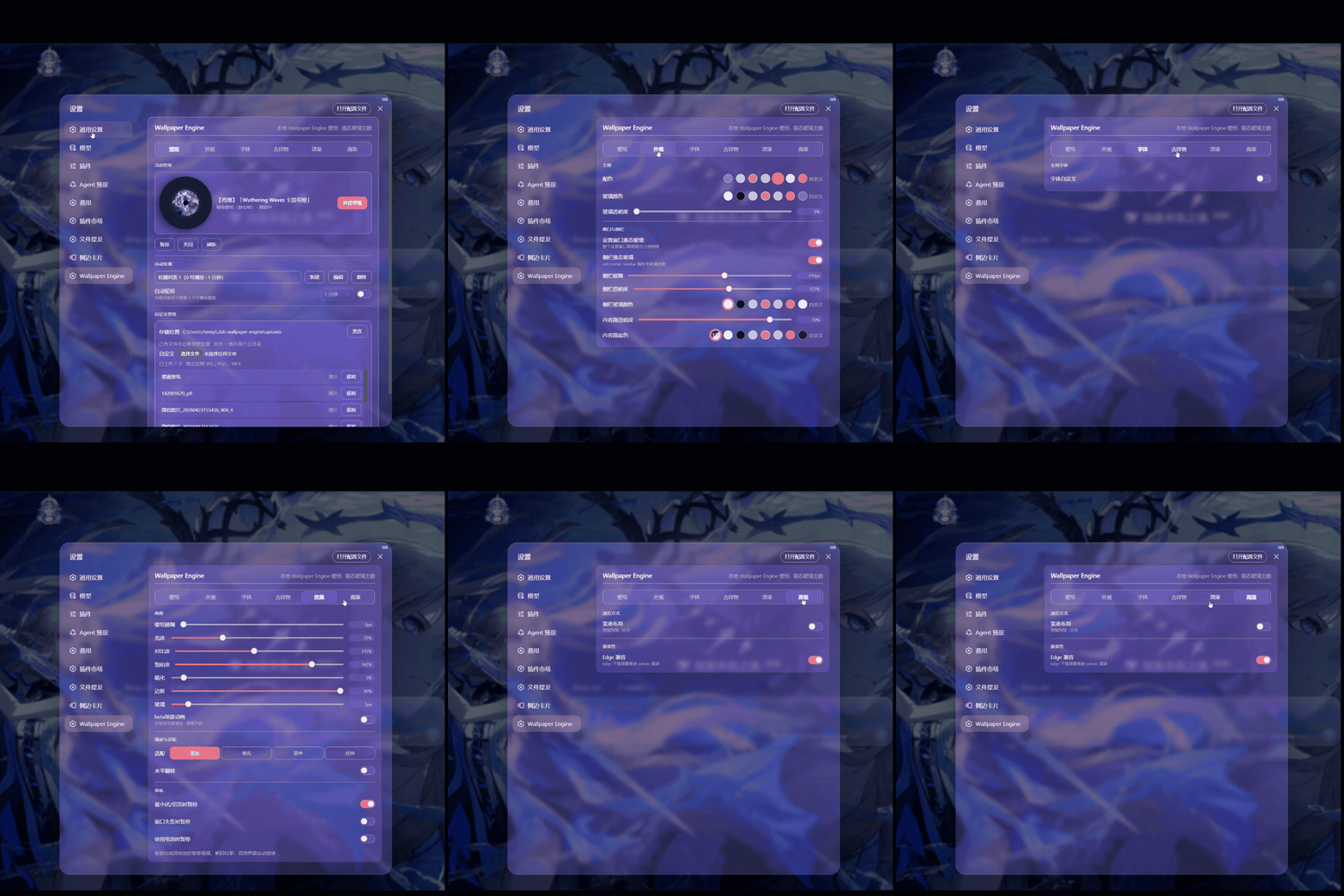
The settings page: the liquid-glass card with five tabs (Library / Appearance / Playback / System / About).
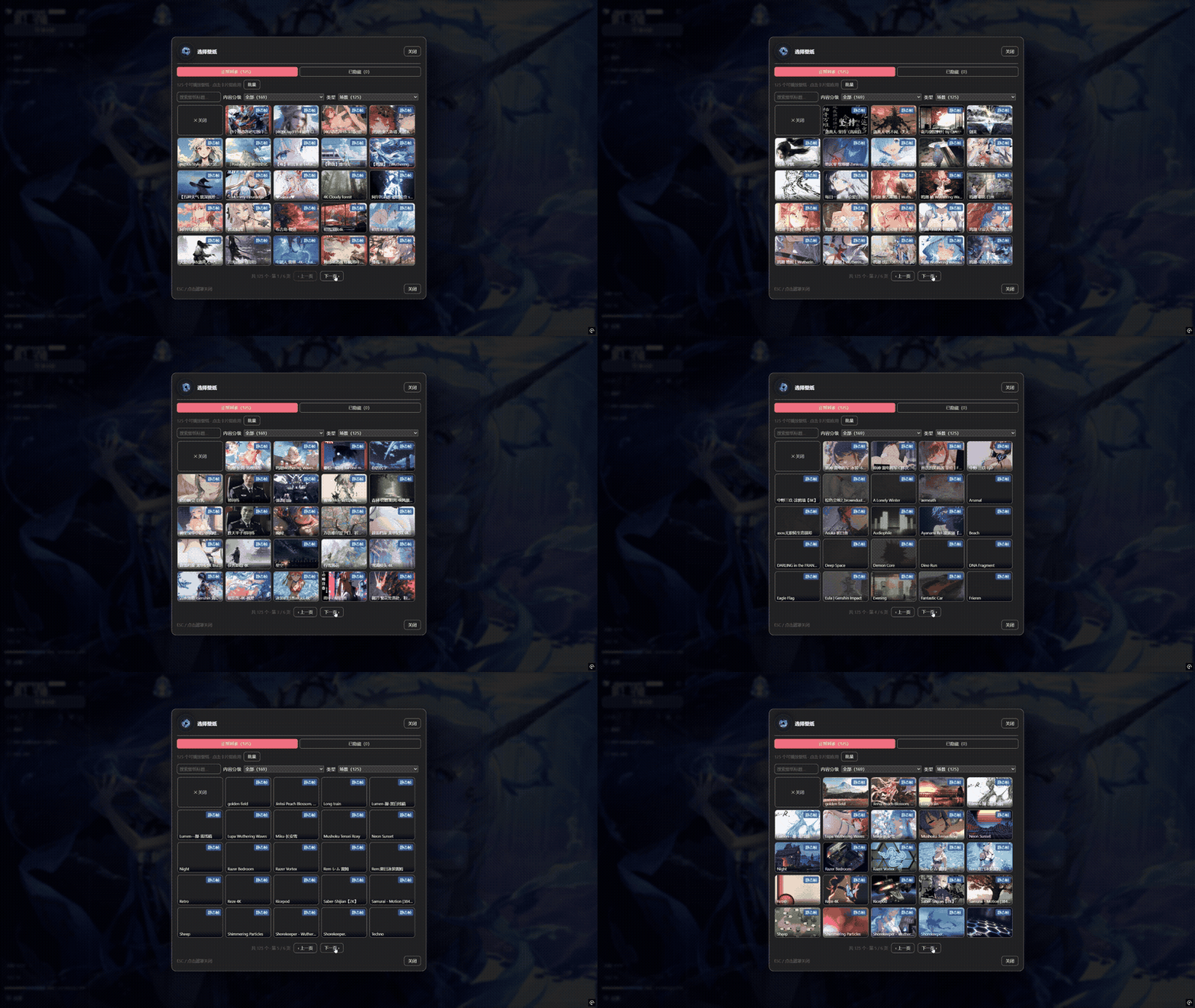
The picker modal: browse every wallpaper thumbnail, batch-hide, and restore from the hidden tab.
The settings tabs
The settings page has five tabs — Library (selection / rotation / custom uploads) · Appearance (colors / glass / fonts / sidebar) · Playback (effects + audio) · System (mascot + advanced) · About (project intro / repo & live star count / community QR codes / contributor credits) — each keeping only the controls that belong to it instead of one long scrolling column. The pill indicator slides smoothly between tabs, and long explanations live in tooltips — each row keeps a one-line hint. About reads no panel state and writes no settings: copy plus two QR codes (bundled PNGs served by the plugin's own route — they render even offline); the only external inputs are the star count and those two images — fetched by the host from the GitHub API when you open the tab (cached; if GitHub is unreachable it shows the last known value). One-click starring is not offered: starring requires your GitHub credentials and the plugin stores no token — the button opens the repo page, and the raw URL is right below it for copying.
Selection & filters
- Hide / restore: the 隐藏 button in a card's top-right corner only removes the wallpaper from the list — it never touches the source file. The modal's 已隐藏 tab restores one or all of them, and 批量 enters multi-select mode. Hiding the wallpaper that is currently playing does not interrupt it, and automatic rotation skips hidden wallpapers.
- Content rating: reads each wallpaper's
contentratingfield (WE wallpapers:project.json; uploads:uploads/.meta.json) — 全部 / Everyone (default) / PG13 / Mature / 未分级; an upload without a rating counts as Everyone. The plugin scans the disk itself and does not follow the adult-content switch inside the Wallpaper Engine client. - Type: filters by the embeddable type — 全部 / 视频 / 网页 / 图片 (uploads) / 场景 (scenes).
- Every option shows how many playable wallpapers currently match; filtered-out wallpapers are dropped from the grid, the rotation editor and the rotation candidates — they are never auto-selected or rotated.
Card style & playback controls
- 紧凑布局 (compact layout), a toggle in the 高级 tab: ON gives the CD-rack look — cards stack vertically, hovering scales a card up and brings it to the front, and the grid shows everything on ONE page; OFF is the regular grid (default).
- 黑胶唱片 (vinyl record): a rotating vinyl next to the picker uses the selected wallpaper's cover as the record label — it spins while the wallpaper plays and stops when paused; it shows in both card styles.
- Playback speed: selectable speed steps for video wallpapers, driven by the browser's native
playbackRate— instant, no reload, no black flash. - Horizontal flip: mirrors video, web and uploaded images / videos via CSS
scaleX(-1)— zero main-thread cost. - Switch transitions: the animation used when the wallpaper changes (shared by manual picks and automatic rotation) — hard cut (default) / cross-fade / push / wipe / iris / zoom / strips, each with its own baseline duration multiplied by fast / normal / slow, plus a direction for the directional ones; under
prefers-reduced-motionevery transition degrades to a hard cut.
Adapter target (host surface)
The 适配 (adapter) section of the 高级 tab works out which of a plain web browser / the unofficial desktop client / the official desktop client the plugin is running in and shows 「检测到:… · capability header present / absent」; when the detection is wrong you can pick the target by hand — a manual pick wins over detection. Detection is OS-independent: the host observes request headers and the user agent (the x-dsh-desktop-renderer header ⇒ unofficial desktop client, Electron/ in the UA ⇒ desktop shell, neither ⇒ plain browser) and remembers what it saw in a latch that only ever grows. It drives four things at once: whether a web wallpaper's payload goes through the dedicated media origin or the app origin (a plain browser has no fence, so no second loopback listener is opened), whether desktop-shell material rules apply (they are all gated on [data-we-adapter^="desktop-"], so a browser session never inherits them), whether 「窗口失焦时暂停」 (pause on focus loss) is offered (see below), and which panel rows appear, with the reason — a manual pick that contradicts detection gets an actionable warning (picking the browser while a capability header is observed ⇒ the web wallpaper would answer 403).
Power saving & load shedding
The 遮挡暂停 (occlusion pause) trio in the 高级 tab (defaults: minimize / tab-switch on, focus loss off, on battery off): when a condition hits, video wallpapers stop decoding outright (an explicit pause, not browser throttling — the decoder drops to zero) and the scene live render pauses its render loop; playback resumes when you come back / plug in (a manual pause is never auto-resumed). 「窗口失焦时暂停」 is only offered when the adapter target is the plain browser — when a desktop shell loses focus the wallpaper is usually still fully visible, and pausing would freeze a visible picture; the stored value is kept and takes effect again as soon as you switch back to the browser target.
The 帧率上限 (fps cap) control in the 效果 tab (selectable steps — see the control itself) targets high-fps sources: the host re-encodes the source ONCE with ffmpeg to the capped frame rate (the timeline stays at normal speed, fully decoupled from playback speed) as 4K-preserving AV1, cached so each wallpaper pays the cost once. The original plays first and the app swaps when the transcode is ready; the settings page shows a live progress bar; a source already within the cap is skipped and a failed transcode falls back to the original.
ffmpeg is provisioned in three tiers: explicit (
DSH_WE_FFMPEG, or anffmpeg/folder inside the plugin) → auto-download (npmmirror vs GitHub dual-source race, cached after verification) → system PATH. The encoder prefers NVENC (av1_nvenc→h264_nvenc) and falls back to libx264 software encoding when there is no NVIDIA GPU (slower, but it still produces the file); only a total lack of ffmpeg auto-disables the feature, leaving the wallpaper on the original with nothing else affected.
Picture adjustments
The 效果 tab (available while a wallpaper is active) and the 细节 group of the 外观 tab offer eight sliders: 壁纸模糊 · 亮度 / 对比度 / 饱和度 (wallpaper media filter) · 壁纸透明度 (fades the whole layer toward the page base colour, complementing 暗化) · 暗化 (scrim between wallpaper and text) · 边框 (border / divider contrast) · 雾化 (glass-panel blur radius). All apply instantly and persist — no page refresh needed; every control shows its own range and default.
The wallpaper decides light or dark — after a switch the plugin moves the global theme to the side that matches it (colour order: the author's
schemecolor→ the picture's most-occupied colour (the author's preview and a real rendered frame each vote; a disagreement resolves to dark) → nothing changes when neither is available; only clearly bright colours get the light theme. An author value of exactly0 0 0counts as unfilled and falls through to the picture). You can still set the theme by hand in DSH at any time — once you do, this wallpaper stops being automatic and the next switch resumes it. If text or hairlines become hard to read on a bright or busy wallpaper, raise 暗化 / 边框 (plus a little 壁纸模糊), and if the wallpaper is too loud, raise 壁纸透明度. No slider extreme can push body text below legibility — text-bearing surfaces keep a readability floor (see above).
Live rendering & wallpaper properties
Scene / web wallpapers render live through the bundled WebWallGL engine by default (lib/webwallgl/, MIT, from webwallgl): particle systems, puppet models, SceneScript, mouse parallax / click interaction, packaged audio and audio reactivity. The renderer page runs in a same-origin isolated iframe under a heartbeat watchdog; failures are remembered per wallpaper and degrade automatically (re-toggling the switch retries). Web wallpapers additionally get the injected WE API (audio / property / media listeners) and a forced sandbox="allow-scripts" — third-party HTML never inherits the DSH origin.
When the current wallpaper is a scene or web wallpaper, the current-wallpaper card shows a green 壁纸属性 button: it lists the adjustable properties the author defined in the WE editor (color / bool / slider / combo / text / file), applies a change immediately and remembers it per wallpaper, and 恢复默认 clears every edit for that wallpaper. The panel shows the values actually in effect (read back from the renderer).
Custom wallpapers & automatic rotation
- Custom wallpapers: upload local JPG / PNG / MP4 as wallpapers (validated twice — in the browser and on the host). The storage location defaults to
~/.dsh-wallpaper-engine/uploadsand can move to any drive (absolute path,~supported) with existing files migrated automatically; the fit modes are cover / contain / center / fill. Uploaded MP4s get an on-demand extracted thumbnail, and re-uploading an identical file is detected by content and reuses the existing entry. - WE project directories: any project folder containing
project.json(withscene.pkg/index.html/*.mp4) inside the storage location is picked up as a wallpaper of the matching type — scene wallpapers render live too. These folders are read-only: they never appear in upload management and are never deleted. - Automatic rotation: rotation runs over user-defined carousel lists — create any number with 新建, pick wallpapers into each from the inventory, give each list its own switch interval (in minutes — range and default come from the control) and order (sequential / random), then enable 自动轮转 on the list you want active. Each list needs at least two playable wallpapers; on first run the first playable WE playlist is imported as a list, and 从 WE 播放列表导入 imports any other playlist while editing.
- Switch when ready: the next wallpaper is prepared in the background to fully ready (live first frame / video canplay / image decoded) before the commit — the current wallpaper keeps playing meanwhile, and the two layers cross-fade at the moment of readiness, so the new picture is alive on arrival with no black flash; a candidate that fails to prepare is skipped in a bounded chain.
Liquid-glass appearance (whole settings window + accent + transparency)
The 外观 tab controls the look of the entire native DSH settings window (following the dsh-web-ui-all skin-center design):
| Control | What it controls | Default |
|---|---|---|
| 设置窗口液态玻璃 | Master switch: turns the whole settings window (dialog + left nav + every native section) into liquid glass | on |
| 配色 | Theme color: buttons, switches, links, nav active, sliders and glass highlights inside the window all follow it (6 presets + custom picker) | classic blue #4f8cff |
| 玻璃颜色 | The base tint of the settings-window glass (6 presets + custom picker) | white (light) / deep navy (dark) |
| 玻璃透明度 | Opacity of the glass surfaces (settings window, composer, bubbles, sidebar panels); higher = more transparent | see the control |
| 左侧栏覆盖 (Left sidebar override) | Makes the host's native left sidebar (the session / workspace column) follow Accent / Glass color / Glass opacity / Frost / Border too — off means that column keeps showing the raw wallpaper (no frost, no base tint) | off |
| 雾化 | Glass blur radius — the same adjustment drives the settings window and the composer / bubbles | see the control |
| Text-surface readability floor | Every text-bearing surface composites a theme base layer under the glass tint (body text stays ≥4.5:1); on by default, no switch | on |
| Theme follows the wallpaper | A switch, off by default. With it on, a switch of wallpaper picks the global light/dark theme from the wallpaper (author scheme colour → the picture's most-occupied colour (preview and real frame vote; disagreement ⇒ dark) → leave it alone; an author value of exactly 0 0 0 counts as unfilled; light theme only for clearly bright colours — the 外观 → 主题 row shows the last verdict's source and luminance); changing the theme by hand in DSH stops it for that wallpaper and the next switch resumes |
off |
Everything applies instantly and persists; browsers without backdrop-filter fall back to a high-opacity solid so text stays readable.
Defaults and ranges come from the control itself. The single source of truth for settings is
lib/settings-schema.js(DEFAULTSfor values,KINDSfor validation ranges, the enum tables) — both the host and the client derive from it, and the panel renders straight out of it. That is why this document and every other doc quote none of those numbers: a copy is one more thing that rots.
Mascot (chat pull-cord)
The 吉祥物 tab controls the chat pull-cord — a draggable rope pinned to the top edge; pulling it down slides out the wallpaper library drawer (vinyl card, rotation and custom-wallpaper management within reach). The form picker renders as cards: each card draws the actual artwork scaled by the current 吉祥物大小 slider, so choosing a form and judging its size happen in one place:
| Control | What it does | Default |
|---|---|---|
| 显示吉祥物 | Whether the pull-cord mascot and its wallpaper-library drawer render | on |
| 吉祥物形态 | Switches artwork: 小女仆 (near-square chibi) or 鲸御姐 (portrait 2:3 full-body) | 小女仆 |
| 吉祥物大小 | Scales the mascot (the rope box follows the ratio; drag / snap geometry adapts automatically) | see the control |
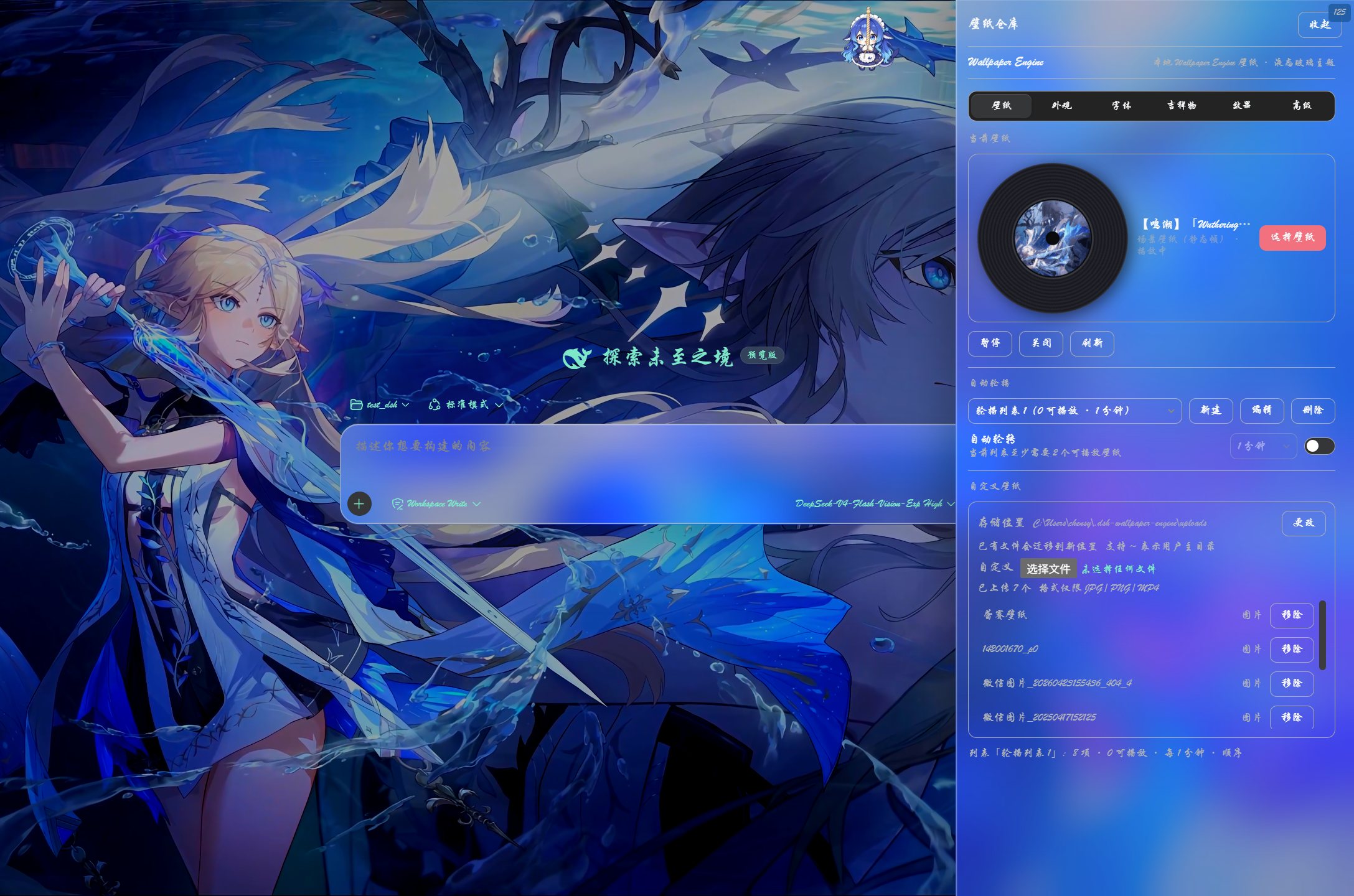
Pull the top rope mascot to slide out the wallpaper-library drawer. Both artworks are inlined as base64 (transparent background) at build time, so the single-file client bundle stays self-contained; size changes only the rope's own box, never the drawer below.
Typography & input caret
Two independent groups in the 外观 tab:
- Global typography — the master switch defaults to off (the stock dsh look). Once enabled, everything is refined per role / per component (there is no global weight and no global font family — a single global value flattens DSH's weight and family hierarchy):
- Text color roles: tint each of DSH's color roles separately (unset = keep the DSH default);
- Typographic roles: one row per role with size / weight / family — size is an absolute px value (the box shows DSH's official size; empty = leave it alone), weight is 100–900, family is a 7-option picker ("follow" = do not override), plus a "changed only" filter;
- Advanced font settings (sub-switch): refine code blocks / terminal / markdown / tables per component — effective only for components found by the startup self-probe (if DSH renames one, that entry degrades instead of misfiring).
- Font-set presets: save a whole typography look as a font set — one preset ships with the plugin; you can create one from the current look / rename / delete, and every edit lands only in the current set (with 「restore」 putting it back the way it was). Sets can be exported / imported as
.json(export opens the system "Save as"). It belongs to custom typography: turning the master switch off collapses the whole block. Error / danger / warning elements keep their system red; 恢复默认 clears every typography override (it does not touch view switches such as 「只看改过的」).
- Input caret — when the wallpaper shows through the liquid-glass composer and the caret blends into it (#83), this group gives the caret its own color: 自动 (default, native dsh) / 6 presets / custom picker, applied via
caret-colorto every text input.
System-audio reaction and Now Playing
Three controls in the 声音 tab (the first two on by default, the third off):
- 系统音频反应 — feeds a spectrum of whatever the system is playing (any app, not just browser tabs) to the wallpaper's audio-reactive effects. It is the system-output loopback, not the microphone, and it is built in on all three platforms (WASAPI loopback on Windows — no "Stereo Mix" or virtual sound card needed); when no audio can be captured the wallpaper falls back to its built-in simulated spectrum.
- 媒体信息 — hands the system Now Playing (title / artist / album / playback / position / duration / cover art) to the wallpaper through the official WE APIs
wallpaperRegisterMediaPropertiesListener/…ThumbnailListener/…PlaybackListener(plus…TimelineListener), so workshop web wallpapers that recognise them show song info and artwork. - 在线歌词 — lyrics come from local sources first (a
.lrcnext to the audio file, or an already-cached copy); when enabled, a missing lyric triggers one query to lrclib.net — that request sends title / artist / album, hence off by default.
Reverse control (follows 媒体信息): the ▶ / ⏸ / ⏮ / ⏭ buttons of a scene wallpaper's own Now Playing widget control the real system player (play / pause / previous / next) — only wallpapers carrying those widget buttons are affected (three in the corpus). The control plane shares its backend with the data path: with no middleware the buttons fall back to the renderer's simulated source, and the built-in (read-only) implementation offers no control.
This data comes from a bundled Rust middleware, media-bridge, run as a child process (downloaded on first use, sha256-verified, cached under
~/.dsh-wallpaper-engine/bin/): MediaRemote on macOS, the system media session (GSMTC) on Windows, MPRIS over D-Bus on Linux. Sobrew install media-control,playerctl, VB-Cable and Xcode Command Line Tools are all no longer needed; when the middleware cannot be fetched or started, the plugin falls back to its built-in implementation and reports the reason inGET /wallpaper-engine/media-status(fallback).
Configuration
This plugin exposes no model-visible tools or prompt text — zero token cost for the agent — and writes no DSH settings of its own. Only three things land on disk: the host-side config file ~/.dsh-wallpaper-engine/config.json (every setting — selection, hidden list, rotation, accent, typography, … — plus your chosen upload directory), the custom wallpaper files themselves, and the caches plus on-demand runtimes under ~/.dsh-wallpaper-engine/ (transcode / live-frame / video-thumbnail caches, the ffmpeg and media-middleware binaries).
Environment variables:
| Variable | Purpose |
|---|---|
DSH_WE_FFMPEG |
explicit ffmpeg executable path (highest priority in the resolution chain) |
DSH_WE_FFMPEG_URL |
replaces the auto-download source (self-hosted mirror / proxy) |
DSH_WE_CACHE_DIR |
overrides the cache root (transcode cache / live-frame cache) |
DSH_WE_STEAM_ROOT |
explicit Steam root(s) (comma/semicolon separated, Windows or /mnt paths; fallback when registry/auto-detection misses) |
DSH_WE_MEDIA_BRIDGE |
explicit media-middleware executable (dev/self-built artifact; highest priority) |
DSH_WE_MEDIA_BRIDGE_URL |
replaces the middleware download source ({tag} / {asset} placeholders supported) |
DSH_WE_MEDIA_BRIDGE_TAG / DSH_WE_MEDIA_BRIDGE_SHA256 |
use another middleware version (an unpinned tag is refused unless you supply its sha256) |
DSH_WE_MEDIA_LEGACY |
=1 forces the built-in implementation (for A/B debugging) |
DSH_WE_MEDIA_NO_AUDIO |
=1 metadata only — never touches system audio capture (no permission prompt) |
DSH_WE_MEDIA_PROVIDER |
=mock runs the middleware's built-in fake player (no real player needed) |
DSH_WE_MEDIA_IDLE_MS |
idle ms before the middleware child is stopped (0 = never; default 15 min) |
DSH_WE_MEDIA_DEBUG |
=1 logs the middleware's stderr and spawn arguments |
DSH_WE_DATA_DIR |
overrides the plugin data directory (default ~/.dsh-wallpaper-engine; self-check scripts use it so they never touch your real config.json) |
DSH_WE_UPLOAD_DIR |
overrides the custom-wallpaper storage location (takes priority over the in-app 更改 setting and the default) |
DSH_WE_ASSETS_DIR |
overrides the official-assets path (the WE assets tree; takes priority over the in-app setting) |
DSH_WE_TRANSCODE_TIMEOUT_MS |
overrides the wall-clock budget for one transcode job (ms; default 15 min) |
Where settings live: since v0.4.0 every setting lives in the host-side file ~/.dsh-wallpaper-engine/config.json
(independent of the browser's port, so a restart / port change / cleared browser data cannot lose it; legacy
localStorage settings are migrated automatically). File location, multi-device sharing and write behaviour: see the
"Settings persistence" section of docs/UPGRADING.md.
dsh-better-sidebar compatibility
The liquid-glass effect is specifically adapted for dsh-better-sidebar's panels (frost, specular highlight, and layer hierarchy are unified), so the sidebar and the conversation area share the same wallpaper + scrim background and read as one continuous surface.
The 外观 tab also exposes a set of sidebar glass controls independent of
both the conversation glass and the active wallpaper. Even with no Wallpaper
Engine wallpaper selected, the sidebar can be tinted and frosted over the stock
DSH surface or another background source. These controls target only the
dsh-better-sidebar subtree; browsers without backdrop-filter fall back to a
near-opaque fill:
| Control | What it controls | Default |
|---|---|---|
| 侧栏液态玻璃 | Master switch: frost the sidebar panels | On |
| 侧栏模糊 | Blur radius of the sidebar frost | see the control |
| 侧栏透明度 | Sidebar glass density (higher = clearer) | see the control |
| 侧栏玻璃颜色 | Sidebar glass base tint | #ffffff white |
Sidebar glass is a separate set of knobs from the settings-window glass: the conversation 「玻璃」slider only drives the composer / bubbles, while the sidebar sliders drive the sidebar. Turning 侧栏液态玻璃 off restores the native sidebar, including its editor / terminal content surfaces. The sidebar defaults to a fairly clear glass (so it matches the background instead of glowing white); editor / terminal content surfaces have their own near-opaque fill + transparency controls to keep text readable in the narrow panels.
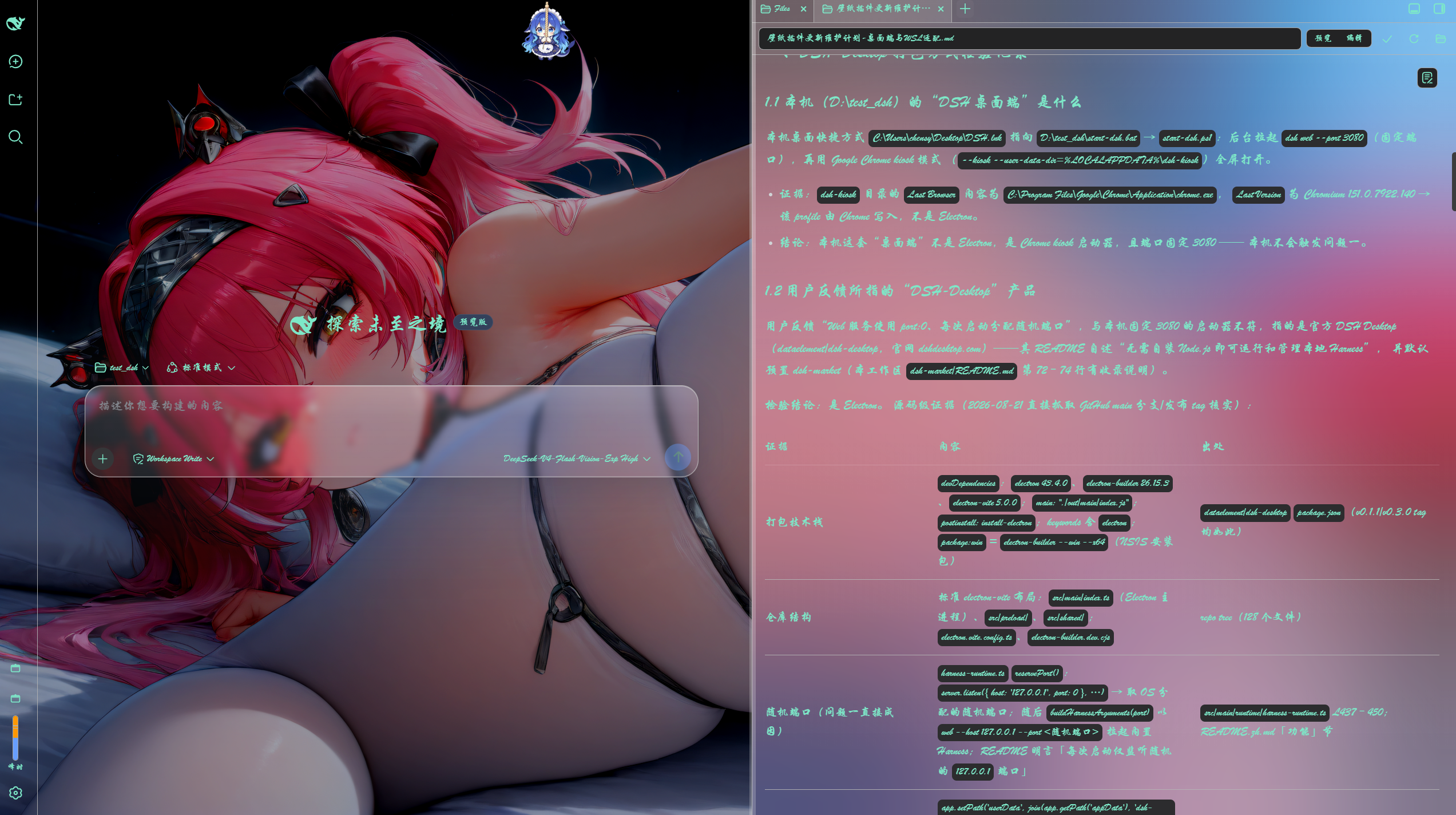
The sidebar glass adaptation with the custom typography (行楷) applied at the same time.
Limitations
- Application wallpapers are not supported — they need the host to run a third-party executable, which this plugin does not offer — so they stay out of the thumbnail picker and the rotation candidates. Scene wallpapers are rendered live by the bundled WebWallGL engine and need no Wallpaper Engine process running in the background.
- The browser must be able to autoplay muted
<video>(DSH runs on loopback; muted autoplay is allowed by modern browsers). - Media is served from your local Wallpaper Engine install paths; the host only serves files it has already enumerated (no arbitrary filesystem exposure). Custom uploads likewise stay on your machine — nothing is uploaded to any server.
- The fps cap depends on ffmpeg: the encoder prefers NVENC (
av1_nvenc→h264_nvenc) and falls back to libx264 software encoding without an NVIDIA GPU (slower, still works); only a missing ffmpeg (including an unavailable auto-download, e.g. musl/Alpine or other uncovered platforms) auto-disables the fps cap, leaving wallpapers on the original — nothing else is affected. - Very short white frames on minimize / restore can still happen on the desktop client (shell side): while a wallpaper is active the plugin paints the root element with an opaque wallpaper representative colour, so "the wallpaper layer's pixels did not reach the screen" degrades to a tone-matched solid rather than a white flash; but at the instant the window has no frame at all to submit, what shows is the shell's window base plate (on Windows the
BrowserWindowkeeps Electron's default base colour = white; the shell sets a transparent plate for macOS only). That one needs the shell side — the plugin cannot change it. - Occlusion pause applies to video wallpapers and the scene live render: videos pause their decoder directly; the scene live render pauses its render loop through the control surface (GPU usage drops with it). Plain web (iframe) wallpapers cannot be paused from outside and are only throttled by the browser when hidden.
- The picker is English/Chinese mixed (this bundle is not yet wired into DSH's locale namespaces).
Development / rebuild
Running your own copy (link: install, build & verify, hot-mount and encoding rules, and what
lib/client.js actually is) is documented in CONTRIBUTING.md.
Contact
Questions, feedback, or want new versions the moment they land? Join one of our groups (these are the same two codes the plugin shows under Settings → Wallpaper Engine → About):
| 🐧 QQ group | 🎵 Douyin group |
|---|---|
| DSHWE | LLM discussion | dsh community (group ID 252729465001) |
The images are the shipped assets
lib/about/*.png(the plugin serves the very same bytes from its own route); for the source screenshots and how they were derived, seeassets/about/README.md.
Acknowledgments
This plugin is the work of many people — thank you all:
- oneincase — author of the bundled WebWallGL real-time rendering engine and the media-bridge media middleware (#103, #104): the live rendering of Scene / Web wallpapers and the native Windows / macOS / Linux media pipeline are all built on top of them.
- YV3507 — the largest contributor by commits: from the early scene renderer to the static-frame fix series, the liquid-glass token system, the live frame pipeline, and several rounds of large-scale refactors plus the docs / guard system.
- yuxilao — the scene-gl Linux real-time rendering pipeline (WebGL2 official shader driver + several rounds of performance work) and rotation handoff / GPU frame backfill / official assets path (#65, #108).
- Jerry — before native three-platform support landed, he maintained the macOS side of things (WaifuX workshop directory scanning, vinyl thumbnail fallback, upstream porting, and the macOS contribution paths, #44, #45, #52, #54).
- Also SiriLee (brightness / contrast / saturation controls, the mascot pull-cord toggle, Steam root discovery from WSL), libiwolve (content rating & type filters), 0-007pro (automatic wallpaper rotation), jujubaoj646-star (the typography & bubble styling panel), xiahou001 (per-wallpaper audio volume), wilianyichen (on-demand MP4 thumbnails & upload content ratings), hecoococ (decoupling sidebar glass from the active wallpaper), ShamSky88 (the glass blur positioning fix), Rekk0 (token-driven glass transparency, registry-based Steam discovery), Y1X1n (the beginner-friendly guide) — and everyone who has helped through issues and PRs. Thank you!
Links
More in this category
Small-tailqwq/dsh-deep-whale#maid-atelier★ 2339
Whale-girl skin series for the DSH Web UI (maid-atelier).
d-dev0101/open-sea-skin★ 381
Realtime WebGPU ocean skin with quick controls for waves, daylight, glass opacity, and an automatic day cycle.
kingOfSoySauce/dsh-liang-skin★ 230
Adaptive reasoning slider skin that maps each model's available reasoning efforts onto a 0–30 visual intensity scale, with synchronized portraits, background, and interface colors.
RevolutionLA/dsh-dream-skin★ 199
One-command skin plugin: 8 original themes, translucent wallpaper with opacity/blur, per-user accent, and shareable theme-pack import/export, favorites and surprise-me — purely native on DSH's token system.
GGBond2424648901/deep-whale-day-night-theme★ 118
Non-commercial day/night whale-girl skin for official Harness rc.7: current no-viewport-frame layout, paired crystal-workshop and moon-tide scenes, chibi companions, translucent ornaments, and lightweight ambience.
ymh0000123/dsh-theme-endfield★ 112
Arknights: Endfield industrial-editorial theme for the DSH Web UI: cream paper, ink text, zero border radius, two switchable accent palettes (signal yellow / teal-cyan), plus optional marching-squares contour background, ENDFIELD watermark and boot progress plate.
Community comments
Comments are public GitHub Discussions. Loading them connects to GitHub and Giscus; a GitHub account is required to post.