Font system plugin: OFL webfont presets served offline from the plugin, user-imported custom woff2 fonts, and a ctx.fonts registry other plugins can extend.
Install
# from GitHub (first run asks for allowBuilds approval — follow the hint, retry)
dsh plugin --profile web add github:zhijun-dai/dsh-Fonts
Any plugin you install runs third-party code with your own permissions — it can read your files, use your credentials, and reach the network, and tool approvals don’t sandbox it. GitHub-sourced plugins also run build scripts at install time — pnpm blocks those until you allow them, so an install can stop with ERR_PNPM_GIT_DEP_PREPARE_NOT_ALLOWED or ERR_PNPM_IGNORED_BUILDS; dsh prints the exact key to add under allowBuilds in your profile’s pnpm-workspace.yaml, and the install works on the next run. Allowing a build is a trust decision: only install sources you trust, and pin a commit (github:owner/repo#sha).
README
dsh-Fonts
A font system plugin for DeepSeek Harness — bundled OFL webfonts served offline, user-imported custom fonts, and a ctx.fonts registry other plugins can extend
English | 中文
Overview
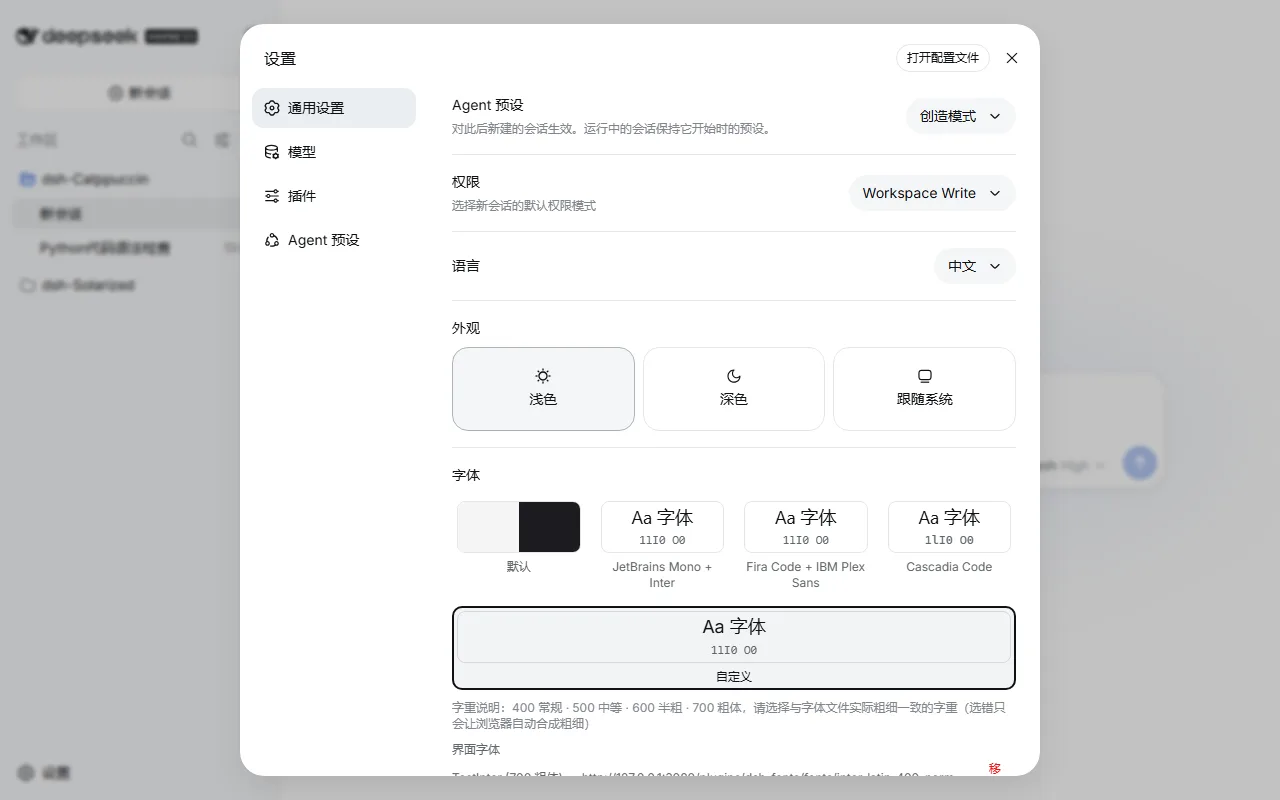
DeepSeek Harness's web UI ships with system font stacks and no webfonts. dsh-Fonts turns fonts into a composable resource:
- Bundled presets: JetBrains Mono + Inter, Fira Code + IBM Plex Sans, and Cascadia Code pairings, all OFL-licensed and shipped with the plugin for offline use (no CORS issues)
- Custom import: enter a family name + woff2 URL in the settings panel to import your own UI/code fonts; the selection persists locally
- Plugin API: a
ctx.fontsregistry service — other plugins can register or consume font presets viactx.get("fonts")
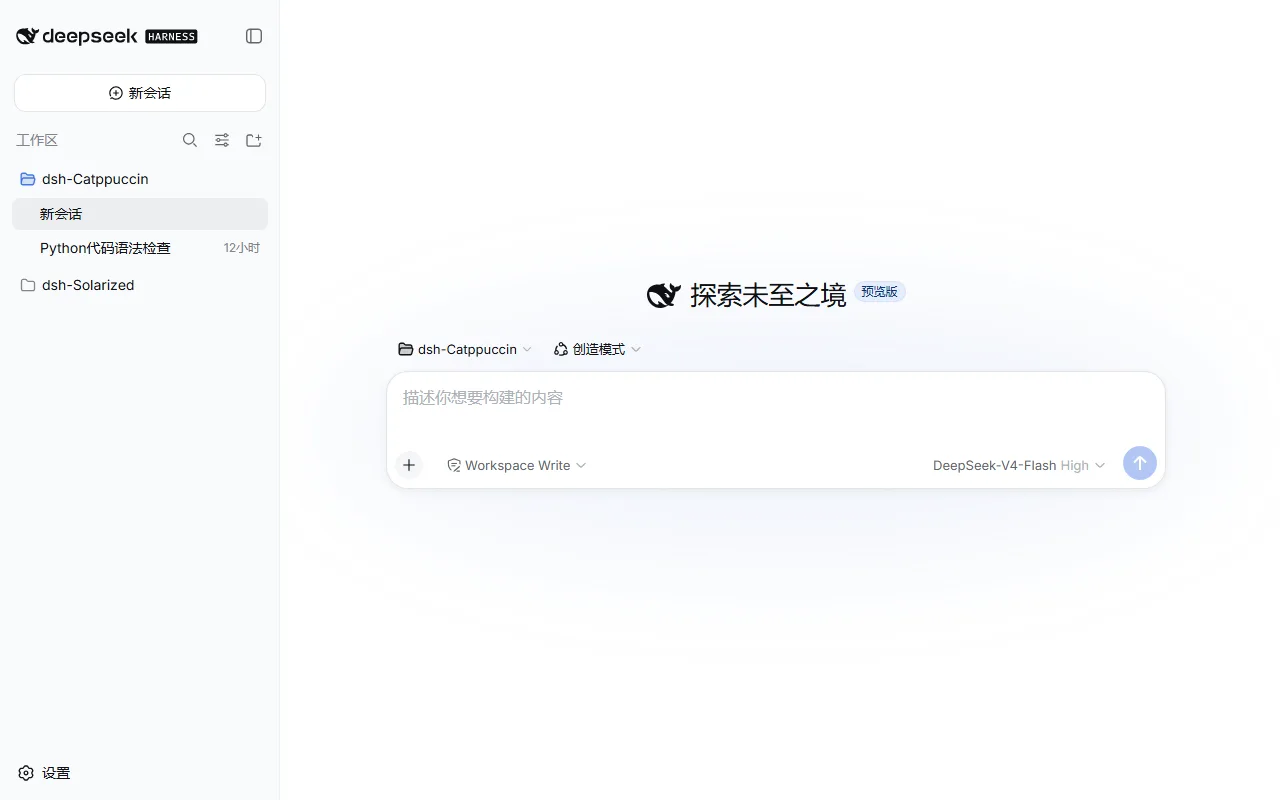
Previews
Usage
A dual-face DSH plugin: the host half serves the bundled font files, the browser half provides the registry and the settings row. After installation, pick fonts in Settings → General → Font.
Install:
# GitHub
dsh plugin --profile web add github:zhijun-dai/dsh-Fonts

# local directory (the profile dir is a pnpm workspace root — -w is required)
dsh plugin --profile web add -w /path/to/dsh-Fonts

# npm
dsh plugin --profile web add dsh-fonts
Then restart dsh web.
Switching fonts: Settings → General → Font row — preset cards apply live; "Default" restores the system stacks.
Importing custom fonts: fill in the editor fields (UI font / Code font) and hit Add:
| Field | Meaning |
|---|---|
| Family | Any name used to reference the font in the stack (e.g. Inter) |
| woff2 URL | An http(s) direct link to the font file; it must be CORS-accessible (CDNs usually are) |
| Weight | 400 Regular · 500 Medium · 600 Semibold · 700 Bold — pick the weight your file actually is. Download pages usually label it: Regular=400, Bold=700. A wrong pick won't break anything, the UI just shows a browser-synthesized "fake bold" |
Example — importing Inter Regular from the Fontsource CDN as the UI font:
Family: Inter
woff2 URL: https://cdn.jsdelivr.net/npm/@fontsource/inter@5.3.0/files/inter-latin-400-normal.woff2
Weight: 400 Regular
It applies immediately and survives reloads; re-adding the same family+weight replaces the old entry, and Remove deletes it.
Plugin API
Other plugins consume the font service lazily via ctx.get("fonts") (cross-plugin require is a build error — module imports cannot be used):
// in your plugin's browser half
import type { FontPreset, FontRegistry } from 'dsh-fonts/client'

// register your own font preset
const dispose = ctx.get('fonts')?.register({
  id: 'my-preset',
  ui: ['My Font', '-apple-system', 'sans-serif'],
  code: ['My Mono', 'monospace'],
  faces: [{ family: 'My Font', weight: '400', src: ['https://example.com/my-font.woff2'] }],
})

// subscribe to snapshots
const off = ctx.get('fonts')?.subscribe((snapshot) => {
  console.log(snapshot.activeId, snapshot.revision)
})
Full FontPreset / FontSnapshot / FontRegistry types live in lib/types/client/index.d.ts.
How it works
- The browser half provides the registry to the root context via
ctx.provide("fonts", registry)atapplytime - On selection changes it rewrites an injected
<style id="dsh-fonts">:@font-facerules plus:rootoverrides of--dsw-font-family/--ds-font-family-code— the two CSS variables every DSH component consumes viavar()(defined in@deepseek-ai/dsh-client-ui-theme'sbase.css) - The host half registers a
/plugins/dsh-fonts/fonts/*route onctx.webServer, serving the woff2 files bundled underdata/fonts/ - The selection persists in
localStorage(dsh-fonts:prefs) and is restored at boot; a selected plugin-registered preset falls back to the default if that plugin is absent
Known limitations
- Some components hardcode an
Inter, var(--dsw-font-family)stack (e.g. the workspace browser) — those keep Inter on systems that have it installed - Bundled fonts are latin subsets (~280KB total); CJK text falls back through the stack tail to system fonts (PingFang SC / Microsoft YaHei)
- Custom imports accept woff2 URLs only (http/https)
Font credits
Bundled fonts are licensed under the SIL Open Font License 1.1; license texts ship in data/fonts/LICENSE-*.txt:
- JetBrains Mono — JetBrains s.r.o.
- Inter — Rasmus Andersson
- Fira Code — The Fira Code Project Authors
- IBM Plex Sans — IBM Corp.
- Cascadia Code — Microsoft
💝 Thanks
- DeepSeek Harness — the plugin architecture and the
dsh.clientdual-face mechanism - Fontsource — webfont distribution
- dsh-Catppuccin / dsh-Solarized — the repository conventions this plugin follows
dsh-Fonts · Copyright 2026-present zhijun-dai · MIT License
Links
More in this category
Small-tailqwq/dsh-deep-whale#maid-atelier★ 2252
Whale-girl skin series for the DSH Web UI (maid-atelier).
elysia395/dsh-wallpaper-engine★ 384
Requires DeepSeek Harness 0.1.5-rc.1+ (DSH Desktop >= 2.0.7) and dsh-better-sidebar >= 0.19.0 - update both before installing or updating this plugin. Plays local Wallpaper Engine Video/Web wallpapers behind the chat, renders Scene wallpapers as extracted static frames, and adds content-rating/type filters, custom uploads and an iOS-style liquid-glass settings window.
d-dev0101/open-sea-skin★ 380
Realtime WebGPU ocean skin with quick controls for waves, daylight, glass opacity, and an automatic day cycle.
kingOfSoySauce/dsh-liang-skin★ 222
Adaptive reasoning slider skin that maps each model's available reasoning efforts onto a 0–30 visual intensity scale, with synchronized portraits, background, and interface colors.
RevolutionLA/dsh-dream-skin★ 192
One-command skin plugin: 8 original themes, translucent wallpaper with opacity/blur, per-user accent, and shareable theme-pack import/export, favorites and surprise-me — purely native on DSH's token system.
GGBond2424648901/deep-whale-day-night-theme★ 117
Non-commercial day/night whale-girl skin for official Harness rc.7: current no-viewport-frame layout, paired crystal-workshop and moon-tide scenes, chibi companions, translucent ornaments, and lightweight ambience.
Community comments
Comments are public GitHub Discussions. Loading them connects to GitHub and Giscus; a GitHub account is required to post.