Native Markdown mind map viewer with interactive navigation, layout controls and SVG/PNG export.
Install
# from a prebuilt release tarball
dsh plugin --profile web add -w "https://github.com/sonhoang23/dsh-mindmap/releases/download/v0.2.2/dsh-mindmap-0.2.2.tgz"
# from GitHub (first run asks for allowBuilds approval — follow the hint, retry)
dsh plugin --profile web add github:sonhoang23/dsh-mindmap
Any plugin you install runs third-party code with your own permissions — it can read your files, use your credentials, and reach the network, and tool approvals don’t sandbox it. GitHub-sourced plugins also run build scripts at install time — pnpm blocks those until you allow them, so an install can stop with ERR_PNPM_GIT_DEP_PREPARE_NOT_ALLOWED or ERR_PNPM_IGNORED_BUILDS; dsh prints the exact key to add under allowBuilds in your profile’s pnpm-workspace.yaml, and the install works on the next run. Allowing a build is a trust decision: only install sources you trust, and pin a commit (github:owner/repo#sha).
README
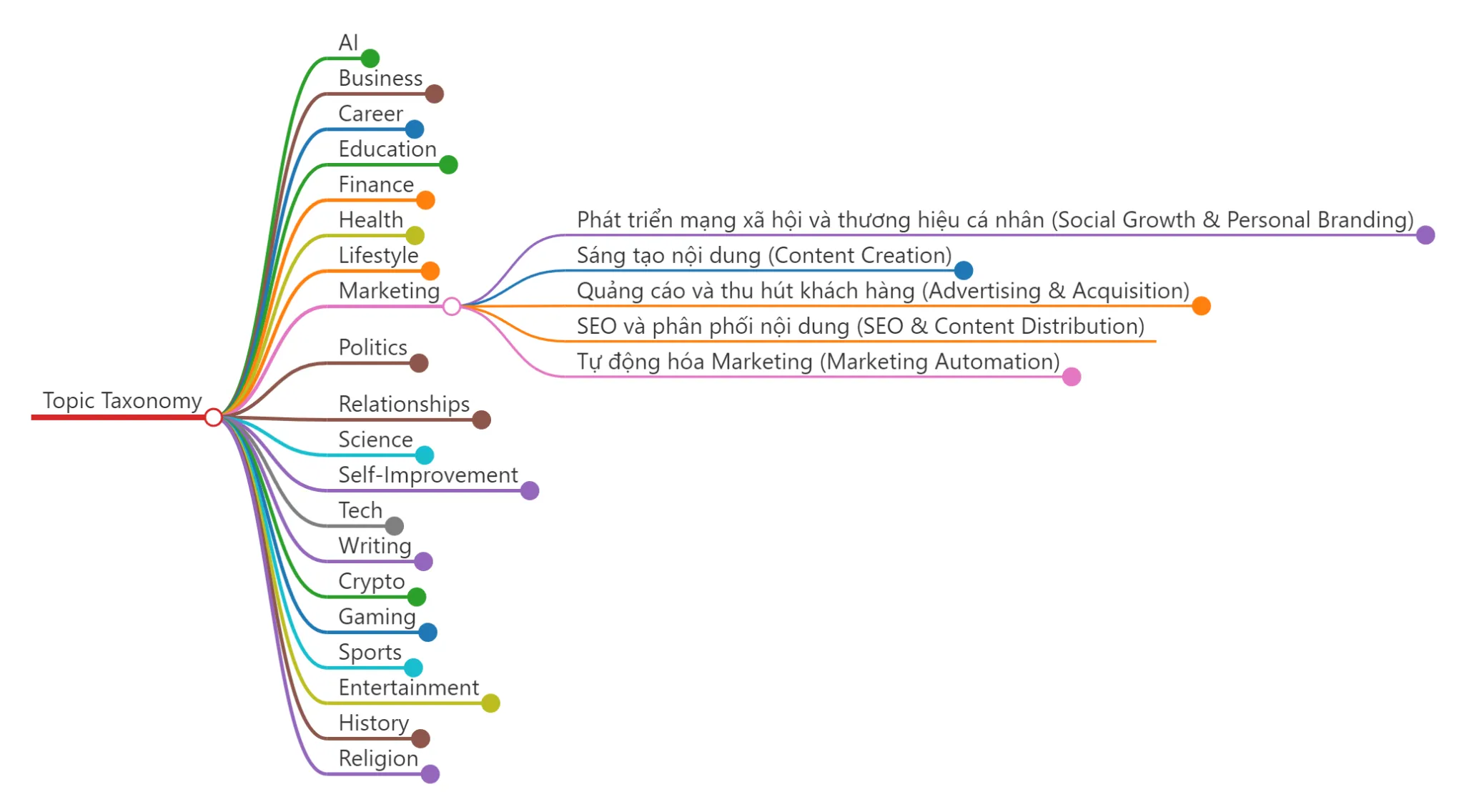
Real map output rendered from Markdown; not a screenshot of the full DSH interface.
Quick start
No Better Sidebar required. Install into DSH Web with Node.js 24.9+ and pnpm. DSH must expose the native documentPreviews registry (native viewing was reported working on 0.2.2-rc.5 with v0.2.1).
git clone https://github.com/sonhoang23/dsh-mindmap.git
cd dsh-mindmap
pnpm install
pnpm run check
dsh plugin --profile web add .
dsh plugin --profile web install
Only install after checks pass. Restart DSH Web and hard-refresh. In native Files, open a file named example.mindmap.md:
---
markmap: true
---

# My knowledge
## AI Systems
- Models
- Harness
## Learning
- Notes
- Practice
The map opens automatically. Use DSH's document viewer menu to switch back to Markdown. Ordinary .md files keep the native viewer. The suffix, not frontmatter alone, selects native Mindmap.
Features
| Feature | Native Files | Better Sidebar (optional) |
|---|---|---|
| Open compound mindmap suffix | Yes | With explicit frontmatter or manual action |
| Pan, zoom, Fit, Level, layouts, wrapping | Yes | Yes |
| Markdown draft editing and MD/SVG/PNG export | Yes | Yes |
| Relative Markdown links | Native resource navigation | Sidebar navigation |
| Auto-detect ordinary .md with markmap: true | Not yet | Yes |
| Save directly to source | Not yet | Yes, guarded by modification time |
Native files are read through DSH's authenticated document preview. Edits are in-memory drafts; exporting downloads a copy. The plugin does not add a filesystem write API. Native document files are limited to 2 MB of UTF-8 text. Mobile controls share the same map engine.
Mindmap Studio
Where the DSH native tab guide exposes Mindmap Studio, create or import a local Markdown file and export your draft. Native Files is the recommended workspace workflow; Studio is an additional local-file tool.
Optional Better Sidebar
Users of Better Sidebar 0.32.x (^0.32.1) can keep its automatic frontmatter detection, View as Mindmap file action, editor action and guarded file saves. The adapter activates only when its service is present.
Architecture
flowchart TD
  DSH[DSH native] --> Native[Native document adapter]
  DSH --> Studio[Local Studio]
  Native --> Core[Shared Mindmap core]
  Studio --> Core
  Better[Better Sidebar - optional] --> Adapter[Optional adapter]
  Adapter --> Core
  Core --> Markmap[Markmap]
Native-first means core features must not require third-party plugins. See AGENTS.md and development.
Compatibility and status
- DSH engine range:
>=0.2.2-0 <0.3.0; native preview requires the document registry. - Better Sidebar: optional
^0.32.1. - Node.js:
>=24.9.0; DSH Web. - Experimental source installation; package is private, not an npm registry release.
- v0.2.1 native opening was user-confirmed; v0.2.2 refactor needs its own live acceptance.
Documentation
Installation · Development · Mobile testing · Troubleshooting · Changelog
Issues and pull requests welcome. Include host version, optional integration status and reproducible steps. Built with Markmap, licensed under MIT.
Prebuilt GitHub releases
Versioned experimental tarballs are published on GitHub Releases by the release workflow after the repository checks pass. Install a published .tgz using dsh plugin --profile web add <tarball-url> followed by dsh plugin --profile web install. The source-install instructions remain available above. Clean-profile installation of the release asset must be verified separately.
Links
More in this category
tt-a1i/archify#integrations/deepseek-harness★ 99972
Generate validated, self-contained interactive architecture, workflow, sequence, data-flow, and lifecycle diagrams from repositories or system descriptions.
dream-num/dsh-univer-office★ 761
Give DeepSeek Harness a real office environment. Univer Office Plugin brings spreadsheets, docs, slides, canvases, relational tables, and more into one runtime — with connected data, validation, versioned changes, and isolated worktrees for multi-agent collaboration.
ECNU/EduWork#dsh-knowledge-studio★ 410
A workspace-based Studio for source-grounded reports, slides, tables, mind maps, quizzes, flashcards, audio and video, using DSH models and shared artifact services. Office generation requires Python 3.12+ with its dependencies and DSH_OFFICE_PYTHON configured; media rendering requires Chromium, and local ASR additionally requires whisper.cpp and a model.
Roland0511/dsh-marktext★ 389
WYSIWYG Markdown editor in the DSH right sidebar, built on MarkText's muya engine: open a .md file, edit it as a rendered document, and save back through ctx.fs with a version guard.
PerryLink/dsh-industry-research★ 227
Deterministic industry research reports for DeepSeek Harness — company and industry research flows produce structured, verifiable reports from staged evidence.
joeseesun/qiaomu-ui-learn-dsh★ 89
Browse UI design references and interaction examples, take design quizzes, and export learning notes as Markdown.
Community comments
Comments are public GitHub Discussions. Loading them connects to GitHub and Giscus; a GitHub account is required to post.