Add a theme-adjustment panel under Appearance to customize accent, background, foreground, contrast and gradient, applied live through theme token overrides.
Install
# from npm (prebuilt)
dsh plugin --profile web add dsh-theme-tuner
# from GitHub (first run asks for allowBuilds approval — follow the hint, retry)
dsh plugin --profile web add github:shawnlone/dsh-theme-tuner
Any plugin you install runs third-party code with your own permissions — it can read your files, use your credentials, and reach the network, and tool approvals don’t sandbox it. GitHub-sourced plugins also run build scripts at install time — pnpm blocks those until you allow them, so an install can stop with ERR_PNPM_GIT_DEP_PREPARE_NOT_ALLOWED or ERR_PNPM_IGNORED_BUILDS; dsh prints the exact key to add under allowBuilds in your profile’s pnpm-workspace.yaml, and the install works on the next run. Allowing a build is a trust decision: only install sources you trust, and pin a commit (github:owner/repo#sha).
README
Customize the DeepSeek Harness (DSH) interface theme directly under the built-in Appearance settings — accent, background, foreground, contrast and gradient, applied live.
Reuses the built-in Appearance light / dark / system switch, so there is no duplicate theme toggle.
Screenshots
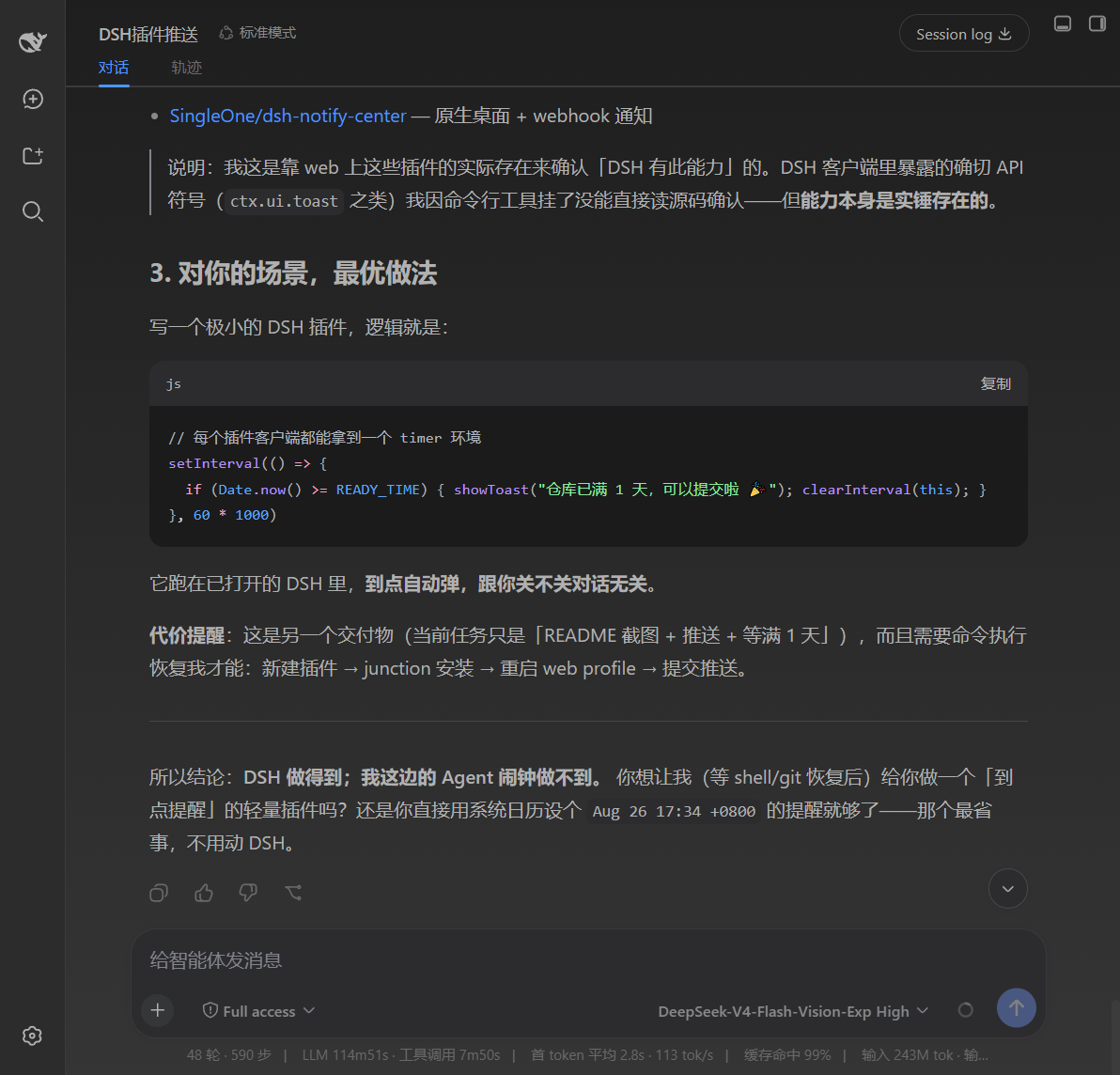 Dark · theme effect Dark · theme effect |
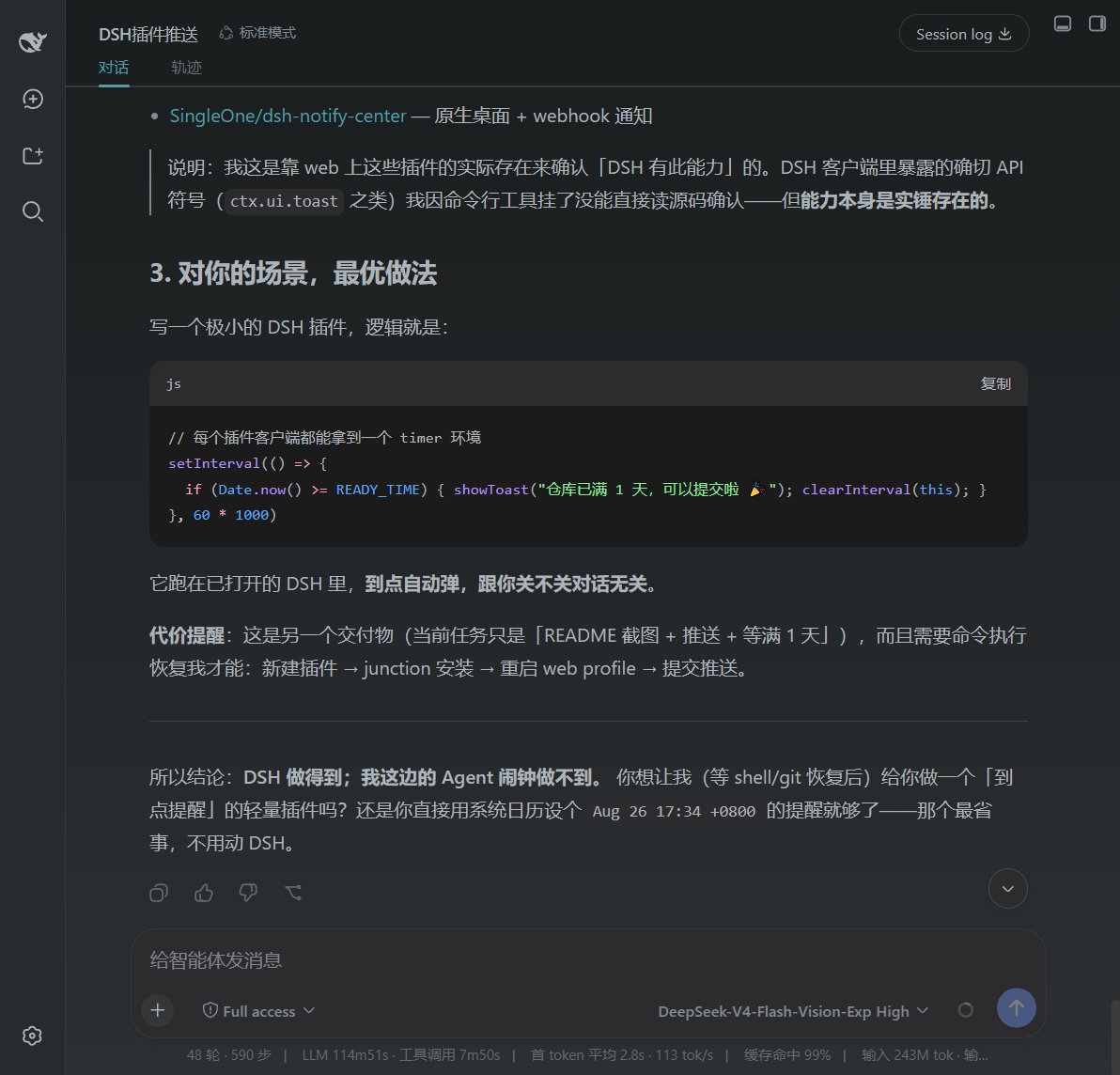 Dark · theme effect Dark · theme effect |
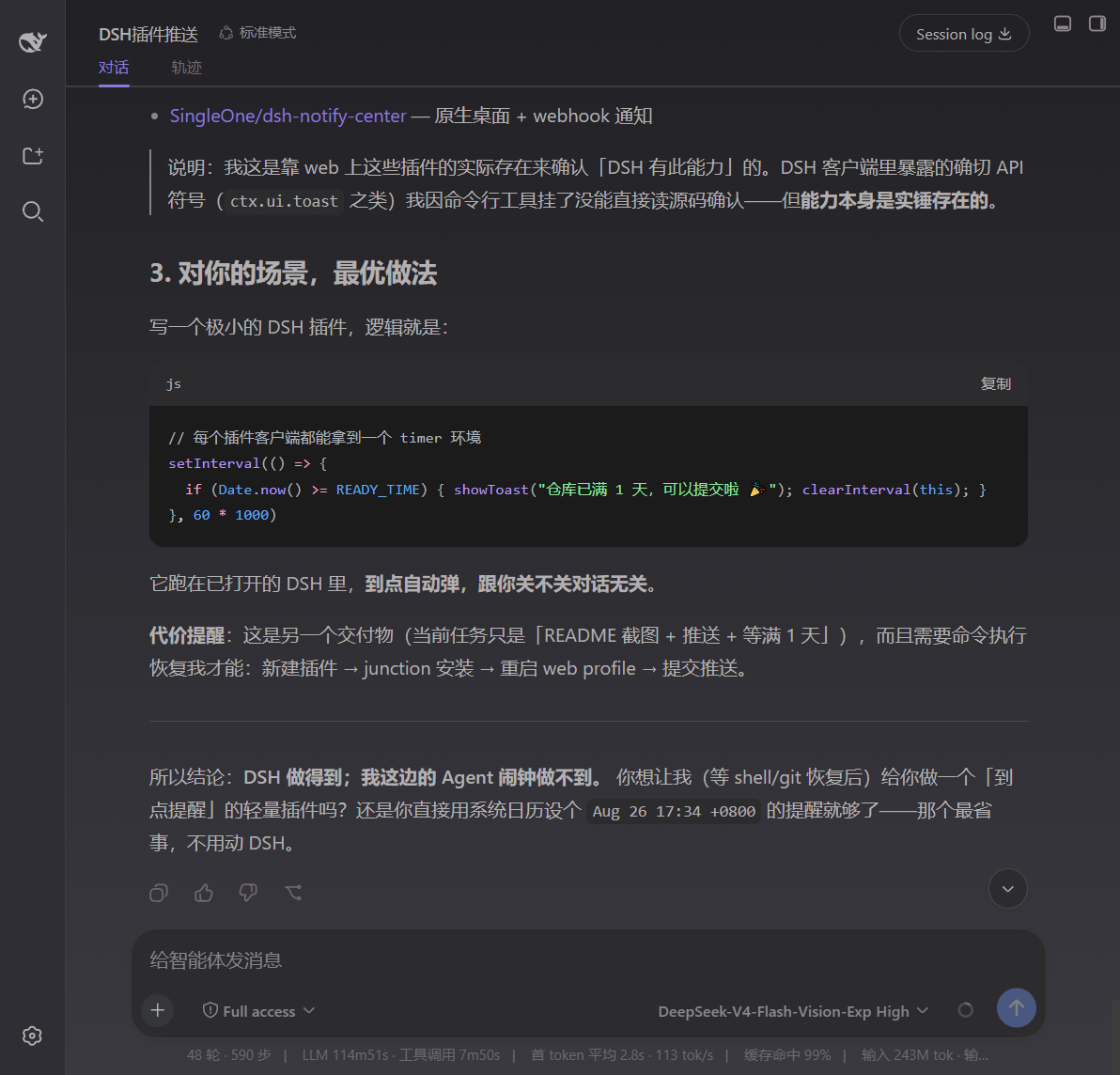 Dark · theme effect Dark · theme effect |
|---|---|---|
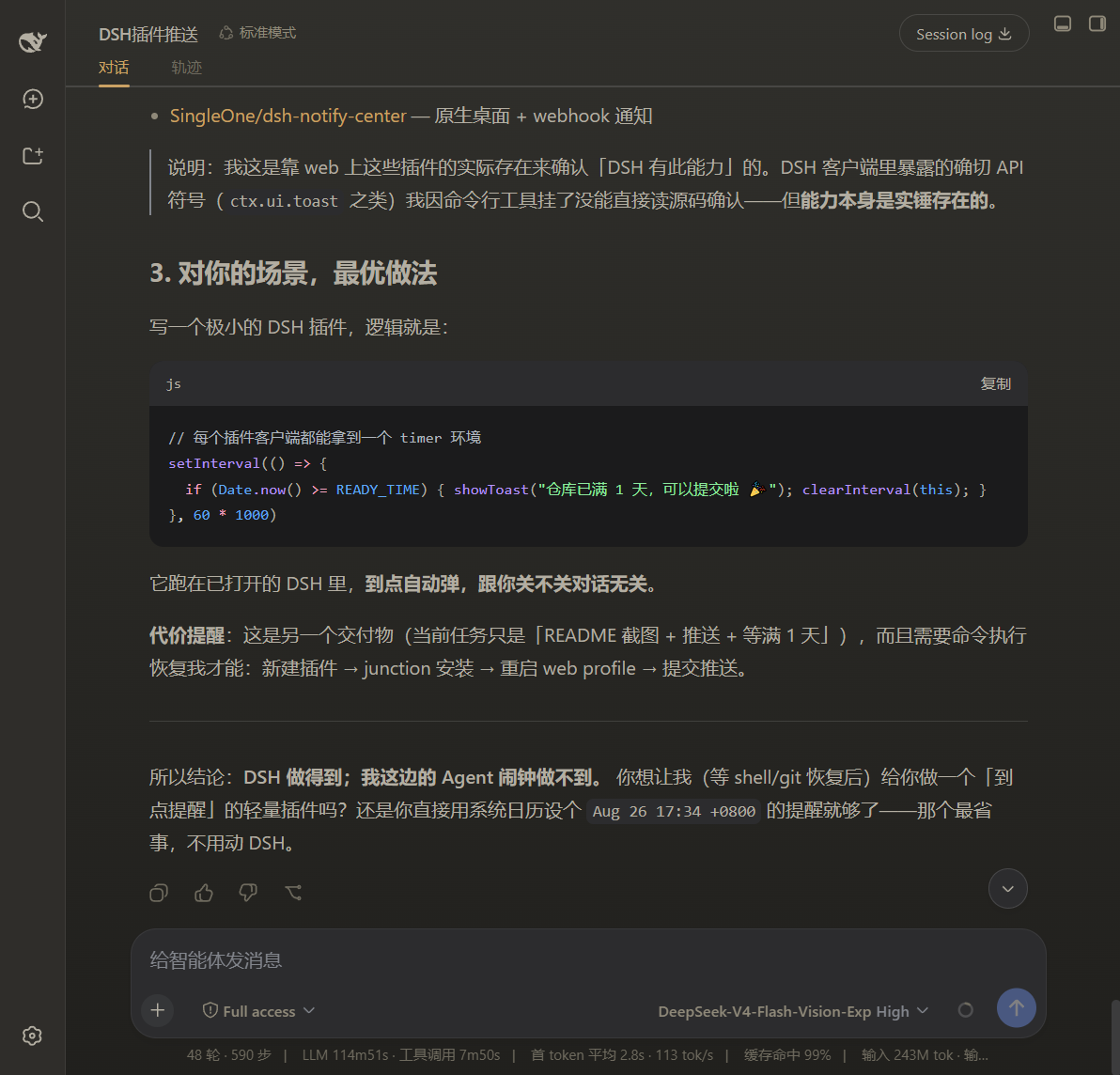 Dark · theme effect Dark · theme effect |
 Light · theme effect Light · theme effect |
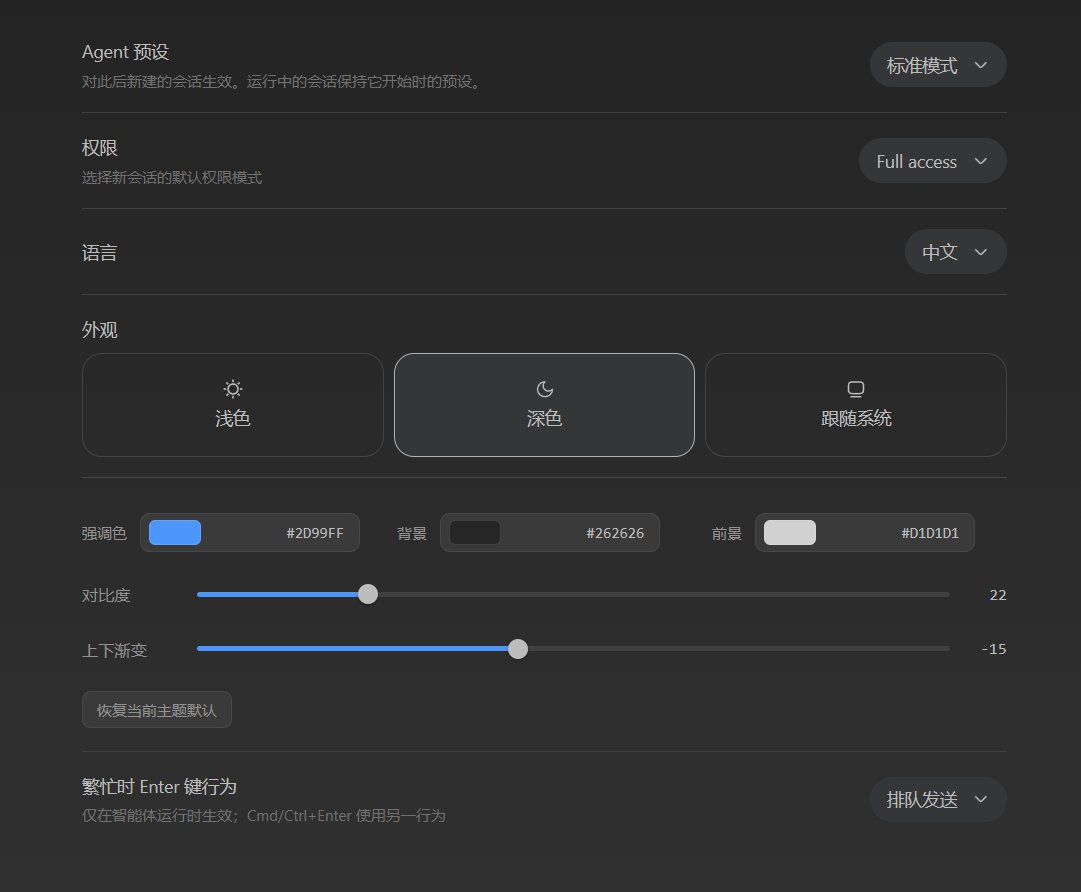 Theme settings panel Theme settings panel |
Features
- Sits directly under General Settings → Appearance, adjusting accent / background / foreground / contrast / gradient.
- Reuses the built-in Appearance light / dark / system switch and tunes the currently active theme.
- Keeps the light and dark palettes separately; the contrast slider softens or sharpens the foreground text per theme.
- Applies live via DSH
theme.overrideTokens(--dsw-alias-*design tokens), with a one-click reset to the current theme default.
Install
dsh plugin --profile web add github:shawnlone/dsh-theme-tuner
This repo is organised so the repo root is the plugin package:
package.jsondeclaresdsh.bundle.patch(the install entry) anddsh.client(browser UI), withcordis.patch.ymlat the root. A new plugin needs a profile restart to take effect.scripts/install.ps1/scripts/install.shhelpers (with a local-junction fallback when a pnpm supply-chain policy blocks the normal path) are also provided.
How it works
The plugin writes your values into DSH's design tokens:
- accent →
--dsw-alias-brand-primary/--dsw-alias-button-primary-fill/--dsw-alias-state-business-primary - background →
--dsw-alias-bg-base/--dsw-alias-bg-layer-1/2/3/--dsw-specific-sidebar-fill - foreground →
--dsw-alias-label-primary/secondary/tertiary(derived from the chosen foreground + contrast)
Settings persist through the theme-tuner settings namespace. The row registers into settings.general.item (order 10.5), directly under the built-in Appearance (order 10). Since DSH 0.1.2-rc.1 the font-size row sits at order 11 and the conversation-display row at order 12, so 10.5 keeps the customizer pinned to the Appearance row.
Structure
dsh-theme-tuner/
  package.json          # dual-face manifest: dsh.client + dsh.bundle.patch
  cordis.patch.yml      # bundle mount row (insert)
  lib/index.js          # host half: registers the theme-tuner settings namespace + schema
  lib/client.js         # browser half: settings row + live token application
  scripts/              # install.ps1 / install.sh
  preview.html          # standalone demo
  assets/               # docs / plugin-market screenshots
License
Links
More in this category
Small-tailqwq/dsh-deep-whale#maid-atelier★ 2516
Whale-girl skin series for the DSH Web UI (maid-atelier).
elysia395/dsh-wallpaper-engine★ 957
Requires DeepSeek Harness 0.1.5-rc.1+ (DSH Desktop >= 2.0.7) and dsh-better-sidebar >= 0.19.0 - update both before installing or updating this plugin. Plays local Wallpaper Engine Video/Web wallpapers behind the chat, renders Scene wallpapers as extracted static frames, and adds content-rating/type filters, custom uploads and an iOS-style liquid-glass settings window.
d-dev0101/open-sea-skin★ 389
Realtime WebGPU ocean skin with quick controls for waves, daylight, glass opacity, and an automatic day cycle.
kingOfSoySauce/dsh-liang-skin★ 240
Adaptive reasoning slider skin that maps each model's available reasoning efforts onto a 0–30 visual intensity scale, with synchronized portraits, background, and interface colors.
RevolutionLA/dsh-dream-skin★ 222
One-command skin plugin: 8 original themes, translucent wallpaper with opacity/blur, per-user accent, and shareable theme-pack import/export, favorites and surprise-me — purely native on DSH's token system.
ymh0000123/dsh-theme-endfield★ 134
Arknights: Endfield industrial-editorial theme for the DSH Web UI: cream paper, ink text, zero border radius, two switchable accent palettes (signal yellow / teal-cyan), plus optional marching-squares contour background, ENDFIELD watermark and boot progress plate.
Community comments
Comments are public GitHub Discussions. Loading them connects to GitHub and Giscus; a GitHub account is required to post.