CC Switch-style token consumption statistics for the dsh web GUI: per-request usage log, real-consumption hero, request-time-bucketed trend chart, per-model peak/off-peak list pricing, per-project and per-model stats, and account balance.
Install
# from GitHub (first run asks for allowBuilds approval — follow the hint, retry)
dsh plugin --profile web add github:qwert702/dsh-token-viewer
Any plugin you install runs third-party code with your own permissions — it can read your files, use your credentials, and reach the network, and tool approvals don’t sandbox it. GitHub-sourced plugins also run build scripts at install time — pnpm blocks those until you allow them, so an install can stop with ERR_PNPM_GIT_DEP_PREPARE_NOT_ALLOWED or ERR_PNPM_IGNORED_BUILDS; dsh prints the exact key to add under allowBuilds in your profile’s pnpm-workspace.yaml, and the install works on the next run. Allowing a build is a trust decision: only install sources you trust, and pin a commit (github:owner/repo#sha).
README
CC Switch-style token consumption statistics for the DeepSeek Harness Web GUI. Read-only surfaces over the harness's host-computed projections plus one balance read; the plugin adds no prompt content, tools, or provider requests.
Install (one command):
dsh plugin add qwert702/dsh-token-viewerRestart the harness, refresh the web page, then click the Token icon in the sidebar panel list; the account balance also shows up as a chip at the bottom of the sidebar.
Targets harness 0.2.0-rc.2 (and 0.1.6+ — slot names, projection APIs, and service contracts are unchanged between those releases; v0.3.0 switches to the loader-applied plugin Config export, the sanctioned config channel since the settings service became SettingsForms). Earlier versions of this plugin disabled the official ui-sidebar plugin and forked its sidebar.workspaces.header slot; that slot is gone in 0.1.6, so v0.2.1 and later no longer override any official plugin — it registers into the stock slots instead. On an older harness, pin v0.2.0.
Features
- Sidebar panel — a Token row in the sidebar's global panel list; clicking it opens the plugin's page in the main area: DeepSeek account balance (with refresh; error-retry when the host proxy fails) and aggregate consumption across all sessions, expandable to a per-conversation list.
- Balance chip — the sidebar footer carries the live account balance (full amount when the sidebar is wide, a bare currency mark on the collapsed rail); clicking it opens the statistics drawer.
- Whale-maid pet — a bottom-right pet showing the active pricing tier: asleep with a moon badge and rising Z's through the off-peak windows, awake with a lightning badge through the Beijing peak windows. The tooltip shows the tier, the countdown to the next window boundary, and the currently applicable flash prices; clicking the pet opens the statistics drawer, and the pet tucks itself away while the drawer is open.
- TokenDock — a slim live strip above the composer showing the current session's billed input (uncached + cache read + cache write), output, cache hit rate, and approximate context occupancy.
- Usage statistics panel (drawer in
shell.overlay, a faithful port of CC Switch's usage-dashboard method):- Per-request statistics — the host
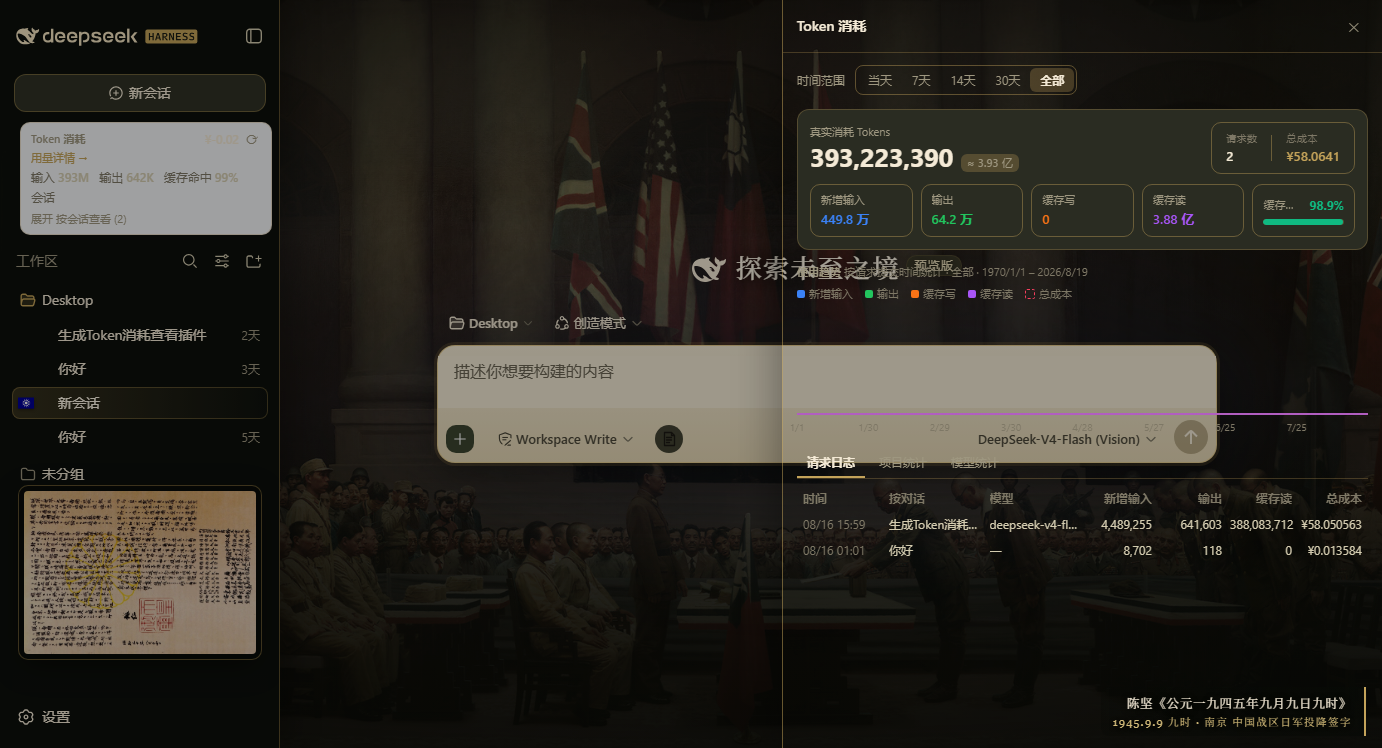
usageLogprojection records one timestamped entry per reported assistant step (commit time, model, four token buckets); every figure folds these records, never cumulative session totals. The projection retains the newest 10,000 entries per session (stateVersion 2), so long-lived sessions stop growing the fold and the wire payload at that point. - Hero — real consumption (fresh input + output + cache write + cache read), request count, total cost, over a five-card breakdown row with a cache-hit-rate progress bar.
- Trend chart — requests bucketed by their own commit time (hourly for the day, daily otherwise, empty buckets zero-filled), four token series plus a dashed cost line.
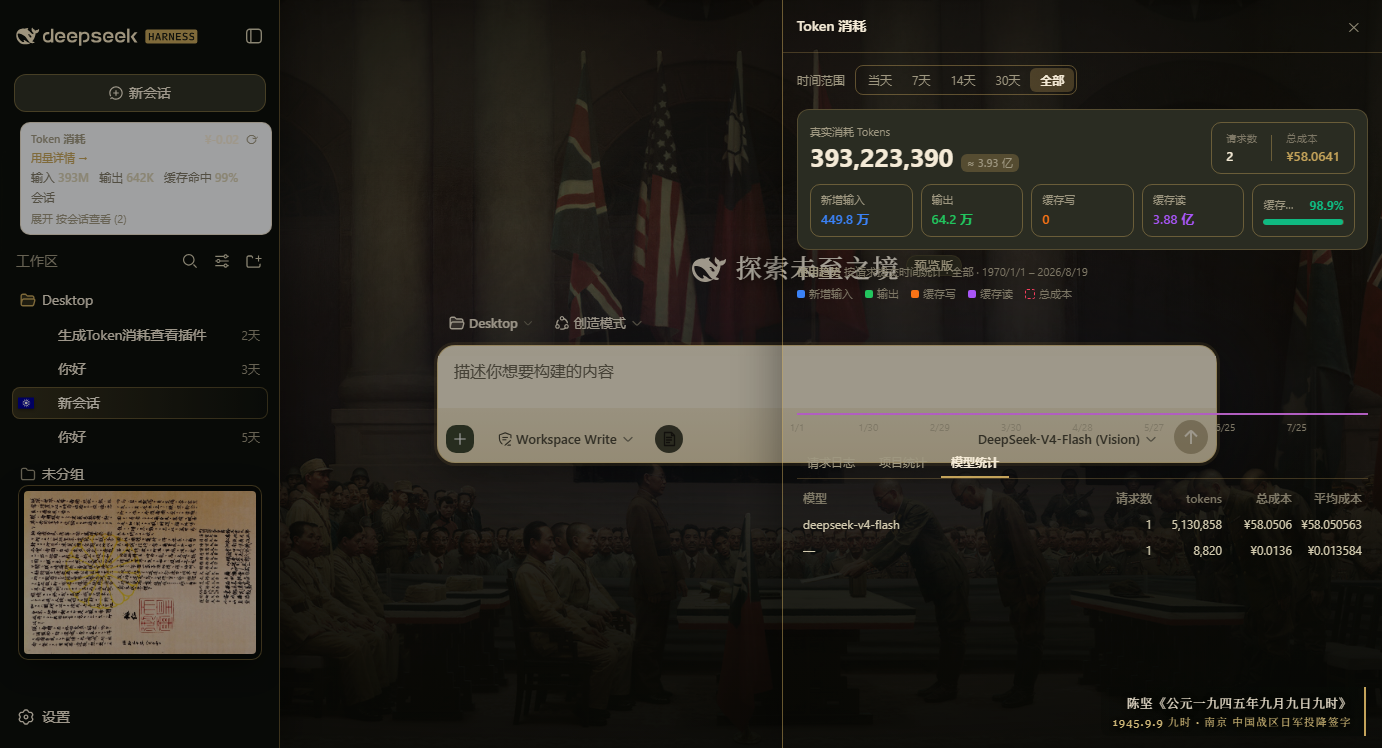
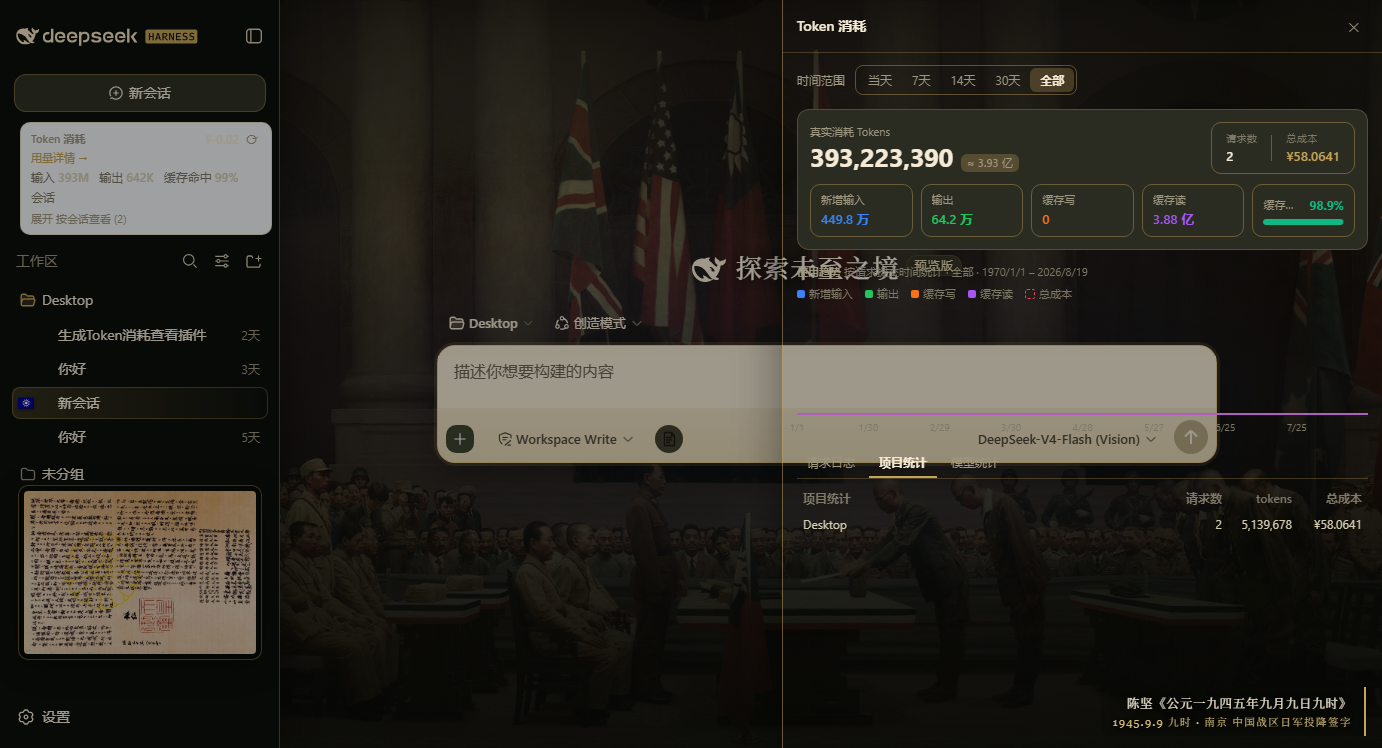
- Three tabs — request log (newest first; clicking a row opens that session), per-project statistics, and per-model statistics with average cost.
- Range presets — today / 7d / 14d / 30d / all, resolved exactly like CC Switch (local midnight of N−1 days back).
- Per-request statistics — the host
- Per-model peak/off-peak list pricing — every request bills under its own model's provider list price (V4-Flash / V4-Pro, CNY per 1M tokens, cache writes at the cache-miss rate), split by the provider's Beijing peak windows (09:00–12:00 and 14:00–18:00, double the off-peak rate); versioned model ids match by prefix, unknown models fall back to the V4-Flash off-peak table. Prices come from
GET /api/billing/pricing(fetched by the statistics drawer; the browser mirrors the built-in table as a fallback), andPRICING_FALLBACKin the host half holds the current list prices (see below). - Balance route —
GET /api/billing/balanceproxies DeepSeek's/user/balancethrough the harness credentials service; the API key never leaves the server. The credential reference (apiKeyRef, defaultDEEPSEEK_API_KEY) and provider base URL (baseURL) ride the plugin entry's config in the profile (defaults apply when unset).
Screenshots
Slot layout
Six registrations, all in stock slots (see src/client/index.ts):
| Slot | Surface | Id |
|---|---|---|
sidebar.panellist |
panel row + icon | token |
main |
panel page (its key must equal the row's id) |
token |
sidebar.footer.action |
balance chip | token-viewer-balance |
conversation.input.dock |
live token strip | token-viewer |
shell.overlay |
statistics drawer | token-viewer-detail |
shell.overlay |
whale-maid pet | token-viewer-pet |
Repo layout
src/index.ts— host half source (balance + pricing routes,modelUsage/usageLogsession projections, all withwireviews so the browser can read them).srcis the single source of truth.src/client/**— browser half source: the five slot entries above, their components, and their CSS Modules.lib/index.js,lib/client.js— the built artifacts the harness actually loads. Committed on purpose sodsh plugin addworks with no build step.scripts/build-client.mjs—node scripts/build-client.mjs: esbuild builds both halves (src/index.ts→lib/index.js,src/client/index.ts→lib/client.js).reactand the harness's other static browser modules stay external;.module.cssgoes through a small built-in CSS Modules plugin that scopes class names and injects a<style data-plugin data-plugin-css>tag at materialization.test/smoke.cjs—node test/smoke.cjs: harness-free smoke test. It stubswindow.__ModuleLoader__in avmsandbox, runsapply()against a recording slot registry, renders every component against a stub kit, and imports the host half for real.
The TypeScript monorepo source (extracted from deepseek-ai/deepseek-harness) lives on the archive/monorepo-src branch.
Model pricing
PRICING_FALLBACK in src/index.ts (built into lib/index.js) holds the current DeepSeek list prices; the panel fetches GET /api/billing/pricing, which prefers the provider's official pricing page when reachable and falls back to the built-in table otherwise. The statistics drawer installs the route's rows as its active billing table and re-folds its costs when they land; the browser carries the same rows as MODEL_PRICING_FALLBACK in src/client/derive.ts, so an unreachable route degrades to the same prices instead of inventing any. The per-session list and the composer dock keep billing at the flash off-peak floor — those figures are aggregate estimates without per-request times.
License
MIT, except src/client/assets/whale-maid.png (embedded into lib/client.js): the community's chibi DeepSeek whale-maid, from yefeng7531/dsh-whale-maid-mascot, originally published at bilibili opus/1231977657712771073, licensed CC BY-NC-SA 4.0 (non-commercial use only, share-alike; only rescaled to 135×240). See src/client/assets/SOURCE.md.
Links
More in this category
bowenliang123/dsh-context★ 1831
DSH context insight panel: Context dashboard + /context command + Context browser — one-stop context lifecycle management with categorized composition, content details, evolution trends, compaction/injection events, and stats.
Han-1413141/dsh-cost-meter★ 369
Per-session and daily API cost, budget with usage %, official balance, history dashboard, and one-click official price sync with peak/off-peak pricing.
wssfk12138/dsh-damage-pulse★ 237
Tracks DeepSeek token usage, per-call and session costs, and account balance with cache-aware charge animations in the DSH Web UI.
zh667/TokenLedger★ 202
Sidebar usage panel that attributes tokens to the relay site that served each request, read from your existing provider config: today/month/all-time totals, per-site and per-model breakdowns, a year activity heatmap, and New API / Sub2API / DeepSeek balances.
Ychris12138/dsh-usage-stats★ 169
Multi-provider usage dashboard with provider/model token breakdowns, calendar drill-downs, account balances, and OpenCode Go / Z.ai subscription quota tracking.
PolinniZhong/dsh-personal-center★ 118
Personal center for DeepSeek Harness: cross-session usage statistics, per-model cost estimation, global custom instructions, a global font-size adjuster, a data-driven desktop pet with bitmap & vector skins, and a conversation status overview, all local and offline.
Community comments
Comments are public GitHub Discussions. Loading them connects to GitHub and Giscus; a GitHub account is required to post.