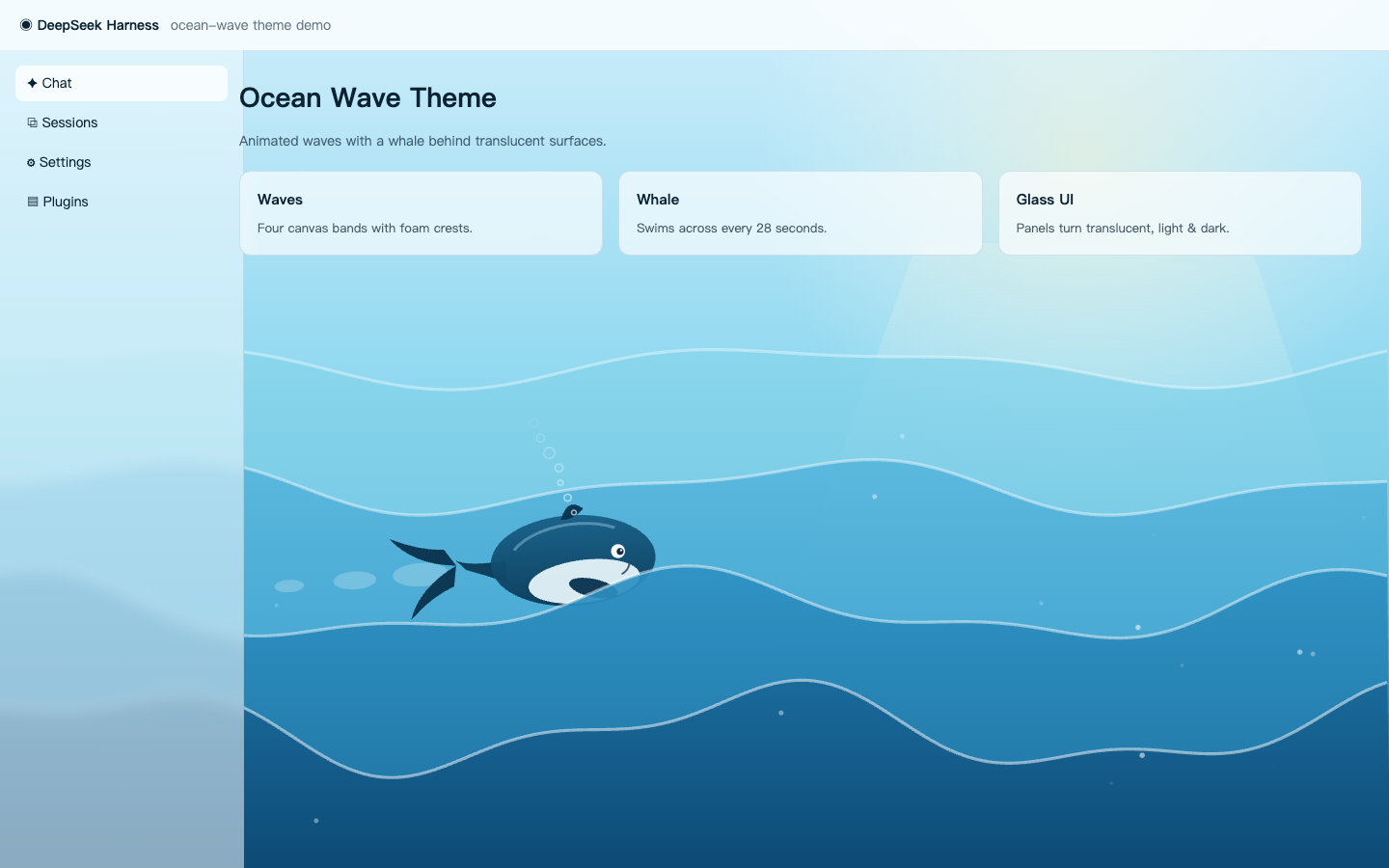
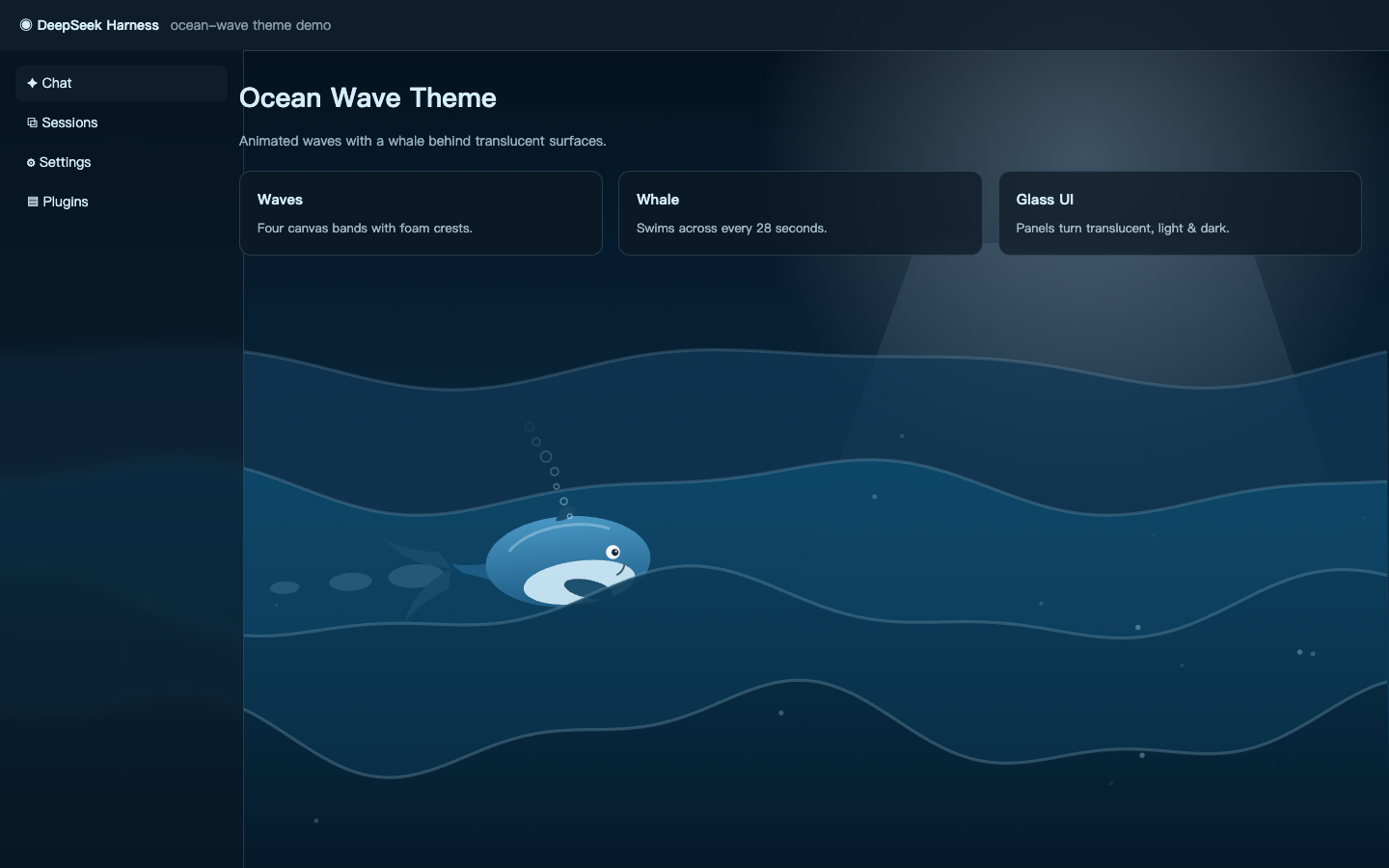
Animated ocean waves with a whale swimming behind the page, plus translucent surfaces.
Install
# from GitHub (first run asks for allowBuilds approval — follow the hint, retry)
dsh plugin --profile web add github:johnsonspirit/ocean-wave-theme
Any plugin you install runs third-party code with your own permissions — it can read your files, use your credentials, and reach the network, and tool approvals don’t sandbox it. GitHub-sourced plugins also run build scripts at install time — pnpm blocks those until you allow them, so an install can stop with ERR_PNPM_GIT_DEP_PREPARE_NOT_ALLOWED or ERR_PNPM_IGNORED_BUILDS; dsh prints the exact key to add under allowBuilds in your profile’s pnpm-workspace.yaml, and the install works on the next run. Allowing a build is a trust decision: only install sources you trust, and pin a commit (github:owner/repo#sha).
README
This plugin publishes its README in Chinese only.
Animated ocean waves with a whale swimming behind the page, plus translucent surfaces — a theme plugin for DeepSeek Harness (dsh) web.
整个应用背景铺设动态海浪特效,一条鲸鱼在页面后面游泳,界面各层变为半透明——适用于 DeepSeek Harness(dsh)web 端的主题插件。
Features / 功能
- Four canvas wave bands with foam crests, sun/moon glow and twinkling sparkles. / 四层 canvas 波浪+浪花边、太阳/月亮光晕与闪烁波光。
- A whale that swims left → right every 28 seconds, riding the mid wave crest with wake trail, paddling fins and rising bubbles. / 一条鲸鱼每 28 秒自左向右游过,骑在中间波峰上,带尾迹、摆动鳍与上升气泡。
- Translucent light/dark surfaces via design-token overrides, so the ocean shows through sidebars and panels. / 明暗两套半透明 token,侧栏与面板透出海浪。
- Follows the app color scheme (
data-ds-dark-theme), pauses when the tab is hidden, and renders a still frame underprefers-reduced-motion. / 跟随应用明暗切换;标签页隐藏时暂停;prefers-reduced-motion下只渲染静态帧。
Install / 安装
From the dsh-market Themes tab (one click), or via CLI / 从 dsh-market 的主题 Tab 一键安装,或命令行:
dsh plugin --profile web add github:johnsonspirit/ocean-wave-theme
The theme applies immediately and can be switched/uninstalled like any other theme. / 主题即时生效,可像其他主题一样切换与卸载。
Layout / 结构
| File | Role |
|---|---|
index.js |
Host half (no-op; all rendering lives in the client). |
client.js |
Client half: canvas backdrop + token overrides. |
cordis.patch.yml |
Bundle patch inserting the plugin row. |
locale/en.json, locale/zh.json |
Bilingual title/description. |
assets/screenshot-*.png |
Storefront screenshots (declared in screenshots.json). |
Compatibility / 兼容性
- dsh web only (
dsh.client.platform: web). / 仅 dsh web 端。 - No dependencies, no network calls, no build step. / 零依赖、无网络请求、无需构建。
License / 许可
MIT — see LICENSE.
Links
More in this category
elysia395/dsh-wallpaper-engine★ 7899
Requires DeepSeek Harness 0.1.5-rc.1+ (DSH Desktop >= 2.0.7) and dsh-better-sidebar >= 0.19.0 - update both before installing or updating this plugin. Plays local Wallpaper Engine Video/Web wallpapers behind the chat, renders Scene wallpapers as extracted static frames, and adds content-rating/type filters, custom uploads and an iOS-style liquid-glass settings window.
Small-tailqwq/dsh-deep-whale#maid-atelier★ 3136
Whale-girl skin series for the DSH Web UI (maid-atelier).
Nwflower/dsh-claude-style★ 690
Claude Code Desktop look-and-feel for the DSH Web GUI — ivory/warm-black dual canvas, clay accent, three-font typography, permission segmented control and brand switcher, via CSS overrides and client DOM overrides.
kingOfSoySauce/dsh-liang-skin★ 403
Adaptive reasoning slider skin that maps each model's available reasoning efforts onto a 0–30 visual intensity scale, with synchronized portraits, background, and interface colors.
d-dev0101/open-sea-skin★ 400
Realtime WebGPU ocean skin with quick controls for waves, daylight, glass opacity, and an automatic day cycle.
webkubor/dsh-bloom-theme★ 312
Bloom Morandi theme: fifteen variants (mist, cinnabar, petal, ripple, sage, stone, lapis, amber, aurora, lavender, mint, tangerine, silverrose, dawn, osmanthus) built on OKLCH so light and dark stay perceptually even; twelve are featured in the top-bar switcher, grouped by color family, and all 30 foreground/background pairs are measured at WCAG AA or better.
Community comments
Comments are public GitHub Discussions. Loading them connects to GitHub and Giscus; a GitHub account is required to post.