Renders mermaid fences in dsh web chat as SVG diagrams by default, with cursor-anchored smooth zoom and pan, a per-fence diagram/code toggle persisted in localStorage, dark-mode follow, and a bundled offline engine.
Install
# from npm (prebuilt)
dsh plugin --profile web add dsh-mermaid-smooth
# from GitHub (first run asks for allowBuilds approval — follow the hint, retry)
dsh plugin --profile web add github:gitByteFree/dsh-mermaid-smooth
Any plugin you install runs third-party code with your own permissions — it can read your files, use your credentials, and reach the network, and tool approvals don’t sandbox it. GitHub-sourced plugins also run build scripts at install time — pnpm blocks those until you allow them, so an install can stop with ERR_PNPM_GIT_DEP_PREPARE_NOT_ALLOWED or ERR_PNPM_IGNORED_BUILDS; dsh prints the exact key to add under allowBuilds in your profile’s pnpm-workspace.yaml, and the install works on the next run. Allowing a build is a trust decision: only install sources you trust, and pin a commit (github:owner/repo#sha).
README
English | 中文
Render mermaid code fences in DeepSeek Harness (dsh) web chat as diagrams by default, with smooth zoom and pan, a per-fence diagram/code toggle at each card's top-right, a persisted per-fence preference, dark-mode follow, and a fully bundled offline engine (zero CDN).
Supported diagram types
The plugin bundles Mermaid 11.17.2 locally, so it renders these diagram types without adding another charting library:
| Type | Syntax |
|---|---|
| Flowchart | flowchart / graph |
| Sequence diagram | sequenceDiagram |
| State diagram | stateDiagram |
| Class diagram | classDiagram |
| Mind map | mindmap |
| Gantt chart / timeline | gantt / timeline |
| ER diagram | erDiagram |
| User journey, pie, Git, Sankey, XY, Kanban, and architecture diagrams | Supported by the bundled Mermaid engine |
- Default diagram — fences in assistant messages render as SVG diagrams the moment they are complete; non-mermaid code blocks are untouched.
- Smooth interaction — cursor-anchored wheel zoom over one composed transform (with a short ease-out), direct pointer drag, double-click to fit. Reduced-motion preferences disable all easing.
- Useful diagram tools — fit to width or the whole diagram, copy the Mermaid source, and download the rendered SVG. Press Esc to exit fullscreen.
- Toggle at top-right — every diagram card has a 图/文案 (diagram/code) switch; several fences in one message toggle independently.
- Per-fence memory — the toggle state persists in localStorage keyed by the fence source, so it survives page reloads and reconnects.
- Dark-mode follow — diagrams re-render with the GUI theme.
- Safe and offline — mermaid runs at securityLevel 'strict' (built-in sanitization, no click handlers), the engine is bundled into the plugin (zero CDN), and a failed fence keeps its original code with an inline error banner. Uninstalling restores the conversation verbatim.
Diagram card toolbar
Every card carries an icon toolbar at its top-right; hover an icon for its tooltip.
| Icon | Action | What it does |
|---|---|---|
| ↔ | Fit width | Scale the diagram to the card width (the initial state) |
| ⊙ | Fit diagram | Scale so the entire diagram fits inside the viewport |
| ⧉ | Copy source | Copy this fence's Mermaid source to the clipboard. The async Clipboard API is used when available, with a hidden-textarea fallback; a brief "Source copied" status confirms success and "Could not copy source" reports failure. |
| ↓ | Download SVG | Save the rendered diagram as mermaid-diagram.svg — a vector file that stays sharp at any zoom level in browsers, docs, and design tools. If the diagram has not finished rendering, a "Diagram is not ready" status appears instead. |
</> |
Diagram / code | Switch between the diagram and its source; the choice is remembered per fence |
| ⛶ | Fullscreen | Show the diagram full-screen (diagram view only). Esc exits and focus returns to the fullscreen button. |
Toolbar status messages auto-clear after about two seconds and are announced
to screen readers via aria-live="polite".
Screenshots
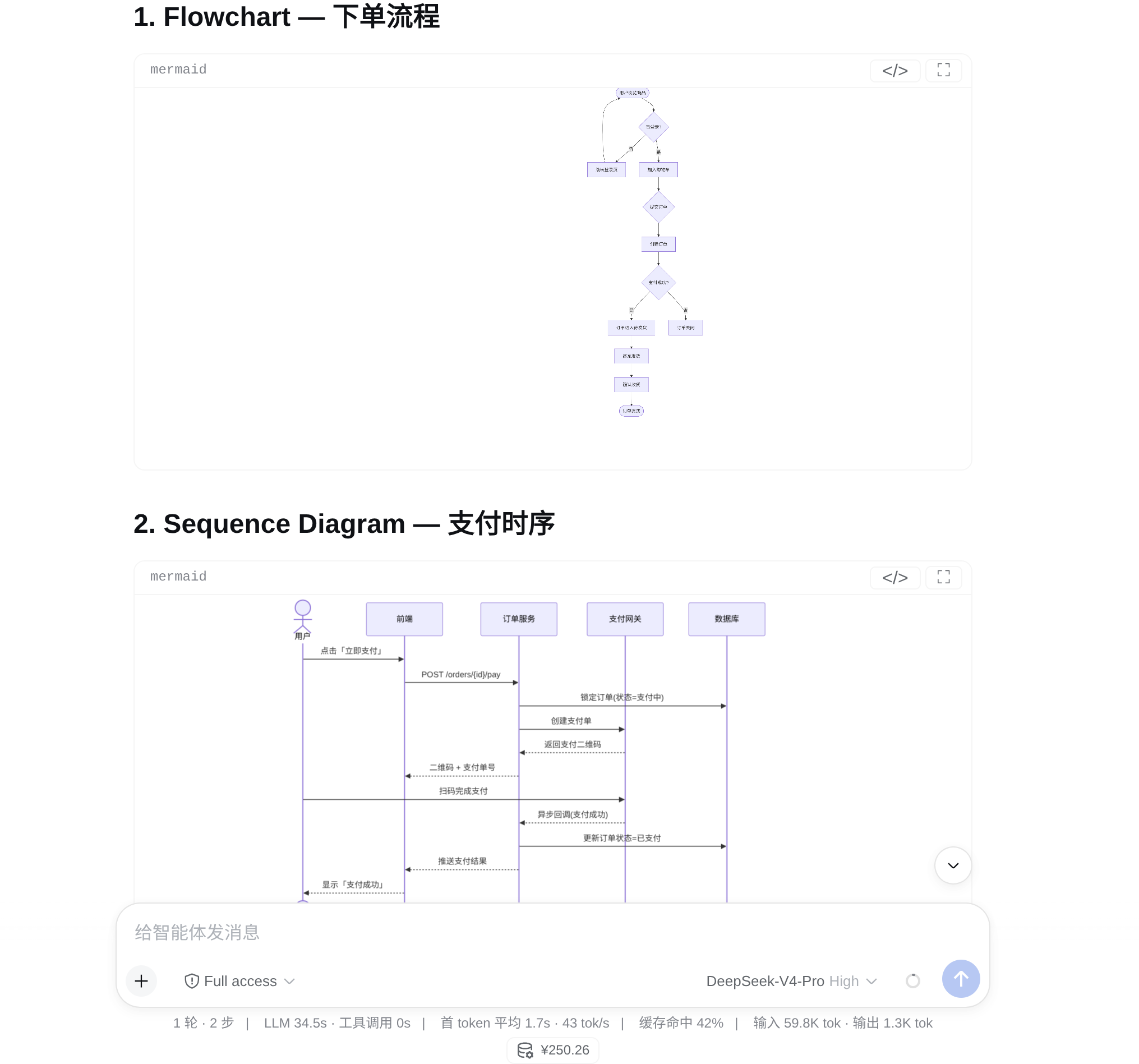
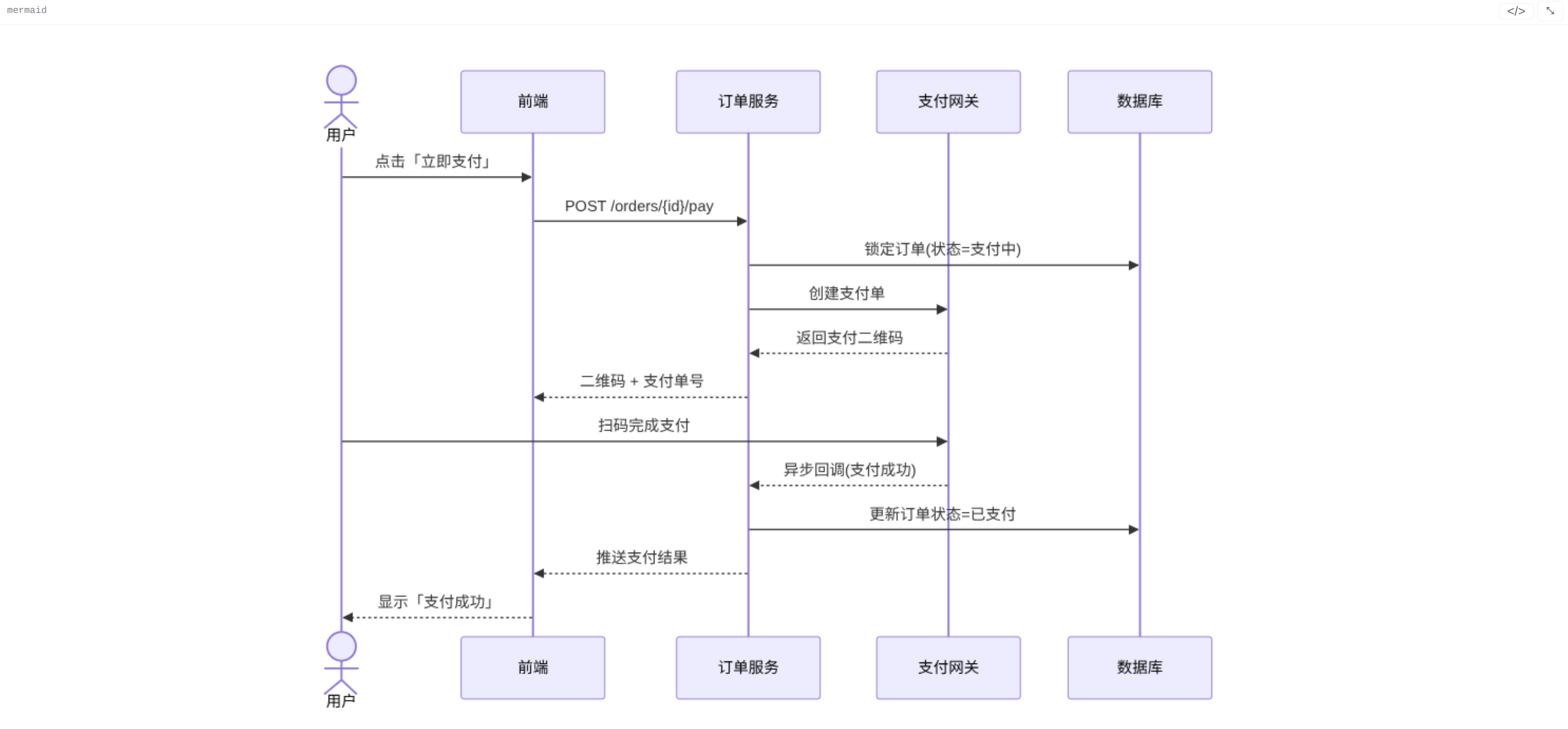
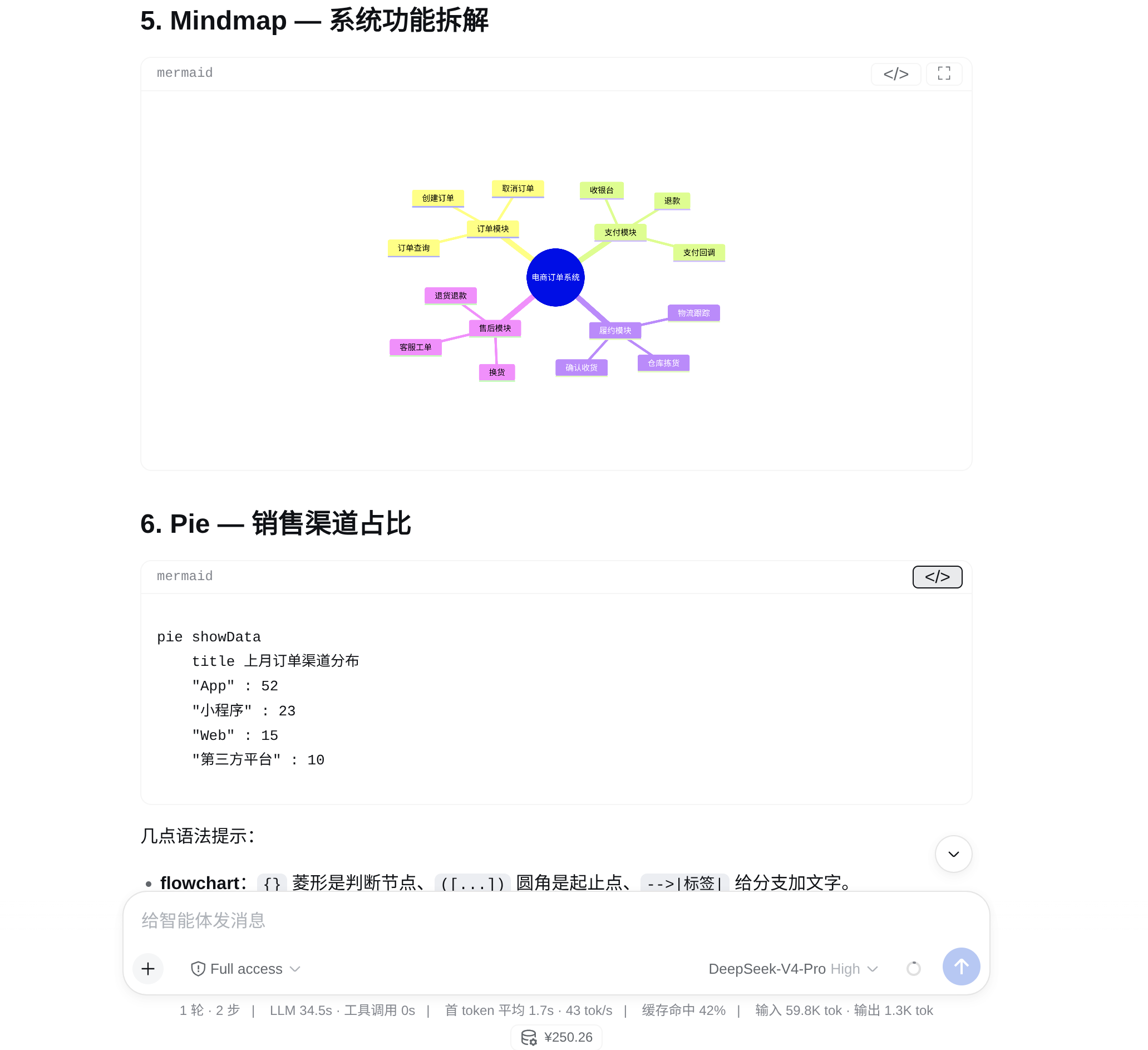
Install
dsh-mermaid-smooth is a plugin for the DeepSeek Harness (dsh) web UI. Before proceeding, make sure the dsh CLI and web environment are installed and set up.
Four ways — pick one, then restart DSH Web (the current session ends, but DSH sessions are persisted on disk and can be resumed after restart).
1. npm package (recommended, simplest)
dsh plugin --profile web add dsh-mermaid-smooth
Verified working: the tarball ships the prebuilt lib/client.js, so nothing
is compiled at install time. pnpm may auto-add the package to
minimumReleaseAgeExclude in the profile's pnpm-workspace.yaml (because the
package was just published) — that is expected and harmless.
2. From GitHub (pinned to a commit)
dsh plugin --profile web add 'github:gitByteFree/dsh-mermaid-smooth#<full-commit-sha>'
Pin to the commit you want (e.g. the main HEAD shown on the repo's commit
history page); later changes on main will not silently alter installed code.
The source is installed and built at install time (prepare runs the esbuild
bundle), so git and Node.js ≥ 20 are required.
pnpm ≥ 10 blocks that prepare build for git-hosted packages until you
allowlist it: the first install fails with ERR_PNPM_GIT_DEP_PREPARE_NOT_ALLOWED
and prints the exact key to add. Copy that key verbatim (it embeds the
codeload URL with the full commit sha — a bare package name does not match)
under allowBuilds in the profile's pnpm-workspace.yaml, then re-run:
allowBuilds:
  dsh-mermaid-smooth@https://codeload.github.com/gitByteFree/dsh-mermaid-smooth/tar.gz/<full-commit-sha>: true
This is the same trust decision as any build-time script: only allowlist
packages whose source you have reviewed. If you would rather not run
build-time code at all, use methods 1 or 3, which ship the prebuilt bundle
and need no allowBuilds entry.
3. From a release tarball (offline / where git is inconvenient)
Download dsh-mermaid-smooth-0.2.0.tgz from this repo's
Releases (it
contains the prebuilt lib/client.js, so no prepare script runs at install
time), then run from the directory you downloaded it to:
dsh plugin --profile web add ./dsh-mermaid-smooth-0.2.0.tgz
0.2.0 above is a real filename, not a placeholder — match the version you
downloaded and drop any <...> brackets (zsh reads a bare <...> as input
redirection and fails with "no such file or directory"). Keep the ./
prefix: dsh plugin add anchors ./-relative paths to your current
directory, while a bare filename would be looked up inside the profile.
4. Local clone (for development)
git clone git@github.com:gitByteFree/dsh-mermaid-smooth.git
cd dsh-mermaid-smooth
dsh plugin --profile web add .
Restart the web app (dsh web, or your dsh-web service) so the new bundle
layer is composed.
License
MIT
Links
More in this category
tt-a1i/archify#integrations/deepseek-harness★ 83592
Generate validated, self-contained interactive architecture, workflow, sequence, data-flow, and lifecycle diagrams from repositories or system descriptions.
dream-num/dsh-univer-office★ 537
Give DeepSeek Harness a real office environment. Univer Office Plugin brings spreadsheets, docs, slides, canvases, relational tables, and more into one runtime — with connected data, validation, versioned changes, and isolated worktrees for multi-agent collaboration.
PerryLink/dsh-industry-research★ 211
Deterministic industry research reports for DeepSeek Harness — company and industry research flows produce structured, verifiable reports from staged evidence.
PolinniZhong/dsh-knit★ 54
Lists the Markdown documents, images and video that already exist anywhere in the session workspace in the DSH sidebar, ranked by relevance to the current conversation: recent messages are matched locally against document title, summary and body with IDF weighting, with no model calls and no network. Because the list is scanned from the workspace instead of remembered, restarting DSH or starting a new session does not empty it. Images and video preview in place, with relative-path images resolved and video streamed over HTTP Range. A references bar under the preview header shows which documents cite the one being previewed and which it cites, with one click to jump between them. The same ranking is exposed to the agent as a knit_docs tool, which returns the most relevant documents along with the passage that matched in each, where one is found.
HuanLinOTO/dsh-plugin-mineru★ 46
Expose MineRU document parsing tools to the model.
kw78/dsh-office-tools★ 31
Workspace-safe Office tools for agents: create/read Word, create/read/update Excel, and create/read PowerPoint decks with PNG/JPG/GIF image placement.
Community comments
Comments are public GitHub Discussions. Loading them connects to GitHub and Giscus; a GitHub account is required to post.