macOS-style skin with a swimming whale aquarium background and a dot-matrix whale send button for the DeepSeek Harness Web GUI.
Install
# from a prebuilt release tarball
dsh plugin --profile web add "https://github.com/dataizu/dsh-whale-aqua-theme/releases/download/v1.0.0/dsh-whale-aqua-theme-1.0.0.tgz"
# from GitHub (first run asks for allowBuilds approval — follow the hint, retry)
dsh plugin --profile web add github:dataizu/dsh-whale-aqua-theme
Any plugin you install runs third-party code with your own permissions — it can read your files, use your credentials, and reach the network, and tool approvals don’t sandbox it. GitHub-sourced plugins also run build scripts at install time — pnpm blocks those until you allow them, so an install can stop with ERR_PNPM_GIT_DEP_PREPARE_NOT_ALLOWED or ERR_PNPM_IGNORED_BUILDS; dsh prints the exact key to add under allowBuilds in your profile’s pnpm-workspace.yaml, and the install works on the next run. Allowing a build is a trust decision: only install sources you trust, and pin a commit (github:owner/repo#sha).
README
This plugin publishes its README in Chinese only.
给 DeepSeek Harness 用的 macOS 风格主题 + 水中鲸鱼动态背景 + 点阵鲸鱼发送按钮,以 DSH 插件形式安装,支持 Desktop 桌面版与 Web 版。
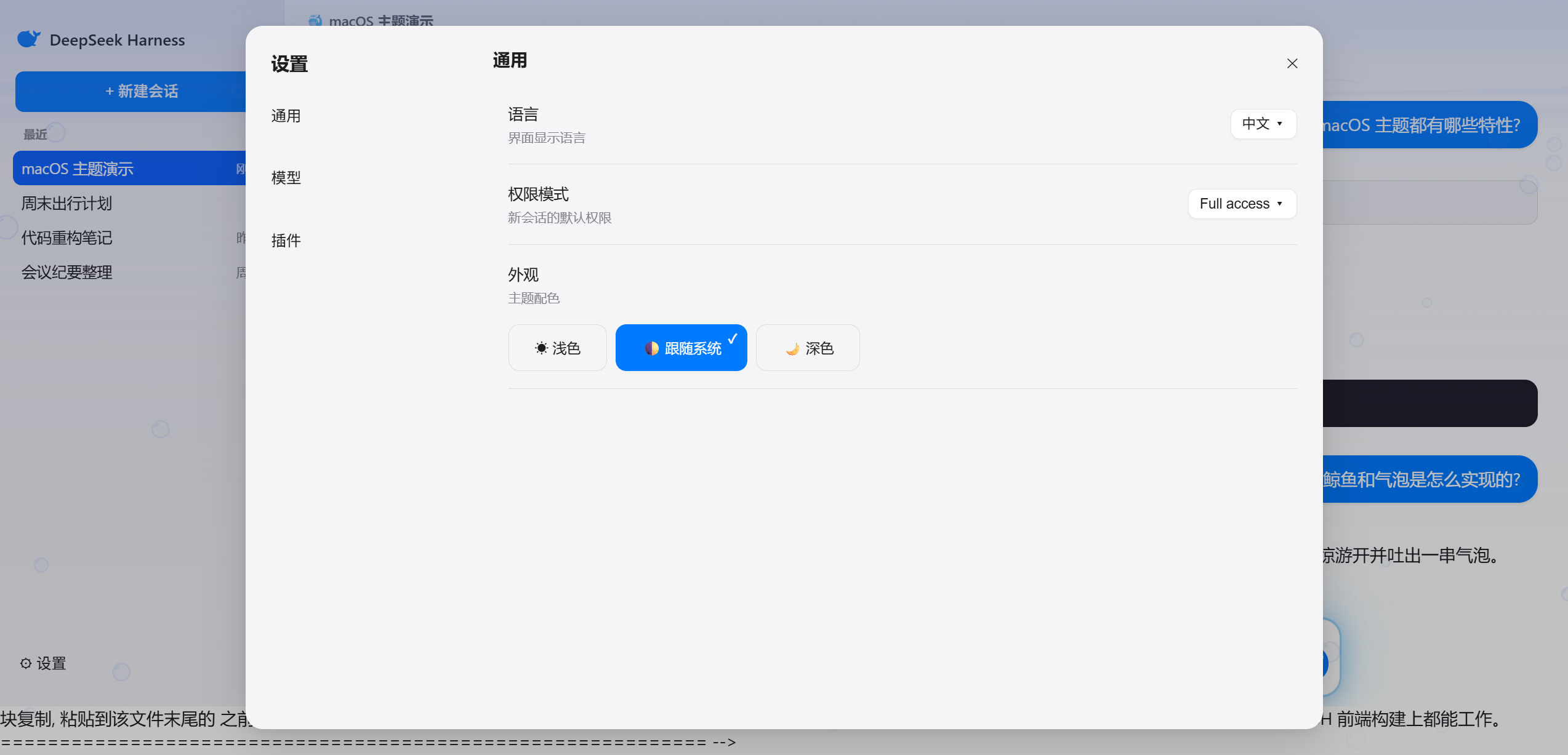
当前版本 v2.2.0:已适配 DeepSeek Harness 0.2.x(Desktop 0.2.1-rc.2 实测)。v2.2 把皮肤升级为「珍珠玻璃」质感:设置面板按 macOS Tahoe System Settings 重做(独立圆角导航、分类彩色图标、分组卡片、胶囊下拉)、顶部新增日/月天空与海鸥、背景鲸鱼恢复官方轮廓并加入水面倒影/尾摆传播;同时优化了性能(去掉大范围 blur、发送按钮改为 MutationObserver 驱动、背景 rAF 可暂停)并补充了 Node 回归测试。旧版 v1.x 仅适用于 0.1.x(Harmony 早期版本)。兼容性细节与改造记录见 COMPATIBILITY.md。
🖼️ 预览
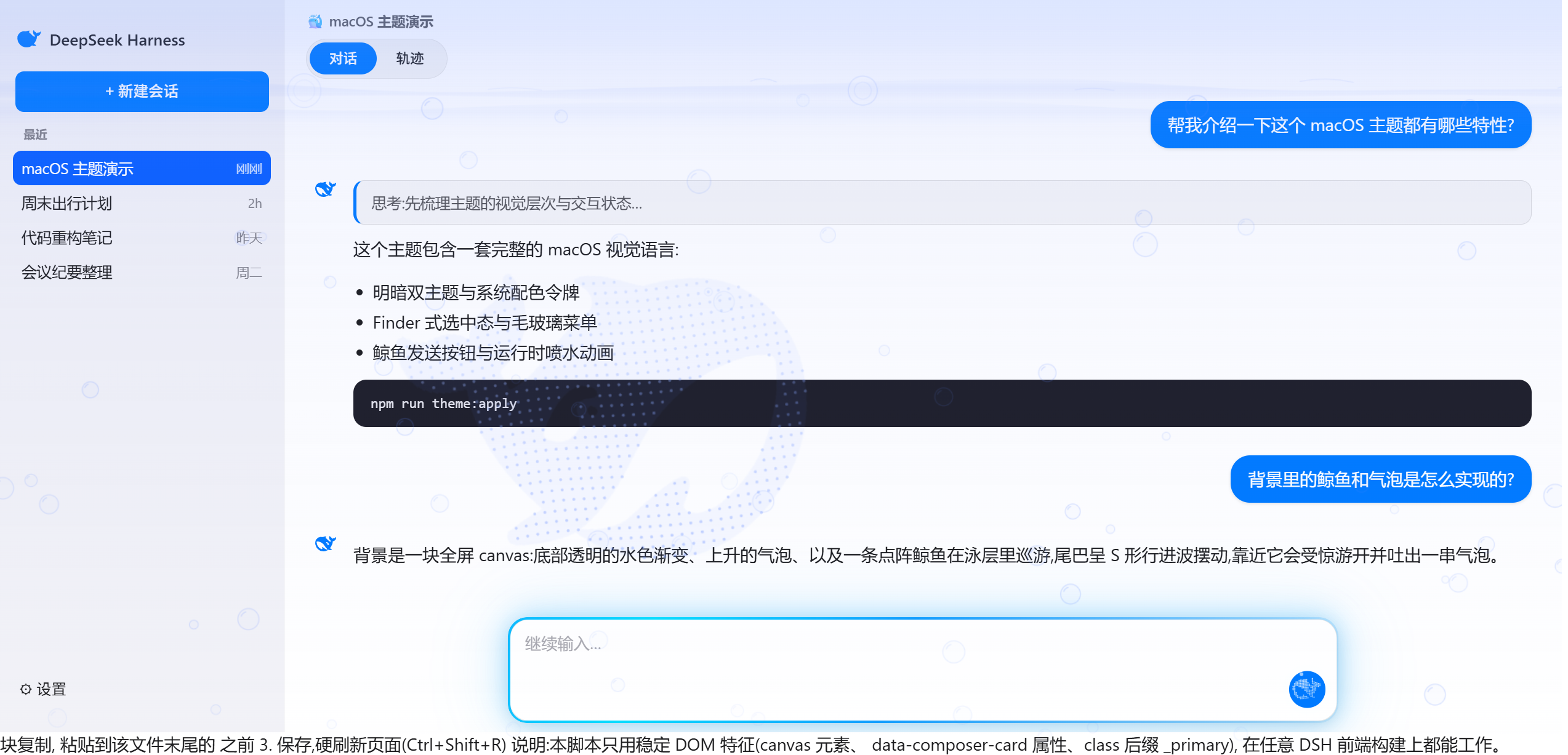
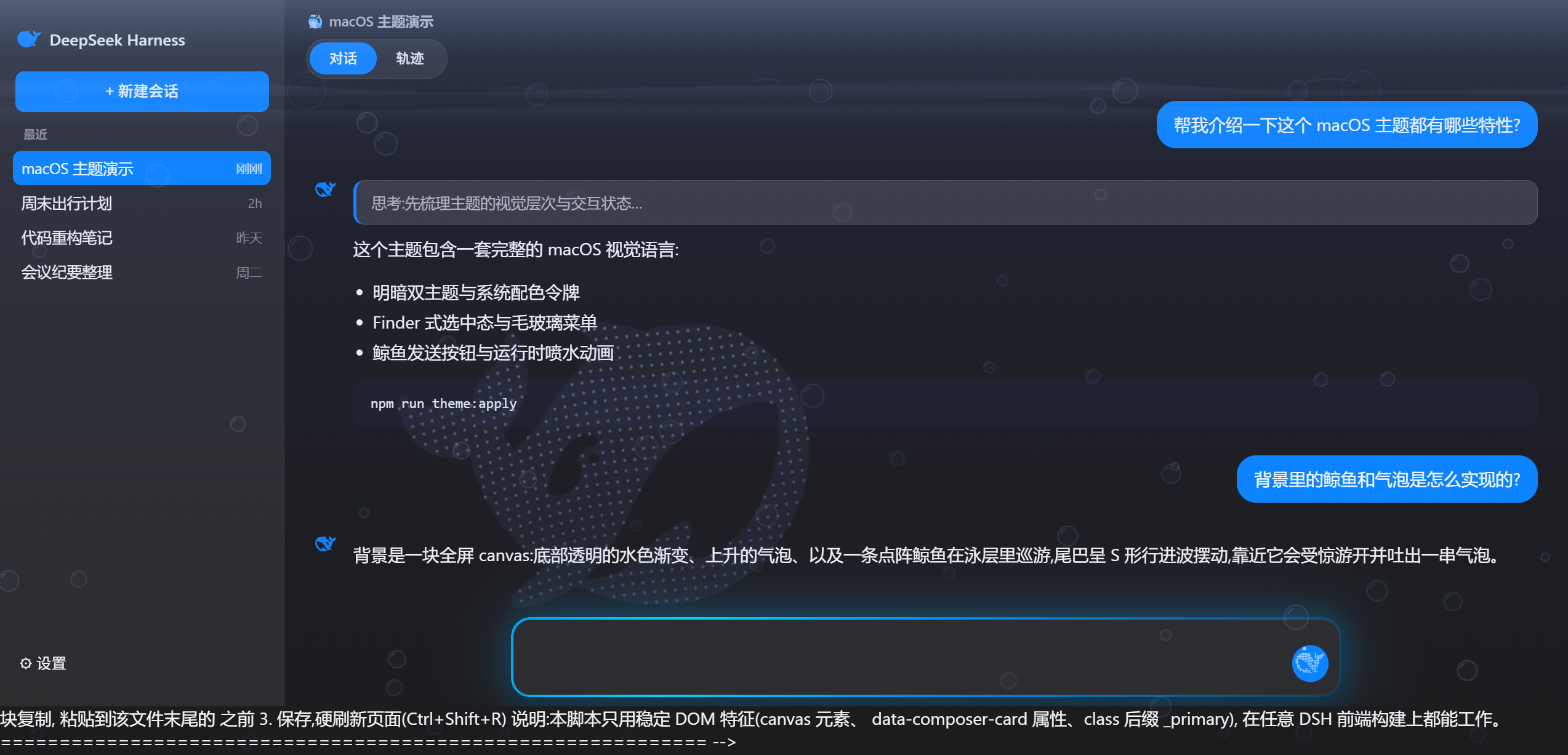
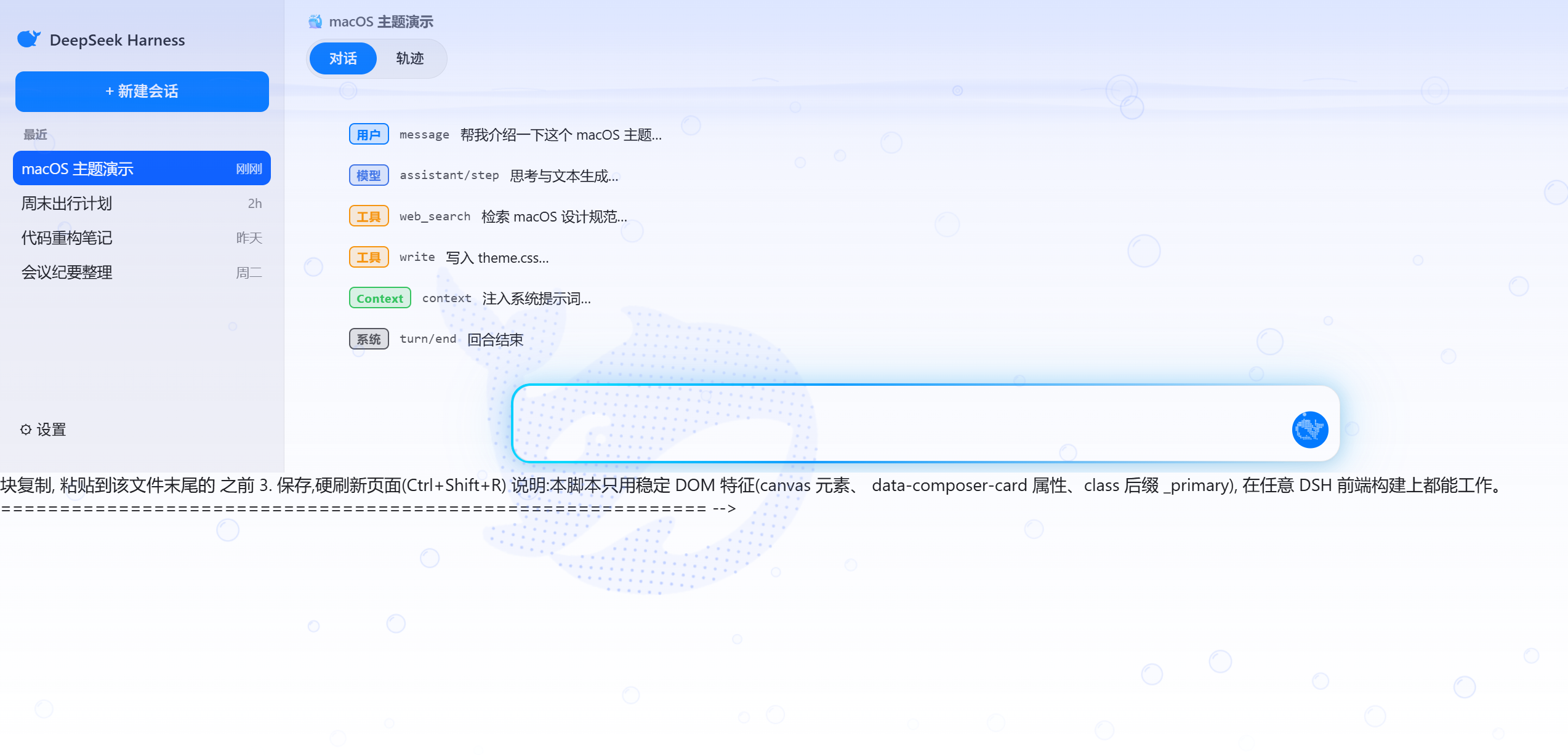
主题在真实 DSH 中的效果(截图来自本地 DSH Desktop / Web 运行实例)。
浅色模式
深色模式
设置面板
轨迹视图
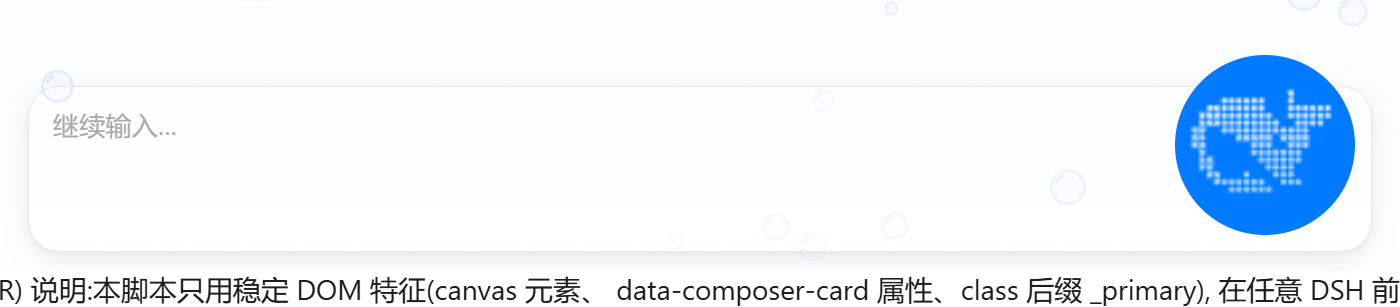
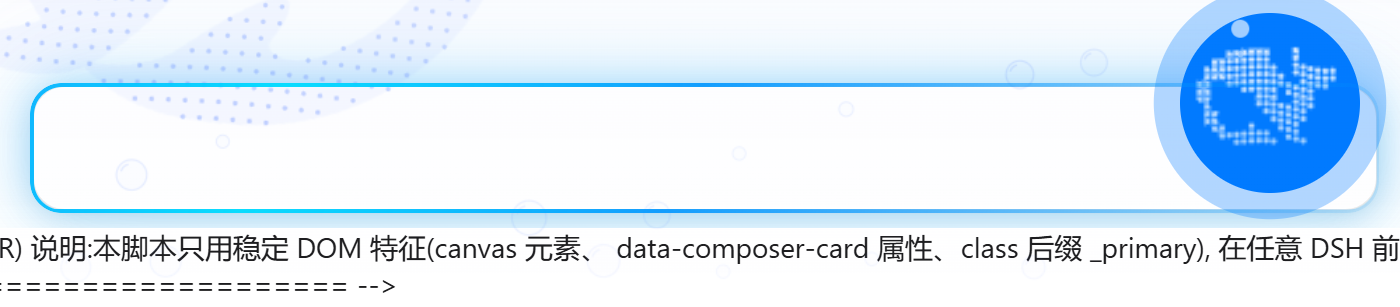
鲸鱼发送按钮
未发送(空闲,静态鲸鱼):
发送之后(运行中:摆尾游动 + 喷水泡 + 蓝色呼吸光环 + 水母发光):
动态效果
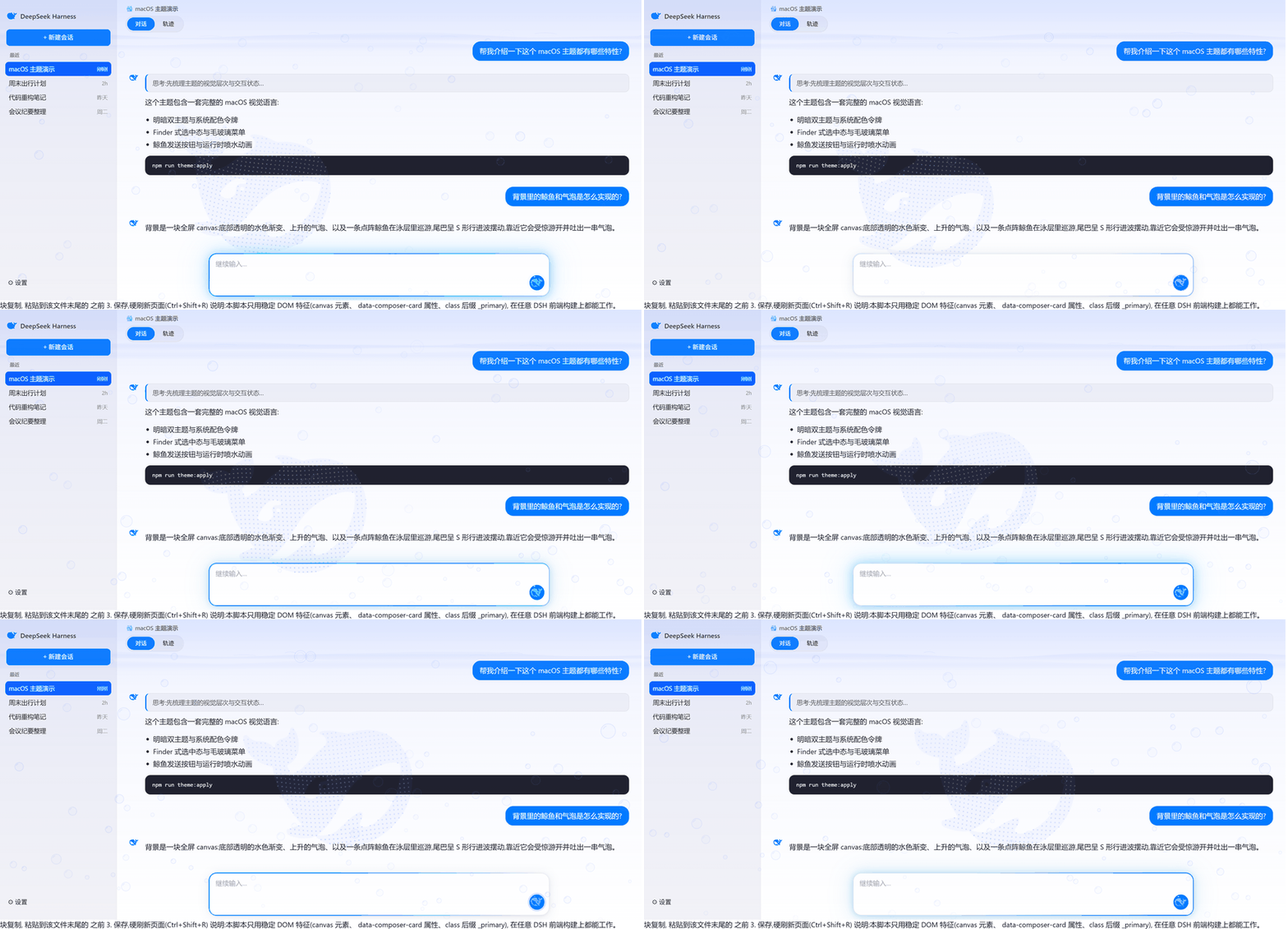
demo/preview.html是纯静态演示页(使用主题 CSS 与背景脚本,内容为虚构示例),可作为离线预览;它保留的是 0.1.x 时代的界面结构,仅用于看视觉效果。
✨ 效果一览
- 水中鲸鱼背景:极淡水色渐变(底部透明)+ 上升气泡(水面爆开)+ 点阵鲸鱼巡游(S 形行进波、尾部大摆、受惊吐泡)
- 鲸鱼发送按钮:官方鲸鱼剪影,空闲静态;运行时头顶喷水泡 + 蓝色呼吸光环
- 苹果风皮肤:macOS 配色(明/暗双主题)、克制圆角、毛玻璃菜单、Finder 式选中、水母发光输入框、磨砂对话区、设置面板统一化、轨迹彩色方框徽章
- Desktop 适配:正确处理 Electron 窗口的透明底板、Windows 40px 标题栏拖拽带、窗口按钮取色;水景从标题栏下方开始,不遮挡原生窗口控件
- 低开销:DPR 1.25、24fps、失焦/隐藏自动暂停、按钮动画按需绘制
- 可随时停用:不改任何
dist文件,插件停止即移除<style>、canvas、监听与动画循环
📋 版本兼容性
| DSH 版本 | 主题版本 | 说明 |
|---|---|---|
| 0.2.x(含 Desktop 桌面版) | v2.2.0 | 当前版本,实测 0.2.1-rc.2 |
| 0.1.x(Harmony 早期 Web 版) | v1.0.0 | 旧版,已归档标签 |
0.2.x 相对 0.1.x 重写了整个前端(组件、类名、Desktop 外壳),因此 v2 不是“改几个选择器”,而是重做了皮肤层:
- 插件加载:
client.js的模块注册 id 必须等于包名(dsh-whale-aqua-theme),否则 0.2.x 会拒绝加载并显示 “Failed to load plugins”; - 皮肤:96 个旧 CSS Modules 类名在 0.2.x 全部失效,v2 按新组件重写,并优先使用语义钩子(
[data-conversation-tabs]、[role=treeitem][aria-selected]、[data-variant=think]、[data-kind]等),把不可避免的哈希类名集中在一个“版本适配层”里; - 仍原样可用:设计令牌
--dsw-*、body[data-ds-dark-theme]、[data-composer-card]、button[class*="_primary"]、:has(rect)运行态判断 → 背景动画与鲸鱼发送按钮无需重写。
未来 DSH 升级后若皮肤部分失效,通常只需更新 COMPATIBILITY.md 第 4 节描述的哈希映射;语义选择器部分一般不受影响。
🧩 安装
本仓库是一个标准 DSH 插件包(package.json 声明 dsh.bundle manifest 与 dsh.client 浏览器面)。
方式一:插件市场
在 dshmarket 插件市场的「🎭 主题与外观」Tab 中一键安装 / 切换 / 卸载(已提交 awesome-dsh-plugin 收录)。
方式二:命令行
# Desktop 桌面版(profile 名为 desktop)
dsh plugin --profile desktop add https://github.com/dataizu/dsh-whale-aqua-theme

# Web 版(dsh web,profile 名为 web)
dsh plugin --profile web add https://github.com/dataizu/dsh-whale-aqua-theme
安装完成后重启 DSH 生效。停用:删除 profile 的 cordis.patch.yml 中 id: dsh-whale-aqua 的 insert 行(或在市场中移除)。
⚠️ 不要同时启用多个皮肤类插件(例如 open-sea-skin):两套皮肤会互相覆盖。
🛠️ 开发
# 编辑 src/*.css、src/background.js 等源文件后重新生成 client.js
node scripts/build-client.mjs
| 源文件 | 作用 |
|---|---|
src/whale-icon.css |
发送按钮鲸鱼图标与喷水动画 |
src/tokens.css |
Apple 设计令牌层(明/暗两套,含 0.2.x 必需令牌) |
src/shell.css |
水景透明外壳层 + Desktop 窗口适配(Windows 标题栏拖拽带等) |
src/regions.css |
分区皮肤(侧边栏/会话/输入框/设置/轨迹/弹层),顶部为“0.2.1 版本适配层” |
src/background.js |
水中鲸鱼背景 + 发送按钮点阵鲸鱼(生命周期可回收) |
src/apply.js |
浏览器面插件入口:注入样式、启动背景 |
client.js 由上述文件生成,请勿直接编辑。
📁 文件清单
| 文件 | 作用 |
|---|---|
package.json / cordis.patch.yml |
插件包声明(dsh.bundle manifest 与插入行) |
index.js / client.js |
插件宿主面 / 浏览器面(生成的 bundle) |
src/ + scripts/build-client.mjs |
皮肤源码与构建脚本 |
scripts/theme-regression.mjs |
无依赖的 Node 回归测试(发送按钮生命周期/降动效/清理/回退) |
apple-style.css / whale-icon.css |
旧版 dist 补丁方式使用的合并样式(0.1.x 兼容,v2 由构建脚本生成) |
COMPATIBILITY.md |
0.2.x / Desktop 兼容性报告与改造、维护指南 |
docs/0.2.1-selector-map.json |
0.1.x → 0.2.1 完整选择器映射(升级维护用) |
install/background-snippet.html |
0.1.x 时代的背景脚本补丁(旧 dist 方式) |
whale-path.txt |
DeepSeek 官方鲸鱼 SVG path 的压缩版(点阵采样数据源) |
reference/hero-whale.svg |
官方 hero 鲸鱼 SVG 参考 |
🎚️ 常见调参点
| 想调什么 | 在哪里 |
|---|---|
| 发送按钮喷水位置/大小 | src/whale-icon.css 中 ::before / ::after(两粒水泡)的 left/top/width/height |
| 输入框发光强弱/流速 | src/regions.css 中 dsh-jelly-breathe / dsh-jelly-flow 关键帧 |
| 对话区毛玻璃透明度/模糊 | src/regions.css 中 [data-conversation-scroll] 的磨砂规则 |
| 侧边栏 / 底板玻璃色 | src/shell.css 中 --dsh-aqua-sidebar / --dsh-aqua-pane |
| 背景气泡数量/大小/速度 | src/background.js 中 BUB_CAP、newBubble |
| 鲸鱼游速/摆幅/受惊 | 同文件 updateWhale 与 whaleWave 相关参数 |
| 性能档位(DPR/帧率) | 同文件 DPR = Math.min(..., 1.25) 与 ts - lastT < 41 |
📄 许可与声明
- 样式与脚本代码:MIT License(见
LICENSE)。 - DeepSeek 鲸鱼图形为 DeepSeek 官方资产,版权归 DeepSeek 所有;本仓库仅用于个人主题美化,请勿商用。
English / 简体中文双语说明,欢迎 PR 与 Issue。
Links
More in this category
Small-tailqwq/dsh-deep-whale#maid-atelier★ 2773
Whale-girl skin series for the DSH Web UI (maid-atelier).
elysia395/dsh-wallpaper-engine★ 1792
Requires DeepSeek Harness 0.1.5-rc.1+ (DSH Desktop >= 2.0.7) and dsh-better-sidebar >= 0.19.0 - update both before installing or updating this plugin. Plays local Wallpaper Engine Video/Web wallpapers behind the chat, renders Scene wallpapers as extracted static frames, and adds content-rating/type filters, custom uploads and an iOS-style liquid-glass settings window.
d-dev0101/open-sea-skin★ 402
Realtime WebGPU ocean skin with quick controls for waves, daylight, glass opacity, and an automatic day cycle.
kingOfSoySauce/dsh-liang-skin★ 284
Adaptive reasoning slider skin that maps each model's available reasoning efforts onto a 0–30 visual intensity scale, with synchronized portraits, background, and interface colors.
Nwflower/dsh-claude-style★ 268
Claude Code Desktop look-and-feel for the DSH Web GUI — ivory/warm-black dual canvas, clay accent, three-font typography, permission segmented control and brand switcher, via CSS overrides and client DOM overrides.
RevolutionLA/dsh-dream-skin★ 265
One-command skin plugin: 8 original themes, translucent wallpaper with opacity/blur, per-user accent, and shareable theme-pack import/export, favorites and surprise-me — purely native on DSH's token system.
Community comments
Comments are public GitHub Discussions. Loading them connects to GitHub and Giscus; a GitHub account is required to post.