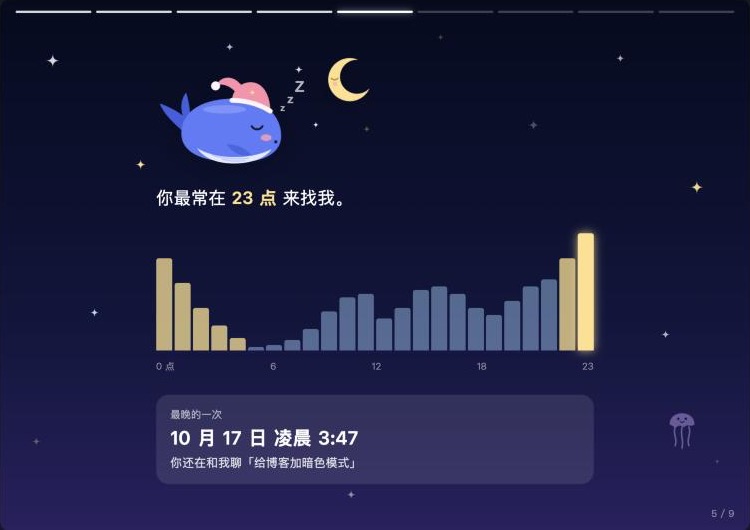
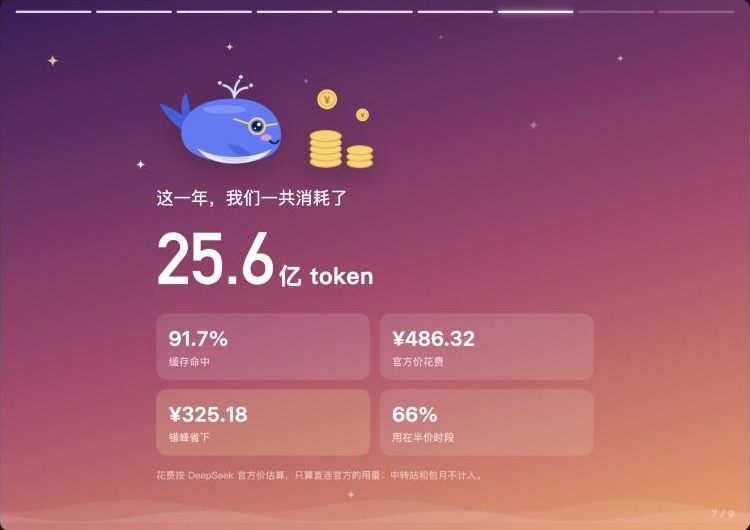
Year-in-review page in the DSH sidebar, built from this machine's session logs through ctx.sessionQuery. Nine slides cover the first day, sessions and turns, characters typed, an hour-of-day chart, tool calls, tokens with cache hit rate and an off-peak savings estimate at DeepSeek list prices, and a persona picked by 11 usage rules; the last slide renders a 1080×1440 share card to save or copy as PNG. Whale illustrations are drawn in code as SVG, with 13 persona outfits. Read-only and local, with no outbound requests and nothing written to disk. UI text is Chinese only. Its HTTP routes have no DSH access check, so a web page open in your browser could call them.
Install
# from npm (prebuilt)
dsh plugin --profile web add dsh-year-report
# from GitHub (first run asks for allowBuilds approval — follow the hint, retry)
dsh plugin --profile web add github:ViolaTan55/dsh-year-report
Any plugin you install runs third-party code with your own permissions — it can read your files, use your credentials, and reach the network, and tool approvals don’t sandbox it. GitHub-sourced plugins also run build scripts at install time — pnpm blocks those until you allow them, so an install can stop with ERR_PNPM_GIT_DEP_PREPARE_NOT_ALLOWED or ERR_PNPM_IGNORED_BUILDS; dsh prints the exact key to add under allowBuilds in your profile’s pnpm-workspace.yaml, and the install works on the next run. Allowing a build is a trust decision: only install sources you trust, and pin a commit (github:owner/repo#sha).
README
This plugin publishes its README in Chinese only.
给 DeepSeek Harness 的年度回顾:读本机会话日志,讲一段「你和鲸鱼的这一年」,最后生成一张能晒的分享图。
- 9 页故事:相遇 → 陪伴 → 你说了多少字 → 几点找它 → 它替你动手 → 账本(含错峰省下多少钱)→ 人格标签 → 分享图
- 人格标签:深海夜游鲸、谷时精算师、甩手掌柜、惜字如金、马拉松选手、缓存大师……按你的真实用法挑一个主标签、两个副标签
- 鲸鱼插画:每页一幅小插画,13 种人格各有专属造型(睡帽、墨镜、皇冠、船长帽……),全部是代码画的矢量图,页面和分享图共用一套
- 全程本地:不发任何外部请求、不写文件;分享图只有汇总数字,不出现会话标题和项目名
| 封面 | 作息 | 账本 |
|---|---|---|
 |
 |
 |
| 人格标签 | 分享图 |
|---|---|
 |
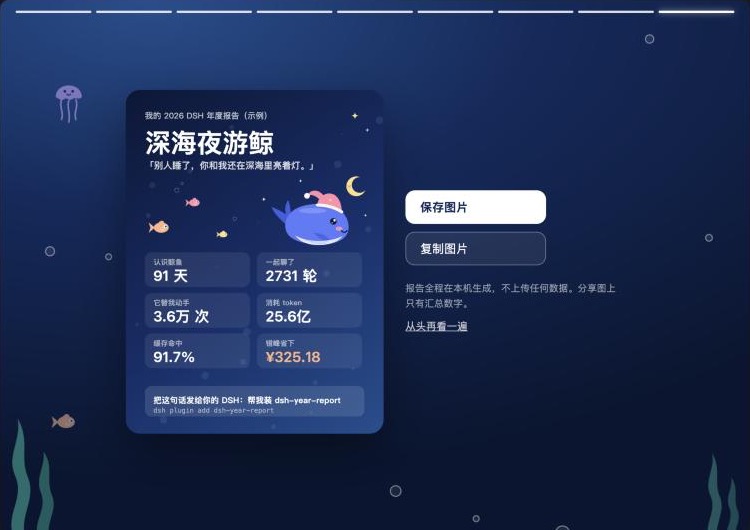 |
截图用的是内置的示例数据(preview/index.html?data=demo),不是任何人的真实用量。
安装
dsh plugin --profile web add dsh-year-report
或者把这句话发给你的 DSH:帮我装 dsh-year-report。装好后左侧栏会出现「年度报告」。
本地开发版:
dsh plugin --profile web add link:/path/to/dsh-year-report
dsh --profile web
结构
| 文件 | 作用 |
|---|---|
report.js |
统计核心(纯函数):会话快照 → 报告;计价、人格规则都在这里 |
index.js |
宿主半区:经 ctx.sessionQuery 读会话,挂 GET /api/dsh-year-report/report |
client.js |
浏览器半区:侧栏入口 + 故事页 + canvas 分享图 |
preview/ |
不启动 DSH 的预览壳;npm run preview:data 用本机日志生成 local.js,?data=demo 看重度用户示例 |
preview/art.html |
美术一览:全部插画、人格造型和背景装饰 |
test/ |
npm test |
market/ |
提交到 awesome-dsh-plugin 的条目文件和 PR 说明 |
口径
- 统计范围是当年(本机时区)的事件;分叉会话继承来的前缀不重复计数;子代理会话只计 token 和工具调用,不计会话数和你说的话。
- 花费按 DeepSeek 官方人民币价估算,只算
deepseek-account/deepseek-official两个直连供应商;高峰为北京时间工作日 9–12、14–18 点,其余(含周末、法定节假日)半价。「错峰省下」= 这些用量全按高峰价算的花费 − 实际估算花费。价格表整理参考了 dsh-profile-stats(MIT)。 - 深夜指 22 点到次日 5 点。
兼容性
在 DSH 0.2.2-rc.1 的 web 配置下验证过。桌面端和更早的版本没有实测。
还没做
- 让其他插件给报告加一页(例如记忆插件「它记住了你什么」、桌宠「陪了你多少小时」)
- 可选的匿名排名(「超过 93% 的 DSH 用户」)——需要上传汇总数字,默认不做
- 英文文案
Links
More in this category
bowenliang123/dsh-context★ 5191
DSH context insight panel: Context dashboard + /context command + Context browser — one-stop context lifecycle management with categorized composition, content details, evolution trends, compaction/injection events, and stats.
Han-1413141/dsh-cost-meter★ 705
Per-session and daily API cost, budget with usage %, official balance, history dashboard, and one-click official price sync with peak/off-peak pricing.
wssfk12138/dsh-damage-pulse★ 290
Tracks DeepSeek token usage, per-call and session costs, and account balance with cache-aware charge animations in the DSH Web UI.
zh667/TokenLedger★ 205
Sidebar usage panel that attributes tokens to the relay site that served each request, read from your existing provider config: today/month/all-time totals, per-site and per-model breakdowns, a year activity heatmap, and New API / Sub2API / DeepSeek balances.
Ychris12138/dsh-usage-stats★ 190
Multi-provider usage dashboard with provider/model token breakdowns, calendar drill-downs, account balances, and OpenCode Go / Z.ai subscription quota tracking.
Mt-Youya/dsh-plugins#sessions-insight★ 166
Browse Claude Code, DSH and Codex session logs by working directory, with per-turn context composition, token usage, compaction markers and cost estimates.
Community comments
Comments are public GitHub Discussions. Loading them connects to GitHub and Giscus; a GitHub account is required to post.