Adds an animated ASCII whale ocean behind empty chats, with neutral frosted-glass input, visual color selection, light/dark support, and configurable whales, fish, grid and wakes.
Install
# from npm (prebuilt)
dsh plugin --profile web add dsh-ascii-whales
# from GitHub (first run asks for allowBuilds approval — follow the hint, retry)
dsh plugin --profile web add github:Chael-Chael/dsh-ascii-whales
Any plugin you install runs third-party code with your own permissions — it can read your files, use your credentials, and reach the network, and tool approvals don’t sandbox it. GitHub-sourced plugins also run build scripts at install time — pnpm blocks those until you allow them, so an install can stop with ERR_PNPM_GIT_DEP_PREPARE_NOT_ALLOWED or ERR_PNPM_IGNORED_BUILDS; dsh prints the exact key to add under allowBuilds in your profile’s pnpm-workspace.yaml, and the install works on the next run. Allowing a build is a trust decision: only install sources you trust, and pin a commit (github:owner/repo#sha).
README
Let whales drift through the quiet, and thoughts rise to the surface.
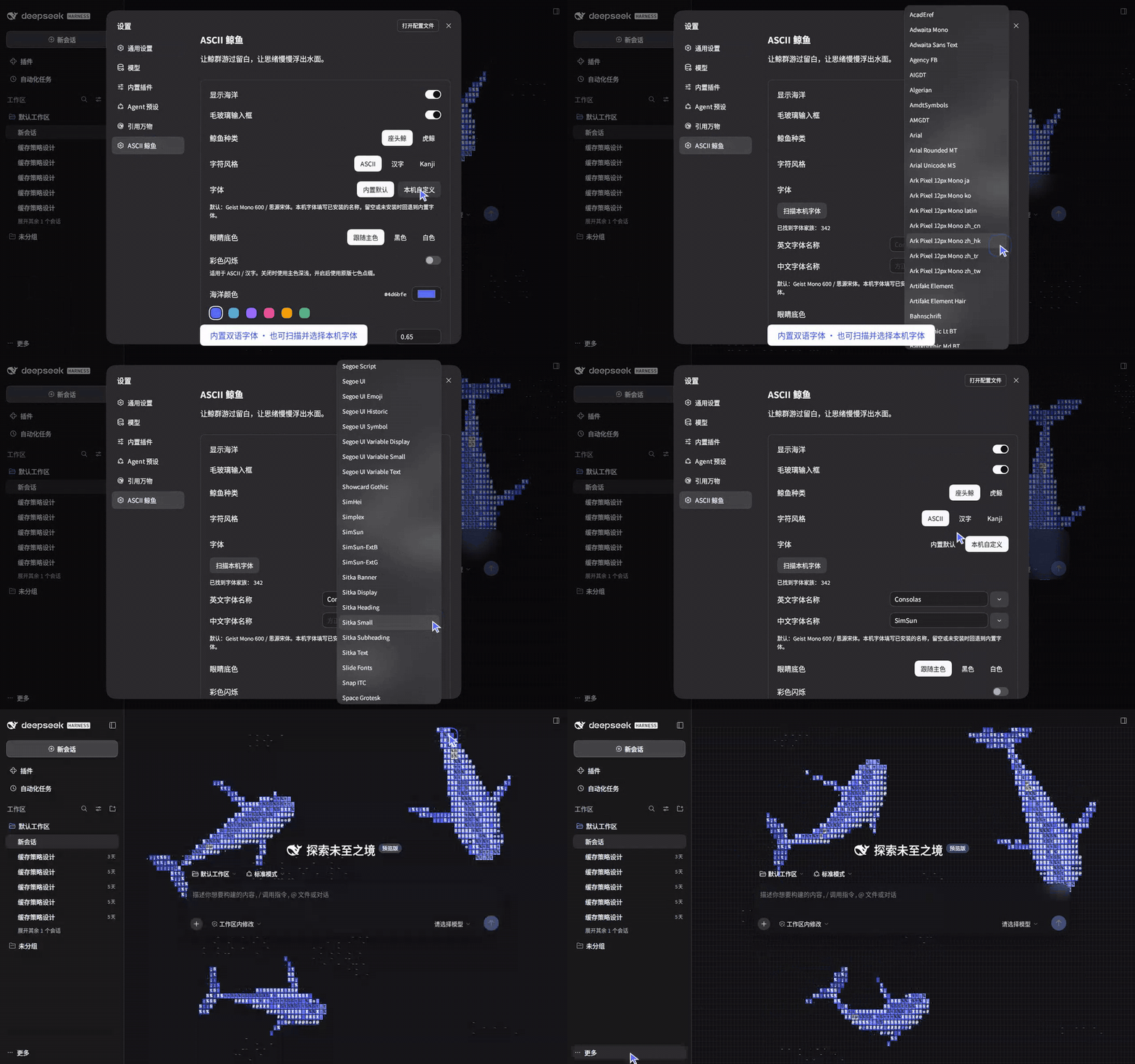
A blue ocean unfolds behind each empty chat. Schools of tiny fish scatter between characters; wakes fade slowly, and a pane of frosted glass holds the words you have yet to write.
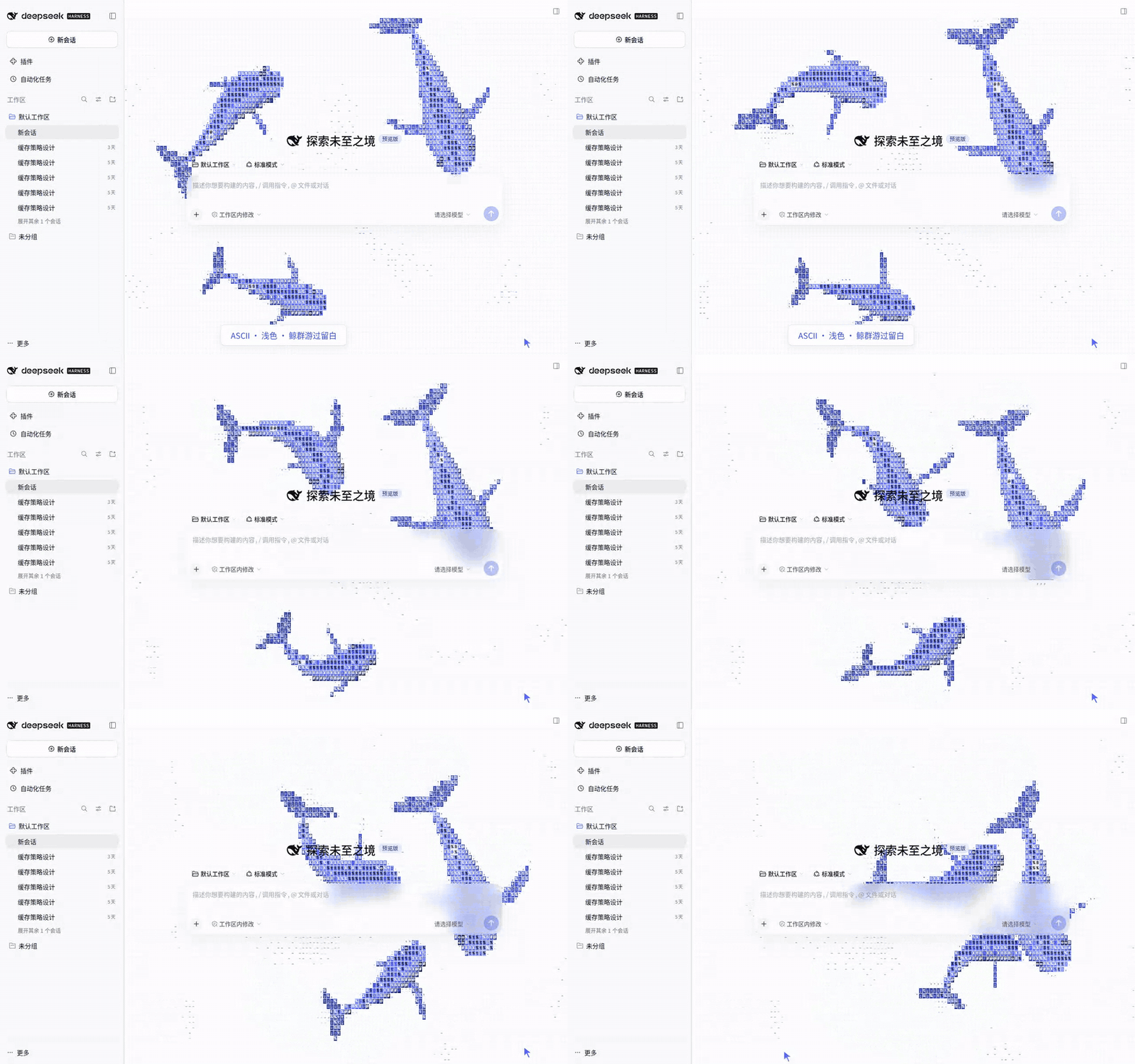
Install
Add dsh-ascii-whales through DeepSeek Harness's plugin manager, then restart that instance. For a Web profile:
dsh plugin --profile web add dsh-ascii-whales
Open Settings → ASCII Whales. Use Desktop's own plugin manager for Desktop installations.
Your ocean
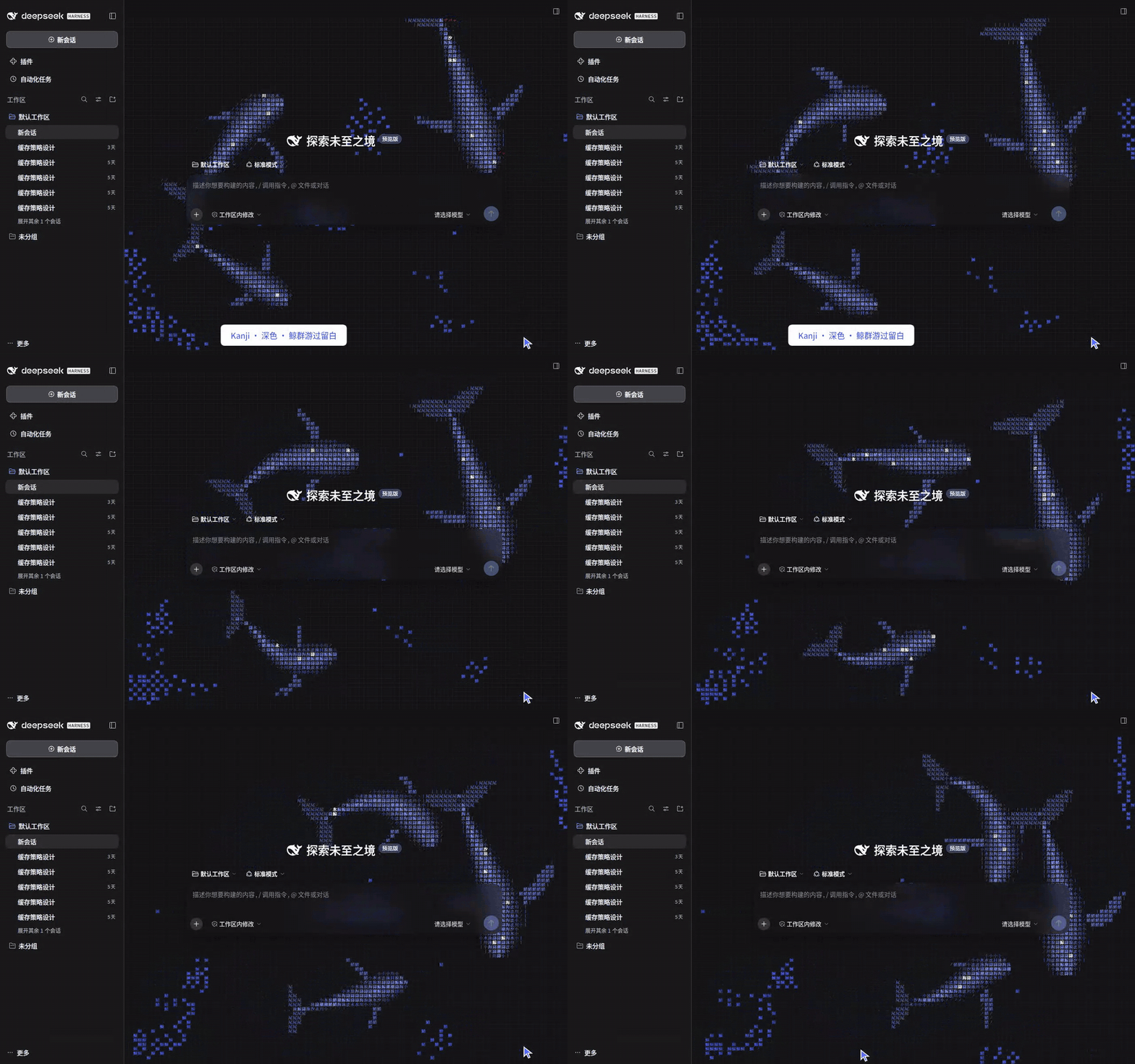
The animation fills the empty chat area behind the title and composer. It follows the native light/dark theme and disappears in existing conversations. Glass is neutral white or charcoal, with no blue tint; colors passing behind it are naturally blurred.
Your chosen color anchors the whale body's midtones, with deeper shadows and brighter highlights that preserve per-cell lighting and body volume. Both themes use the same body palette, carrying your shade of blue from daylight into night.
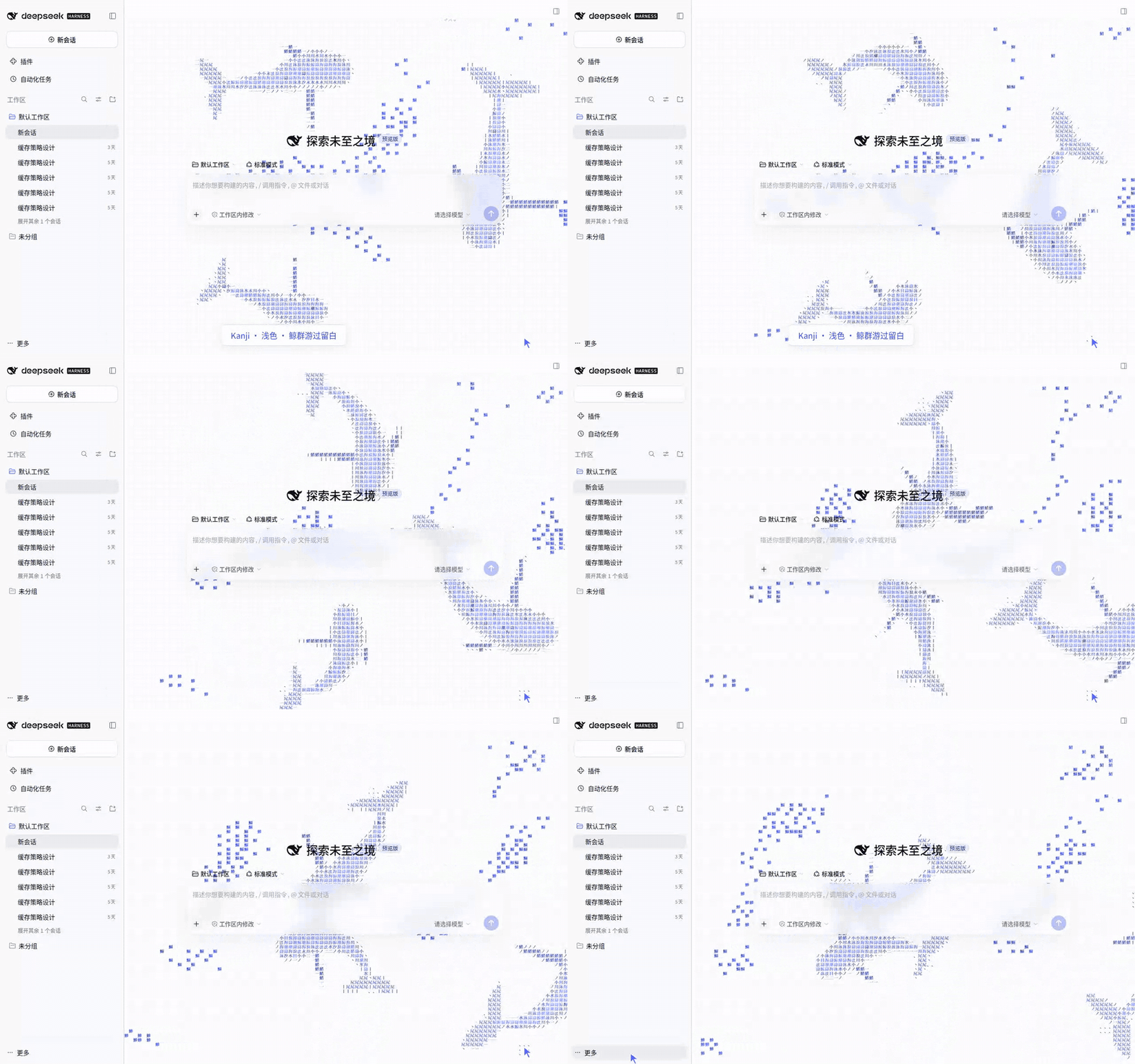
Choose Settings → ASCII Whales → Character style → Hanzi for Chinese characters: 吻 at the snout, 目 at the eyes, 背 along the back, 鳍 on fins and 尾 on tail flukes. Water and ocean characters fill the body; fish become 鱼, 鲤, 鲭 and 鲱. These labels follow the bending body. Hanzi use wider cells, adjustable with cell size.
The plugin embeds Geist Mono 600 for ASCII, matching the upstream demo, and Source Han Serif for Hanzi. These animation fonts load offline. Choose Font → Local custom to enter separate installed English and Chinese font names.
Click Scan local fonts, allow browser access, then choose from the dropdown menus. You can also type a font name directly.
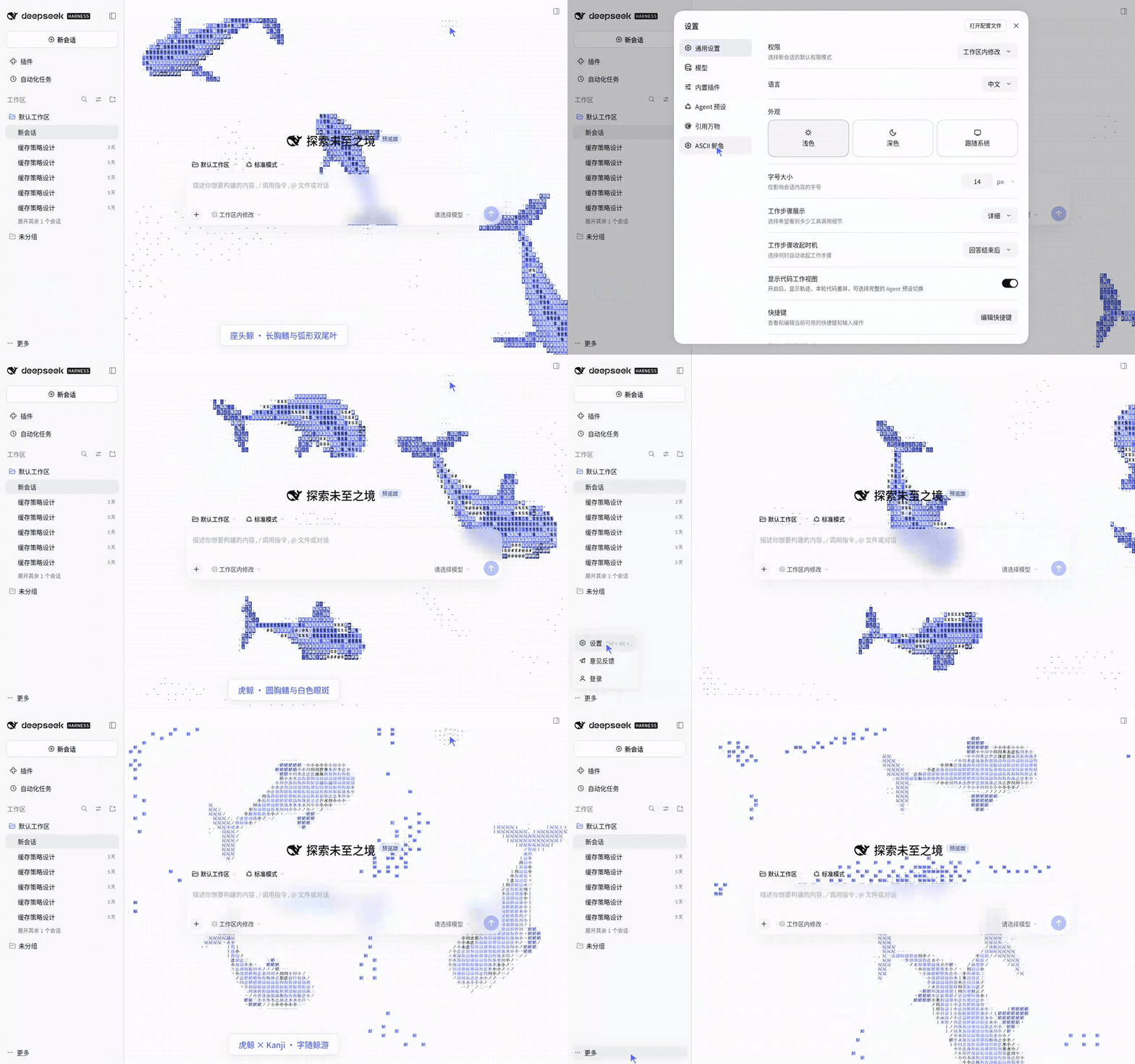
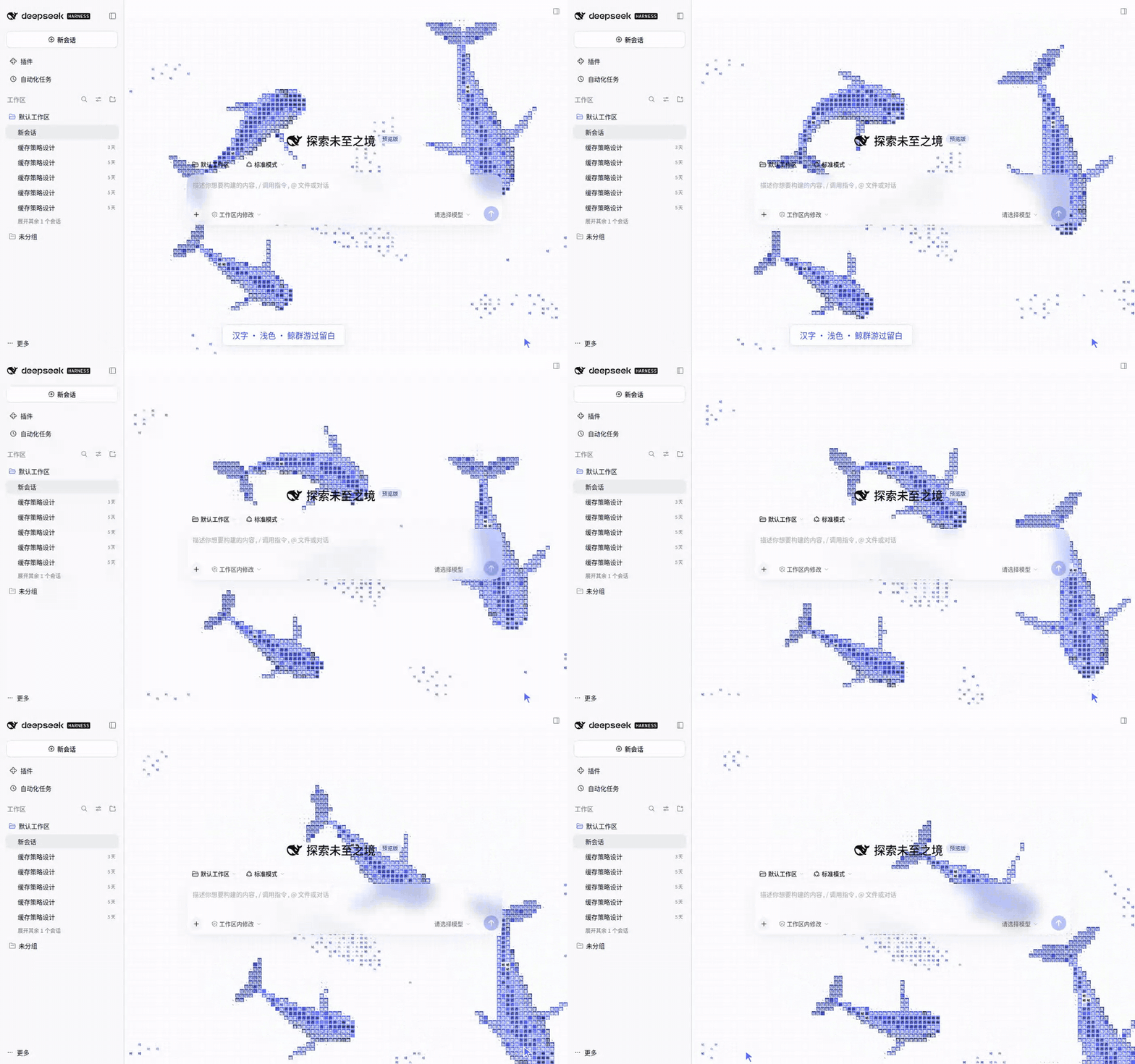
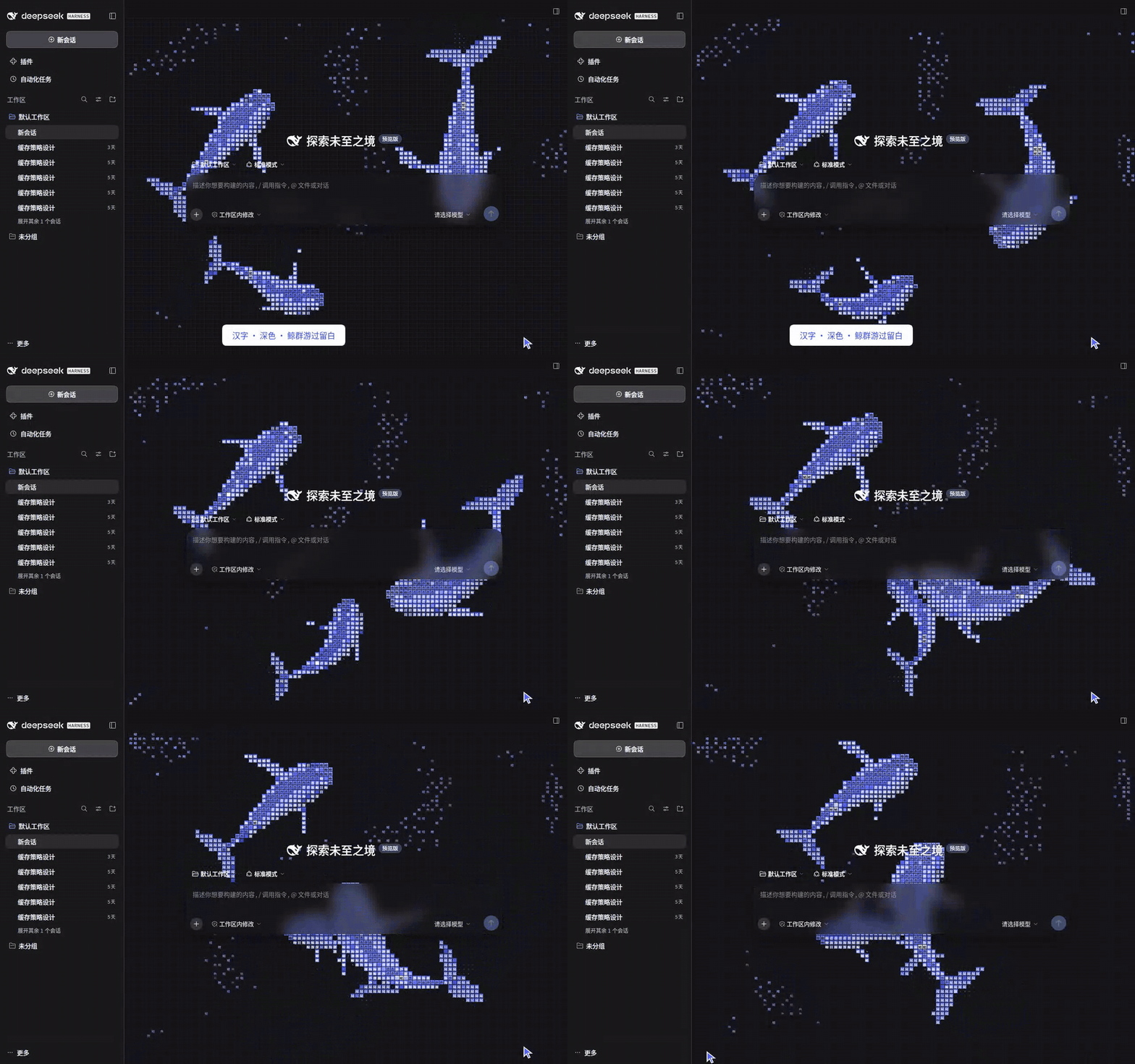
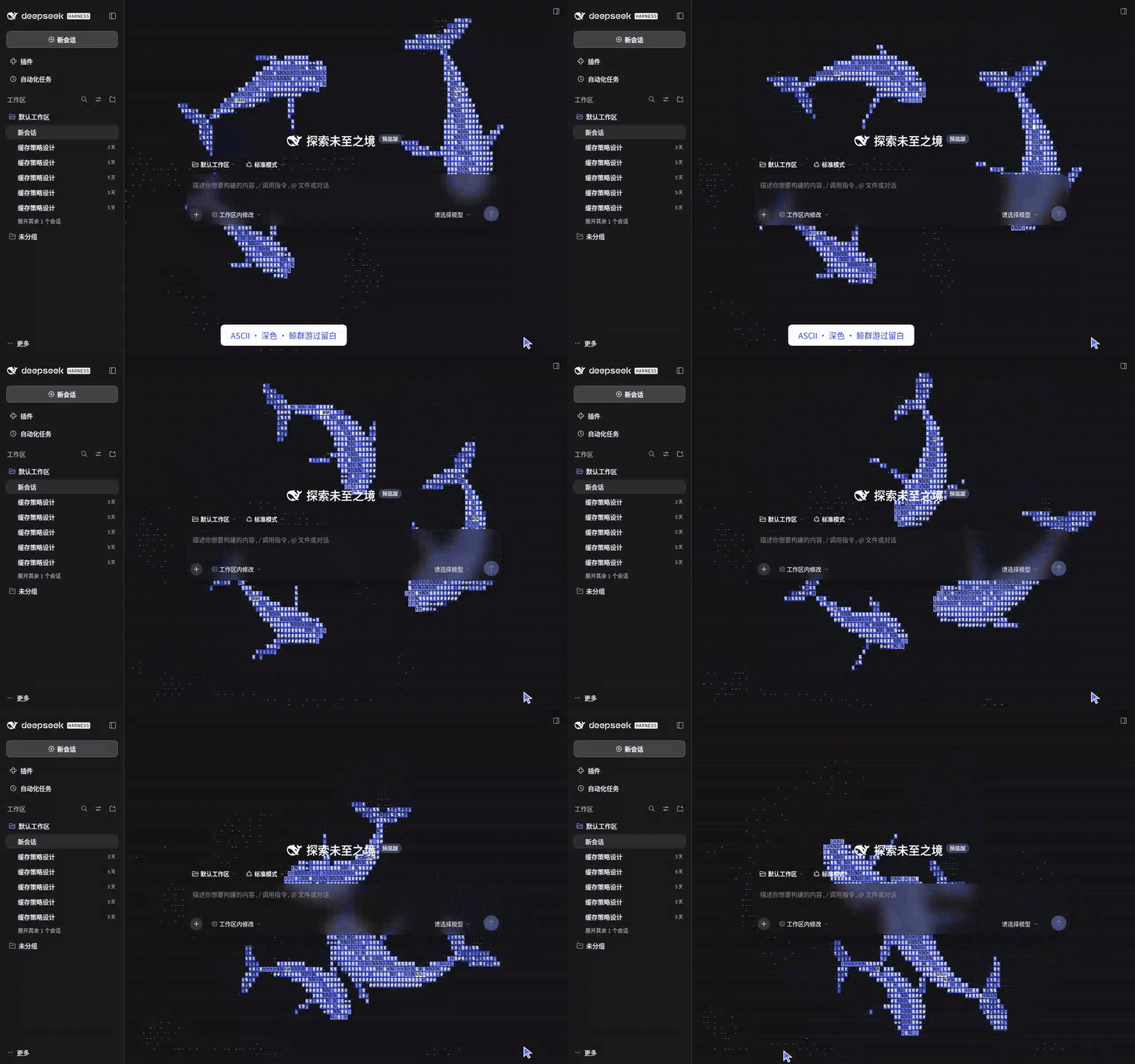
Humpbacks retain long flippers and broad flukes. Orcas have a broader rounded head, short rounded flippers, and white eye and flank patches. Both retain your selected body color; the orca patches stay off-white and are independent of the eye-background setting.
| Setting | Default | Range |
|---|---|---|
| Show whales | On | Entire scene and its glass |
| Whale species | Humpback | Humpback / Orca; saved and available in all three character styles |
| Character style | ASCII | ASCII / Hanzi / Kanji; applied immediately and saved |
| Font | Bundled default | Bundled default / Local custom; separate saved English and Chinese names |
| Eye background | Follow main color | Controls the eye cell background, with contrasting text. Defaults to body shading; choose black or white. Kanji defaults to transparent and adds an eye tile only for black/white |
| Colorful shimmer | Off | ASCII / Hanzi: selected-color shades by default; enable the original seven-color glyph accents. Body color is unchanged. Not applicable to Kanji |
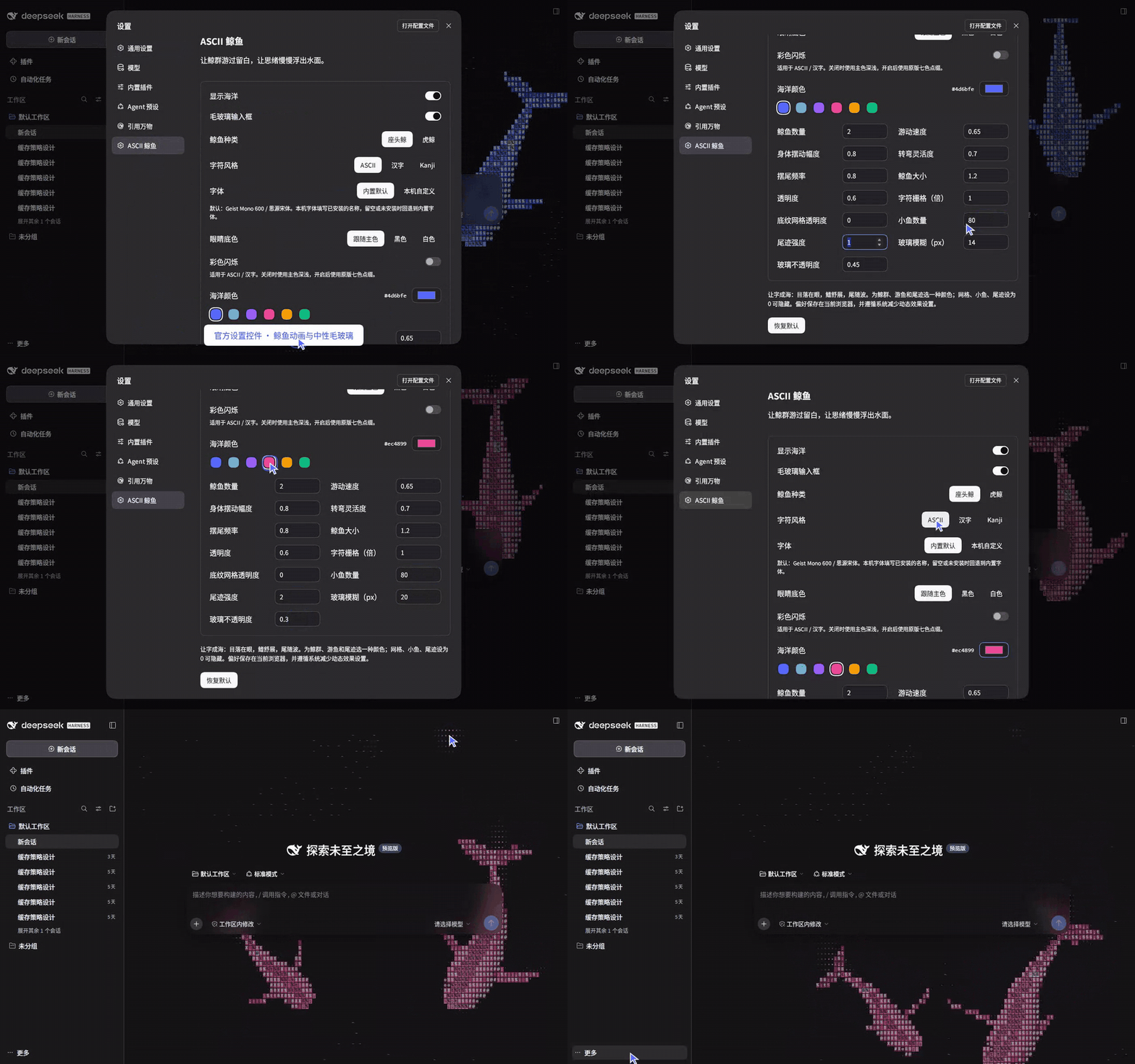
| Whale color | #4d6bfe |
Visual swatches and system color picker; fish and wakes follow |
| Whales | 3 | 1–20 |
| Size | 1.2× | 0.1–10× |
| Speed | 0.65× | 0.1–10× |
| Body swing amplitude | 0.8× | 0–3×; zero removes body waves, while the spine still follows turns |
| Turning agility | 0.7× | 0.1–3×; higher values allow tighter turns |
| Tail-beat frequency | 0.8× | 0.1–5×; independent of swimming speed |
| Scene opacity | 1 | 0–1; 1 is fully opaque |
| Cell size | 1× | 0.1–10× |
| Background grid opacity | 0.05 | 0–1 |
| Small fish | 170 | 0–1000 |
| Wake intensity | 1 | 0–10 |
| Frosted glass | On | Independent toggle |
| Glass blur | 14 px | 0–64 px |
| Glass opacity | 0.45 | 0–1 |
Size, cell size, speed and wake step by 0.05 below 1 and 0.1 from 1 upward: 0.95 ↔ 1 ↔ 1.1. You can also type values directly.
Set grid opacity, fish count or wake to zero to hide it. The default whales have relative sizes of 100%, 70% and 84%; the size control scales them together. Small fish are dashes in ASCII mode and fish characters in Hanzi mode; their dimensions follow the character grid.
Settings use official DSH controls. Restore defaults uses the theme-aware primary button and brings back the original blue ocean. Preferences are saved in this browser. The animation follows reduced-motion preferences and pauses in background tabs.
Source and development
This adapts stackedlol/ascii-sharks, retaining its simulation, flexible spines, ASCII rasterizer and lighting. The whale shape, DSH integration, palettes and controls are adaptations. See source attribution for the pinned commit and credits.
The Kanji style adapts ascii-kanji-sharks · 漢字の海 by michikusa404 (MIT License, Copyright © 2026 michikusa404). Its ink-measured Kanji shading and text effects come from that project; movement and schooling use stackedlol/ascii-sharks. Our adaptations replace the shark silhouette with whales and add DSH integration, a transparent background, adjustable settings and offline fonts. The full license is preserved in vendor/ascii-kanji-sharks/LICENSE.
Thank you to michikusa404 for turning Kanji into an ocean, and to stackedlol for the character-based schools and animation. Their publicly shared source made it possible to bring this sea into DeepSeek Harness.
npm ci --legacy-peer-deps
npm run check
npm pack
Animation and fonts are bundled for offline loading. See development and recording and test results.
Kanji
Choose Character style → Kanji for the MIT-licensed ascii-kanji-sharks simulation, adapted to whales: schools, ink-measured shading and feeding text effects. Existing population, size, speed, color, grid, wake and font controls apply. Cells have a 4 px minimum (lower settings stop shrinking at this limit). Kanji uses the Chinese font field; the English font field applies only to ASCII. Fonts are bundled for offline use; both whale styles remain available.
All three styles support visibility, count, size, speed, opacity, cell size, grid opacity, small fish count, wake intensity, color, fonts and the glass toggle/blur/opacity. Color affects bodies, fish and wakes; eye backgrounds follow body shading by default, with optional black or white. Kanji glints and sound effects retain theme accents. The first three whales use relative sizes of 100%, 70% and 84%.
Kanji shares the stackedlol/ascii-sharks simulation, pursuit, turning and body wave with ASCII / Hanzi, retaining the whale silhouette with Kanji shading and text effects.
Character cells use comparable areas across styles: ASCII retains narrow cells, while Hanzi and Kanji share square cells. Cell sizes are fixed in CSS pixels, independent of window width: at 1×, ASCII uses 8×12 px and Hanzi/Kanji use 10×10 px. The same multiplier gives similar grain density; full-width cells retain a 4 px minimum.
Links
More in this category
Small-tailqwq/dsh-deep-whale#maid-atelier★ 2773
Whale-girl skin series for the DSH Web UI (maid-atelier).
elysia395/dsh-wallpaper-engine★ 1792
Requires DeepSeek Harness 0.1.5-rc.1+ (DSH Desktop >= 2.0.7) and dsh-better-sidebar >= 0.19.0 - update both before installing or updating this plugin. Plays local Wallpaper Engine Video/Web wallpapers behind the chat, renders Scene wallpapers as extracted static frames, and adds content-rating/type filters, custom uploads and an iOS-style liquid-glass settings window.
d-dev0101/open-sea-skin★ 402
Realtime WebGPU ocean skin with quick controls for waves, daylight, glass opacity, and an automatic day cycle.
kingOfSoySauce/dsh-liang-skin★ 284
Adaptive reasoning slider skin that maps each model's available reasoning efforts onto a 0–30 visual intensity scale, with synchronized portraits, background, and interface colors.
Nwflower/dsh-claude-style★ 268
Claude Code Desktop look-and-feel for the DSH Web GUI — ivory/warm-black dual canvas, clay accent, three-font typography, permission segmented control and brand switcher, via CSS overrides and client DOM overrides.
RevolutionLA/dsh-dream-skin★ 265
One-command skin plugin: 8 original themes, translucent wallpaper with opacity/blur, per-user accent, and shareable theme-pack import/export, favorites and surprise-me — purely native on DSH's token system.
Community comments
Comments are public GitHub Discussions. Loading them connects to GitHub and Giscus; a GitHub account is required to post.