Particle-network background overlay for the DSH Web shell: full-screen, click-through, zero runtime dependencies.
Install
# from GitHub (first run asks for allowBuilds approval — follow the hint, retry)
dsh plugin --profile web add github:AKS1st/dsh-cyber-particle
Any plugin you install runs third-party code with your own permissions — it can read your files, use your credentials, and reach the network, and tool approvals don’t sandbox it. GitHub-sourced plugins also run build scripts at install time — pnpm blocks those until you allow them, so an install can stop with ERR_PNPM_GIT_DEP_PREPARE_NOT_ALLOWED or ERR_PNPM_IGNORED_BUILDS; dsh prints the exact key to add under allowBuilds in your profile’s pnpm-workspace.yaml, and the install works on the next run. Allowing a build is a trust decision: only install sources you trust, and pin a commit (github:owner/repo#sha).
README
English | 中文
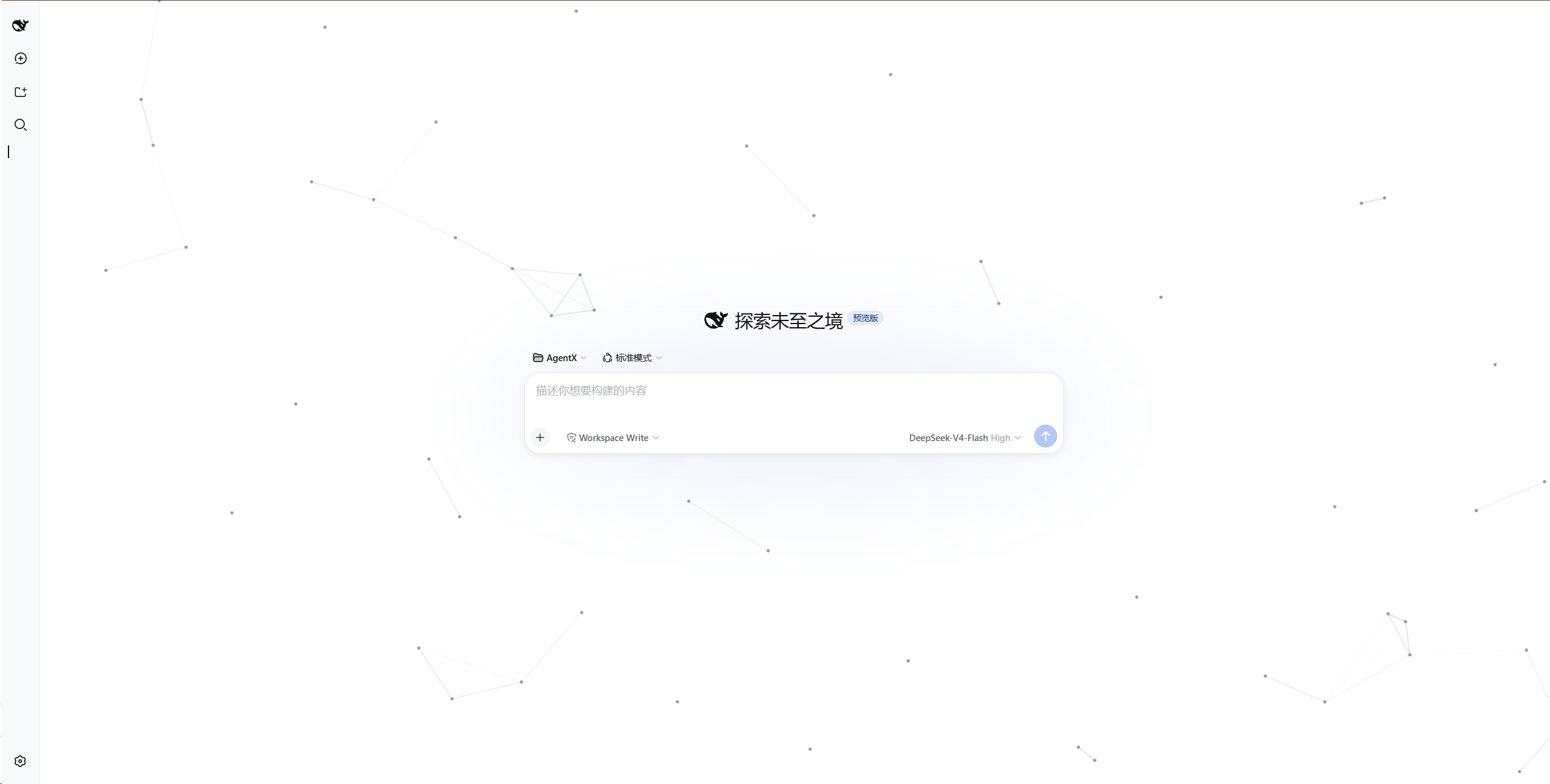
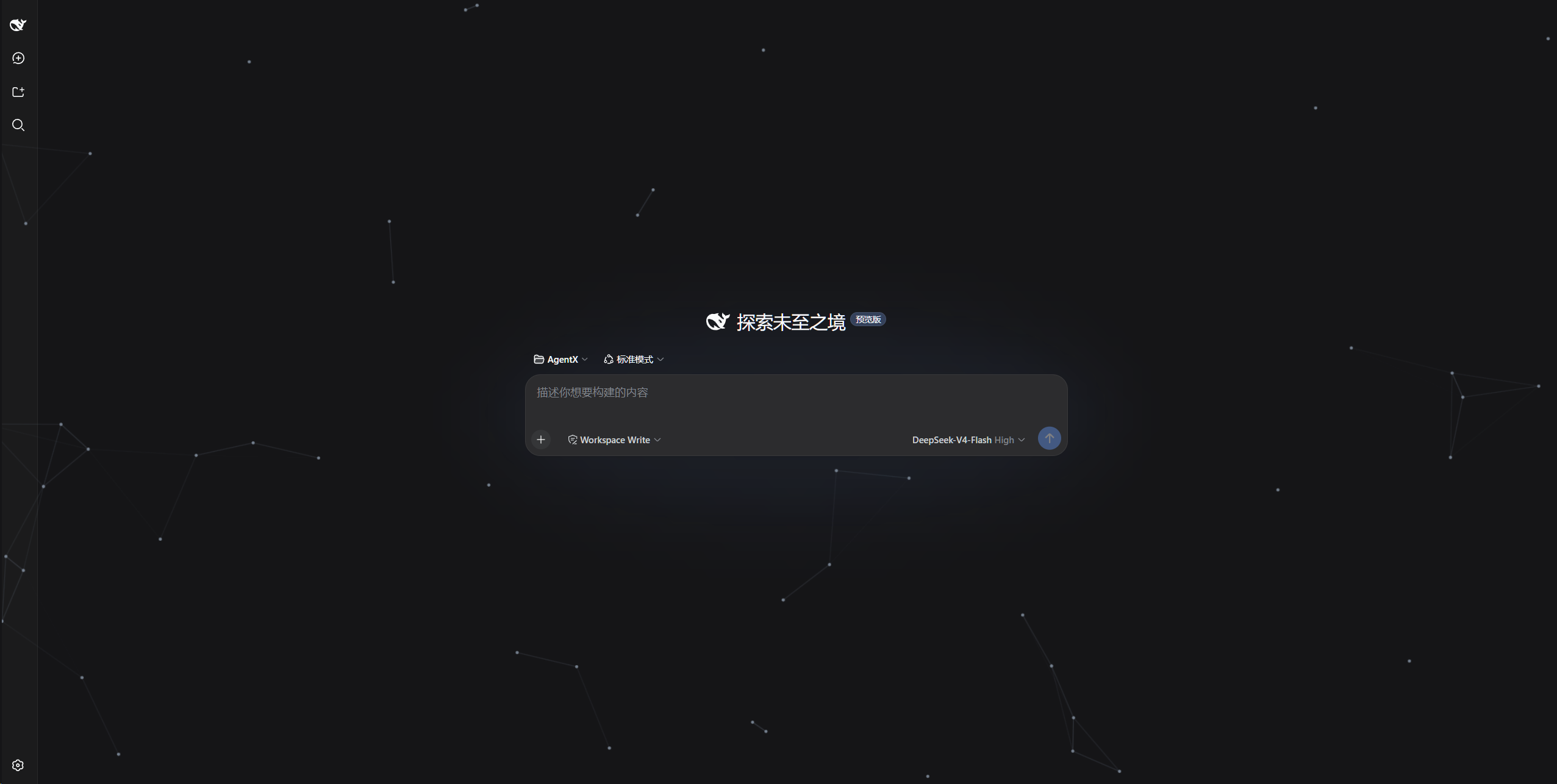
Adds an animated particle-network background to the DeepSeek Harness web UI: gray particles drift in from random screen edges, cross the viewport in straight lines, and re-enter from a new edge after leaving; particles closer than a threshold distance are automatically connected with lines, forming a continuously evolving mesh.
Rendered in a full-screen overlay with pointer-events: none, it never intercepts clicks or scrolling and does not change any UI colors. No npm runtime dependencies.
All logic lives in the browser half: no server-side behavior, no webServer route. Settings persist in browser localStorage (key cyber-particle:config) and restore automatically after a page refresh or restart; dshmarket can toggle the plugin like a skin (no route conflicts).
Preview
Light theme:
Dark theme:
Install
# Option 1: local directory
dsh plugin --profile web add /path/to/dsh-cyber-particle

# Option 2: from the git repository
dsh plugin --profile web add github:AKS1st/dsh-cyber-particle

# Restart the web service for the profile change to take effect
dsh web
Uninstall
dsh plugin --profile web remove cyber-particle
dsh web
Tuning parameters (Settings → Particle Background)
Adjust particle count, dot radius, line width, link distance, speed, and particle/line colors live from the settings page; values normalize against a 2560×1440 reference viewport and persist automatically to localStorage.
Links
More in this category
Small-tailqwq/dsh-deep-whale#maid-atelier★ 2252
Whale-girl skin series for the DSH Web UI (maid-atelier).
elysia395/dsh-wallpaper-engine★ 384
Requires DeepSeek Harness 0.1.5-rc.1+ (DSH Desktop >= 2.0.7) and dsh-better-sidebar >= 0.19.0 - update both before installing or updating this plugin. Plays local Wallpaper Engine Video/Web wallpapers behind the chat, renders Scene wallpapers as extracted static frames, and adds content-rating/type filters, custom uploads and an iOS-style liquid-glass settings window.
d-dev0101/open-sea-skin★ 380
Realtime WebGPU ocean skin with quick controls for waves, daylight, glass opacity, and an automatic day cycle.
kingOfSoySauce/dsh-liang-skin★ 222
Adaptive reasoning slider skin that maps each model's available reasoning efforts onto a 0–30 visual intensity scale, with synchronized portraits, background, and interface colors.
RevolutionLA/dsh-dream-skin★ 192
One-command skin plugin: 8 original themes, translucent wallpaper with opacity/blur, per-user accent, and shareable theme-pack import/export, favorites and surprise-me — purely native on DSH's token system.
GGBond2424648901/deep-whale-day-night-theme★ 117
Non-commercial day/night whale-girl skin for official Harness rc.7: current no-viewport-frame layout, paired crystal-workshop and moon-tide scenes, chibi companions, translucent ornaments, and lightweight ambience.
Community comments
Comments are public GitHub Discussions. Loading them connects to GitHub and Giscus; a GitHub account is required to post.