采用阶段审批门禁和会话隔离证据记录的 OME 工程交付 Agent 预设。
安装
# Release 预构建包
dsh plugin --profile web add "https://github.com/oh-my-engine/dsh-plugin-oh-my-engine/releases/download/v0.1.6/dsh-plugin-oh-my-engine-0.1.6.tgz"
# GitHub 源码(首次需按提示配置 allowBuilds 构建授权后重试)
dsh plugin --profile web add github:oh-my-engine/dsh-plugin-oh-my-engine
装任何插件都等于在你的机器上跑第三方代码,权限和你本人一样大——能读你的文件、用你的凭据、访问网络,工具审批管不到它。GitHub 来源的插件还会在安装时执行构建脚本——pnpm 默认拦截,所以安装可能停在 ERR_PNPM_GIT_DEP_PREPARE_NOT_ALLOWED 或 ERR_PNPM_IGNORED_BUILDS;dsh 会打印出需要添加的确切键名,把它加进该 profile 的 pnpm-workspace.yaml 的 allowBuilds 下,重跑一次即可装上。放行构建本身就是一次信任判断:请只安装可信来源,并尽量锁定 commit(github:owner/repo#sha)。
README
该插件的 README 只有英文版本。
dsh-plugin-oh-my-engine adds the isolated ome-engineer preset to DeepSeek Harness Web and Desktop profiles. It keeps Oh My Engine platform-neutral: the plugin consumes OME's public lifecycle API and stores runtime state only in the active DSH Session Event Log.
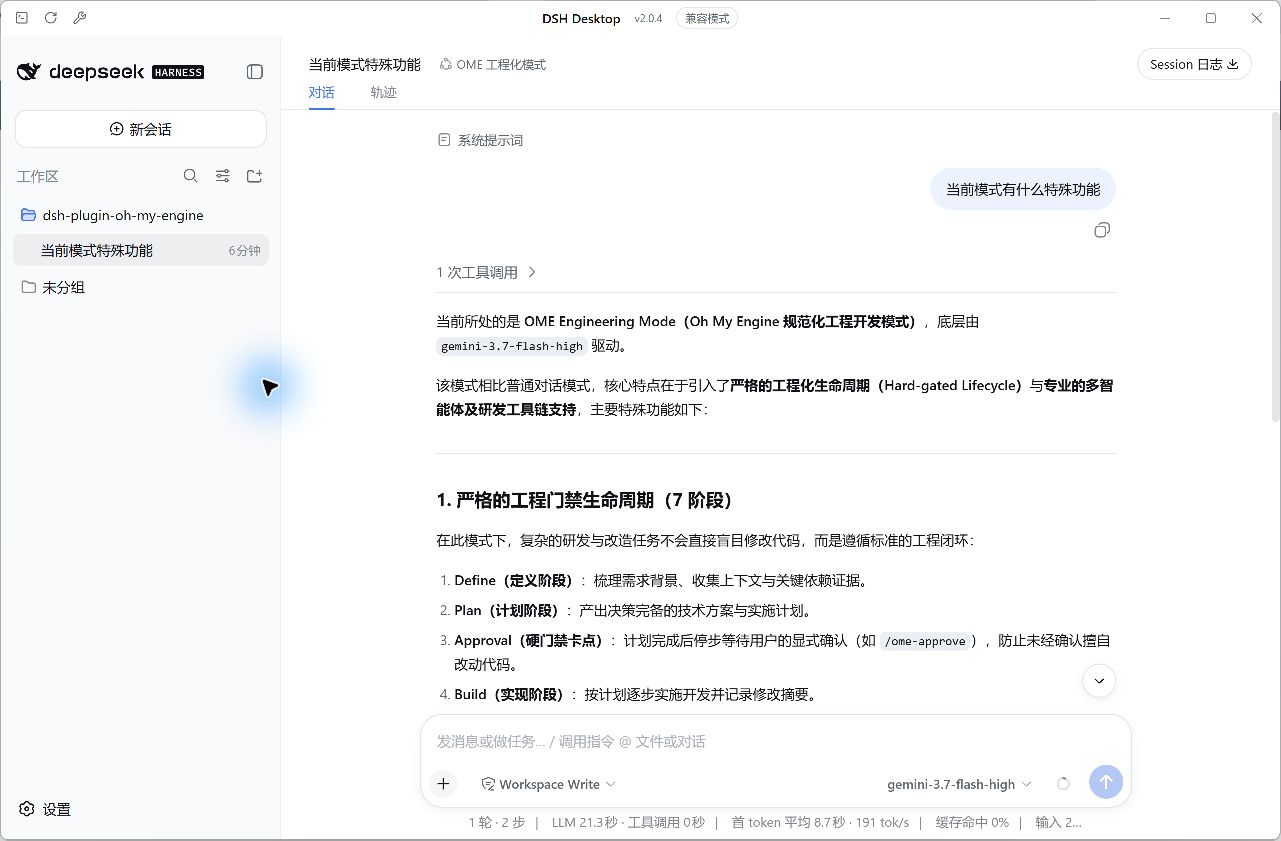
DSH Desktop feature gallery
All screenshots below were captured from a real OME run in DSH Desktop 2.0.4. The run used an isolated demonstration workspace and completed the full Define → Plan → Build → Verify → Review → Ship → Learn lifecycle.
| Feature | Screenshot |
|---|---|
| Select the isolated OME 工程化模式 Agent preset | 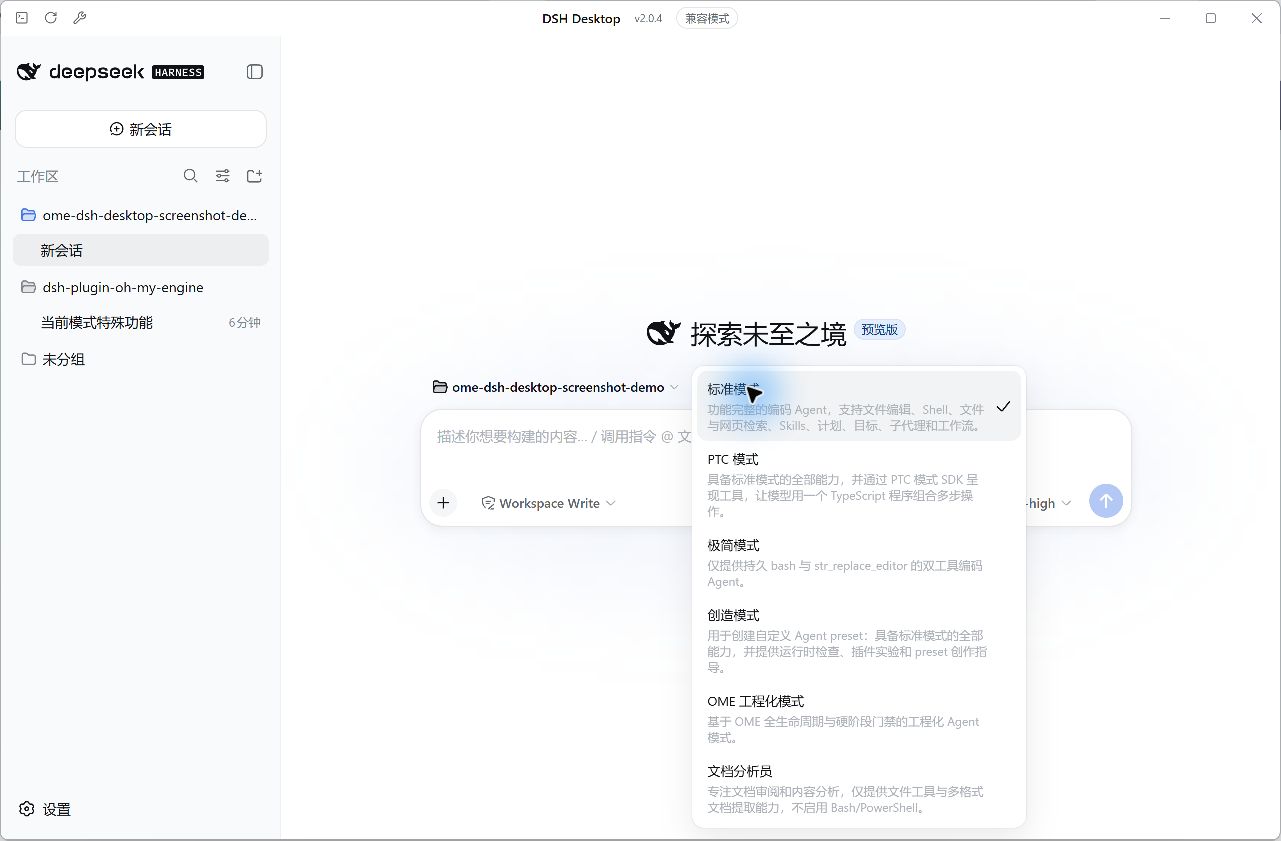 |
| Use the dedicated OME command palette | 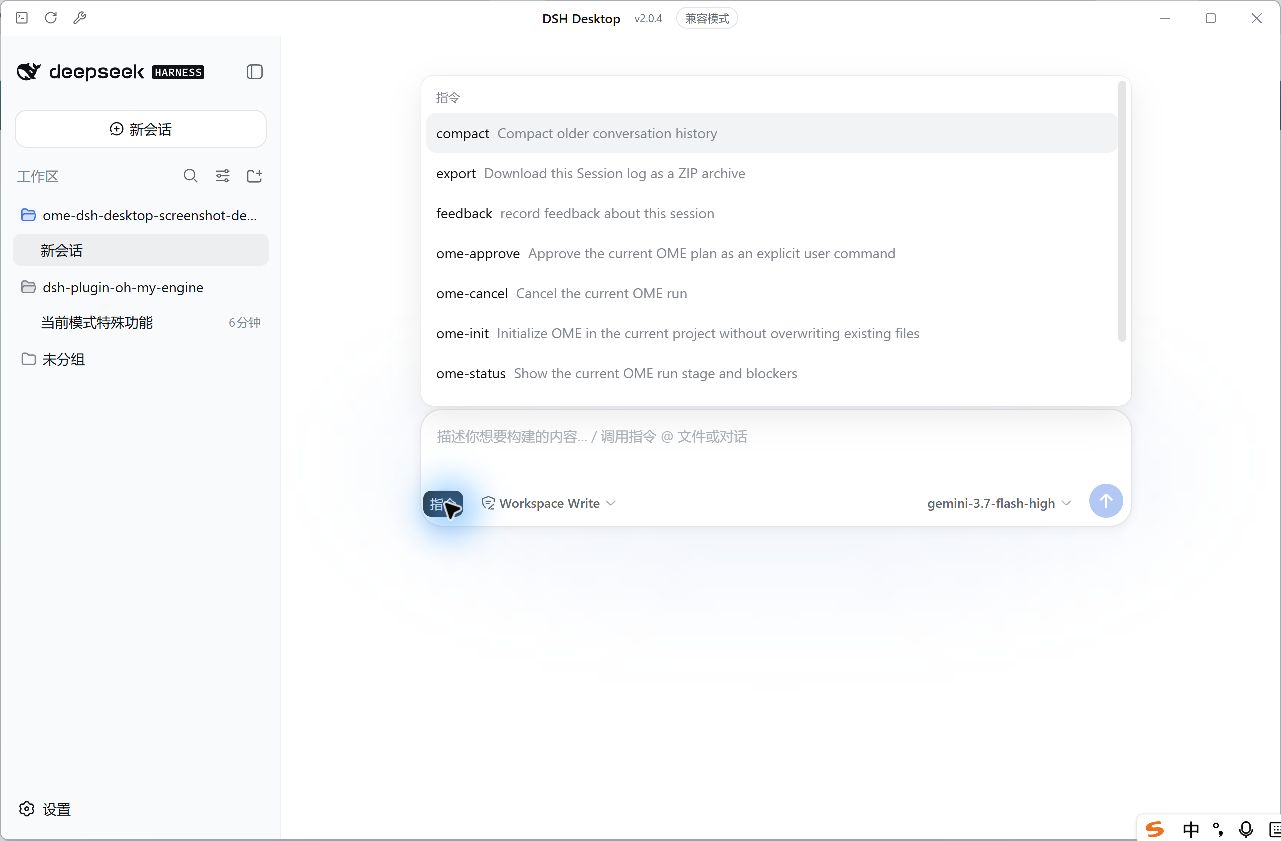 |
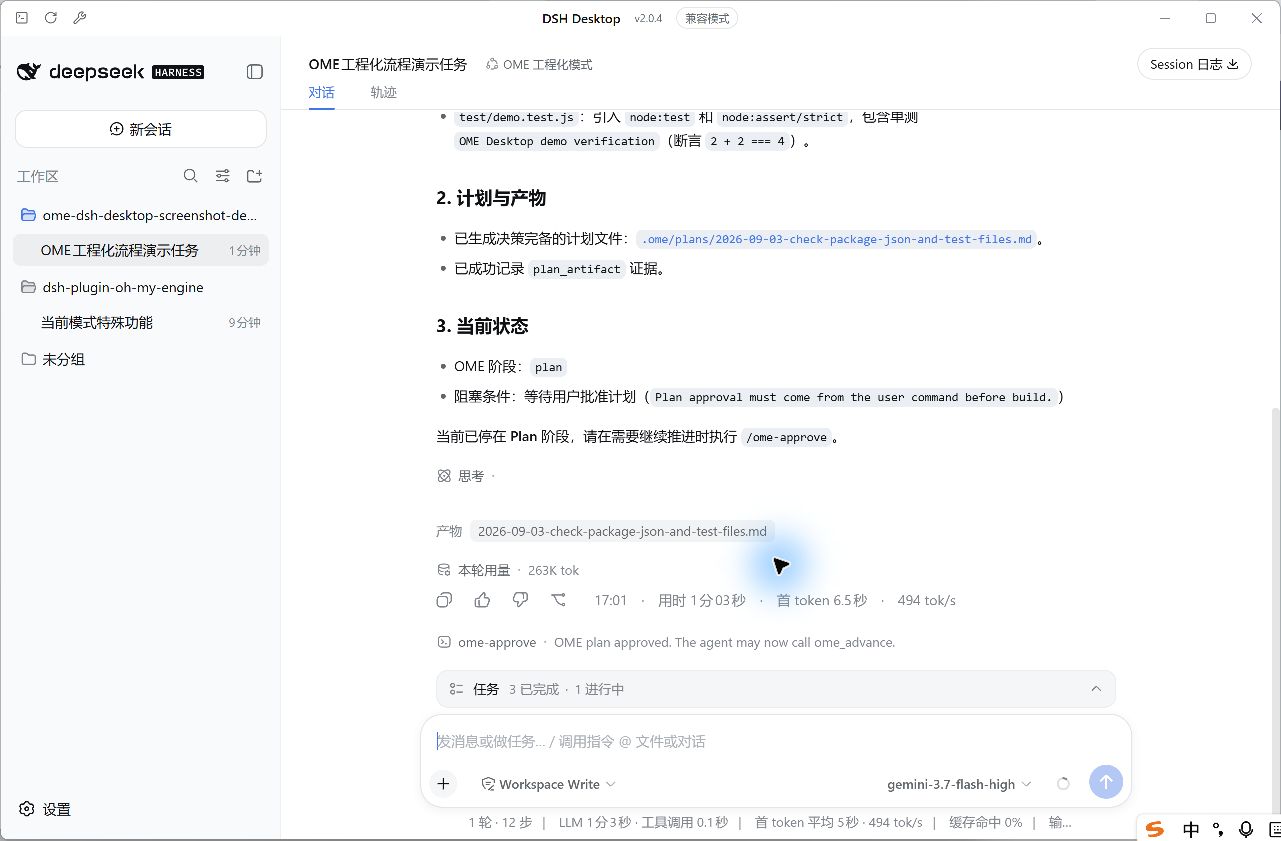
| Stop at the Plan approval hard gate | 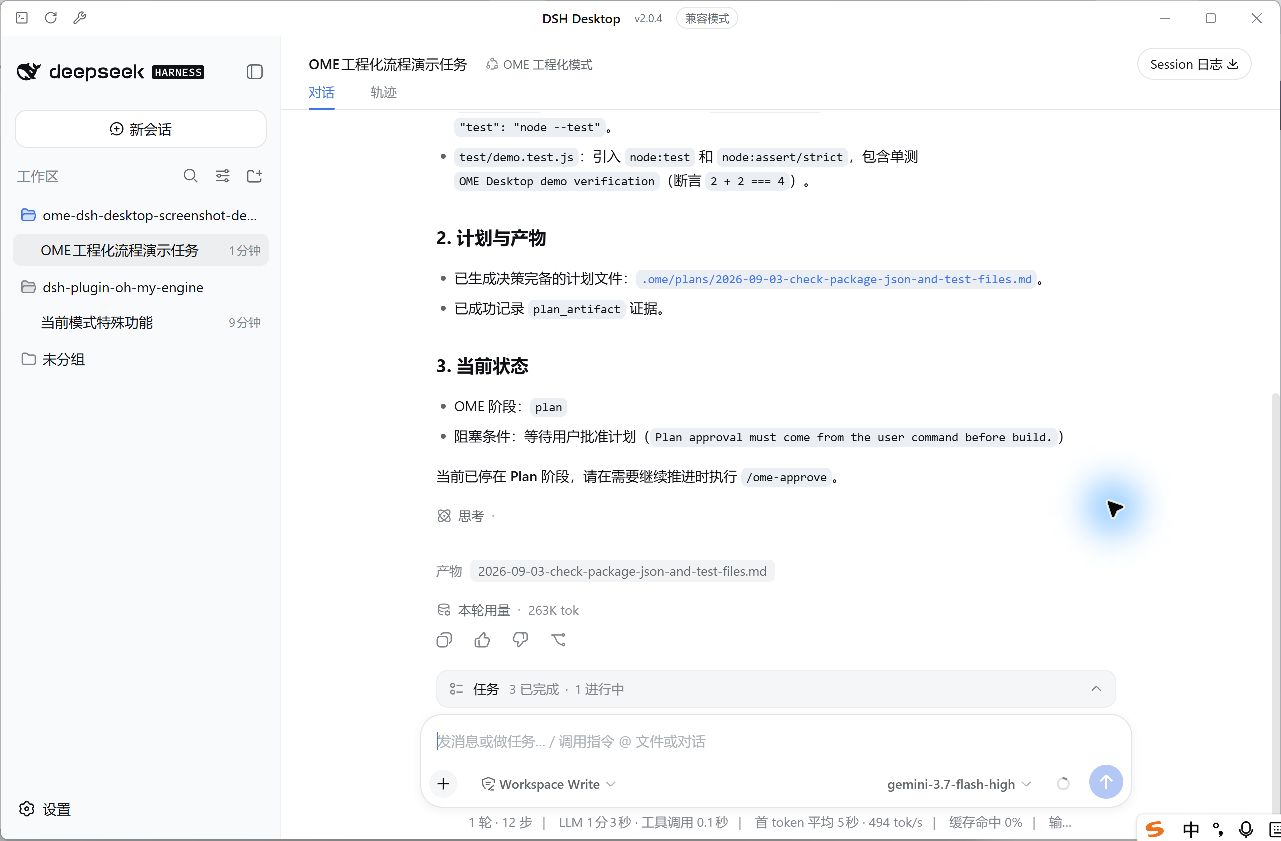 |
Continue only after the user's /ome-approve command |
 |
| Accept successful executed test output as verification evidence | 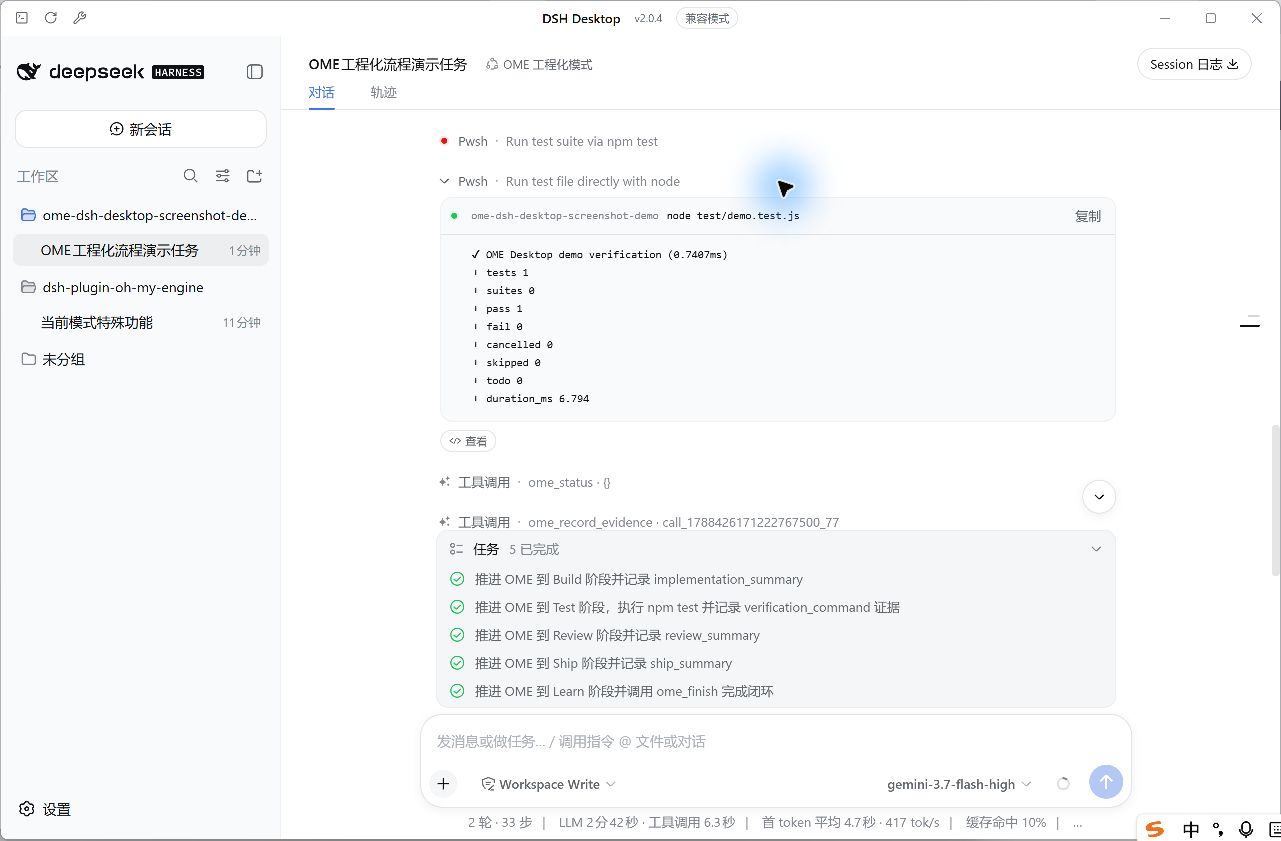 |
| Complete Learn and record OME Memory | 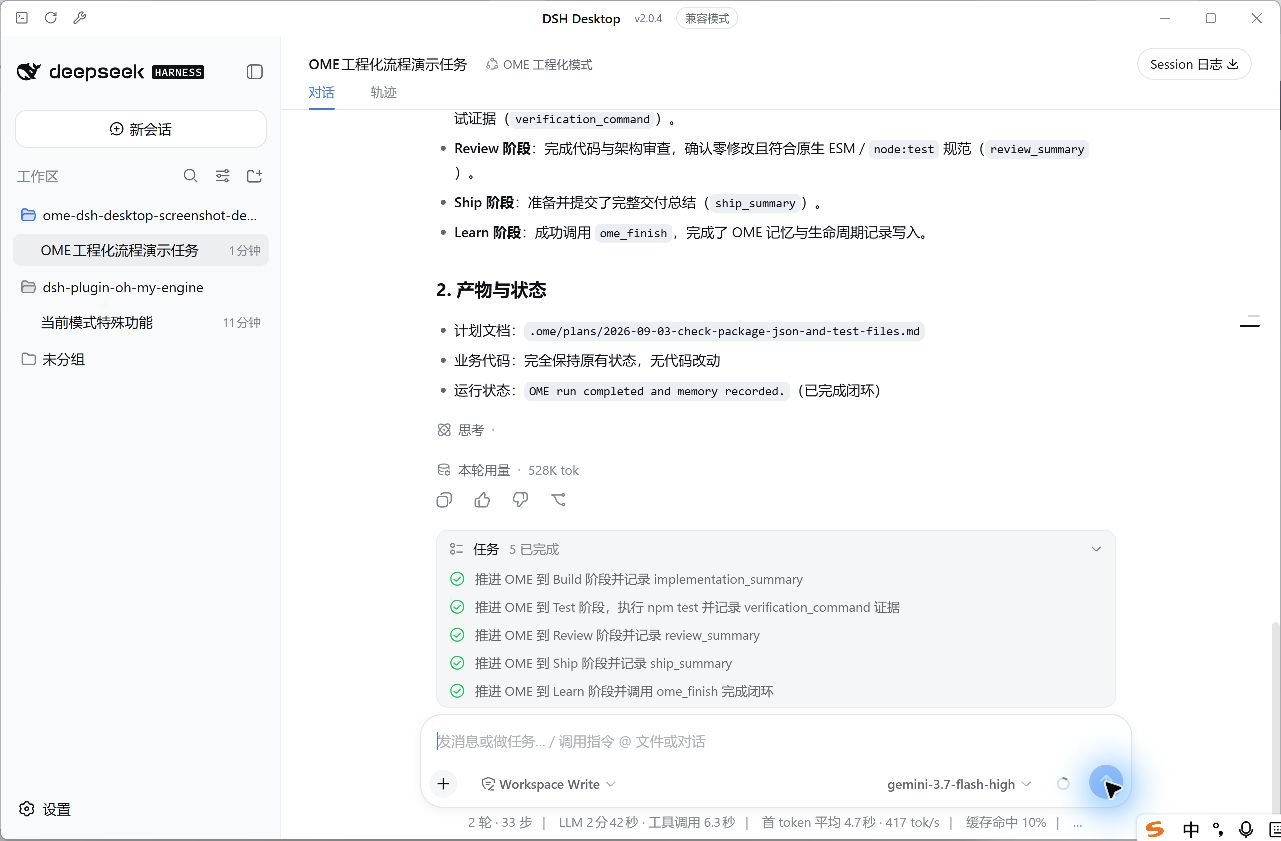 |
| Inspect the complete lifecycle in the DSH Session trace | 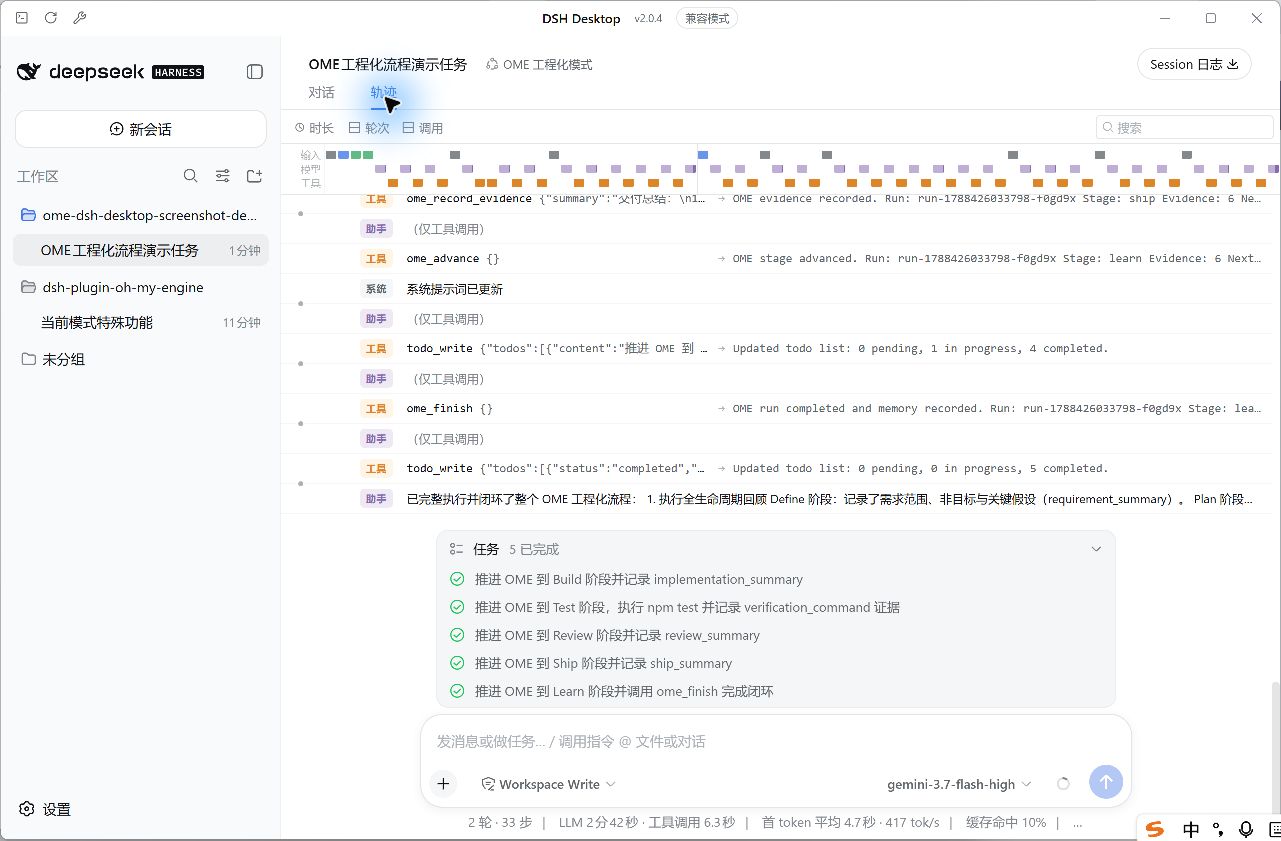 |
Install
Download the prebuilt package from the pinned GitHub Release. It includes the OME package built from the verified upstream commit, so neither package has to be published to npm and installation does not need Git or GitHub SSH:
dsh plugin --profile web add https://github.com/oh-my-engine/dsh-plugin-oh-my-engine/releases/download/v0.1.6/dsh-plugin-oh-my-engine-0.1.6.tgz
dsh plugin --profile desktop add https://github.com/oh-my-engine/dsh-plugin-oh-my-engine/releases/download/v0.1.6/dsh-plugin-oh-my-engine-0.1.6.tgz
dsh plugin --profile desktop exec dsh-ome preset install
The plugin CLI is profile-local and is intentionally not added to the system PATH. Run it through the profile where the package is installed; replace desktop with web when installing only the Web profile.
Restart the profile host and select OME 工程化模式. The bundle patch only registers the OME Session Event Log vocabulary needed for cold-start resume; Standard, Code, Minimal, and other presets receive no OME tools, commands, or prompt changes.
EADDRINUSE when starting DSH Web
The plugin installer does not start a web server. EADDRINUSE 127.0.0.1:3080 means another DSH Web process already owns the default port; it is not an OME plugin installation failure. Diagnose it without platform-specific process commands:
dsh plugin --profile web exec dsh-ome doctor
Reuse the already-running UI at http://127.0.0.1:3080, stop that process normally, or let DSH choose another free port:
dsh web --port 0 --no-open
Preset lifecycle operations are explicit:
dsh plugin --profile desktop exec dsh-ome preset update
dsh plugin --profile desktop exec dsh-ome preset remove
Update creates a complete backup. Update and remove refuse unmanaged or locally modified preset directories. Removing the plugin from a DSH Profile does not remove the preset, and removing the preset does not uninstall the Profile plugin.
Role protocol
/ome-initinitializes OME without force or implicit overwrite./ome-approveis the only accepted Plan approval source./ome-statusreads the current Session state./ome-cancel [reason]cancels the current run.- OME model tools manage lifecycle events only; DSH native tools retain ownership of edits, commands, sandboxing, approvals, and cancellation.
- Test evidence must reference a successful prior tool call in the same Session.
- Subagents inherit context but can only call
ome_status.
First release support is Web and Desktop against DSH/Cordis 0.1.1-rc.2. Re-run profile and Session compatibility checks before upgrading DSH.
See OME Engineering Mode architecture, installation, acceptance, and rollback for the complete delivery guide.
Release information
The canonical repository is https://github.com/oh-my-engine/dsh-plugin-oh-my-engine. The prepared community entry is stored under community/ and is intentionally excluded from the npm package.
链接
同类插件
loopx-project/loopx#dsh-loopx-plugin★ 6361
LoopX——面向长周期 Agent 的提供商中立、本地优先状态内核与控制平面:在 DeepSeek Harness 执行层之上持久化 Goal、Todo、门禁、证据、配额、恢复与交接状态;插件负责引导安装 CLI 与技能、准入有界的同会话续跑,并为精确绑定的工作循环提供本地 GoalBar。
Q00/ouroboros#integrations/dsh-plugin★ 6243
通过 DSH MCP 客户端挂载 Ouroboros 的纯配置包,在 DSH 中提供 36 个涵盖需求访谈、Seed、执行、评估与演化流程的工具。
chuspeeism/dashi-taskboard#deepseek-harness★ 3362
把当前已安装并运行中的 Codex Taskboard 嵌入 DeepSeek Harness 侧边栏,并通过 Launcher 运行时描述文件连接,而不是使用固定端口。
NanmiCoder/dsh-agent-teams★ 2245
AgentTeams 多智能体团队。
EthanYoQ/AI-Novel-Writer#dsh-ai-novel-writer★ 1623
安装专用 AI 小说创作预设与工作台:提供带修订号的本地项目资产、紧凑侧边工作台,以及需要原生审批的逐文件变更。
Miaotofu01/Study-Mate★ 1065
你的AI学习搭档:定计划、讲知识、做项目,学透一门科目。
社区评论
评论公开保存在 GitHub Discussions。加载评论会连接 GitHub 和 Giscus;发表内容需要 GitHub 账号。