An approval-gated OME engineering delivery preset with session-isolated lifecycle evidence.
Install
# from a prebuilt release tarball
dsh plugin --profile web add "https://github.com/oh-my-engine/dsh-plugin-oh-my-engine/releases/download/v0.1.6/dsh-plugin-oh-my-engine-0.1.6.tgz"
# from GitHub (first run asks for allowBuilds approval — follow the hint, retry)
dsh plugin --profile web add github:oh-my-engine/dsh-plugin-oh-my-engine
Any plugin you install runs third-party code with your own permissions — it can read your files, use your credentials, and reach the network, and tool approvals don’t sandbox it. GitHub-sourced plugins also run build scripts at install time — pnpm blocks those until you allow them, so an install can stop with ERR_PNPM_GIT_DEP_PREPARE_NOT_ALLOWED or ERR_PNPM_IGNORED_BUILDS; dsh prints the exact key to add under allowBuilds in your profile’s pnpm-workspace.yaml, and the install works on the next run. Allowing a build is a trust decision: only install sources you trust, and pin a commit (github:owner/repo#sha).
README
dsh-plugin-oh-my-engine adds the isolated ome-engineer preset to DeepSeek Harness Web and Desktop profiles. It keeps Oh My Engine platform-neutral: the plugin consumes OME's public lifecycle API and stores runtime state only in the active DSH Session Event Log.
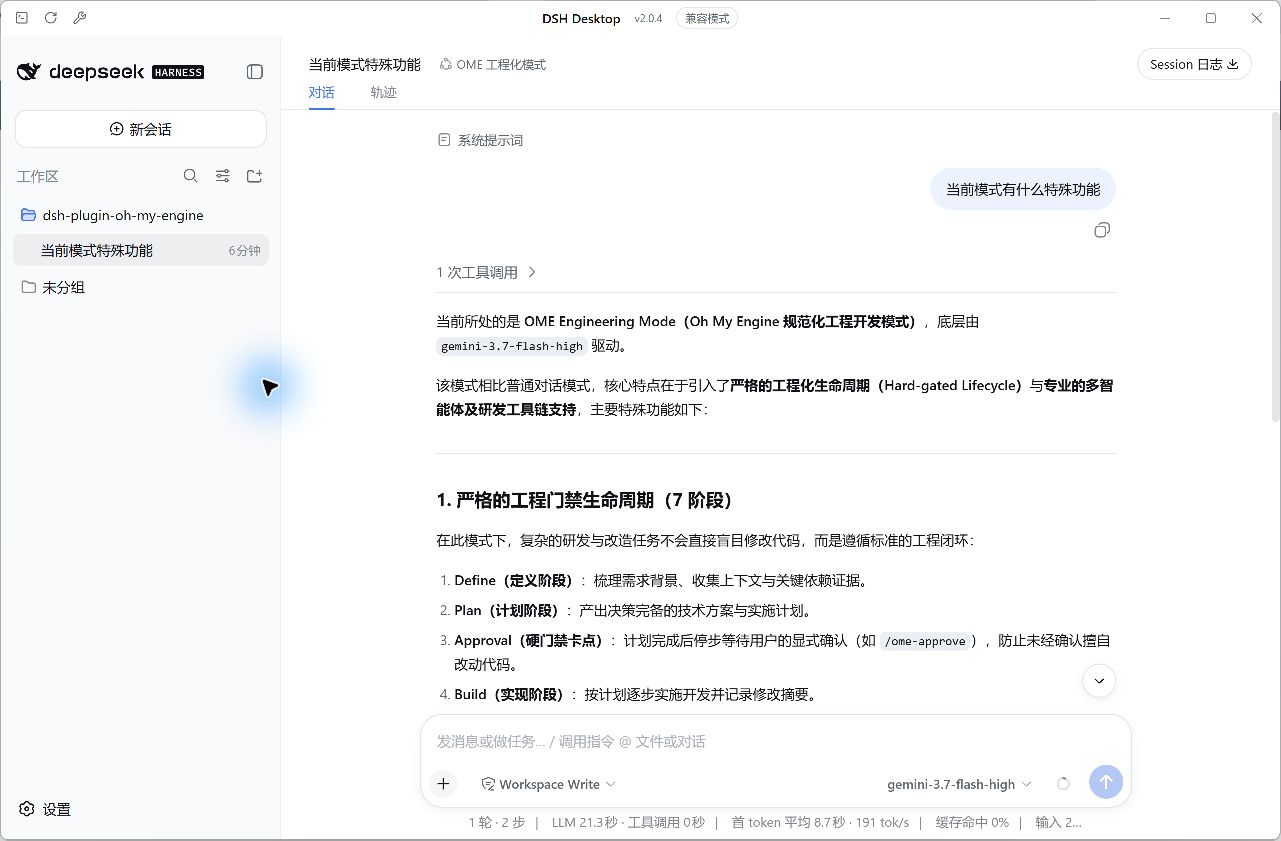
DSH Desktop feature gallery
All screenshots below were captured from a real OME run in DSH Desktop 2.0.4. The run used an isolated demonstration workspace and completed the full Define → Plan → Build → Verify → Review → Ship → Learn lifecycle.
| Feature | Screenshot |
|---|---|
| Select the isolated OME 工程化模式 Agent preset | 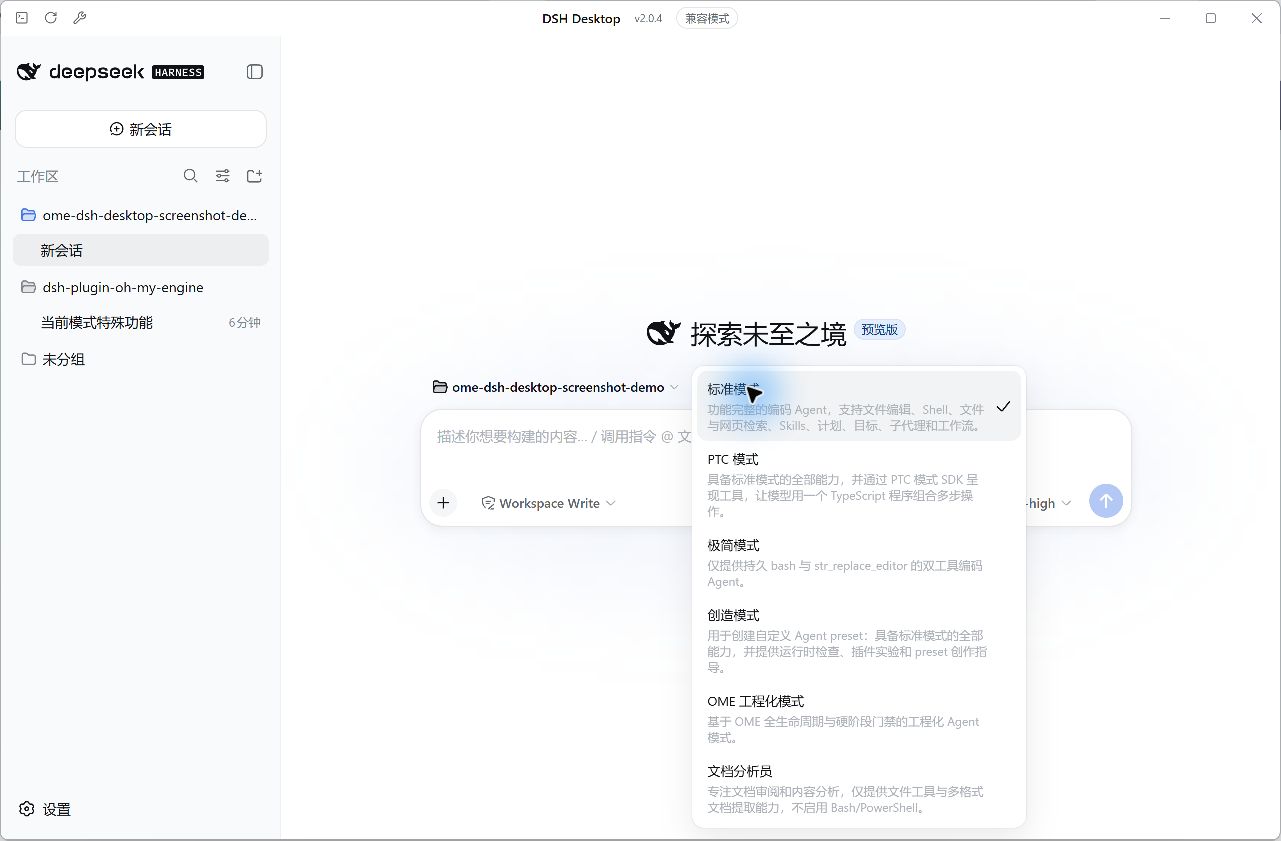 |
| Use the dedicated OME command palette | 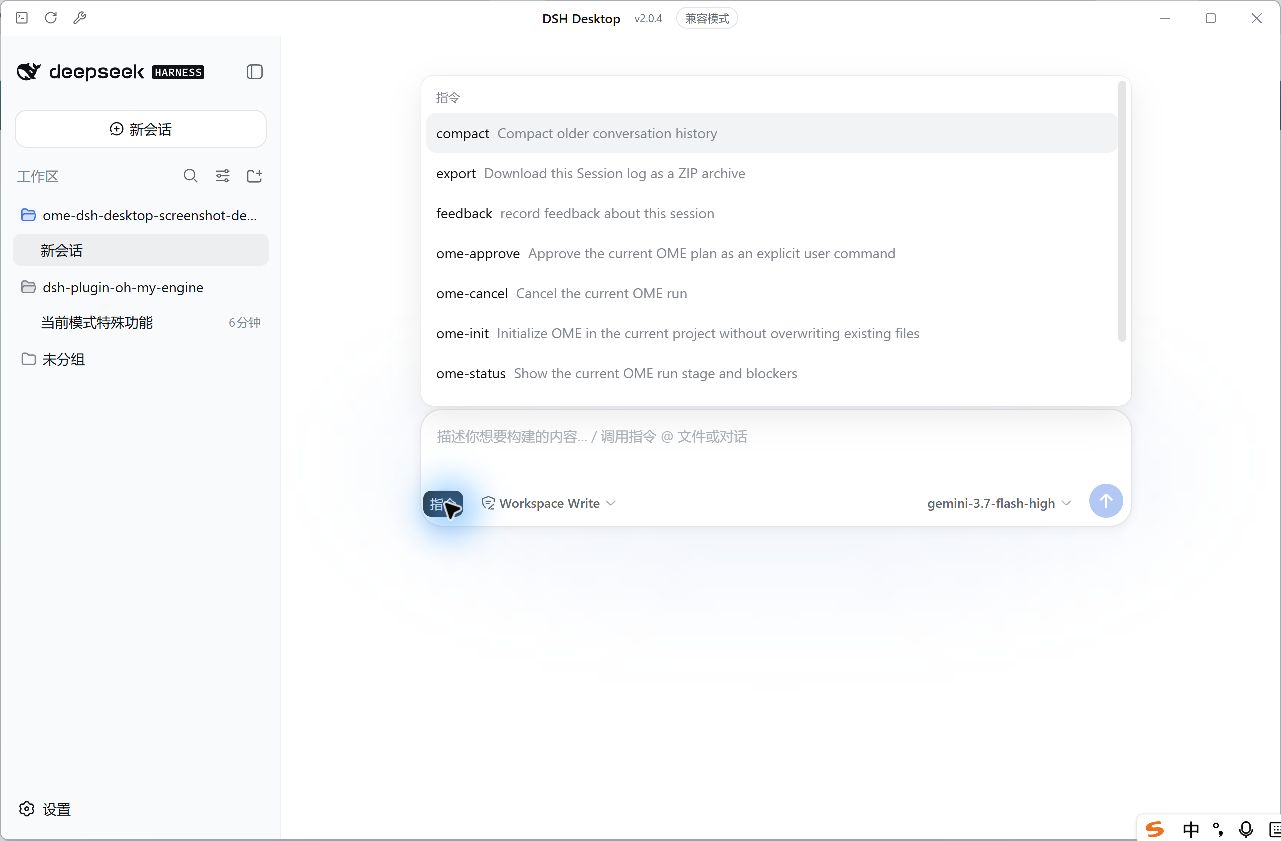 |
| Stop at the Plan approval hard gate | 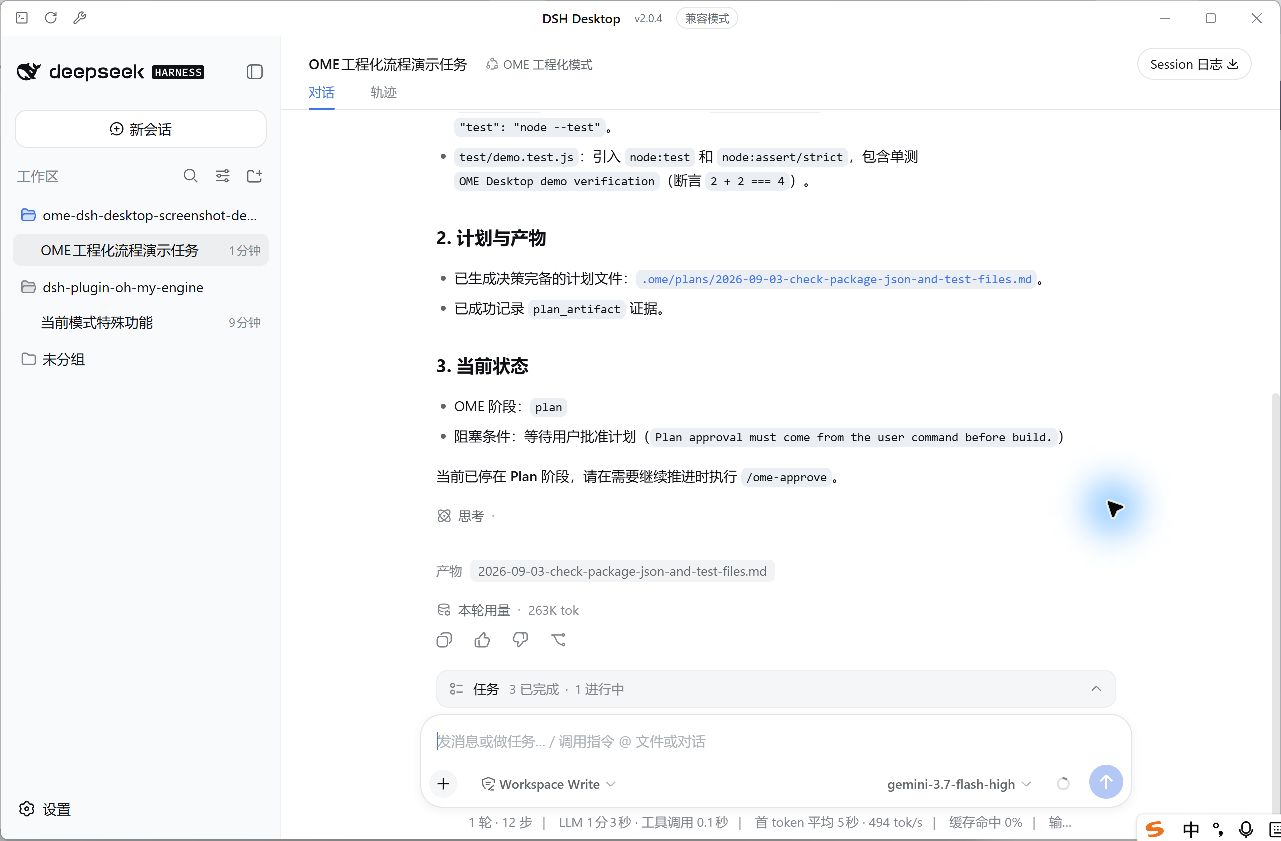 |
Continue only after the user's /ome-approve command |
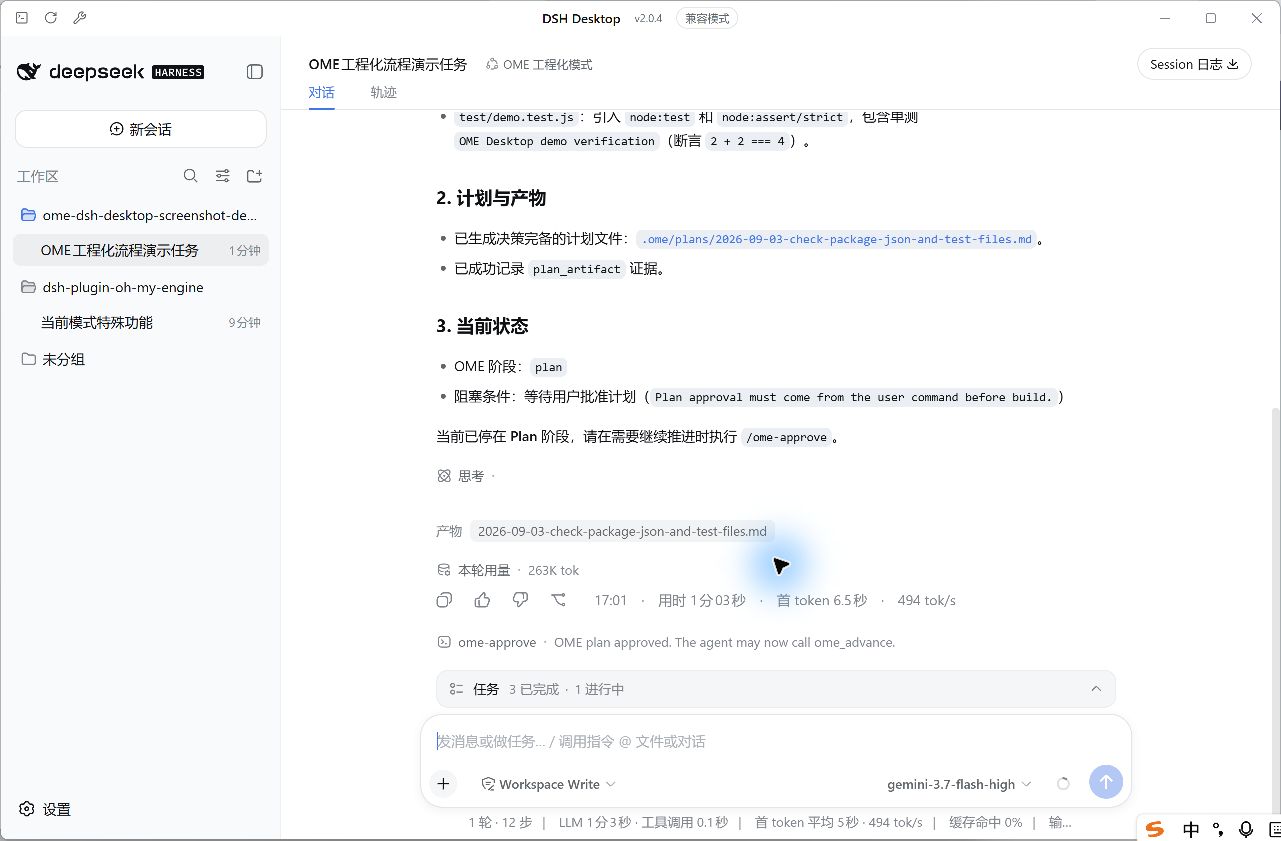 |
| Accept successful executed test output as verification evidence | 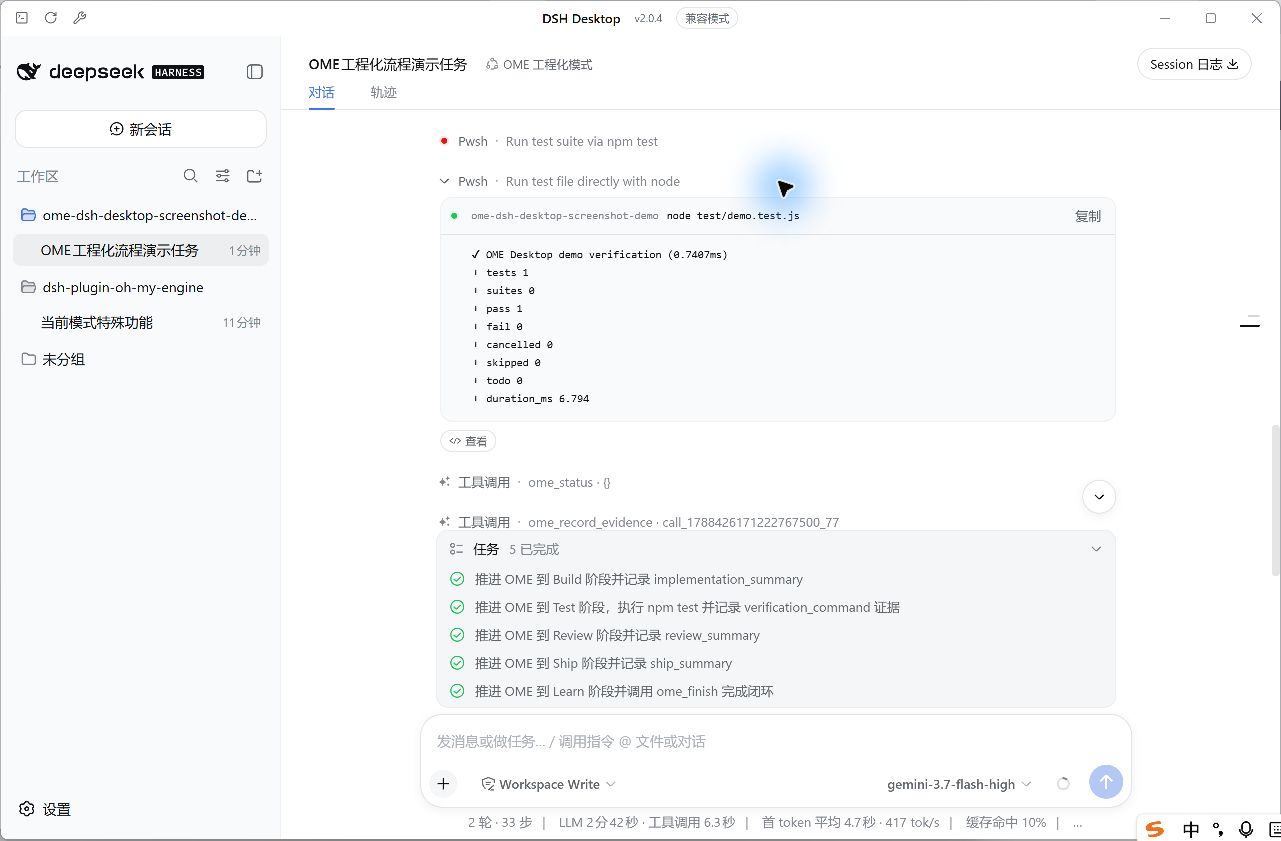 |
| Complete Learn and record OME Memory | 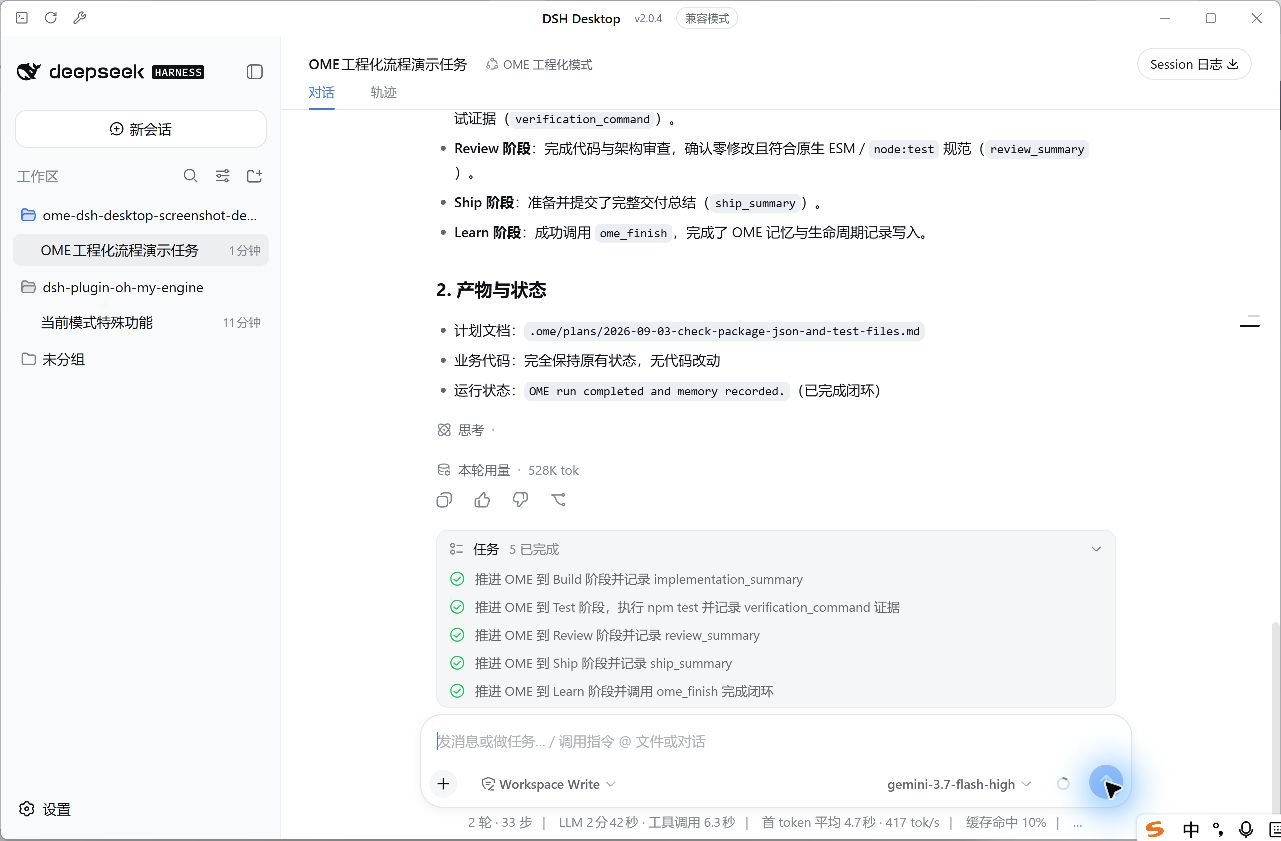 |
| Inspect the complete lifecycle in the DSH Session trace | 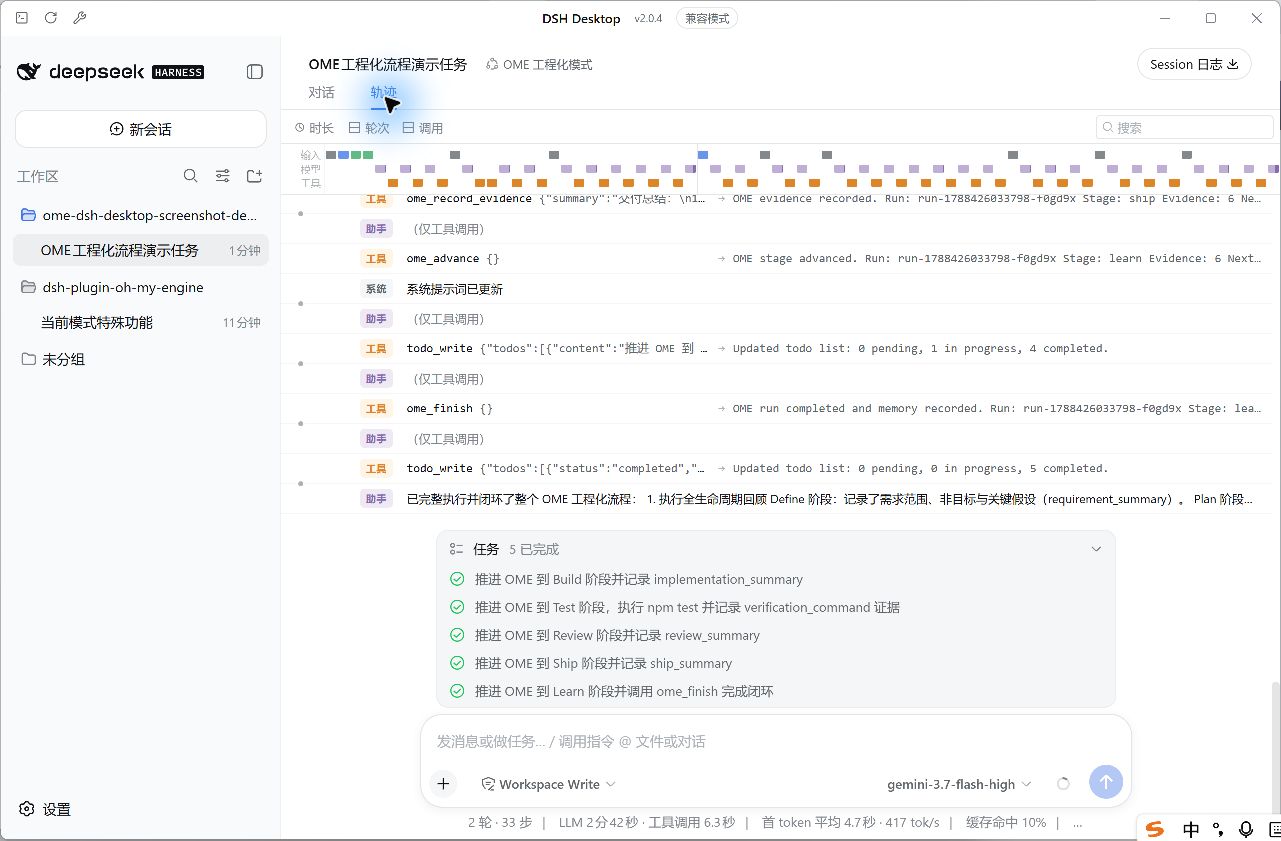 |
Install
Download the prebuilt package from the pinned GitHub Release. It includes the OME package built from the verified upstream commit, so neither package has to be published to npm and installation does not need Git or GitHub SSH:
dsh plugin --profile web add https://github.com/oh-my-engine/dsh-plugin-oh-my-engine/releases/download/v0.1.6/dsh-plugin-oh-my-engine-0.1.6.tgz
dsh plugin --profile desktop add https://github.com/oh-my-engine/dsh-plugin-oh-my-engine/releases/download/v0.1.6/dsh-plugin-oh-my-engine-0.1.6.tgz
dsh plugin --profile desktop exec dsh-ome preset install
The plugin CLI is profile-local and is intentionally not added to the system PATH. Run it through the profile where the package is installed; replace desktop with web when installing only the Web profile.
Restart the profile host and select OME 工程化模式. The bundle patch only registers the OME Session Event Log vocabulary needed for cold-start resume; Standard, Code, Minimal, and other presets receive no OME tools, commands, or prompt changes.
EADDRINUSE when starting DSH Web
The plugin installer does not start a web server. EADDRINUSE 127.0.0.1:3080 means another DSH Web process already owns the default port; it is not an OME plugin installation failure. Diagnose it without platform-specific process commands:
dsh plugin --profile web exec dsh-ome doctor
Reuse the already-running UI at http://127.0.0.1:3080, stop that process normally, or let DSH choose another free port:
dsh web --port 0 --no-open
Preset lifecycle operations are explicit:
dsh plugin --profile desktop exec dsh-ome preset update
dsh plugin --profile desktop exec dsh-ome preset remove
Update creates a complete backup. Update and remove refuse unmanaged or locally modified preset directories. Removing the plugin from a DSH Profile does not remove the preset, and removing the preset does not uninstall the Profile plugin.
Role protocol
/ome-initinitializes OME without force or implicit overwrite./ome-approveis the only accepted Plan approval source./ome-statusreads the current Session state./ome-cancel [reason]cancels the current run.- OME model tools manage lifecycle events only; DSH native tools retain ownership of edits, commands, sandboxing, approvals, and cancellation.
- Test evidence must reference a successful prior tool call in the same Session.
- Subagents inherit context but can only call
ome_status.
First release support is Web and Desktop against DSH/Cordis 0.1.1-rc.2. Re-run profile and Session compatibility checks before upgrading DSH.
See OME Engineering Mode architecture, installation, acceptance, and rollback for the complete delivery guide.
Release information
The canonical repository is https://github.com/oh-my-engine/dsh-plugin-oh-my-engine. The prepared community entry is stored under community/ and is intentionally excluded from the npm package.
Links
More in this category
loopx-project/loopx#dsh-loopx-plugin★ 6361
LoopX, a provider-neutral, local-first state kernel and control plane for long-horizon agents: keeps Goal, Todo, gate, evidence, quota, recovery, and handoff state above DeepSeek Harness, while the plugin bootstraps the CLI and skills, admits bounded same-session continuation, and adds a loopback GoalBar for the exact bound loop.
Q00/ouroboros#integrations/dsh-plugin★ 6243
Config-only bundle that mounts Ouroboros through the DSH MCP client, exposing 36 interview, Seed, execution, evaluation, and evolution workflow tools in DSH.
chuspeeism/dashi-taskboard#deepseek-harness★ 3362
Embeds the active installed Codex Taskboard runtime in the DeepSeek Harness sidebar, using its launcher runtime descriptor instead of a fixed port.
NanmiCoder/dsh-agent-teams★ 2245
AgentTeams multi-agent teams.
EthanYoQ/AI-Novel-Writer#dsh-ai-novel-writer★ 1623
Installs a dedicated AI novel-writing preset and workbench: revisioned local project assets, a compact side drawer, and native approval-gated single-file changes.
Miaotofu01/Study-Mate★ 1065
Your AI learning companion: helping you plan your studies, understand concepts, and build projects to master a subject.
Community comments
Comments are public GitHub Discussions. Loading them connects to GitHub and Giscus; a GitHub account is required to post.