通过 Pi 适配器接入订阅 OAuth 和厂商 Plan API Key 登录,使用独立的 DSH 凭据存储。
安装
# npm 包(预构建)
dsh plugin --profile web add dsh-oauth-login
# Release 预构建包
dsh plugin --profile web add -w "https://github.com/aa2246740/dsh-oauth-login/releases/download/v0.2.7/dsh-oauth-login-0.2.7.tgz"
# GitHub 源码(首次需按提示配置 allowBuilds 构建授权后重试)
dsh plugin --profile web add github:aa2246740/dsh-oauth-login
装任何插件都等于在你的机器上跑第三方代码,权限和你本人一样大——能读你的文件、用你的凭据、访问网络,工具审批管不到它。GitHub 来源的插件还会在安装时执行构建脚本——pnpm 默认拦截,所以安装可能停在 ERR_PNPM_GIT_DEP_PREPARE_NOT_ALLOWED 或 ERR_PNPM_IGNORED_BUILDS;dsh 会打印出需要添加的确切键名,把它加进该 profile 的 pnpm-workspace.yaml 的 allowBuilds 下,重跑一次即可装上。放行构建本身就是一次信任判断:请只安装可信来源,并尽量锁定 commit(github:owner/repo#sha)。
README
中文 | English
安装
DSH Studio 桌面 App(推荐)
打开 设置 → 插件 → 添加插件,在“包名或地址”中输入:
dsh-oauth-login@0.2.11
桌面端插件管理器负责 Desktop profile 和内置包管理器。本发布已包含编译好的 lib/;普通使用不需要 clone、构建或安装 DSHX。若应用提示刷新或重新打开,请按提示完成。
Web CLI
dsh plugin --profile web add github:aa2246740/dsh-oauth-login
dsh plugin --profile web add dsh-oauth-login@0.2.11
这条官方 CLI 命令只写入 web profile,不能修改 Desktop App 的 profile。按安装器的生效结果继续;只有提示需要重启时才用原启动方式重新打开 Host。
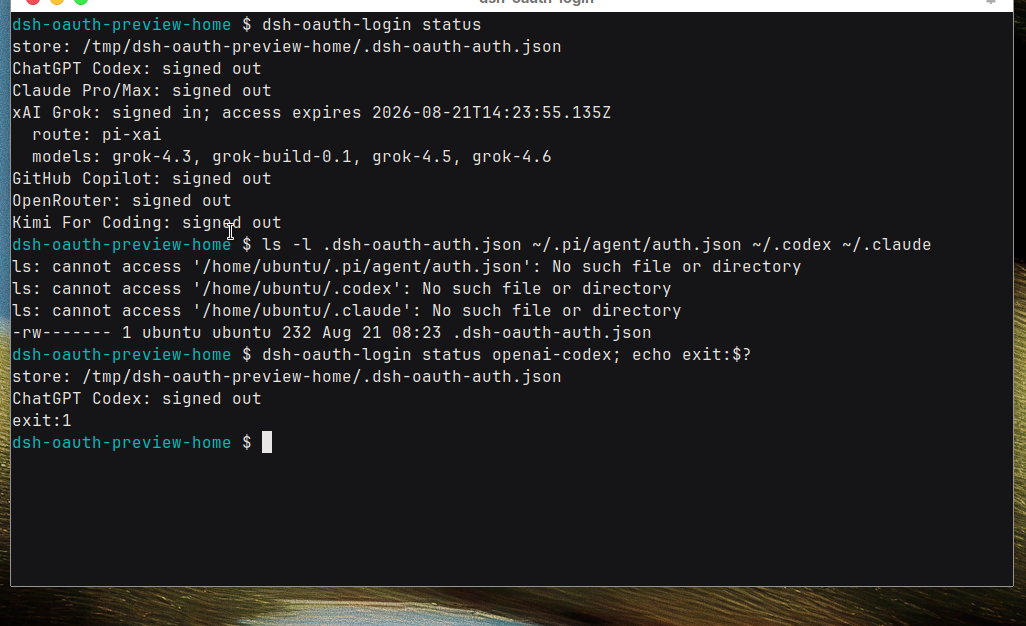
把 ChatGPT、Claude、Grok、Copilot、OpenRouter、Kimi 的 OAuth 登录和智谱 GLM Coding Plan 接到 DeepSeek Harness。凭据只写 $DSH_HOME/.dsh-oauth-auth.json。
厂商公开 OAuth 就按其流程登录。智谱用官方 Coding Plan API Key。官方 codex login、Claude Code、grok CLI、Pi Agent 的 ~/.pi/agent/auth.json,这里不读也不写。
入口在 设置 → 订阅登录。
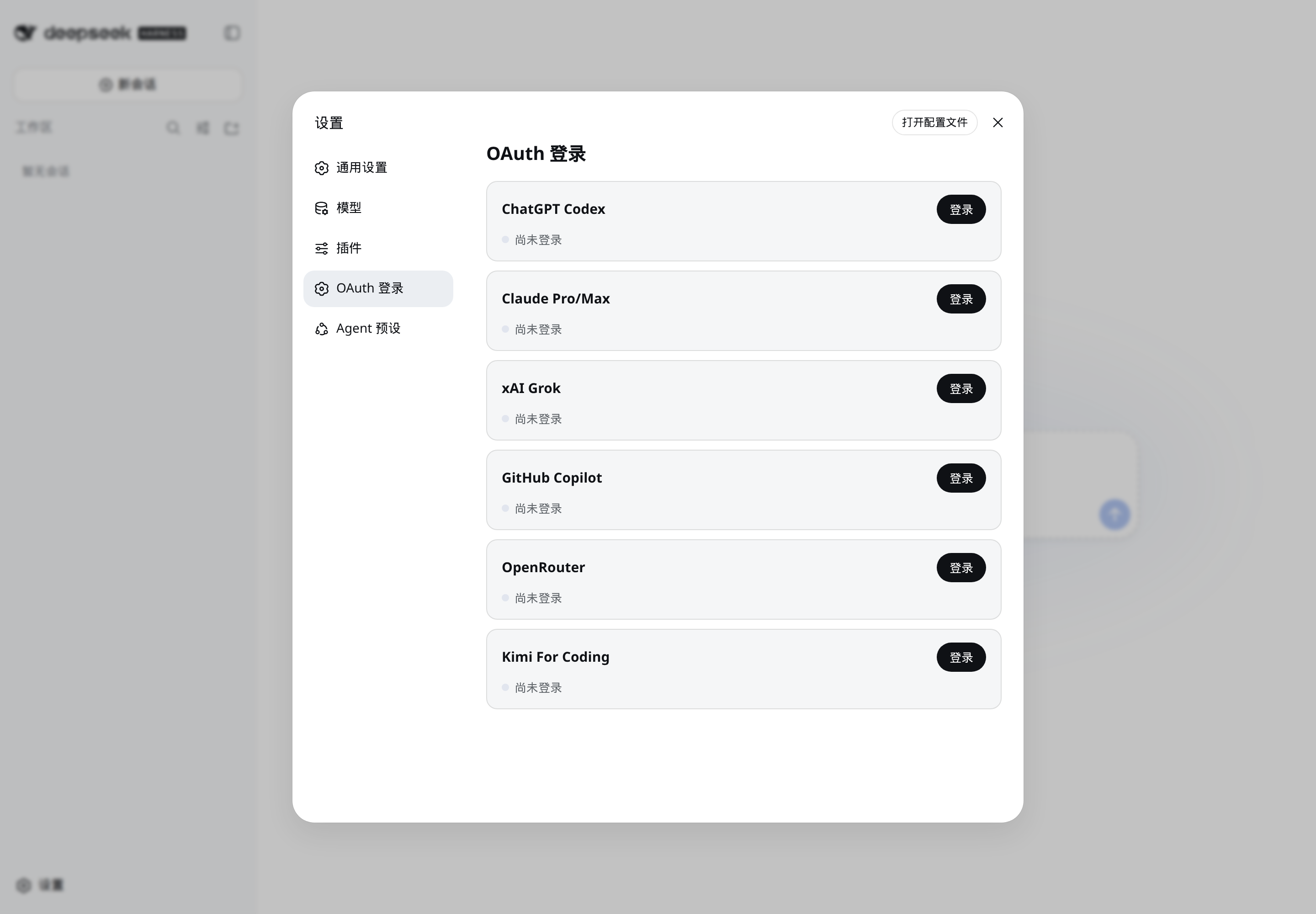
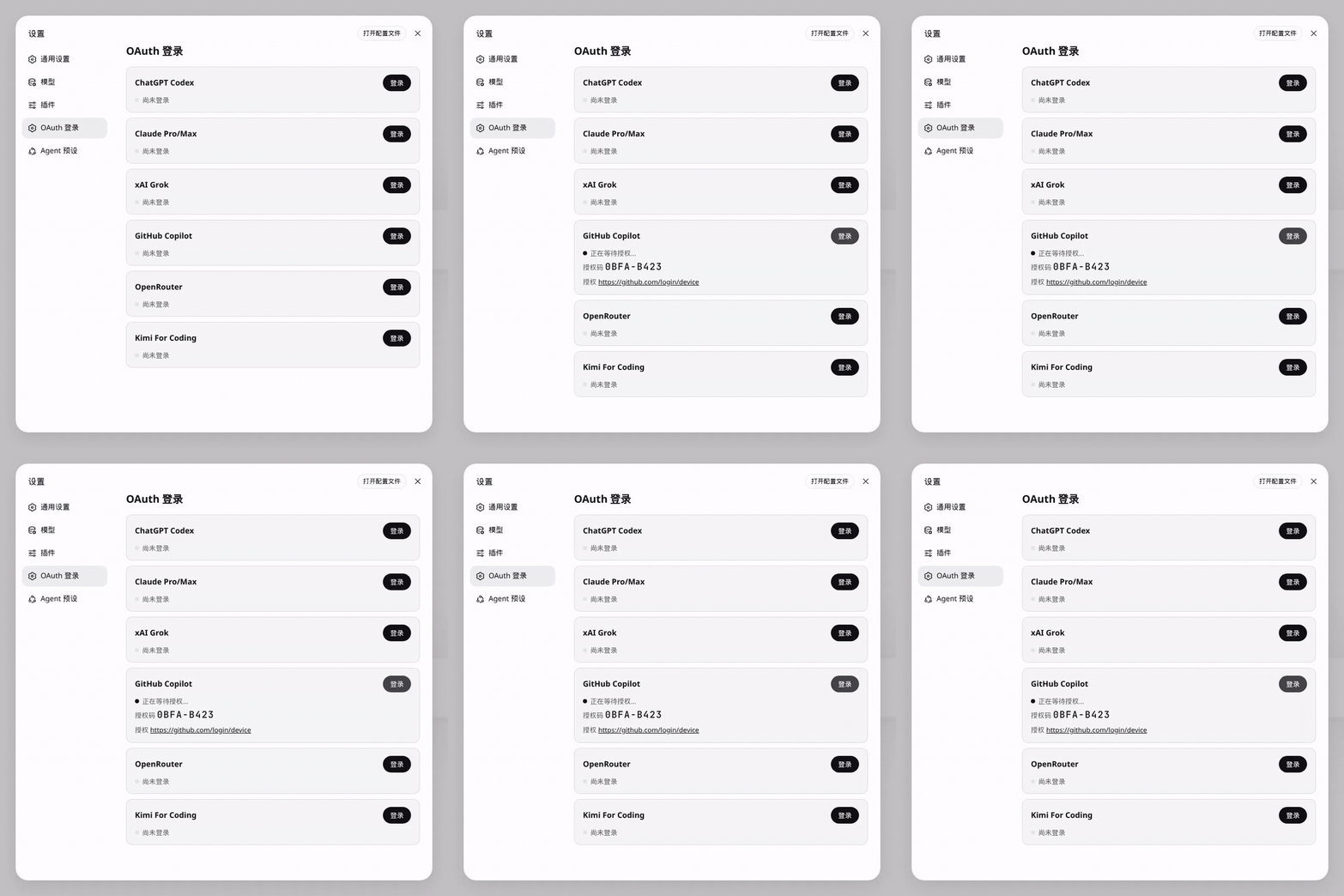
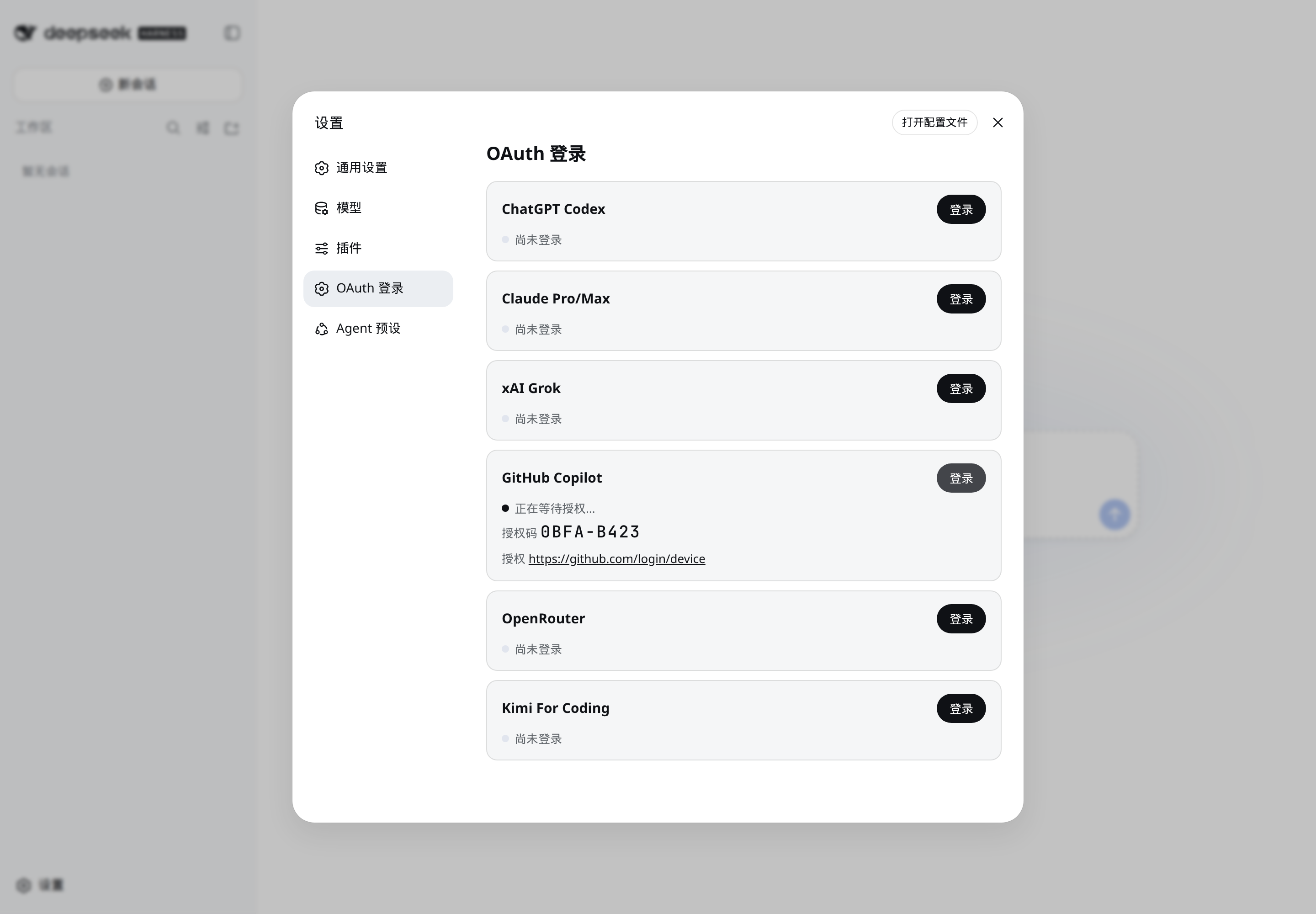
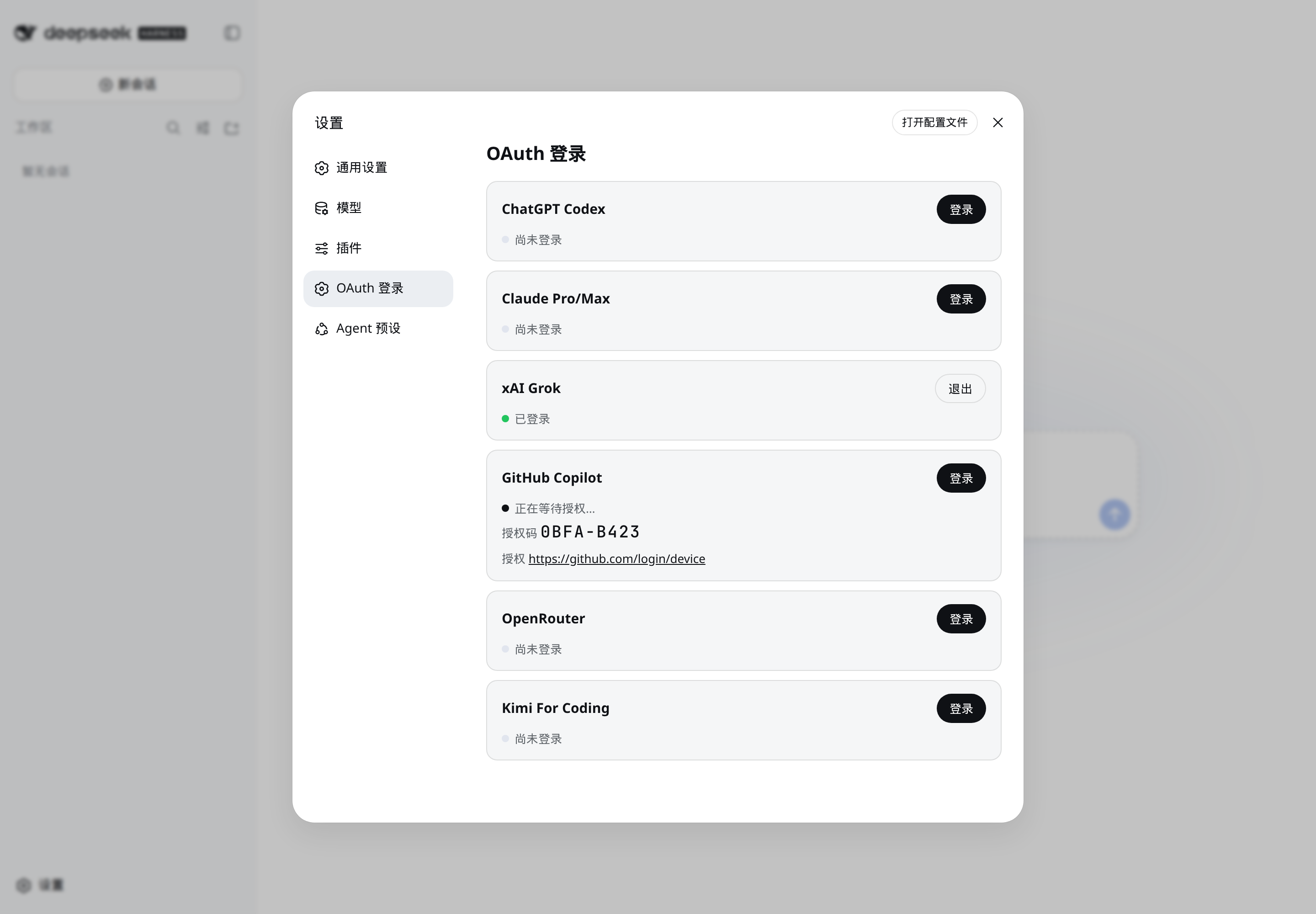
安装
需要 Node 22.19+,以及能跑起来的官方 DeepSeek Harness 0.2.2-rc.5。engines.dsh 与 @deepseek-ai/dsh peer 为 >=0.2.2-rc.5 <0.2.3-0:接受 0.2.2-rc.5 和稳定版 0.2.2,拒绝 0.2.1、0.2.3 和 0.1.7-rc.2。
这条 github: 命令能装上,是因为包装了 dsh.bundle.patch,并且仓库提交了编好的 lib/。不需要 Creator Mode,也不需要另装一套工具。
没有 dsh 时:
npx @deepseek-ai/dsh plugin --profile web add dsh-oauth-login@0.2.11
本机改源码时再用 file:(开发/本地测试;不要写成裸的 ./):
git clone https://github.com/aa2246740/dsh-oauth-login.git
dsh plugin --profile web add file:./dsh-oauth-login
file: 前缀必须留着。写成 ./dsh-oauth-login 会被装成符号链接,peer 依赖解析不到。
打开 设置 → 订阅登录。对话里选 pi-… 路由。
dsh plugin --profile web exec dsh-oauth-login login openai-codex
dsh plugin --profile web exec dsh-oauth-login login xai
dsh plugin --profile web exec dsh-oauth-login login zai-coding-cn
dsh plugin --profile web exec dsh-oauth-login status
status 不打印 token。旧版 .pi-login-auth.json 只在下次写入时迁到新文件名。
支持哪些登录
| 设置页 | Harness 路由 | Pi provider | 凭据方式 |
|---|---|---|---|
| ChatGPT Codex | pi-openai-codex |
openai-codex |
OAuth |
| Claude Pro/Max | pi-anthropic |
anthropic |
OAuth |
| xAI Grok | pi-xai |
xai |
OAuth |
| GitHub Copilot | pi-github-copilot |
github-copilot |
OAuth |
| OpenRouter | pi-openrouter |
openrouter |
OAuth |
| Kimi For Coding | pi-kimi-coding |
kimi-coding |
OAuth |
| 智谱 GLM Coding Plan | pi-zai-coding-cn |
zai-coding-cn |
Plan API Key |
Radius 没做。
OpenRouter 登录成功后拉官方模型目录,已登录时大约每 15 分钟同步一次。模型菜单可以筛「仅免费」。目录缓存在 $DSH_HOME/.dsh-oauth-openrouter-models.json,不含凭据。细节见 OpenRouter 模型同步。
智谱点「连接套餐」会打开官方 Coding Plan 个人页,把 Key 贴回本机 DSH。接口是 https://open.bigmodel.cn/api/coding/paas/v4。插件不读 BigModel Cookie。从 0.2.1 起同时提供 glm-5.3 和 glm-5.3-flash。
不要把这份登录文件、API Key、回调 URL、授权码或 token 贴到公开 Issue。私下报告见 SECURITY.md。
厂商自己的搜索和出图
这些路由上,插件会拿掉 DSH 的 web_search / web_fetch,改挂厂商自己的工具:
| 路由 | Hosted tools |
|---|---|
pi-xai |
web_search、x_search、image_generation |
pi-openai-codex |
web_search、image_generation |
pi-anthropic |
web_search_20250305 |
Copilot、OpenRouter、Kimi、智谱不挂 hosted tool。要继续用 DSH 自己的搜索:
- id: llm-oauth-login
  name: dsh-oauth-login
  config:
    nativeTools: false
nativeImage: false 关闭受支持路由的托管出图。
Codex 订阅路由使用独立的工具声明:codexSearch: cached 默认发送 external_web_access: false;live 显式请求实时外部访问,off 不注入托管搜索并保留 DSH 的客户端搜索工具。缓存搜索不保证结果实时性;账户和后端仍可能拒绝工具请求,插件不会自动换模型或在失败后静默重试另一种搜索模式。Codex 不再继承通用 Responses 的托管图片生成声明。Grok、Anthropic 保持各自协议。
Chat 失败重试走官方 dsh-llm-retry。429 不等于额度耗尽。设置 → 订阅登录 → 网络代理只影响本插件。
许可
Apache-2.0。见 LICENSE。
链接
同类插件
Ebony-Vinyl/dsh-our-free-model★ 88347
为 dsh 接入免费模型车道(含 DeepSeek V4.1 Flash、Kimi K3 等),无需登录、注册或填写 API Key,并提供本地 OpenAI 兼容网关、降级路由与用量看板。
dingminhua/dsh-connect-workbuddy★ 2054
将本机登录的 WorkBuddy 模型(国内版与国际版)接入 DSH,每次刷新按上游目录读取每个模型的积分倍率,支持逐模型图片输入开关、带自动换号的账号池、手动每日签到,以及卡片与输入框里的只读积分胶囊读数。
Alice-Marx/dsh-model-router★ 1021
为 DeepSeek Harness 规划有依赖的工作包,将其分配给已配置的模型 API 或支持的厂商 CLI,并提供费用预览。
V1ki/dsh-plugin-subscriptions★ 644
把 ChatGPT(Codex)、Claude、Grok 订阅当作 DeepSeek Harness 的 LLM 提供方:设置页登录、模型目录、用量展示,以及 image_generate、video_generate 与 x_search 工具。
XDTrees/dsh-workbuddy-xdpool★ 628
把本机 WorkBuddy 桌面 App 登录过的所有账号自动并入 DSH 模型池:多账号轮换自动容错、实时积分,模型目录按模型标注积分倍率与限时免费 / 夜间折扣。
XDTrees/dsh-xdpool★ 628
把本机 WorkBuddy 桌面 App 登录过的所有账号自动并入 DSH 模型池:多账号轮换自动容错、429 冷却、实时积分,模型目录按模型标注积分倍率与限时免费 / 夜间折扣,扫码登录 13 家厂商,聚合免费额度渠道。账号重启不丢。
社区评论
评论公开保存在 GitHub Discussions。加载评论会连接 GitHub 和 Giscus;发表内容需要 GitHub 账号。