Adds subscription OAuth and provider Plan API-key logins through Pi adapters, using a DSH-owned credential store.
Install
# from npm (prebuilt)
dsh plugin --profile web add dsh-oauth-login
# from a prebuilt release tarball
dsh plugin --profile web add -w "https://github.com/aa2246740/dsh-oauth-login/releases/download/v0.2.7/dsh-oauth-login-0.2.7.tgz"
# from GitHub (first run asks for allowBuilds approval — follow the hint, retry)
dsh plugin --profile web add github:aa2246740/dsh-oauth-login
Any plugin you install runs third-party code with your own permissions — it can read your files, use your credentials, and reach the network, and tool approvals don’t sandbox it. GitHub-sourced plugins also run build scripts at install time — pnpm blocks those until you allow them, so an install can stop with ERR_PNPM_GIT_DEP_PREPARE_NOT_ALLOWED or ERR_PNPM_IGNORED_BUILDS; dsh prints the exact key to add under allowBuilds in your profile’s pnpm-workspace.yaml, and the install works on the next run. Allowing a build is a trust decision: only install sources you trust, and pin a commit (github:owner/repo#sha).
README
中文 | English
Install
DSH Studio desktop app (recommended)
Open Settings → Plugins → Add plugin and enter this in “Package name or address”:
dsh-oauth-login@0.2.11
The desktop plugin manager owns the Desktop profile and bundled package manager. This release includes built lib/; normal use needs no clone, build, or DSHX installation. Follow the app if it asks you to reload or reopen after installation.
Web CLI
dsh plugin --profile web add github:aa2246740/dsh-oauth-login
dsh plugin --profile web add dsh-oauth-login@0.2.11
This official CLI command writes only the web profile; it cannot modify the Desktop App profile. Follow the installer's activation result and reopen the original launcher only when a restart is required.
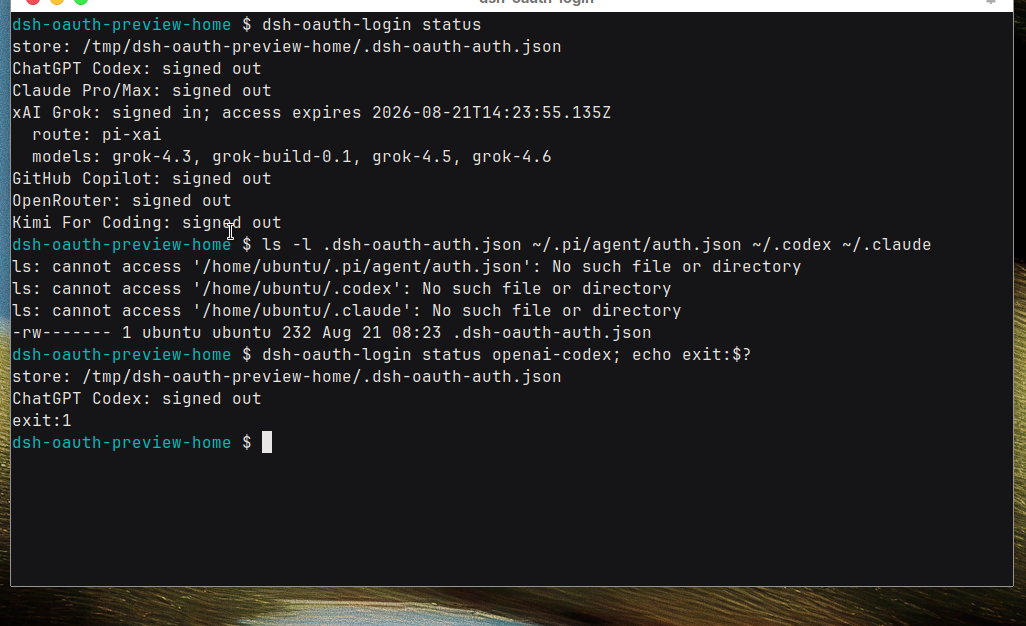
OAuth login for ChatGPT, Claude, Grok, Copilot, OpenRouter, and Kimi on DeepSeek Harness, plus Zhipu GLM Coding Plan via its official plan API key. Credentials go only to $DSH_HOME/.dsh-oauth-auth.json.
Official codex login, Claude Code, grok CLI, and Pi Agent ~/.pi/agent/auth.json are not read or written.
The UI is Settings → 订阅登录.
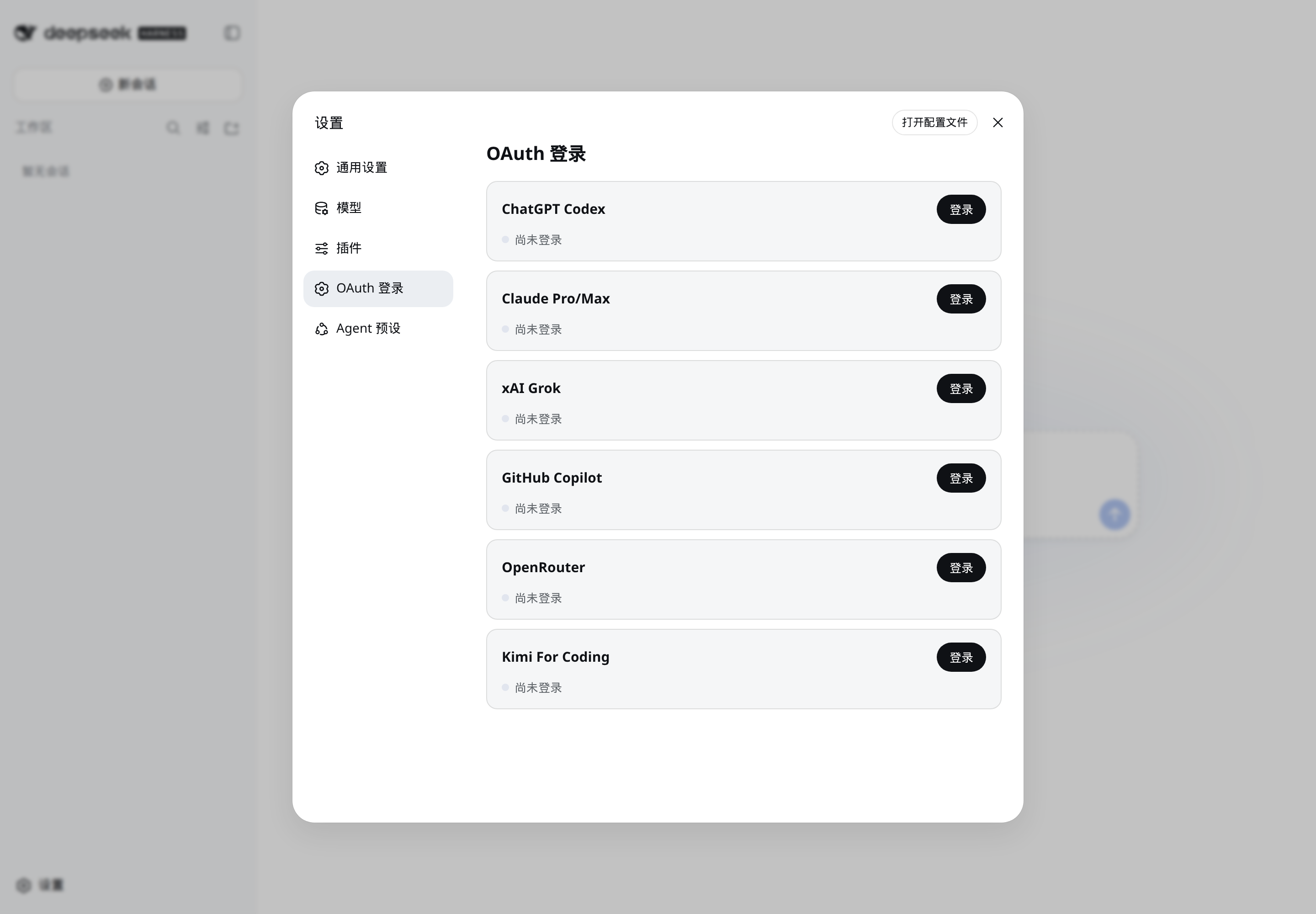
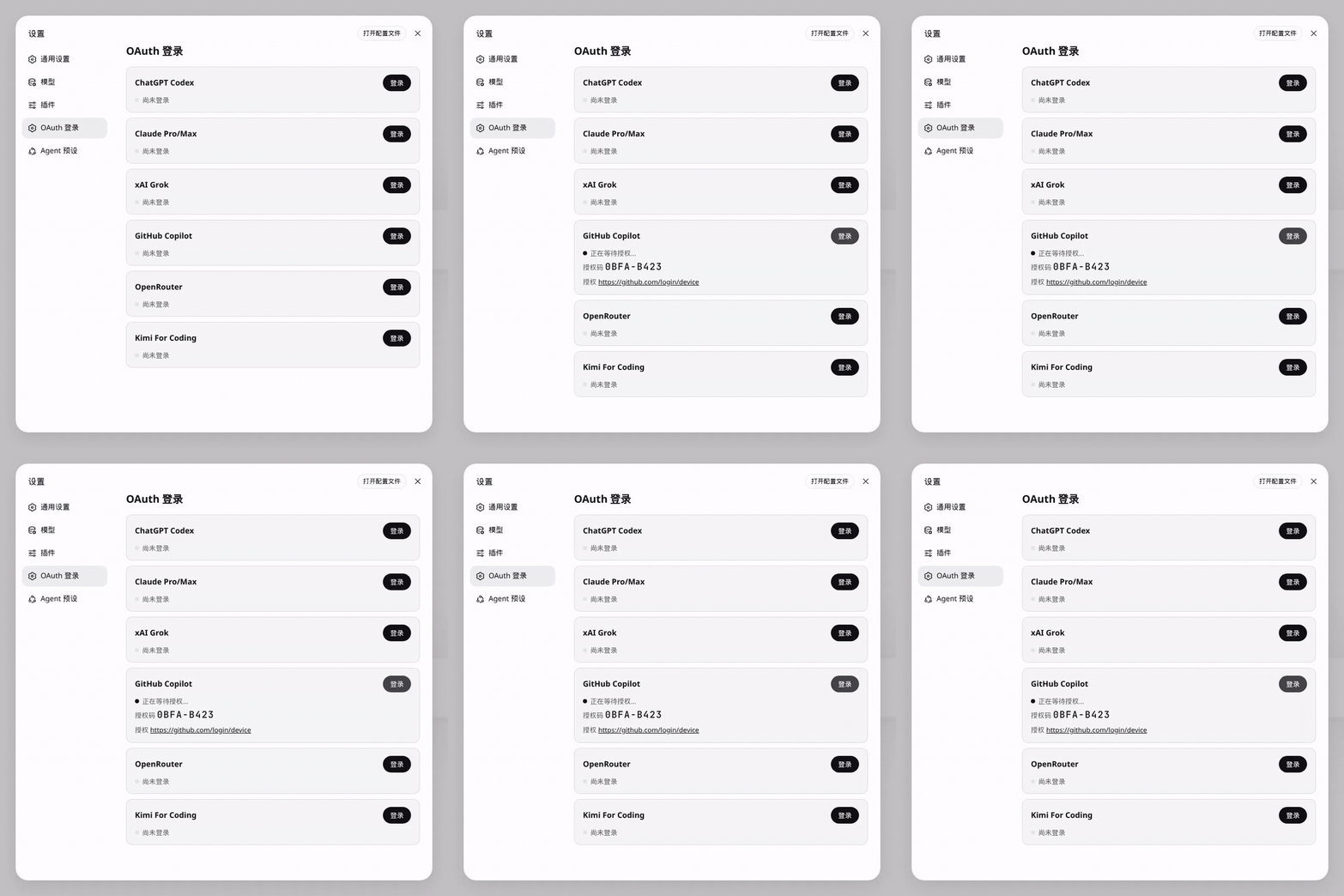
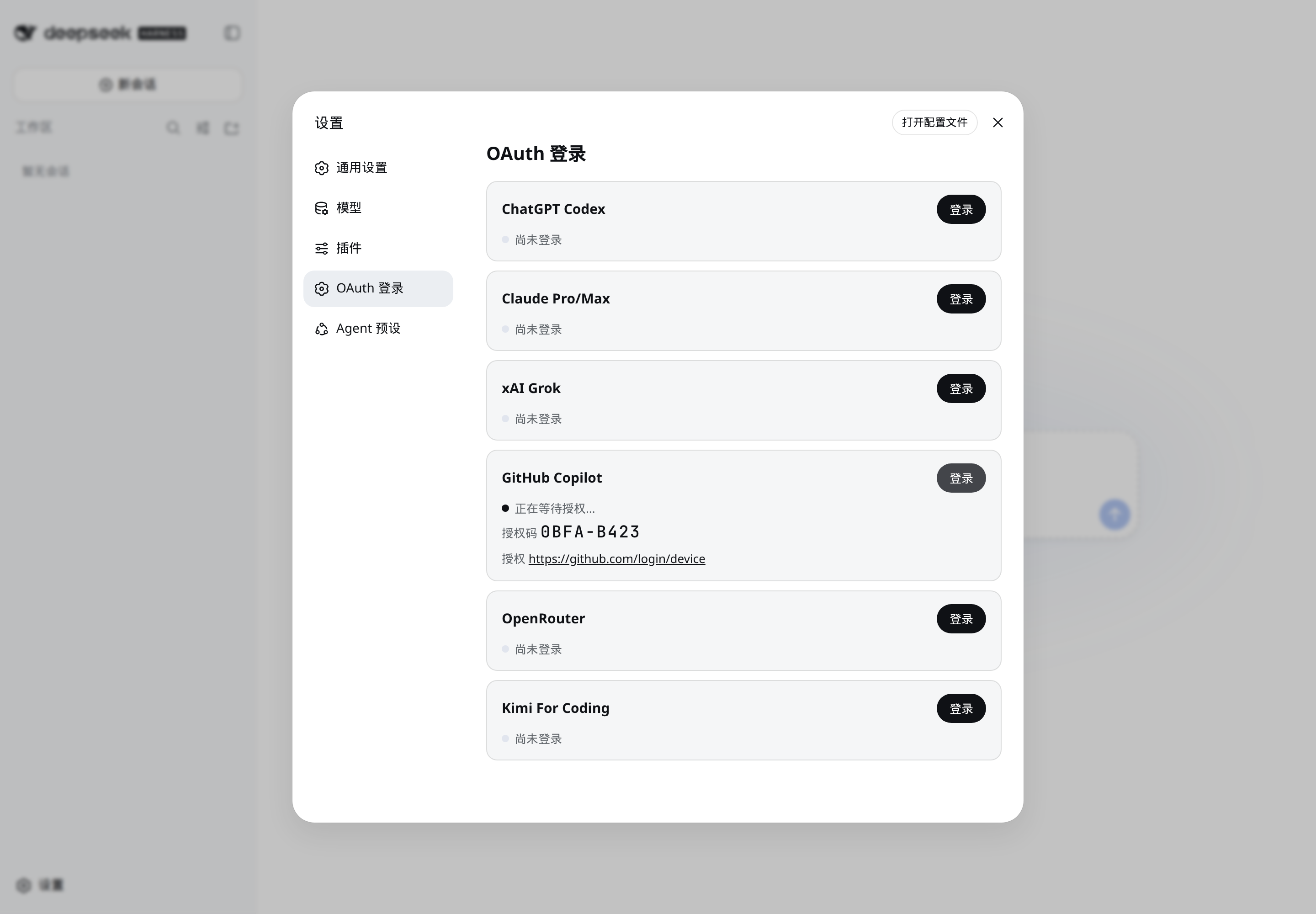
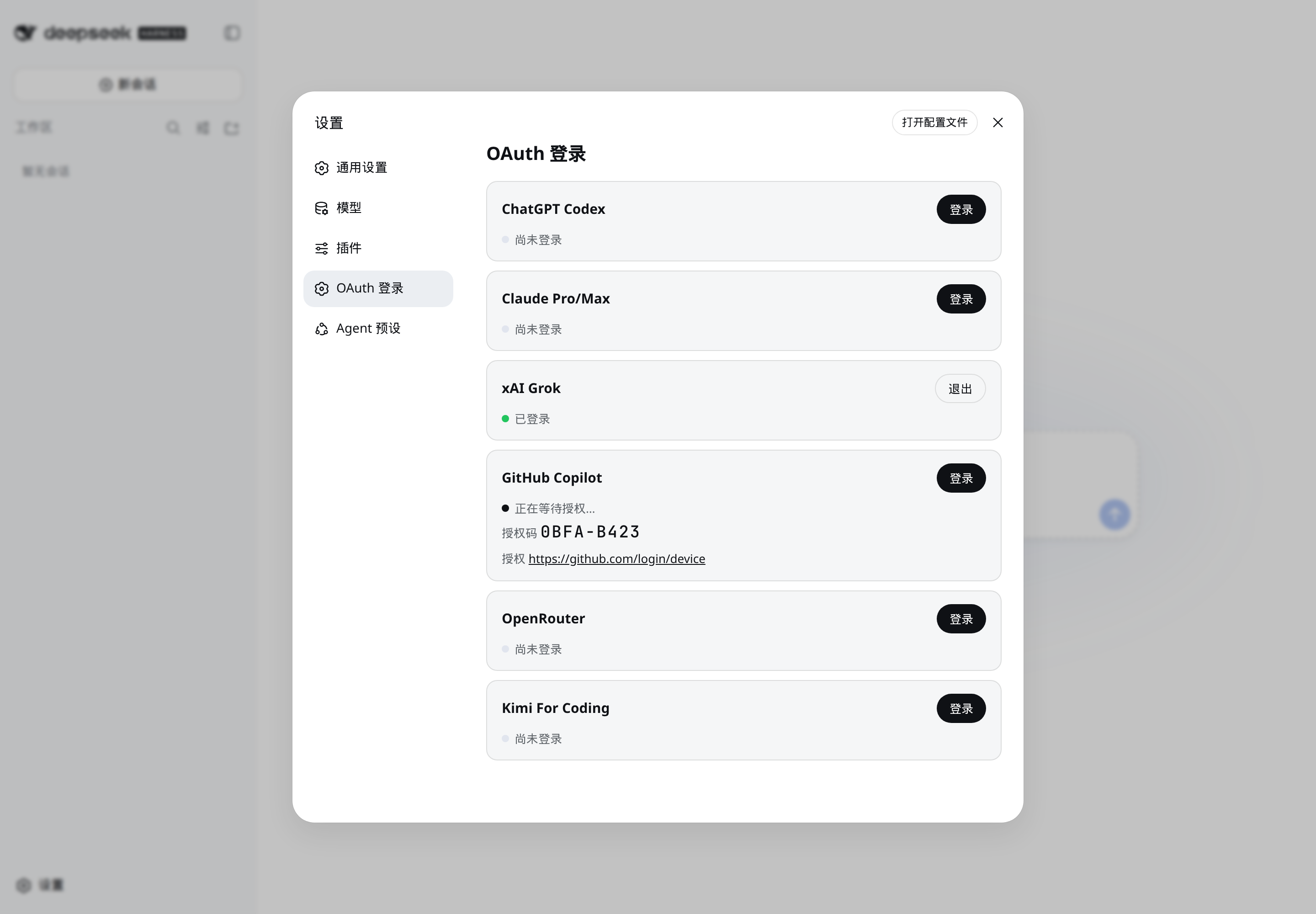
Install
Node 22.19+ and official DeepSeek Harness 0.2.2-rc.5. engines.dsh and the @deepseek-ai/dsh peer are >=0.2.2-rc.5 <0.2.3-0: that accepts 0.2.2-rc.5 and stable 0.2.2, and rejects 0.2.1, 0.2.3, and 0.1.7-rc.2.
That github: command works because this package declares dsh.bundle.patch and commits built lib/. You do not need Creator Mode or a second toolchain.
If dsh is not on PATH:
npx @deepseek-ai/dsh plugin --profile web add dsh-oauth-login@0.2.11
Use file: only when you are editing a local clone (development/local testing; do not drop the prefix):
git clone https://github.com/aa2246740/dsh-oauth-login.git
dsh plugin --profile web add file:./dsh-oauth-login
Keep the file: prefix. A bare ./dsh-oauth-login becomes a symlink and peer dependencies will not resolve.
Open Settings → 订阅登录. Pick a pi-… route in chat.
dsh plugin --profile web exec dsh-oauth-login login openai-codex
dsh plugin --profile web exec dsh-oauth-login login xai
dsh plugin --profile web exec dsh-oauth-login login zai-coding-cn
dsh plugin --profile web exec dsh-oauth-login status
status does not print tokens. Legacy .pi-login-auth.json is renamed on the next write.
Providers
| Settings | Harness route | Pi provider | Credential |
|---|---|---|---|
| ChatGPT Codex | pi-openai-codex |
openai-codex |
OAuth |
| Claude Pro/Max | pi-anthropic |
anthropic |
OAuth |
| xAI Grok | pi-xai |
xai |
OAuth |
| GitHub Copilot | pi-github-copilot |
github-copilot |
OAuth |
| OpenRouter | pi-openrouter |
openrouter |
OAuth |
| Kimi For Coding | pi-kimi-coding |
kimi-coding |
OAuth |
| Zhipu GLM Coding Plan | pi-zai-coding-cn |
zai-coding-cn |
Plan API key |
Radius is not implemented.
OpenRouter pulls the official catalog after OAuth and refreshes about every 15 minutes while signed in. The model menu can filter free models. The catalog cache is $DSH_HOME/.dsh-oauth-openrouter-models.json and holds no credentials. See OpenRouter model sync.
Zhipu 连接套餐 opens the official Coding Plan page. Paste the key back into DSH. The API is https://open.bigmodel.cn/api/coding/paas/v4. BigModel cookies are not read. From 0.2.1 the list includes both glm-5.3 and glm-5.3-flash.
Do not paste this auth file, API keys, callback URLs, codes, or tokens into public issues. Private reports: SECURITY.md.
Hosted search and images
On these routes the plugin removes DSH web_search / web_fetch and attaches the vendor tools:
| Route | Hosted tools |
|---|---|
pi-xai |
web_search, x_search, image_generation |
pi-openai-codex |
web_search (cached by default) |
pi-anthropic |
web_search_20250305 |
Copilot, OpenRouter, Kimi, and Zhipu do not get hosted tools. To keep DSH search:
- id: llm-oauth-login
  name: dsh-oauth-login
  config:
    nativeTools: false
nativeImage: false keeps search and drops image generation.
Codex uses its own tool declaration. codexSearch: cached sends external_web_access: false; live explicitly enables external access; off leaves the DSH client web tools available. Cached results may be stale. Account or backend rejections remain visible, and the plugin never silently changes model or search mode. Codex does not inherit generic Responses image-generation tools. Grok and Anthropic retain their own protocols.
Chat retries use official dsh-llm-retry. HTTP 429 is not the same as quota exhaustion. Settings → 订阅登录 → 网络代理 affects only this plugin.
License
Apache-2.0. See LICENSE.
Links
More in this category
Ebony-Vinyl/dsh-our-free-model★ 88347
Adds free model lanes to DeepSeek Harness — DeepSeek V4.1 Flash, Kimi K3 and others — with no login, sign-up or API key, plus a local OpenAI-compatible gateway, fallback routing and a usage dashboard.
dingminhua/dsh-connect-workbuddy★ 2054
Connects locally signed-in WorkBuddy models, CN and international alike, to DSH, reading each model's credit multiplier from the upstream catalog on every refresh, with per-model image input toggles, account switching backed by an auto-failing-over pool, manual daily check-in, and read-only credit overviews shown as compact pills on the card and in the composer.
Alice-Marx/dsh-model-router★ 1021
Routes DeepSeek Harness work across configured model APIs and supported vendor CLIs with dependency-aware packages and cost previews.
V1ki/dsh-plugin-subscriptions★ 644
Use ChatGPT (Codex), Claude, and Grok subscriptions as DeepSeek Harness LLM providers, with Settings login, model catalogs, usage, plus image_generate, video_generate, and x_search tools.
XDTrees/dsh-workbuddy-xdpool★ 628
Merge every locally signed-in WorkBuddy account into DeepSeek Harness as one auto-failing-over model pool (multi-account rotation, live credits, and a model catalog showing per-model credit multipliers and free/night-discount tags).
XDTrees/dsh-xdpool★ 628
Merge every locally signed-in WorkBuddy account into DeepSeek Harness as one auto-failing-over model pool: multi-account rotation, 429 cooldowns, live credits, a model catalog with per-model credit multipliers and free/night-discount tags, QR-code login for 13 vendors, and aggregate free-tier channels. Accounts persist across restarts.
Community comments
Comments are public GitHub Discussions. Loading them connects to GitHub and Giscus; a GitHub account is required to post.