Token usage statistics by model, session and date in a sidebar panel, plus OpenCode Go quota, DeepSeek balance and Z.ai quota monitoring.
Install
# from npm (prebuilt)
dsh plugin --profile web add @xfqz86/dsh-usage-stats
# from a prebuilt release tarball
dsh plugin --profile web add "https://github.com/xfqz86/dsh-usage-stats/releases/latest/download/xfqz86-dsh-usage-stats.tgz"
# from GitHub (first run asks for allowBuilds approval — follow the hint, retry)
dsh plugin --profile web add github:xfqz86/dsh-usage-stats
Any plugin you install runs third-party code with your own permissions — it can read your files, use your credentials, and reach the network, and tool approvals don’t sandbox it. GitHub-sourced plugins also run build scripts at install time — pnpm blocks those until you allow them, so an install can stop with ERR_PNPM_GIT_DEP_PREPARE_NOT_ALLOWED or ERR_PNPM_IGNORED_BUILDS; dsh prints the exact key to add under allowBuilds in your profile’s pnpm-workspace.yaml, and the install works on the next run. Allowing a build is a trust decision: only install sources you trust, and pin a commit (github:owner/repo#sha).
README
This plugin publishes its README in Chinese only.
DSH 的 Web 用量统计插件,按模型、会话、日期三个维度统计 token 用量与调用次数,挂载于侧边栏底部展示今日用量,点击打开详情面板。
功能
- 侧边栏底部今日统计,宽列与收起状态自适应展示
- 按日期、会话、模型分别统计 token 用量
- 日期页每行末尾点「明细」,弹窗看这一天分别花在哪些会话、哪些模型上
- 模型页每行末尾点「明细」,弹窗看这块模型的每日用量与用它的会话
- 会话页主会话行末尾点「明细」,弹窗看这条会话的用量按日期、按模型摊开,子会话一并计入
- 模型统计重定向:可以把某个供应商的某个模型的用量算到另一个供应商的某个模型名下
- DeepSeek 余额,展示多币种余额
- OpenCode Go 额度,展示滚动 5 小时、本周、本月三档已使用额度
- Z.ai 额度,展示滚动 5 小时与本周已使用额度
- 会话标题旁 session-id 徽标,支持一键复制
安装与卸载
在 DeepSeek Harness 网页版或桌面版中安装
在 添加插件 向导的搜索框中填写 @xfqz86/dsh-usage-stats,然后点击 安装:
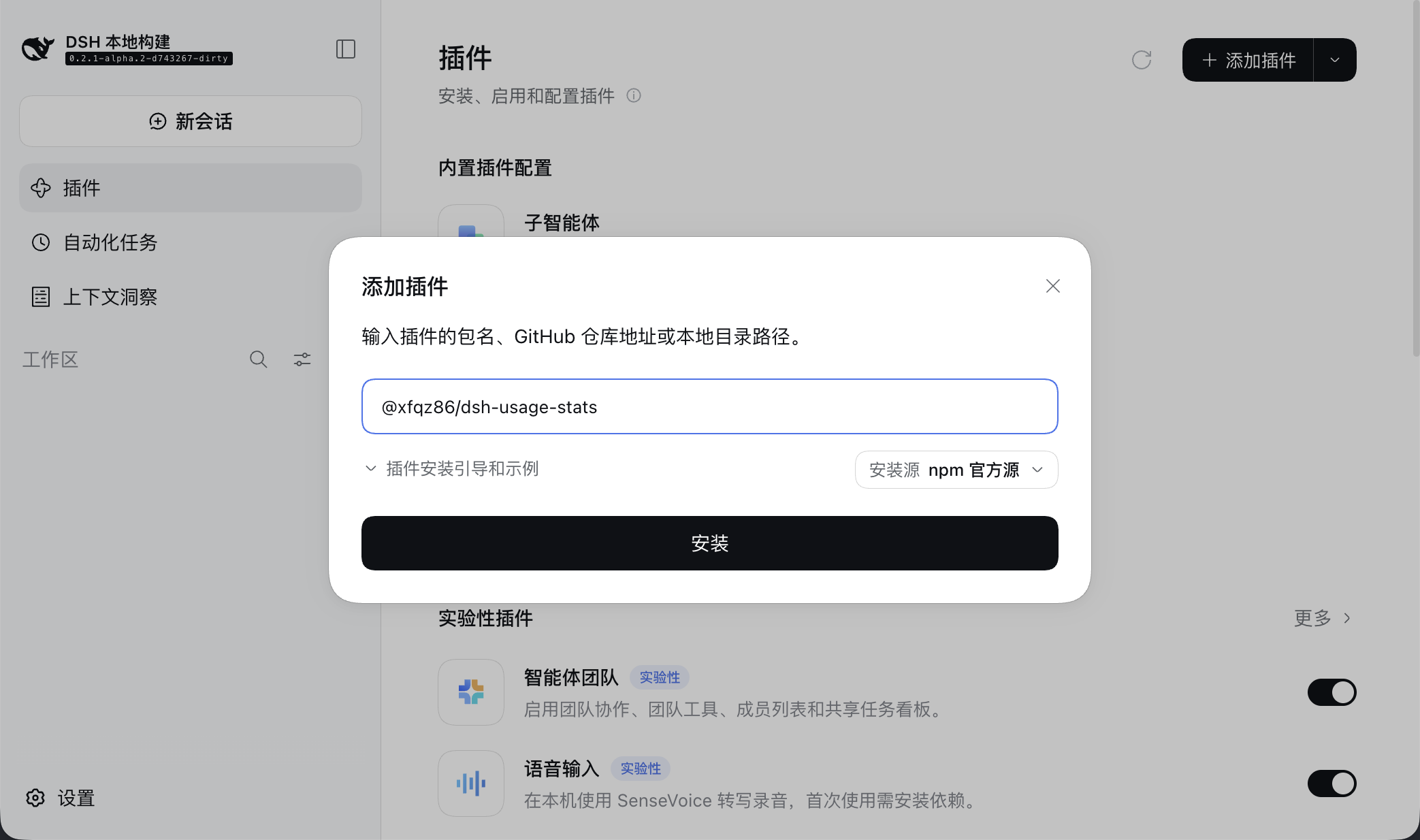
你也可以填入 github:xfqz86/dsh-usage-stats#release,来体验最新代码(可能包含未开发完成的功能)
使用 dsh CLI 安装
# 安装最新发行版
dsh plugin --profile web add @xfqz86/dsh-usage-stats
# 安装最新代码版本(可能包含未开发完成的功能)
dsh plugin --profile web add github:xfqz86/dsh-usage-stats#release
更新插件
dsh plugin --profile web update @xfqz86/dsh-usage-stats
本地开发
git clone https://github.com/xfqz86/dsh-usage-stats.git
cd dsh-usage-stats
pnpm install --frozen-lockfile
pnpm build
dsh plugin --profile web add "link:$(pwd)"
# 后续改动后重新 pnpm build,浏览器刷新即可;服务端改动需重启 dsh
卸载
dsh plugin --profile web remove @xfqz86/dsh-usage-stats
设置
设置位于详情面板的设置 Tab,保存在 DSH 该 profile 的配置文件 $DSH_HOME/profiles/<profile>/cordis.patch.yml($DSH_HOME 未设置的情况下默认为 ~/.dsh)的 usage-stats 条目里。配置文件只写改过的字段。
设置 Tab 的「配置迁移」折叠区可以把当前偏好导出成一串配置串(Base64 文本,直接复制粘贴即可),在别的机器、别的 profile 的设置 Tab 里粘贴导入:导入以配置串为准整份覆盖,配置串里没有的项回到默认值,适合备份还原与两台机器对齐。
设置 Tab 底部为账本操作(清零与重建),需二次确认;扫描历史会话期间(面板顶部显示“扫描中…”)两项置灰不可点,等扫描结束自动恢复。
需展示额度时,在 DSH 凭据中心配置对应 Key:
- DeepSeek:
DEEPSEEK_API_KEY(兼容DEEPSEEK_APIKEY、DEEPSEEK_API_TOKEN、DEEPSEEK_TOKEN) - OpenCode Go:
OPENCODE_GO_API_KEY - Z.ai:
ZAI_CODING_CN_API_KEY或ZAI_API_KEY(前者优先)
数据存储
账本位于 $DSH_HOME/storages/dsh-usage-stats/ledger.sqlite,SQLite 存储。首次启动自动扫描历史会话并导入,后续随事件实时增量更新,重启后可从账本恢复。
开发者
- 工程规范见
AGENTS.md - 架构、数据流与统计口径见
docs/ARCHITECTURE.md - 风格经验(lint 之外的统一约定)见
docs/STYLE.md - 接口协议见
docs/API.md - 模块结构见
docs/STRUCTURE.md,由pnpm tree生成 - 发布流程见
.agents/skills/release/SKILL.md(发版技能,可直接加载执行) - 更新日志见
CHANGELOG.md,每次发版同步记录功能更新与 Bug 修复
License
MIT
Links
More in this category
bowenliang123/dsh-context★ 2300
DSH context insight panel: Context dashboard + /context command + Context browser — one-stop context lifecycle management with categorized composition, content details, evolution trends, compaction/injection events, and stats.
Han-1413141/dsh-cost-meter★ 459
Per-session and daily API cost, budget with usage %, official balance, history dashboard, and one-click official price sync with peak/off-peak pricing.
wssfk12138/dsh-damage-pulse★ 271
Tracks DeepSeek token usage, per-call and session costs, and account balance with cache-aware charge animations in the DSH Web UI.
zh667/TokenLedger★ 201
Sidebar usage panel that attributes tokens to the relay site that served each request, read from your existing provider config: today/month/all-time totals, per-site and per-model breakdowns, a year activity heatmap, and New API / Sub2API / DeepSeek balances.
Ychris12138/dsh-usage-stats★ 177
Multi-provider usage dashboard with provider/model token breakdowns, calendar drill-downs, account balances, and OpenCode Go / Z.ai subscription quota tracking.
PolinniZhong/dsh-personal-center★ 118
Personal center for DeepSeek Harness: cross-session usage statistics, per-model cost estimation, global custom instructions, a global font-size adjuster, a data-driven desktop pet with bitmap & vector skins, and a conversation status overview, all local and offline.
Community comments
Comments are public GitHub Discussions. Loading them connects to GitHub and Giscus; a GitHub account is required to post.