Native Search1API (s1) web research tools: search, news, page crawling, sitemap discovery, and trending topics as first-class `s1_*` tools, with a bundled s1 skill.
Install
# from npm (prebuilt)
dsh plugin --profile web add dsh-s1
# from GitHub (first run asks for allowBuilds approval — follow the hint, retry)
dsh plugin --profile web add github:superagents-lab/dsh-s1
Any plugin you install runs third-party code with your own permissions — it can read your files, use your credentials, and reach the network, and tool approvals don’t sandbox it. GitHub-sourced plugins also run build scripts at install time — pnpm blocks those until you allow them, so an install can stop with ERR_PNPM_GIT_DEP_PREPARE_NOT_ALLOWED or ERR_PNPM_IGNORED_BUILDS; dsh prints the exact key to add under allowBuilds in your profile’s pnpm-workspace.yaml, and the install works on the next run. Allowing a build is a trust decision: only install sources you trust, and pin a commit (github:owner/repo#sha).
README
Native s1 tools for the DeepSeek Harness (DSH).
Unlike the MCP server (search1api-mcp, a generic bridge that surfaces as
mcp__search1api__*) or the CLI skill (which teaches the model to shell out to
s1), this package registers first-class DSH tools named s1_* — same
layer as read, bash, subagent, workflow. Calls run in-process against
the official @search1api/client SDK.
Tools
| Tool | Backed by | Status |
|---|---|---|
s1_search |
Search1API.search() |
✅ |
s1_news |
Search1API.news() |
✅ |
s1_crawl |
Search1API.crawl() |
✅ |
s1_sitemap |
Search1API.sitemap() |
✅ |
s1_trending |
Search1API.trending() |
✅ |
Not yet implemented: s1_screenshot (needs DSH attachment/image support) and
s1_deepcrawl (long-polling task).
Skill
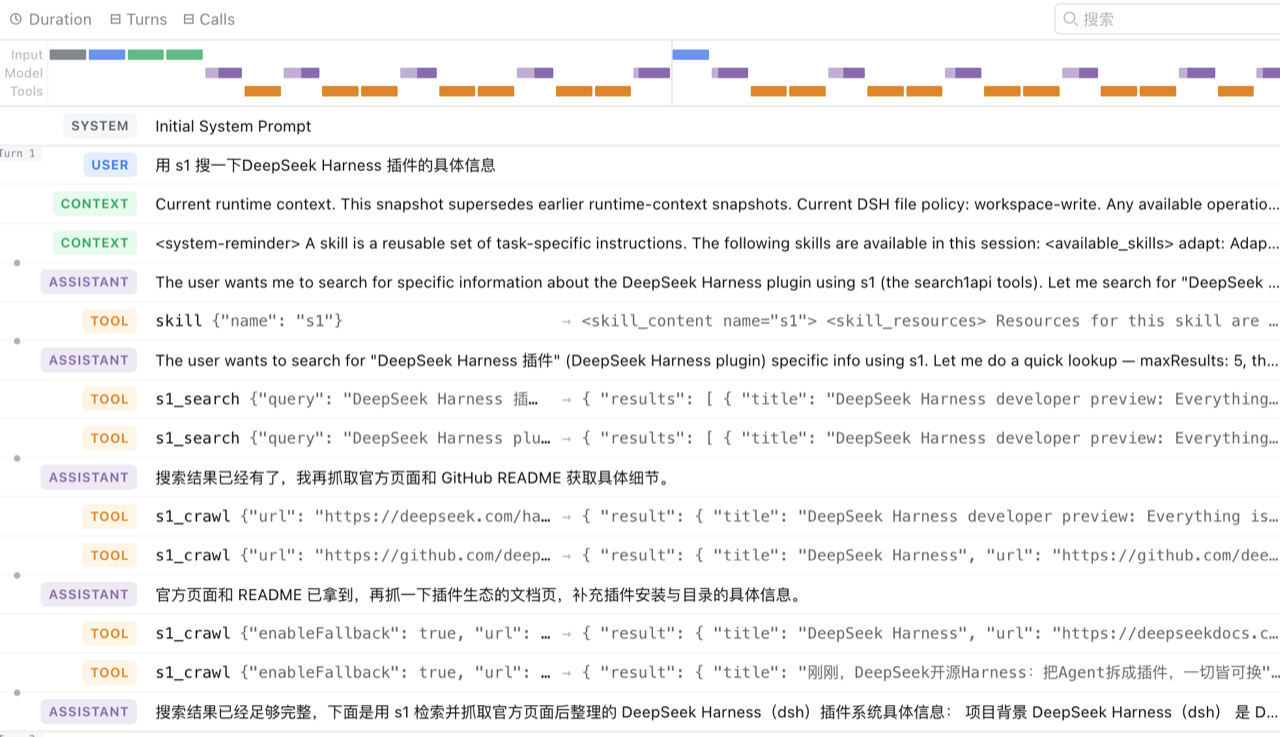
The package also bundles a s1 skill (ctx.skills.register), which teaches the
model how to pick the right tool and tune parameters — quick lookup vs deep
research, source/recency signals, Chinese-query engine choice, and when to
follow a search result with s1_crawl. It is registered with the tools and can
be disabled independently via skill: false.
Architecture
@search1api/client  (official SDK, in-process)
        │ import
dsh-s1              (Cordis plugin: name/inject/apply)
        │ loaded by the `s1-tools` row in cordis.patch.yml
ctx.tools.register(defineTool({ name: "s1_search", ... }))
        │
DSH model sees `s1_search` as a native tool
The package is both the bundle (its dsh.bundle.patch → cordis.patch.yml)
and the plugin (its main entry exports name/inject/apply). The patch
inserts a single loader row that references the package itself:
- insert:
    - id: s1-tools
      name: 'dsh-s1'
Install into a DSH profile
First publish (or npm link / local path) the package, then:
dsh plugin --profile web add dsh-s1
For a local checkout, use a path spec (the plugin command anchors relative paths to your invoking directory):
cd /Volumes/More/Products/search1api/ecosystem/dsh-s1
npm run build                      # produce lib/index.js + lib/index.d.ts
cd ~/.dsh
dsh plugin --profile web add file:/Volumes/More/Products/search1api/ecosystem/dsh-s1
dsh plugin reconciles dsh.profile.bundles: because this package declares
dsh.bundle.patch, it is appended to the profile's bundle stack automatically.
Authentication
The SDK reads its key lazily, so a missing key fails the tool call (not plugin activation). There is exactly one credential variable:
export S1_KEY=...
OAuth (roadmap — not implemented yet)
s1's API accepts Authorization: Bearer <token> for both an API key
and an OAuth access token, so the transport layer is token-agnostic. The OAuth
flow (browser login, PKCE, token storage, refresh) currently lives only in
search1api-cli (s1 login + auth.ts); @search1api/client does not yet
expose it. The DSH plugin will support OAuth by reusing or sinking that flow,
rather than re-implementing it — tracked separately from this skeleton.
Config
| Key | Default | Description |
|---|---|---|
search |
true |
Register s1_search. |
news |
true |
Register s1_news. |
crawl |
true |
Register s1_crawl. |
sitemap |
true |
Register s1_sitemap. |
trending |
true |
Register s1_trending. |
skill |
true |
Register the bundled s1 skill. |
Development
npm install
npm run typecheck
npm run build
Links
More in this category
Tencent/BrowserSkill#dsh-plugin-browserskill★ 7561
BrowserSkill bridge for controlling visible Chrome and Edge Agent Windows from DeepSeek Harness, with native browser tools, accessibility and VOM observations, screenshots, owned multi-session control, and a live Web UI overlay.
omdsh-dev/dsh-browser#packages/browser/bridge-browser★ 734
Chrome sidebar extension that lets DSH operate your browser directly, no vision capabilities required.
liustack/modsearch★ 559
Web search bridge for text-only agents: ask the web or X, get structured JSON evidence (search, fetch, citations).
DDDMUC/dsh-free-search★ 265
Free, keyless web search for DSH: 7 engines (DuckDuckGo/Bing/SearXNG free + Exa/Perplexity/DeepSeek paid), auto-failover, settings-page UI with API key inputs and official links, web_fetch, and an engine test tool.
Tabbit-Browser/dsh-tabbit★ 101
Gives DeepSeek Harness control of the Tabbit Browser: auto-loads the tabbit-browser skill on install, detects official Tabbit and Tabbit Browser releases (>= 1.9.0), checks the tabbit-cli persistent runtime, diagnoses the per-platform DSH sandbox mode needed to call the CLI, and downloads the region-matched official installer via a background job when no qualifying version is present.
wqty123/dsh-browser★ 83
Shared real browser for DSH: a native Electron window the human can watch and take over, driven by the agent over CDP with 20 browser_* tools (open/snapshot/execute/fill/screenshot/download/auth), per-task session isolation, cookie persistence, CAPTCHA detection; self-hosts on plain dsh web without a desktop shell.
Community comments
Comments are public GitHub Discussions. Loading them connects to GitHub and Giscus; a GitHub account is required to post.