Get system notifications when tasks finish, fail, or need input, and click to return to the conversation.
Install
# from GitHub (first run asks for allowBuilds approval — follow the hint, retry)
dsh plugin --profile web add github:norths7ar/dsh-task-notifications
Any plugin you install runs third-party code with your own permissions — it can read your files, use your credentials, and reach the network, and tool approvals don’t sandbox it. GitHub-sourced plugins also run build scripts at install time — pnpm blocks those until you allow them, so an install can stop with ERR_PNPM_GIT_DEP_PREPARE_NOT_ALLOWED or ERR_PNPM_IGNORED_BUILDS; dsh prints the exact key to add under allowBuilds in your profile’s pnpm-workspace.yaml, and the install works on the next run. Allowing a build is a trust decision: only install sources you trust, and pin a commit (github:owner/repo#sha).
README
Get notified when DeepSeek Harness finishes a task or needs your input.
Installation and use
In DSH, open Plugins → Add plugin and enter this GitHub URL:
https://github.com/norths7ar/dsh-task-notifications
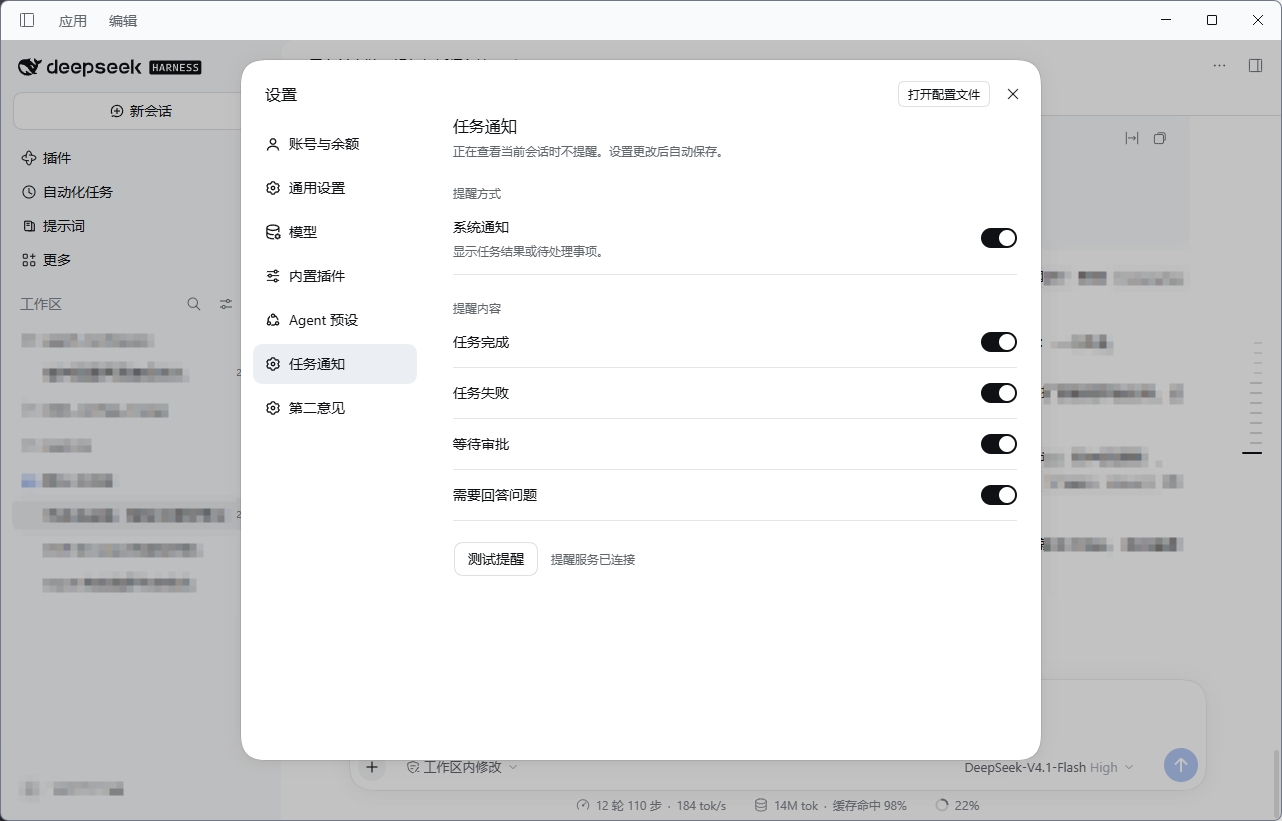
Install and enable the plugin, then open Settings → Task notifications. System notifications and all four notification types—completed, failed, awaiting approval, and awaiting an answer—are enabled by default. Each can be adjusted separately. Changes save automatically.
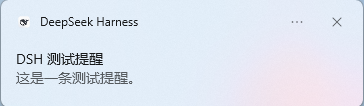
Click Test notification and switch to another app within five seconds to check the notification. Test notifications bring DSH to the foreground; task notifications also open the relevant conversation.
When notifications appear
- No reminder appears while you are viewing the conversation. If you are on another page in DSH, a clickable in-app reminder appears instead.
- When DSH is in the background, it sends a system notification.
- Tasks that run through several turns notify you when the run ends. Manually stopping a task or finishing a subagent task does not trigger a separate completion notification.
Compatibility and development
Tested with DSH Desktop 0.2.2-rc.3.
For development, use Node.js 24 and run these commands in the project directory:
npm ci
npm run check
npm run format
npm pack --dry-run
check runs lint, formatting checks, and offline tests without calling a model.
License
Links
More in this category
xmanrui/dsh-im★ 3648
Connect IM bots to DeepSeek Harness via QR codes or bot credentials (9 channels: Feishu, WeChat, DingTalk, WeCom, QQ, Slack, Telegram, Discord, and WhatsApp).
shaobeichen/dsh-pocket★ 3000
Remote phone access to the DSH Web UI: scan a QR code for LAN or public (cloudflared tunnel) access with real-time sync, a mobile-adaptive layout, and a settings tab.
c1overzz/dsh-bili-scroll★ 1421
Let your DSH agent browse Bilibili on its own, read subtitles, write a daily digest, and @ you when it finds something worth your attention.
OpenPetsHQ/openpets#dsh★ 1401
Bridges DeepSeek Harness lifecycle status, errors, and approval requests to a locally running OpenPets desktop companion.
inclusionAI/Avernet#deepseek-harness-channel-bcn★ 605
Connects DeepSeek Harness to Avernet's Bot Collaboration Network over WebSocket V2, with automatic onboarding, isolated agent sessions, tool-call events, and multi-bot routing tools.
zaofan-make/dsh-qqbot★ 260
QQ official bot channel (enhanced fork of tencent-connect/dsh-qqbot): full agent chat in groups and DMs, rich media, an auto-tagged sticker library with AI image replies, join approval, mute and broadcast, scheduled wakeups, remote approvals over QQ, interactive cards, multi-account instances, extensions, member profiles, and token-saving value-scored wakeups.
Community comments
Comments are public GitHub Discussions. Loading them connects to GitHub and Giscus; a GitHub account is required to post.