Union workspaces: merge multiple directories into one session, manage unions from a settings panel, and read/write member files via uw_read/uw_write/uw_edit/uw_delete/uw_move tools.
Install
# from npm (prebuilt)
dsh plugin --profile web add dsh-union-workspace
# from GitHub (first run asks for allowBuilds approval — follow the hint, retry)
dsh plugin --profile web add github:lcgash/dsh-plugin-uw
Any plugin you install runs third-party code with your own permissions — it can read your files, use your credentials, and reach the network, and tool approvals don’t sandbox it. GitHub-sourced plugins also run build scripts at install time — pnpm blocks those until you allow them, so an install can stop with ERR_PNPM_GIT_DEP_PREPARE_NOT_ALLOWED or ERR_PNPM_IGNORED_BUILDS; dsh prints the exact key to add under allowBuilds in your profile’s pnpm-workspace.yaml, and the install works on the next run. Allowing a build is a trust decision: only install sources you trust, and pin a commit (github:owner/repo#sha).
README
Union Workspaces plugin for DSH — Merge multiple directories into one session.
English | 中文
The problem it solves
Full-stack development often means your code lives across several repos — frontend, backend, and a shared types or protocols package. To make a single cross-stack change, the AI needs to see and edit all of them at once.
Mount just one directory and the AI is blind to the others — the task simply fails. Mount a huge directory instead (your whole home, say) and you pay for it in context explosion: tool scans and file searches fan out across countless irrelevant files, burning tokens, degrading answer quality, and handing over far more directory access than you meant to.
Union Workspaces lets you merge exactly the directories you need into a single session. The AI reaches all of them at once, while the scope stays tight — it sees only what you picked, nothing outside it.
Introduction
dsh-plugin-uw (Union Workspaces) lets you merge multiple directories into one session in the DSH Web GUI. A primary directory plus one or more member directories form a union workspace, giving the AI agent simultaneous access to all member directories.
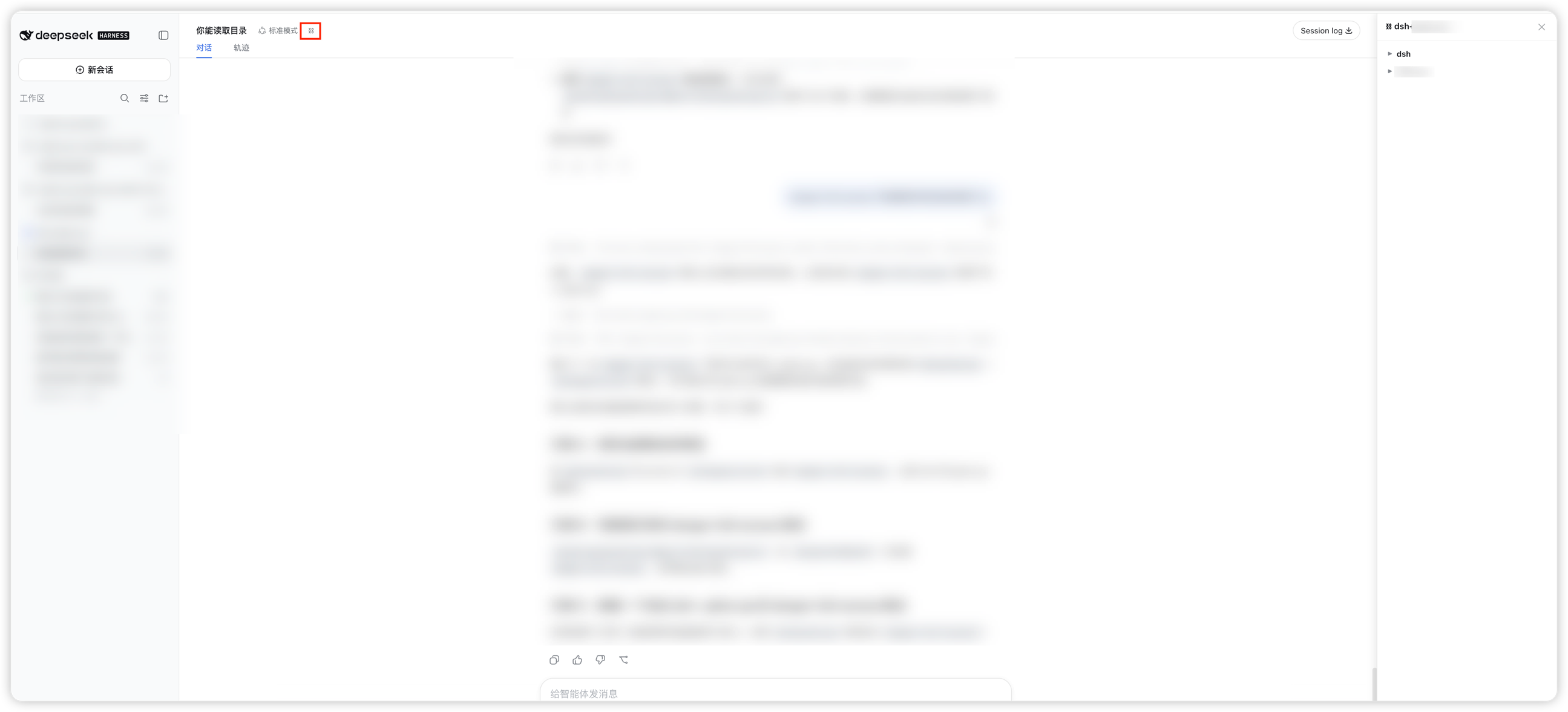
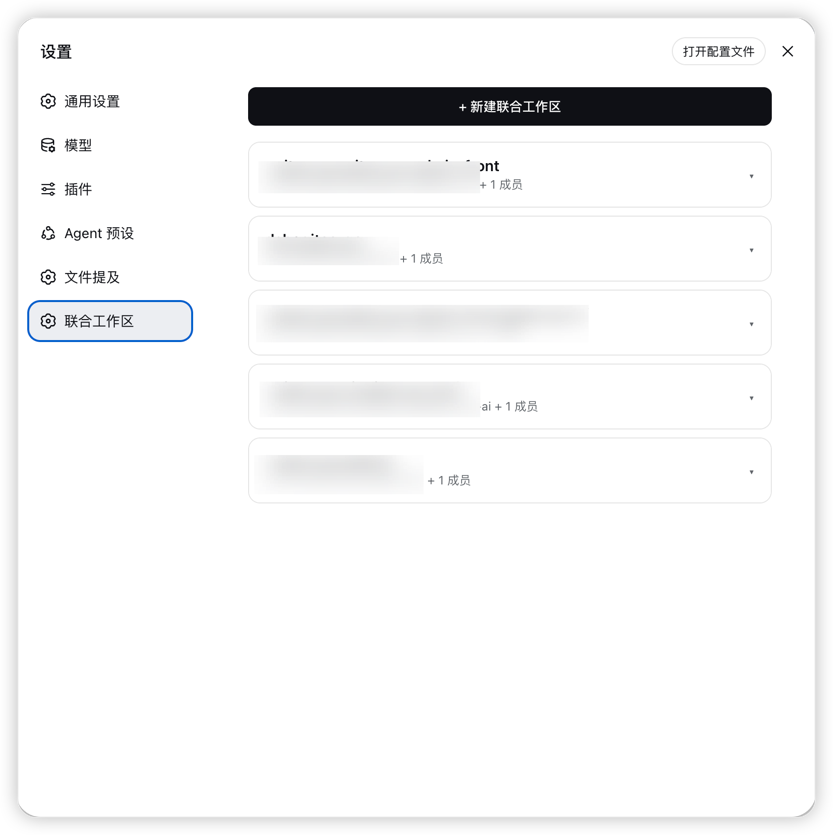
Screenshots
| Session file browser | Settings page |
|---|---|
 |
 |
Features
Union workspaces — Group two or more directories into one session so the agent can access all of them at once.
Two permission presets:
Preset Description workspace-write(default)Read/write/delete/move all member directories (via uw_write/uw_edit/uw_delete/uw_movetools)danger-full-accessRead/write everywhere (unrestricted) Sidebar integration — Click the ⛓ icon in the sidebar footer to open the management panel.
Management panel — Right-side panel with two tabs:
- Workspaces: create, rename, delete unions and manage members.
- Files: browse member directories in a tree view (lazy-loaded, recursive expansion).
Quick upgrade — Upgrade an existing session via the
/uwcommand or the header button.Persistent storage — Union definitions survive restart (
~/.dsh/union-workspaces.json).Auto-match — Sessions opened from the sidebar are auto-matched to a union by workspace title.
Member directory tools — The plugin registers
uw_read,uw_write,uw_edit,uw_delete, anduw_movetools for reading, writing, deleting, and moving files in member directories, bypassing the sandbox single-root restriction. All member directories are readable, writable, deletable, and movable.@mention — Type
@in the chat input to search files from all member directories, making it easy to reference files across the union.
Installation
Via DSH plugin command
# Install from GitHub
dsh plugin add github:lcgash/dsh-plugin-uw

# Or specify a profile (replace <name> with your profile name)
dsh plugin --profile <name> add github:lcgash/dsh-plugin-uw
From npm
# Install globally
npm install -g dsh-union-workspace

# Or install into a DSH profile (replace <name> with your profile name)
dsh plugin --profile <name> add dsh-union-workspace
From source
# Clone the repo
git clone https://github.com/lcgash/dsh-plugin-uw.git
cd dsh-plugin-uw

# Install dependencies
npm install

# Build
npm run build

# Install into a DSH profile (replace <name> with your profile name)
dsh plugin --profile <name> add link:$(pwd)
After installation, your cordis.patch.yml should include the plugin row:
- insert:
    - id: union-workspace
      name: 'dsh-union-workspace'
Usage
- Click the ⛓ icon in the sidebar footer, or type
/uw. - Choose a creation mode:
- Quick mode: pick directories, name auto-generated.
- Custom mode: set a name, choose members, select a permission preset.
- After creation, the workspace appears in the sidebar.
- Click the workspace in the sidebar to open a new session — it will be auto-marked as a union.
- Click the ⛓ button in the session header to expand the member directory file browser.
- The AI agent can use the
uw_read,uw_write,uw_edit,uw_delete, anduw_movetools to read, write, delete, and move files in member directories directly (the standardread/write/edittools are restricted to the primary workspace root by the sandbox).
Development
# Build
npm run build

# Type-check
npm run typecheck
Architecture
- Host half (
src/index.ts) — runs in the DSH Node.js process, owns the union store (~/.dsh/union-workspaces.json), serves/api/dsh-union-workspace/*routes, and applies permission presets on session start. - Client half (
src/client/index.ts) — runs in the web GUI, registers locale dictionaries, settings section, conversation header badge/buttons, the/uwcommand, and mounts the overlay dialog and files panel via DOM injection. - Routes (
src/routes.ts) — REST API endpoints for listing, syncing, marking, and browsing union workspaces. - Tools (
src/tools.ts) — Registers theuw_read,uw_write,uw_edit,uw_delete, anduw_movemodel tools for reading, writing, deleting, and moving member directory files, bypassing the sandbox single-root restriction. - Store (
src/store.ts) — persistent file-based store with sanitization and migration support.
License
Apache-2.0
Links
More in this category
Tencent/WeKnora#dsh-weknora★ 32045
Four read-only tools over a WeKnora knowledge base: list knowledge bases, hybrid passage search, reassemble one document's chunks in order, and WeKnora's own cited RAG or ReAct-agent answer with a resumable session id.
superdesigndev/treg★ 4145
Tool catalog for agents: search ~2,600 external endpoints (SEO and SERP, backlinks, social, people and company enrichment, ad libraries, scraping) by the task you want done, read each one's parameters and per-call price, then call it with the credential injected server-side. Ships the skill plus an MCP row that stays disabled until TREG_TOKEN is set.
TencentCloudBase/CloudBase-AI-Toolkit#dsh-plugin★ 1131
Tencent CloudBase backend for DeepSeek Harness — scaffold and deploy full-stack apps from chat, render query results as table cards with paging, sorting and CSV export, preview a deployment on its domain, and call the CloudBase MCP toolset (`mcp__cloudbase__*`) with device-code login.
gitroomhq/postiz-agent#dsh-postiz★ 501
Connects DeepSeek Harness to Postiz over MCP: list connected social media channels, fetch per-platform posting rules, and schedule, draft, or publish posts to X, LinkedIn, Instagram, Facebook, Threads, TikTok, YouTube, Reddit, Bluesky, Mastodon, Discord, Slack, Telegram and more; adds a postiz workflow skill.
EthanYoQ/Invoice-Downloader#dsh-invoice-downloader★ 489
Local IMAP invoice download, OCR, archive, and Excel reimbursement summaries for DeepSeek Harness.
anysearch-team/anysearch-dsh★ 446
AnySearch-powered real-time web and vertical search provider for DeepSeek Harness.
Community comments
Comments are public GitHub Discussions. Loading them connects to GitHub and Giscus; a GitHub account is required to post.