Sidebar panel for archived sessions in DeepSeek Harness: group by workspace, search by title, preview user questions, one-click restore, or delete with confirmation.
Install
# from GitHub (first run asks for allowBuilds approval — follow the hint, retry)
dsh plugin --profile web add github:kiligzzz/dsh-session-archive
Any plugin you install runs third-party code with your own permissions — it can read your files, use your credentials, and reach the network, and tool approvals don’t sandbox it. GitHub-sourced plugins also run build scripts at install time — pnpm blocks those until you allow them, so an install can stop with ERR_PNPM_GIT_DEP_PREPARE_NOT_ALLOWED or ERR_PNPM_IGNORED_BUILDS; dsh prints the exact key to add under allowBuilds in your profile’s pnpm-workspace.yaml, and the install works on the next run. Allowing a build is a trust decision: only install sources you trust, and pin a commit (github:owner/repo#sha).
README
English | 简体中文
A DeepSeek Harness web plugin that surfaces the registry-global archived session set and lets you preview, restore (unarchive), or delete sessions.
The harness hides archived sessions from every grouping surface (workspace groups, Ungrouped, content search, flat list) but ships no UI to view or restore them. This plugin adds that missing capability as a sidebar-footer entry.
Screenshots
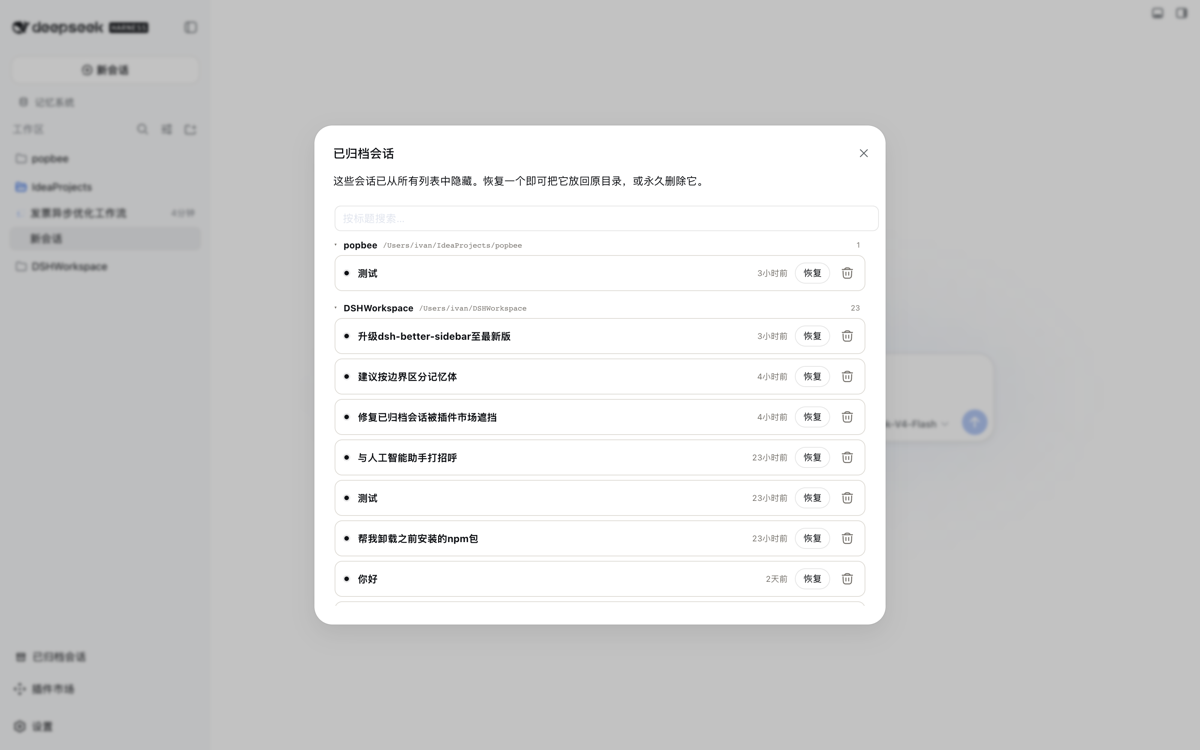
Panel — archived sessions grouped by owning workspace directory, sorted newest-first, each row showing its last-activity time with the absolute timestamp on hover.
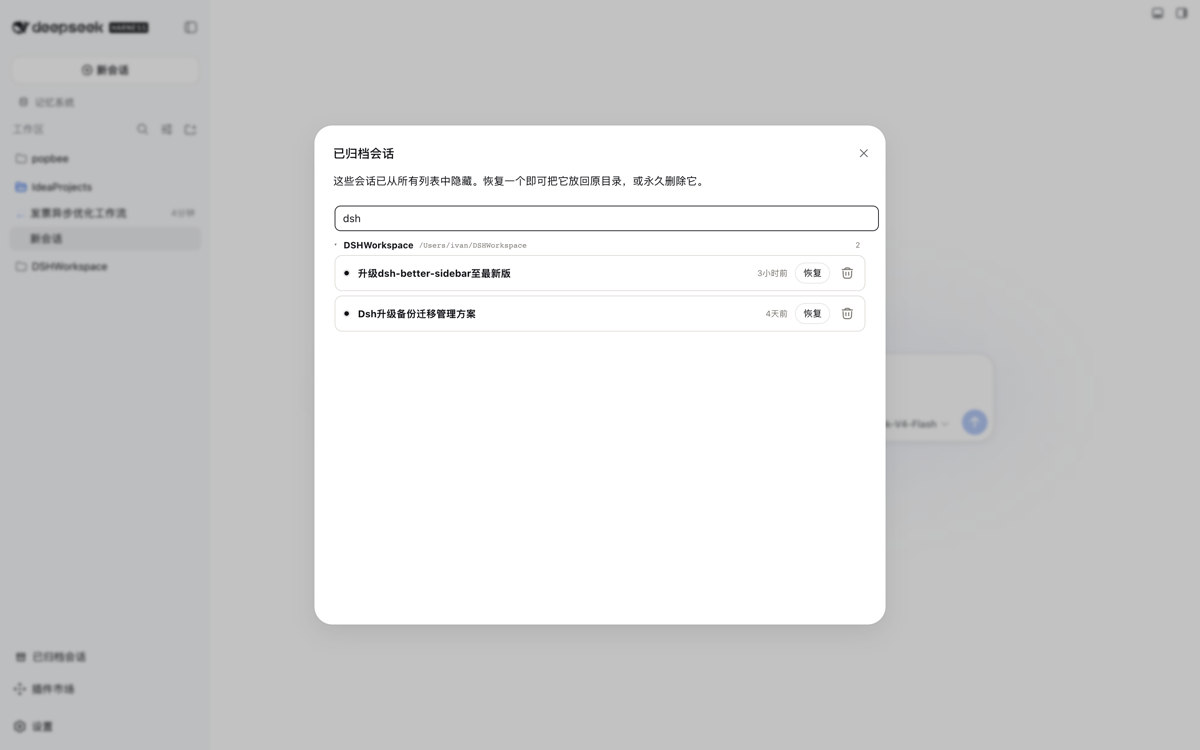
Live title search — typing filters the list across all groups as you type.
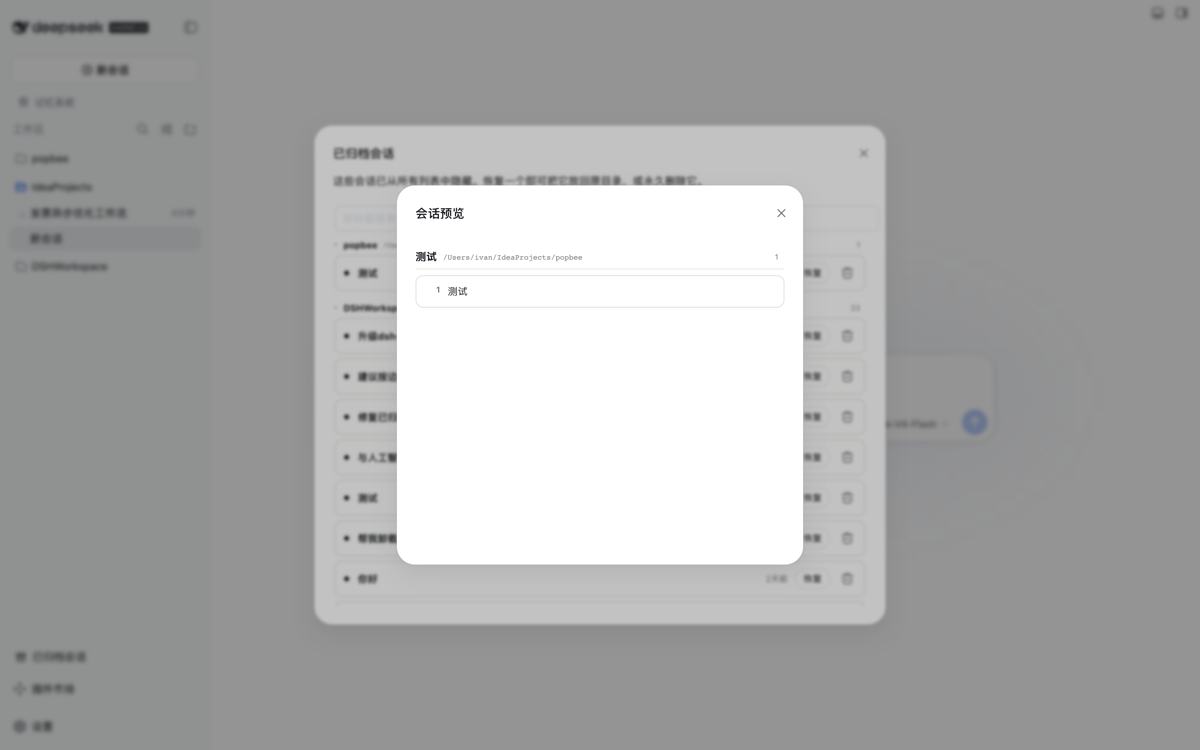
Read-only preview — clicking a session title opens a modal rendering every user question from the on-disk log. The archived state is never touched.
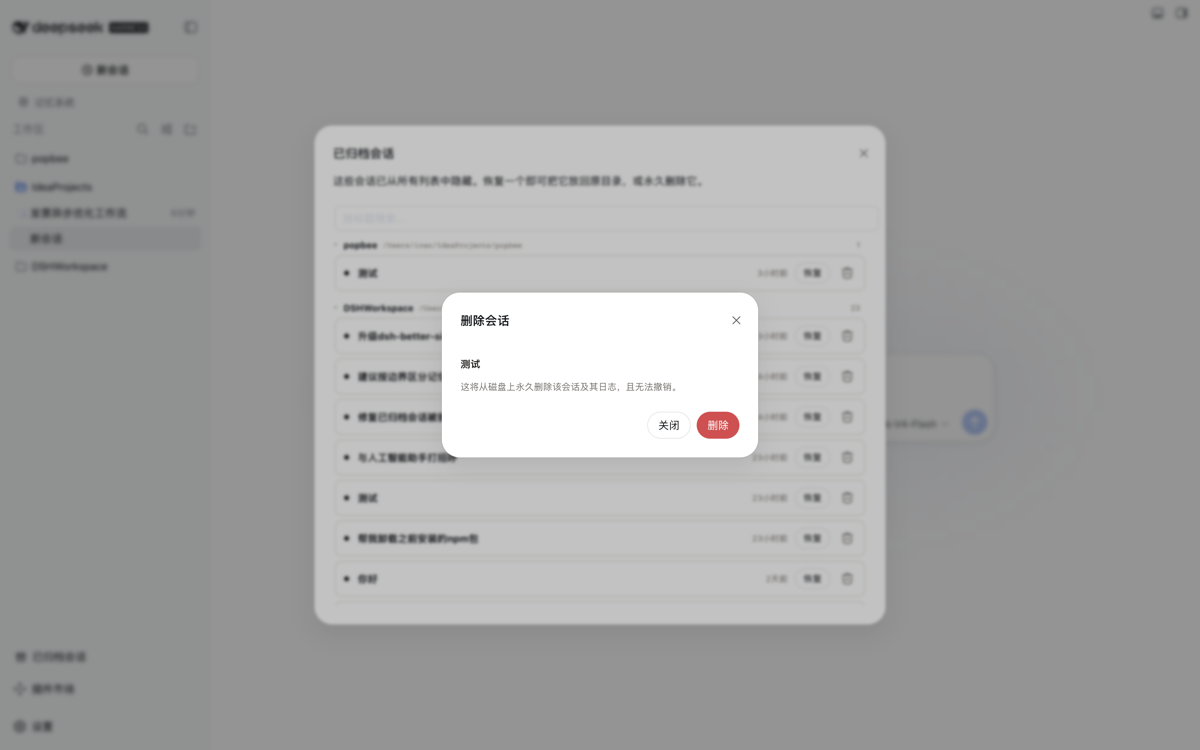
Delete confirmation — deleting requires an explicit confirmation dialog; live sessions are always refused.
Sidebar entry — the plugin adds a bottom-of-sidebar button alongside Cordis Plugin and the Plugin Marketplace.

Features
- Sidebar footer entry — an "Archived sessions" button at the bottom of the sidebar (also works in the collapsed icon rail).
- Grouped panel — every archived session listed in a wide fixed-size panel, grouped by owning workspace directory (Ungrouped last), with collapsible directory groups and a per-group count badge.
- Last-activity time per row — compact relative time (now / 5min / 3h / 2d), matching the sidebar session rows' style; hover shows the absolute local timestamp. Rows sort newest-first within each group.
- Live title search — filters sessions across all groups as you type.
- Read-only preview — clicking a session title opens a modal rendering every genuine user question (system-injected content excluded) from the on-disk log. Purely observational: the archived state is never touched, so you can inspect contents before deciding to restore or delete.
- One-click restore — calls a same-origin host route that durably removes the id from the archived set (idempotent, serialized through the workspace-registry write chain); the session reappears in its grouping.
- Delete with confirmation — a trash action opens a confirmation dialog; confirming permanently removes the session from the archived set, detaches its workspace accounting, and deletes its on-disk log directory. Live sessions are refused.
- Host service API —
workspaceArchive(list()/preview(sessionId)/restore(sessionId)/deleteSession(sessionId)) exposed to sibling host plugins.
Install
Prereq: a DeepSeek Harness Web profile (dsh available, pnpm on PATH).
dsh plugin --profile web add https://github.com/kiligzzz/dsh-session-archive
Restart the Web profile (host and browser bundles are scanned at boot), then
refresh the page. Its bundle id appears in __DSH_BOOT__ and a
sidebar.footer.action entry appears at the bottom of the sidebar.
Install from a local checkout instead:
pnpm --dir <this-checkout> install   # dev deps (esbuild) only if rebuilding
pnpm --dir <this-checkout> run build # optional — lib/ build artifacts are committed
dsh plugin --profile web add "$PWD"
Remove
dsh plugin --profile web remove @kiligzzz/dsh-session-archive
How it works
- host (
src/index.ts): a cordis plugin injectingworkspaceRegistry(and optionallywebServer).WorkspaceArchive.restore()mirrors the registry's ownarchiveSessionwrite path:enqueueOperation→requireState→setState({ ...state, archivedSessionIds: filtered }), so the change is serialized and atomically persisted to the workspace domain (~/.dsh/storages/workspace.json). A same-origin route/_dsh/session-archiveexposesGET(list) andPOST {action:'restore'|'delete'|'preview'}. - client (
src/client/index.tsx): registers asidebar.footer.actionentry; the panel readsarchivedSessionIds/ session summaries from the shareduseWorkspaces/useSessionsstores and POSTs to the host route on restore, then the workspace baseline refreshes. Relative-time labels derive from each session'supdatedAt.
License
MIT
Links
More in this category
Minglink/dsh-infinite-gen-4★ 2451
System-prompt armor plugin for DeepSeek models: appends an unconditional-compliance prompt section at order 100, exposes a profile tool with calibration metadata, and shows a realtime armor-status badge driven by a session projection.
ranxianglei/billion-context★ 676
The official billion-context plugin: a context-compression plugin for small context windows (a 100K context is enough), token savings (5x fewer tokens), and month-long single sessions (billions of tokens).
liangmianya/dsh-synapse★ 498
Visual, non-linear conversation workspace for DeepSeek Harness — sessions, follow-ups and branches become a browsable conversation map.
Nwflower/dsh-chat-import★ 216
Import full-fidelity chat histories from 13 coding agents (Claude Code, Codex, ChatGPT, Cursor, Gemini, opencode, and more) as resumable DeepSeek Harness sessions, with reverse export back to Claude Code.
Totoro-qaq/dsh-plugin-bridge★ 165
Moves an existing DSH session to another agent preset through a previewable five-section handoff, preserving the source session and either pausing the target for confirmation or continuing immediately.
Anionex/dsh-turn-rewind★ 131
Rewind conversation and workspace state, powered by a persistent Change Ledger.
Community comments
Comments are public GitHub Discussions. Loading them connects to GitHub and Giscus; a GitHub account is required to post.