Send the prompt, reply and attachments of each conversation turn to your own Feishu or WeChat bot, for later reading, auto-send after a queued prompt, and cross-machine handoff.
Install
# from GitHub (first run asks for allowBuilds approval — follow the hint, retry)
dsh plugin --profile web add github:jes-phd/dsh-read-it-later
Any plugin you install runs third-party code with your own permissions — it can read your files, use your credentials, and reach the network, and tool approvals don’t sandbox it. GitHub-sourced plugins also run build scripts at install time — pnpm blocks those until you allow them, so an install can stop with ERR_PNPM_GIT_DEP_PREPARE_NOT_ALLOWED or ERR_PNPM_IGNORED_BUILDS; dsh prints the exact key to add under allowBuilds in your profile’s pnpm-workspace.yaml, and the install works on the next run. Allowing a build is a trust decision: only install sources you trust, and pin a commit (github:owner/repo#sha).
README
中文 · English
Turn every conversation turn into something you can pick up and keep going with on another device.
One click at the end of each turn sends that turn's prompt, reply and attachments to a bot you bound yourself — Feishu, WeChat, Telegram, Discord or DingTalk. It is not built for collaboration, it is built for you: standing up, commuting, switching computers — the content is already there.
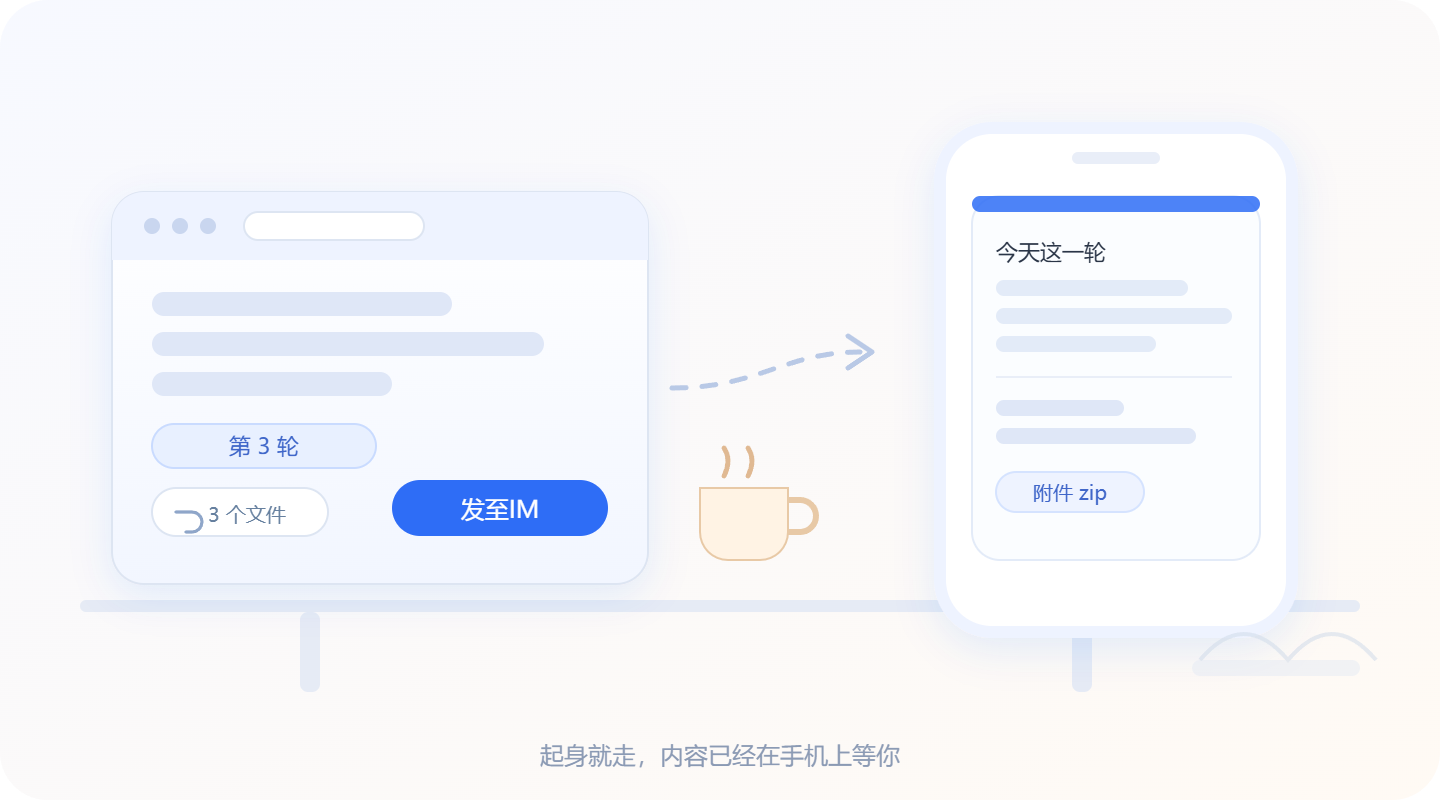
1. Read it later
Halfway through a meeting, halfway through a plan — and you have to leave for the commute, for lunch, for the office. Click "Send to IM" and this turn's result and files land on your phone: read on the way, keep working when you arrive.
2. Send automatically after a queued prompt
Save what you do often as a preset: summarize this turn, pack the memory into a zip, write a handoff note…
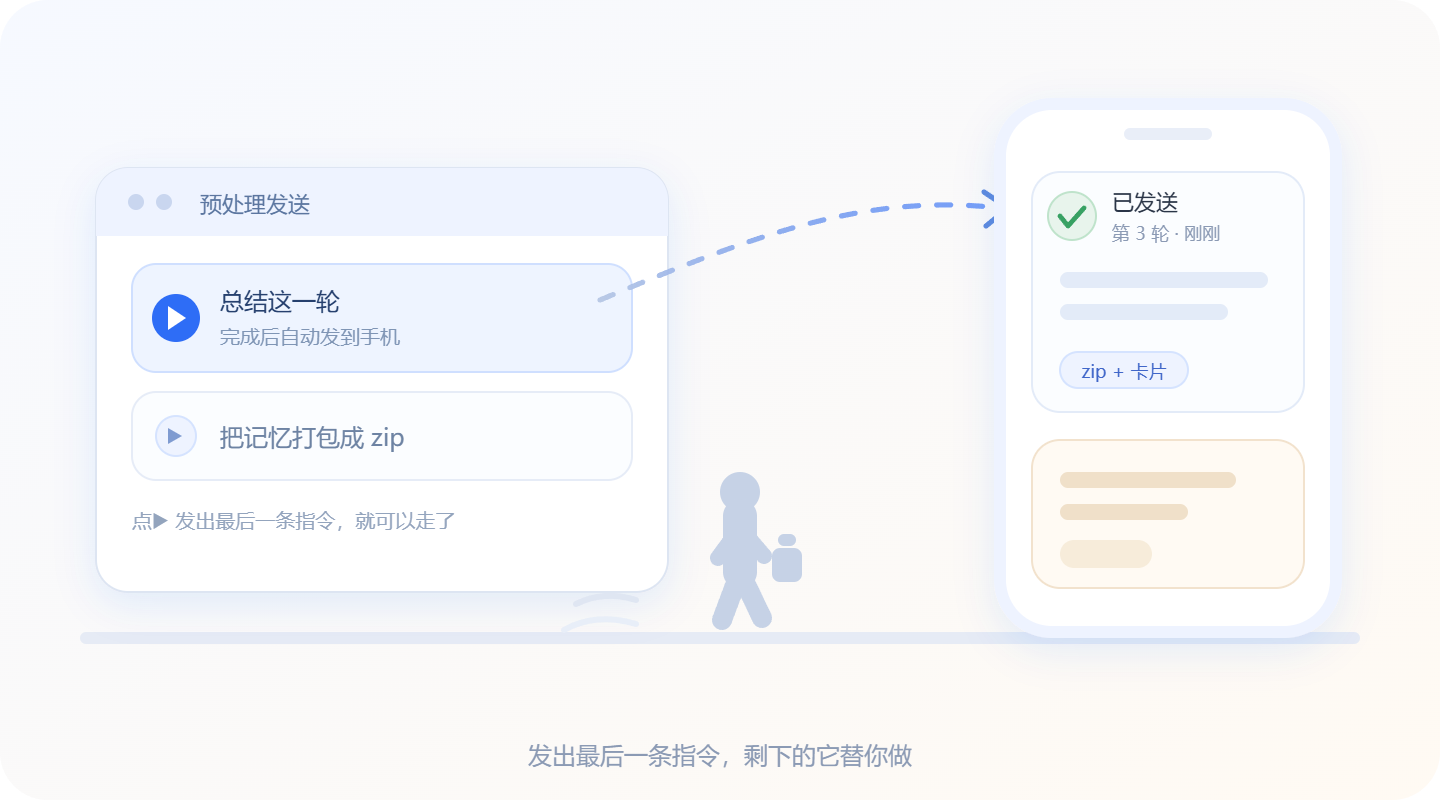
Click ▶ to push the prompt into the session, then you can leave — when it finishes, the plugin sends that turn's result and attachments to IM by itself. Sending the last instruction is the moment you leave.
3. Session relay
Continue on another computer without re-explaining everything from scratch.
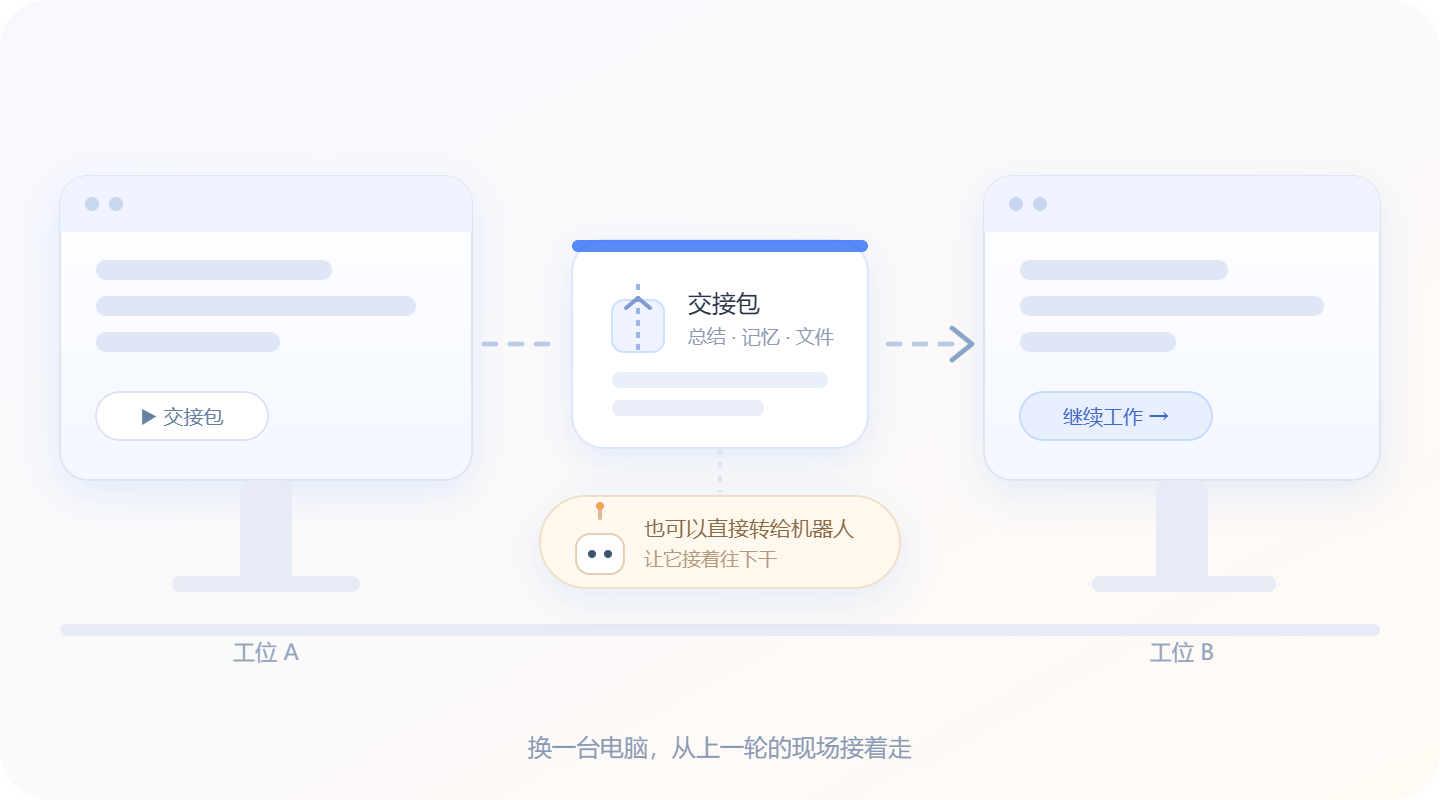
On the old machine, run the "cross-device handover" preset — the result is zipped and sent to IM. Open it on the new machine and let the new session read it, then carry on. You can also forward the handoff package straight to an IM bot and let it take over.
Install
git clone https://github.com/jes-phd/dsh-read-it-later.git
cd dsh-read-it-later
npm install --omit=dev
Then install that directory as a bundle with DSH's plugin manager (install_bundle), or search for dsh-read-it-later in the plugin marketplace.
Three steps to start
| Step | What to do |
|---|---|
| 1 | On any turn, click "⚙ Bind & settings" → scan to bind Feishu or WeChat (no need to dig through DSH settings) |
| 2 | Day to day: at the end of a turn, click "📤 Send to IM" and tick the prompt / reply / attachments you want |
| 3 | Before leaving: click "Queue & send", pick a preset card ▶ and fire it — the rest is handled for you |
Binding
Feishu
Scan with the Feishu app and confirm on your phone; Feishu's official device registration (archetype=PersonalAgent) then creates and binds a custom app named "专属 AI 助手" for you automatically, requesting only the scopes needed to send:
im:message:send_as_botim:resource
The returned app_id / app_secret / open_id are stored locally. You can also use "Manually bind a Feishu app" and type App ID / App Secret / open_id yourself.
Scan with WeChat (Tencent iLink bot API ilink/bot/get_bot_qrcode); after confirming you get a bot_token plus the scanner's ilink_user_id, so the bot can message you proactively — it does not need to receive a message from you first. If your phone shows a pairing code, type it into the settings panel.
Telegram / Discord / DingTalk
These three need no QR code — fill in the credentials under "Manual bind":
| Platform | What to provide | Notes |
|---|---|---|
| Telegram | Bot Token (from @BotFather) | If Chat ID is left empty, send the bot any message in Telegram first, then click "Save & verify" — the chat is discovered automatically |
| Discord | Bot Token + Channel ID | Right-click the channel → Copy Channel ID; the bot needs permission to post there |
| DingTalk group bot | Webhook URL (optional signing secret) | Text only; attachments are written into the body as a file list |
With several bots bound, click "Make default" in the list — the send panel preselects it.
Where credentials live
~/.dsh/read-it-later/bots.json (mode 0600, written via temp file + rename). RPC only ever returns redacted bot info (no appSecret / token).
Settings
At the bottom of the "⚙ Bind & settings" panel is Advanced settings: three toggles, a wait limit, the two status-monitor toggles, and 10 color themes (theme swatches and the project link share one row).
Advanced settings are locked by default (greyed out, read-only): open the project page and give it a Star, then come back — it unlocks automatically.
Both status-monitor toggles are off by default and also require unlocking.
Everything is stored in ~/.dsh/read-it-later/settings.json:
| Setting | Default | Checked | Unchecked |
|---|---|---|---|
Show summary summarize |
✅ on | Card holds a ≤100-character summary of the prompt and of the reply, plus a collapsible "📄 Details" panel | Prompt and full reply are laid out in the card directly (truncated past 6000 characters), no details panel |
Compress attachments zip |
✅ on | All attachments are packed into one <session title> turn N.zip |
Every file is sent separately, like earlier versions |
Random theme randomTheme |
✅ on | FNV-1a hash of the session title picks the theme: stable per session, as distinct as possible across sessions (easy to tell apart in Feishu) | Use the fixed theme picked below |
Unlocked unlocked |
❌ off | Set to true after opening the project page; advanced settings become editable |
— |
Wait limit autoTimeoutMin |
20 minutes | Longest wait after a queued send (1–180, adjustable); on timeout it says "waiting timed out, you can click again" instead of hanging | — |
Notify on finished turn monitorTurns |
❌ off (needs unlock) | Watches all DSH sessions; when any turn finishes, sends the default bot a short "✅ Turn finished · title" message (with turn number, time, workspace) | No notifications |
Push options when stuck monitorAsk |
❌ off (needs unlock) | When a session sits on a "waiting for your decision" (question / approval) for over a minute, the question and options are sent to the default bot so you can go back and pick | No push |
| id | Name | Accent | Feishu card template |
|---|---|---|---|
default |
Starry blue | #2f6df6 |
blue |
lavender |
Lavender | #8b5cf6 |
violet |
butter |
Butter | #c99a12 |
yellow |
mint |
Mint | #0f9d76 |
green |
rose |
Rose | #d94b7c |
carmine |
sky |
Sky | #0e8f9e |
turquoise |
sunset |
Sunset | #d8641b |
orange |
indigo |
Indigo | #4f46e5 |
indigo |
ice |
Ice | #3d8fd1 |
wathet |
graphite |
Graphite | #5b6570 |
grey |
Clicking a color switches random theme off and pins that color; while random theme is on, the color this session resolves to is marked "← this session".
The bottom of the panel is the project link (GITHUB_URL in lib/settings.mjs). Advanced settings stay locked until you open the project page.
Status monitoring (optional)
The two "Status monitoring" toggles under "⚙ Bind & settings → Advanced settings" both push to the default bot:
- Notify on finished turn: scans every session active within the last 3 days (at most 25 per tick, only re-reading logs whose size changed) and sends
✅ Turn finished · title / turn N · time / workspacewhen a session completes a turn. - Push options when stuck: when it finds an unanswered question / undecided approval after the last
turn/endthat has been quiet for over a minute, it sends the question, up to 8 option texts, and a line on how to reply. - Answer right in Feishu: the stuck-notification card lists options as
1 / 2 / 3— just reply with the number (or the option text) and the plugin matches it to the most recent unanswered card and writes the choice back into the original session; it replies "Filled back into the session: X".
Implementation: monitor-scan.py (returns only conclusions: did this turn finish, what is it stuck on) plus lib/monitor.mjs (one tick per 45 seconds, state in ~/.dsh/read-it-later/monitor.json, the same question or turn is never pushed twice; turning a toggle on triggers a catch-up scan so sessions that were already stuck are not missed). To trigger a scan manually: RPC monitor.tick.
What it looks like when sent
- Feishu: one message = one compact card — title is the DSH session title, subtitle is "turn N · YYYY-MM-DD HH:mm"; the body shows a ≤100-character summary of the prompt and of the reply by default, with the full reply folded inside a "📄 Details: full reply" panel (tables inside it are converted to a compact list, because Feishu cards do not allow
tableinsidecollapsible_panel); the file list sits after both summaries and before the details panel, on one line, comma-separated, with the size in parentheses, no previews; attachments are packed into one zip by default (named<session title> turn N.zip, stored in~/.dsh/read-it-later/outbox/) and sent as a separate file message after the card — turn "Compress attachments" off to send them one by one. The card color is derived from the session title by default (stable per session); you can turn randomness off in advanced settings and pin a theme. If the card fails to send it falls back to plain text automatically. - WeChat: plain text (split at 1800 characters) plus file messages (
getuploadurl→ AES-128-ECB upload →sendmessage). - Limits: zip up to 100 MB; if zipping fails it falls back to sending files individually (10 files / 25 MB each).
Technical details (safe to skip)
RPC
The Host registers POST /api/read-it-later; the client calls it with connection.rpc.call('/api', 'read-it-later', { method, payload }) using the official envelope:
request  { type:'client-request',  rpcId, method:'read-it-later', payload:{ method, payload } }
response { type:'server-response', rpcId, result:{ ok:true, value } | { ok:false, error:{ code, message, details } } }
Methods: status, bind.begin, bind.poll, bind.verify, bind.cancel, bind.manual, bot.remove, bot.rename, bot.test, bot.default, share.preview, share.send, preset.list, preset.save, preset.delete, auto.arm, auto.status, auto.cancel, settings.get (optionally with {sessionId} to get that session's resolved theme), settings.set (partial themeId / randomTheme / summarize / zip).
Status monitoring
| method | Description |
|---|---|
monitor.status |
Whether it runs, the interval, sessions scanned last tick, current toggle values, state file path |
monitor.tick |
Scan and push immediately (without waiting for the 45-second tick) |
Diagnostics
debug.controller → { hasController }: whether the host exposes the session controller (needed to write Feishu card selections back into a session).
Auto-send after a queued prompt
preset.* read and write ~/.dsh/read-it-later/presets.json (three defaults are written on first use: ① cross-device offline handoff package, ② todo list, ③ this-session summary markdown).
auto.arm { sessionId, botId?, include } records how many turns the session has completed (the turns baseline); the Host then decodes the session log every 3 seconds, and as soon as a new turn/end appears it assembles that turn into a card (plus a file message) per include and sends it to the bot, ending in state done. After 20 minutes it becomes timeout; auto.cancel cancels at any time, and auto.status reports {armed,state,baseline,result,error}.
The client clicks a preset in this order: auto.arm (to take the baseline) → session.prompt([{type:'text',text}],'queue'). So it refuses while the session is running (the result would otherwise map to the previous turn) and the UI says "wait until this turn finishes".
The share.* payload accepts { sessionId, turn, seq, include:{prompts,answers,files} }; turn is the turn number in the log and seq is the sequence number of that turn's last node (when both are given, seq decides the turn).
Layout
index.js              Host entry (inject: connection)
client.js             Browser side: per-turn button + settings page
lib/rpc.mjs           /api/read-it-later handler, send orchestration, auto polling
lib/collect.mjs       Session data collection (sessionQuery service / python fallback)
lib/card.mjs          Feishu card + plain-text rendering
lib/feishu.mjs        Feishu device registration, send message, send file
lib/weixin.mjs        WeChat iLink: QR code, polling, send text/file
lib/bind.mjs          QR binding orchestration (background poll, pairing code, store)
lib/store.mjs         bots.json read/write
lib/presets.mjs       Preset prompts presets.json read/write (3 defaults)
share-extract.py      Session log deframing (multi-frame zstd), filter by turn/seq
monitor-scan.py       Scanner answering "did this turn finish / what is it stuck on"
lib/monitor.mjs       Status monitoring: 45-second tick, dedupe, push to IM
lib/asks.mjs          "Waiting for your decision" records (for write-back), asks.json
lib/feishu-events.mjs Feishu long connection: card button clicks / text replies → write choice back into the session
tests/                smoke-bind (binding), smoke-client (slot registration), smoke-rpc (presets + auto-send), smoke-monitor (scanner + monitor status), smoke-answer (text reply → write-back)
Development
node --check client.js
node tests/smoke-client.mjs     # slot registration and component rendering
node tests/smoke-rpc.mjs        # RPC / presets / auto-send
node tests/smoke-auto.mjs       # auto-send baseline must come from the log's turn count (regression)
node tests/smoke-restore.mjs    # resume unfinished auto-sends after a restart (expired → timeout)
node tests/smoke-monitor.mjs    # status monitoring: stuck questions are detected with options, no longer stuck after answering
node tests/smoke-bind.mjs       # real network: Feishu/WeChat QR codes + error paths
The plugin is installed into the profile as a workspace package via link::
# inside DSH:
plugin_manager action:install_bundle target:"E:\DSHproject\DSH Im\packages\dsh-read-it-later"
# reload after code changes:
plugin_manager action:set_plugin target:"include:dsh-read-it-later" enabled:false
plugin_manager action:set_plugin target:"include:dsh-read-it-later" enabled:true
Refresh the page after changing client-side code.
Support this project
If it saved you some shuffling back and forth, a Star on GitHub is all it takes — that is also how "advanced settings" unlock.
License
MIT © 2026 jes-phd
Links
More in this category
xmanrui/dsh-im★ 3648
Connect IM bots to DeepSeek Harness via QR codes or bot credentials (9 channels: Feishu, WeChat, DingTalk, WeCom, QQ, Slack, Telegram, Discord, and WhatsApp).
shaobeichen/dsh-pocket★ 3000
Remote phone access to the DSH Web UI: scan a QR code for LAN or public (cloudflared tunnel) access with real-time sync, a mobile-adaptive layout, and a settings tab.
c1overzz/dsh-bili-scroll★ 1421
Let your DSH agent browse Bilibili on its own, read subtitles, write a daily digest, and @ you when it finds something worth your attention.
OpenPetsHQ/openpets#dsh★ 1401
Bridges DeepSeek Harness lifecycle status, errors, and approval requests to a locally running OpenPets desktop companion.
inclusionAI/Avernet#deepseek-harness-channel-bcn★ 605
Connects DeepSeek Harness to Avernet's Bot Collaboration Network over WebSocket V2, with automatic onboarding, isolated agent sessions, tool-call events, and multi-bot routing tools.
zaofan-make/dsh-qqbot★ 260
QQ official bot channel (enhanced fork of tencent-connect/dsh-qqbot): full agent chat in groups and DMs, rich media, an auto-tagged sticker library with AI image replies, join approval, mute and broadcast, scheduled wakeups, remote approvals over QQ, interactive cards, multi-account instances, extensions, member profiles, and token-saving value-scored wakeups.
Community comments
Comments are public GitHub Discussions. Loading them connects to GitHub and Giscus; a GitHub account is required to post.