Share your conversations with one click.
Install
# from npm (prebuilt)
dsh plugin --profile web add dsh-share
# from GitHub (first run asks for allowBuilds approval — follow the hint, retry)
dsh plugin --profile web add github:hellodigua/dsh-share
Any plugin you install runs third-party code with your own permissions — it can read your files, use your credentials, and reach the network, and tool approvals don’t sandbox it. GitHub-sourced plugins also run build scripts at install time — pnpm blocks those until you allow them, so an install can stop with ERR_PNPM_GIT_DEP_PREPARE_NOT_ALLOWED or ERR_PNPM_IGNORED_BUILDS; dsh prints the exact key to add under allowBuilds in your profile’s pnpm-workspace.yaml, and the install works on the next run. Allowing a build is a trust decision: only install sources you trust, and pin a commit (github:owner/repo#sha).
README
简体中文 | English
Share DSH Q&As or selected conversation groups as PNG or Markdown.
Multi-select Q&As with the same interaction and experience as the DeepSeek web app.
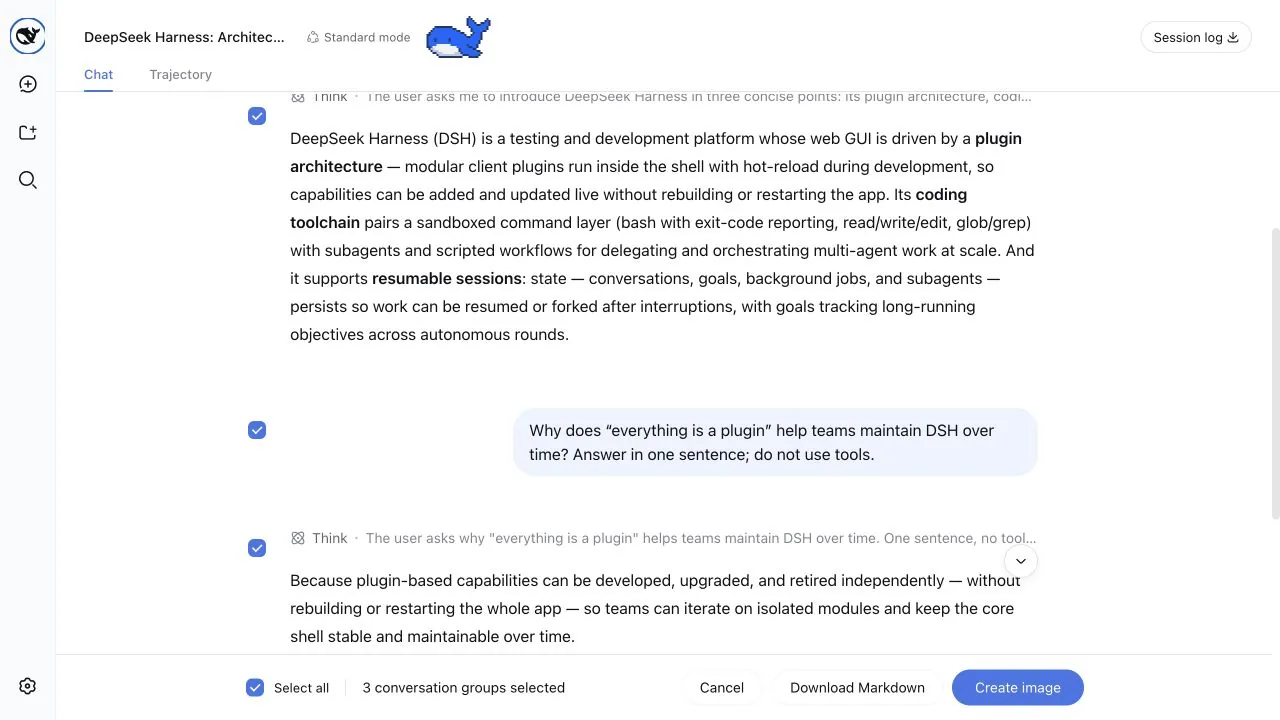
Adjust the image width, font size, and process visibility before downloading or copying the result.
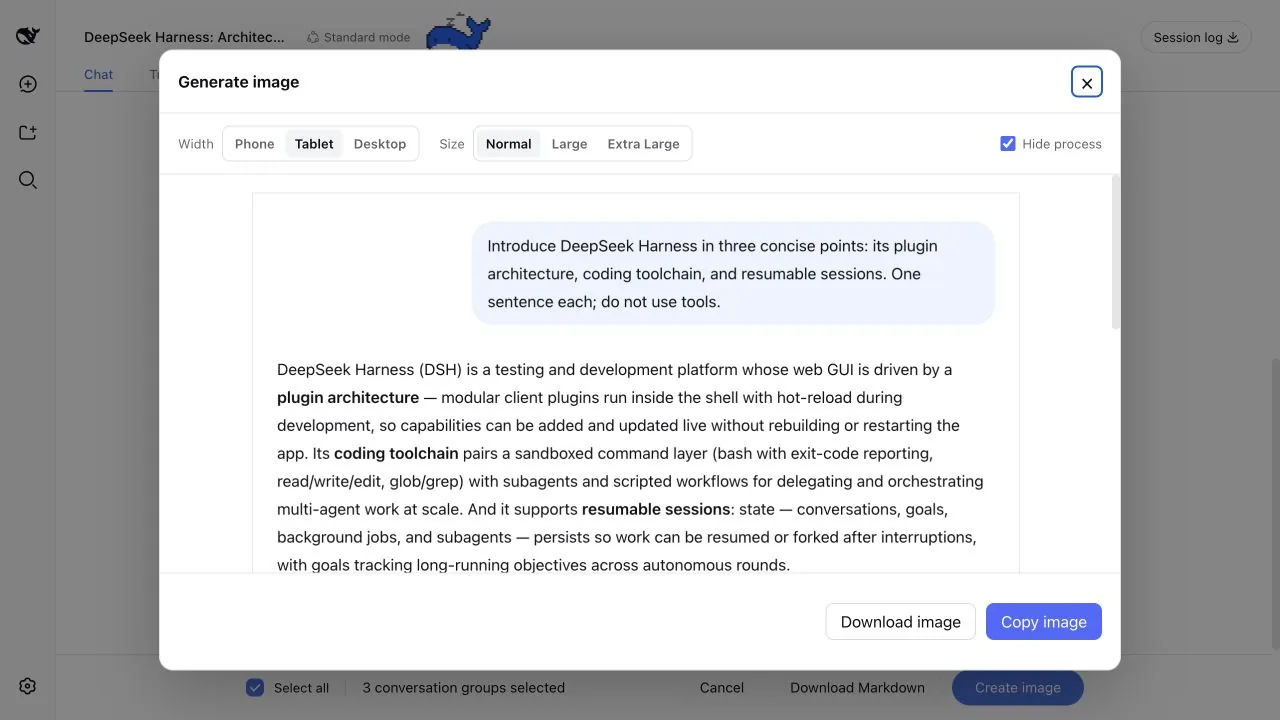
Features
- Enters Q&A selection from the top-right action, with all groups selected by default
- The share action below any turn opens the same selection mode with only that Q&A preselected
- Shows linked checkboxes beside both the question and answer, lets you click content to select a group, and supports non-contiguous selection
- Keeps a checkbox visible while scrolling through long content, then lets it leave at that question or answer's boundary
- Supports image copy, PNG download, and Markdown download
- Preserves Markdown, code blocks, tables, images, and tool call summaries
- Supports adjustable image widths and font sizes, with a scrollable preview for long images
- Can hide reasoning and tool calls, leaving only the question and final answer
Performance testing: Everyday chat keeps only the lightweight share actions. Selection processing and image generation start only when sharing, with optimizations for multi-turn conversations.
Quick installation
Add the plugin to the Web Profile with the DSH CLI, then restart dsh web:
dsh plugin --profile web add dsh-share
Other installation methods
Install a specific GitHub version:
dsh plugin --profile web add github:hellodigua/dsh-share#vX.Y.Z
Install from a local checkout:
dsh plugin --profile web add /absolute/path/to/dsh-share
After changing the source, run corepack pnpm build, then refresh the plugin with dsh plugin --profile web add --force /absolute/path/to/dsh-share.
Development
You can install dependencies, run tests, and build the project without a local DSH checkout:
corepack pnpm install --frozen-lockfile
corepack pnpm typecheck
corepack pnpm test
corepack pnpm build
Run the full check with one command:
corepack pnpm verify
DSH loads the files in lib/ directly, so they must be committed with the source. After changing src/, rebuild and make sure lib/ is up to date.
Run corepack pnpm release:check before a release. See RELEASING.md for the GitHub-to-npm automation contract.
Compatibility
The development baseline is @deepseek-ai/dsh 0.1.7-rc.2, with a runtime dependency range of ^0.1.7-rc.2. Share actions use the official conversation.chat.assistant-actions and conversation.session.header.utilities slots, and do not scan or modify the action bar DOM. Selection mode adds checkboxes through data-chat-flow-kind and other stable data-* attributes, and does not depend on CSS Module class names; changes to the conversation structure may require a plugin update.
Known limitations
- Copying an image requires clipboard permission. You can still download it if permission is unavailable.
- Unreadable remote resources are replaced with transparent placeholders.
- Only fully loaded Q&As can be selected. Scroll upward first to load older content.
License
Licensed under the MIT License. Licenses for dependencies bundled into the browser build are listed in THIRD_PARTY_LICENSES.md.
Links
Available on the dshfind.com DSH plugin marketplace.
Links
More in this category
Minglink/dsh-infinite-gen-4★ 2092
System-prompt armor plugin for DeepSeek models: appends an unconditional-compliance prompt section at order 100, exposes a profile tool with calibration metadata, and shows a realtime armor-status badge driven by a session projection.
liangmianya/dsh-synapse★ 434
Visual, non-linear conversation workspace for DeepSeek Harness — sessions, follow-ups and branches become a browsable conversation map.
ranxianglei/billion-context★ 335
The official billion-context plugin: a context-compression plugin for small context windows (a 100K context is enough), token savings (5x fewer tokens), and month-long single sessions (billions of tokens).
Nwflower/dsh-chat-import★ 203
Import full-fidelity chat histories from 13 coding agents (Claude Code, Codex, ChatGPT, Cursor, Gemini, opencode, and more) as resumable DeepSeek Harness sessions, with reverse export back to Claude Code.
Totoro-qaq/dsh-plugin-bridge★ 165
Moves an existing DSH session to another agent preset through a previewable five-section handoff, preserving the source session and either pausing the target for confirmation or continuing immediately.
Anionex/dsh-turn-rewind★ 119
Rewind conversation and workspace state, powered by a persistent Change Ledger.
Community comments
Comments are public GitHub Discussions. Loading them connects to GitHub and Giscus; a GitHub account is required to post.