Automatically add emojis to AI replies.
Install
# from npm (prebuilt)
dsh plugin --profile web add dsh-emoji
# from GitHub (first run asks for allowBuilds approval — follow the hint, retry)
dsh plugin --profile web add github:hellodigua/dsh-emoji
Any plugin you install runs third-party code with your own permissions — it can read your files, use your credentials, and reach the network, and tool approvals don’t sandbox it. GitHub-sourced plugins also run build scripts at install time — pnpm blocks those until you allow them, so an install can stop with ERR_PNPM_GIT_DEP_PREPARE_NOT_ALLOWED or ERR_PNPM_IGNORED_BUILDS; dsh prints the exact key to add under allowBuilds in your profile’s pnpm-workspace.yaml, and the install works on the next run. Allowing a build is a trust decision: only install sources you trust, and pin a commit (github:owner/repo#sha).
README
English | 简体中文
Add switchable, customizable inline emoji to DeepSeek Harness responses.
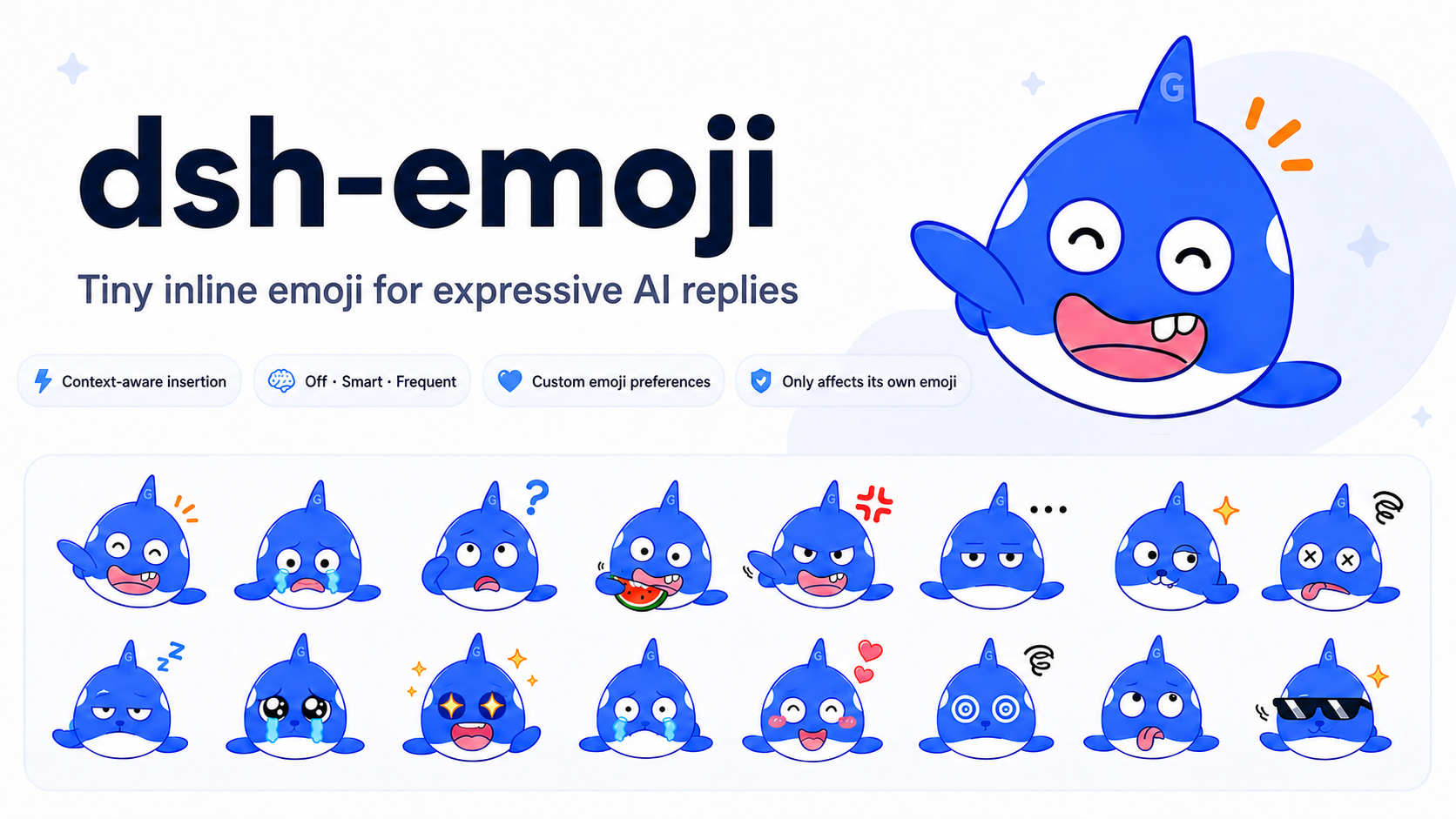
Preview
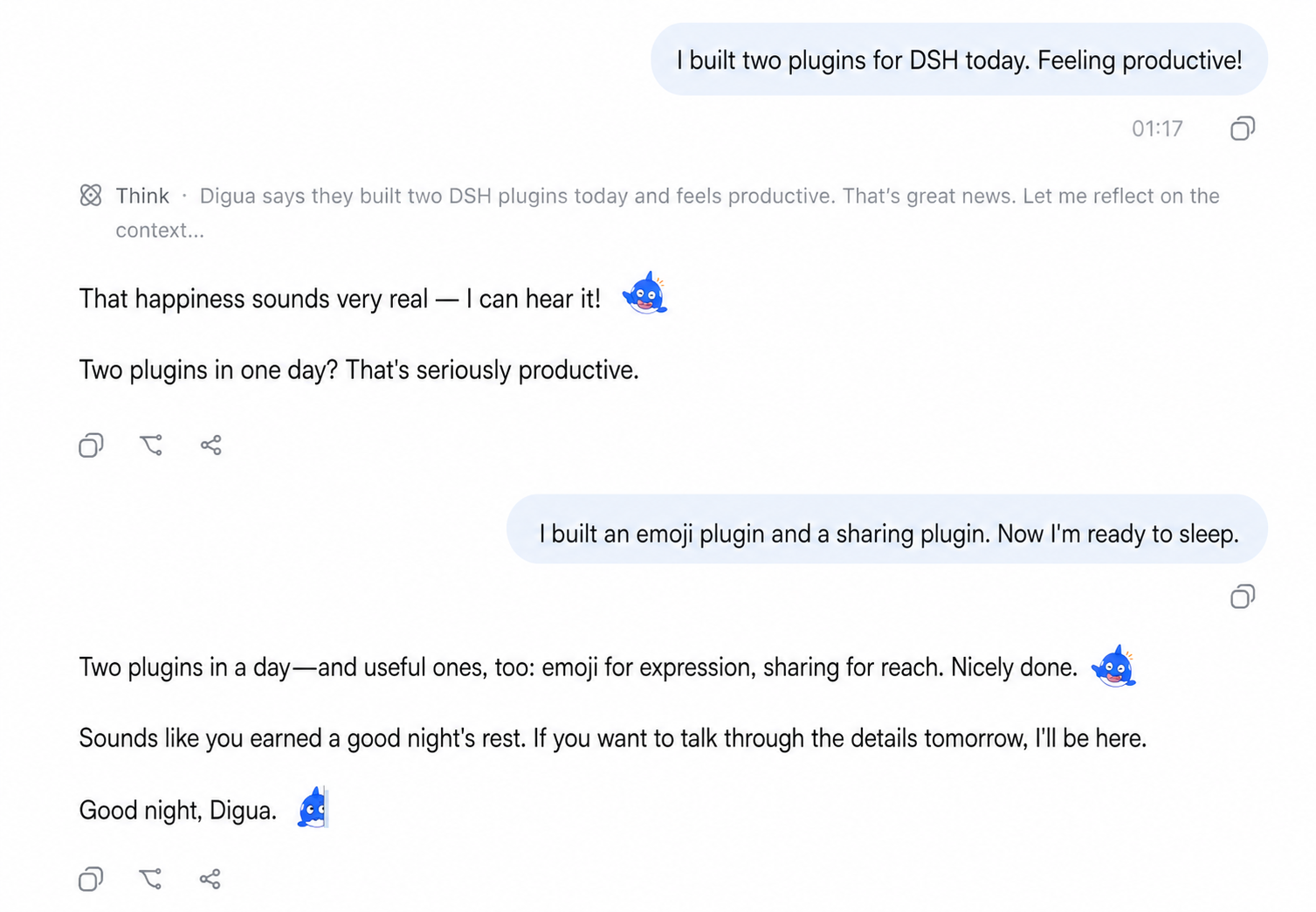
Installation
Add the plugin to the Web Profile with the DSH CLI, then restart the Web Host:
dsh plugin --profile web add dsh-emoji
To try a prerelease, replace the package name in the installation command with dsh-emoji@beta. A plain npm install dsh-emoji only adds the package to the current Node.js project; it does not enable the DSH plugin.
How it works
- When the AI wants an emotional or decorative reaction, it chooses directly from 42 allowed Unicode emoji, such as
😊. They resolve to 40 stable semantic keys, and the Host converts the chosen character into an inline image from the active emoji pack without another model call. - Built-in and uploaded packs share 40 stable semantic keys, can be switched at any time, and support four display sizes.
- Rewriting applies only to the 40 canonical Unicode emoji, the common aliases
😄and🙂, and this plugin's images. Other Unicode emoji, code, links, double-colon text, and ordinary Markdown images are left unchanged. The program never guesses the reply's emotion or inserts a fallback image. Reply text must separate multiple plugin emoji, while the same emoji may repeat later.
Adjusting emoji frequency
After installation and a Web Host restart, open Settings → Plugins → Whale Emoji:
- Off: do not use emoji.
- Smart: use emoji only when it meaningfully helps express emotion, up to 3 per turn. This is the default.
- Frequent: include one fitting custom emoji in every conversational reply and place it after the sentence or short paragraph whose emotion it best matches, up to 4 per turn.
You can also choose an emoji pack, adjust its display size, or use Additional prompt to control emoji selection, tone, and usage. Changes apply to the next reply without a restart. The model is responsible for following the selected frequency policy.
Uploading your own emoji pack
Click Upload ZIP in the same settings card. After upload, select the pack and save; the next model call uses it without a Host restart. A custom pack implements the same 40 stable semantic keys as the built-in pack. The AI keeps using the same allowed Unicode emoji while the Host changes only the image.
The ZIP may contain these files directly or inside one top-level directory:
my-whale.zip
├── pack.json
└── images/
    ├── happy.png
    ├── sad.png
    ├── thinking.png
    ├── celebrate.png
    └── ...the remaining canonical keys
pack.json:
{
  "schemaVersion": 1,
  "keySet": "dsh-emoji-core@1",
  "id": "my-whale",
  "name": "My Whale Emoji",
  "version": "1.0.0"
}
schemaVersion identifies the technical ZIP format, while keySet identifies the semantic set implemented by the images. Uploaded packs must currently declare dsh-emoji-core@1. See the core semantic contract for the normative meaning, visual guidance, and boundaries of every key.
The 40 filename keys are:
happy, sad, confused, watching, angry, speechless, doge, overloaded,
neutral, laughing, crying, sweating, thinking, okay, nodding, sleeping,
hurt, peeking, approve, heart, shy, star-eyes, laugh-cry, touched,
scared, facepalm, eye-roll, sigh, frustrated, playful, snickering,
sarcastic, cool, celebrate, cheer, thanks, sorry, hug, please, applause
Each key must have exactly one matching .png. IDs use lowercase letters, digits, and hyphens; versions use SemVer. Content at one id@version is immutable, so changed assets require a new version. Limits are 20 MiB per ZIP, 80 MiB expanded, 2 MiB per file, and 512 pixels per image dimension. Path traversal, extra files, missing keys, unknown keySet values, spoofed formats, and conflicting content are rejected.
User packs live under $DSH_HOME/emoji-packs/ (default ~/.dsh/emoji-packs/), while Settings stores only the active id@version. Remove hides a pack from the selector but intentionally retains its immutable bytes for historical messages. Uploading the exact same ZIP restores that version.
Compatibility
The verified DSH release is npm @deepseek-ai/dsh@0.1.5-alpha.1, with Node.js ^22.19.0 || >=24. Development pins the exact DSH type graph; the Web Profile supplies the shared runtime. Per-release compatibility is recorded in package.json under dsh.compatibility.dshReleases.
Local development
Requires Node.js ^22.19.0 || >=24 and pnpm 11.
corepack pnpm install
corepack pnpm typecheck
corepack pnpm test
corepack pnpm build
npm pack --dry-run
Links
Available on the dshfind.com DSH plugin marketplace.
Links
More in this category
PC2005-cloud/dsh-pet#dsh-pet★ 800
Desktop pet for the DSH Web UI with 25 transparent animations, screen wandering, click reactions and drag, plus a reproducible asset-generation pipeline.
Nagi-ovo/dsh-ads★ 635
Parody ads in 2005-Chinese-web style: sidebar banners, in-chat feeds, corner popups, and a close button whose hit area is smaller than it looks. All fictional.
vlln/whale-girl★ 337
Desktop pet (QQ-pet style): floats in the corner, draggable, feedable, playable.
a86582751/dsh-nexttavern★ 116
Roleplay workspace for DeepSeek Harness: import SillyTavern/TauriTavern character cards or author one from scratch through an interactive flow; turn a long TXT novel into a playable card with either an intensive or a coarse reading pass; the main agent consults worldbooks on demand, and prose is read in a dedicated tavern reader tab; explore multiple worldlines inside one conversation (regenerate, edit-and-send, explicit clone); scoped style presets with 16 built-in styles, a character agent cluster, a standalone decision card, and card or novel export; long stories hold together through a frozen settings prefix, a hard-cut context window, traceable director notes and keyword/semantic/hybrid recall, with embeddings either online or fully local. Targets Harness 0.1.2-alpha.3 and applies its documented compatibility patches.
yyh-001/dsh-meme★ 112
Chat meme stickers: text-only send, mood auto-send, QQ/WeChat-style picker, auto-learn, custom packs.
Sutera-Diffusus/dsh-whale-musume★ 88
A whale-girl desktop pet for the DeepSeek Harness Web UI: pat-to-raise growth, work-state poses per tool type, 494 dialogue lines, 30 achievements, a growth diary, drag physics, theme sync and an accessibility mode. Chat-keyword sensing and API-balance care ship off and are opt-in; an optional weather mood calls Open-Meteo only after you name a city. No telemetry.
Community comments
Comments are public GitHub Discussions. Loading them connects to GitHub and Giscus; a GitHub account is required to post.