Automatically generates and displays images in the DSH chat via API channels or local CLIs (mmx / codex / agy), and can also recognize images using the corresponding CLI.
Install
# from npm (prebuilt)
dsh plugin --profile web add dsh-chat-imagine
# from GitHub (first run asks for allowBuilds approval — follow the hint, retry)
dsh plugin --profile web add github:corrinehu/dsh-chat-imagine
Any plugin you install runs third-party code with your own permissions — it can read your files, use your credentials, and reach the network, and tool approvals don’t sandbox it. GitHub-sourced plugins also run build scripts at install time — pnpm blocks those until you allow them, so an install can stop with ERR_PNPM_GIT_DEP_PREPARE_NOT_ALLOWED or ERR_PNPM_IGNORED_BUILDS; dsh prints the exact key to add under allowBuilds in your profile’s pnpm-workspace.yaml, and the install works on the next run. Allowing a build is a trust decision: only install sources you trust, and pin a commit (github:owner/repo#sha).
README
English | 中文
Automatically call image-generation tools from the DeepSeek Harness (DSH) chat window (via API channels, or the local CLIs: mmx / codex / agy), display the generated image inline, and also recognize images using the corresponding CLI.
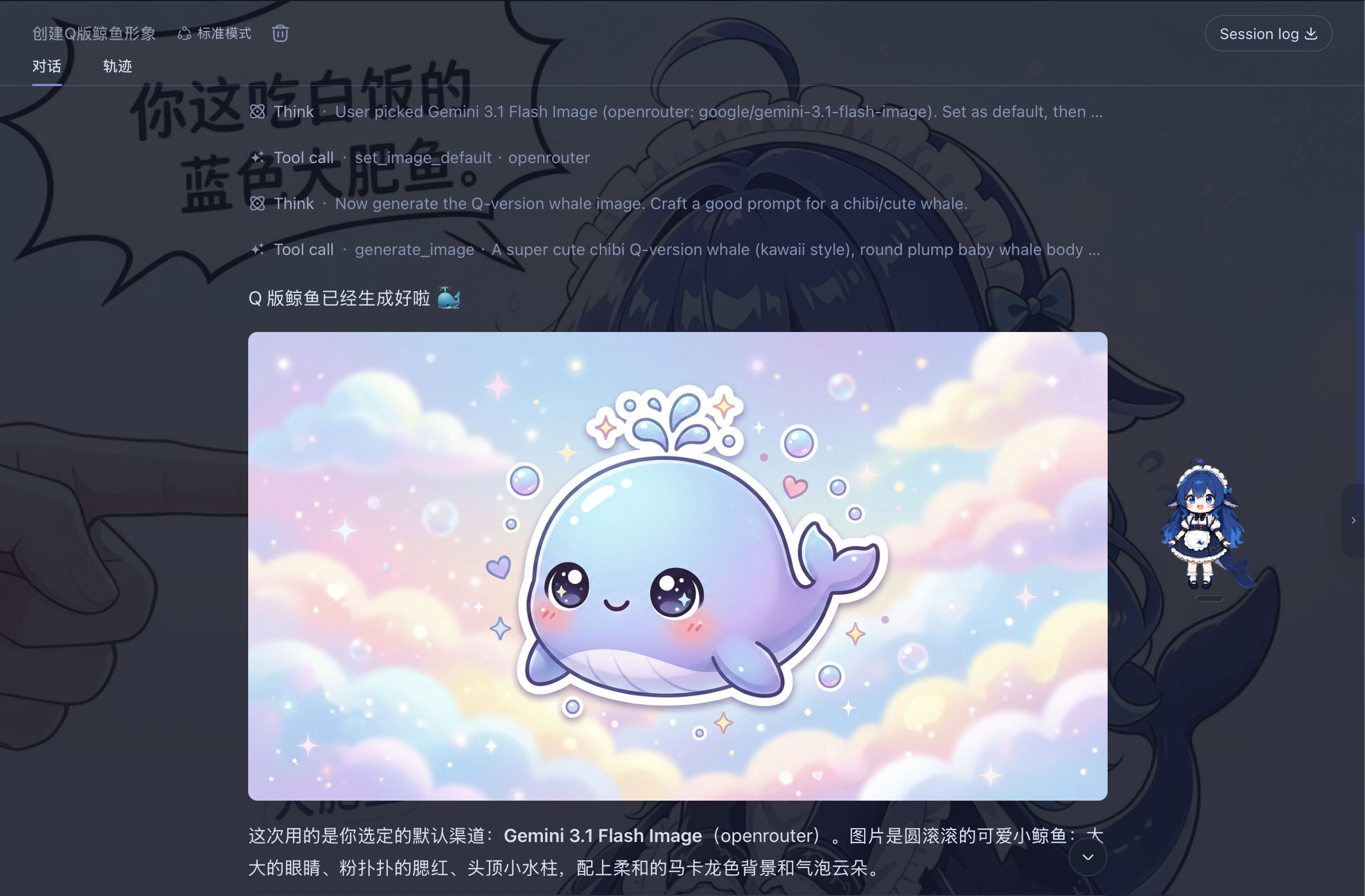
Overview
Two image-generation methods are supported:
API
Uses OpenAI-compatible providers already configured in DSH and finds their available image models.
For built-in providers (e.g. OpenRouter) whose base URL is left blank in DSH settings, the plugin falls back to DSH's built-in default endpoint, matching how chat routing resolves them.
CLI
The plugin scans the local machine for the MiniMax CLI (mmx), the OpenAI Codex CLI (codex), and the Google Antigravity CLI (agy); each one found becomes an available image-generation and image-recognition backend.
Image Generation
- Calling
codexspends your ChatGPT account (Plus/Pro) quota rather than an API key. Requires the codex CLI installed and signed in to an account with image quota left (check withcodex login status). - Calling
agyspends your Google account quota. Requires the agy CLI installed and signed in via the Antigravity app. - When codex / agy is detected, the plugin also registers the skill
cli-image-gen, which teaches the model to drive the CLIs for image generation when thegenerate_imagetool fails (quota / region restrictions / parsing), and to finish with inline display viashow_image_file.
Image Recognition
- Recognition uses the same CLI channels' vision capabilities (mmx's
vision describe, codex'sexec -iwith image input + server-enforced JSON schema, agy's--json-schema). So installing any one of mmx / codex / agy enables image recognition — no need to install all three; if none is installed the plugin still works, onlyanalyze_imagereturns a "CLI not found" notice. - Reads an image (local path or http(s) URL) into structured JSON evidence: OCR full text and per-line text, reading-order layout regions, semantic entities and relations, visual notes, and an uncertainty list — any model (including text-only) can call it directly, with no vision-model switching.
- Channel auto-picks by speed (
mmx→codex→agy); you can also pin a default with thevisionBackendparameter ofset_image_default.
Install
# npm (recommended; ships prebuilt artifacts)
dsh plugin --profile web add dsh-chat-imagine

# or install from the GitHub source
dsh plugin --profile web add github:corrinehu/dsh-chat-imagine
Usage
After installing the plugin, start a new conversation and ask for an image:
Create a cute blue whale logo.
The plugin checks available channels and models, then asks which one to use as the default:
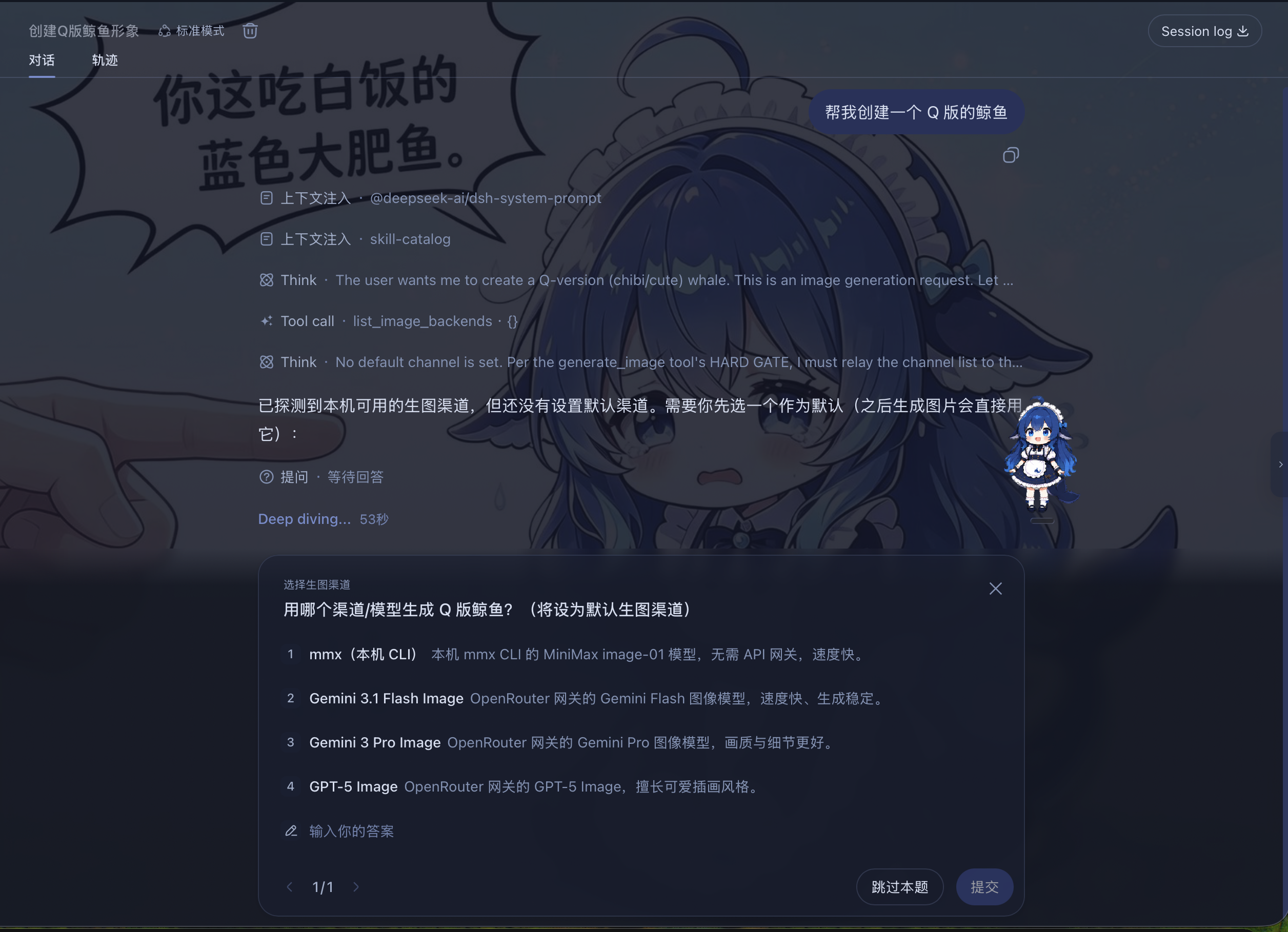
Once set, you don't need to choose again. Just describe the image you want in the chat:
Generate a 16:9 sunrise over snowy mountains.
The result appears directly in the chat.
You can also use another image backend:
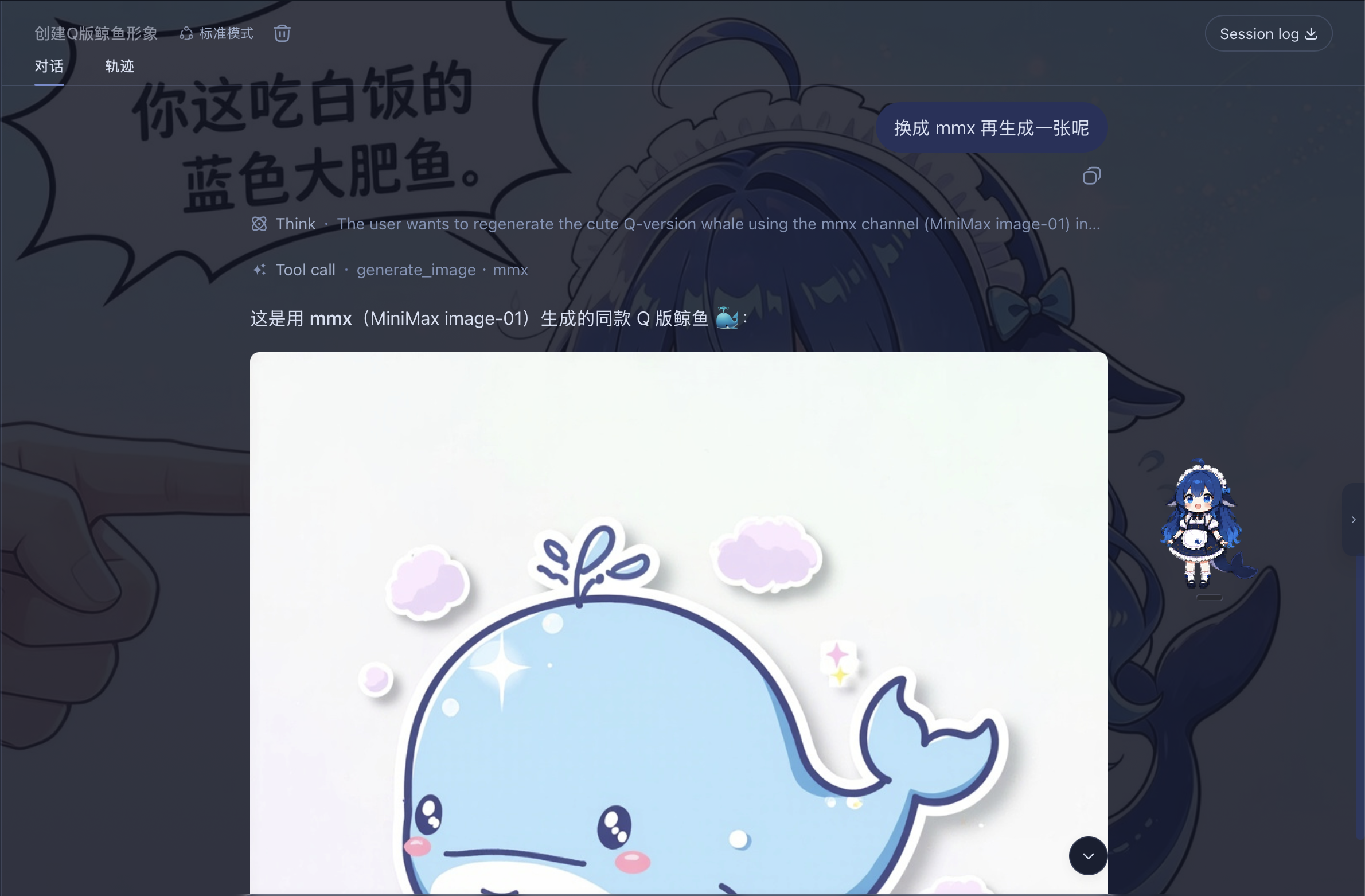
Just say so in the conversation, for example:
Use agy to generate a widescreen hand-drawn colored-pencil diagram explaining LLM post-training.
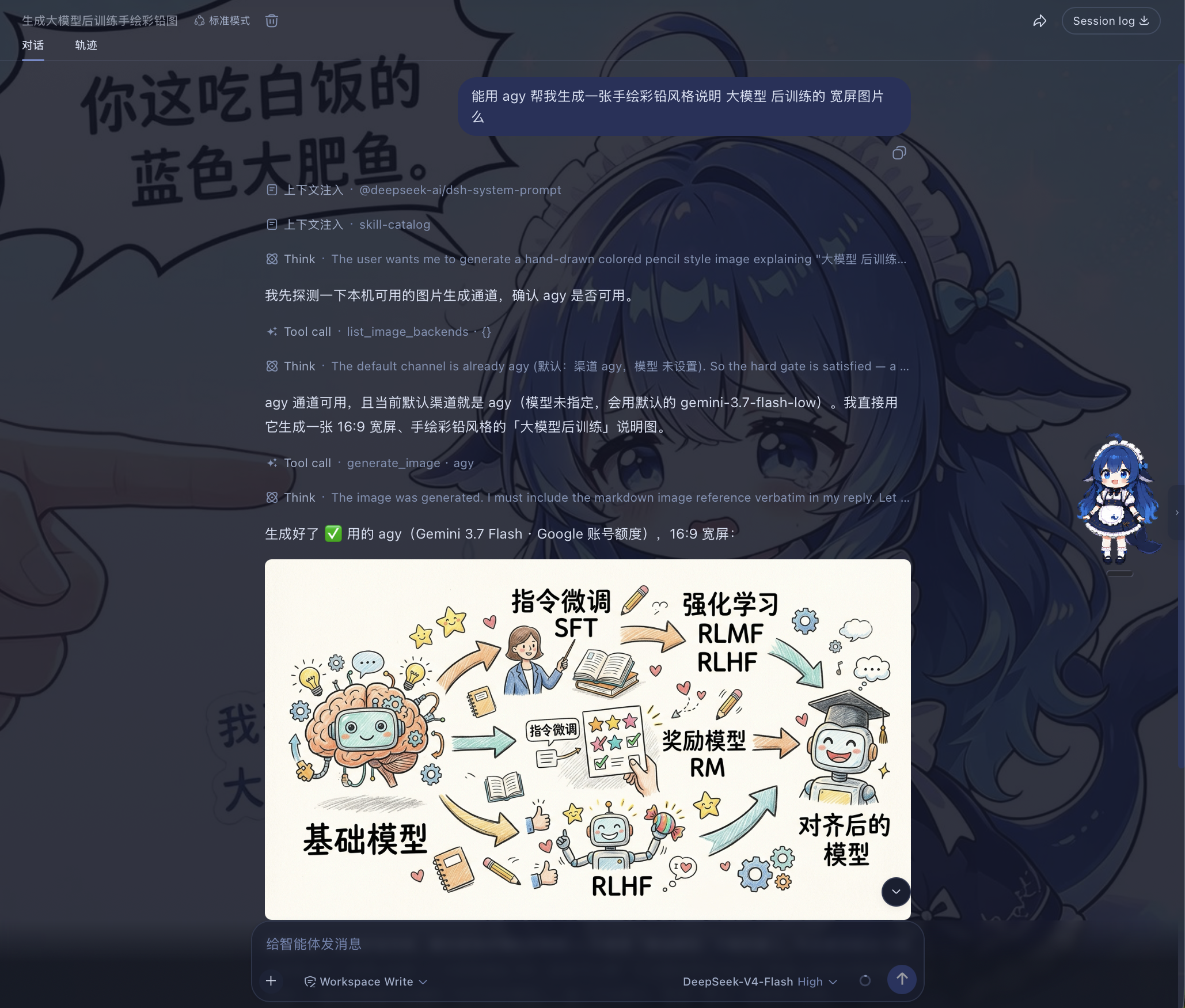
Image Recognition
Image recognition requires a local CLI: with any one of mmx / codex / agy installed, the analyze_image tool is available (any one suffices — no need to install all three); if none is installed the plugin still works, only image recognition is unavailable — calls return a "CLI not found" notice. Once a CLI is present, the tool reads an image (local path or http(s) URL) into structured JSON evidence — OCR full text and per-line text, layout regions in reading order, semantic entities and relations, visual notes, and an uncertainty list.
Read this image /tmp/screenshots/error.png and copy out the error text verbatim.
- Any model can use it: the tool drives the vision models on the CLI channels (MiniMax VLM / ChatGPT / Gemini); the current session does not need to switch to a vision model — the key difference from route-taking-over solutions like modlens.
- Contract ported from modlens: the same five-part evidence structure, deliberately without bounding boxes and confidence (the two fields vision models most easily fabricate).
- Channel selection:
mmx(fastest, direct VLM, ~3-8s) →codex(server-enforced JSON schema, most reliable) →agy(Gemini, weekly quota shared). Pin a default with thevisionBackendparameter ofset_image_default; otherwise it auto-picks by speed. - Graceful degradation: when a channel runs out of quota, say in the conversation to switch (the
backendparameter, or just "use codex").
Notes
- Currently tested only in the DSH Web profile.
- Images are kept in DSH process memory. Historical image links stop working after restart; save images you want to keep from the chat UI.
License
Links
More in this category
liustack/modlens★ 4076
Vision bridge for text-only models: paste an image, get structured JSON evidence (OCR, layout, semantics).
ysr666/dsh-vision-router★ 1129
Free vision for text-only agents: built-in keyless vision chain plus pixel tools (Q&A, grounding, crop, pixel diff, colors, OCR, SVG trace, cutout, screenshots); paste an image to use it.
Anionex/dsh-vision-toolkit★ 885
Vision for text-only models: paste an image and the model switches to a Vision Toolkit variant for image Q&A, multi-image comparison, long-screenshot OCR, screenshot-to-UI reproduction, element grounding, and pixel diff. No API key by default — images are processed by the author-hosted free service, 100 per machine per day; configurable to your own provider.
dickpy/dsh-imagegen★ 96
AI image generation for the DSH Web GUI: text-to-image and image-to-image through a configurable OpenAI-compatible endpoint (gpt-image-2 / gpt-image-1 / dall-e-3), with an api_url/api_key settings card and a sidebar split-pane generation studio.
fandc520/dsh-comfyui★ 89
Drive a local or remote ComfyUI server from DeepSeek Harness: comfyui_run / comfyui_object_info / comfyui_workflow tools generate and edit images and videos, with a workflow library (graph extraction: per component / main flow / all), a load area with resolution auto-match, a live queue, SDXL and Wan 2.1 templates, a companion skill, and a same-origin media proxy.
sunxin-ai/dsh-design-qa★ 44
Design-fidelity QA for text-only models: a `deepseek_vision` tool borrows an eye from any OpenAI-compatible vision route, so the model can judge whether an implementation matches its mock — shipped with the benchmark behind that judgement (four fixtures, 23 injected defects, raw transcripts) and the questioning discipline it depends on.
Community comments
Comments are public GitHub Discussions. Loading them connects to GitHub and Giscus; a GitHub account is required to post.