Detects which conversation model an account is being served: launches concurrent throwaway probe conversations, scores each streaming chain-of-thought by how its paragraphs open, and cancels probes that read as the older model within seconds. Includes an offline self-check that replays 13 hand-labelled chains-of-thought through the same classifier.
Install
# from npm (prebuilt)
dsh plugin --profile web add dsh-plugin-rollout-scout
# from GitHub (first run asks for allowBuilds approval — follow the hint, retry)
dsh plugin --profile web add github:SpookySandwich/dsh-plugin-rollout-scout
Any plugin you install runs third-party code with your own permissions — it can read your files, use your credentials, and reach the network, and tool approvals don’t sandbox it. GitHub-sourced plugins also run build scripts at install time — pnpm blocks those until you allow them, so an install can stop with ERR_PNPM_GIT_DEP_PREPARE_NOT_ALLOWED or ERR_PNPM_IGNORED_BUILDS; dsh prints the exact key to add under allowBuilds in your profile’s pnpm-workspace.yaml, and the install works on the next run. Allowing a build is a trust decision: only install sources you trust, and pin a commit (github:owner/repo#sha).
README
English | 简体中文

Providers sometimes roll a new conversation model out gradually, so which one you get is luck of the draw. Rollout Scout opens throwaway conversations on your own account, reads each one's chain-of-thought as it streams, and scores how the reasoning is written — cancelling the ones that read like the model you already have, and keeping the ones that don't.
It is a curiosity tool built on phrase heuristics, not an oracle. Everything it does, you could do by hand: start a chat, glance at the reasoning, close the tab.
How it decides
The signal is in how each paragraph opens — not how often a phrase appears overall. A running tally of "Let me" drifts negative with length alone, so a long, perfectly good chain-of-thought eventually accumulates enough of them to look bad. Counting openings keeps the measure per-paragraph.
Only the first 48 characters of a paragraph are ever read. The phrase rarely sits at character zero:
The directory is empty. Let me create a 3D cyberpunk scene. To avoid conflicts, I'll keep I18n.cs edits under one change.
Two signals are decisive, and they are deliberately asymmetric:
| Signal | Effect |
|---|---|
Let me opening any paragraph |
Old model — cancel the turn immediately |
I'll opening the whole chain-of-thought |
Rollout model — let it finish and keep it |
I'll counts as proof only at the very start, because old-model reasoning happily opens a middle paragraph with "I'll create a single HTML file…" and then says "Let me build…" three paragraphs later. Treating every I'll as proof produced false positives.
When neither fires, the remaining openings feed a score:
bonus      = (even paragraphs ? 1 : 0) + (any stall ? 1 : 0)
confidence = (positive openings + bonus + 1) / (classified openings + bonus + 2)
The bonus counts the summariser's shape as evidence in its own right, so a
chain-of-thought with even paragraphs and a stall reads above 50% before a single
opening has been classified. It only moves the number: keeping still needs
Min. openings real openings behind it.
A paragraph opening is scored as soon as 48 characters have arrived, even if the model never inserts a newline. Let me later in the chain-of-thought overrides an earlier keep.
The rollout path often uses a small model to summarise the chain-of-thought. That summariser commonly starts We need to… (so a first-paragraph we is only a negative opening, not a kill), writes even, essay-sized paragraphs, and streams in bursts with stalls in between. Those three are positive evidence of the new pipeline. The old model is irregular — one blob, or mixed tiny Let me lines.
Positive openings are the first-person singular planning voice — I'm, I am, I've, I have, I need, I think, I also, I will, and a leading For. Negative openings are Let me / Let's and any first-person plural in the opening (we, we need, we will, we'll, …). The rollout model reasons in "I", not "we". The add-one prior keeps a thin sample near 50% instead of swinging to a confident verdict off one word:
| Evidence | Confidence | Verdict |
|---|---|---|
| nothing yet | 50% | keep watching |
| 1 positive, 10 negative | 15% | discard |
| 5 positive, 0 negative | 86% | keep |
A probe is discarded below discard below (0.35) and kept above keep above (0.7), but only once min. openings (4) have been classified. One that opens ten paragraphs without a single positive is given up on, and a chain-of-thought that is mostly Chinese (80%+ of its letters) is discarded on sight — quoting a Chinese prompt inside English reasoning does not count.
To leverage latency and throughput characteristics of rollout pipelines, two early-discard filters are available:
- Maximum TPS limit: Rollout models often generate at ~40–50 chunks/s, whereas old models stream significantly faster. Once streaming throughput exceeds the limit (default 60 chunks/s), the probe is discarded immediately.
- Minimum First-Token Latency (TTFT): Old models often start streaming very quickly (< 1–2s). Set a minimum TTFT threshold (default 2.0s) to discard probes that respond too fast right on the first token.
The classifier is covered by tests over hand-labelled transcripts, alongside tests for the route guards, the launch loop's failure behaviour, and the rules about deleting sessions:
npm test
The console
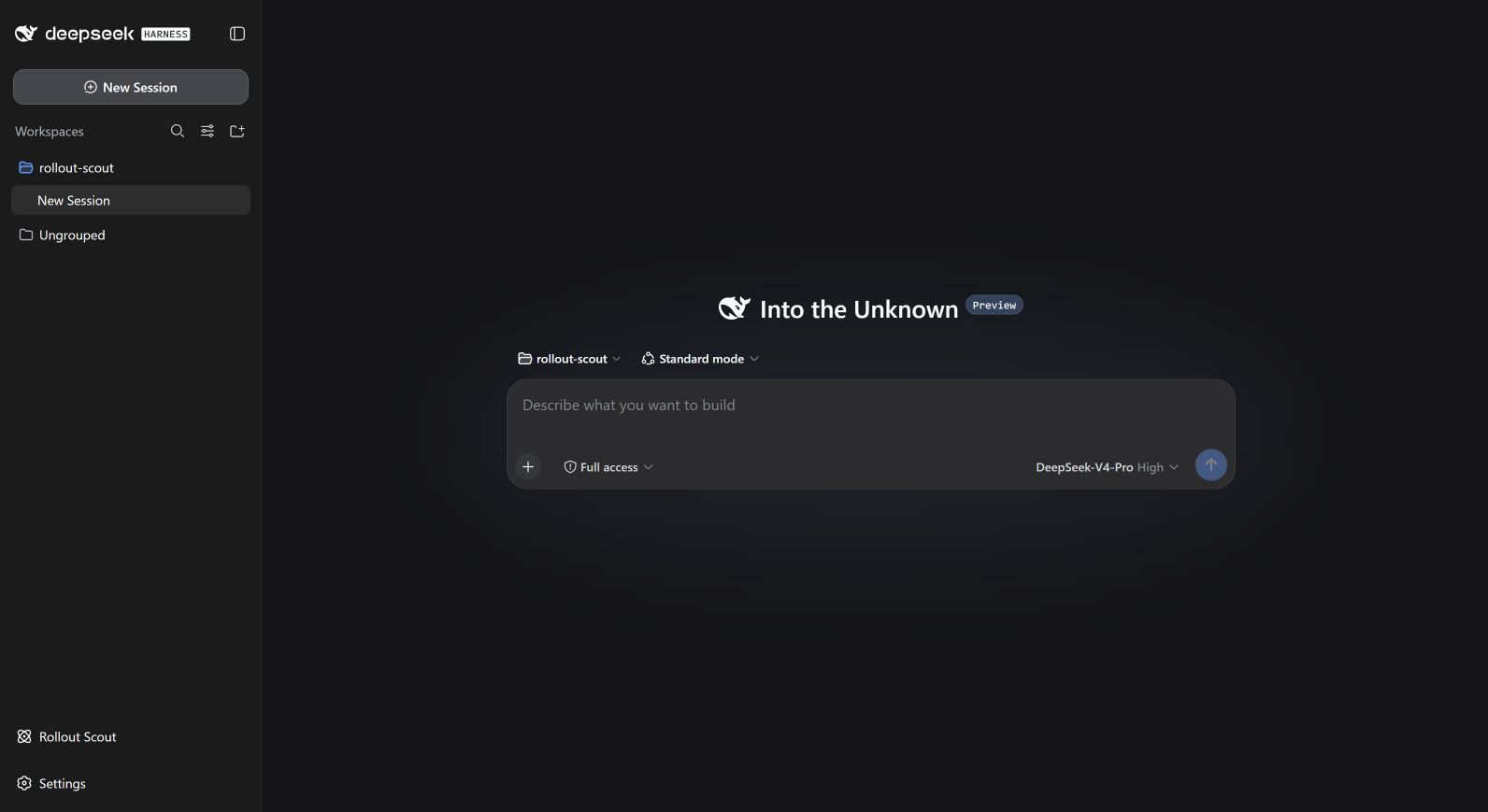
Rollout Scout sits at the sidebar foot, beside Settings, and opens the full-frame console described below. It is a sidebar.footer.action entry, so it matches the shell's own rows and collapses to a single icon when the sidebar folds to the rail.
Left — the probe prompt, model (default V4-Pro / High), concurrency, folder, and the four scoring thresholds. Below them sits the self-check, then the switches: TPS speed limit, first-token latency window, auto-pause on a strong match, discard Chinese reasoning, delete old-model probes from disk. The long explanation of the scoring rules folds away behind How scoring works rather than sitting between the controls.
The actions live in a footer under the column, so they stay put while the settings scroll, and are ordered by weight: Start / Pause on its own, Force stop and Clear finished beside each other, and Delete all sessions as plain text — it should not look like something you press by accident.
Under the scoring thresholds sits a self-check: Self-check 13/13 · known rollout samples kept 5/5. It runs thirteen hand-labelled chains-of-thought through the same classifier a live probe goes through, under whatever settings are currently in the form — no tokens, no probes. Tighten Keep above past what a labelled catch can reach and it turns amber and names the samples you just excluded. It is how you tell nothing found apart from nothing findable, which otherwise look identical from the console.
Right — launched / live / kept / discarded / best score, above a newest-first queue that keeps flowing as probes launch and leave. Each row has a score meter, matched phrases, and a preview. Hovering pins only that card at its current screen position, labels it pinned, and reveals Keep, while every other row keeps moving normally; a fading card also stops fading and cannot disappear under the pointer. Click a card to open the conversation. Clicking straight into it carries that temporary rescue across the transition until the pointer moves again. Ordinary unpinned, unkept rows show no retention control; to keep a probe for good, press Keep while hovering it.
Pinning requires an explicit host acknowledgement for that exact pointer gesture. A rejection, timeout, or mismatched acknowledgement removes the local pin instead of displaying a state that has no real keep-alive authority.
Start asks you to check your notifications first — a run opens a lot of conversations, and DSH Desktop can announce every one of them. Probe prompts are sent as plugin messages so they raise no toast of their own, and the dialog shows whether desktop notifications are on and offers to switch them off. Tick Do not show this again to skip it in future.
Start becomes Pause, which stops launching, cancels the probes already judged as the old model, and lets the undecided ones reach their own verdict. Then Resume. Force stop aborts everything still in flight.
A probe judged old fades for about 3 seconds (a thin line at the bottom of the card) while the turn is still running, then cancels. That deadline is established only on the first old verdict; later streaming chunks cannot reset it. Hovering pauses and saves the remaining time, and mouseleave resumes only that remainder rather than granting a fresh 3 seconds. Only Keep keeps it.
Keep, revealed while hovering a card, is a promise about the conversation on disk: it is never faded, swept or deleted, and the promise survives a plugin reload. It does not make a token-spending turn unstoppable — Force stop still ends the active turn while preserving both the conversation and its Keep mark. Probes that finish as a confident catch are kept automatically. A retained row keeps showing Kept; click it again to hand the conversation back to cleanup rules.
Probes are named in the sidebar as you go — Rollout probe 12 while running, and ★ Rollout catch 12 · 87% once one is caught, so a hit is obvious in a list full of probes. Rename on a kept card lets you name it yourself; naming one keeps it.
Clear finished removes completed probes from the list and deletes those conversations from disk. Delete all sessions wipes every probe in the folder — including ones already cleared from the list — and resets numbering so the next run starts at probe 1.
If Rollout Scout's durable ownership record contains probe conversations that the current console has no cards for — left by a plugin reload, an upgrade, or an app restart — a banner offers to sweep them. Only session IDs generated and recorded by the plugin qualify; DSH's blank workspace placeholder and ordinary conversations opened in the same folder are never inferred to be probes.
The v3 ownership record keeps owned, protected, and deleting as separate states. Physical removal is permitted only after the session has durably entered deleting, so a reload can resume an interrupted cleanup without treating every unprotected ID as a half-finished delete. Keep is fail-closed inside the running app: if its disk write fails, the card remains protected and shows Retry Keep (or Retry Unkeep) instead of reversing the user's request. Retry before restarting, because no application can reconstruct an intent that the filesystem never accepted.
Both refuse to touch a probe that is still streaming or draining resources, including a kept one. Pause stops launching but leaves probes in flight, so Delete all sessions asks you to Force stop first and waits for host teardown before unlinking any log that may still be written to. The probe folder may not be your home directory, a drive root, or anywhere inside ~/.dsh — deleting is scoped to that folder, and those would put unrelated conversations in its path.
If three probes in a row fail to even start — provider unreachable, folder unwritable — the run stops itself and reports the error instead of relaunching into the same failure forever. Resume tries again.
The run lives on the host, so it keeps going when you close the console — the sidebar row carries a status pip on its icon (pulsing while scouting, grey when paused, green on a catch), a live count in the wide column, a green badge with the number caught, and the tried count and best confidence so far on hover. In the rail the pip is the whole signal, which is why it sits on the icon rather than in the label.
Install
dsh plugin --profile web add dsh-plugin-rollout-scout
Restart DSH afterwards: the host half loads with the server. The interface follows DSH's display language (English / 中文).
Installing from the repository also works and tracks master rather than the last release:
dsh plugin --profile web add github:SpookySandwich/dsh-plugin-rollout-scout
web is the profile name — use whichever profile you actually run. The standalone harness boots web; DSH Desktop uses desktop. ~/.dsh/profiles/ lists the ones you have, and the installed bundle ends up in that profile's package.json.
lib/client.js is a generated bundle but it is committed, so a repository install needs no build step. If you edit plugin.client.js, run npm run build to regenerate it (npm test does this too), and commit the result.
How it works
- The host half serves
/rollout-scoutand creates each probe as a brand-new session withctx.agents.create(no seed), setting model and reasoning effort throughinstallModelSelection. - Probe prompts are sent as plugin-sourced messages, which is what keeps a run from announcing itself once per probe.
- It subscribes to
session/eventscoped to that one agent and readsreasoning-deltachunks offassistant/chunk— the chain-of-thought as it streams — classifying on every chunk. - A verdict against calls
agent.cancelto interrupt the turn; a verdict for lets it run toturn/end. While streaming, the last paragraph is withheld because its opening may be half-written; at turn end the complete text is re-classified. - Probes are created in the folder you choose, which becomes a workspace. Old-model probes can be deleted from disk.
/rollout-scoutlistens on a local port, so it is guarded like one: writes require anapplication/jsoncontent type (which forces a CORS preflight that is never answered) and a cross-originOriginis refused. A page you happen to be visiting cannot make it start or delete anything.
Implementation notes live in docs/ — architecture and the harness behaviour this depends on.
Compatibility
Version 1.6.0: Load on official dsh 0.2.0-rc.2. Probe cleanup still uses sessionPersistence.locate, and live scoring still reads agent/assistant-stream.
Version 1.5.0: Consume transient agent/assistant-stream frames on DSH 0.1.5, retain the legacy feed without duplicate counting, and unwrap persistence snapshot headers for cleanup.
The declared host range is >=0.2.0-rc.2 <0.3.0-0; official dsh 0.2.0-rc.2 satisfies it. Keep the previous plugin release on older DSH. Validation record.
Download the archive from the GitHub Release, then run dsh plugin --profile desktop add ./dsh-plugin-rollout-scout-1.6.0.tgz.
This release targets DSH 0.2.0-rc.2. Run npm ci, npm test, and npm run check:package to verify the build and package. Restart DSH after updating.
The launcher takes a sidebar.footer.action seat (a list slot, so it sits beside any other footer action rather than displacing one) and the console renders on the frame-wide shell.overlay layer. Neither is per-session, so it conflicts with no session plugin. Requires a DSH whose sidebar declares that seat; without it the console has no way in. Part of the same family as dsh-plugin-smooth-stream, dsh-plugin-no-workspace and dsh-plugin-message-edit.
A note on cost
Every probe is a real turn against your own quota. Discarded ones are cancelled within a second or two, but a run left going will keep launching until you stop it. Concurrency and the thresholds are yours to tune.
License
MIT © SpookySandwich
Links
More in this category
V1ki/dsh-plugin-subscriptions★ 422
Use ChatGPT (Codex), Claude, and Grok subscriptions as DeepSeek Harness LLM providers, with Settings login, model catalogs, usage, plus image_generate, video_generate, and x_search tools.
Mars-Sea/dsh-commandcode-provider★ 370
Unofficial Command Code LLM provider: registers a `commandcode` route with a live model catalog and reasoning-effort support.
corrinehu/dsh-workbuddy-connect★ 303
Brings the models in the WorkBuddy desktop app straight into DeepSeek Harness — zero configuration in the DSH chat.
cv-superding/dsh-deepseek-web-login★ 230
Adds a deepseek-web provider that uses chat.deepseek.com web models in DSH, with browser login capture, PoW request signing, SSE streaming, and prompting-based tool calls.
FishBottle7/opencode2dsh★ 143
Exposes OpenCode Zen free models to DeepSeek Harness, with no API key.
WSL043/dsh-codex-subscription★ 142
ChatGPT OAuth provider for Codex models with subscription web search, quota and safe reset, image tools, Fast mode, and model-aware context; no API key or Codex CLI.
Community comments
Comments are public GitHub Discussions. Loading them connects to GitHub and Giscus; a GitHub account is required to post.