Blender 3D studio workbench, 6 tools (`blender_health`, `blender_project`, `blender_render`, `blender_script`, `blender_bridge`, `blender_assets`) and 9 bundled skills for Blender 3.6–5.x: Headless CLI rendering with Cycles GPU auto-detection (stills, 2×2 four-view contact sheets, single-launch multi-shot batches, MP4 animation, GLB/FBX/OBJ/STL/.blend export), optional loopback Live Bridge add-on with one-click install and direct camera/object/material controls, 8 templates + 5 engineering exemplars with live lookdev overrides and auto-wired HDRI/3D asset import, 24 `DSH_KIT` helpers, `QC-3D` audit, 4-stage pipeline, script checkpoints/patching, offline binary GLB 3D mesh viewer, A/B render compare, optional Poly Haven CC0 search, and 13 workbench themes.
Install
# from npm (prebuilt)
dsh plugin --profile web add dsh-blender-studio
# from GitHub (first run asks for allowBuilds approval — follow the hint, retry)
dsh plugin --profile web add github:STARDUSTLC666/dsh-blender-studio
Any plugin you install runs third-party code with your own permissions — it can read your files, use your credentials, and reach the network, and tool approvals don’t sandbox it. GitHub-sourced plugins also run build scripts at install time — pnpm blocks those until you allow them, so an install can stop with ERR_PNPM_GIT_DEP_PREPARE_NOT_ALLOWED or ERR_PNPM_IGNORED_BUILDS; dsh prints the exact key to add under allowBuilds in your profile’s pnpm-workspace.yaml, and the install works on the next run. Allowing a build is a trust decision: only install sources you trust, and pin a commit (github:owner/repo#sha).
README
简体中文 · English
Blender 3D Studio
Build precision 3D assemblies, batch-render multi-camera lookdev packs in one launch, tune live lookdev overrides, inspect GLBs in 3-light Phong, direct live Blender scenes over Bridge v2, and render with Cycles GPU inside DeepSeek Harness.
Ships with the OP-DSH 3D Studio Workbench (featuring zero-dependency .glb 3D Mesh Viewer v2, Multi-Shot Filmstrip, Live Lookdev overrides, and A/B Render Compare), Headless Blender CLI with Cycles GPU auto-acceleration & single-launch render_shots, the 24-helper DSH_KIT v2 Hard-Surface & Cinema PBR Library, 5 live-repaintable Pro Engineering Exemplars + 8 starter templates, Live Bridge v2 direct controls & 1-click installer, and 9 Blender 3.6–5.x skills.


Features · Built-In Pro Exemplars · Install · Workflow · Full Reference · Live Bridge Guide
Built-In Pro Exemplar Showcase
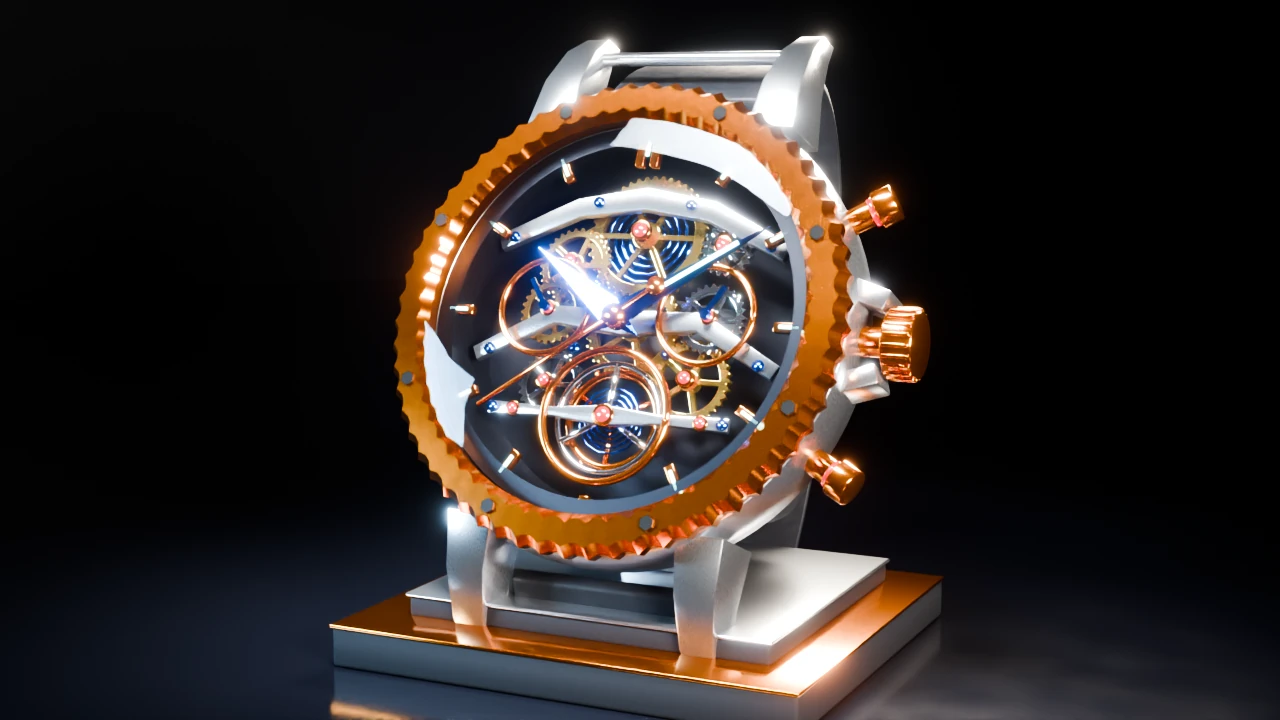
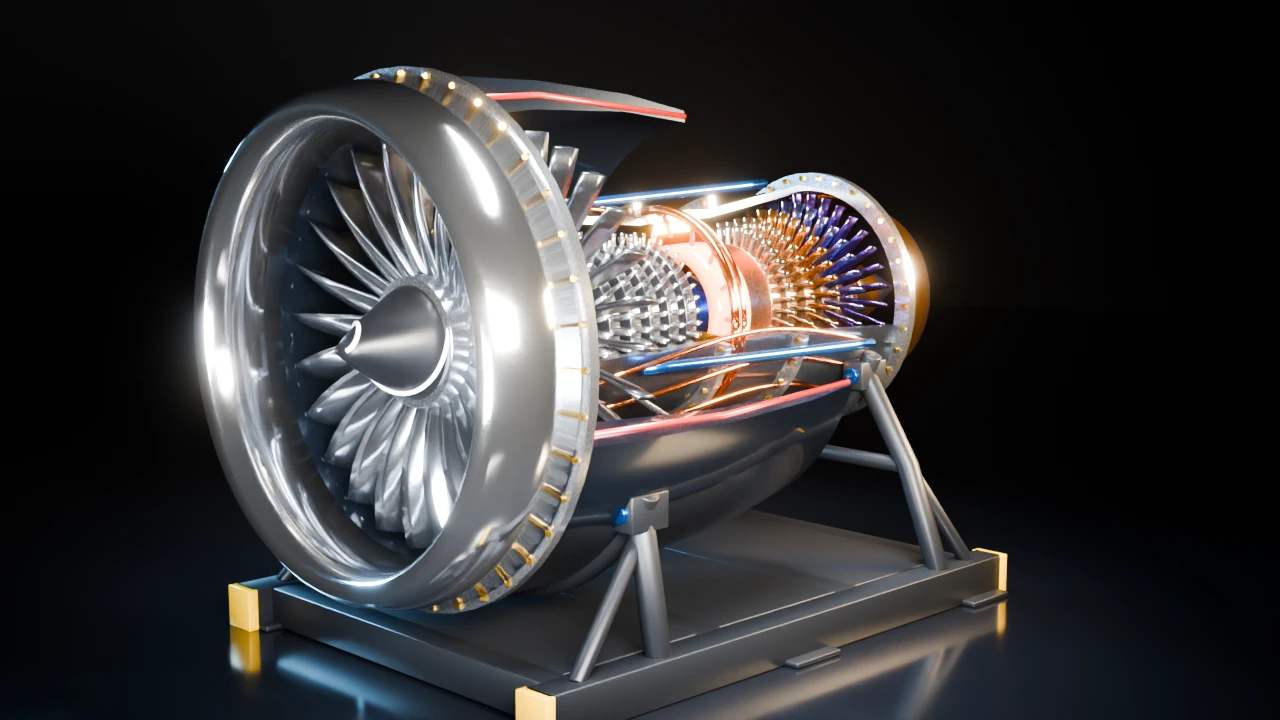
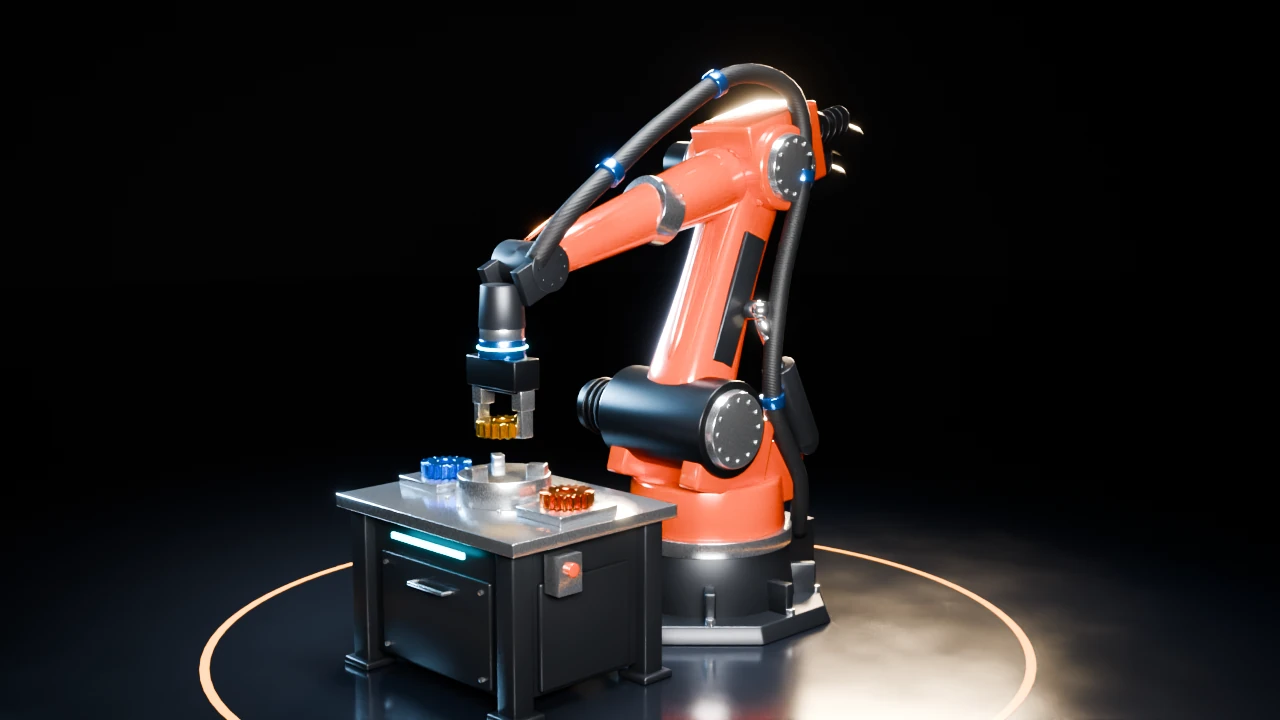
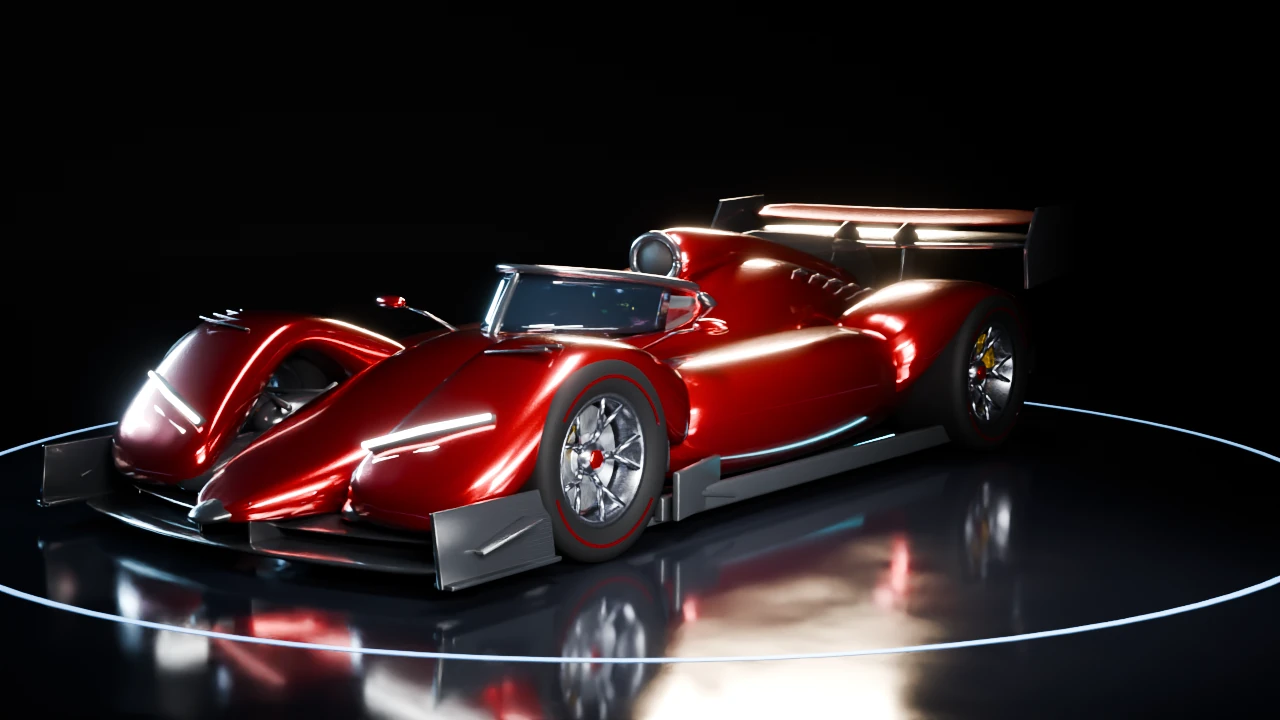
All five mechanical engineering & horology masterpieces below ship directly inside dsh-blender-studio v0.4.0 (launchable in 1 click from the Workbench Library or via blender_project(action: 'create_from_exemplar') and readable as few-shot bpy references; every exemplar responds live to accentColor, lensMm, exposure, and clayMode without code edits). Verified end-to-end on Blender 5.3.0 Cycles + OpenImageDenoise + AgX at QC-3D 100/A with zero issues:
| NEW · CHRONO-X1 Skeleton Tourbillon Watch (34 objs · 13.1K polys · 64 spp Cycles OPTIX · Live Repaintable) |
|---|
 |
| AERO-X900 Cutaway Turbofan (37 objs · 64 spp Cycles) | KUKA 6-Axis Robot Arm Workstation (42 objs · 64 spp OPTIX) |
|---|---|
 |
 |
| APEX-09 Cyber GT Hypercar (81 objs · 96 spp Cycles) | VANGUARD H-145X Twin-Turbine Helicopter (43 objs · 64 spp Cycles) |
 |
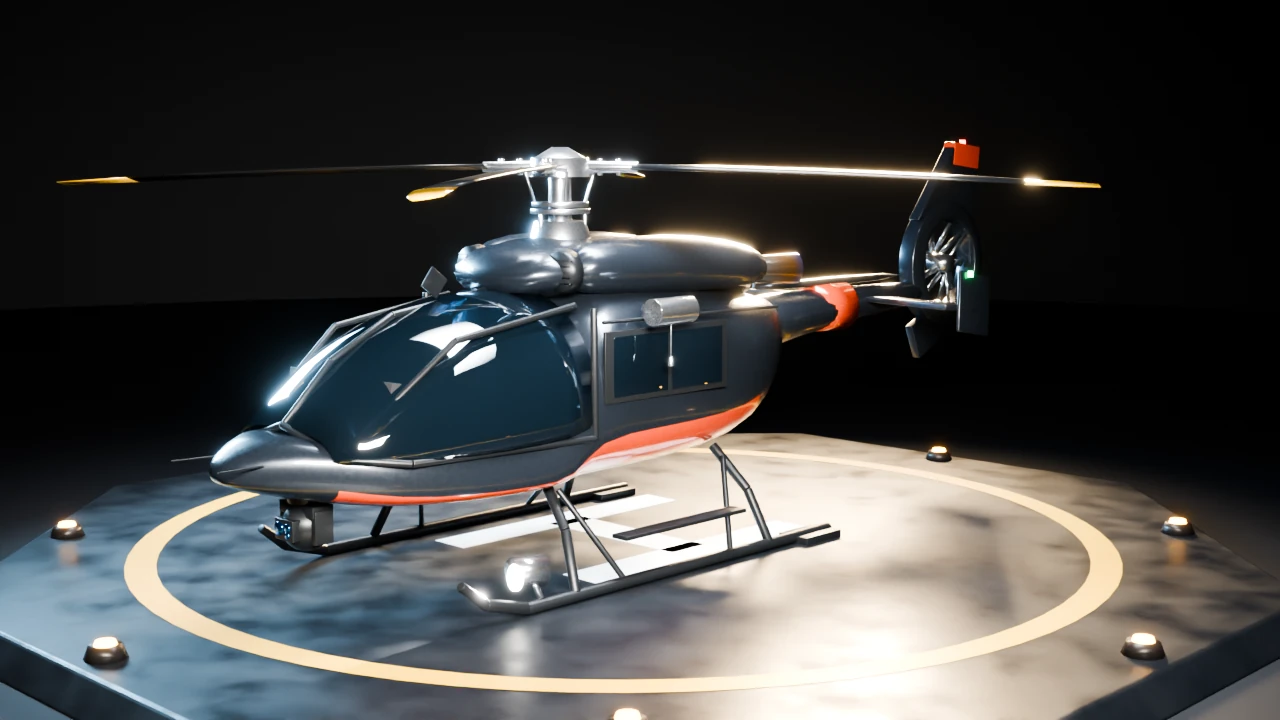 |
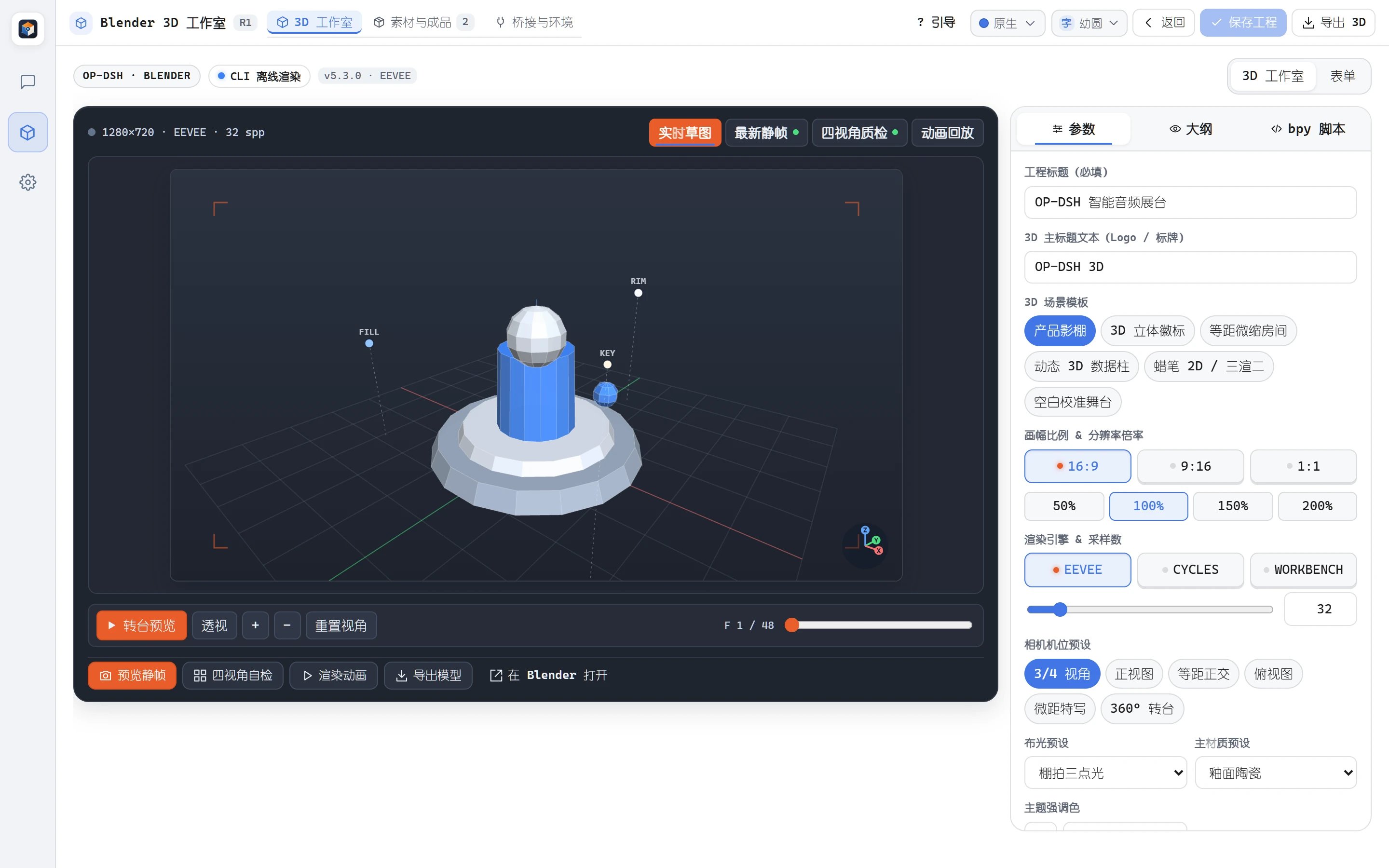
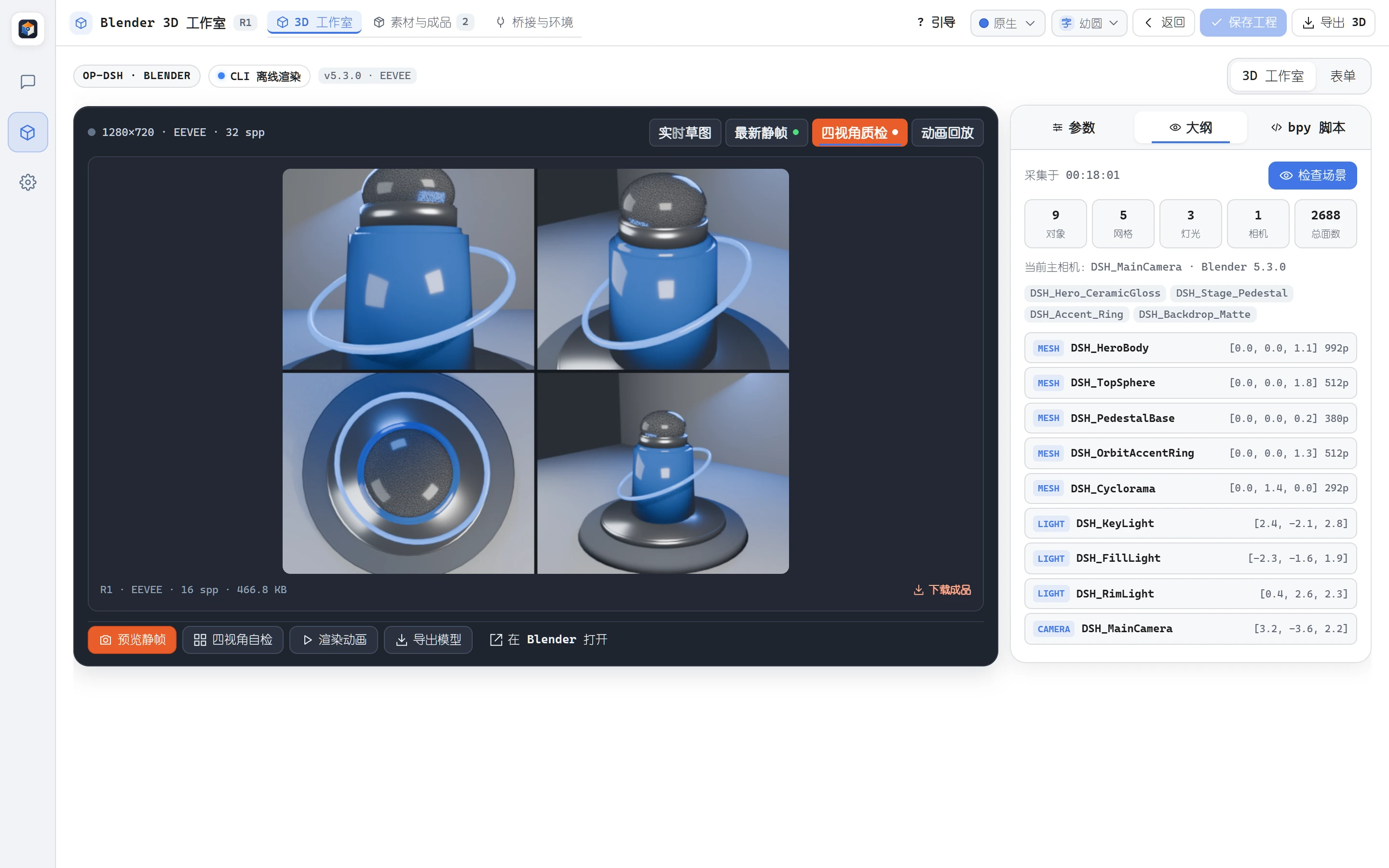
Captured in a local DeepSeek Harness environment with live Blender 5.3.0 Cycles & EEVEE renders.
Features
| Pillar | Capabilities |
|---|---|
| OP-DSH 3D Studio, GLB Viewer v2 & Shot Filmstrip | Zero-dependency Canvas 3D stage (8 template silhouettes, shortcuts Space/1–4/R/Ctrl+S, Live Lookdev controls for lensMm 18–135 mm, exposure -3..+3 EV & clayMode), pure-JS .glb 3D Mesh Viewer v2 (3-light studio Phong shading, Shaded / Shaded + Wire / Clay / Wireframe, Shift+Drag & right-click pan, 1-click PNG Snapshot, plus previewing uploaded .glb assets), clickable Multi-Shot Filmstrip, and A/B Render Compare across still / contact_sheet / shot |
Single-Launch Multi-Shot Pack, 24-Helper DSH_KIT v2 & Patch |
render_shots Multi-Camera Batch: builds the scene once in a single Blender launch and renders 1–5 editorial camera presets (hero_3q / low_dramatic / macro_dof / side_profile / top_plan, artifact retention raised to 20); 24 cross-version dsh_* helpers, surgical patch_script (pre-write safety scan + 10 auto-checkpoints), and 1-click 4-stage pipeline (Draft / Studio / Beauty Cycles) |
| Cycles GPU Auto-Acceleration & Live Bridge v2 Direct Controls | Track A (Default): Auto-detects local Blender 3.6–5.x and Cycles GPU backends (OPTIX/CUDA/METAL/HIP/ONEAPI with safe CPU fallback) via computeDevice, plus drag-and-drop auto-wired HDRIs & GLB/OBJ/FBX/STL models; Track B (Optional): 1-click installer for loopback-only dsh_blender_bridge.py (0.4.0), adding Undo-safe structured direct controls (set_camera / transform_object / set_material) from both the Workbench and Agent tools; Track C: 1-click open .blend in desktop Blender |
| 8 Templates + 5 Exemplars, 6 Tools, 9 Skills & Safety | 8 starter templates + 5 live-repaintable QC-3D 100/A Pro Engineering Exemplars, 6 Agent tools, 9 open-format skills, 256 KB custom scripts, 13 NodeSocket-safe static checks, UUID optimistic locking, opt-in allowlisted Poly Haven CC0 client, and 13 bright themes × 8 dual-layer fonts |
Install
Open Plugins in the DSH desktop app and install dsh-blender-studio, or use the CLI:
dsh plugin --profile desktop add dsh-blender-studio
For the web profile, replace desktop with web and restart DSH. Requires DSH >=0.2.2-rc.3 and Node ^22.19.0 || >=24.0.0.
Start using it
- Verify local Blender & Cycles GPU: Open Blender 3D in the sidebar and check Bridge & Env to confirm auto-detected Blender
3.6–5.xand GPU acceleration (OPTIX/CUDA/METAL/HIP/ONEAPI, toggleable betweenAuto/GPU/CPU). - Start from Templates, 5 Pro Exemplars, or
DSH_KITv2: Pick any of the 8 starter templates or launch one of the 5 Pro Exemplars in 1 click from the Library, then dialaccentColor,lensMm(18–135 mm),exposure(-3..+3 EV), andclayModelive without touching Python. - Drag-and-drop auto-wired assets & inspect
.glb: Drop local HDRIs (.hdr/.exrauto-light the World), textures, or 3D models (.glb/.obj/.fbx/.stlauto-normalize & ground on stage) in Assets & Exports. Inspect both exported and uploaded.glbmeshes in 3D Mesh v2 with 3-light Phong, wireframe overlay, pan, and PNG Snapshot. - Multi-Shot Lookdev Pack,
QC-3D& A/B Compare: Run Multi-Shot Pack (render_shots) to renderhero_3q,low_dramatic,macro_dof,side_profile, andtop_planin one Blender launch, browse frames on the Shot Filmstrip, wipe revisions in A/B Compare, or run Pipeline for chainedQC-3D+ 4-View QC + Cycles GPU render + GLB export. - 1-Click Live Bridge v2 Direct Controls: Click Install Add-on to Blender in Bridge & Env (
dsh_blender_bridge.pyv0.4.0), start the server in Blender (N → DSH Bridge), then sync scenes and drive live Undo-safe camera framing, object transforms, and PBR material repainting from the Workbench Direct Controls orblender_bridge. See Live Bridge Guide.
Example prompts
Create a project from the built-in
chronograph-tourbillon-watchexemplar, repaintaccentColorto#E11D48(crimson rose gold), setlensMmto85andexposureto0.3, and runblender_render(action: 'render_shots', shots: ['hero_3q', 'macro_dof', 'low_dramatic', 'top_plan'], qualityTier: 'studio')to render a 4-shot lookdev pack in one launch.
Follow
blender-production-pipelineusingDSH_KITv2 to build a concept gas turbine. EnableclayMode: truefor a 2×2 clay QC sheet first, confirmQC-3D 100/A, then disableclayModeand runpipeline(qualityTier: 'beauty') with Cycles GPU to render the beauty still and export GLB.
Sync this project into my open Blender window via
blender_bridge, frame an 85mm shallow-DoF closeup withset_camera, repaint the hero chassis metallic cobalt withset_material, and capture the viewport.
Before you start
- Local Blender required: The plugin does not bundle the Blender binary. Install Blender 3.6–5.x locally; if it is outside your default
PATH, setDSH_BLENDER_EXECUTABLEor configure the path in Bridge & Env. - Safe defaults: Custom
bpyscripts and surgicalpatch_scriptupdates pass 13 static safety rules before writing or running (blocking shell calls, destructive deletion, network sockets, and path traversal without false-positiving on BlenderNodeSocketcode). Poly Haven CC0 downloads are opt-in and host-allowlisted; Live Bridge binds exclusively to127.0.0.1withauto_startoff by default. - Portable skills: All 9 bundled skills in
skills/use the open Agent Skills (SKILL.md) format and can be copied into Claude Code, Cursor, Gemini CLI, or OpenAI Codex.
Plugin updates
Check updates at the bottom of the workbench or native plugin details. Automatic checks are on by default; automatic installation is off, and installs pause whenever render jobs are running or unsaved drafts exist. Suite-managed components update with their bundle.
Documentation & feedback
- Full Reference (Tools, HTTP API &
DSH_KITv2) · Live Bridge v2 Protocol & Direct Controls · Changelog · Validation Matrix - Stars, Issues, and PRs are welcome (include plugin + Blender versions and strip tokens/secrets first).
License
Links
More in this category
Tencent/WeKnora#dsh-weknora★ 38236
Four read-only tools over a WeKnora knowledge base: list knowledge bases, hybrid passage search, reassemble one document's chunks in order, and WeKnora's own cited RAG or ReAct-agent answer with a resumable session id.
DayuanJiang/next-ai-draw-io#dsh-plugin★ 37190
Draws draw.io diagrams in DeepSeek Harness through the next-ai-drawio MCP server: the link in the reply opens a live preview in the right sidebar, you can edit the diagram by hand, and each AI change is a version you can restore. Node.js 18+; npx downloads the MCP server on first use.
superdesigndev/treg★ 9111
Tool catalog for agents: search ~2,600 external endpoints (SEO and SERP, backlinks, social, people and company enrichment, ad libraries, scraping) by the task you want done, read each one's parameters and per-call price, then call it with the credential injected server-side. Ships the skill plus an MCP row that stays disabled until TREG_TOKEN is set.
T-Auto/dsh-ops★ 6016
Provides bash, PowerShell 7, and high-performance Rust tools for DSH on Windows to reduce token usage.
helloHub1212/dsh-windows-mcp★ 2563
Bridges the CursorTouch/Windows-MCP desktop automation server into DSH through the official MCP client bridge, registering its screenshot, UI tree snapshot, mouse and keyboard input, clipboard, process and registry tools as mcp__windows__* tools for the model, and adds a windows_mcp_doctor diagnostic tool. Computer Use is off by default and is switched on from the plugin panel.
sixtysevenlf/dsh-blender-plugin★ 2280
Lets a DSH agent drive a local Blender over a direct TCP channel with 15 tools: viewport frames, custom-angle renders, Python execution, headless and job offload, transaction rollback, and a planning layer of 228 ops across 34 families.
Community comments
Comments are public GitHub Discussions. Loading them connects to GitHub and Giscus; a GitHub account is required to post.