Semantic retrieval, resource management, auto-recall (user + agent dual spaces) and session memory for DeepSeek Harness: memsearch/memfind/memread/membrowse/memgrep/memglob over viking:// URIs, memadd/memremove resource management, memqueue observer status, memcommit session capture, and memlearn skill playbook minting.
Install
# from GitHub (first run asks for allowBuilds approval — follow the hint, retry)
dsh plugin --profile web add github:Rxiain/dsh-openviking
Any plugin you install runs third-party code with your own permissions — it can read your files, use your credentials, and reach the network, and tool approvals don’t sandbox it. GitHub-sourced plugins also run build scripts at install time — pnpm blocks those until you allow them, so an install can stop with ERR_PNPM_GIT_DEP_PREPARE_NOT_ALLOWED or ERR_PNPM_IGNORED_BUILDS; dsh prints the exact key to add under allowBuilds in your profile’s pnpm-workspace.yaml, and the install works on the next run. Allowing a build is a trust decision: only install sources you trust, and pin a commit (github:owner/repo#sha).
README
简体中文 | English
dsh-openviking
OpenViking retrieval, resource management, auto-recall (user + agent dual spaces) and session memory for DeepSeek Harness.
Features
| Tool | Description |
|---|---|
memsearch |
Semantic search (auto/fast/deep; deep uses session context) |
memfind |
Fast semantic find without session context |
memread |
Read a viking:// URI (abstract/overview/read/auto) |
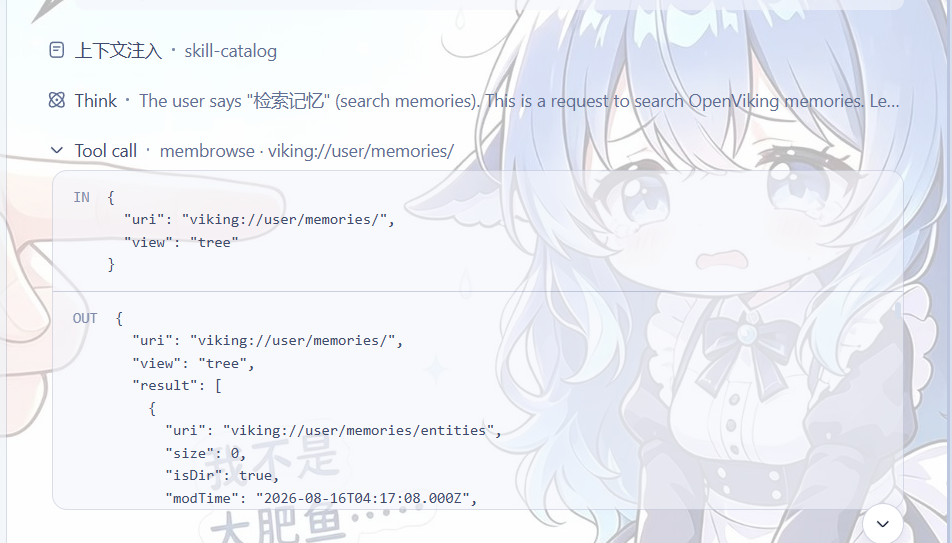
membrowse |
Browse the viking:// filesystem (list/tree/stat) |
memgrep |
Exact/regex content search (default viking://resources/) |
memglob |
Enumerate files by glob pattern |
memadd |
Add a remote URL or local text file under viking://resources/ |
memremove |
Remove a resource — requires literal confirm: true |
memqueue |
Observer queue status |
memcommit |
Commit the current session and extract persistent memories |
memlearn |
Deliberately capture a lesson (merge into existing memory) or mint/update a skill playbook; secret-redacted, deduplicated, injected into the current turn |
Also: indexed repository context, auto recall via the context-injection channel, and session sync + auto commit.
Procedure-experience auto recall
Workflow questions about audit, recovery, compensation, replay, verification, remediation, diagnosis, migration, or ordered steps enable a dedicated procedure lane in addition to ordinary global recall. The plugin first filters cached user-memory leaf branches whose normalized paths contain markers such as 方法论, playbook, workflow, runbook, pattern, case, or skill, then searches at most 16 procedure branches. Each branch has a 3-second deadline; failures and timeouts degrade without failing the model step. When a candidate meets the existing relevance threshold, the best procedure result reserves one injection slot before ordinary user/agent results fill the remaining capacity. Existing token, deduplication, content-size, and plugin-context isolation rules still apply.
Human slash commands
When the DSH command registry is available, the plugin also registers a human-invoked slash command (see docs/commands.md):
| Command | Purpose |
|---|---|
/memlearn <lesson> |
Deliberate human-driven memory capture: the exact same redaction / dedupe / persistence service as the memlearn model tool, with no model turn; the raw input never enters the session log |
Why OpenViking?
| Dimension | Local file / SQLite approach | OpenViking approach (this plugin) |
|---|---|---|
| Recall | Keyword / FTS5 exact matching | Semantic retrieval: vector recall + L0/L1 abstract-layer targeting |
| Content forms | Only text you write yourself | Memories, resources and skills in one viking:// virtual filesystem; remote URLs and local files can be memadd-ed into the library as searchable resources |
| Context cost | Full-context injection or hand-trimmed summaries | Three tiers — L0 abstract (one sentence) → L1 overview (key points) → L2 full text — loaded on demand, saving tokens |
| Cross-tool | One memory silo per tool | One shared memory across tools: Claude Code, Codex, MCP clients, the ov CLI and DSH all read/write the same library |
| Maintenance | Manual curation | An observer queue does embedding, summarization and content reorganization automatically (memqueue shows the status) |
Quick start
Recommended: install OpenViking from the Web UI Plugin Manager page on
DSH 0.1.7+ (localized title + icon included). The CLI flows below remain as
a fallback:
# One-shot install from the GitHub repo (prebuilt lib/ included — no build
# authorization required):
sh install.sh [profile-name]          # default profile: dsh-openviking

# Or install manually:
dsh plugin --profile <name> add github:Rxiain/dsh-openviking
dsh --profile <name>
Config defaults point at http://localhost:1933. To override anything, put
the complete config under id: openviking in your profile's
cordis.patch.yml (patches replace the whole config, they don't merge):
- id: openviking
  config:
    # OpenViking HTTP service base URL
    endpoint: 'http://localhost:1933'
    # X-API-Key auth header; empty omits it. Prefer env binding; never commit real keys
    apiKey: !!js process.env.OPENVIKING_API_KEY ?? ''
    # X-OpenViking-Account tenant header; empty omits it
    account: ''
    # X-OpenViking-User user header; empty omits it
    user: ''
    # X-OpenViking-Agent agent header; empty omits it
    agentId: 'deepseek-harness'
    # Per-request timeout in ms; 1000–300000
    timeoutMs: 30000
    # Session-sync state file (`~` expanded); message ids only, never bodies or keys
    stateFile: '~/.dsh/openviking/state.json'
    # Inject the indexed-repository list into the prompt
    repoContext:
      enabled: true
      # Repository-list cache TTL in ms; 1000–3600000
      cacheTtlMs: 60000
    # Auto-recall relevant memories before each model step
    autoRecall:
      enabled: true
      # Max memories injected per turn; 1–50
      limit: 6
      # Minimum local relevance (semantic score + bounded lexical overlap); 0–1
      scoreThreshold: 0.15
      # Per-memory content cap in chars; 100–5000
      maxContentChars: 500
      # Injection budget ≈ tokenBudget × 4 chars; 100–10000
      tokenBudget: 2000
      # Also search the agent space (cases/patterns/tools/skills memories, skill playbooks)
      agentSpaces: true
      # Mid-message refresh every N tool steps; injects only new memories (0 disables)
      refreshSteps: 10
      # Memory map: injected at session start, then refreshed every N user turns (1 = start only, 0 = never)
      startupMapEveryTurns: 5
    # Auto-commit on a user-turn rhythm
    autoCommit:
      enabled: true
      # Commit after N uncommitted user turns (0 disables the turn trigger)
      turns: 3
      # Wall-clock fallback: flush dirty sessions older than this (after the first commit)
      intervalMinutes: 10
Create an account and API key
Admin commands need the root key (for a local service, usually in
~/.openviking/root_api_key.txt):
ROOT=$(cat ~/.openviking/root_api_key.txt)
printf '{"url":"http://localhost:1933","api_key":"%s"}' "$ROOT" > /tmp/ov-root.conf
export OPENVIKING_CLI_CONFIG_FILE=/tmp/ov-root.conf

ov admin create-account dsh --admin dsh-admin   # create account dsh + first admin; prints its key
ov admin register-user dsh dsh --role user      # register regular user dsh in account dsh; prints its key
ov admin regenerate-key dsh dsh                 # regenerate a key (old key immediately invalidated)

unset OPENVIKING_CLI_CONFIG_FILE && rm -f /tmp/ov-root.conf
Put the returned key in the plugin's apiKey, and the matching account/user
in account/user.
Contributing
Contributions are welcome:
- Fork the repository and create a feature branch (
git checkout -b feature/your-change) - Make the change and add or update tests
- Run
npm testto verify (the default suite needs no OpenViking service) - Commit and open a pull request
License & credits
References:
- @tanyouqing/pi-openviking (source)
- Upstream: volcengine/OpenViking
Links
More in this category
vectorize-io/hindsight#coding-agents★ 43968
Hindsight, agent memory that learns: long-term project memory with auto recall and retain, knowledge pages, deep reflection, and per-repo memory banks.
volcengine/OpenViking#examples/dsh-memory-plugin★ 39063
OpenViking memory and context bundle for DeepSeek Harness: pre-step auto-recall and profile injection, session capture, `viking://` URI guarding, and recall/write memory tools backed by an OpenViking server.
agentscope-ai/ReMe#dsh★ 3541
Connects DeepSeek Harness to ReMe's local-first, self-evolving personal knowledge base: automatically captures completed main-agent conversations as user-owned Markdown memory, searches conversations and source material through reme_search with BM25, optional embeddings, and wikilink expansion, and schedules daily memory consolidation.
zilliztech/memsearch#MemSearch★ 2687
Shared Markdown memory for DSH and other coding agents, with automatic capture, pre-step context injection, searchable recall, and memory-to-skill self-evolution through a review panel.
vshulcz/deja-vu#extensions/dsh★ 1107
Reads the session files thirty-three other coding agents on this machine already wrote — Claude Code, Codex, Cursor, VS Code Copilot Chat, opencode, OpenClaw, Hermes, Kimi, Cline, Zed and more — including sessions from before it was installed: six tools (deja_recall, deja_session, deja_blame, deja_fix, deja_how, deja_remember), a /deja command, and optional automatic recall added to the runtime context. Local BM25 index, no LLM, no embeddings, no network (dsh plugin --profile web add dsh-deja).
adoresever/graph-memory★ 633
Traceable, searchable cross-session memory for DeepSeek Harness — conversation knowledge as typed graph nodes (TASK/SKILL/EVENT) and typed edges.
Community comments
Comments are public GitHub Discussions. Loading them connects to GitHub and Giscus; a GitHub account is required to post.