Visible Electron browser for DSH with one shared BrowserWindow, isolated task views, explicit human-Agent handoff, snapshot-reference and native navigation tools, operation trails, demand-driven page thumbnails, keyed session recovery for reliable tab switching and closing, and site-scoped cookie clearing for login maintenance.
Install
# from npm (prebuilt)
dsh plugin --profile web add dsh-browser-plus
# from a prebuilt release tarball
dsh plugin --profile web add "https://github.com/ParticleLight/dsh-browser-plus/releases/download/v0.4.2/dsh-browser-plus-0.4.2.tgz"
# from GitHub (first run asks for allowBuilds approval — follow the hint, retry)
dsh plugin --profile web add github:ParticleLight/dsh-browser-plus
Any plugin you install runs third-party code with your own permissions — it can read your files, use your credentials, and reach the network, and tool approvals don’t sandbox it. GitHub-sourced plugins also run build scripts at install time — pnpm blocks those until you allow them, so an install can stop with ERR_PNPM_GIT_DEP_PREPARE_NOT_ALLOWED or ERR_PNPM_IGNORED_BUILDS; dsh prints the exact key to add under allowBuilds in your profile’s pnpm-workspace.yaml, and the install works on the next run. Allowing a build is a trust decision: only install sources you trust, and pin a commit (github:owner/repo#sha).
README
A visible browser runtime for DeepSeek Harness. Humans and agents operate the same real page, not a headless replay or screenshot proxy.
dsh-browser-plus is developed on top of the MIT-licensed dsh-browser codebase and independently maintained by ParticleLight.

Why it exists
Browser automation should not disappear into a process the user cannot inspect. dsh-browser-plus keeps the browser window visible while giving agents reliable CDP control.
- Visible by default: a real Electron
WebContentsView, not a headless relay. - Task isolation: all DSH sessions share one visible window while keeping isolated task views, tabs, and history; the page task manager switches the visible view, and
browser_spacenames browser tasks. - Human handoff: page chrome, bookmarks, the task workspace, operation trail, and user activity detection live on the real page; a user can take control of the active task and explicitly return it to the agent.
- Task workspace: task and operation trail are independent opaque panels (Chrome menu surface,
#292a2d) that can stay open together. Each task exposes running, waiting-user, human-control, failed, or idle state. Thumbnails refresh on demand only while the task panel is open; background tasks retain their last image.
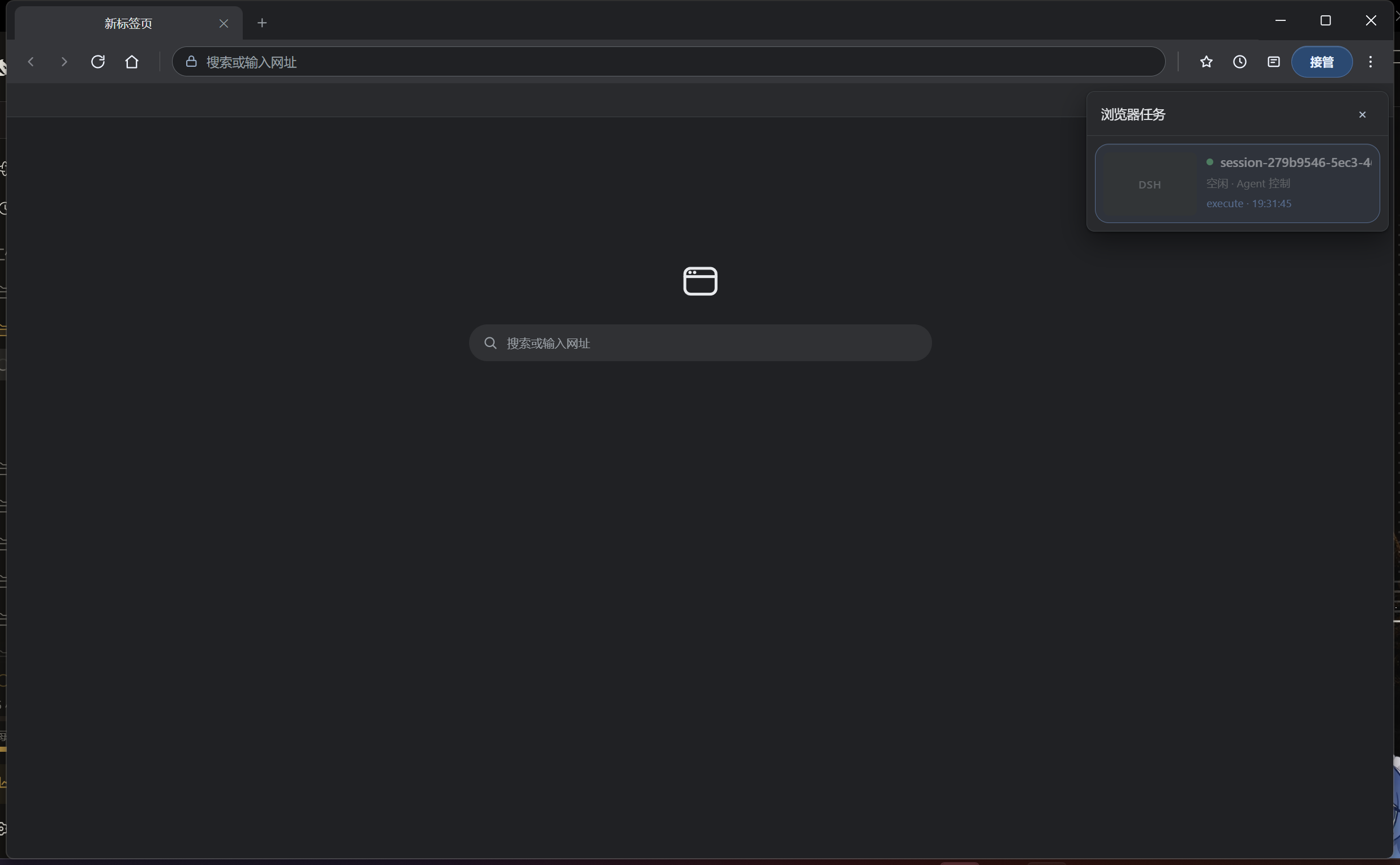
- Physical input: keyboard, mouse, hover, double-click, and file selection use CDP instead of synthetic
element.click()events. - Recovery-aware: a recycled child re-materializes the same session view; the first recovered capture waits for compositor readiness.
- Stable baseline: Electron 42.9.3 is pinned; the resolver rejects Electron 43.4.1 because of compositor failures.
Install
From npm (recommended):
dsh plugin --profile web add dsh-browser-plus
Or straight from the repository:
dsh plugin --profile web add github:ParticleLight/dsh-browser-plus
If another browser bundle is already installed, read the migration guide, then restart DSH Web.
Requires DSH ^0.1.0-rc.1 or ^0.2.0-rc.1 — 0.1.0-rc.1 and the whole 0.2.x line including 0.2.0-rc.2; 0.3.0 is not supported.
Main capabilities
| Scenario | Tools |
|---|---|
| Open and inspect | browser_open, browser_snapshot, browser_content, browser_screenshot |
| Print and highlight | browser_pdf, browser_highlight |
| Native navigation | browser_back, browser_forward, browser_reload, browser_stop, browser_scroll |
| Snapshot references | browser_click_ref, browser_scroll_into_view |
| Page interaction | browser_click, browser_press_key, browser_double_click, browser_hover, browser_type |
| Forms and files | browser_fill, browser_upload_file, browser_wait_for |
| Tasks and handoff | browser_tasks, browser_handoff, browser_list_tabs, browser_switch_tab, browser_close_tab, browser_space |
| Auth and recovery | browser_auth, browser_reset_session, browser_history |
| Dialogs | browser_dialog |
| Diagnostics | browser_console, browser_network |
| Device emulation | browser_emulate |
| Dragging | browser_drag |
| Page scripts | browser_execute |
| Bulk scraping | browser_scrape |
| Downloads | browser_download |
| Replay | browser_replay |
| Bot checks | browser_challenge |
| Action allow-list | browser_restrict |
| Session | browser_session, browser_reset |
Snapshots expose a short-lived snapshotId plus element references. Prefer reference tools and take a fresh snapshot after the page changes; page-level scripts automatically ignore the browser's own chrome.
Opening the browser window
The window normally appears the first time the agent calls a browser tool. A human can open it too, two ways:
- The
/browsercommand — type/in the composer (or click+) and pick it; the window opens or is raised, and no model message is produced. - The DSH-Browser-Plus tab in the right sidebar (its own name and icon, so it never collides with the product's own browser tab) — pick it from the rightbar's add list: the window comes up as the panel opens, and the panel keeps a button for raising it again plus the current task count.
The product's own browser tab is a different thing: DSH's sandboxed iframe browser, unrelated to this self-hosted window.
How it works
browser_* tools
  -> BrowserRuntime (ctx.browser seam)
  -> ElectronBrowserProvider (CDP)
  -> RemoteElectronViewHost (loopback JSON-RPC)
  -> host-main.js (BrowserWindow + WebContentsView)
The chrome and task manager are injected through a closed Shadow DOM rather than a second Electron view. Versioned incremental workspace updates keep task and trail rendering light while background task updates stay isolated and do not steal the user's visible page.
alert, confirm, and prompt are accepted immediately by default so pages do not block, and the detail is recorded as a dialog item in browser_history. To drive a page that confirms a destructive action, set how the NEXT dialog is answered with browser_dialog (accept / dismiss, with promptText for prompt()) and then trigger it; inspect reports the last one.
Reliability rules
- Never reparent a visible
WebContentsView. - The CDP capture fallback only touches siblings in the same window and restores them.
- Native and full-page capture wait once for compositor readiness after child recovery.
- Dialogs, captures, dynamic waits, and child recovery have regression tests and live SOAK coverage.
See SOAK-CHECKLIST for the complete runtime verification list.
Development
npm install
npm run build
npm test
npm run smoke:electron-host # requires a local DSH Web instance; validates real Electron Host navigation and page handoff
See CONTRIBUTING.md for contribution rules, docs for the full documentation set, and CHANGELOG for version history.
License
Links
More in this category
Tencent/BrowserSkill#dsh-plugin-browserskill★ 8657
BrowserSkill bridge for controlling visible Chrome and Edge Agent Windows from DeepSeek Harness, with native browser tools, accessibility and VOM observations, screenshots, owned multi-session control, and a live Web UI overlay.
omdsh-dev/dsh-browser#packages/browser/bridge-browser★ 798
Chrome sidebar extension that lets DSH operate your browser directly, no vision capabilities required.
liustack/modsearch★ 638
Web search bridge for text-only agents: ask the web or X, get structured JSON evidence (search, fetch, citations).
DDDMUC/dsh-free-search★ 372
Free, keyless web search for DSH: 7 engines (DuckDuckGo/Bing/SearXNG free + Exa/Perplexity/DeepSeek paid), auto-failover, settings-page UI with API key inputs and official links, web_fetch, and an engine test tool.
Tabbit-Browser/dsh-tabbit★ 107
Gives DeepSeek Harness control of the Tabbit Browser: auto-loads the tabbit-browser skill on install, detects official Tabbit and Tabbit Browser releases (>= 1.9.0), checks the tabbit-cli persistent runtime, diagnoses the per-platform DSH sandbox mode needed to call the CLI, and downloads the region-matched official installer via a background job when no qualifying version is present.
wqty123/dsh-browser★ 107
Shared real browser for DSH: a native Electron window the human can watch and take over, driven by the agent over CDP with 20 browser_* tools (open/snapshot/execute/fill/screenshot/download/auth), per-task session isolation, cookie persistence, CAPTCHA detection; self-hosts on plain dsh web without a desktop shell.
Community comments
Comments are public GitHub Discussions. Loading them connects to GitHub and Giscus; a GitHub account is required to post.