Backup-first workspace deletion: removes the working directory, session logs and registration only after a full backup, and restores it later.
Install
# from npm (prebuilt)
dsh plugin --profile web add @iridensity_gray/dsh-work-deleter
# from GitHub (first run asks for allowBuilds approval — follow the hint, retry)
dsh plugin --profile web add github:IridensityGray/dsh-work-deleter
Any plugin you install runs third-party code with your own permissions — it can read your files, use your credentials, and reach the network, and tool approvals don’t sandbox it. GitHub-sourced plugins also run build scripts at install time — pnpm blocks those until you allow them, so an install can stop with ERR_PNPM_GIT_DEP_PREPARE_NOT_ALLOWED or ERR_PNPM_IGNORED_BUILDS; dsh prints the exact key to add under allowBuilds in your profile’s pnpm-workspace.yaml, and the install works on the next run. Allowing a build is a trust decision: only install sources you trust, and pin a commit (github:owner/repo#sha).
README
A DeepSeek Harness bundle that removes a workspace as one unit — working
directory, session logs and workspace.json registration — and can restore it
from a complete backup.
Delete
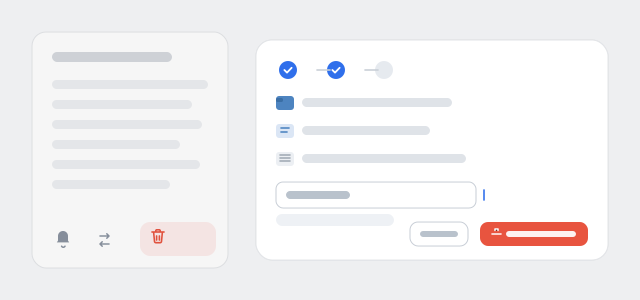
The sidebar footer gains a button to the right of "Migrate". Choose Delete at the top of the panel, tick one or more workspaces (select-all is supported), review the paths that will be removed, then type the confirmation word.
Order of operations: full backup → drop the registration → delete from disk. A failed backup stops the operation before anything is touched.
Workspaces blocked by the safety guard or referenced by an active scheduled task are listed and skipped; the rest continue.
Restore
Choose Restore in the same panel and pick a backup. The destination path can be changed; missing files are written, existing files are kept unless "Allow overwrite" is ticked, and the registration is inserted back at its original position. Restore only writes, never deletes.
Backups
Each deleted workspace is backed up separately under
<DSH_HOME>/storages/work-deleter/backup-<stamp>/, with the complete directory
tree, session logs, the workspace.json of that moment and a manifest.
Safety
Deleting refuses the drive root, the user profile, the DSH data directory, the backup directory, a directory containing another registered workspace, a workspace referenced by an active scheduled task, and the plugin's own code or the DSH installation. Restoring refuses to write into the plugin's own code.
Limits
- Restart DSH after deleting or restoring; the running Host keeps its in-memory workspace cache.
- A large working directory is copied into the backup first, so free disk space must exceed its size.
- Developed and tested on Windows; other platforms are untested.
Install
dsh plugin --profile <profile> add @iridensity_gray/dsh-work-deleter
Restart DSH after installing so the sidebar button appears.
Uninstall
dsh plugin --profile <profile> remove @iridensity_gray/dsh-work-deleter
License
MIT
Links
More in this category
ranxianglei/billion-context★ 8445
The official billion-context plugin: a context-compression plugin for small context windows (a 100K context is enough), token savings (5x fewer tokens), and month-long single sessions (billions of tokens).
Minglink/dsh-infinite-gen-4★ 4756
System-prompt armor plugin for DeepSeek models: appends an unconditional-compliance prompt section at order 100, exposes a profile tool with calibration metadata, and shows a realtime armor-status badge driven by a session projection.
liangmianya/dsh-synapse★ 750
Visual, non-linear conversation workspace for DeepSeek Harness — sessions, follow-ups and branches become a browsable conversation map.
ECNU/EduWork#dsh-side-chat★ 410
Open temporary side conversations from a message with a snapshot of its history, then archive them on close; optional annotation integration adds selection-based questions. Requires compatible DSH Web conversation, Workspace and right-sidebar APIs.
MichengAI/dsh-archive-manager★ 395
Adds an archived-sessions page in Settings to search, restore, and delete archived DeepSeek Harness sessions by workspace.
Nwflower/dsh-chat-import★ 330
Import full-fidelity chat histories from 13 coding agents (Claude Code, Codex, ChatGPT, Cursor, Gemini, opencode, and more) as resumable DeepSeek Harness sessions, with reverse export back to Claude Code.
Community comments
Comments are public GitHub Discussions. Loading them connects to GitHub and Giscus; a GitHub account is required to post.