Skill Manager page in the DSH settings panel: browse system / user / workspace / preset skills, expand a skill to its file tree, view and edit files, import skills from a zip, and export or delete them (system skills read-only).
Install
# from GitHub (first run asks for allowBuilds approval — follow the hint, retry)
dsh plugin --profile web add github:AKS1st/dsh-skill-manager
Any plugin you install runs third-party code with your own permissions — it can read your files, use your credentials, and reach the network, and tool approvals don’t sandbox it. GitHub-sourced plugins also run build scripts at install time — pnpm blocks those until you allow them, so an install can stop with ERR_PNPM_GIT_DEP_PREPARE_NOT_ALLOWED or ERR_PNPM_IGNORED_BUILDS; dsh prints the exact key to add under allowBuilds in your profile’s pnpm-workspace.yaml, and the install works on the next run. Allowing a build is a trust decision: only install sources you trust, and pin a commit (github:owner/repo#sha).
README
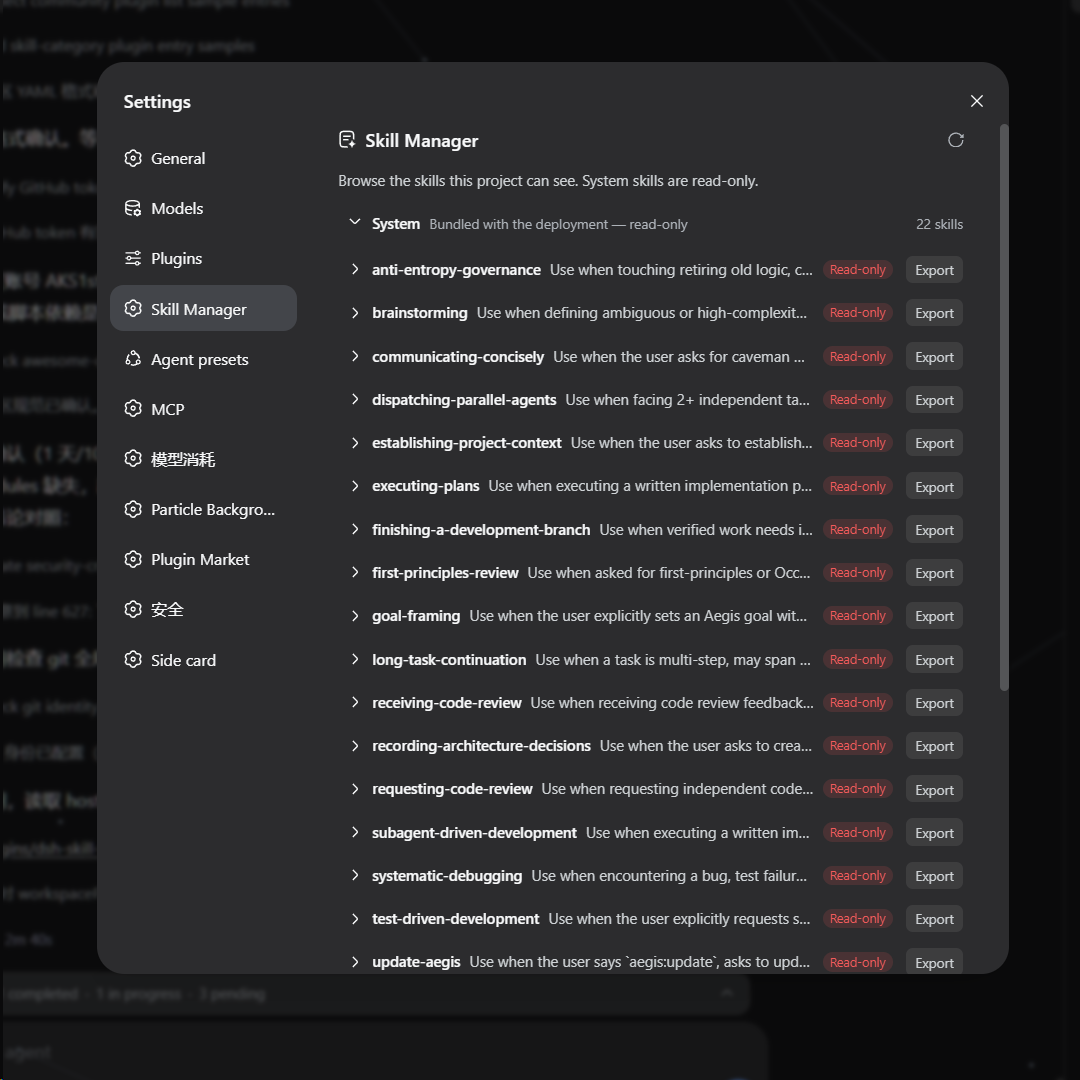
A DSH web plugin that adds a Skills page to the settings panel (opened from the sidebar-foot Settings trigger). It shows every skill the deployment can see, grouped into system / user / workspaces / preset tiers, and lets you manage them without touching the filesystem by hand:
- Browse — expand a skill to its directory file tree; system (bundled) skills are read-only, user and workspace skills are fully manageable.
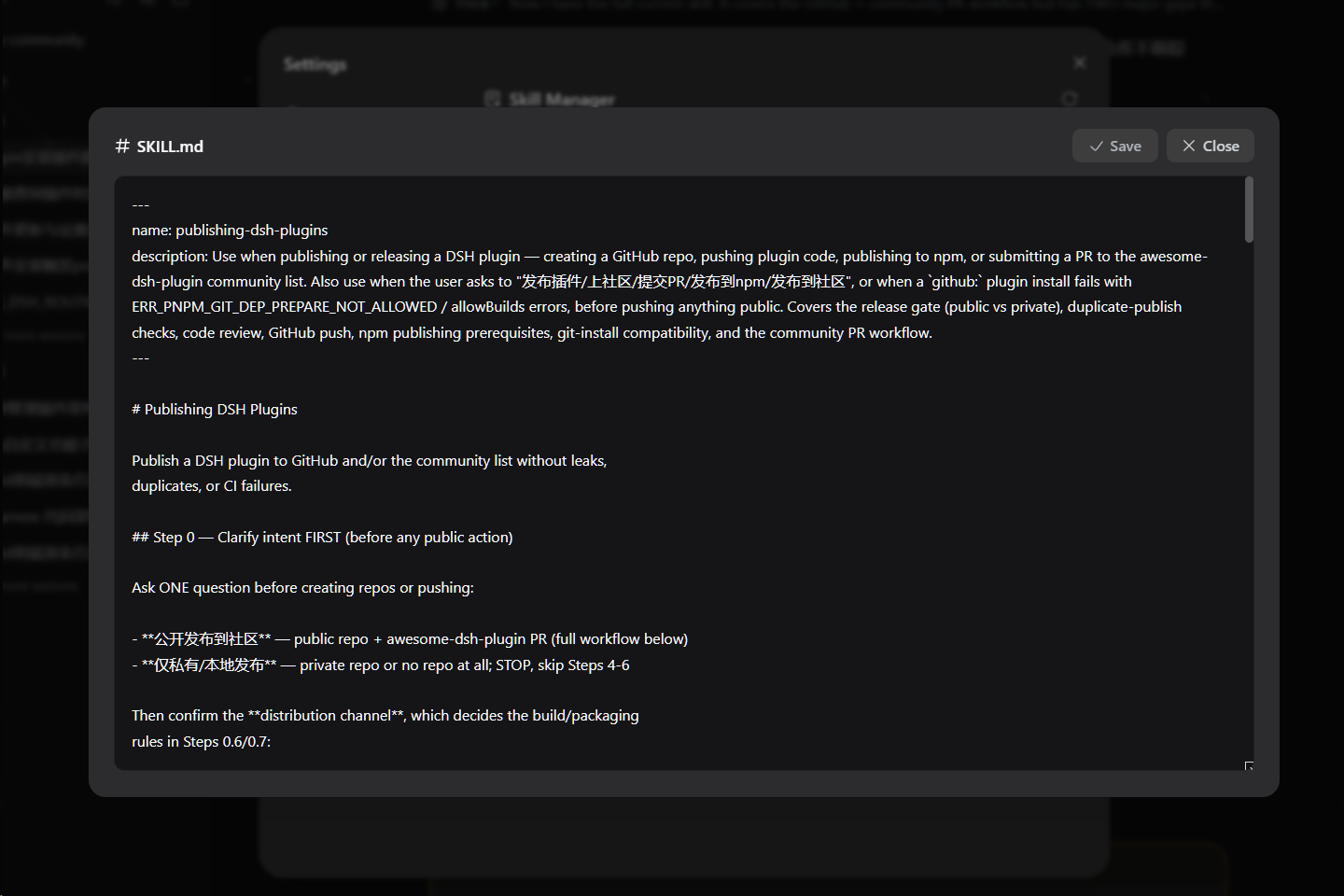
- Edit — click a file to open a view/edit window and modify the skill's content directly.
- Import — upload a zip package to install skills into your user skills directory or any workspace (blank workspaces included, sorted last).
- Export — download any skill as a zip, read-only ones included.
- Delete — remove writable skills with a two-step confirmation.
Screenshots
The Skills page inside the settings panel:
The file editor window (click a file to open it):
Install
dsh plugin --profile web add https://github.com/AKS1st/dsh-skill-manager
dsh web   # restart the web service for the profile change to take effect
Installs straight from the GitHub repository (pnpm git-source install).
How it works
The plugin has two parts that work together:
- Server side (runs inside the dsh service,
src/index.ts): reads the skills dsh already knows about and serves them to the page, and handles the file operations the page triggers — listing a skill's files, reading or saving a file, importing a zip, exporting a skill, and deleting a skill. Write and delete are only allowed for user and workspace skills; system skills (the ones dsh ships with) and preset-provided skills are read-only. - Browser side (the settings page,
src/client/): shows the catalog grouped into system / user / workspaces / preset sections. Workspaces and presets appear as collapsible groups (blank workspaces included, sorted last, as import targets). Clicking a skill expands its file tree; clicking a file opens an editor. The user section and every workspace heading have an Import button (zip upload); every skill row has Export (downloads a zip); writable rows also have Delete (two-step confirm). All styling uses dsh's theme tokens, so the page follows light/dark mode.
Everything is additive — no changes to dsh itself are needed.
Model Experience
- Token effects: the plugin adds no model-visible tokens. The page is a user-facing browser UI; it only reads the same skill catalog the model already sees, and file edits are user-initiated, not model actions.
- KV-cache: none.
Development
pnpm run check   # tsc --noEmit
pnpm run build   # tsc + tsdown (lib/index.js, lib/client.js, lib/invariant.js)
pnpm run test    # vitest
The @deepseek-ai/* packages are declared as devDependencies; at runtime they
resolve from the dsh installation that loads the plugin. The client-bundle
build scaffold (tsdown.client.ts + build/web/src/platform.ts) is a
check-in snapshot of the harness's shared preset so the repo builds standalone.
Links
More in this category
yjh051108/dsh-routing-suite★ 6995
One repository, three parts: a runtime injector for DSH plugin packages (inject, hot-reload, unload, promote a dev staging tool to the front, route self-heal, plus a settings-page plugin manager that lists, unloads and drags folders in to internalize), a task-aware reasoning-mode router agent preset (router-standard / router-spec / router-react), and a graded two-level task protocol whose six tools (commit_star, lock_stage, revise_do, edit_plan, mark_task, redteam_verdict) pin task state to disk. The injector implementation ships in-tree, so the install carries its own behaviour rather than a dependency list.
strukto-ai/mirage#dsh★ 3667
Swaps the filesystem and bash providers for a mirage virtual workspace: file tools and shell commands run over mounted resources (RAM, S3, Redis, Slack, Gmail, Notion, Postgres) instead of the host disk, with per-mount read/write/exec modes, per-command sandbox routing (monty, pyodide, quickjs in process; docker, e2b, daytona remote), and installed CLIs (git, gh, slack, linear, ntn, gws, or one you register) as head words in the virtual terminal.
hust-open-atom-club/oh-dsh★ 325
Community distribution: TUI, desktop, and Web UI as one bundle with layered installation.
weijiafu14/pi2dsh★ 208
Pi Host ABI compatibility engine: after one install, unmodified Pi extensions from npm mount as native DSH plugins with `dsh plugin add <pi-package>`. Verified end to end on stock DSH with pi-mcp-adapter (full MCP manager: OAuth, resources, prompts, MCP Apps, elicitation, sampling), @tintinweb/pi-subagents, pi-code, pi-hermes-memory and pi-background-tasks; `pi2dsh inspect` reports a package's compatibility before installing.
lire1131/dsh-undo-savepoint★ 167
Undo/redo & rollback system for DSH: every config change is auto-snapshotted; undo/redo/restore to any version from the WebUI or the offline CLI/GUI tools (works even when DSH fails to boot).
Fishquito7/dsh-skill-mcp-panel★ 158
Manages DSH skills and MCP servers from the web settings: skill cards with hot enable/disable, workspace scopes, groups, batch migration and drag-and-drop import, plus stdio/HTTP MCP CRUD with connection tests, secret redaction and the unified dsh-panel CLI.
Community comments
Comments are public GitHub Discussions. Loading them connects to GitHub and Giscus; a GitHub account is required to post.