在 [Libre WebUI](https://github.com/libre-webui/libre-webui) 中使用 DSH 模型进行聊天、沙箱 Work 任务和用量统计,提供商凭据保留在 DSH 中。需要 Libre WebUI 0.37.0 或更高版本。
安装
# GitHub 源码(首次需按提示配置 allowBuilds 构建授权后重试)
dsh plugin --profile web add github:libre-webui/dsh-native-provider
装任何插件都等于在你的机器上跑第三方代码,权限和你本人一样大——能读你的文件、用你的凭据、访问网络,工具审批管不到它。GitHub 来源的插件还会在安装时执行构建脚本——pnpm 默认拦截,所以安装可能停在 ERR_PNPM_GIT_DEP_PREPARE_NOT_ALLOWED 或 ERR_PNPM_IGNORED_BUILDS;dsh 会打印出需要添加的确切键名,把它加进该 profile 的 pnpm-workspace.yaml 的 allowBuilds 下,重跑一次即可装上。放行构建本身就是一次信任判断:请只安装可信来源,并尽量锁定 commit(github:owner/repo#sha)。
README
该插件的 README 只有英文版本。
Use the models already configured in DeepSeek Harness (DSH) from Libre WebUI. Choose each native provider and model independently, including Flash and Pro. Provider credentials stay in DSH.
This is the @libre-webui/dsh-native-provider plugin shown in DSH's Plugins
page. It connects the two applications through a private Unix socket. It adds
no web server, telemetry, agent sessions, or host tools.
[!WARNING] Review the external DSH profile's privacy settings before connecting. Upstream base profiles enable DeepSeek session-log and plugin-package contributions, plus feedback-triggered OTel exports, by default. OTel exports can contain conversation context and tool data. This plugin's private socket does not disable those features. Follow the three independent opt-outs before use;
DSH_TELEMETRY_DISABLED=1only disables OTel. See the pinned upstream defaults and the distinction between native bridge requests and DSH sessions.
flowchart LR
  LWUI[Libre WebUI: Chat, Work, titles] -->|Private Unix socket| Bridge[This plugin inside DSH]
  Bridge --> LLM[DSH LLM service]
  LLM --> Providers[Your configured providers and models]
Libre WebUI manages conversations, usage, and Work's sandbox. DSH supplies the selected model connection. A Work task never gains access to DSH's native agents, sessions, files, or tool execution through this plugin.
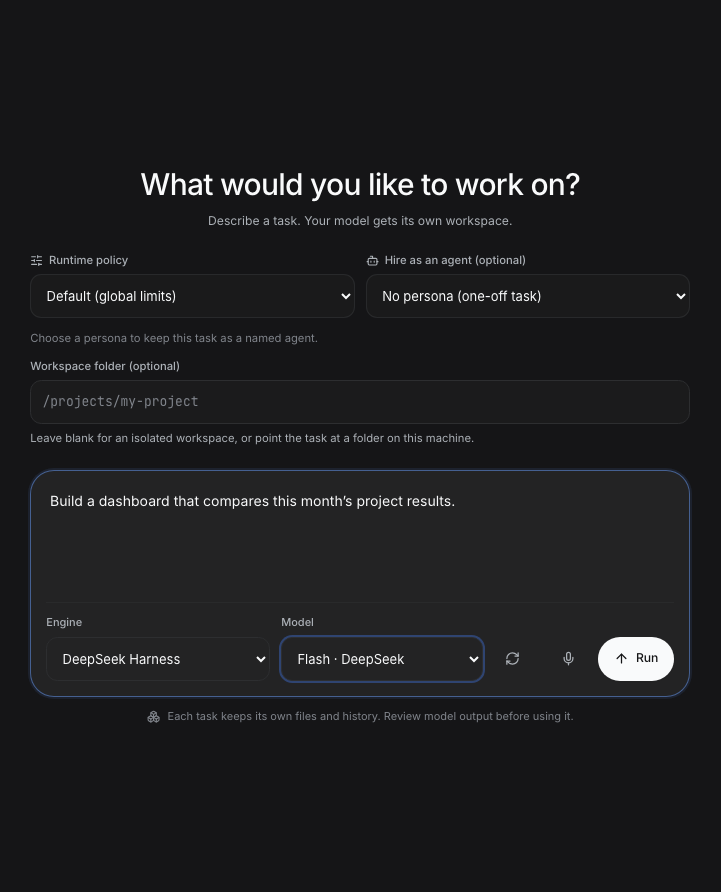
Work interface shown with demo data.
Requirements
- macOS or Linux, with both applications running as the same OS user.
- Node.js 22.22 or later, as required by the supported DSH installation.
- pnpm available to DSH's plugin manager. You do not need npm, a source checkout, or a compiler to install this plugin through DSH.
- A running DSH profile with at least one working provider. This package is tested against DSH 0.1.6-alpha.2 and Cordis 4.0.2; DSH APIs are pre-stable, so other versions need compatibility testing.
- Libre WebUI 0.37.0 or later, which includes the native provider integration.
The Unix connection does not support Windows, remote DSH hosts, or a stock Libre WebUI container connecting directly to a host socket. See configuration and deployment.
Install
In DSH → Plugins → Add plugin, paste this into Package name or address:
https://github.com/libre-webui/dsh-native-provider
Click Install. The repository includes the built plugin and its DSH bundle patch. Installation requires no build commands or install-script approval.
Verify native-provider 0.1.1 has a running component. DSH applies a fresh
installation to a live profile; follow a restart notice if DSH displays one.
DSH derives the short title from the package name; the full package identity
is @libre-webui/dsh-native-provider. Use the GitHub URL, because the bare
package name is not published on npm.
The default socket is <DSH home>/lwui-provider/llm.sock. Normally this means
$HOME/.dsh/lwui-provider/llm.sock; a configured DSH_HOME takes precedence.
DSH creates the private socket directory. See configuration
if you need a different path or have multiple DSH profiles.
The optional CLI equivalent is:
dsh plugin --profile web add https://github.com/libre-webui/dsh-native-provider
Use your actual profile name. Restart that profile after CLI installation.
Connect Libre WebUI
Then configure Libre WebUI's cordis.config.yml with the same absolute path:
nativeProvider:
  socketPath: /absolute/home/.dsh/lwui-provider/llm.sock
Replace /absolute/home with your home directory. YAML does not expand $HOME
or ~. Alternatively, set LIBRE_DSH_PROVIDER_SOCKET when launching Libre
WebUI. Restart Libre WebUI after changing its startup configuration.
In Libre WebUI, enable Cordis Engine as an administrator:
- Work: select DeepSeek Harness, then select a model from Native DSH models. Selecting a Libre WebUI model instead uses its existing LWUI provider connection.
- Chat: also enable Agent CLI models, then use a native DSH model under Agents.
- Provider Usage: inspect native requests under DeepSeek Harness · provider. Only usage reported by the provider is shown; missing token counts are not estimated.
There is no default-model substitution: unavailable selections fail with an error instead of silently switching provider.
Upgrade an existing installation
For the old locally prepared 0.0.0/0.1.0 bundle, let active requests finish, then use Uninstall on that plugin's page. Return to Add plugin, paste the GitHub URL above, and click Install. This replaces the local-only source with the public repository. Native DSH sessions and provider credentials are not deleted. With the usual DSH home, the default socket matches the old guide; retain a custom socket using the override in configuration.
For subsequent CLI updates of the GitHub-installed plugin:
dsh plugin --profile web update @libre-webui/dsh-native-provider
Restart the profile and verify its version. To pin or roll back to a reviewed
revision, install github:libre-webui/dsh-native-provider#<commit> instead of
the moving default branch. A disabled installation remains disabled until enabled.
Remove
dsh plugin --profile web remove @libre-webui/dsh-native-provider
Restart DSH and remove nativeProvider.socketPath or the corresponding
environment variable from Libre WebUI's configuration. An explicitly empty
LIBRE_DSH_PROVIDER_SOCKET disables the connection even when YAML defines it.
Saved Libre WebUI tasks remain; they require an available provider before
continuing. Removing this plugin does not delete native DSH sessions or keys.
Documentation
- Configuration, verification, and troubleshooting
- Security and privacy
- Development and upstream synchronization
- Libre WebUI integration guide
Development
npm ci
npm run check
npm audit --audit-level=moderate
Tests run against local fixtures and temporary Unix sockets. They do not need provider credentials or make real model calls. The generated bundle contains only the compiled plugin, protocol, package metadata, patch, README, and license; no npm runtime dependencies are installed into DSH.
The implementation is maintained with Libre WebUI's matching client and mirrored
here. upstream.json records the source revision and file hashes. The committed
runtime/ files make public Git installation work without a compiler; CI checks
that they exactly match a fresh TypeScript build. See
contributing before changing the wire protocol.
Apache-2.0. Maintained by Libre WebUI.
链接
同类插件
Ebony-Vinyl/dsh-our-free-model★ 60943
为 dsh 接入免费模型车道(含 DeepSeek V4.1 Flash、Kimi K3 等),无需登录、注册或填写 API Key,并提供本地 OpenAI 兼容网关、降级路由与用量看板。
dingminhua/dsh-connect-workbuddy★ 1144
将本机登录的 WorkBuddy 模型(国内版与国际版)接入 DSH,每次刷新按上游目录读取每个模型的积分倍率,支持逐模型图片输入开关、带自动换号的账号池、手动每日签到,以及卡片与输入框里的只读积分胶囊读数。
Alice-Marx/dsh-model-router★ 746
为 DeepSeek Harness 规划有依赖的工作包,将其分配给已配置的模型 API 或支持的厂商 CLI,并提供费用预览。
V1ki/dsh-plugin-subscriptions★ 555
把 ChatGPT(Codex)、Claude、Grok 订阅当作 DeepSeek Harness 的 LLM 提供方:设置页登录、模型目录、用量展示,以及 image_generate、video_generate 与 x_search 工具。
Mars-Sea/dsh-commandcode-provider★ 456
非官方 Command Code 模型接入插件:注册 `commandcode` 路由,带实时模型目录与推理强度支持。
XDTrees/dsh-workbuddy-xdpool★ 419
把本机 WorkBuddy 桌面 App 登录过的所有账号自动并入 DSH 模型池:多账号轮换自动容错、实时积分,模型目录按模型标注积分倍率与限时免费 / 夜间折扣。
社区评论
评论公开保存在 GitHub Discussions。加载评论会连接 GitHub 和 Giscus;发表内容需要 GitHub 账号。