AI image and video studio as a floating DSH panel, so creation runs alongside the conversation instead of replacing it: text-to-image, image-to-image and multi-image composition at 1K-4K across eight aspect ratios; text-to-video and image-to-video with first-frame control at 4-12 seconds; short-drama mode that imports a script (.txt/.md/.json), breaks it into storyboard shots for preview and batch generation; and a prompt-expert workspace. Zero runtime dependencies.
Install
# from npm (prebuilt)
dsh plugin --profile web add dsh-agnes-studio
# from GitHub (first run asks for allowBuilds approval — follow the hint, retry)
dsh plugin --profile web add github:zmm863-commits/dsh-agnes-studio
Any plugin you install runs third-party code with your own permissions — it can read your files, use your credentials, and reach the network, and tool approvals don’t sandbox it. GitHub-sourced plugins also run build scripts at install time — pnpm blocks those until you allow them, so an install can stop with ERR_PNPM_GIT_DEP_PREPARE_NOT_ALLOWED or ERR_PNPM_IGNORED_BUILDS; dsh prints the exact key to add under allowBuilds in your profile’s pnpm-workspace.yaml, and the install works on the next run. Allowing a build is a trust decision: only install sources you trust, and pin a commit (github:owner/repo#sha).
README
This plugin publishes its README in Chinese only.
充分利用 Agnes AI 免费生图/视频大模型的 DSH 插件(内部名:Agnes 创意工作站)。
界面
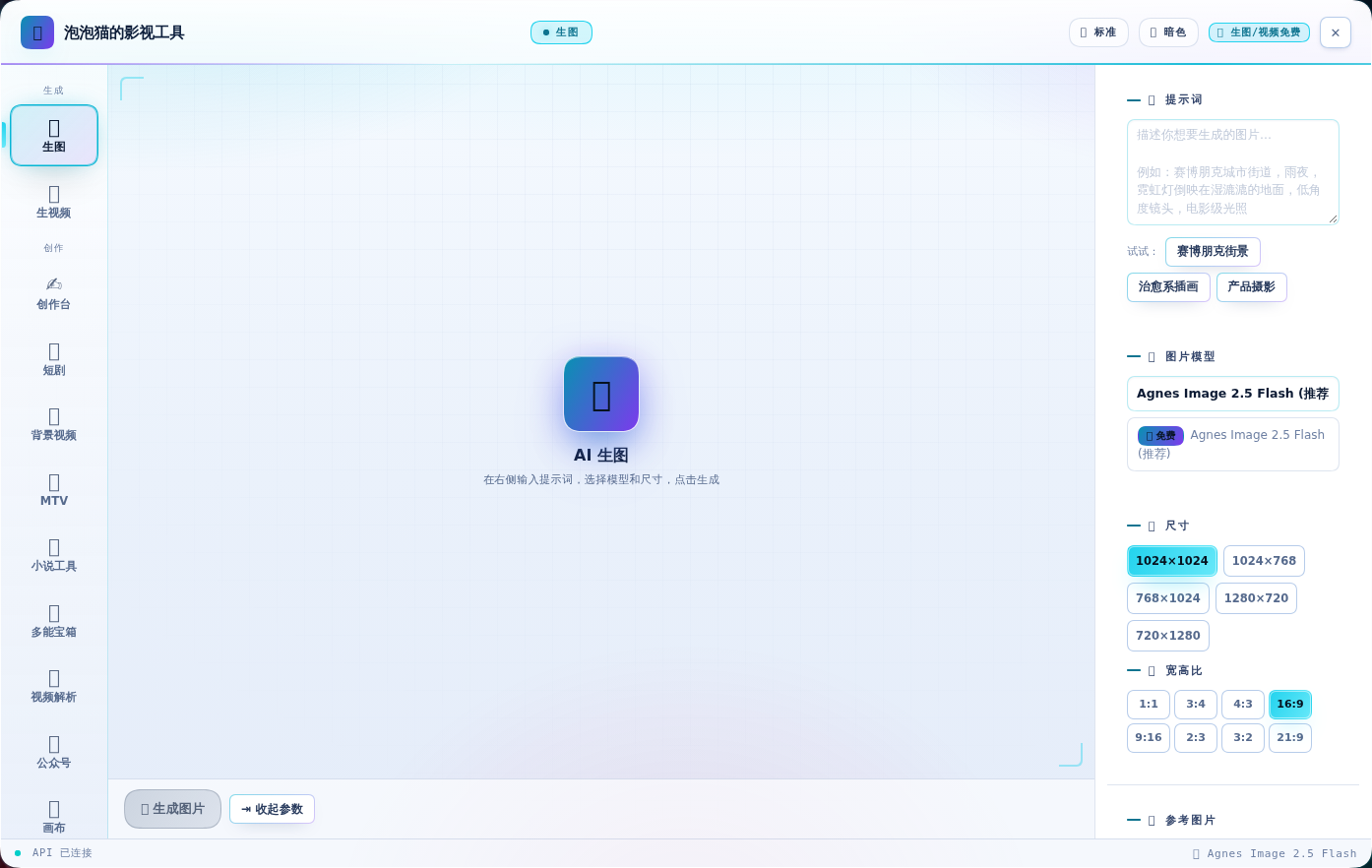
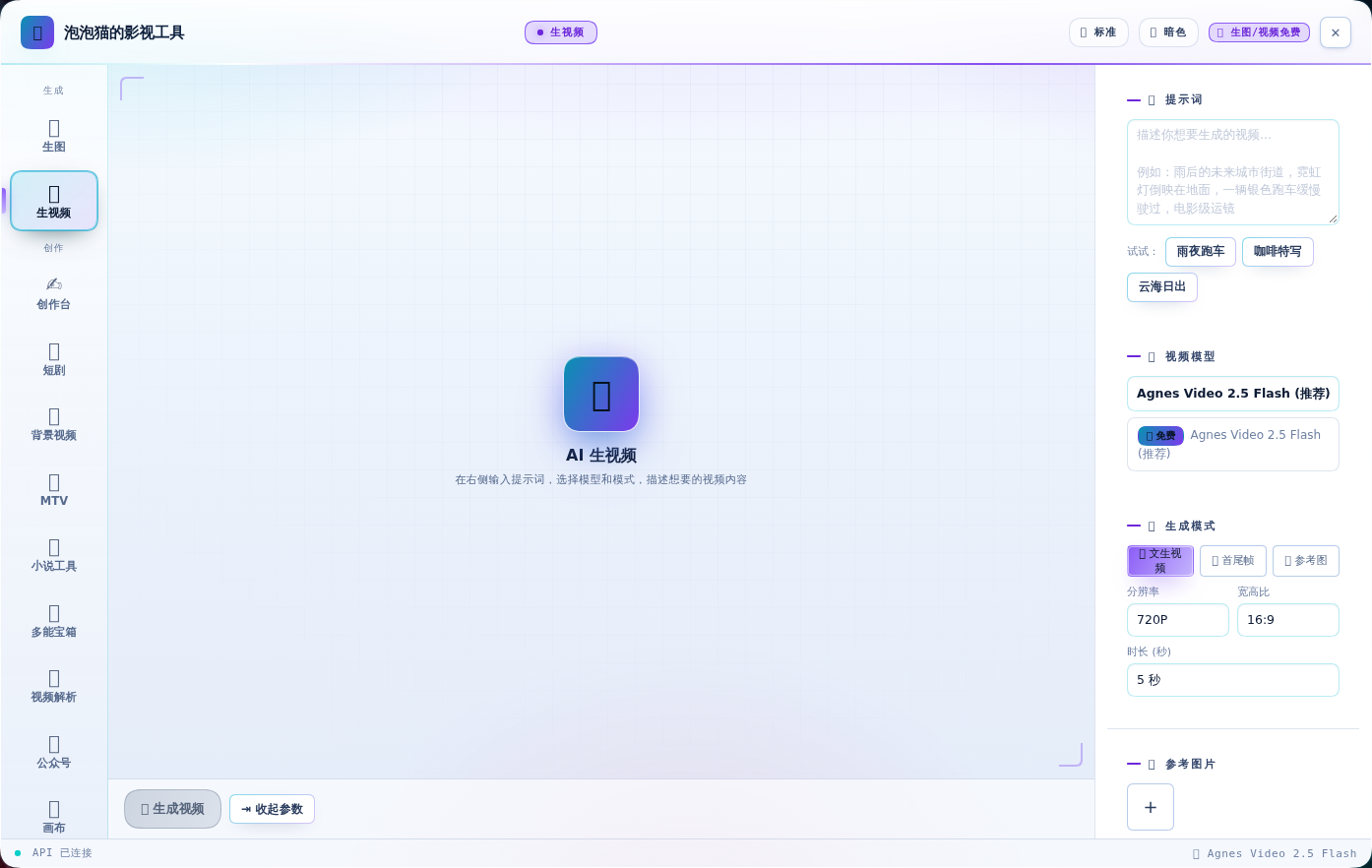
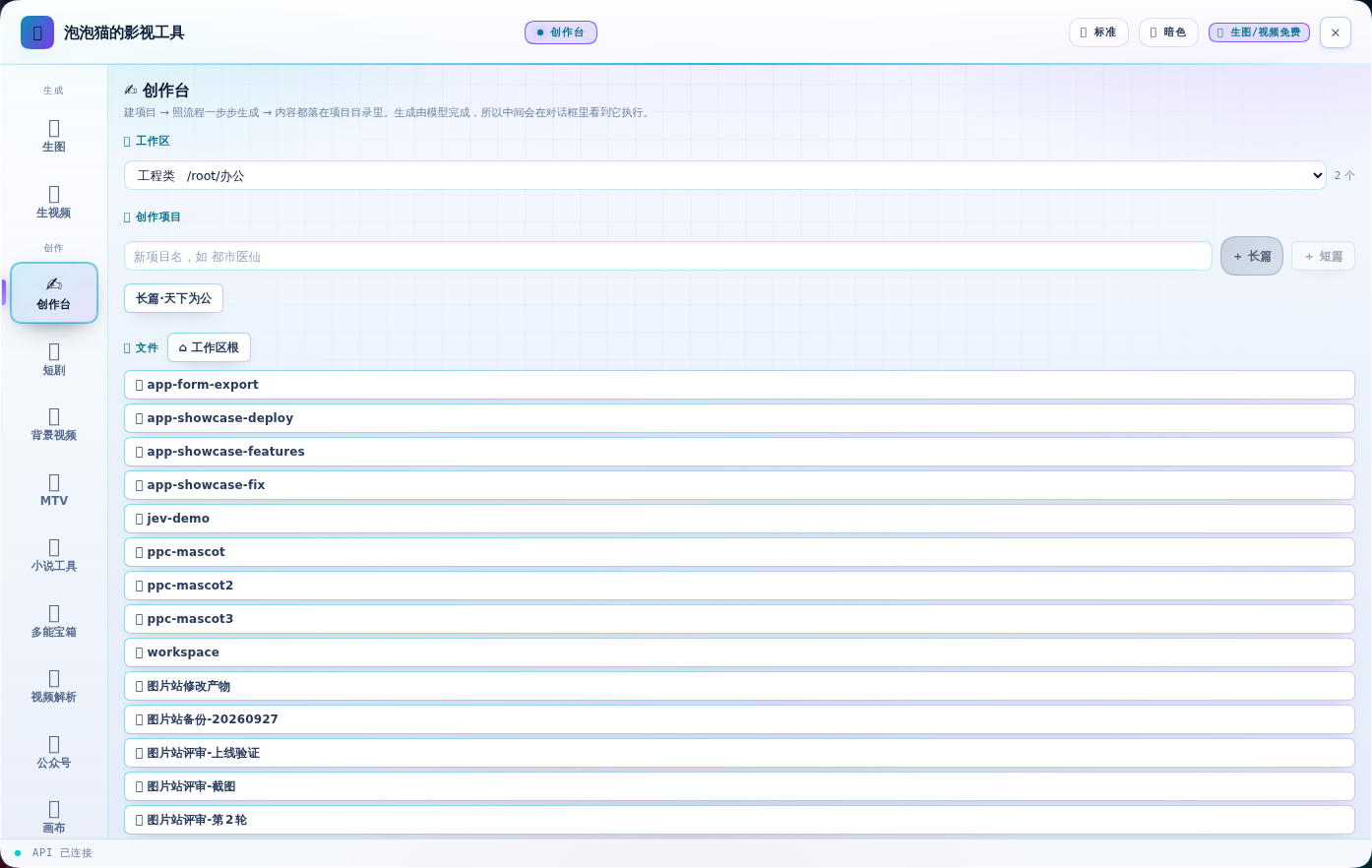
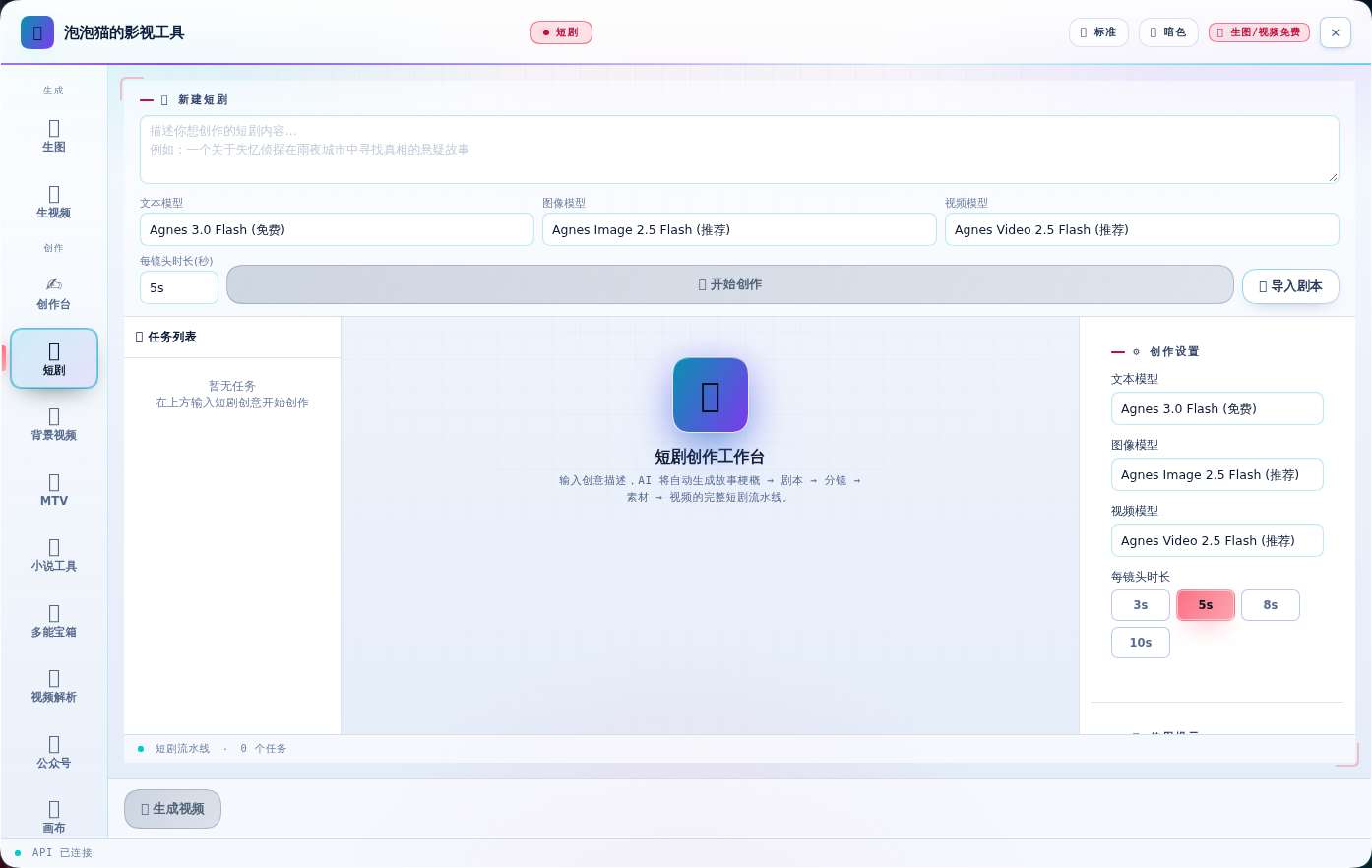
15 个功能页,全部实数截图(v0.7.0)。
| 🎨 生图 | 🎬 生视频 |
|---|---|
 |
 |
| ✍️ 创作台 | 📖 短剧 |
|---|---|
 |
 |
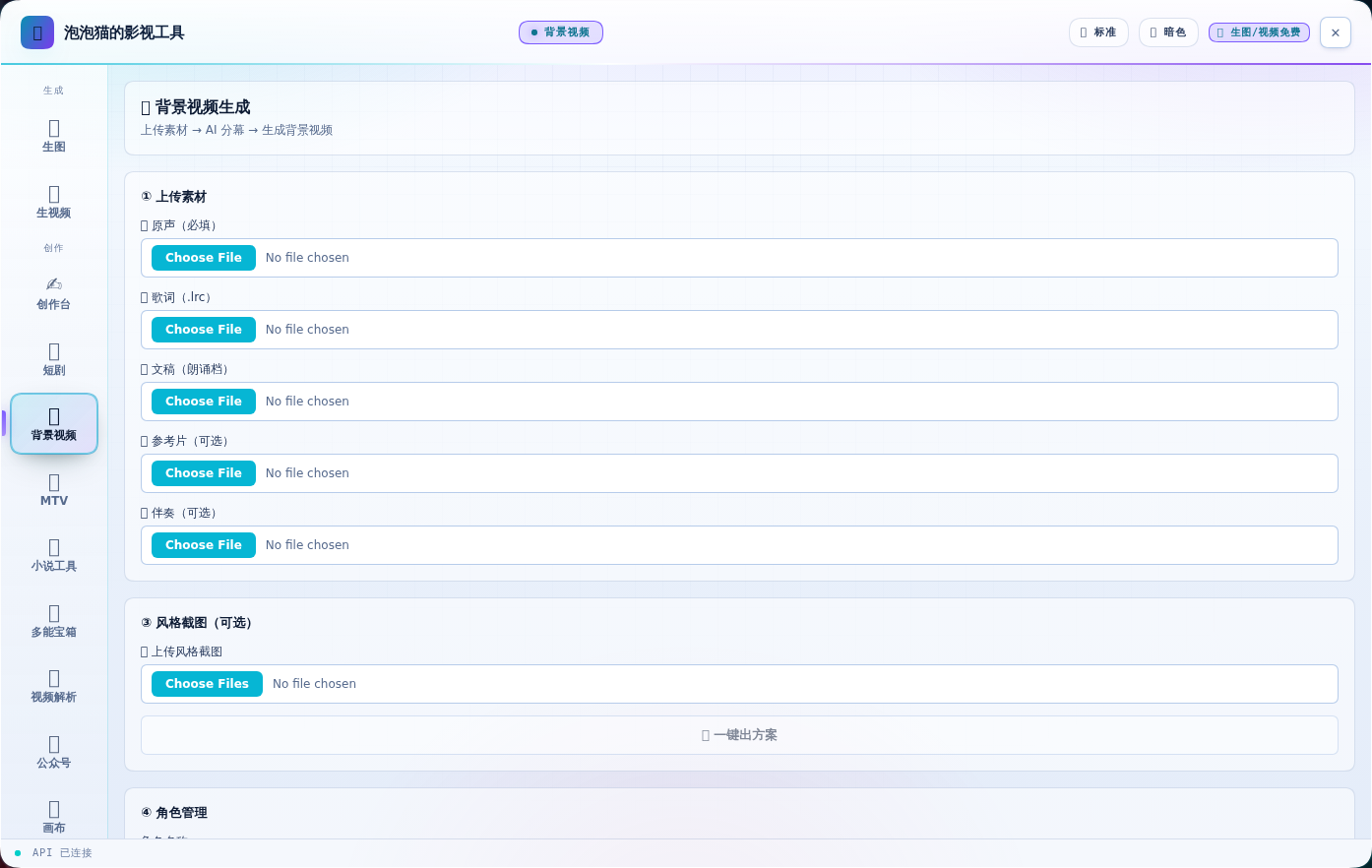
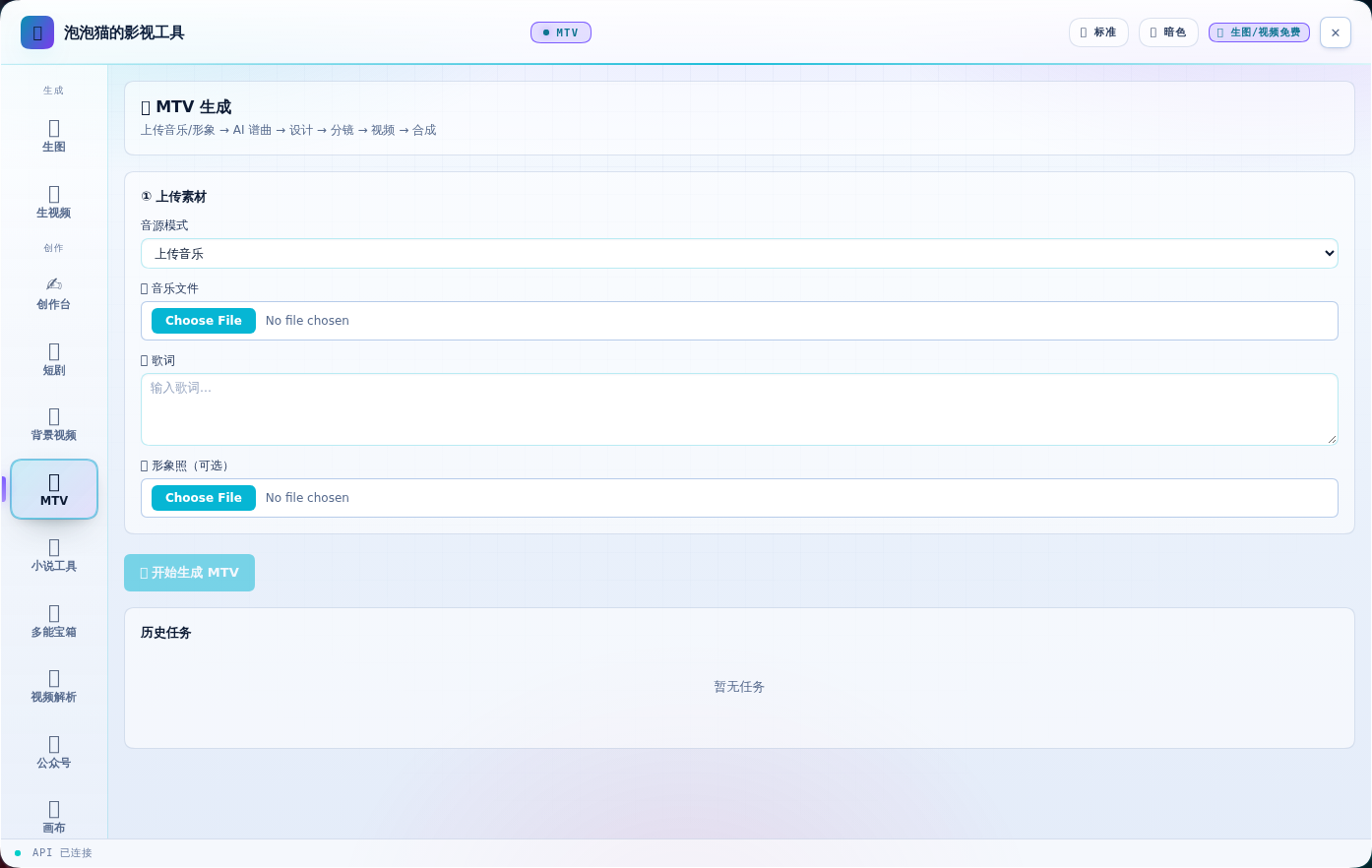
| 🎬 背景视频(新) | 🎵 MTV(新) |
|---|---|
 |
 |
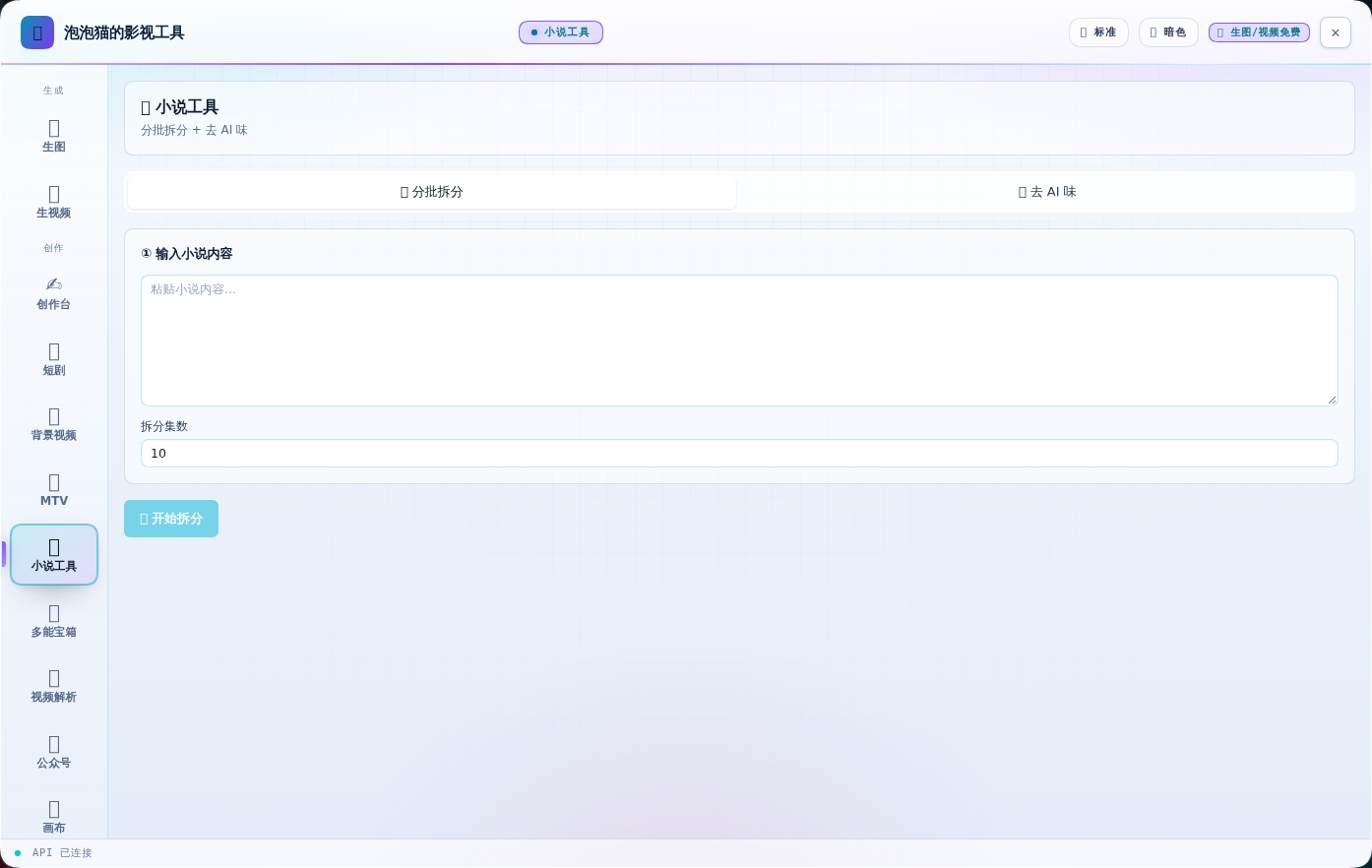
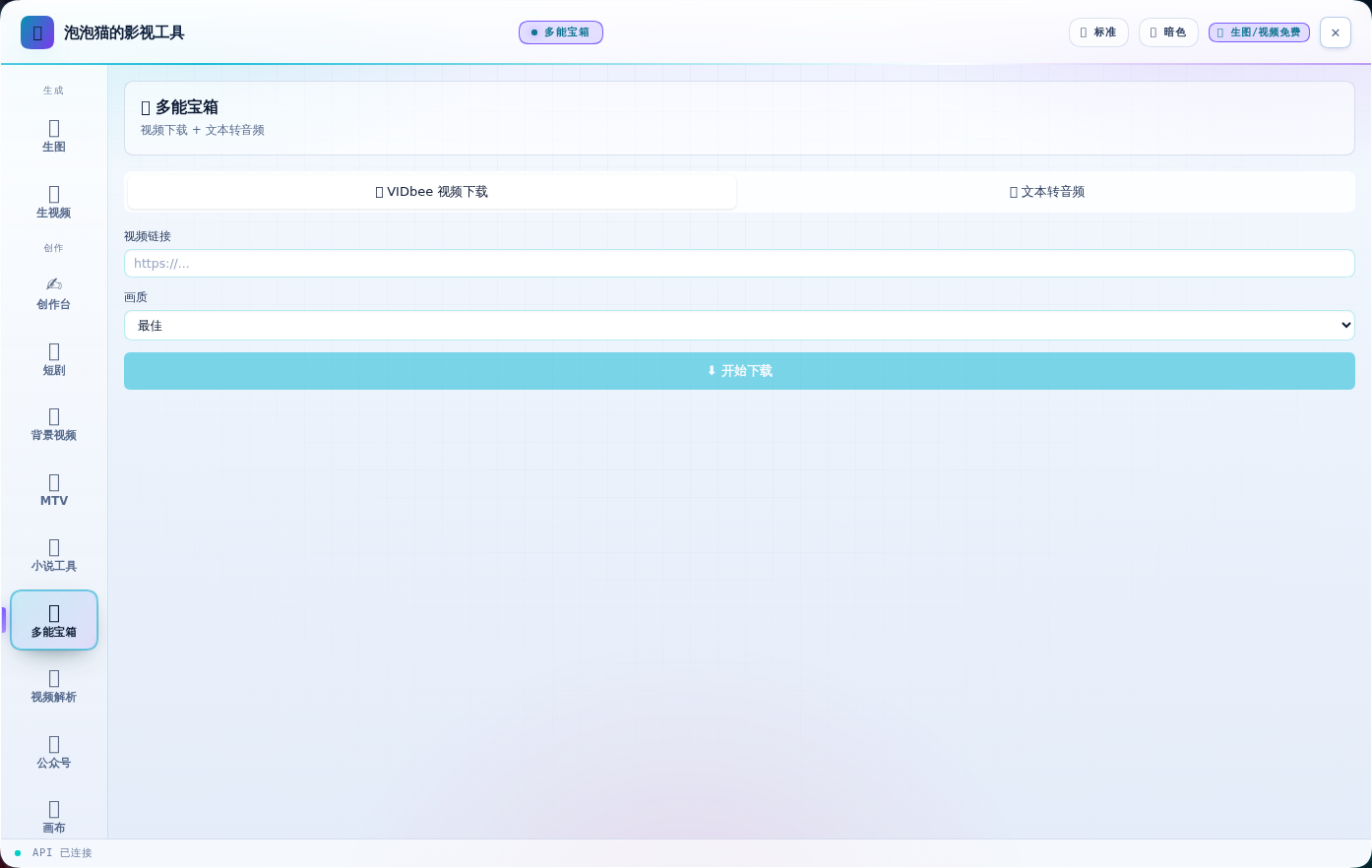
| 📖 小说工具(新) | 🧰 多能宝箱(新) |
|---|---|
 |
 |
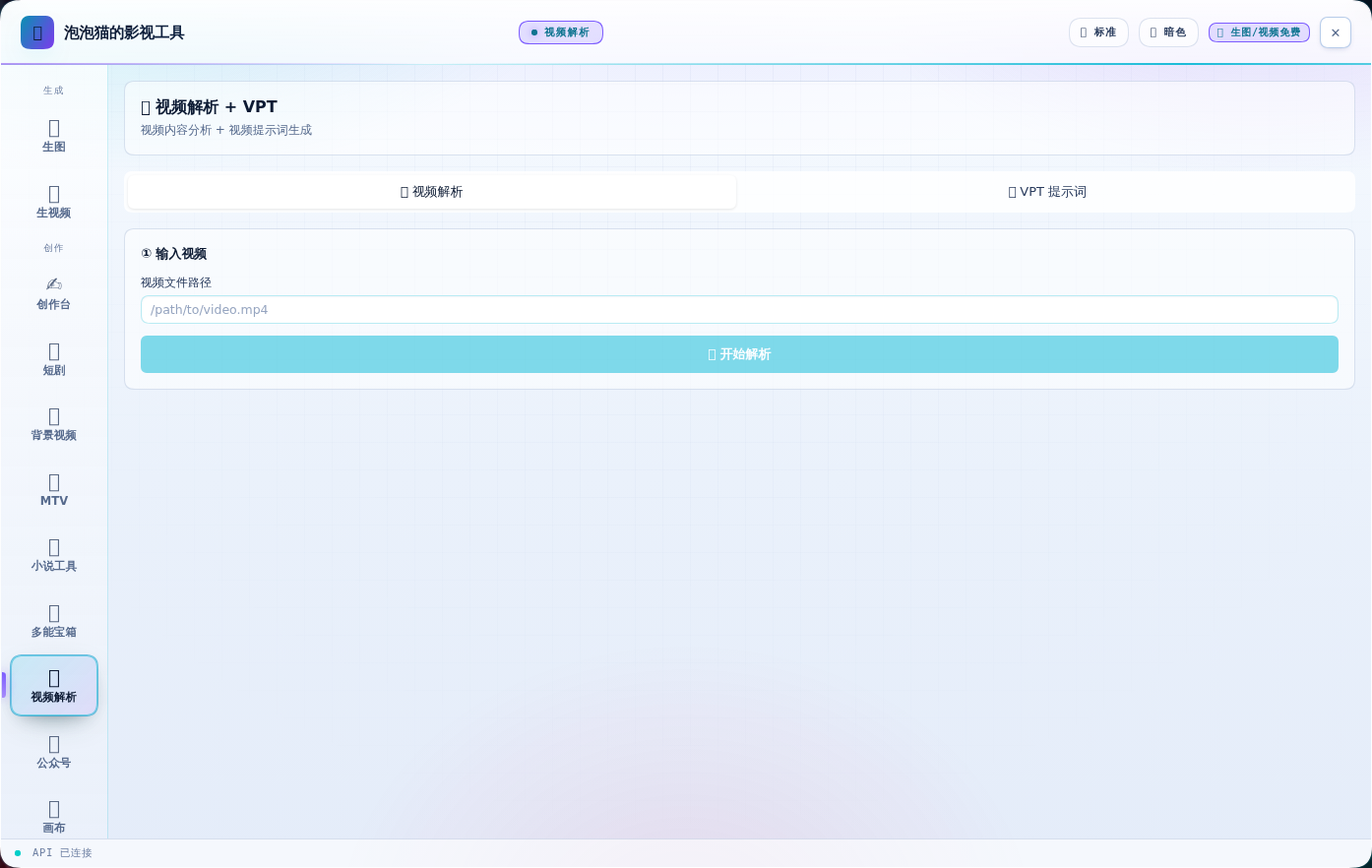
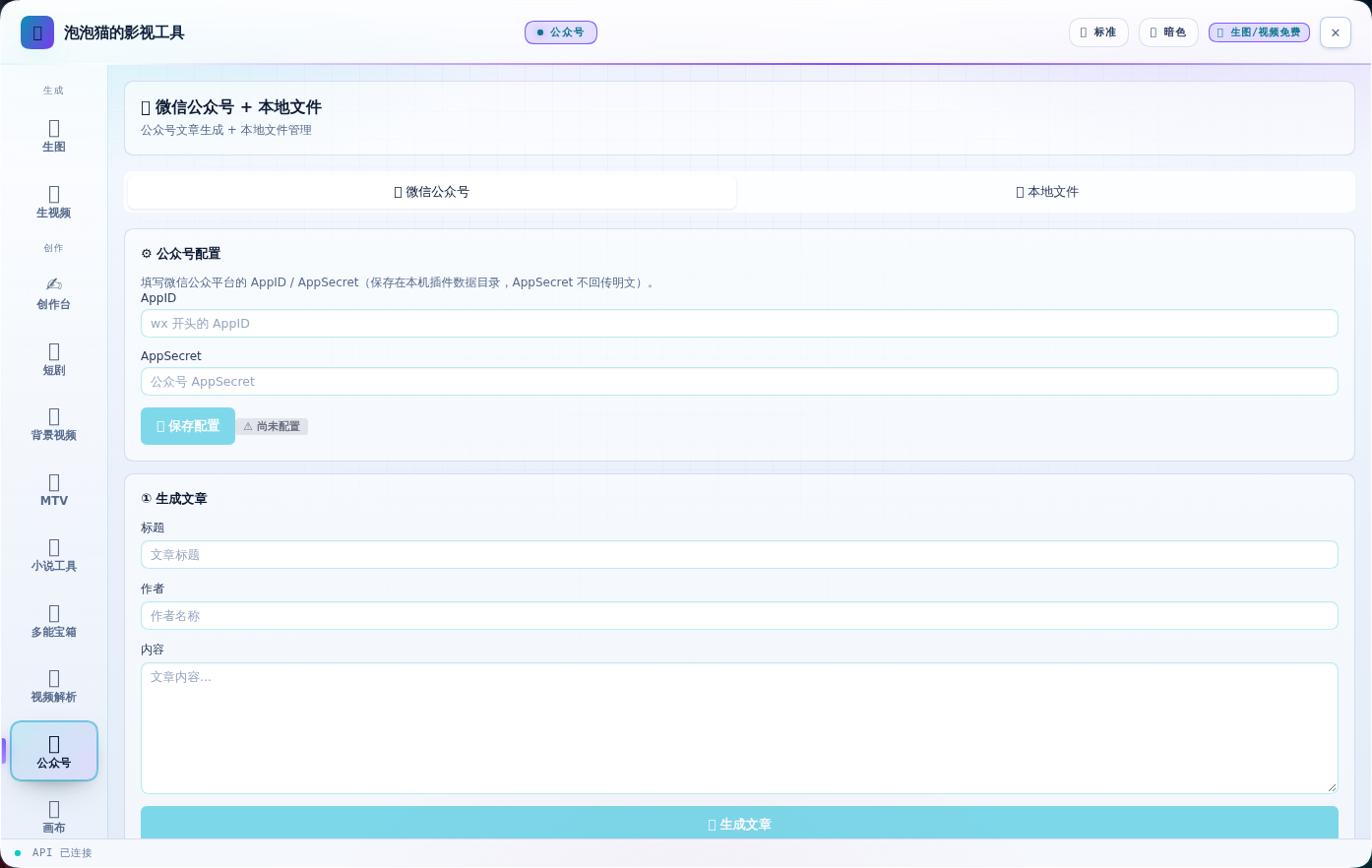
| 🎬 视频解析(新) | 📱 公众号(新) |
|---|---|
 |
 |
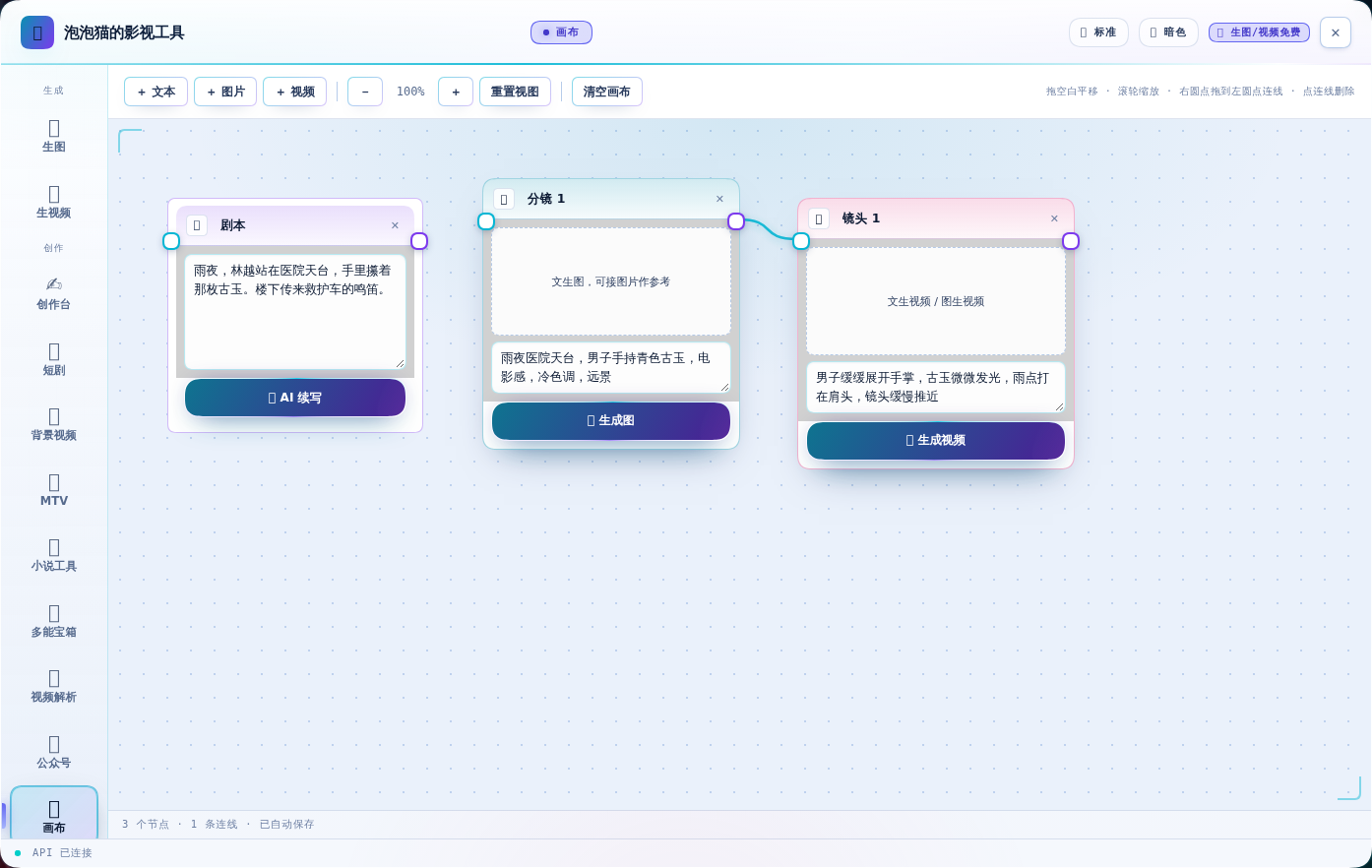
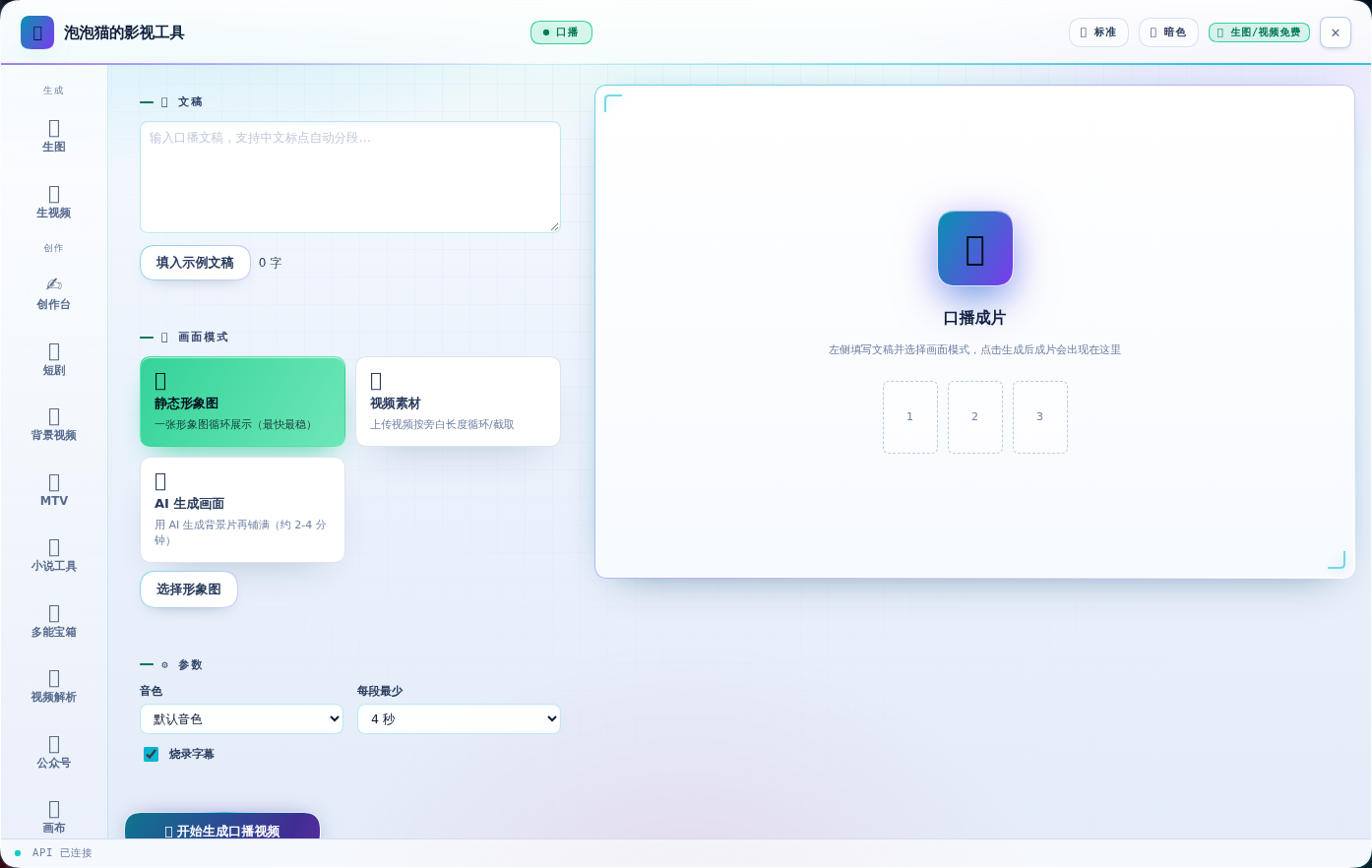
| 🕸 画布 | 🎙 口播 |
|---|---|
 |
 |
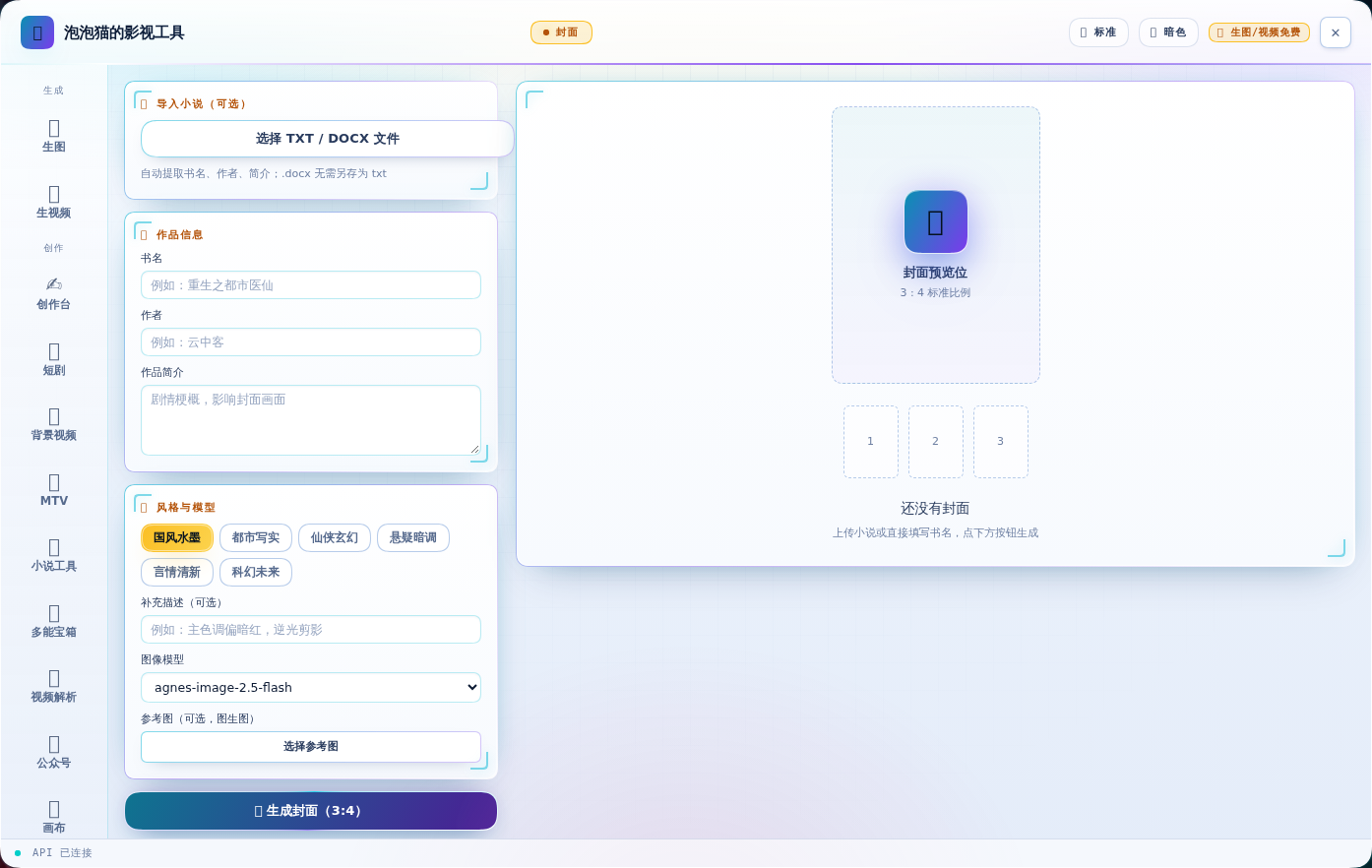
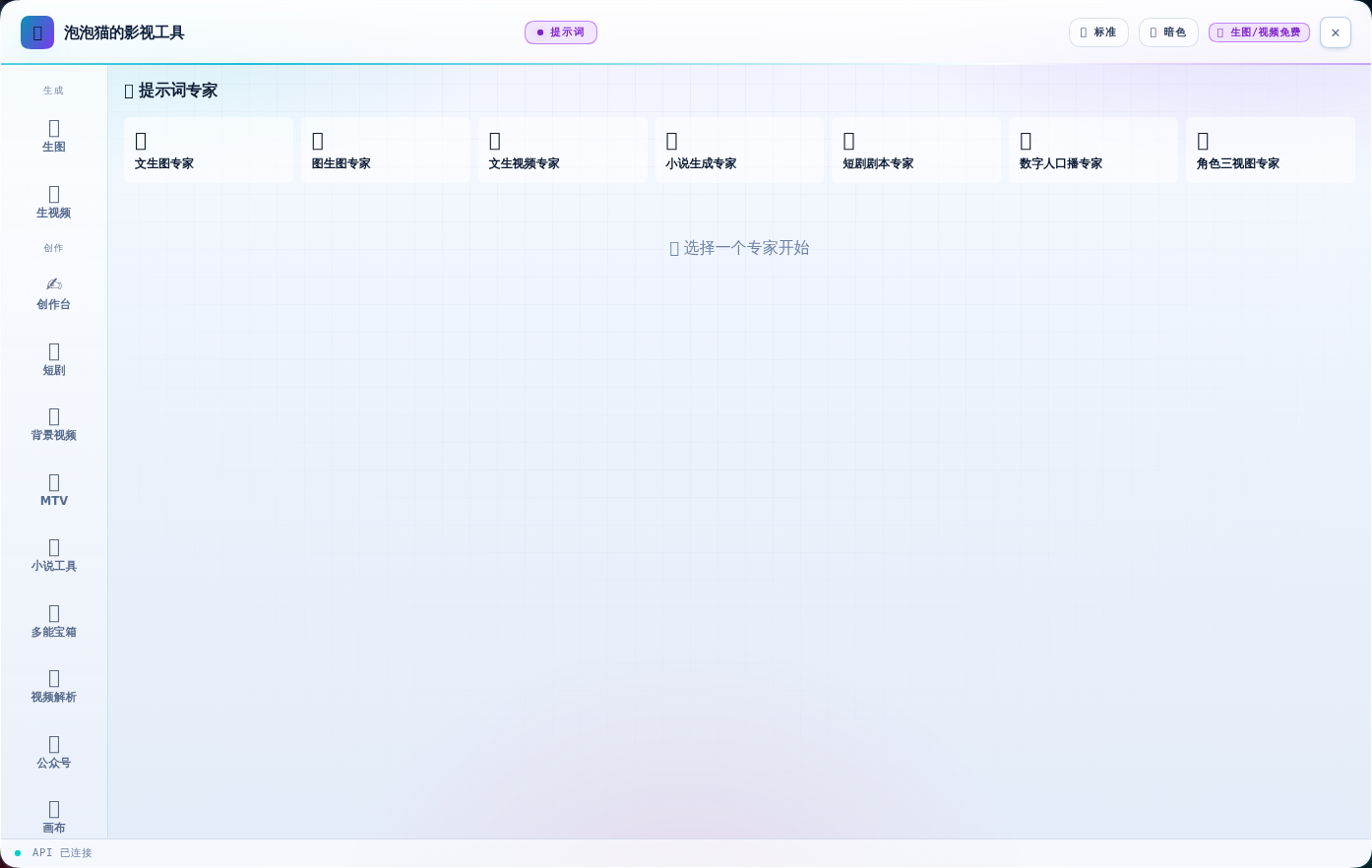
| 📕 封面 | ✨ 提示词 |
|---|---|
 |
 |
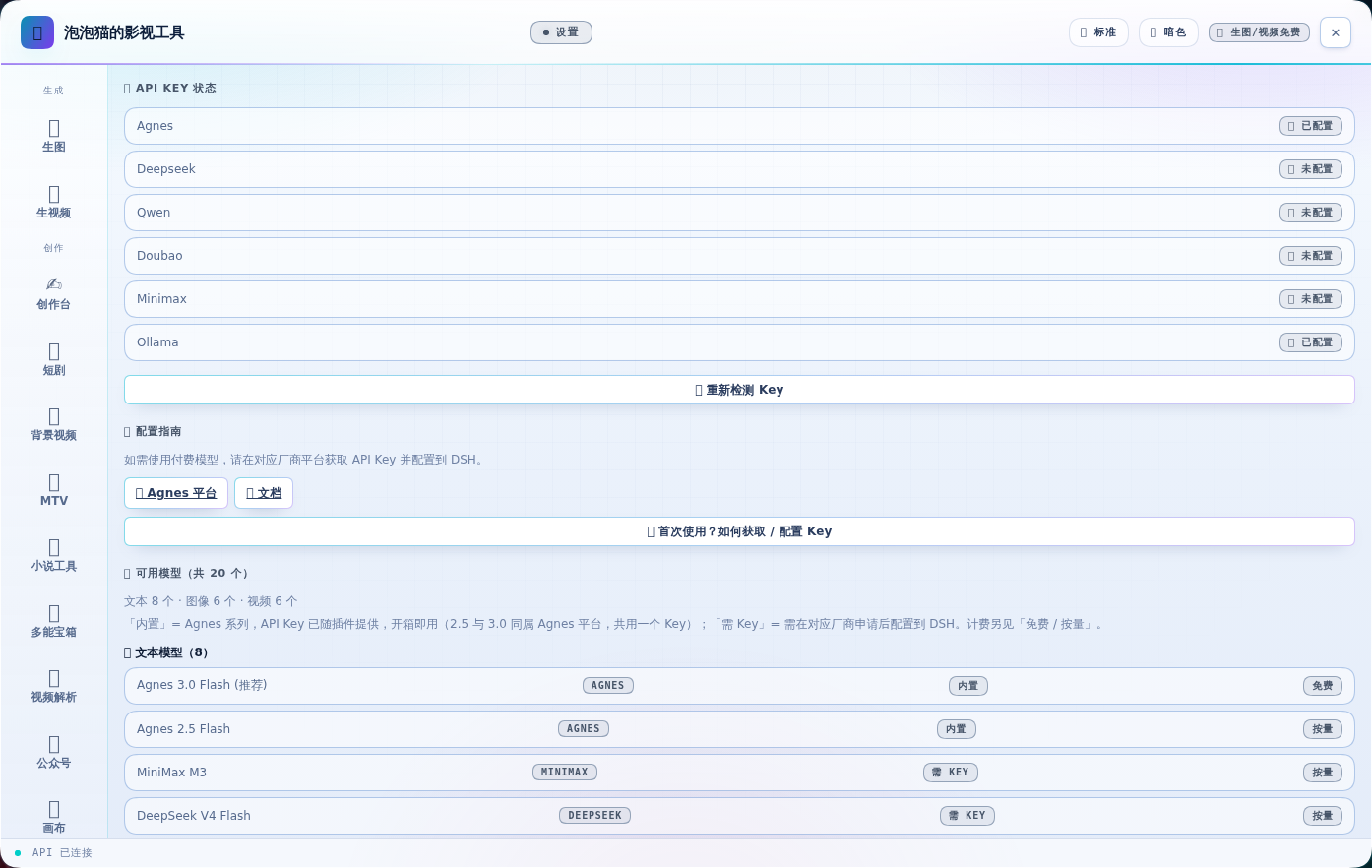
| ⚙ 设置 |
|---|
 |
核心特性
- 🎨 文生图 — Image 2.5 Flash,支持 1K-4K 尺寸,免费
- 🖼 图生图 — 风格迁移、场景变换、多图合成
- 🎬 文生视频 — Video 2.5 Flash,4-12 秒,免费
- 📹 图生视频 — 首帧控制、多模态参考
- 🎬 背景视频(新)— 上传原声/文稿 → 自动分幕(33 幕)→ 角色定妆与锚图 → 分镜与联系表 → 出片验收
- 🎵 MTV(新)— 音乐 + 形象,走「谱曲 → 设计 → 分镜 → 视频 → 合成」五步生成整支 MV
- 📖 小说工具(新)— 长篇小说一键按集拆分;写出的稿子可一键去 AI 味
- 🧰 多能宝箱(新)— 视频链接下载(vidbee)+ 文本转语音(TTS)
- 🎬 视频解析(新)— 视频切场景、抽关键帧,据此生成可复用的画面提示词(VPT)
- 📱 公众号(新)— 面板内写文章存草稿;AppID / AppSecret 配置入口(凭据存本机,Secret 不回传明文)
- 📖 短剧流水线 — 剧本导入 → 分镜 → 逐镜头真实生成 → 自动合成成片(可烧中文字幕)
- 🎙 数字人口播 — 文稿自动分段 → TTS 配音 → 画面 → 字幕 → 成片
- 三种画面模式:静态形象图 / 视频素材 / AI 生成画面
- AI 模式支持逐段生成画面(每段台词配一段画面,更贴合内容)
- 🕸 无限画布 — 节点化编排(文本/图片/视频),缩放拖拽、连线传参考图、逐节点真实生成,自动保存
- 📕 小说封面 — 上传 TXT/DOCX 自动提取书名/作者/简介,一键生成 3:4 标准封面
- ✨ 提示词专家 — 中文想法一键扩写成专业中英文提示词
- ✍️ 创作台 — 把 Oh Story 的创作流程搬进面板:选工作区 → 一键建项目(长篇/短篇)→
创作流程逐步引导(总纲 / 世界观 / 正文…,每步显示文件是否已写、自动标出下一步)→
文件树与编辑器 → 从面板发起创作任务(写下一章 / 拆文 / 去 AI 味)。
- 写完后不用切到对话框:面板每 3 秒自己检查目标文件,直接显示「正在生成 → ✅ 已完成」
- 章节步骤是动态的:写完一章,按钮自动变成「✍️ 写下一章」,可以一直往下续
- 🧩 模型清单(已并入设置页) — 设置页直接列出全部可用模型与数量:文本 8 个 · 图像 6 个 · 视频 6 个;每行标注厂商与「内置 / 需 Key」「免费 / 按量」,并可增删自定义 API 兼容模型
- 🕘 生成历史 — 最近 24 条生成结果的缩略图走马灯,刷新页面、重启浏览器都不丢
- 🎚 面板尺寸三档 — 标题栏 🪟 按钮循环切换 紧凑 / 标准 / 全屏,选择写进 localStorage
- 📚 Oh Story 创作技能(宿主半) — 原
@oh-story/dsh的宿主半(技能 + 工具)静态并入本包,不再是独立插件行;技能在会话里直接可用。面板侧的「✦ 创作套件」页签已撤销(功能不完善),不再占用面板空间:- 小说 / 短剧 / 游戏 / 视频 四个板块,直接读写当前 DSH 会话工作区里的项目文件
- 短剧 11 技能:
short-drama路由 + develop / write / assets / image-prompts / storyboard / video-prompts / produce / edit / review / novel-analyze - 网文 13 技能:
story路由 + long/short 拆文与写作、封面、去 AI 味、导入、审查、扫榜 - 视频解说 6 技能:understanding / script / cut / voiceover / assemble / recap
- 小说改游戏 7 技能:novel-to-game 及 analyze / concept / world-design / art-direction / build / qa
- 另含
oh_story_role、oh_story_production、oh_story_bundled_reference三个工具
与 Oh Story 的合并方式(v0.6.0)
合并不是把两份代码混着改,而是两个 half 各自保持原样、在入口处组合:
lib/host-entry.js   ← build.mjs 生成:agnes 宿主半 + vendor/oh-story 宿主半,apply() 依次调用,
                       inject 取并集(webServer/systemPrompt/credentials + skills/subagents/tools/typert)
lib/index.js        ← tsdown 产物,Agnes 宿主半本身,未改动
lib/client.js       ← build.mjs 生成:同一个文件里两个 __ModuleLoader__ 注册
                       (dsh-agnes-studio 与私有的 dsh-agnes-studio/oh-story),
                       Agnes 工厂用 require() 取到对方工厂并组合 apply()/inject
vendor/oh-story/    ← 上游 ~23MB 原样存放(index.js/client.js/四套技能与角色树),
                       Oh Story 靠自身目录解析技能根,所以必须整树同放
两处设计上的取舍:
- 宿主半没有塞进
src/index.ts:两边都导出name/apply,且 vendored 文件必须与其自身目录保持相对关系(技能根 =dirname(import.meta.url)/<pack>/skills)。因此新增一个lib/host-entry.js作为main。 - 客户端注册用私有 id:DSH 把全部插件的客户端 bundle 拼成一个 combo 脚本,模块系统禁止重复注册同一 id。若某个 profile 尚未重启、仍把
@oh-story/dsh当独立行加载,原样注册会直接冲突。用dsh-agnes-studio/oh-story这个私有 id 后,两种 profile 都能正常启动。
宿主半改动需要重启 DSH 才生效;客户端半刷新页面即可。 已并入的实例请把
@oh-story/dsh从 profile 的dsh.profile.bundles与dependencies中移除,避免技能重复注册。
环境依赖
短剧合成与口播需要本机具备:
| 依赖 | 用途 | 缺失时 |
|---|---|---|
| ffmpeg + ffprobe | 视频拼接、字幕烧录、音画合成 | 面板顶部提示安装方法;可设 AGNES_FFMPEG 指定路径 |
| 中文字体 | 烧录中文字幕 | 明确报错(不会静默输出豆腐块);可设 AGNES_SUBTITLE_FONT |
| MIMO_API_KEY | 口播 TTS 配音 | 口播页提示配置(mimo-api-key 凭据或环境变量) |
安装 ffmpeg:
# Linux
apt-get install -y ffmpeg fonts-wqy-zenhei
# macOS
brew install ffmpeg && brew install --cask font-noto-sans-cjk-sc
# Windows: 安装 ffmpeg 加入 PATH(或设 AGNES_FFMPEG),系统自带微软雅黑即可
技术亮点
- 不堵对话框 — 使用
shell.overlay浮层,对话框完全可用 - API Key 安全 — 走 Host 端代理,浏览器不暴露 Key
- 真实可用性验证 — 生图/生视频/拼接/TTS/字幕全部有端到端实测脚本
- 字幕按真实像素排版 — 用 ASS +
PlayResY声明分辨率,字号/边距不受 libass 默认 288 行缩放影响 - 拼接自动归一化 — 镜头分辨率或帧率不一致时逐个归一化再拼,避免时间轴错乱
安装
cd /dsh/profiles/web
npm install /root/软件/dsh-agnes-studio
# 编辑 package.json 的 dsh.profile.bundles 添加 "dsh-agnes-studio"
# 编辑 package.json 的 dependencies 添加 "dsh-agnes-studio": "file:/root/软件/dsh-agnes-studio"
# 若 profile 里还有 "@oh-story/dsh":从 bundles 和 dependencies 中移除(能力已并入),否则技能会重复注册
# 重启 DSH 容器
首次使用:获取 Agnes API Key
- 打开 https://platform.agnes-ai.cn 注册 / 登录(免费)
- 在控制台「API Keys」创建密钥,复制
sk-开头的那串 - 填到本机(任选一种):
- 在 DSH 设置 → 模型 → 凭据 中新增
agnes-api-key - 或在本机
/dsh/.env写入AGNES_API_KEY=sk-...
- 在 DSH 设置 → 模型 → 凭据 中新增
面板首屏会显示同样的指引;Key 只由宿主进程读取,浏览器不会接触。
使用
- 侧边栏点击「🎬 泡泡猫的影视工具」
- 生图 / 生视频:输入提示词(或点「试试:」下的示例一键填入),选模型与尺寸,点击生成
- 短剧:剧本导入 → 生成分镜 → 「一键生成全部镜头」→「合成成片」(可选烧字幕)→ 下载
- 口播:切到「🎙 口播」→ 输入文稿 → 选形象图 → 开始生成 → 预览/下载
- 画布:切到「🕸 画布」→ 拖空白平移、滚轮缩放、节点右圆点拖到左圆点连线(图片节点连到视频节点即作为参考图)→ 节点上直接生成
- 封面:切到「📕 封面」→ 上传 TXT/DOCX 或手填书名 → 选风格 → 生成封面
- 提示词:切到「✨ 提示词」→ 选专家类型 → 中文想法 → 生成中英文提示词
- 创作台:切到「✍️ 创作台」→ 选工作区 → 输入名字建项目 → 照流程逐步点「✨ 生成」→ 点「🔄 刷新进度」看结果
- 模型:切到「🧩 模型」→ 查看全部可用模型(标注厂商)→ 增删自定义模型
- 设置:切到「⚙ 设置」→ 查看各厂商 API Key 状态与配置指引
- 关闭:标题栏 ✕、Esc,或再次点击侧边栏入口
导航分三组:生成(生图 / 生视频)· 创作(短剧 / 画布 / 口播 / 封面 / 提示词)· 配置(模型 / 设置)。 标题栏 🪟 切换面板尺寸;生图/生视频右侧参数栏可点「⇥ 收起参数」让预览占满。
⚠️ 改动了插件宿主半(
lib/index.js)后需重启 DSH 才生效;只改客户端刷新页面即可。 画布状态保存在浏览器 localStorage,无需后端。
Links
More in this category
liustack/modlens★ 4592
Vision bridge for text-only models: paste an image, get structured JSON evidence (OCR, layout, semantics).
ysr666/dsh-vision-router★ 1187
Free vision for text-only agents: built-in keyless vision chain plus pixel tools (Q&A, grounding, crop, pixel diff, colors, OCR, SVG trace, cutout, screenshots); paste an image to use it.
Anionex/dsh-vision-toolkit★ 915
Vision for text-only models: paste an image and the model switches to a Vision Toolkit variant for image Q&A, multi-image comparison, long-screenshot OCR, screenshot-to-UI reproduction, element grounding, and pixel diff. No API key by default — images are processed by the author-hosted free service, 100 per machine per day; configurable to your own provider.
dickpy/dsh-imagegen★ 150
AI image generation for the DSH Web GUI: text-to-image and image-to-image through a configurable OpenAI-compatible endpoint (gpt-image-2 / gpt-image-1 / dall-e-3), with an api_url/api_key settings card and a sidebar split-pane generation studio.
fandc520/dsh-comfyui★ 146
Drive a local or remote ComfyUI server from DeepSeek Harness: comfyui_run / comfyui_object_info / comfyui_workflow tools generate and edit images and videos, with a workflow library (graph extraction: per component / main flow / all), a load area with resolution auto-match, a live queue, SDXL and Wan 2.1 templates, a companion skill, and a same-origin media proxy.
SAOS-3624/dsh-video-storyboard★ 116
Turns a video (a local file, or a Bilibili/yt-dlp link) into one addressable storyboard grid — numbered cells with exact timestamps, per-cell transcript and an audio envelope on the same timeline — and video_zoom re-reads any window at higher resolution, so a text-only model can look at the video instead of reading a summary.
Community comments
Comments are public GitHub Discussions. Loading them connects to GitHub and Giscus; a GitHub account is required to post.