Model-facing `generate_image` tool for text-only models: the model asks for a picture in natural language, Gemini draws it via the Antigravity CLI, the image is saved to a configurable output directory, and the tool returns the file paths for the model to use in its work.
Install
# from npm (prebuilt)
dsh plugin --profile web add dsh-tool-generate-image
# from GitHub (first run asks for allowBuilds approval — follow the hint, retry)
dsh plugin --profile web add github:zclDragon/dsh-tool-generate-image
Any plugin you install runs third-party code with your own permissions — it can read your files, use your credentials, and reach the network, and tool approvals don’t sandbox it. GitHub-sourced plugins also run build scripts at install time — pnpm blocks those until you allow them, so an install can stop with ERR_PNPM_GIT_DEP_PREPARE_NOT_ALLOWED or ERR_PNPM_IGNORED_BUILDS; dsh prints the exact key to add under allowBuilds in your profile’s pnpm-workspace.yaml, and the install works on the next run. Allowing a build is a trust decision: only install sources you trust, and pin a commit (github:owner/repo#sha).
README
English | 中文
A hot-pluggable DeepSeek Harness (dsh) plugin that gives a text-only model a generate_image tool: describe an image in natural language and the model calls the tool, which asks Antigravity CLI (agy) / Google Gemini to draw it, saves it to an output directory, and returns the file path.
Generated images render inline in the chat AND are persisted to disk — the files survive restarts (unlike pure in-memory solutions where old links 404).

What it is
This is a model-facing tool — the model calls it on demand while working ("draw a diagram for section 3, save it, I'll reference the path") rather than a chat-side auto-generate-and-display feature.
- Generation is routed through the local
agygenerate_imagetool + thegemini-3.1-flash-imageimage model (free Google account, no API key). - Generated images are harvested recursively from
~/.gemini/antigravity-cli(agy's write location is not stable across runs:scratch/,brain/<conversation-id>/,.tempmediaStorage/all appear; SVG vectors are possible too) and copied into a configurable output directory. - Inline chat display: image bytes are held in process memory and served through a loopback-only route on the host's web server (default
/generate-image) as a markdown reference — the model copies that line into its reply and the client renders it. In-memory cap 200 images / 128MB, cleared on restart (the disk copy is unaffected). - Zero runtime dependencies (Node built-ins only); no dsh source changes.
Install
dsh plugin --profile web add dsh-tool-generate-image
Restart the web app after install and the model can call the generate_image tool.
Usage
No commands to remember. Just ask the model to draw something, e.g.:
Draw a shiba inu wearing an engineer cap, coding at a desk, cartoon style, 16:9
The model calls generate_image, saves the image to the output directory (default ~/.dsh/generated-images), and returns the file paths plus an inline-display markdown reference — the model copies that line into its reply and the image renders right in the chat:
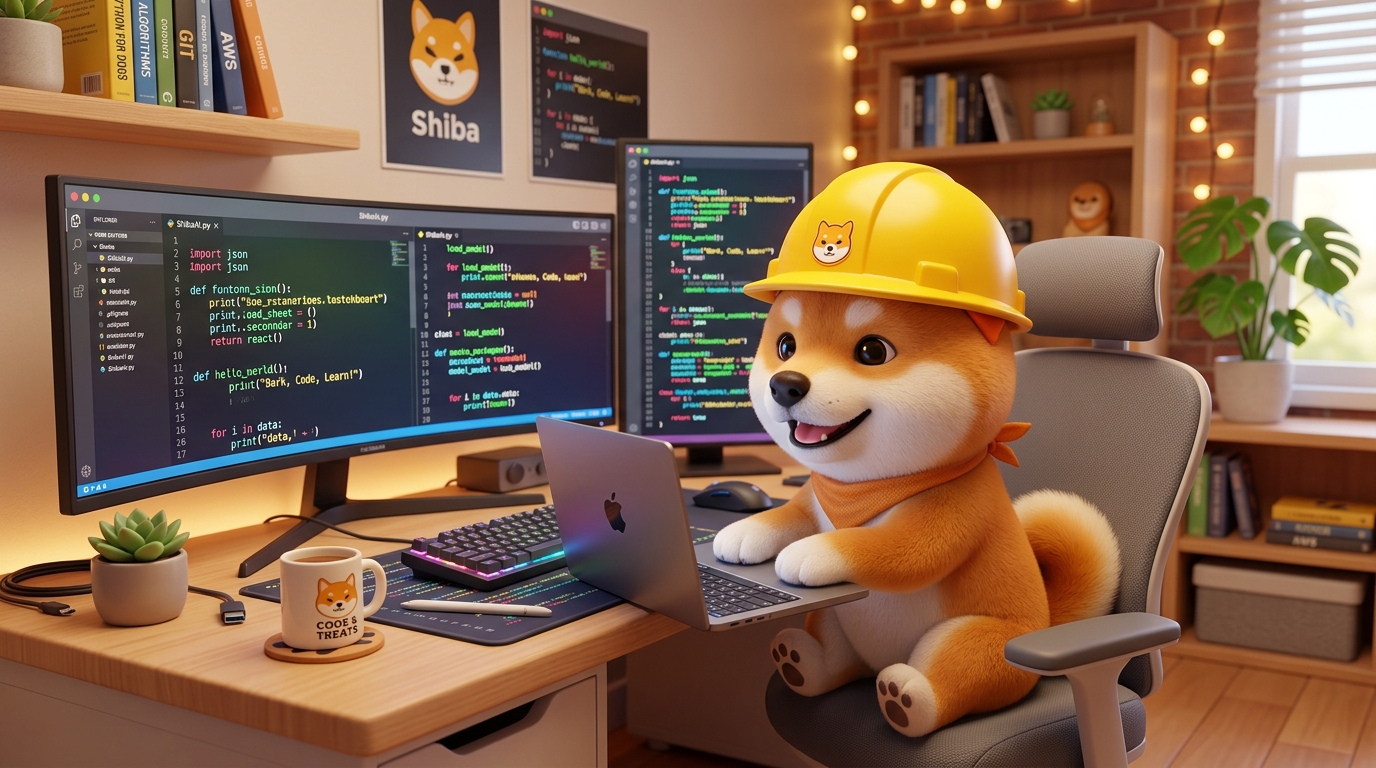
Two layers: the inline chat display is in-memory (old references 404 after a restart — fine), while the image is durably saved to disk, so the file paths keep working after a restart.
Configuration
Read by the plugin's apply(ctx, config) (set it in the web profile's cordis.patch.yml / settings layer):
| Key | Default | Meaning |
|---|---|---|
model |
gemini-3.7-flash-medium |
Chat model driving the generation (the image is rendered by the backend gemini-3.1-flash-image model) |
outputDir |
~/.dsh/generated-images |
Where generated images are saved |
timeoutMs |
300000 |
Per-generation timeout |
toolName |
generate_image |
Registered tool name (change if it collides with a host tool) |
agy |
agy |
The agy executable |
effort |
— | Optional low / medium / high, forwarded as agy --effort |
inlinePath |
/generate-image |
Inline-display route prefix (mounted on the host web server, loopback-only) |
displayHost |
auto http://127.0.0.1:<webServer.port> |
Base URL used in the inline markdown; set only if it must differ |
Tool arguments: prompt (required, natural-language description), fileName (optional, output base name; defaults to a timestamp).
Returned: ok, images (durable disk paths), markdown (in-memory inline reference; may be empty), message.
How it works
model: "draw a shiba inu"
└─ generate_image tool execute()
└─ spawn agy -p "<prompt>" --dangerously-skip-permissions \
--model <model> --print-timeout <Ns>
└─ agy calls its generate_image tool → gemini-3.1-flash-image renders
└─ recursive mtime snapshot of ~/.gemini/antigravity-cli finds the new images
└─ copy to outputDir (durable)
└─ bytes → in-memory store → markdown 
└─ return { ok, images: [paths], markdown, message }
└─ model copies the markdown line into its reply → DSH client renders → image shows in chat
--dangerously-skip-permissions is required: in agy's print mode, tool calls are silently skipped without it, so the image would never be drawn.
⚠️ Security note: this flag means a full agent CLI (
agy) runs with its permission prompts disabled. The prompt is passed as aspawnargument array (never through a shell), so there is no injection surface from the prompt text — but be aware that agy will execute tool calls directly under the signed-in account's permissions.
Notes
- Prerequisite: install and sign in to the Antigravity CLI (
curl -fsSL https://antigravity.google/cli/install.sh | bash, thenagyand sign in once). - Quota variance: the free image service occasionally returns
503 MODEL_CAPACITY_EXHAUSTED/429 RESOURCE_EXHAUSTED— transient, retry shortly. - Tested on the Web profile only.
- Restart required: install/uninstall takes effect after restarting the web app.
Development / testing
node test/harvest.mjs                                  # harvest-logic unit test
node test/inline.mjs                                   # inline route unit test (incl. real-http round trip)
node test/standalone.mjs "a shiba inu" /tmp/out        # end-to-end (real generation)
License
Links
More in this category
Q00/ouroboros#integrations/dsh-plugin★ 6173
Config-only bundle that mounts Ouroboros through the DSH MCP client, exposing 36 interview, Seed, execution, evaluation, and evolution workflow tools in DSH.
loopx-project/loopx#dsh-loopx-plugin★ 6136
LoopX, a provider-neutral, local-first state kernel and control plane for long-horizon agents: keeps Goal, Todo, gate, evidence, quota, recovery, and handoff state above DeepSeek Harness, while the plugin bootstraps the CLI and skills, admits bounded same-session continuation, and adds a loopback GoalBar for the exact bound loop.
chuspeeism/dashi-taskboard#deepseek-harness★ 3276
Embeds the active installed Codex Taskboard runtime in the DeepSeek Harness sidebar, using its launcher runtime descriptor instead of a fixed port.
NanmiCoder/dsh-agent-teams★ 1893
AgentTeams multi-agent teams.
EthanYoQ/AI-Novel-Writer#dsh-ai-novel-writer★ 1263
Installs a dedicated AI novel-writing preset and workbench: revisioned local project assets, a compact side drawer, and native approval-gated single-file changes.
tong-io/tongflow#dsh-tongflow★ 1035
TongFlow film-crew studio for image, voice, music and video production: the agent writes per-asset TongFlow workflow files (.tongflow.json) that run through TongFlow plugins, with an embedded workflow canvas, a shot/character/take project layout and a manga-drama template; sessions starting with @tongflow open the Studio view.
Community comments
Comments are public GitHub Discussions. Loading them connects to GitHub and Giscus; a GitHub account is required to post.