Adds a switch between DeepSeek web chat and the Harness workspace in DSH Desktop.
Install
# from npm (prebuilt)
dsh plugin --profile web add dsh-deepseek-chat
# from GitHub (first run asks for allowBuilds approval — follow the hint, retry)
dsh plugin --profile web add github:xingxingbk-git/dsh-deepseek-chat
Any plugin you install runs third-party code with your own permissions — it can read your files, use your credentials, and reach the network, and tool approvals don’t sandbox it. GitHub-sourced plugins also run build scripts at install time — pnpm blocks those until you allow them, so an install can stop with ERR_PNPM_GIT_DEP_PREPARE_NOT_ALLOWED or ERR_PNPM_IGNORED_BUILDS; dsh prints the exact key to add under allowBuilds in your profile’s pnpm-workspace.yaml, and the install works on the next run. Allowing a build is a trust decision: only install sources you trust, and pin a commit (github:owner/repo#sha).
README
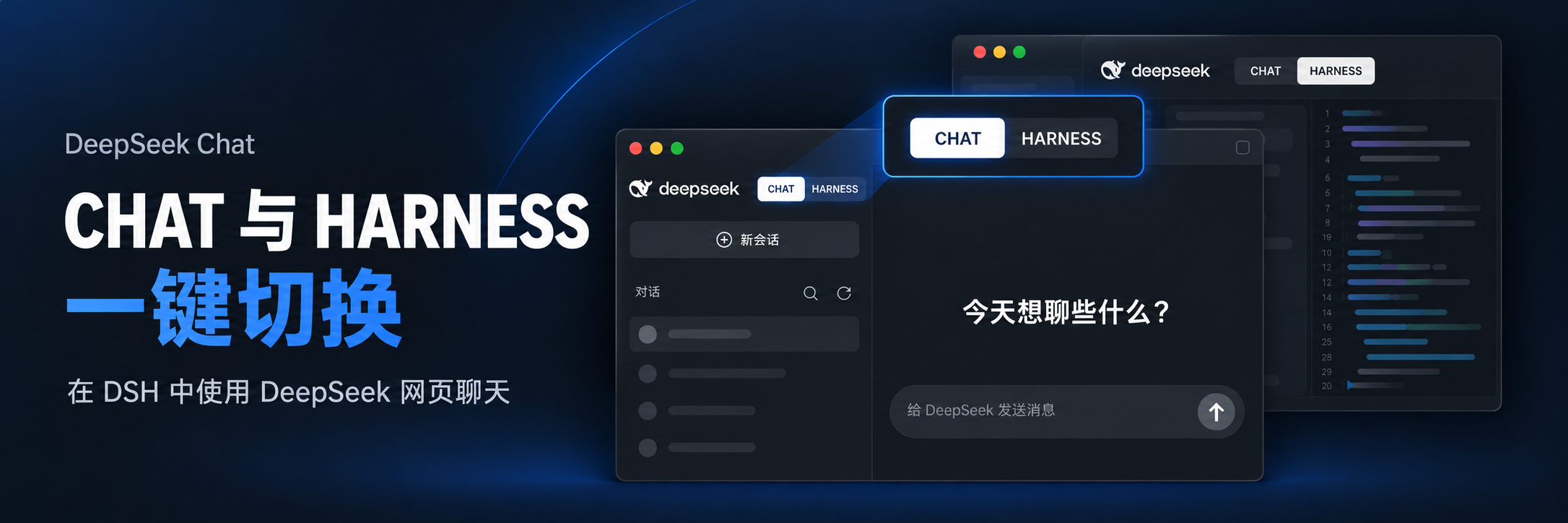
CHAT embeds the real DeepSeek Chat website, including its chat interface and account history. HARNESS returns you to the original DSH workspace.
Current version: 0.2.6 · Built for DSH Desktop · The CHAT website’s language, appearance and text size follow DSH.
Preview
DeepSeek web chat inside DSH
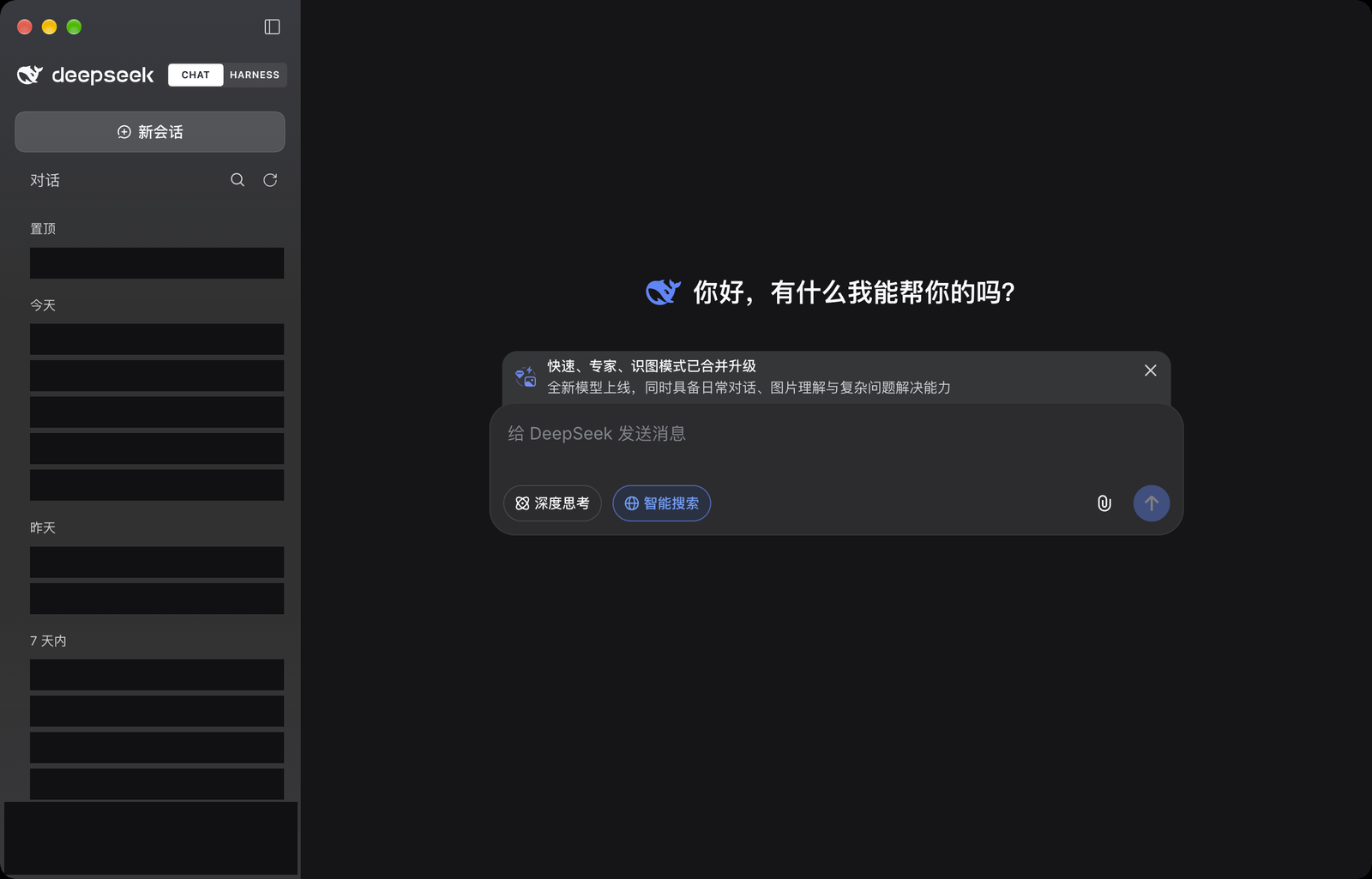
- Browse website conversation titles, pinned conversations and date groups in the existing DSH sidebar.
- Open each conversation’s More menu to rename, pin/unpin, share or delete it. Menus and the rename dialog use native DSH components, and the website saves the changes. Sharing and deletion retain the website’s confirmation flow.
- Continue an existing conversation or use the top New Chat button to start a website conversation.
- Refresh the current website page and conversation list using the refresh icon next to Chats. Use it to pick up conversations created in another browser without restarting DSH.
- Search the titles already loaded into the sidebar. The website provides the conversation content and composer.
- Conversation text, composer text and its placeholder follow the HARNESS content font size, which defaults to 14px. Changes to the DSH content font size also apply to CHAT.
- The CHAT conversation page follows the active HARNESS light or dark theme, including changes when HARNESS follows the system. No page reload is needed.
- Click the conversation title at the top left to use the website’s own title editor.
Switch back to HARNESS
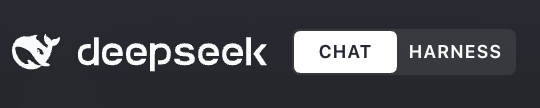
The switch sits beside the DeepSeek brand at the top of the left sidebar. The white segment marks the active mode. Returning to HARNESS restores the panel that was open before CHAT; switching back to CHAT returns to the retained website page. When the sidebar is collapsed, reopen it using the original sidebar toggle.
Website account and remembered sign-in
Open the native DSH Settings → Chat settings page to view your website account and saved login, or sign out.
- Choose your language in DSH Settings → General: Chinese selects Simplified Chinese on the website, and English selects English. Plugin menus, messages and Chat settings also switch between Chinese and English. There is no independent language preference or forced Chinese default.
- Appearance and content text size also follow DSH automatically.
- CHAT uses a separate website sign-in. Signing out of the DSH account or CHAT does not disable the mode switch.
- Settings and the conversation page share the same website session. Account status and the conversation list update after sign-in, while the plugin saves the sign-in grant in the background.
- After signing in normally inside the plugin, Website login saved indicates that the grant has been saved. The website interface follows the DSH language.
- Reopening the same DSH profile restores the grant for the website to validate. An expired grant requires a new sign-in.
Installation
Install by package name (recommended)
Enter the package name and version below in the DSH plugin installer to install the current latest release:
dsh-deepseek-chat@0.2.6
Or use the CLI:
dsh plugin --profile desktop add dsh-deepseek-chat@0.2.6
Use the same method for a first installation or an existing plugin. If DSH’s release age policy temporarily blocks a new version, retry later or use the GitHub option below.
Install from GitHub
Paste this URL into the DSH plugin installer:
https://github.com/xingxingbk-git/dsh-deepseek-chat
Or use the CLI:
dsh plugin --profile desktop add https://github.com/xingxingbk-git/dsh-deepseek-chat
This installs the version already pushed to the repository, which includes prebuilt files. No manual build is needed. Git must be installed and git --version must work. On Windows, install Git for Windows, then reopen DSH.
Install a local package
Install a .tgz package using the DSH plugin manager, or run:
dsh plugin --profile desktop add /absolute/path/dsh-deepseek-chat-0.2.6.tgz
Replace the path with your actual package location.
Fully quit and reopen DSH after installation, then confirm that the plugin manager shows version 0.2.6. Replace desktop with the appropriate name if you use another profile.
See the official DSH plugin installation documentation for more information.
Getting started
- Select CHAT. If signed out, choose Sign in to DeepSeek. The same entry is available in Settings → Chat settings.
- Complete sign-in on the real website in the CHAT main page. Chat settings displays your account and sign-in status. Its sign-in button closes Settings and opens CHAT; account details and conversations synchronize afterward without a manual refresh.
- Check the remembered sign-in status in Settings → Chat settings, then adjust language, appearance and text size in DSH General settings. Signing out clears the plugin’s saved grant and signs out of the website; the mode switch remains available.
Website sign-in happens inside the plugin. Automatic authorization from an external browser would require a Chat authorization exchange interface from the website, which has not been confirmed. Signing in elsewhere does not automatically sign in this plugin.
If the website cannot load, use the retry action in its status panel. If the sign-in persistence service cannot connect, the interface shows an error and a retry action. The plugin automatically collapses the website’s fixed environment warning; other notices, verification challenges and authentication errors remain under website control.
Refreshing the list reloads the current website page and retains the conversation URL. If an unsent draft or an active generation is detected, complete that activity first; the plugin does not back up drafts. Wait for the refresh to finish. If loading fails or times out, use the website retry action on the right.
Limitations
- Compatibility: designed for DSH Desktop. Refer to the compatibility check in the DSH plugin manager for your version. CHAT is not supported in DSH Web.
- Website navigation: the sidebar mirrors navigation already loaded by the website. It depends on the website’s page structure and is not an official history API. When the structure cannot be recognized, the native website navigation is restored while detection retries; the sidebar and Chat settings synchronize after recovery.
- New Chat shortcuts: the top New Chat button supports mouse and Enter activation. Original Harness shortcuts and menu commands still perform Harness actions and may create a Harness session and leave CHAT.
- Remembered sign-in: the website session is separate from Safari/Chrome and from the DSH platform account. Expiry, revocation or website changes may require signing in again. Long-term behavior, full uninstall and broader platform coverage still require further validation.
- Page lifetime: manual mode switching retains the website page. Disabling or uninstalling the plugin, or fully quitting DSH, destroys the container. The plugin does not back up unsent drafts or replace the website’s generation controls.
- Browser capabilities: downloads, device permissions and some popups are restricted by DSH Browser policy. Sending, uploads, cross-browser history consistency and long-term operation require broader real-world validation.
Privacy and data
DeepSeek’s website handles chats and account history. To adapt the interface, the plugin reads visible navigation titles, groups, links, account display names and language settings. Navigation metadata remains in memory during the current authorized lifetime. The plugin reads DSH’s resolved language, theme and content font size. Website language and theme are synchronized through existing public settings controls; the plugin does not save a separate language preference.
Remembered website sign-in processes only the minimum grant data from the plugin’s own chat.deepseek.com page and stores it through the official DSH credentials service. The plugin derives a separate record identifier from the profile path supplied by the DSH launcher, keeping profiles separate and associating the grant with its website account. Signing out clears the previous grant and fences off late save operations. Without trusted profile context, normal website sign-in still works, but it cannot be remembered. This depends on the website’s current implementation, is not a stable official OAuth interface and does not promise permanent sign-in.
The plugin does not store passwords, cookies or message bodies, read tokens belonging to DSH or other plugins, access other browsers’ sign-in data, call private authentication APIs, modify the DSH application package or disable web security. See the architecture notes and website session notes for the data flow and authorization boundaries; these technical notes are in Chinese.
Development and packaging
Requirements: Node.js 22.19+ on the 22.x line, or Node.js 24+, and pnpm 10.33.2. Runtime dependencies target Cordis 4.0.4 and React 18.3.1.
git clone https://github.com/xingxingbk-git/dsh-deepseek-chat.git
cd dsh-deepseek-chat
pnpm install --frozen-lockfile
pnpm package:plugin
This produces artifacts/dsh-deepseek-chat-0.2.6.tgz, containing Host and Client code, declarations, the icon, locale metadata and the bundle patch. The plugin-manager icon is assets/icon.svg; replace it and rebuild to change the icon. The SVG must be self-contained and no larger than 256 KiB.
After source changes, run pnpm release:prepare and commit the source together with the complete lib/ directory. pnpm check:distribution checks the compiled files against the source, version and installation entry. Stale or missing output fails the check. People installing the plugin do not need these development commands.
To uninstall:
dsh plugin --profile desktop remove dsh-deepseek-chat
Links
More in this category
zhu1090093659/dsh-web#packages/dsh-task-board★ 9262
Task board for the dsh web GUI: a sidebar multi-column kanban whose cards run in real DSH agent sessions and can also be scheduled with cron expressions, executed host-side even with the browser closed.
zhu1090093659/dsh-web#packages/dsh-web-all★ 9262
Plugin and skin collection for the DSH Web UI: task board, Git graph, right-side panel, remote mobile UI, pet, live token stats, and a skin center.
MeteorNOX/DeepSeek-Balance-Whale-Widget★ 5677
A fixed-corner whale widget for the DSH web GUI — balance, today's usage and per-turn cost with peak/off-peak pricing, editable balance-alert and daily-budget bubbles, a module-based custom bubble queue with A/B weighted choices and random lines or images, 30+ vendor templates (OpenAI, OpenRouter, Kimi, SiliconFlow, Ark, Zhipu, MiniMax and more) with per-model balance and subscription quota, plus task-end sound, imported audio, custom roles and a resource manager. Local-only, no telemetry.
ccch1mneyyy/dsh-TUI★ 5125
Claude Code-style full-screen terminal UI: pixel-whale header, live status line, and streaming thought expansion.
omdsh-dev/DSH-better-sidebar★ 4413
Full sidebar workbench with file rendering and editing, terminal, Git, and subagents; third-party plugins can register new tabs.
Devin-AXIS/deepseek-design#deepseek-idesign★ 1491
Visual design studio for websites, app prototypes, posters, cards, reports, and magazines, with templates, direct element editing, selection-aware AI draft handoff, and export.
Community comments
Comments are public GitHub Discussions. Loading them connects to GitHub and Giscus; a GitHub account is required to post.