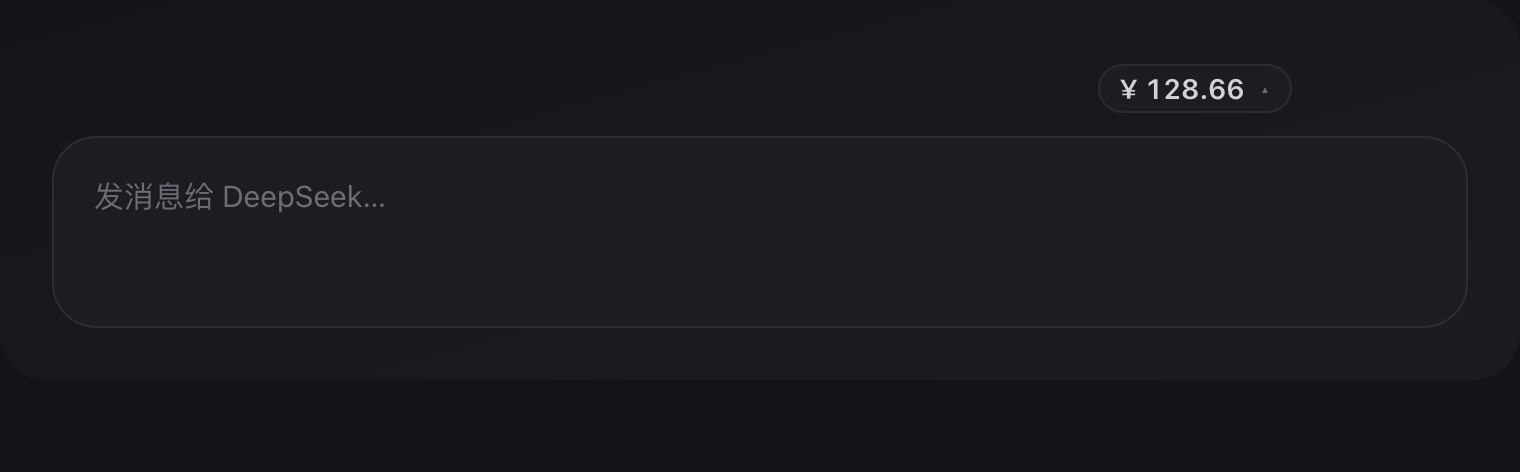
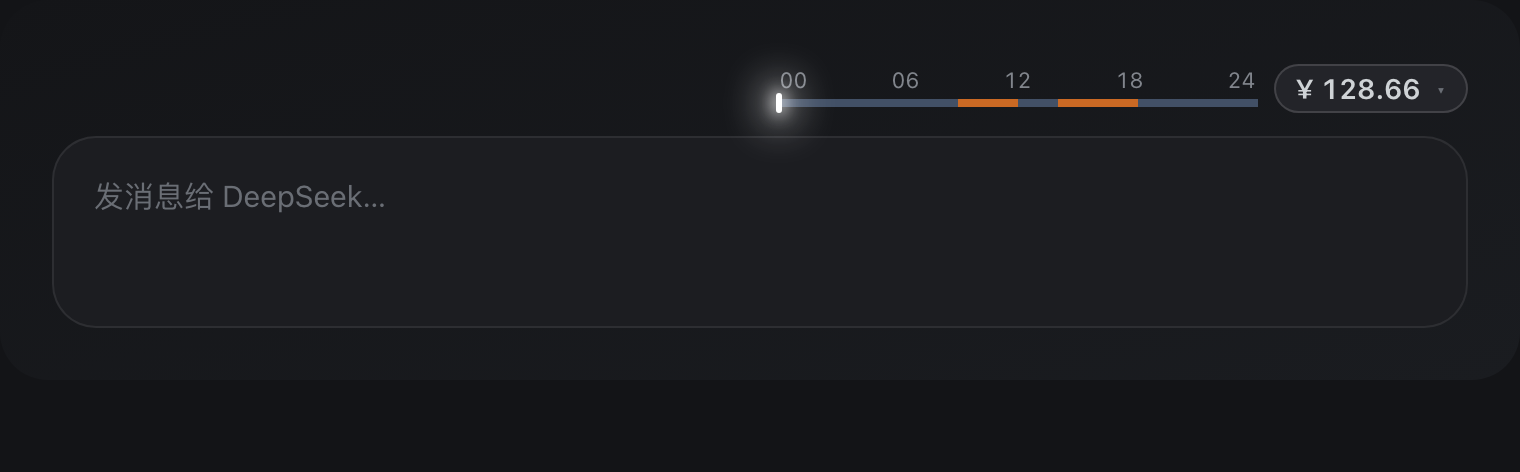
Peak-Valley Meter (峰谷电表) — a tiny DeepSeek usage companion: a minimal two-part balance chip above the composer (currency symbol + number, nothing else), official balance refreshed every 5s; click the symbol to open the official top-up page in a new tab; hovering the chip fades in a circular backdrop under the symbol, its left arc flush with the chip's own left edge, and expands a 24h peak/valley timeline (orange=peak, blue=valley, glowing marker at the current local time) so off-peak hours are obvious; independent today-spend metering; a settings panel with 10 muted color presets plus custom valley/peak colors, detailed/minimal styles and readout toggles; all-Chinese UI.
Install
# from npm (prebuilt)
dsh plugin --profile web add dsh-valley-meter
# from GitHub (first run asks for allowBuilds approval — follow the hint, retry)
dsh plugin --profile web add github:uckkk/dsh-valley-meter
Any plugin you install runs third-party code with your own permissions — it can read your files, use your credentials, and reach the network, and tool approvals don’t sandbox it. GitHub-sourced plugins also run build scripts at install time — pnpm blocks those until you allow them, so an install can stop with ERR_PNPM_GIT_DEP_PREPARE_NOT_ALLOWED or ERR_PNPM_IGNORED_BUILDS; dsh prints the exact key to add under allowBuilds in your profile’s pnpm-workspace.yaml, and the install works on the next run. Allowing a build is a trust decision: only install sources you trust, and pin a commit (github:owner/repo#sha).
README
DeepSeek Harness peak/valley meter · balance badge + hover peak/valley timeline
Balance-number chip · hover 24h peak/valley timeline · 5s official balance refresh · independent spend metering — 10 curated muted color presets plus custom valley/peak colors, all-Chinese UI.
English | 中文
Hover to reveal the peak/valley timeline
What it is
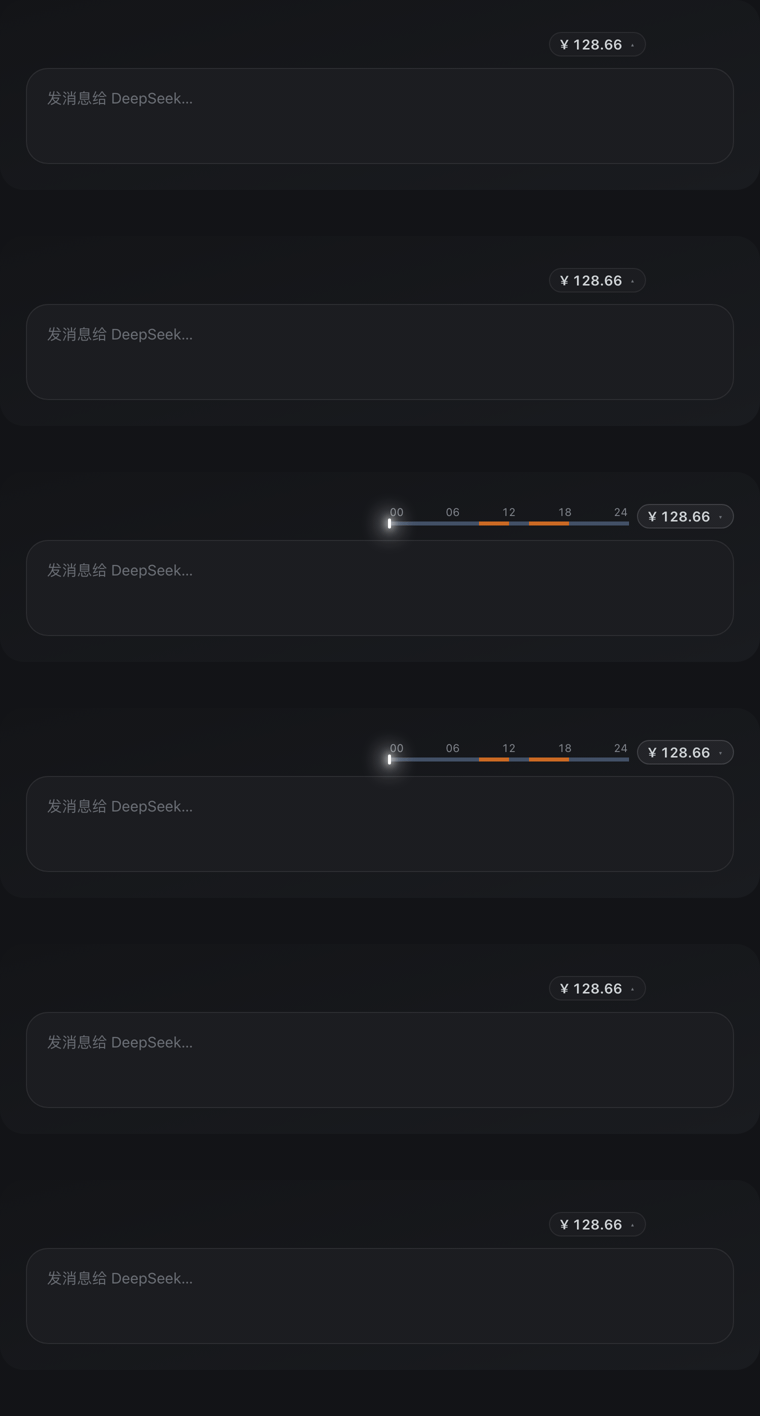
A minimal DeepSeek Harness plugin that shows a low-key balance-number chip at the top-right of the composer; hovering reveals a 24-hour peak/valley timeline to its left:
| Readout | Description |
|---|---|
| Balance chip | Shows only the official account balance by default (the plugin queries /user/balance itself, refreshed every 5 seconds). Two groups inside: the currency symbol and the number — nothing else by default. |
| Peak/Valley timeline | A 24h horizontal bar revealed on hover: Peak (orange) / Valley (blue) segments, a glowing white marker at the current local time, with 00/06/12/18/24 ticks above; on weekends the whole bar is off-peak blue |
| Today's spend | Current-day cost (the plugin listens to llm/stream and meters in real time into its ledger) |
Key features
- 💳 One-click top-up: clicking the currency symbol inside the chip opens the official DeepSeek top-up page (
platform.deepseek.com/top_up) in a new tab. Hovering the chip fades in a circular backdrop under the symbol whose left arc coincides exactly with the chip's own left rounded edge. - 🎨 Color presets: 10 curated muted presets (One Dark / Dracula / Nord / Tokyo Night / Gruvbox / Solarized + traditional Chinese & Pantone), or custom valley/peak colors via pickers.
- 👆 Hover to reveal: only the balance number shows by default; the timeline appears on hover without taking composer space.
- ⚡ Live balance: official balance refreshes every 5 seconds automatically.
- 🕐 Local-timezone timeline: peak/valley windows (UTC) are converted to local time; a glowing white marker shows the current moment.
- 🗓️ Weekend all off-peak (official rule): since 2026-08-23 00:00 (Beijing time) Saturday and Sunday are billed at the off-peak price all day. The plugin decides by Beijing time, shows an all-valley timeline on those days, meters spend at the off-peak tier (no more double-charging weekends at peak rates) and counts down to Monday 09:00. Can be turned off in the settings panel.
- 🔌 Fully independent, real-time metering: the plugin listens to
llm/streamitself to capture usage, converts it to cost with its own price table, queries the DeepSeek official balance itself, and maintains its own ledger (~/.dsh/storages/valley-meter/ledger.json). It depends on no other plugin.
Install
# npm (recommended)
npm install dsh-valley-meter

# or install straight from GitHub
dsh plugin add github:uckkk/dsh-valley-meter
Then reload the dsh web page to see the balance-number chip.
Configuration
Open Settings → Peak-Valley Meter:
- Color presets: 10 presets (6 editor themes + 4 traditional Chinese / Pantone) or "Custom".
- Valley color / Peak color: color pickers, applied instantly when Custom is selected.
- Balance title / Today title / Show countdown: independent toggles.
- Weekend all off-peak: on by default. Since 2026-08-23 the official rule bills Saturday and Sunday at the off-peak price all day; turn this off to fall back to plain peak/valley windows on weekends.
Config is written to ~/.dsh/storages/valley-meter/config.json.
Data source
The plugin meters and queries on its own, with no dependency on other plugins:
- Today's spend: listens to
llm/streamto capture each call's usage, converts it with the built-in model price table (peak/valley tiers) plus the peak/valley windows, and writes it to its own ledger~/.dsh/storages/valley-meter/ledger.json. - Account balance: queries the DeepSeek official
/user/balanceendpoint with the DSH credentials /DEEPSEEK_API_KEY; refreshed automatically every 5 seconds. - Peak/valley windows: built into the plugin (default UTC 01–04, 06–10 = Beijing 09:00–12:00 and 14:00–18:00) and stored as
peakWindowsin config.json; the settings panel only exposes the weekend-rule toggle, not a window editor. - Weekend rule: since 2026-08-23 00:00 Beijing time, Saturday and Sunday are billed at the off-peak price all day. On weekdays the peak hours are Beijing 9:00–12:00 and 14:00–18:00, and the off-peak price is half the peak price. The weekend test is done in Beijing time, and moments before the rule took effect still use the old windows.
When no API key is configured the balance shows "No data" while today's cost keeps accumulating — it never errors.
Development
pnpm install
pnpm run build   # build lib/client.js bundle
pnpm run check   # typecheck + test + build
License
MIT
Links
More in this category
zhu1090093659/dsh-web#packages/dsh-task-board★ 8567
Task board for the dsh web GUI: a sidebar multi-column kanban whose cards run in real DSH agent sessions and can also be scheduled with cron expressions, executed host-side even with the browser closed.
zhu1090093659/dsh-web#packages/dsh-web-all★ 8567
Plugin and skin collection for the DSH Web UI: task board, Git graph, right-side panel, remote mobile UI, pet, live token stats, and a skin center.
MeteorNOX/DeepSeek-Balance-Whale-Widget★ 4363
A fixed-corner whale widget for the DSH web GUI — balance, today's usage and per-turn cost with peak/off-peak pricing, editable balance-alert and daily-budget bubbles, a module-based custom bubble queue with A/B weighted choices and random lines or images, 30+ vendor templates (OpenAI, OpenRouter, Kimi, SiliconFlow, Ark, Zhipu, MiniMax and more) with per-model balance and subscription quota, plus task-end sound, imported audio, custom roles and a resource manager. Local-only, no telemetry.
ccch1mneyyy/dsh-TUI★ 4235
Claude Code-style full-screen terminal UI: pixel-whale header, live status line, and streaming thought expansion.
omdsh-dev/DSH-better-sidebar★ 4081
Full sidebar workbench with file rendering and editing, terminal, Git, and subagents; third-party plugins can register new tabs.
Devin-AXIS/deepseek-design#deepseek-idesign★ 1441
Visual design studio for websites, app prototypes, posters, cards, reports, and magazines, with templates, direct element editing, selection-aware AI draft handoff, and export.
Community comments
Comments are public GitHub Discussions. Loading them connects to GitHub and Giscus; a GitHub account is required to post.