Vision for any DSH route: paste images in the Web composer with intent-aware auto-analysis, delegate workspace image reads to a Kimi/MiniMax vision subagent, and materialize pasted originals for editing.
Install
# from npm (prebuilt)
dsh plugin --profile web add dsh-vision-subagent
# from GitHub (first run asks for allowBuilds approval — follow the hint, retry)
dsh plugin --profile web add github:ruby1304/dsh-vision-subagent
Any plugin you install runs third-party code with your own permissions — it can read your files, use your credentials, and reach the network, and tool approvals don’t sandbox it. GitHub-sourced plugins also run build scripts at install time — pnpm blocks those until you allow them, so an install can stop with ERR_PNPM_GIT_DEP_PREPARE_NOT_ALLOWED or ERR_PNPM_IGNORED_BUILDS; dsh prints the exact key to add under allowBuilds in your profile’s pnpm-workspace.yaml, and the install works on the next run. Allowing a build is a trust decision: only install sources you trust, and pin a commit (github:owner/repo#sha).
README
Eyes for text-only DeepSeek Harness agents: delegate image reading to a one-shot subagent running on a separately configured vision route (MiniMax / Kimi / any OpenAI-compatible provider). Image bytes and the vision model's intermediate context never enter the main session — only the final text answer comes back.
Why a subagent
- Context isolation: large screenshots and multi-image comparisons never occupy the main model's window
- Multi-turn visual reasoning: the child can call read_image on more workspace files before answering
- Cost & route separation: vision calls bill on the MiniMax/Kimi route; the main model only reasons
Quick start
sh dsh plugin --profile web add /path/to/dsh-vision-subagent
Then edit ~/.dsh/profiles/web/cordis.patch.yml:
`yaml
- insert:
- id: vision-subagent name: 'dsh-vision-subagent' config: provider: kimi-coding # or minimax-cn / a hand-declared route model: k3 # or MiniMax-M3 / MiniMax-VL-01
`
Restart dsh web, open a new session, and ask: "Look at ~/Desktop/error.png — what is the error?" The model calls vision_agent(images=[...], question=...) on its own.
Screenshots
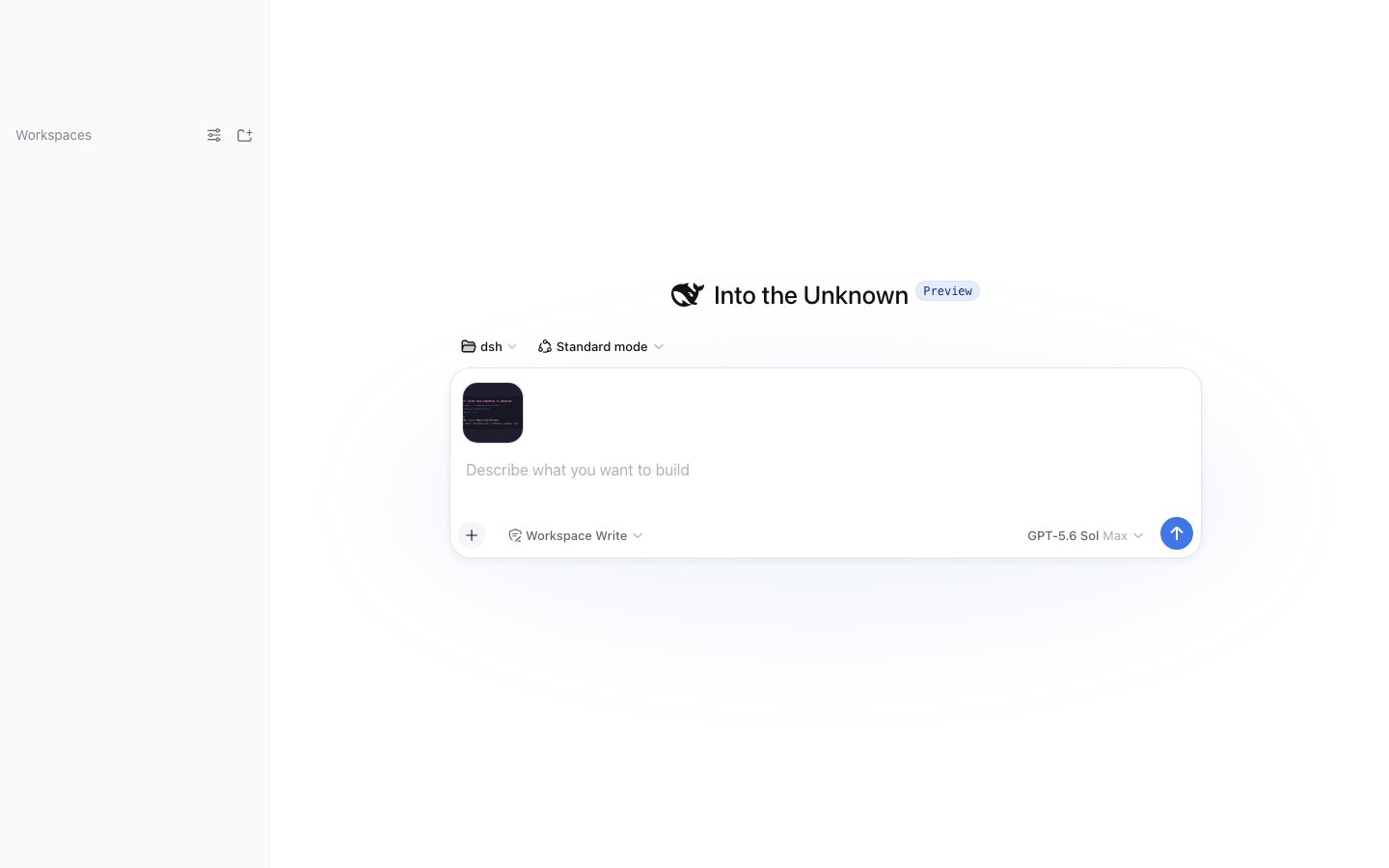
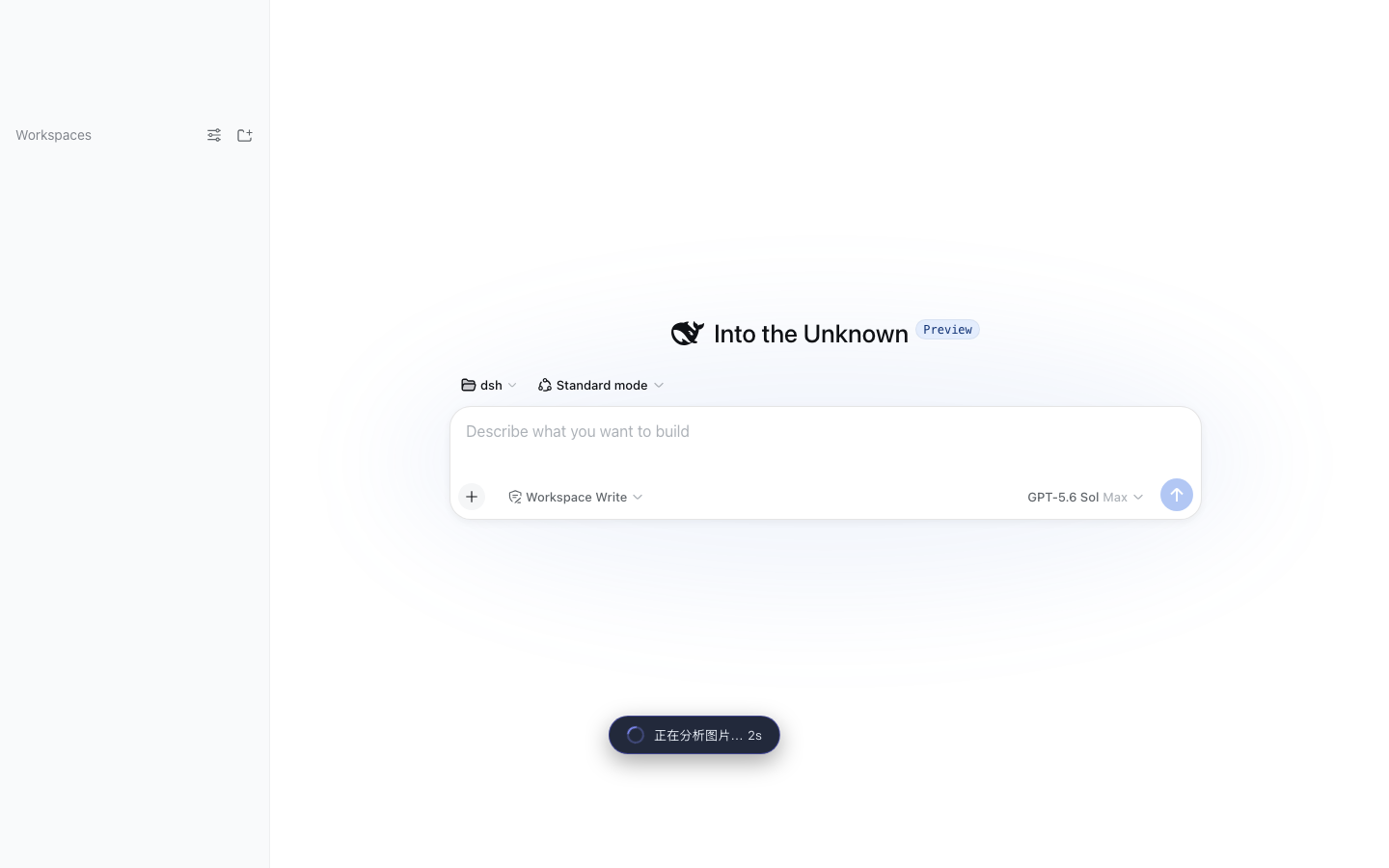
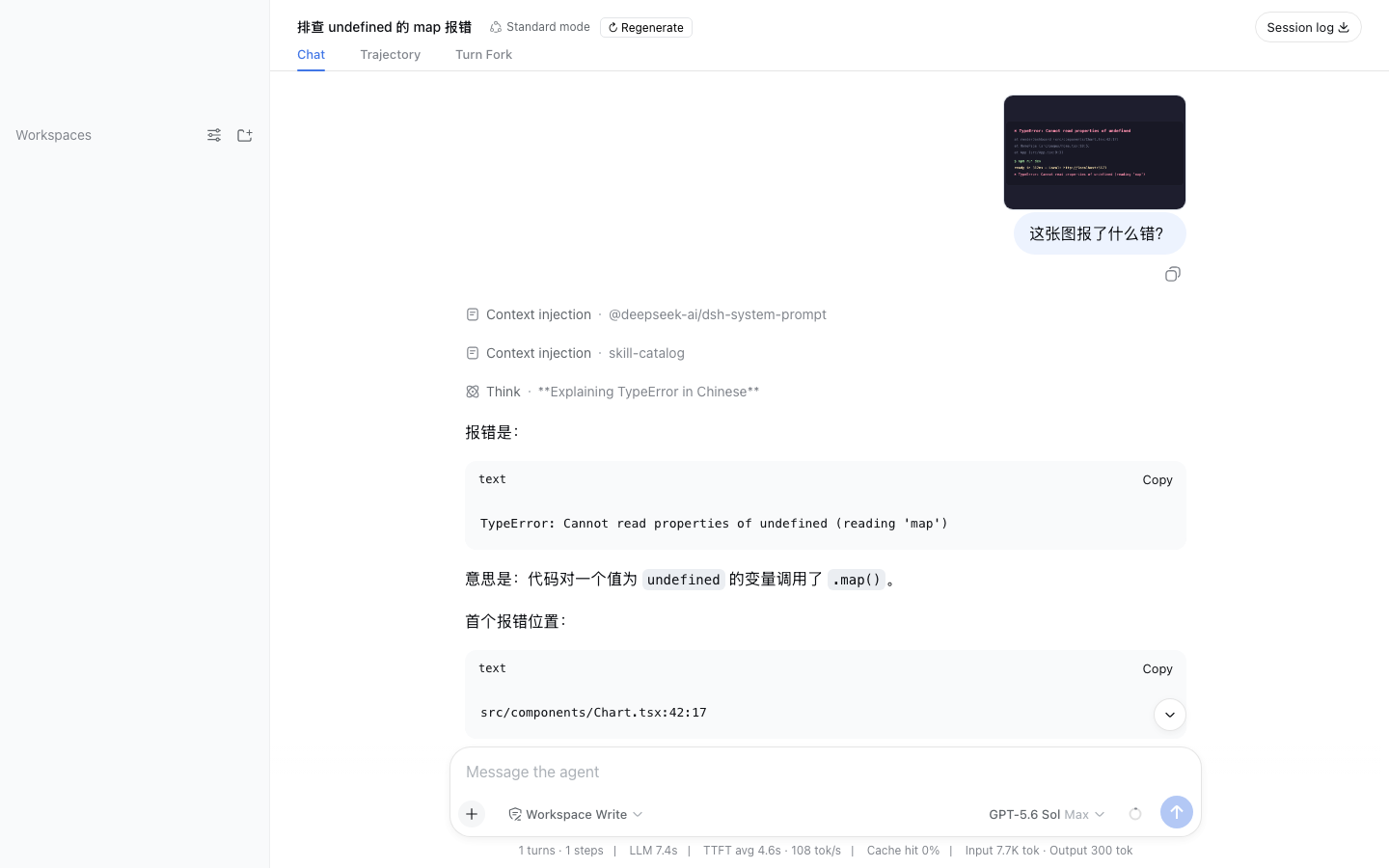
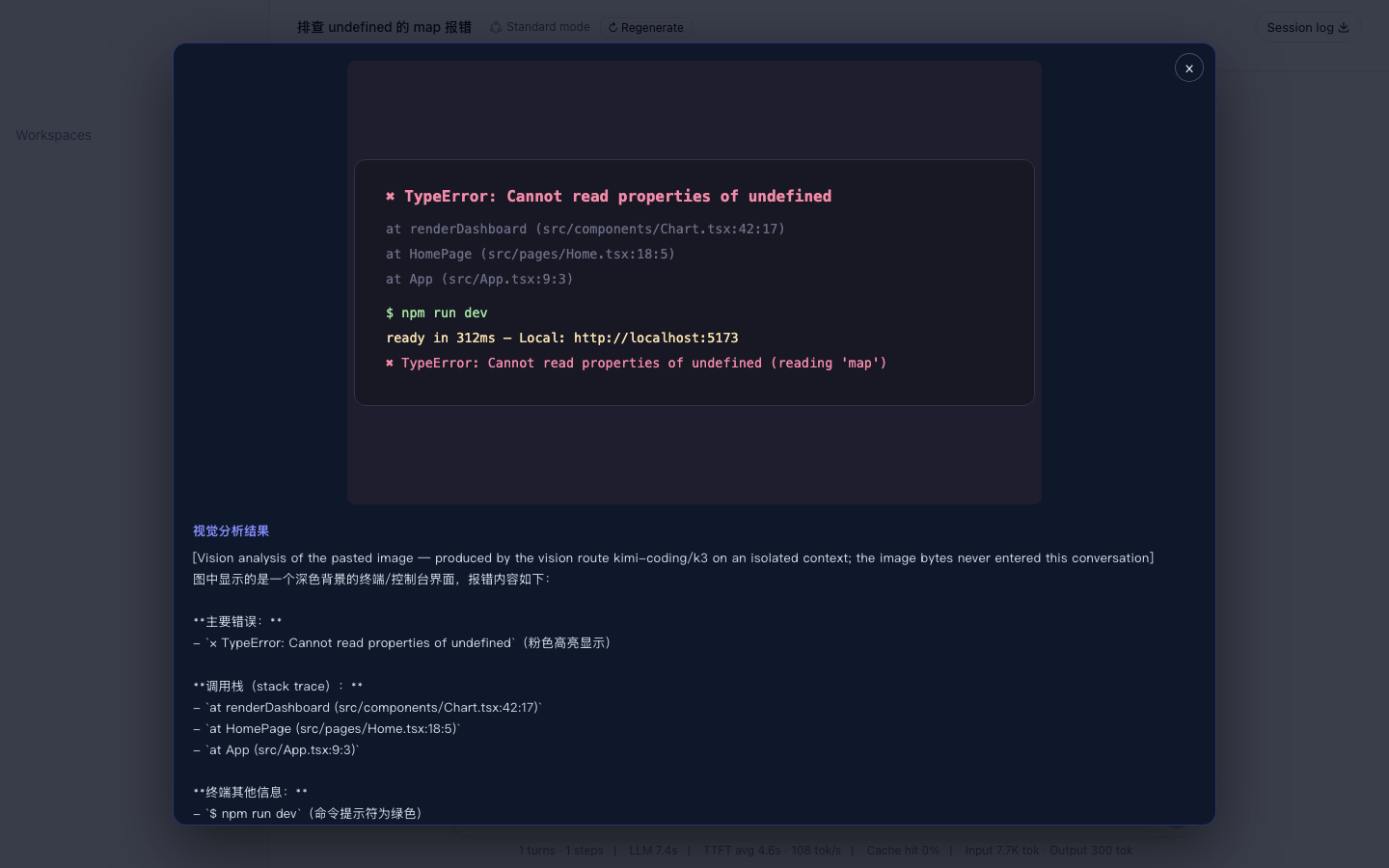
| Paste & ask | Analyzing | Clean bubble | Lightbox |
|---|---|---|---|
 |
 |
 |
 |
Paste images into the composer (Codex-style)
The Web composer accepts pasted/dropped images natively. On send, the client plugin uploads them to the host endpoint, which:
- validates the session and stores the images as durable attachments (bounded by deployment limits)
- runs ONE vision-route analysis on an isolated context (image bytes never enter the main session), guided by your draft message — the analysis focuses on what your words target (error text for a debugging ask, outfit details for a styling ask) instead of describing everything generically
- sends only the analysis text along with your message — the main model answers immediately, no tool call needed
In the chat history your bubble shows only your own words plus thumbnails; the analysis lives in the lightbox that opens when you click a thumbnail, never duplicated inline. Need the original bytes later (image editing, pixel-level inspection)? The durable message links let the model call vision_image_fetch to materialize the full-fidelity file into the workspace's .dsh-vision/ directory.
On failure (timeout, route error) the message is not sent and the composer draft is preserved. This channel complements the vision_agent tool: pasted images take the automatic path, while workspace files are read by the model calling the tool itself.
MiniMax / Kimi vision models
| Provider | baseURL | Vision models | Key env |
|---|---|---|---|
| Kimi (Moonshot) | https://api.moonshot.cn/v1 | k3 / kimi-k3 / moonshot-v1-8k-vision-preview | MOONSHOT_API_KEY |
| MiniMax | https://api.minimaxi.com/v1 | MiniMax-VL-01 | MINIMAX_API_KEY |
| MiniMax CN | (built-in llm-pi-ai minimax-cn route) | MiniMax-M3 | MINIMAX_CN_API_KEY |
If a route already exists in Settings/Models (e.g. kimi-coding, minimax-cn), the plugin config only names provider + model — the key stays in the route's credential reference. The plugin itself never touches secrets.
Configuration
| Field | Default | Meaning |
|---|---|---|
| enabled | true | Master switch |
| provider / model | '' (dormant) | Vision route; must be set together |
| subagentProvider | spawn | ctx.subagents provider |
| maxDepth | 1 | Absolute delegation-depth cap for the spawned child; 1 lets the vision child run but forbids further delegation (0 would reject the child itself — a top-level agent's child is depth 1) |
| maxImages | 4 | Images per call |
| maxImageBytes | 10 MiB | Per-image byte cap |
| maxPromptChars | 8000 | Question length cap |
| maxOutputChars | 32000 | Returned text truncation |
| allowRemoteUrls | false | Reserved (v0.1 supports local paths only) |
| allowOutsideWorkspace | false | Workspace containment bypass |
| extraAllowedRoots | [] | Extra allowed image roots |
| guidance | '' | Extra instructions appended to the child prompt |
Security model
- Keys live only in the vision route's credential reference (env); the plugin accepts no plaintext secrets
- Local images default to the session workspace; symlinks are rejected; reads are byte-capped
- The child runs with maxDepth: 1 (runs, but cannot delegate further) and instructions forbid file modification and shell use
vision_image_fetchwrites only under the session workspace's.dsh-vision/with self-generated content-hashed filenames; no caller-controlled path segment reaches the disk
Architecture
Main model (text-only) └─ vision_agent(images, question) ──┐ │ 1. admission: ext / containment / symlink / byte cap │ 2. ctx.attachments.saveImage → durable content-addressed refs │ 3. ctx.subagents.start('spawn', { agentOptions: {provider, model} }) ▼ One-shot subagent (MiniMax/Kimi vision route, own context) └─ final text ──► main session (only this message enters main context)
The plugin consumes harness services structurally (duck-typed) and is rc-version tolerant. Runtime dependencies: @deepseek-ai/dsh-tools (defineTool) and @deepseek-ai/schemastery (config schema) only.
Roadmap
- Web paste bridge: composer images auto-trigger vision analysis (v0.2)
- Context-aware paste analysis: your draft message steers the vision focus; bubble stays clean (v0.3)
-
vision_image_fetch: materialize pasted originals into.dsh-vision/for editing (v0.3) - Settings panel for provider/model selection
- Remote image URL support (bounded fetch)
- Embedded SKILL.md steering when to delegate
Development
sh npm install && npm run typecheck && npm test && npm run build
Before publishing, align @deepseek-ai/* versions in dependencies/devDependencies with the target harness rc (runtime deps currently rc.6, peer range >=rc.5 <0.1.0 — compatible with a local rc.5 checkout).
License
MIT
Links
More in this category
liustack/modlens★ 4063
Vision bridge for text-only models: paste an image, get structured JSON evidence (OCR, layout, semantics).
ysr666/dsh-vision-router★ 1125
Free vision for text-only agents: built-in keyless vision chain plus pixel tools (Q&A, grounding, crop, pixel diff, colors, OCR, SVG trace, cutout, screenshots); paste an image to use it.
Anionex/dsh-vision-toolkit★ 884
Vision for text-only models: paste an image and the model switches to a Vision Toolkit variant for image Q&A, multi-image comparison, long-screenshot OCR, screenshot-to-UI reproduction, element grounding, and pixel diff. No API key by default — images are processed by the author-hosted free service, 100 per machine per day; configurable to your own provider.
dickpy/dsh-imagegen★ 93
AI image generation for the DSH Web GUI: text-to-image and image-to-image through a configurable OpenAI-compatible endpoint (gpt-image-2 / gpt-image-1 / dall-e-3), with an api_url/api_key settings card and a sidebar split-pane generation studio.
fandc520/dsh-comfyui★ 89
Drive a local or remote ComfyUI server from DeepSeek Harness: comfyui_run / comfyui_object_info / comfyui_workflow tools generate and edit images and videos, with a workflow library (graph extraction: per component / main flow / all), a load area with resolution auto-match, a live queue, SDXL and Wan 2.1 templates, a companion skill, and a same-origin media proxy.
sunxin-ai/dsh-design-qa★ 44
Design-fidelity QA for text-only models: a `deepseek_vision` tool borrows an eye from any OpenAI-compatible vision route, so the model can judge whether an implementation matches its mock — shipped with the benchmark behind that judgement (four fixtures, 23 injected defects, raw transcripts) and the questioning discipline it depends on.
Community comments
Comments are public GitHub Discussions. Loading them connects to GitHub and Giscus; a GitHub account is required to post.