Zero-dependency screen capture for DSH: Lightweight — zero deps, zero binaries; Stage & shoot — one-click full screen, window layout, hover-snap capture of occluded windows; Agent self-service — path-only delivery; paths are universal, pair with modlens (optional) for one-call structured evidence.
Install
# from npm (prebuilt)
dsh plugin --profile web add @paicat1/dsh-screenshot
# from GitHub (first run asks for allowBuilds approval — follow the hint, retry)
dsh plugin --profile web add github:paicat1/dsh-screenshot
Any plugin you install runs third-party code with your own permissions — it can read your files, use your credentials, and reach the network, and tool approvals don’t sandbox it. GitHub-sourced plugins also run build scripts at install time — pnpm blocks those until you allow them, so an install can stop with ERR_PNPM_GIT_DEP_PREPARE_NOT_ALLOWED or ERR_PNPM_IGNORED_BUILDS; dsh prints the exact key to add under allowBuilds in your profile’s pnpm-workspace.yaml, and the install works on the next run. Allowing a build is a trust decision: only install sources you trust, and pin a commit (github:owner/repo#sha).
README
Zero-dependency screen capture for DeepSeek Harness: Lightweight: zero deps, zero binaries; Stage & shoot: one-click full screen, window layout, hover-snap capture of occluded windows; Agent self-service: path-only delivery; paths are universal, pair with modlens (optional) for one-call structured evidence.
- Lightweight — pure PowerShell, zero dependencies, zero binary payload; capture is maintained independently and never breaks on upstream updates.
- Stage & shoot — one-hotkey full-screen capture, or keep the desktop live and arrange any window before box-selecting a region; hover any window and it glows with a snap outline — one click captures that window's full content, even when occluded (except a standalone PowerShell, see below) — what you stage is what you get.
- Agent self-service — the model can capture the screen on its own; with modlens (optional) installed, capture + read happen in one call, returning structured content (OCR/layout/semantics) that text-only models can consume directly.
Quick start
dsh plugin --profile web add @paicat1/dsh-screenshot
# restart dsh web
Ctrl+Alt+S— capture: once armed, click the desktop = full screen; hover a window = snap outline, one click captures that window's full content (even when occluded, except a standalone PowerShell); drag = free region (Esc to cancel)Ctrl+Shift+Alt+S— full-screen capture: no interaction, captures the whole virtual desktop- Want the agent to screenshot on its own? Just tell it to use the
modlens_screenshottool.
Video tutorial (Bilibili): Using DeepSeek Harness to build a Dsh screenshot plugin for DeepSeek Harness
Two doors: hotkey for humans, tool for agents
| Entry | Best for | Notes |
|---|---|---|
| Browser hotkey (human) | "Here's the screen I want to show you" | Full / region capture; the PNG path is auto-inserted into the DSH input box and copied to the clipboard |
modlens_screenshot tool (agent) |
"Let me look at the screen myself" | Model-invoked: capture + (with modlens present) in-call structured read, returning evidence + the shot path |
| Manual capture demo | Agent self-capture demo | Window-snap demo |
|---|---|---|
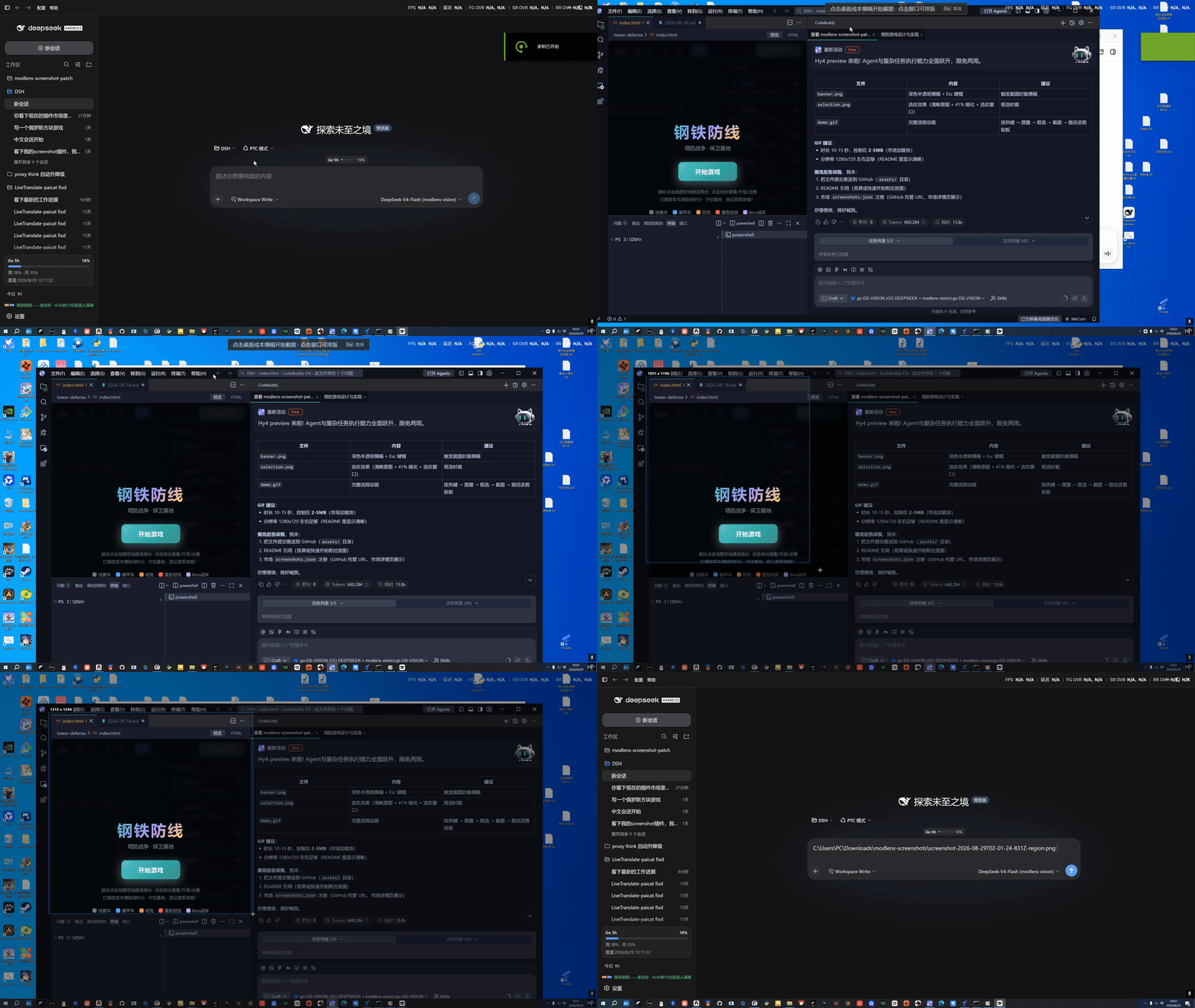 |
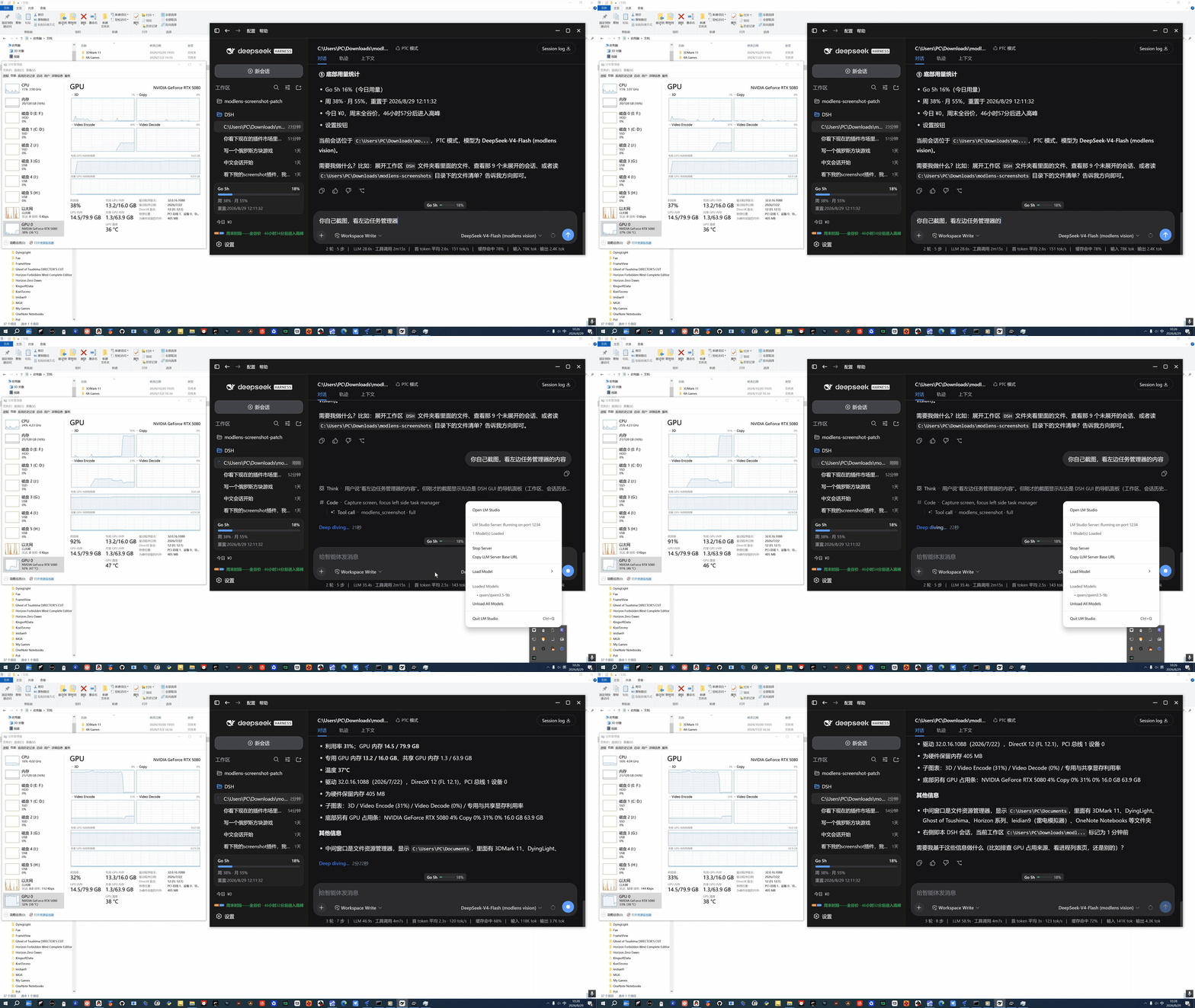 |
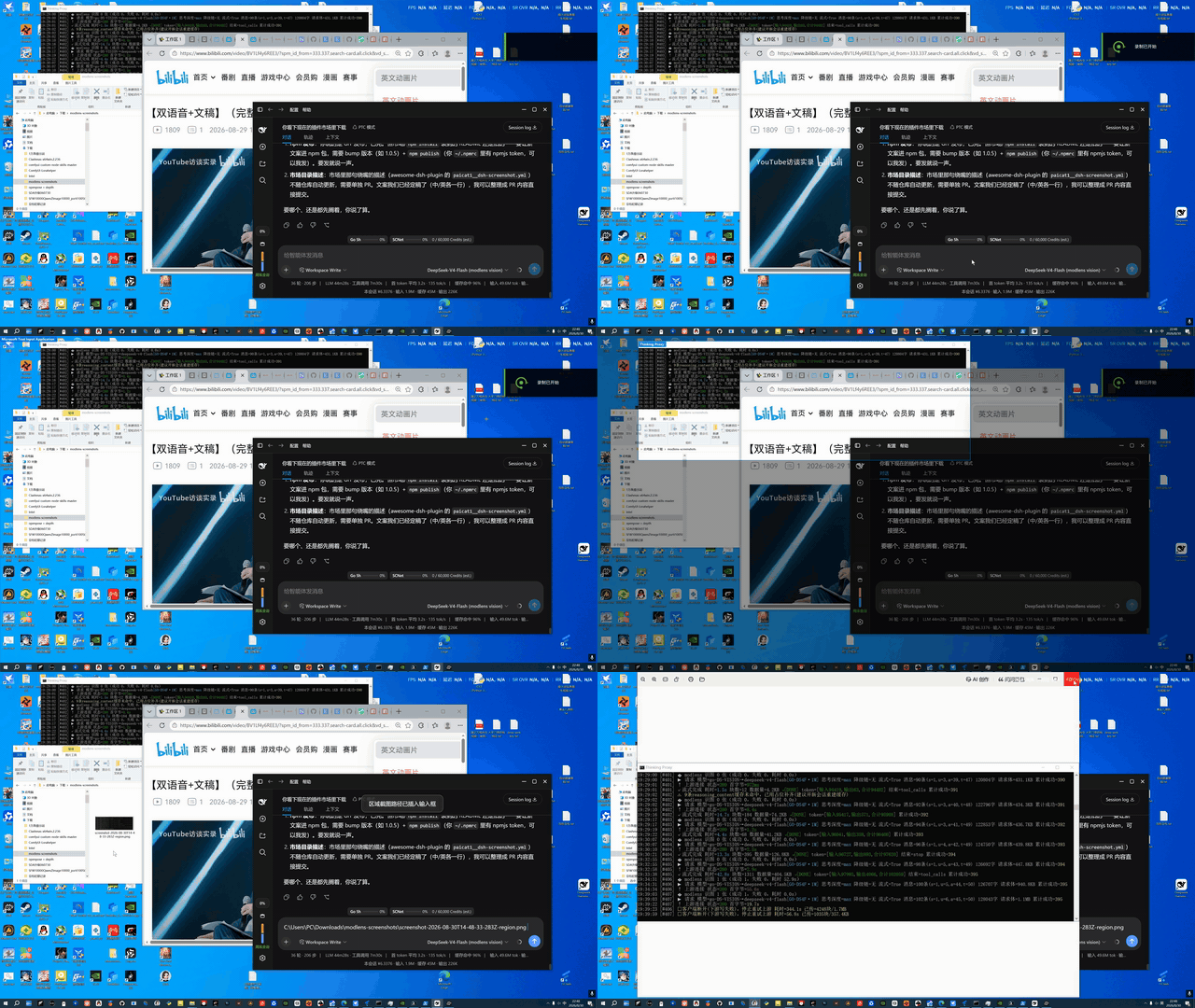 |
Why pass the path, not the image?
Screenshots are saved to %USERPROFILE%\Downloads\modlens-screenshots\ (a dedicated, easy-to-clean directory), and only the PNG path is handed to the agent — not the image stuffed into a chat box or temp directory. Deliberate design:
- No image litter: many agent frameworks copy pasted images into their own temp/attachment directories, accumulating untrackable junk. A path keeps the image in exactly one place (
modlens-screenshots/); cleaning up is deleting one directory. - Paths are universal: any image-capable agent (native multimodal models, or modlens-style bridges) can read an image from a path — paths are universal, image formats are not.
- Clean context: a path is tens of bytes of text; an image is hundreds of KB of binary. Paths keep the context clean and traceable.
Capture once, reuse the path in any agent, produce zero junk.
Capability split: what's the plugin's, what's modlens's
| Layer | Capability | Owned by |
|---|---|---|
| Capture | Full / region / window-snap capture / staged-window layout, zero-dep PowerShell | This plugin |
| Delivery | Path-only, clipboard, dedicated save dir | This plugin |
| Entry points | Browser hotkeys + agent-callable capture tool | This plugin |
| Reading | OCR / layout / semantics structured evidence | modlens (optional) |
| Consumption | Who understands the image | any multimodal model / vision bridge — agnostic |
Capture and delivery are fully self-contained and work standalone; reading is an ecosystem combo — install modlens (or hand the path to any image-capable model/bridge) to unlock it. Without modlens, capture still works.
Why can window-snap capture "occluded" windows? On hover the plugin enumerates the on-screen windows and outlines the one under the cursor; on click it uses PrintWindow to ask the window to render itself — the shot is the window's own content, not the on-screen pixels, so being covered by other windows or wrapped in a DWM shadow doesn't matter. It then crops to the DWM content bounds to drop the shadow, for clean edges.
Known exception: a standalone PowerShell window: its console (conhost) implementation does not respond to PrintWindow, and does not render its GDI surface while covered — both see-through-occlusion paths are unavailable, so it falls back to the visible on-screen pixels (including whatever covers it). Bring it to the foreground and click, or just drag-select over it. All other windows (including cmd and other console windows) capture normally.
Configuration
Optional cordis config (all enabled by default):
route: false— disable the browser capture routetool: false— disable themodlens_screenshottool
MODLENS_DSH_CLI explicitly sets the modlens CLI path (default probe: ~/.dsh/profiles/{web,headless}/node_modules/@liustack/modlens/dist/main.js).
Platform & License
- Platform: Windows (relies on PowerShell
System.Drawing.CopyFromScreen) - License: MIT
Relationship with modlens
| Layer | Depends on modlens? | Notes |
|---|---|---|
| Capture action | No | Pure PowerShell CopyFromScreen, zero dependencies |
| Browser hotkeys / path insert | No | Standalone route /dsh-screenshot/screenshot |
modlens_screenshot tool reading |
Yes (optional) | If the modlens CLI is missing, the tool is not registered; capture still works |
| Multimodal models | No | After the path is inserted, multimodal models (e.g. go-mimo) can read the image directly, no modlens needed |
Background & credits
The capture capability was originally implemented as an enhancement to the dsh plugin of @liustack/modlens (by Leon Liu): the original modlens dsh plugin integrated capture (this repo's fork of the feat/dsh-screenshot branch), and the author marked it as not planned in issue #48. It was split into this standalone plugin to decouple capture from modlens updates.
Many thanks to the original author for giving DSH image-reading ability — modlens lets text-only models (DeepSeek/GLM) "see" images, and this plugin's modlens_screenshot tool reuses the modlens pipeline to combine "capture + read" into one step. The capture half is maintained separately, but the image-reading ability always belongs to the modlens project.
Links
More in this category
liustack/modlens★ 4100
Vision bridge for text-only models: paste an image, get structured JSON evidence (OCR, layout, semantics).
ysr666/dsh-vision-router★ 1128
Free vision for text-only agents: built-in keyless vision chain plus pixel tools (Q&A, grounding, crop, pixel diff, colors, OCR, SVG trace, cutout, screenshots); paste an image to use it.
Anionex/dsh-vision-toolkit★ 887
Vision for text-only models: paste an image and the model switches to a Vision Toolkit variant for image Q&A, multi-image comparison, long-screenshot OCR, screenshot-to-UI reproduction, element grounding, and pixel diff. No API key by default — images are processed by the author-hosted free service, 100 per machine per day; configurable to your own provider.
dickpy/dsh-imagegen★ 99
AI image generation for the DSH Web GUI: text-to-image and image-to-image through a configurable OpenAI-compatible endpoint (gpt-image-2 / gpt-image-1 / dall-e-3), with an api_url/api_key settings card and a sidebar split-pane generation studio.
fandc520/dsh-comfyui★ 94
Drive a local or remote ComfyUI server from DeepSeek Harness: comfyui_run / comfyui_object_info / comfyui_workflow tools generate and edit images and videos, with a workflow library (graph extraction: per component / main flow / all), a load area with resolution auto-match, a live queue, SDXL and Wan 2.1 templates, a companion skill, and a same-origin media proxy.
sunxin-ai/dsh-design-qa★ 44
Design-fidelity QA for text-only models: a `deepseek_vision` tool borrows an eye from any OpenAI-compatible vision route, so the model can judge whether an implementation matches its mock — shipped with the benchmark behind that judgement (four fixtures, 23 injected defects, raw transcripts) and the questioning discipline it depends on.
Community comments
Comments are public GitHub Discussions. Loading them connects to GitHub and Giscus; a GitHub account is required to post.