Mobile adaptation for the DSH Web UI: works well on narrow screens, fits wide screens too.
Install
# from npm (prebuilt)
dsh plugin --profile web add dsh-web-mobile
# from GitHub (first run asks for allowBuilds approval — follow the hint, retry)
dsh plugin --profile web add github:mexiaosqwq/dsh-web-mobile
Any plugin you install runs third-party code with your own permissions — it can read your files, use your credentials, and reach the network, and tool approvals don’t sandbox it. GitHub-sourced plugins also run build scripts at install time — pnpm blocks those until you allow them, so an install can stop with ERR_PNPM_GIT_DEP_PREPARE_NOT_ALLOWED or ERR_PNPM_IGNORED_BUILDS; dsh prints the exact key to add under allowBuilds in your profile’s pnpm-workspace.yaml, and the install works on the next run. Allowing a build is a trust decision: only install sources you trust, and pin a commit (github:owner/repo#sha).
README
This plugin publishes its README in Chinese only.
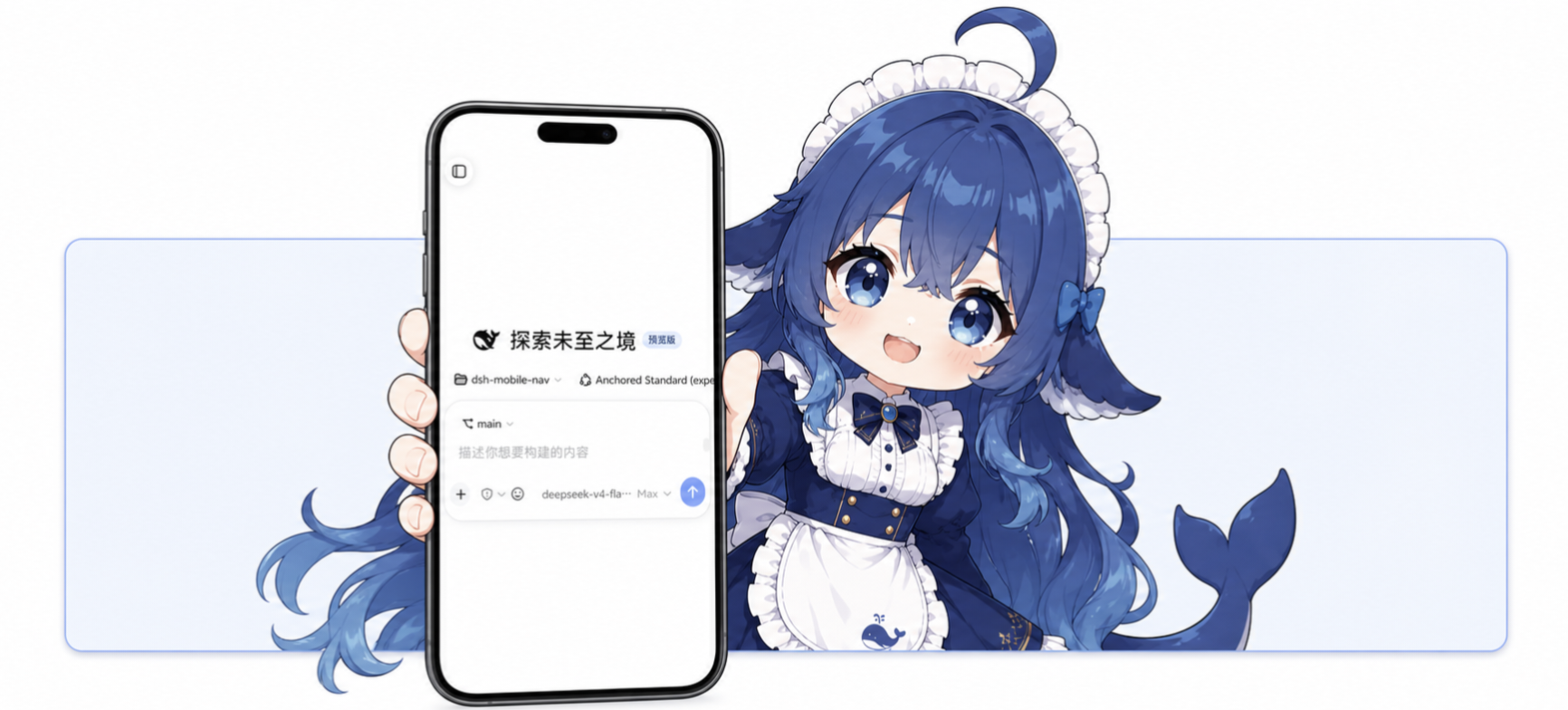
📦 已内置于 DSHA —— DeepSeek Harness 安卓启动器把本插件作为内置移动端适配(打包时的源码快照),装 APK 开箱即用;本仓库之后的更新要等 DSHA 重新拉取源码并发布 App。感谢作者 @qiannianhuanxiang 的集成与推广 🙏
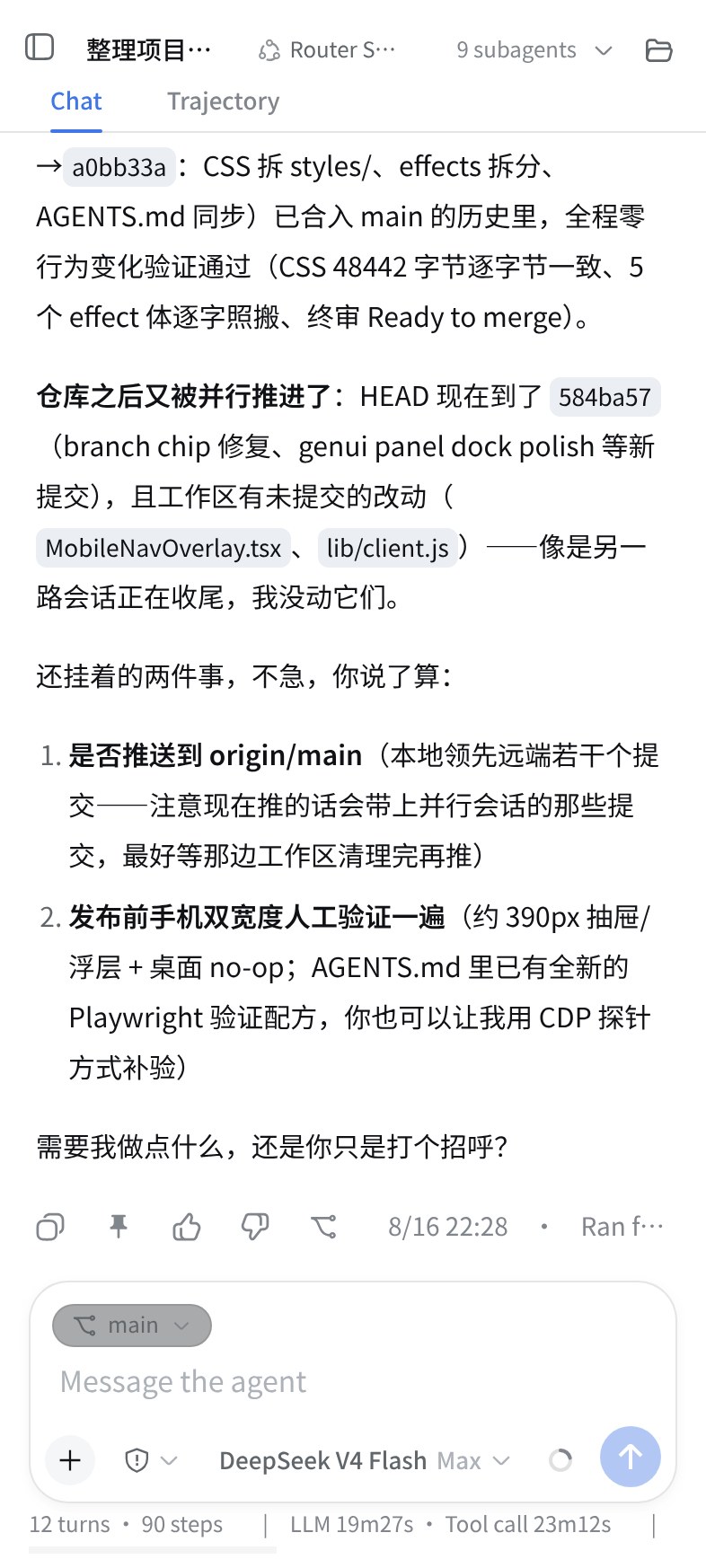
dsh-web-mobile 是 DeepSeek Harness Web UI 的移动端适配插件——让 DSH 在手机竖屏下也能好好用:
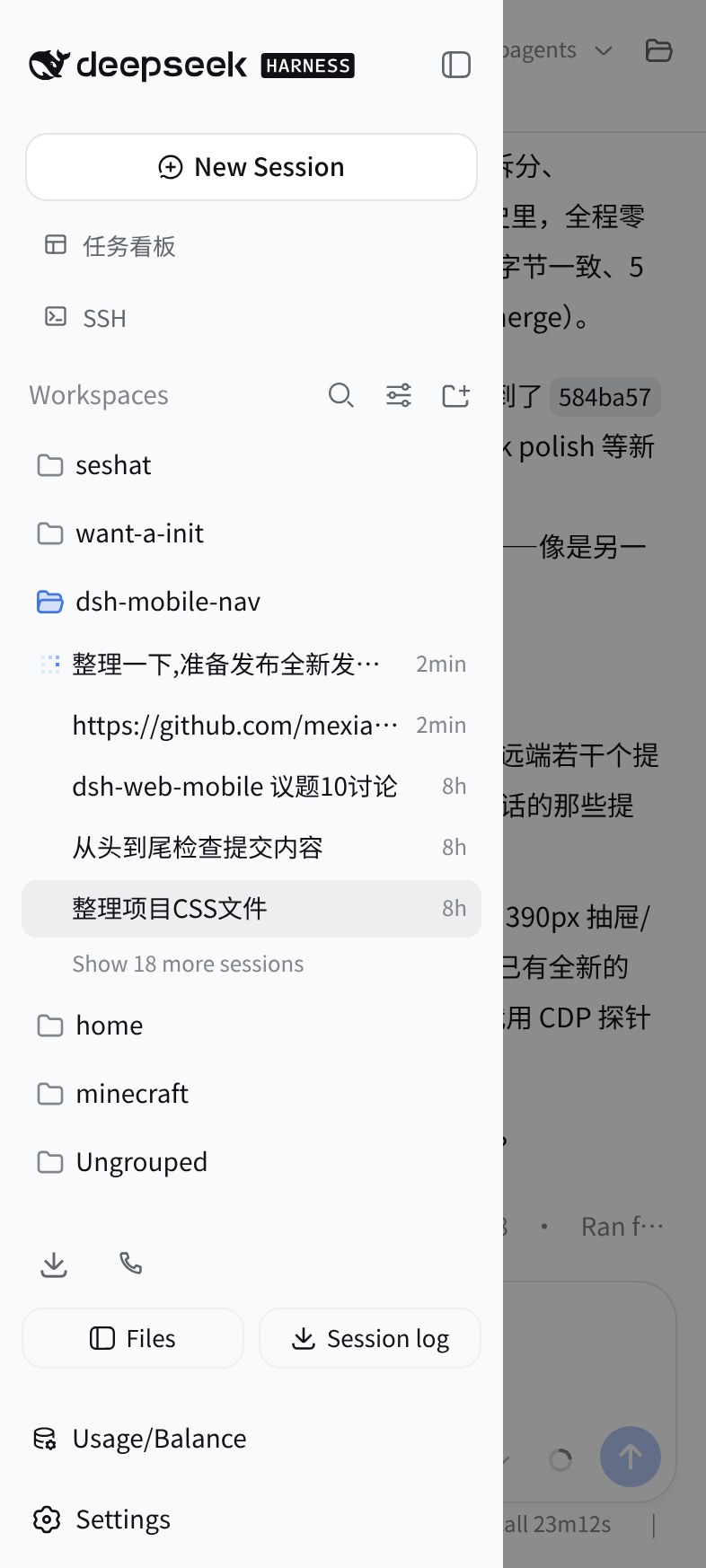
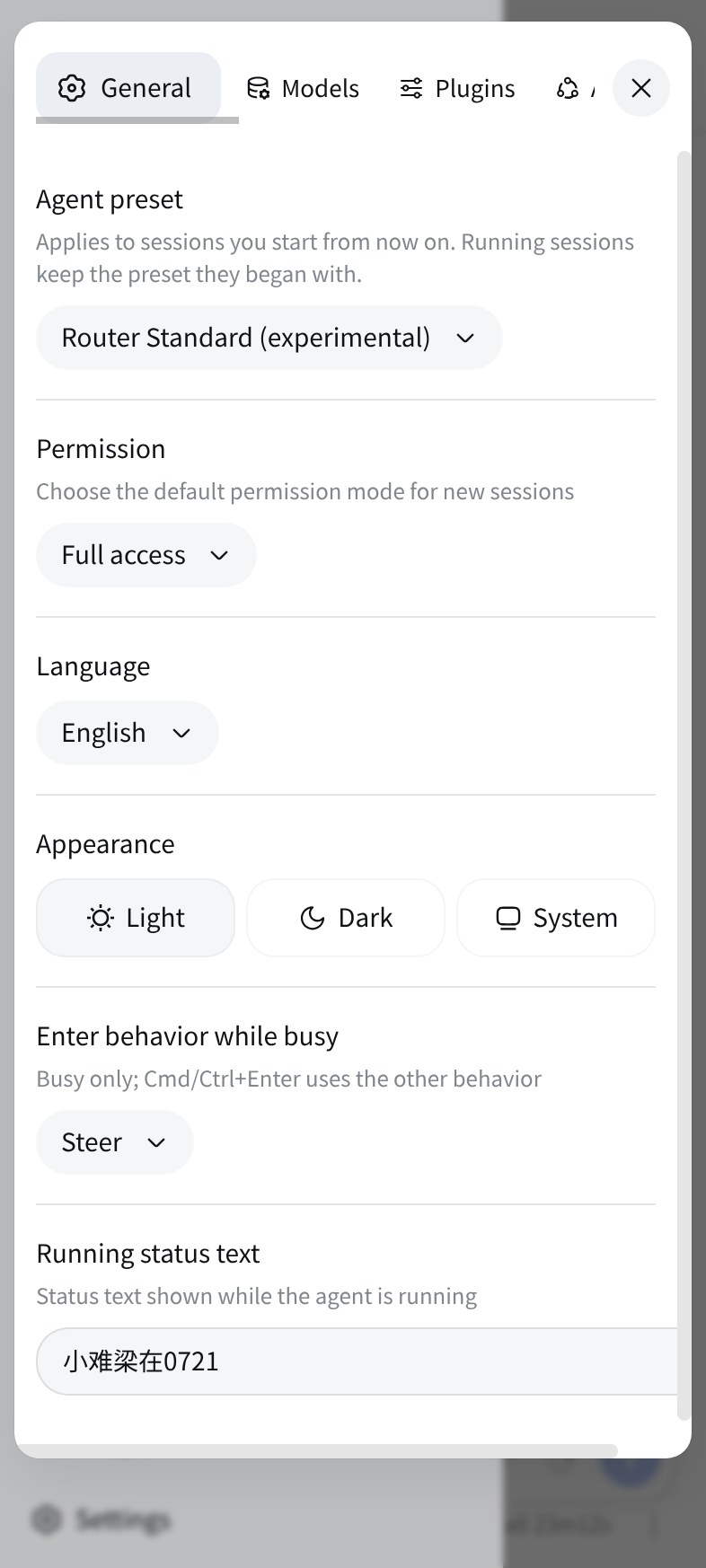
- 弹窗变浮层:设置、文件树、预览改成底部 sheet,触屏好点
- 状态栏避让:刘海安全区、深/浅主题、双击缩放都处理
- 输入区不打架:权限胶囊、模型名、切换菜单在窄屏下不重叠
- 长会话不卡流量:宿主返回的大 JSON(会话历史等)自动 gzip/brotli 压缩,手机端加载明显提速
- 平板也管:768–1023px 触屏设备限宽居中,≥1024px 触屏大平板的会话行 ⋯ 菜单仍带「删除会话」;桌面端(鼠标指针)任何宽度都是完全 no-op,窄窗口/系统缩放也不会误启移动 UI
效果
| 会话主页 | 目录抽屉 | 设置界面 |
|---|---|---|
 |
 |
 |
更新内容
v3.3.5 (兼容 0.2.2 及以后)
- 抽屉与文件面板的手势整屏可用:往右滑开抽屉、往左滑开文件面板;有面板打开时任意位置都能滑掉(#268)
- 手机端会话头部的「更多视图」⋯ 回来了,第三方注册的会话视图在手机上终于有入口(#276)
- 头部同时有子代理 chip 时,⋯ 不再被压住,点开 chip 也不会自己关掉(#281)
- 点抽屉外空白关闭时,右侧不再闪一下变亮(#280,方案源头 #278 by @RedContritio)
- 装了 forge 时,输入框上方的工作树块独占一行,模式选择不再被挤窄
- 插件管理页页首恢复宿主手机排版,标题与说明不再被压成窄列
- 插件页显示插件自己的图标、中英文标题与一句话描述
- 兼容:只改手机与平板(<1024 触屏),桌面不变;宿主低于 0.2.2-rc.1 请留在 v3.2.3
v3.3.1 (兼容 0.2.2 及以后)
- 抽屉账户菜单、面板返回:各去掉一次白付的 DOM 查询,界面行为不变
- 流式输出(跑命令/工具)时,移动端适配层按批复用判断,对主线程的占用更低
- 从左边缘右滑呼出抽屉不再中途弹回
- 在把插件依赖当启动门槛的宿主里,不再因
react被误报缺失而禁用插件(React 仍由宿主模块加载器提供) - 兼容:只改手机与平板(<1024 触屏),桌面不变;宿主低于 0.2.2-rc.1 请留在 v3.2.3
v3.3.0 (兼容 0.2.2 及以后)
- 适配宿主 0.2.2:修掉整页白屏、顶栏开关被裁、文件键消失、页签叠字、文件面板标签条被顶栏盖住
- 回车键改为换行,发送改走发送键;外接键盘 Ctrl/⌘+回车仍是发送
- 只有手指点中输入框才会弹键盘,点别处收回;返回、切页签、开关面板都不再自己弹出来
- 手机档设置弹层回到官方全屏形态,「打开配置文件」隐藏
- 插件页顶部空白清掉,标题回到返回键下方,页首随页面一起滚动;插件二级页去掉多余的悬浮返回键
- 抽屉:账户菜单不再弹跳,账户行与齿轮按下有反馈;开抽屉时先收键盘、遮罩与抽屉同时出现
- 侧栏在窄屏启动时自动收起,浏览器打开不再被压成一条
- 兼容:只改手机与平板(<1024 触屏),桌面不变;宿主低于 0.2.2-rc.1 请留在 v3.2.3
安装
DSHA 用户无需单独安装:DSHA 内置本插件,但内置的是它打包时的源码快照——本仓库之后的新版本要等上游重新拉取并发布 App 更新才会带上,想立刻用上本版仍按下文单独安装。
从 npm 一行装(仓库自带构建产物,无需构建配置),装完重启 dsh web:
dsh plugin --profile web add dsh-web-mobile
GitHub 直装:dsh plugin --profile web add github:mexiaosqwq/dsh-web-mobile
本地开发:
dsh plugin --profile web add link:/path/to/dsh-web-mobile
构建
pnpm install
pnpm build
lib/ 与源码同步入库,改动源码后重新构建再提交。
贡献与工程
欢迎大家的 issue 和 PR,我会尽可能地进行解决!
工程约定见 AGENTS.md;回归探针 scripts/probes/ 22 个锚点可单跑,兼作宿主升级绊线。
License
Links
More in this category
zhu1090093659/dsh-web#packages/dsh-remote-web-ui★ 10379
Remote control of a dsh web workspace from phone or PC: QR-code pairing through a token-gated channel, SSE real-time sync, and separate mobile and full desktop GUI modes.
zhu1090093659/dsh-web#packages/dsh-ssh★ 10379
SSH ops panel for DSH: web terminal, SFTP transfer with progress, local port forwarding, and one-command cluster execution across hosts; agents share the same host config.
liguobao/ds-harness-remote★ 2736
Multi-device remote access for DeepSeek Harness and supported coding workspaces through an end-to-end encrypted channel, with adaptive Relay/WebRTC transport, device authorization, workspace files, read-only previews, terminals, and optional Codex Remote.
saya-ch/dsh-mobile★ 840
Access DeepSeek Harness from the Android app or a mobile browser with secure LAN and remote connections, persistent device pairing, and a customizable mobile interface.
uumit-ai/dsh-uumit-remote★ 521
Open dsh web from your phone or another computer through a UUMit account, without running your own server or installing another program: a built-in tunnel client connects to UUMit's hosted tunnel, and a panel in the sidebar handles pairing and who can use it (only you, people you invite by link or phone number, or everyone), with revocation. Requires dsh web on DSH >=0.2.1-rc.2.
ZSeven-W/dsh-ios★ 464
A live iOS Simulator or USB-connected iPhone inside the conversation: 22 agent tools for booting, building, driving the UI by accessibility identity or OCR text, list-row actions and SwiftUI preview hot reload, plus a streaming sidebar panel you can tap and drag on.
Community comments
Comments are public GitHub Discussions. Loading them connects to GitHub and Giscus; a GitHub account is required to post.