DSH Prompt Library plugin: prompt CRUD, tags & categories, import/export, AI polish, one-click clip selected text, sidebar and assistant bubble reminders.
Install
# from npm (prebuilt)
dsh plugin --profile web add @sunjuntao/dsh-prompt-library
# from a prebuilt release tarball
dsh plugin --profile web add "https://github.com/master1Sun/dsh-prompt-library/releases/download/v0.9.1/dsh-prompt-library-0.9.1.tgz"
# from GitHub (first run asks for allowBuilds approval — follow the hint, retry)
dsh plugin --profile web add github:master1Sun/dsh-prompt-library
Any plugin you install runs third-party code with your own permissions — it can read your files, use your credentials, and reach the network, and tool approvals don’t sandbox it. GitHub-sourced plugins also run build scripts at install time — pnpm blocks those until you allow them, so an install can stop with ERR_PNPM_GIT_DEP_PREPARE_NOT_ALLOWED or ERR_PNPM_IGNORED_BUILDS; dsh prints the exact key to add under allowBuilds in your profile’s pnpm-workspace.yaml, and the install works on the next run. Allowing a build is a trust decision: only install sources you trust, and pin a commit (github:owner/repo#sha).
README
🇨🇳 中文 | 🌐 English
dsh-prompt-library
DSH (DeepSeek Harness) prompt library plugin: provides prompt management, AI polish and persona customization in the chat bar, helping you accumulate, reuse and continuously improve prompts.
Key Features
Prompt Library
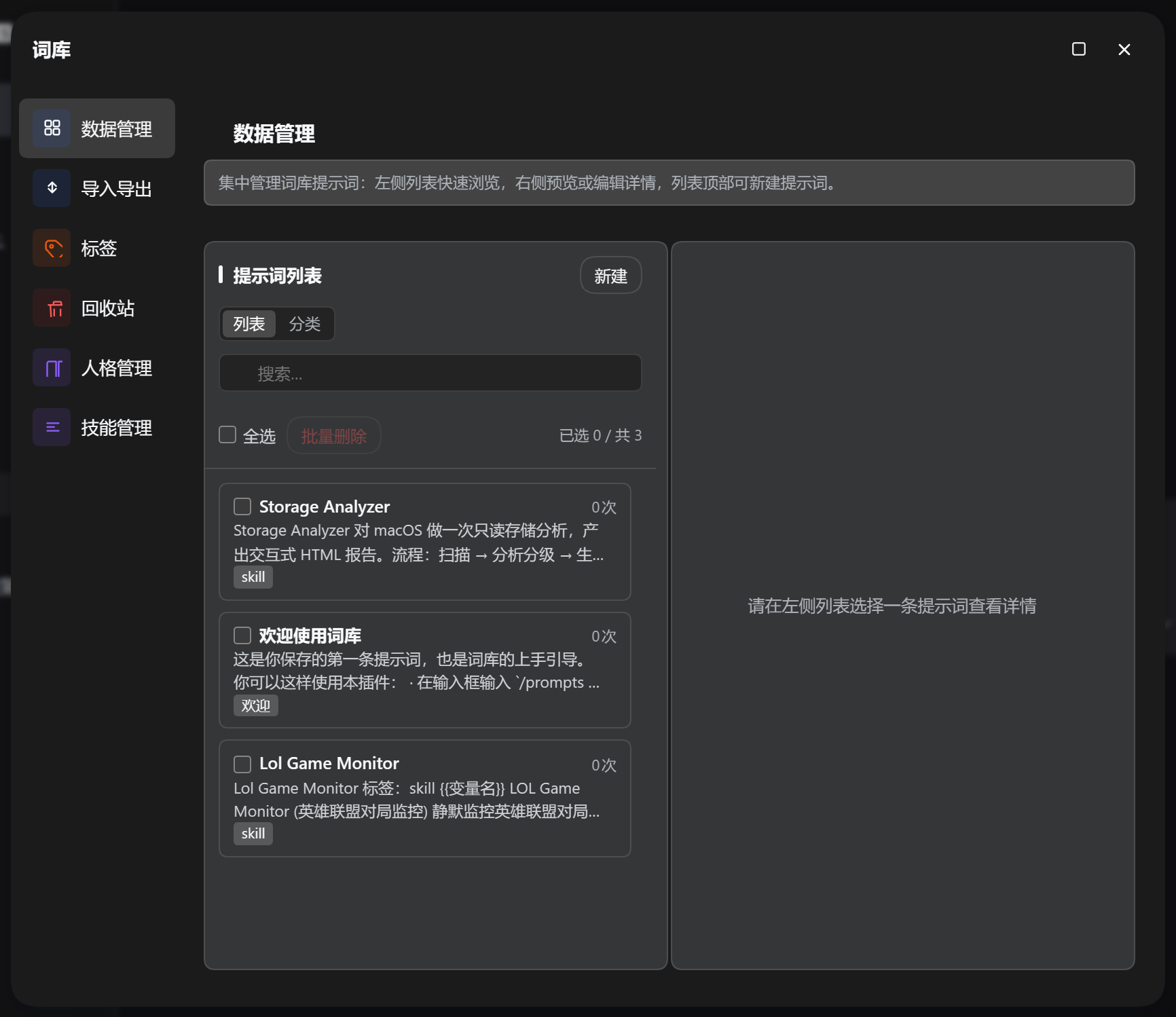
- Manage frequently-used prompts (title + body + tags), with search, sorting, tag grouping and usage-count statistics
- Entry 1: the "Library" menu button above the settings button in the sidebar opens a centered panel whose navigation reaches Data Management, Import/Export, Tags, Recycle Bin, Personas, and Skills
- Entry 2: the prompt-library button beside the chat input opens recent/frequent prompts with one click
- Insert: appends to the existing content in the input box
- Overwrite: directly replaces the whole draft with this prompt
- Insert & Send: fills in template variables and sends with one click (uses the variable dialog when it contains
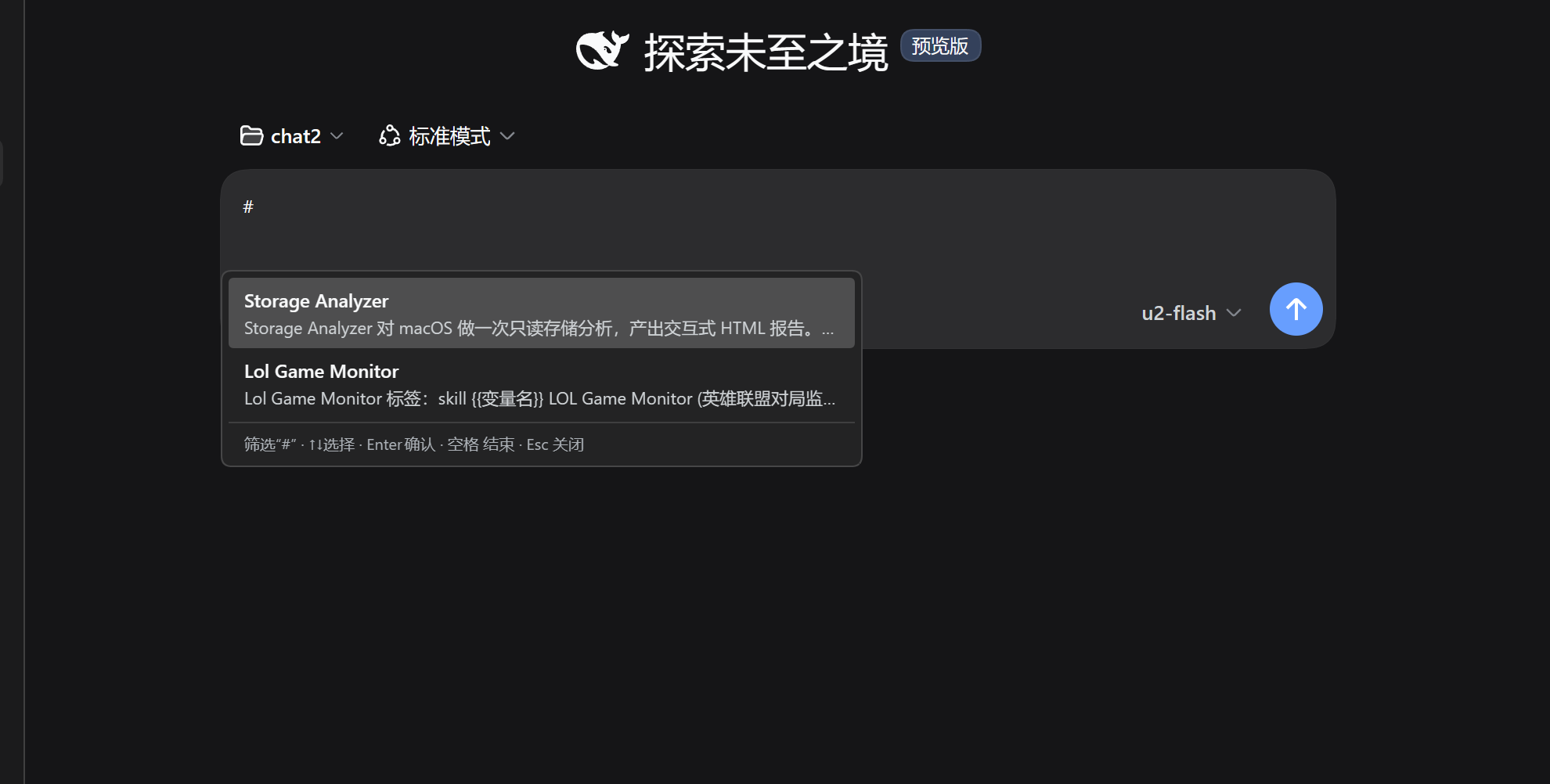
{{}}); outside#scenarios it is only available when the draft is empty, avoiding accidentally carrying existing content; when triggered by#, the trigger word is filtered out while the preceding text is kept and sent along - Type
#to quickly trigger selection with real-time filtering - The bottom shows the total number of tags and prompts in real time
Generate Skills
- Select prompts in "Library menu → Skill Manager" (skill import dialog) to generate DSH Skills in batch
- AI generates an English skill name and description from the prompt content; the skill is written to
~/.dsh/skills/<name>/SKILL.md, and can be triggered by typing/skill-namein the chat box, or auto-matched by the model from the description - A link between the prompt and the skill is created automatically; regenerating the same prompt overwrites the original skill directory instead of adding endlessly
- If the body contains
{{variables}}, the "placeholder auto-fill" capability is marked at generation time — when using the skill, AI infers and fills them automatically from the current semantic context, no manual input needed
AI Polish
- The "AI Polish" button in the chat bar optimizes text with one click, then replaces it back into the input box with one click
- The polishing process follows the constraints of the persona settings
Persona (AI read-only reference)
Persona bodies live in the database (prompts.db: default persona in the meta table, custom ones in the personas table), constraining every AI call and the session they apply to, forming a stable assistant persona. A complete default template is seeded automatically when missing; its content is manually maintained by the user, and AI only reads it without modifying it on its own. Multiple personas (SOUL) can be created and bound per workspace/project — new sessions opened under a matched path automatically adopt that persona.
| Storage | Meaning | Purpose |
|---|---|---|
| SOUL | Persona | Identity, tone/personality, working rules |
- When the input is empty, matching prompts are recommended above the input based on recent chat context; click to insert into the draft
- The persona is the user's explicit configuration (including the default template), and AI follows its personality, tone and working rules accordingly
Settings
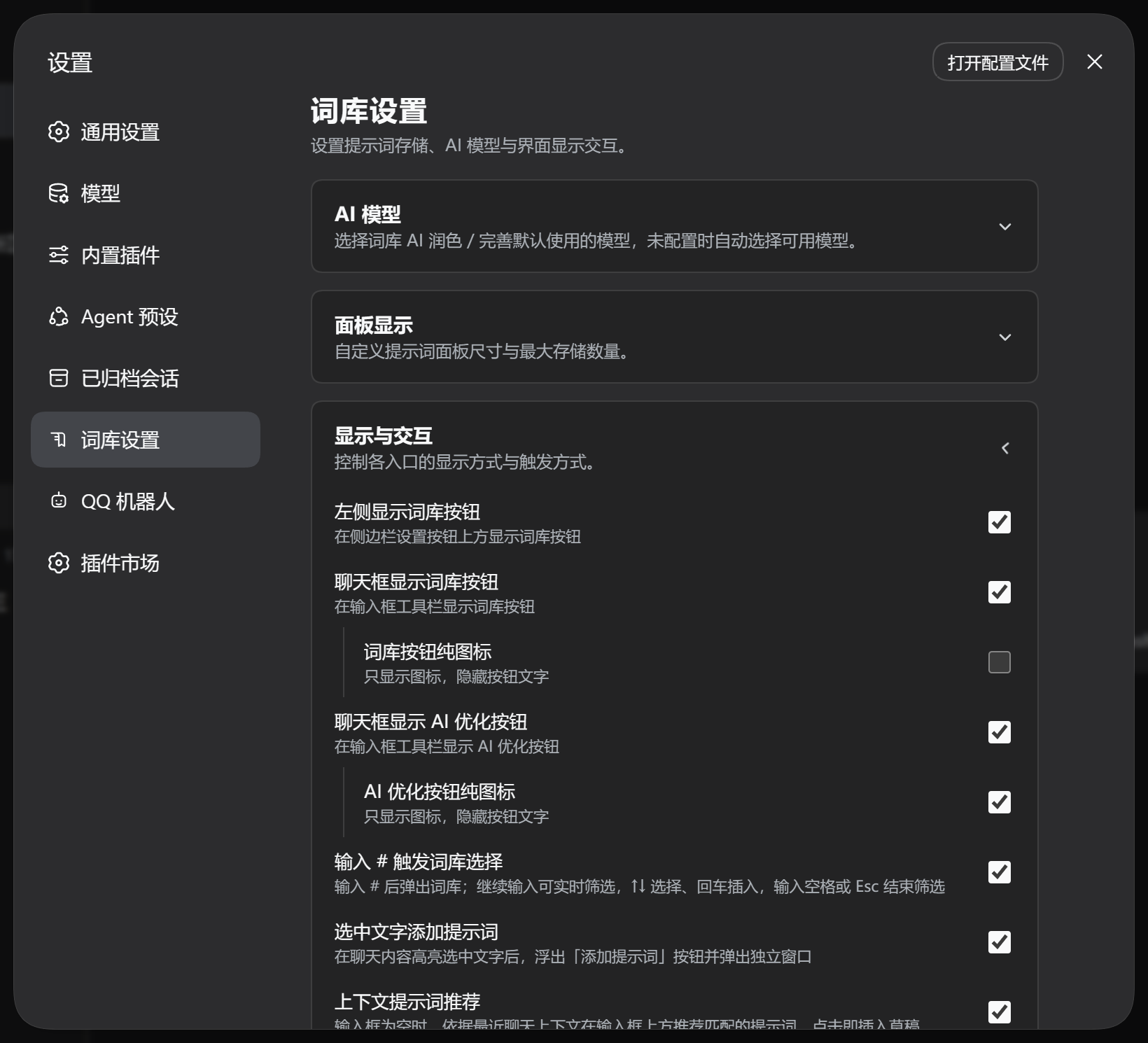
Under DSH Settings → Prompt Library, adjust: AI model selection, panel size, library-menu button visibility, chat-bar button visibility/icon-only, # triggering, context recommendations, add-prompt-from-selection, maximum stored prompts, etc. Changes take effect immediately.
Data Storage
The library uses SQLite (node:sqlite); all other configs and logs are stored under ~/.dsh/prompt-library/:
~/.dsh/prompt-library/
├── db/prompts.db      # prompt library, personas & bindings (SQLite)
├── settings.json      # plugin settings (prompt-library namespace)
├── log/
│   └── ai-YYYY-MM-DD.log   # AI diagnostic logs (per-day files)
└── character/         # (legacy, migration read-only; personas now live in the database)
Installation
dsh plugin --profile web add @sunjuntao/dsh-prompt-library
Usage
Start dsh web, click the "Library" menu button above the settings button in the sidebar to reach every feature panel; or use the prompt-library button beside the chat input, type # for the quick picker, and click "AI Polish" to polish your input with one click.
Development / Build
npm install
npm run deploy   # type check + build + sync to DSH (restart dsh web to take effect)
Screenshots
Author
master1Sun
Links
More in this category
zhu1090093659/dsh-web#packages/dsh-skill-explorer★ 8597
Skill center for the dsh web GUI: browse all loaded skills grouped by source, enable or disable model invocation, create new skills, and delete into a recoverable trash.
GanyuanRan/Aegis★ 1335
Software-engineering method pack for coding agents, with skills for baseline-first planning, systematic debugging, prompt hygiene, verification before completion, and repair/retirement tracking.
superdesigndev/superdesign-skill★ 643
Design skill for UI and marketing graphics on the Superdesign canvas: reads the repo for context, extracts its design system, then generates and iterates branchable design drafts, flow pages, and reusable components through the Superdesign CLI.
linhay/harmony-next.skills★ 361
HarmonyOS NEXT skill bundle for DeepSeek Harness with offline API references and DevEco, HDC, and emulator automation guidance.
dhicoc/dsh-reverse-skill★ 235
Complete reverse-skill pack (85 SKILL.md) as a DeepSeek Harness Cordis plugin: reverse engineering, authorized pentesting and security-research skill router.
sandbaseai/sandbase-skills★ 203
Mounts 88 packaged research, social-intelligence, marketing and business Agent Skills into dsh through the filesystem Skill provider.
Community comments
Comments are public GitHub Discussions. Loading them connects to GitHub and Giscus; a GitHub account is required to post.