Embeds a real VSCode editor (code-server, or your local desktop VS Code via the bundled bridge extension) as a GUI tab: agent file edits open turn-scoped red/green diffs that survive tab closes and page reloads, files lock while the agent writes, and a watchdog supervisor keeps zero orphan processes.
Install
# from npm (prebuilt)
dsh plugin --profile web add dsh-vsceditor
# from GitHub (first run asks for allowBuilds approval — follow the hint, retry)
dsh plugin --profile web add github:k-ying/dsh-vsceditor
Any plugin you install runs third-party code with your own permissions — it can read your files, use your credentials, and reach the network, and tool approvals don’t sandbox it. GitHub-sourced plugins also run build scripts at install time — pnpm blocks those until you allow them, so an install can stop with ERR_PNPM_GIT_DEP_PREPARE_NOT_ALLOWED or ERR_PNPM_IGNORED_BUILDS; dsh prints the exact key to add under allowBuilds in your profile’s pnpm-workspace.yaml, and the install works on the next run. Allowing a build is a trust decision: only install sources you trust, and pin a commit (github:owner/repo#sha).
README
English | 简体中文
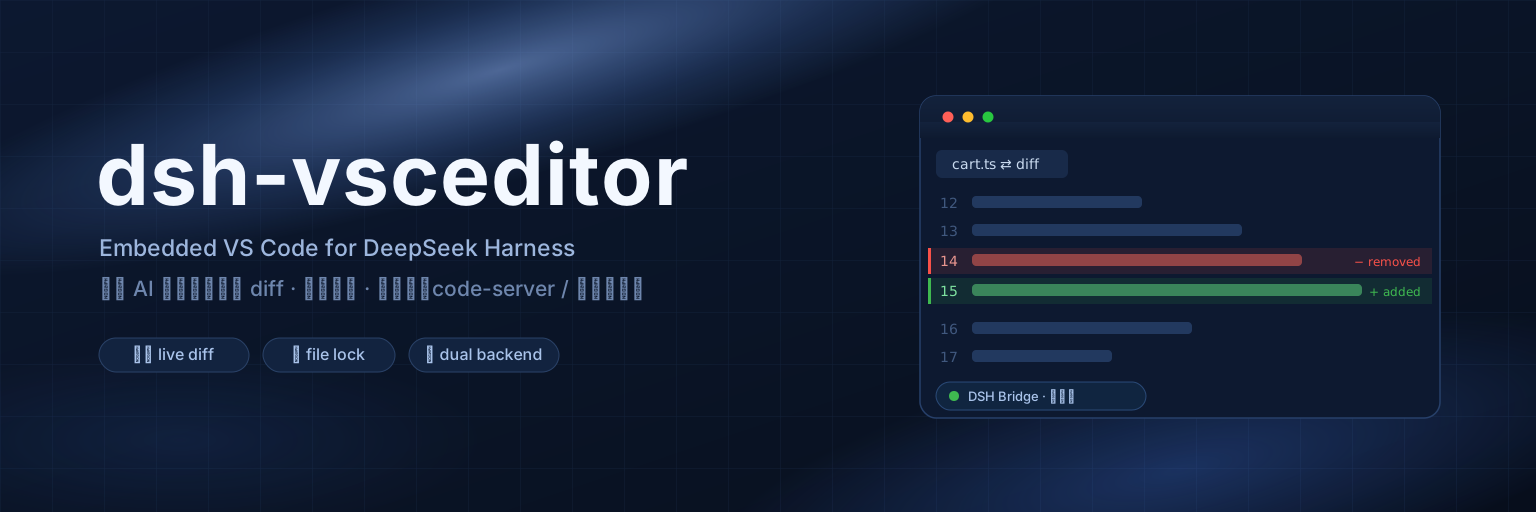
An embedded VS Code editor plugin for DeepSeek Harness — embeds a full code-server (complete VS Code) inside the DSH web UI. Every time the agent writes or edits a file, the editor pops a red/green diff and jumps to the first changed line — you literally watch the AI work.
1. Features
- Three mutually exclusive backends: embedded / local / off — embedded code-server by default; switch to local VS Code to move follow/diff/locking into your own desktop editor; or switch to Off to disconnect everything (the watchdog kills the whole code-server tree, the local extension unlinks, and the resident iframe's renderer memory is released). The power button in the editor toolbar operates the same setting and doubles as a one-click way back on
- Real VS Code, not a toy editor — the embedded one is code-server 4.x (full VS Code kernel): extensions, themes, keybindings and the Git panel all work
- Follow mode, turn-scoped diffs — when the agent calls
write/edit, the editor opens a red/green diff view of that file and scrolls to the first changed line; DSH also renders its own read-only diff tab, so you can watch either side. Diffs accumulate per file for a whole conversation turn, survive tab closes and editor reloads, and are cleared only when the next turn starts editing (see 5.3) - File locking — while the agent is writing a file it becomes read-only in the editor (prevents you and the AI overwriting each other); it unlocks automatically when the write finishes
- No orphaned processes — code-server runs under a watchdog that heartbeats the DSH host and kills the whole editor process tree when the host dies (crash / force-quit / Studio upgrade); a reaper also sweeps historical leftovers at startup and every 30 min. Your own desktop VS Code and self-installed code-server are never touched
- Workspace follows the session — one DSH process runs one code-server; when the active session's workspace changes, the editor switches to that directory (restarting code-server when needed)
- Persistent iframe — the editor page stays attached to
<body>; switching tabs only hides/shows it instead of starting a new VS Code session every click - Settings page integration — a collapsible card under Settings → Plugins → Plugin Configuration: follow toggle, auto-start, port, code-server home. Everything applies live and persists (
~/.dsh/settings.yaml) - Zero dependencies — both host and client halves are hand-written vanilla JS with no npm packages; the settings schema is a hand-rolled schemastery-compatible shape, no
@deepseek-ai/schemasteryneeded
2. How it works
┌─ DSH process ─────────────────────────────────────────────┐
│  host.js (host-plane cordis plugin, one per process)       │
│   · listens to tools/pre-execute & tools/result events     │
│     of every session                                       │
│   · captures write/edit target paths, reads before/after   │
│   · manages the code-server child via a watchdog process   │
│     (heartbeat-suicide + orphan reaping: no leftover       │
│     code-server after DSH crashes/upgrades)                │
│   · exposes via webServer:                                 │
│       /__dsh-vsceditor/state|action   (control plane)      │
│       /__dsh-vsceditor-<rand>/events  (SSE → extension)    │
│       /__dsh-vsceditor-<rand>/rpc     (extension → host)   │
└───────┬──────────────────────────────▲────────────────────┘
        │ SSE: hello/follow/edit/lock/unlock/reveal
        │                              POST: ready/ack/log
┌───────▼──────────────────────────────┴────────────────────┐
│  code-server (separate process, --auth none, 127.0.0.1)    │
│   └─ dsh-bridge extension (vscode-ext/dsh-bridge)          │
│        edit message → opens red/green diff at the change   │
│        lock → file read-only; unlock → restores            │
└────────────────────────────────────────────────────────────┘
        ▲ iframe (client.js registers a conversation.view
          tab "Editor", persistent on body across tab switches)
Message semantics follow ACP session/update: edit {path, oldText, newText, firstLine} is pushed by the host with computed diff stats; the extension renders it. The host mounts unscoped, so it sees tool events from all sessions (scoped events flow up the scope chain).
3. Requirements
- DeepSeek Harness (dsh) web profile (this plugin is a profile bundle mounted on the host plane)
- dsh 0.0.x – 0.2.x:
peerDependenciesdeclares these lines, and dsh compares it against the running runtime version — a plugin outside the range is refused outright at install time. The 0.2.x line was checked against 0.2.1-alpha.1 (the build the Tauri desktop shell ships): host services, events and argument shapes all match - macOS, Linux or Windows — local VS Code mode is verified on Windows (2026-09-23, Windows 10 Pro 22H2 + VS Code 1.138.0, all three of #4/#5/#6 passed; report:
docs/windows-verification-report.md). The code-server backend on Windows is experimental — code-server publishes no official Windows build (see 4.2 → Windows) - Embedded mode: a code-server installation (see 4.2); local VS Code mode: desktop VS Code. You need at least one of the two — the plugin works without code-server, but only in local VS Code mode
4. Installation
4.1 Install the plugin
Option A: from GitHub (recommended)
dsh plugin --profile web add github:k-ying/dsh-vsceditor
dsh plugin add adds the package to ~/.dsh/profiles/web/package.json dependencies and registers it in dsh.profile.bundles automatically (the plugin self-mounts via cordis.patch.yml; no manual composition edits needed).
Option B: from a local directory
git clone https://github.com/k-ying/dsh-vsceditor.git
dsh plugin --profile web add /path/to/dsh-vsceditor
4.2 Install code-server (required for embedded mode)
⚠️ Do not skip this if you want the default embedded editor. The plugin does not ship the code-server runtime (~100MB). Without it, embedded mode is unavailable — the Editor tab will report "code-server not found" and offer to switch you to local VS Code mode (feature-equivalent, see 5.1).
Option 1: one-click install (recommended). Open the Editor tab (or Settings → Plugins → Embedded VS Code editor) and click ⬇ Install code-server in one click — a dialog shows the download URL, live progress percentage, and install/startup steps (cancellable at any time), and the editor opens automatically when done. Installs to ~/.dsh-editor, shared by all workspaces.
Option 2: global CLI install (equivalent; useful when the panel is unreachable):
sh ~/.dsh/profiles/web/node_modules/dsh-vsceditor/scripts/install-code-server.sh ~/.dsh-editor
To give one workspace its own code-server, run without arguments (installs to .dsh-editor in the current directory, which takes precedence over the global one):
cd <your DSH workspace>   # e.g. ~/Documents/AI
sh ~/.dsh/profiles/web/node_modules/dsh-vsceditor/scripts/install-code-server.sh
The script downloads the official code-server release for your platform (macOS arm64/x64, Linux x64/arm64/armhf) and extracts it. Version is pinned to 4.133.0; override with the DSH_VSCEDITOR_VERSION environment variable.
Manual install also works: extract code-server into any of these locations (in lookup order):
- The
code-server directoryfield in the settings card (highest priority) - The
$DSH_VSCEDITOR_HOMEenvironment variable <workspace>/.dsh-editor(workspace level)~/.dsh-editor(global, recommended)
The directory must contain code-server/bin/code-server.
📁 Editor runtime data (user-data, config, logs) is NOT stored in your workspace — it lives in the global
~/.dsh-editor/workspaces/<hash>-<workspace-name>/, isolated per workspace (the same model as VS Code's user-level data directory), so your project folder stays clean. Older versions used<workspace>/.dsh-editor; workspaces that already have one keep using it to preserve their data.
Windows (experimental)
code-server does not publish Windows builds, and a plain npm install -g code-server is broken on Windows (both the postinstall script and argon2 native compilation fail). This plugin ships scripts/install-code-server.ps1 to work around both, with a technique inspired by naspenang/code-server-windows (MIT): skip postinstall, install dependencies manually, and borrow native modules from an installed desktop VS Code.
Prerequisites:
- Windows 10/11 + PowerShell
- Desktop VS Code installed, at a version exactly matching the VS Code bundled in code-server (the script verifies this and reports the expected version; use
-CodeServerVersionto pick a matching code-server version, or-SkipVSCodeVersionCheckto force)
cd <your DSH workspace>
Set-ExecutionPolicy -Scope Process Bypass
& "$env:USERPROFILE\.dsh\profiles\web\node_modules\dsh-vsceditor\scripts\install-code-server.ps1"
Layout produced (what the host looks up on Windows):
<workspace>\.dsh-editor\code-server\node\node.exe
<workspace>\.dsh-editor\code-server\runtime\node_modules\code-server\out\node\entry.js
Note: this path is not widely verified; it only guarantees local 127.0.0.1 use. If you hit problems, WSL2 runs the officially maintained Linux flow with an identical experience to macOS/Linux — a safer choice.
4.3 Start
dsh web
An Editor tab appears in the top bar; click it and wait a few seconds for code-server to come up. The status dot next to the tab label: gray = loading or backend switched Off, green = extension connected, yellow = waiting for the extension, red = not running / code-server not installed / bridge not mounted.
5. Usage
5.1 Local VS Code mode
Switch Editor backend to Local VS Code under Settings → Plugins → Plugin Configuration (mutually exclusive with embedded code-server, applies instantly), or click the connection wizard button on the Editor tab's status card:
- The plugin auto-detects local VS Code (macOS
.appand Spotlight, Windows standard install dirs andwhere, Linux/usr/binandwhich); if not found, set the path manually in settings - Without the bridge extension, the status card shows an Install extension into local VS Code button — one click copies it to
~/.vscode/extensions/(home dir, no privileges needed); on failure it prints the manual copy source/target paths - Reload Window in desktop VS Code and open the same workspace as the DSH session — the extension only serves the window whose workspace matches, so multiple windows never cross-talk
- From then on, follow diff and file locking behave exactly like embedded mode; the extension auto-updates with the plugin version (just Reload Window when prompted)
How: environment variables cannot be injected into an already-running desktop app, so the host writes bridge coordinates (port/token/workspace) to ~/.dsh-editor/bridge.json and the extension polls it to handshake. One extension codebase serves both modes automatically; embedded mode is unaffected.
Workspace Trust
Desktop VS Code enables Restricted Mode for newly opened folders. The plugin fully adapts to it:
- The bridge extension declares
untrustedWorkspaces: limitedsupport — it activates and keeps the handshake even in untrusted windows, but executes no edit/reveal sync commands - During this, the DSH status dot turns yellow ("waiting for workspace trust"), and both the editor tab and the connection wizard say so; the extension also shows a one-time "Manage Workspace Trust" prompt inside VS Code
- Click Trust in VS Code's trust dialog (or Command Palette →
Workspaces: Manage Workspace Trust) and everything resumes automatically — no Reload needed (the extension listens toonDidGrantWorkspaceTrustand reconnects) - Embedded code-server launches with
--disable-workspace-trustand never has this issue
Recommendation: your DSH workspaces are your own directories, so just trust them; if all sessions live under one parent (e.g. ~/Documents/AI), trusting the parent folder settles it once and for all.
5.2 Off mode (disconnect the editor backend)
Switch Editor backend to Off in the settings card, or click the power button in the editor toolbar (⏻, right of restart — in embedded mode it says "Shut down code-server", in local mode "Disconnect"). Both operate the same setting:
- Embedded mode: the watchdog stops and SIGTERMs the whole code-server process tree — no orphans; the resident iframe is torn down, releasing its renderer memory
- Local mode:
bridge.jsonis removed so the desktop extension disconnects on its next poll - While off, nothing can relaunch the editor: auto-start, crash-retry timers, restart timers, install-finish launches and workspace-switch relaunches are all gated behind a single guard in
startServer, and a deliberate shutdown is never misbooked as a crash (no error banner, no retry budget consumed) autoStartonly controls DSH boot behavior: an Off state withautoStart=truestill launches nothing; turning the backend back on from Off always starts immediately- The state persists in
~/.dsh/settings.yamland survives DSH restarts - The Off page offers one-click ways back: Start embedded code-server or Use local VS Code → (opens the connection wizard); the toolbar power button becomes Start code-server
5.3 Follow mode
On by default. After each agent write/edit lands:
- The editor switches to that file's diff view (old left, new right) and scrolls to the first changed line
- You can uncheck Follow in the editor tab's toolbar anytime; recent changes are still recorded (recent list), it just stops popping views
- Toggleable from inside the editor too: click the
DSH · follow/editstatus bar button in VS Code for a menu (toggle follow / reconnect), or Command Palette →DSH Bridge: Toggle Follow Mode; the extension sends the request back to DSH and all sides sync - Only want edits inside the workspace? Check Follow workspace files only in the settings card — writes outside the workspace go to the recent list without popping diffs
- Diffs are turn-scoped: all edits within one conversation turn accumulate into per-file diff tabs. Closing a diff tab loses nothing — editing that file again, clicking it in the explorer, or reopening the editor brings the diff back with its original baseline. Only when the next conversation turn makes its first edit are the previous turn's diff tabs cleared
5.4 File locking
When the agent starts writing a file, that file becomes read-only in the editor (status bar hint) and unlocks when the write completes. This is an anti-conflict hint, not a security boundary.
5.5 Settings card
The settings live in the Settings → Plugins → "Embedded VS Code editor" tab (that slot has existed since dsh 0.1.5). Only on an older shell that lacks the slot does it fall back to the collapsible Settings → Plugins → Plugin Configuration → "Embedded VS Code editor" card (click the header to expand). Both are the same settings surface with identical keys:
| Key | Type | Default | Description |
|---|---|---|---|
editorBackend |
string | embedded |
Editor backend (mutually exclusive): embedded = embedded code-server; local = local desktop VS Code; off = disconnect everything (see 5.2). The toolbar power button toggles the same key |
follow |
boolean | true |
Follow DSH edits: pop the red/green diff and jump to the changed line |
followWorkspaceOnly |
boolean | false |
Follow workspace files only: out-of-workspace changes are recorded but pop no diff |
autoStart |
boolean | true |
Launch code-server automatically when DSH starts; when off, start it manually from the Editor tab. Only governs DSH boot: nothing launches while the backend is Off, but switching back from Off always starts immediately |
port |
number | 0 |
code-server listen port; 0 = random (10000–65000); changing it restarts the editor |
codeServerHome |
string | "" |
Manually specify the code-server install directory; empty = auto-lookup in the order above |
vscodePath |
string | "" |
Manually specify the local VS Code path (code CLI or .app/Code.exe); empty = auto-detect |
language |
string | auto |
UI language: auto = follow the DSH UI language (falls back to browser language); pt-BR/es are never auto-detected because DSH itself only ships zh/en — pick them explicitly here |
trustedHosts |
string | "" |
Comma separated bare authorities (host or host:port) allowed to reach the control routes in addition to loopback. Needed when you reach DSH through a reverse proxy or custom domain; empty = loopback only. See 8 |
bridgeDebug |
boolean | false |
Append the extension's diff-open trace to /tmp/dsh-bridge-debug.log. Pushed to the extension over SSE, so it takes effect immediately without restarting DSH or the editor; use it when a diff does not show up |
Writes persist and survive restarts; where they land depends on the dsh generation: on 0.1.x they go through the plugin's settings namespace (user layer), on 0.2.x into that profile's cordis.patch.yml — updating config: on the existing - id: vsceditor row, or appending one when there is none (a top-level row with the same id overrides the composition row; it does not mount the plugin twice). You can also set config: on the plugin row up front as a composition-level base (the user layer overrides it).
Upgrading from 0.1.x? Your settings used to live in the
dsh-vsceditorsection of~/.dsh/settings.yaml. The one-time migration in dsh 0.2.x matches a section to a plugin entry by section name, and ours differ (sectiondsh-vsceditor, entry idvsceditor), so those values are not carried over — the plugin starts on its defaults. Nothing was deleted: dsh simply renamed the file to~/.dsh/settings.yaml.imported. Either fix works:
Re-pick them in the settings card (there are only a handful of fields, so this is quickest); or
copy the
dsh-vsceditor:section from.importedinto the row shown above:- id: vsceditor name: dsh-vsceditor config: editorBackend: local vscodePath: /Applications/Visual Studio Code.appthen restart dsh.
5.6 Shortcuts / commands
In the VS Code command palette (Cmd/Ctrl+Shift+P):
DSH Bridge: Toggle Follow Mode— toggle follow mode (or click theDSHstatus bar button, which offers a menu with the switch)DSH Bridge: Reconnect— reconnect the bridge manually (rarely needed — the extension reconnects on its own)
6. Troubleshooting
The Editor tab shows "code-server not installed" / "code-server not found"
code-server is not installed or not on the lookup path. Two options: ① run the install script in 4.2 (or fill in the code-server directory in the settings card); ② if you don't want it, click the Use local VS Code → button on the page — the plugin switches to local mode and opens the connection wizard.
Local mode stuck at "waiting for workspace trust" (yellow dot)
VS Code Restricted Mode is blocking edit sync. Trust the workspace in VS Code (Command Palette → Workspaces: Manage Workspace Trust); it resumes automatically without Reload. See the "Workspace Trust" subsection of 5.1.
Stuck at "waiting for extension" (yellow dot) The extension host only starts while a code-server window is open. Click into the Editor tab and wait a few seconds; if the page is stale (code-server restarted), refresh the whole DSH page.
Edits don't pop diffs
① Is the tab status dot green? ② Is Follow checked in the toolbar? ③ Extension logs: restart DSH with DSH_BRIDGE_DEBUG=1 and read /tmp/dsh-bridge-debug.log (local mode: ~/.dsh-editor/bridge-ext.log).
Port taken / want a different port Change the port in the settings card; the editor restarts onto the new port after saving.
Editor tab says the bridge is unmounted / settings card buttons do nothing (403)
You are reaching DSH through a host the control fence does not trust — a reverse proxy, a custom domain, Tailscale MagicDNS, ngrok, and so on. Declare that hostname in Trusted hosts (Settings → Plugin config) or in the dsh-vsceditor section of ~/.dsh/settings.yaml. While it is fenced the settings card cannot save either, so edit the file (or the plugin row's config:) in that case. Loopback access (http://127.0.0.1:<port>), localhost, and the machine's own LAN address keep working with no configuration — see 8.
Leftover code-server processes
Since 0.5.0 this should not happen: code-server runs under a supervisor (lib/cs-supervisor.js) that kills the whole editor process tree when the DSH host dies, and a reaper sweeps orphaned leftovers (PPID=1, matched against this plugin's own install signature) at startup, again 30s later, and every 30 min. If you still see leftovers, please file an issue. Manual cleanup: pkill -f 'code-server.*--auth none'.
The editor restarted by itself / error mentions cs-supervisor: host unreachable
The watchdog lost its heartbeat to the DSH host for ~60s (e.g. the host event loop was stalled) and shut code-server down as a precaution. The host notices the exit and relaunches the editor within ~2s, so it heals on its own; if it repeats frequently, file an issue.
Settings → Plugins → Plugin Configuration renders blank
A pitfall from this plugin's 0.1.x era: a settings schema missing toJSON takes down the whole tab. Fixed in 0.2.0; if it still happens, file an issue with the dsh-vsceditor section of ~/.dsh/settings.yaml attached.
7. Uninstall
dsh plugin --profile web remove dsh-vsceditor
Optionally remove runtime data: ~/.dsh-editor (including per-workspace runtime data under workspaces/; legacy installs may also have <workspace>/.dsh-editor), ~/.vscode/extensions/dsh.dsh-bridge, and the dsh-vsceditor section of ~/.dsh/settings.yaml.
8. Security notes
- Control-plane routes are fenced (
/state,/action): the Host must be loopback, the address the request actually arrived on, or a host you declared in Trusted hosts;sec-fetch-site: cross-siteis rejected;Originmust matchHostwhen present; and state-changing POSTs must carry anOriginat all (browsers always send one, blind local scripts do not).set-configadditionally accepts only known config keys - A non-loopback socket may only speak for a declared trusted host. Outside a browser,
HostandOriginare both forgeable — the socket address is the only honest signal — so without that rule a local process (or a LAN peer on a LAN-bound DSH) could simply claimHost: 127.0.0.1and drive the control plane. Same-machine access through your machine's own LAN address or hostname still works, because the loopback socket proves the client is local - Reaching DSH through a reverse proxy / custom domain / Tailscale MagicDNS / ngrok? Declare that hostname in Trusted hosts (Settings → Plugin config), in the plugin row's
config:, or directly in thedsh-vsceditorsection of~/.dsh/settings.yaml. Until it is declared the control routes answer 403 and the Editor tab reports the bridge as unmounted — and the settings card cannot save in that state either, so edit the file. The plugin also inherits DSH's owntrustedHosts(theconnectionservice), so a host already declared for the deployment does not need declaring twice - A settings save or a toolbar button appears to do nothing? Fenced writes used to fail silently. They now surface as a red line in the panel (an HTTP 403 names the fence and points at Trusted hosts), and the extension's most recent ack —
kind,opened,timeout,error— is exposed aslastAckonGET /__dsh-vsceditor/state.opened: false, timeout: truemeans VS Code did not confirm the diff within 6s;edit-errormeans it threw, and the panel shows the reason too.bridgeDebugturns on the extension's own trace (/tmp/dsh-bridge-debug.log) when you need to go deeper - code-server launches with
--auth nonebut listens on 127.0.0.1 only, on a random port in the full 10000–65000 range; never rebind it to 0.0.0.0. On a single-user dev machine this matches DSH's own local HTTP threat model; on a multi-user machine another local user can still reach the port via a loopback scan — prefer thelocalbackend there - Bridge endpoints (SSE/RPC) carry a per-boot random token handed to the extension via environment variables;
~/.dsh-editor/bridge.jsonholds that token and is written with0600permissions - The plugin collects and uploads nothing; code-server starts with
--disable-telemetry --disable-update-check
9. Directory layout
dsh-vsceditor/
├── cordis.patch.yml              # profile bundle self-mount patch (host-plane row)
├── package.json                  # dsh.bundle.patch / dsh.client declarations
├── lib/
│   ├── host.js                   # host half: process mgmt, event bridge, settings namespace
│   ├── cs-supervisor.js          # watchdog: spawns code-server, heartbeat-suicides with the tree when DSH dies
│   └── client.js                 # client half: tab iframe, settings card (hand-written bundle)
├── scripts/
│   ├── install-code-server.sh    # code-server download/install script (macOS/Linux)
│   └── install-code-server.ps1   # code-server install script (Windows, experimental)
└── vscode-ext/
    └── dsh-bridge/               # bridge extension injected via --extensions-dir
        ├── package.json
        ├── paths.js              # Windows-safe path handling (compare / resolve / split), platform-injectable for tests
        └── extension.js
vscode-ext/extensions.json and vscode-ext/.obsolete are runtime files regenerated by code-server with machine-local paths; both are gitignored.
10. Development
After changing lib/host.js or lib/cs-supervisor.js, restart DSH; after lib/client.js, just refresh the page (the bundle route reads from disk per request); after vscode-ext/dsh-bridge/extension.js, reopen the editor tab (each open spawns a fresh extension host that loads the current file). Verify the profile still assembles the composition:
dsh --profile web --dump-config
Run the test suite (no dependencies — straight from source; also runs in CI):
npm test
Four cases: test/control-trust-smoke.mjs (control-route fence, ack normalization, config invariants, manifest invariants), test/client-slots-sim.mjs (a stubbed module loader, DOM and slot service drive the unmodified real lib/client.js, asserting the settings surface registers exactly once under every slot shape), test/windows-sim.mjs (Windows desktop-mode path behaviour) and test/bridge-regressions.mjs (the SSE reconnect loop and the edit-frame dedup key, against a real HTTP SSE server). windows-sim.mjs forces win32 semantics, stubs vscode and loads the unmodified real extension.js, so the Windows reports reproduce on macOS/Linux too; its limits and the on-device checklist live in docs/windows-path-issues.md.
Versioning rule
The plugin (root package.json) and the bridge extension (vscode-ext/dsh-bridge/package.json) keep major.minor in sync — e.g. plugin 0.3.x pairs with extension 0.3.x; patch digits may drift independently. The host compares the installed extension version against the bundled one (vscode-ext/dsh-bridge/package.json's version) and re-copies to ~/.vscode/extensions/ with a Reload Window prompt when they differ, so upgrading the plugin never needs a manual extension reinstall.
Note that this re-copy only fires when the version changes: to try a local edit under vscode-ext/dsh-bridge/ in desktop VS Code you must bump the extension version first (or delete ~/.vscode/extensions/dsh.dsh-bridge and trigger an install), otherwise you keep running the old extension.
License
Links
More in this category
zhu1090093659/dsh-web#packages/dsh-task-board★ 8597
Task board for the dsh web GUI: a sidebar multi-column kanban whose cards run in real DSH agent sessions and can also be scheduled with cron expressions, executed host-side even with the browser closed.
zhu1090093659/dsh-web#packages/dsh-web-all★ 8597
Plugin and skin collection for the DSH Web UI: task board, Git graph, right-side panel, remote mobile UI, pet, live token stats, and a skin center.
MeteorNOX/DeepSeek-Balance-Whale-Widget★ 4424
A fixed-corner whale widget for the DSH web GUI — balance, today's usage and per-turn cost with peak/off-peak pricing, editable balance-alert and daily-budget bubbles, a module-based custom bubble queue with A/B weighted choices and random lines or images, 30+ vendor templates (OpenAI, OpenRouter, Kimi, SiliconFlow, Ark, Zhipu, MiniMax and more) with per-model balance and subscription quota, plus task-end sound, imported audio, custom roles and a resource manager. Local-only, no telemetry.
ccch1mneyyy/dsh-TUI★ 4268
Claude Code-style full-screen terminal UI: pixel-whale header, live status line, and streaming thought expansion.
omdsh-dev/DSH-better-sidebar★ 4098
Full sidebar workbench with file rendering and editing, terminal, Git, and subagents; third-party plugins can register new tabs.
Devin-AXIS/deepseek-design#deepseek-idesign★ 1445
Visual design studio for websites, app prototypes, posters, cards, reports, and magazines, with templates, direct element editing, selection-aware AI draft handoff, and export.
Community comments
Comments are public GitHub Discussions. Loading them connects to GitHub and Giscus; a GitHub account is required to post.