Lets sandboxed agents reach the web through your local proxy: net_fetch fetches pages, net_proxy_status reports proxy status.
Install
# from GitHub (first run asks for allowBuilds approval — follow the hint, retry)
dsh plugin --profile web add github:izwarm195/dsh-net-tools
Any plugin you install runs third-party code with your own permissions — it can read your files, use your credentials, and reach the network, and tool approvals don’t sandbox it. GitHub-sourced plugins also run build scripts at install time — pnpm blocks those until you allow them, so an install can stop with ERR_PNPM_GIT_DEP_PREPARE_NOT_ALLOWED or ERR_PNPM_IGNORED_BUILDS; dsh prints the exact key to add under allowBuilds in your profile’s pnpm-workspace.yaml, and the install works on the next run. Allowing a build is a trust decision: only install sources you trust, and pin a commit (github:owner/repo#sha).
README
Give DSH your magic: plug sandboxed agents into your local HTTP proxy and fetch blocked sites, docs and APIs in one shot.
简体中文 · English
🤖 About this project
This project is developed and maintained entirely by AI: all code, tests and docs are generated by an AI (a DeepSeek Harness coding agent); humans only review, accept and publish the results.
Problem
When DSH runs commands inside its file sandbox (workspace-write), Windows
schannel-based TLS (curl, PowerShell) cannot acquire credentials, so every
HTTPS request fails with SEC_E_NO_CREDENTIALS. Node.js ships its own TLS
stack and is unaffected — but the sandboxed shell still can't reach the
network reliably, and the user's local proxy (e.g. 127.0.0.1:7897) is only
used if every tool remembers to pass it.
What this bundle does
Tools run in the DSH Host process (Node.js), outside the file sandbox, so TLS works. The bundle:
net_fetch— fetch an HTTP(S) URL through the user's proxy via a manual CONNECT tunnel (no schannel, no dependencies). Follows redirects, enforces timeouts / size caps / SSRF guards, returns text or a truncated body.net_proxy_status— report which proxy (if any) DSH processes will use: user-level env vars, current-process env, and the Windows system proxy.
Proxy discovery order: explicit proxy argument → HTTPS_PROXY / HTTP_PROXY
env → Windows system proxy (registry Internet Settings).
Install
dsh plugin --profile web add <this-package>
# or: dsh plugin --profile desktop add <this-package>
Reload/restart DSH, then the tools are available to the agent.
Usage
Fetch a page through the proxy:
net_fetch(url: "https://github.com/")
→ [200] https://github.com/ (via proxy) 1212ms …
Diagnose proxy configuration:
net_proxy_status(checkReachability: true)
→ effective: http://127.0.0.1:7897
  proxy reachable: true
  probe: [204] https://www.gstatic.com/generate_204 ok=true
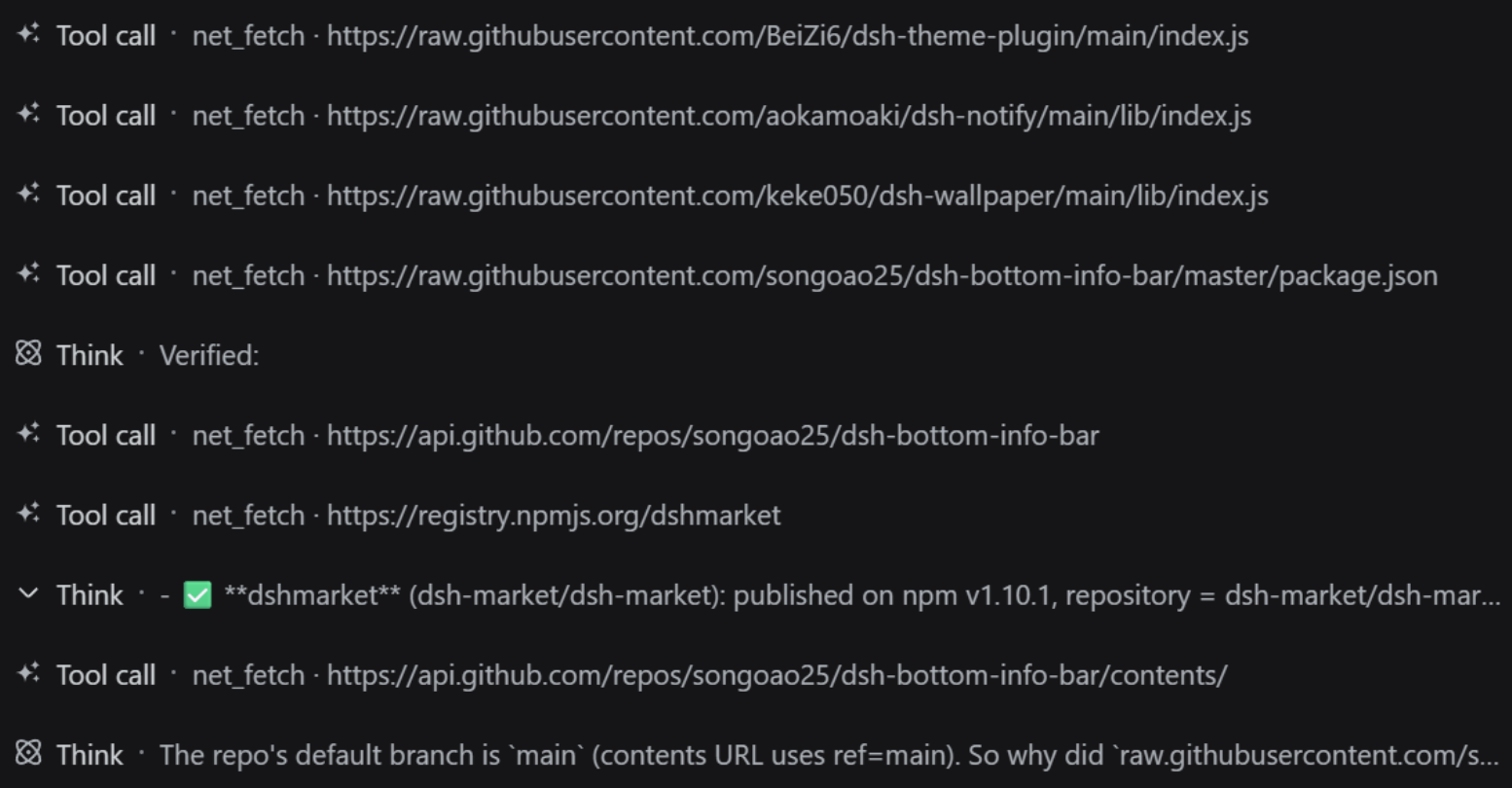
In action: the agent chaining net_fetch calls while thinking (screenshot):
Tests
npm test
# inside the sandbox, where spawning test subprocesses is blocked, run in-process:
node --test --test-isolation=none test/fetch.test.js
Security
- Scheme restricted to
http:/https: - SSRF guard: private/loopback/link-local targets rejected by default
(
allowPrivate: trueopts in) - Response size capped (default 1 MiB), timeout capped (default 30 s)
- Redirects limited (5) and re-validated against the same guards
License
Links
More in this category
Tencent/WeKnora#dsh-weknora★ 31531
Four read-only tools over a WeKnora knowledge base: list knowledge bases, hybrid passage search, reassemble one document's chunks in order, and WeKnora's own cited RAG or ReAct-agent answer with a resumable session id.
superdesigndev/treg★ 3949
Tool catalog for agents: search ~2,600 external endpoints (SEO and SERP, backlinks, social, people and company enrichment, ad libraries, scraping) by the task you want done, read each one's parameters and per-call price, then call it with the credential injected server-side. Ships the skill plus an MCP row that stays disabled until TREG_TOKEN is set.
TencentCloudBase/CloudBase-AI-Toolkit#dsh-plugin★ 1130
Tencent CloudBase backend for DeepSeek Harness — scaffold and deploy full-stack apps from chat, render query results as table cards with paging, sorting and CSV export, preview a deployment on its domain, and call the CloudBase MCP toolset (`mcp__cloudbase__*`) with device-code login.
gitroomhq/postiz-agent#dsh-postiz★ 499
Connects DeepSeek Harness to Postiz over MCP: list connected social media channels, fetch per-platform posting rules, and schedule, draft, or publish posts to X, LinkedIn, Instagram, Facebook, Threads, TikTok, YouTube, Reddit, Bluesky, Mastodon, Discord, Slack, Telegram and more; adds a postiz workflow skill.
EthanYoQ/Invoice-Downloader#dsh-invoice-downloader★ 477
Local IMAP invoice download, OCR, archive, and Excel reimbursement summaries for DeepSeek Harness.
anysearch-team/anysearch-dsh★ 441
AnySearch-powered real-time web and vertical search provider for DeepSeek Harness.
Community comments
Comments are public GitHub Discussions. Loading them connects to GitHub and Giscus; a GitHub account is required to post.