Johari cognition-quadrant dialog prompt composer — adds a button above the composer that opens a 2×2 quadrant panel (known/unknown × AI-known/AI-unknown) to groom conversation context into a structured prompt written back into the draft.
Install
# from npm (prebuilt)
dsh plugin --profile web add dsh-johari-cognition-quadrant-dialog-composer
# from GitHub (first run asks for allowBuilds approval — follow the hint, retry)
dsh plugin --profile web add github:cyrus123456/dsh-johari-cognition-quadrant-dialog-composer
Any plugin you install runs third-party code with your own permissions — it can read your files, use your credentials, and reach the network, and tool approvals don’t sandbox it. GitHub-sourced plugins also run build scripts at install time — pnpm blocks those until you allow them, so an install can stop with ERR_PNPM_GIT_DEP_PREPARE_NOT_ALLOWED or ERR_PNPM_IGNORED_BUILDS; dsh prints the exact key to add under allowBuilds in your profile’s pnpm-workspace.yaml, and the install works on the next run. Allowing a build is a trust decision: only install sources you trust, and pin a commit (github:owner/repo#sha).
README
Johari cognition-quadrant dialog prompt composer — a DSH (DeepSeek Harness) Web UI plugin.
Features
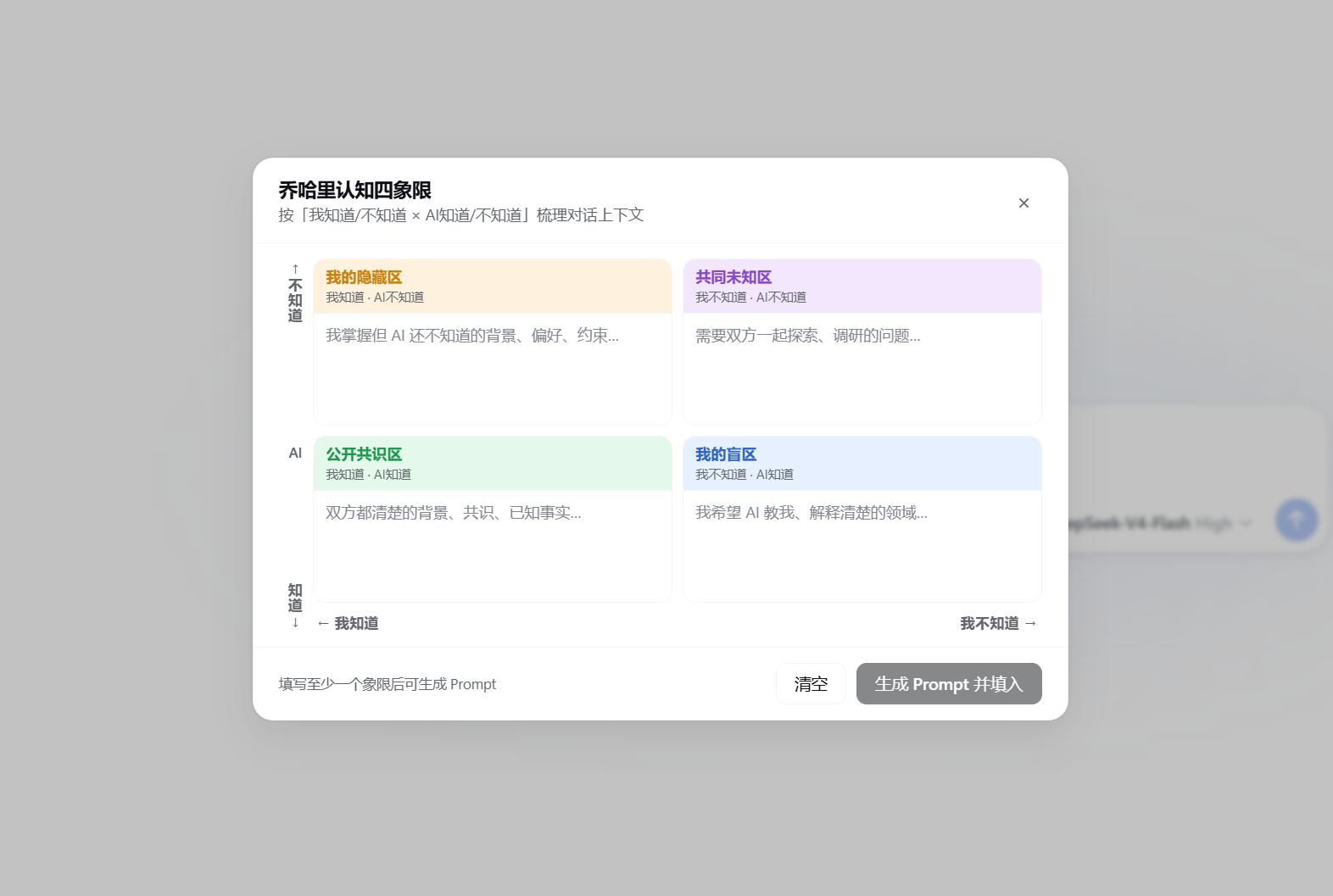
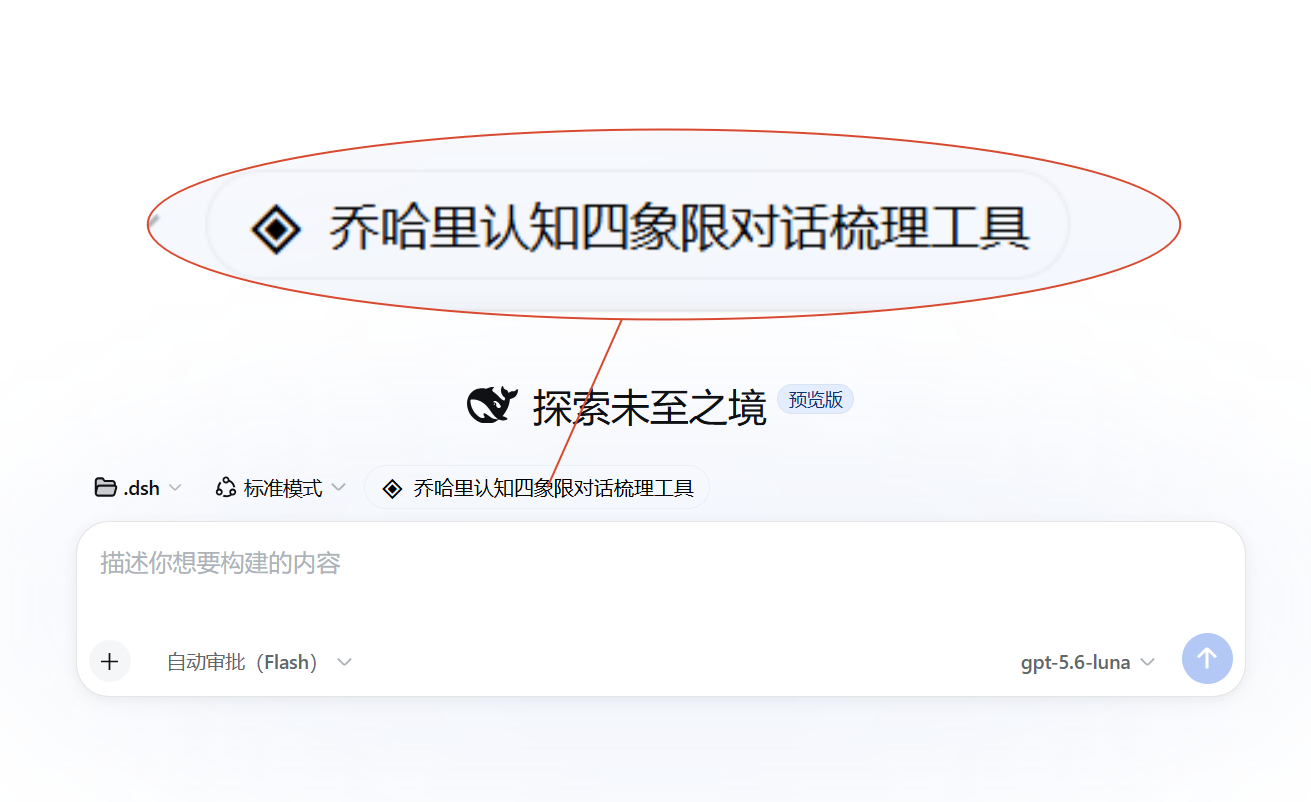
Adds a "Johari Quadrant" button above the conversation composer. Clicking it opens a 2×2 quadrant panel:
| Quadrant | Position | Meaning |
|---|---|---|
| Hidden Area | Top-left | I know · AI doesn't — background info to tell AI |
| Unknown Area | Top-right | I don't know · AI doesn't — problems to explore together |
| Open Area | Bottom-left | I know · AI knows — shared consensus background |
| Blind Area | Bottom-right | I don't know · AI knows — areas where AI can teach me |
- X-axis (left → right): I know → I don't know
- Y-axis (bottom → top): AI knows → AI doesn't know
Fill in the quadrants and click "Generate Prompt" to compose a structured prompt and write it into the conversation input.
Screenshots
Quadrant Panel
New Conversation Page
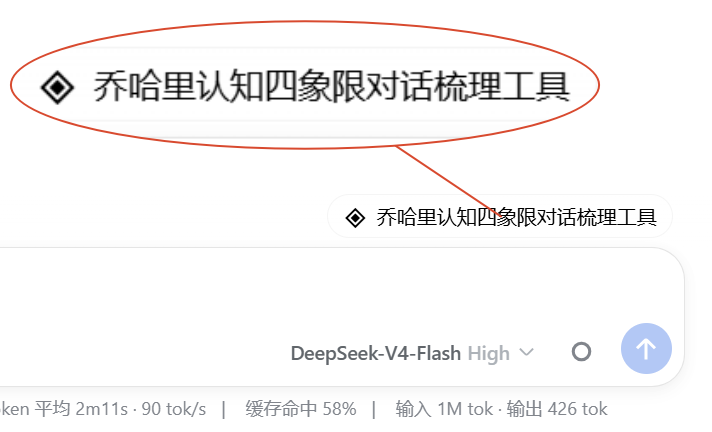
Button in Conversation
Installation
Via dsh plugin add (Recommended)
dsh plugin add cyrus123456/dsh-johari-cognition-quadrant-dialog-composer
Build from Source
git clone https://github.com/cyrus123456/dsh-johari-cognition-quadrant-dialog-composer.git
cd dsh-johari-cognition-quadrant-dialog-composer
pnpm install
pnpm run build
Build output:
lib/index.js— Host side (Node)lib/client.js— Client side (browser, with CSS injection)
Manual Registration to DSH Profile
- Create a junction in
profiles/web/node_modules/pointing to this plugin - Add
"dsh-johari-cognition-quadrant-dialog-composer"to thedsh.profile.bundlesarray inprofiles/web/package.json - Restart DSH
Tech Stack
- TypeScript + React 18
- esbuild bundler (Node 20+ compatible)
- CSS runtime injection (
<style>tag,johari-prefix isolation) - DSH Plugin API (
conversation.input.dockslot)
File Structure
dsh-johari-cognition-quadrant-dialog-composer/
├── package.json
├── tsconfig.json
├── cordis.patch.yml          # DSH bundle patch
├── scripts/
│   └── build.mjs             # esbuild build script
├── src/
│   ├── index.ts              # Host entry
│   └── client/
│       ├── index.ts          # Client entry (slot registration + CSS injection)
│       ├── JohariDockEntry.tsx  # Button + modal React component
│       ├── johari.css        # Plugin styles (johari- prefix)
│       └── css.d.ts          # CSS text import type declaration
└── lib/                      # Build output (gitignored)
Links
More in this category
zhu1090093659/dsh-web#packages/dsh-task-board★ 8639
Task board for the dsh web GUI: a sidebar multi-column kanban whose cards run in real DSH agent sessions and can also be scheduled with cron expressions, executed host-side even with the browser closed.
zhu1090093659/dsh-web#packages/dsh-web-all★ 8639
Plugin and skin collection for the DSH Web UI: task board, Git graph, right-side panel, remote mobile UI, pet, live token stats, and a skin center.
MeteorNOX/DeepSeek-Balance-Whale-Widget★ 4515
A fixed-corner whale widget for the DSH web GUI — balance, today's usage and per-turn cost with peak/off-peak pricing, editable balance-alert and daily-budget bubbles, a module-based custom bubble queue with A/B weighted choices and random lines or images, 30+ vendor templates (OpenAI, OpenRouter, Kimi, SiliconFlow, Ark, Zhipu, MiniMax and more) with per-model balance and subscription quota, plus task-end sound, imported audio, custom roles and a resource manager. Local-only, no telemetry.
ccch1mneyyy/dsh-TUI★ 4296
Claude Code-style full-screen terminal UI: pixel-whale header, live status line, and streaming thought expansion.
omdsh-dev/DSH-better-sidebar★ 4116
Full sidebar workbench with file rendering and editing, terminal, Git, and subagents; third-party plugins can register new tabs.
Devin-AXIS/deepseek-design#deepseek-idesign★ 1449
Visual design studio for websites, app prototypes, posters, cards, reports, and magazines, with templates, direct element editing, selection-aware AI draft handoff, and export.
Community comments
Comments are public GitHub Discussions. Loading them connects to GitHub and Giscus; a GitHub account is required to post.