Side panel with file browser, terminal, and Git review for quick file previews.
Install
# from GitHub (first run asks for allowBuilds approval — follow the hint, retry)
dsh plugin --profile web add github:ccq1/dsh-side-panel
Any plugin you install runs third-party code with your own permissions — it can read your files, use your credentials, and reach the network, and tool approvals don’t sandbox it. GitHub-sourced plugins also run build scripts at install time — pnpm blocks those until you allow them, so an install can stop with ERR_PNPM_GIT_DEP_PREPARE_NOT_ALLOWED or ERR_PNPM_IGNORED_BUILDS; dsh prints the exact key to add under allowBuilds in your profile’s pnpm-workspace.yaml, and the install works on the next run. Allowing a build is a trust decision: only install sources you trust, and pin a commit (github:owner/repo#sha).
README
This plugin publishes its README in Chinese only.
[!IMPORTANT] 本项目已停止维护并归档。推荐使用功能更完整、仍在持续维护的 DSH-better-sidebar。本仓库保留现有代码和历史版本,仅供参考。
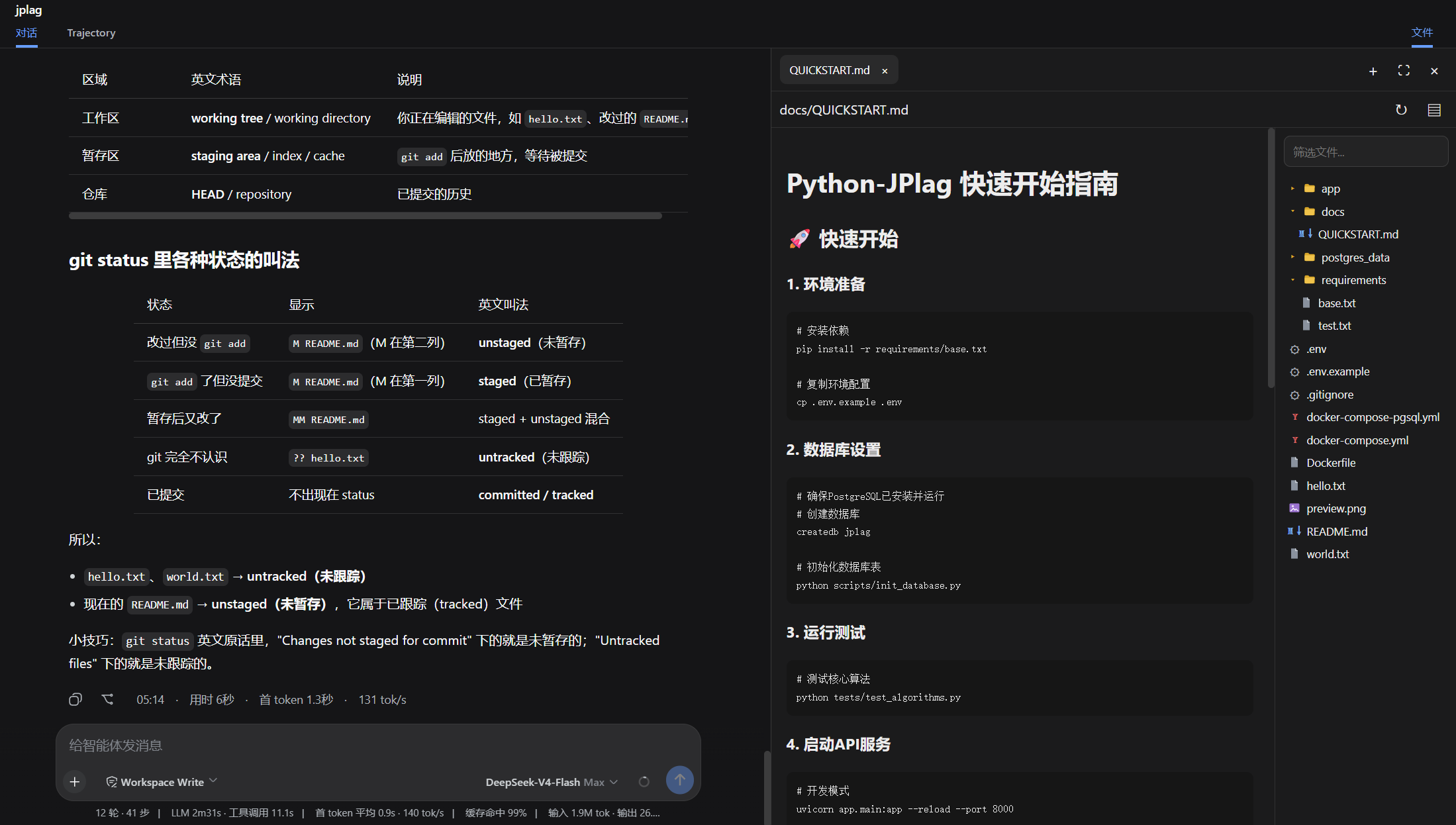
DSH Web 的右侧工作区面板,在当前会话旁集中提供 Git 审查、终端和文件操作。 可以点击dsh会话区弹出的文件链接,会自动打开相应的文件以供审阅。
功能
- Git审查,可以查看工作区和暂存区的文件,以及dsh每轮修改的代码,后续会增加回退。
- 文件浏览器, 可以在会话区点击文件跳转到文件浏览器浏览文件。
- 终端,在当前工作区直接运行命令,无需离开工作区,专注你的任务。
安装
从 github-dsh-external仓库安装
dsh plugin --profile web add github:dsh-external/dsh-side-panel
dsh web
或者可以先从git clone 到本地,然后从本地目录安装
git clone git@github.com:dsh-external/dsh-side-panel.git
cd dsh-side-panel
npm install
npm run build
dsh plugin --profile web add .
配置
组合包默认启用以下配置:
- insert:
    - id: side-panel
      name: '@dsh-external/dsh-side-panel'
      config:
        maxTextBytes: 2097152
        maxImageBytes: 10485760
        searchMaxResults: 200
| 配置项 | 默认值 | 说明 |
|---|---|---|
maxTextBytes |
2 MiB | 可读取和编辑的单个文本文件大小上限 |
maxImageBytes |
10 MiB | 可预览的单个图片大小上限 |
searchMaxResults |
200 | 文件筛选返回的最大结果数 |
许可
Links
More in this category
zhu1090093659/dsh-web#packages/dsh-task-board★ 8076
Task board for the dsh web GUI: a sidebar multi-column kanban whose cards run in real DSH agent sessions and can also be scheduled with cron expressions, executed host-side even with the browser closed.
zhu1090093659/dsh-web#packages/dsh-web-all★ 8076
Plugin and skin collection for the DSH Web UI: task board, Git graph, right-side panel, remote mobile UI, pet, live token stats, and a skin center.
omdsh-dev/DSH-better-sidebar★ 3828
Full sidebar workbench with file rendering and editing, terminal, Git, and subagents; third-party plugins can register new tabs.
ccch1mneyyy/dsh-TUI★ 3661
Claude Code-style full-screen terminal UI: pixel-whale header, live status line, and streaming thought expansion.
MeteorNOX/DeepSeek-Balance-Whale-Widget★ 3277
A fixed-corner whale widget for the DSH web GUI — balance, today's usage and per-turn cost with peak/off-peak pricing, editable balance-alert and daily-budget bubbles, a module-based custom bubble queue with A/B weighted choices and random lines or images, 30+ vendor templates (OpenAI, OpenRouter, Kimi, SiliconFlow, Ark, Zhipu, MiniMax and more) with per-model balance and subscription quota, plus task-end sound, imported audio, custom roles and a resource manager. Local-only, no telemetry.
Devin-AXIS/deepseek-design#deepseek-idesign★ 1628
Visual design studio for websites, app prototypes, posters, cards, reports, and magazines, with templates, direct element editing, selection-aware AI draft handoff, and export.
Community comments
Comments are public GitHub Discussions. Loading them connects to GitHub and Giscus; a GitHub account is required to post.