Middle-click closes a session or a sidebar tab in the DeepSeek Harness Web UI. A session closes through the row's own archive action, so the confirmation for running work and the undo notice stay exactly as the Harness renders them; a tab closes through its own close control, leaving the rule that a lone guide tab cannot be closed untouched. The gesture settles on press-and-release on the same element, so a middle drag never closes anything. Two switches on the plugin's own Settings tab turn each half off, remembered per browser.
Install
# from a prebuilt release tarball
dsh plugin --profile web add "https://github.com/altamkp/dsh-middle-click/releases/latest/download/dsh-middle-click.tgz"
# from GitHub (first run asks for allowBuilds approval — follow the hint, retry)
dsh plugin --profile web add github:altamkp/dsh-middle-click
Any plugin you install runs third-party code with your own permissions — it can read your files, use your credentials, and reach the network, and tool approvals don’t sandbox it. GitHub-sourced plugins also run build scripts at install time — pnpm blocks those until you allow them, so an install can stop with ERR_PNPM_GIT_DEP_PREPARE_NOT_ALLOWED or ERR_PNPM_IGNORED_BUILDS; dsh prints the exact key to add under allowBuilds in your profile’s pnpm-workspace.yaml, and the install works on the next run. Allowing a build is a trust decision: only install sources you trust, and pin a commit (github:owner/repo#sha).
README
English | 中文
Middle-click closes a session or a sidebar tab in the DeepSeek Harness Web UI, the way every other tabbed app does.
- Sessions. Middle-click a session row in the sidebar and the session closes. The Harness archives sessions instead of deleting them, and the plugin triggers the row's own archive action — so the confirmation for running work, the stop-and-archive flow and the undo notice are exactly the ones the Harness already renders.
- Sidebar tabs. Middle-click a tab in the sidebar's pane strip and it closes through its own close control. A lone guide tab has no close control, so the gesture does nothing there.
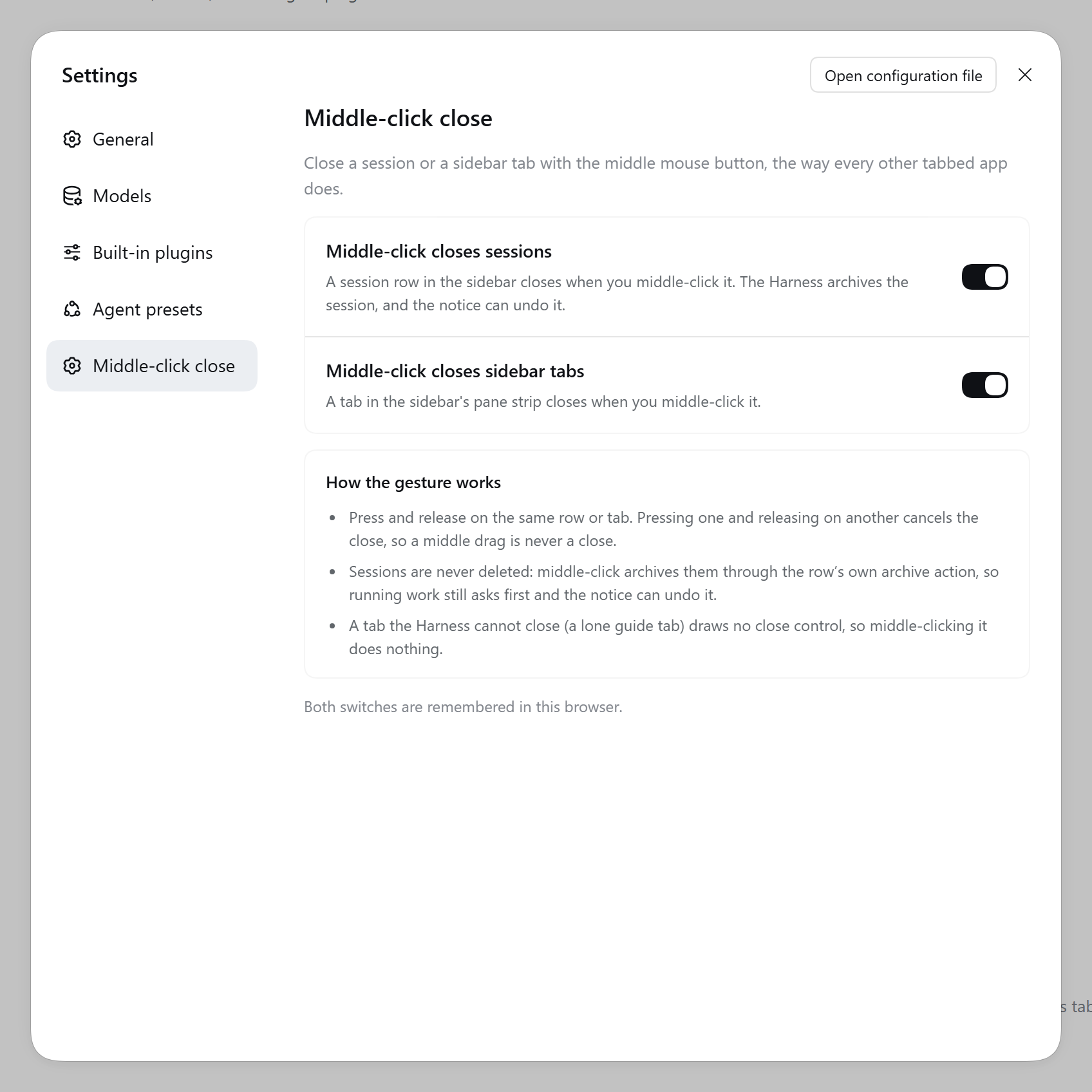
- Its own Settings tab. Settings → Middle-click close holds the two switches, both on by default. The collection version kept them on Settings → General instead.
This is the standalone extraction of the Middle-click close plugin that used to live inside the @altamkp/dsh-plugin collection. The current release is 1.0.3. The source lives at https://github.com/altamkp/dsh-middle-click.
How it works
The gesture is a press and a release on the same row or tab. Press one session row and release over another and nothing closes: the release position decides. That is also how the Harness's own tabs behave — pressing one tab and dragging onto another is the Harness's tab move, and a tab captures the pointer while it is pressed, so the release event alone cannot tell a click from a drag. The plugin reads the element under the cursor when the button comes back up and cancels the close unless it is inside the pressed row or tab.
It acts on the Harness's own stable DOM markers, not on CSS class names, so a restyle does not break it:
| Marker | Element |
|---|---|
data-dockkit-tab |
A tab chip in the sidebar's pane strip |
data-dockkit-float-grip |
The header grip of a floating pane |
data-row-key="session:…" |
A session row in the sidebar's session tree |
For a tab, the plugin clicks the close control inside the chip. For a session row it clicks the row's archive control, which it finds by the accessible name the Workspace package labels it with; if that control is ever missing from the row, it falls back to the workspace service's archiveSession call, which is the same call the button makes. An archived row offers "unarchive" rather than "archive", so middle-clicking it does nothing.
"Close" means archive. The Harness never deletes a session: middle-clicking a row runs the archive action the row already offers, so a session with running work still asks first and the undo notice can bring it back. Middle-clicking a tab runs the tab's own close lifecycle, and the Harness's rule that a lone guide tab cannot be closed is untouched.
Everywhere the plugin does not act, the browser's own middle-click behaviour — autoscroll, opening a link in a new tab — is left alone. It is suppressed only on the element the plugin is about to close.
Settings
The plugin contributes its own page to the Settings navigation — Middle-click close in English, 中键关闭 in Chinese — instead of adding rows to Settings → General as the collection version did.
| Switch | Default | What it does |
|---|---|---|
| Middle-click closes sessions | on | A middle click on a session row in the sidebar closes (archives) it. Off: the gesture does nothing on session rows. |
| Middle-click closes sidebar tabs | on | A middle click on a tab in the sidebar's pane strip closes it; the same switch also covers a floating pane's header. Off: those gestures do nothing. |
Below the switches the tab carries a short How the gesture works note — press and release on the same element, archive rather than delete, the lone guide tab that cannot be closed — and the footnote that both switches are remembered in this browser.
The two preferences live in the browser's localStorage:
| Preference | Key | Values |
|---|---|---|
| Sessions | dsh.plugin.middleClickClose.sessions |
"1" on, "0" off |
| Sidebar tabs | dsh.plugin.middleClickClose.tabs |
"1" on, "0" off |
A key that was never written reads as on. The keys are the ones the collection version used, so an existing user keeps the choices they made.
They are stored per browser and are not synced through the Host: the switch describes one browser's mouse, and two machines that open the same Host share their sessions but keep their own gesture switches. The gesture is installed as soon as the page loads and does not wait for the Settings tab to be opened — the tab itself mounts only while it is selected.
Install
Add the package to your profile's package.json — once as a dependency, once in the bundle selection:
{
  "dsh": {
    "profile": {
      "bundles": ["@altamkp/dsh-middle-click"]
    }
  },
  "dependencies": {
    "@altamkp/dsh-middle-click": "github:altamkp/dsh-middle-click"
  }
}
You can also install it through the Harness plugin manager: Install bundle → the path to this directory. Then restart the Harness, or toggle the bundle off and on in the plugin manager; Settings → Middle-click close appears after that.
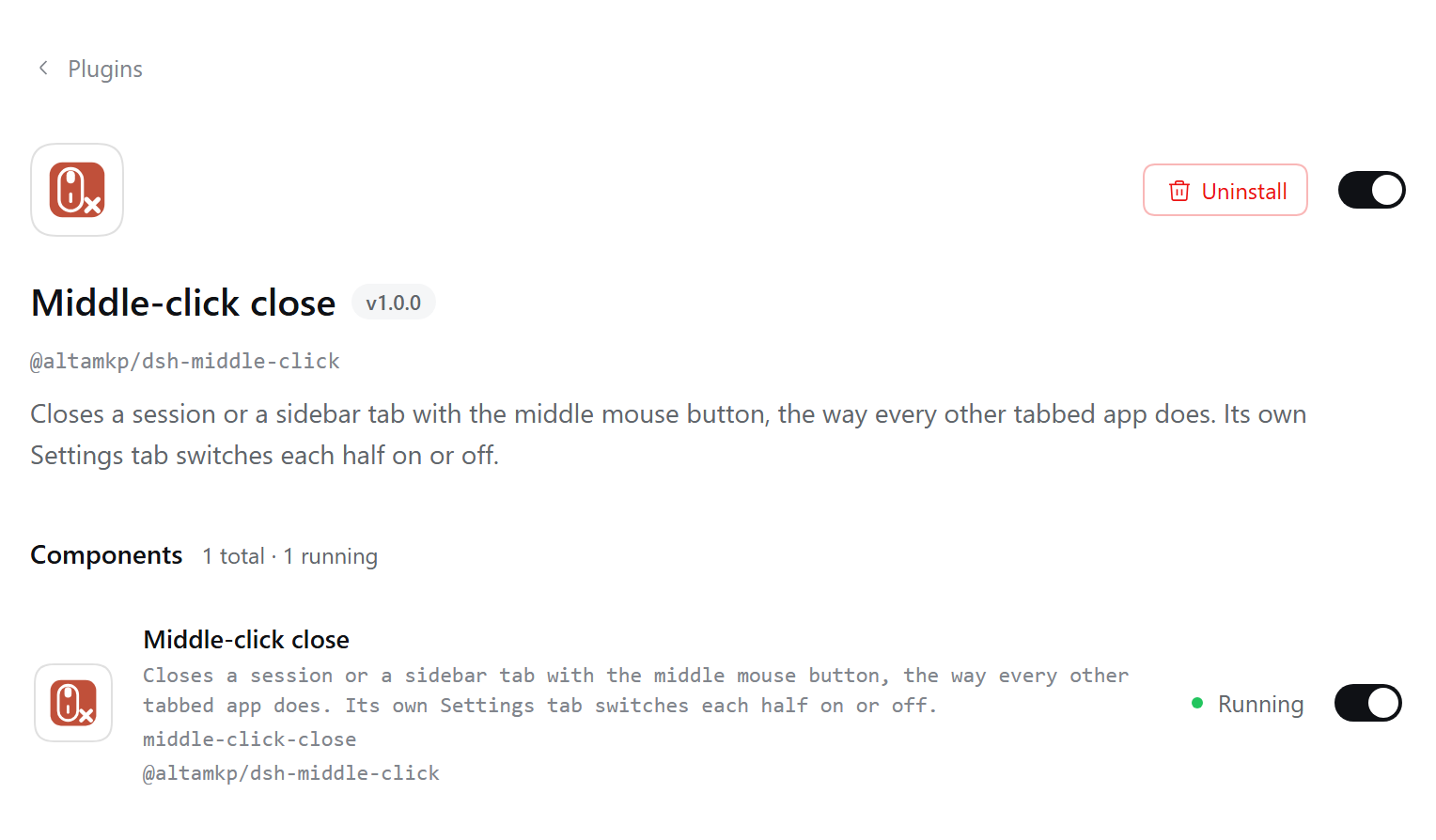
The bundle ships one row:
- insert:
    - id: middle-click-close
      name: '@altamkp/dsh-middle-click'
While working on the plugin itself, link: keeps the installed copy in step with your working tree instead of a published one:
{
  "dependencies": {
    "@altamkp/dsh-middle-click": "link:/path/to/dsh-middle-click"
  }
}
The github: spec above installs straight from this repository, which is public.
Requirements and compatibility
- DeepSeek Harness 0.2.1-rc.2 or newer, and the Web UI. There is no terminal or CLI side — everything the plugin does happens in the page.
- A mouse with a middle button.
- Locales shipped: English and Simplified Chinese. The Settings tab, its navigation entry, and the plugin's name and description in the plugin manager follow the app's language.
The Host half (index.js) is deliberately a no-op. It exists so the package has its row, and the row is what makes the browser half part of the Web module roster; it contributes no host behaviour of its own.
Migration from the collection
The Middle-click close plugin used to live inside the @altamkp/dsh-plugin
collection. Collection v2.8.0 removed it — the row, the browser half and
the locale files are gone from that bundle — so a profile on v2.8.0 or newer
carries the plugin exactly once, and there is no second copy to disable.
A profile still pinned to an older collection release carries both: the
collection's own row and this package's row, and one middle click is processed
by both copies. Update the collection — reinstall the bundle in the plugin
manager, or pnpm update @altamkp/dsh-plugin in the profile directory — so it
resolves to v2.8.0, and the duplicate is gone.
What changes and what does not:
- The switches carry over. The
localStoragekeys are unchanged, so the settings you had are the settings you get. - The entry point moves. The rows in Settings → General are gone; the same two switches are now the Middle-click close page in the Settings navigation.
- The plugin manager gets its own item. The bundle now carries its own name, description and icon instead of a row inside the collection.
Layout
dsh-middle-click/
├── index.js              the Host half: a no-op
├── client.js             the Web page half: the gesture and the Settings tab
├── cordis.patch.yml      the bundle patch: one row
├── package.json          the exports, and the `dsh` block that declares the Web client
├── locale/
│   ├── en.json           the plugin's name and description
│   └── zh.json
├── icon.svg              the icon the plugin manager shows
├── assets/icon-180.png   the raster tile marketplaces draw
├── docs/                 the screenshots in this README
├── screenshots.json      the screenshots a marketplace shows, in order
└── LICENSE               MIT
License
MIT — see LICENSE.
Links
More in this category
zhu1090093659/dsh-web#packages/dsh-task-board★ 10406
Task board for the dsh web GUI: a sidebar multi-column kanban whose cards run in real DSH agent sessions and can also be scheduled with cron expressions, executed host-side even with the browser closed.
zhu1090093659/dsh-web#packages/dsh-web-all★ 10406
Plugin and skin collection for the DSH Web UI: task board, Git graph, right-side panel, remote mobile UI, pet, live token stats, and a skin center.
ccch1mneyyy/dsh-TUI★ 7675
Claude Code-style full-screen terminal UI: pixel-whale header, live status line, and streaming thought expansion.
MeteorNOX/DeepSeek-Balance-Whale-Widget★ 7201
A fixed-corner whale widget for the DSH web GUI — balance, today's usage and per-turn cost with peak/off-peak pricing, editable balance-alert and daily-budget bubbles, a module-based custom bubble queue with A/B weighted choices and random lines or images, 30+ vendor templates (OpenAI, OpenRouter, Kimi, SiliconFlow, Ark, Zhipu, MiniMax and more) with per-model balance and subscription quota, plus task-end sound, imported audio, custom roles and a resource manager. Local-only, no telemetry.
omdsh-dev/DSH-better-sidebar★ 5142
Full sidebar workbench with file rendering and editing, terminal, Git, and subagents; third-party plugins can register new tabs.
Devin-AXIS/deepseek-design#deepseek-idesign★ 1816
Visual design studio for websites, app prototypes, posters, cards, reports, and magazines, with templates, direct element editing, selection-aware AI draft handoff, and export.
Community comments
Comments are public GitHub Discussions. Loading them connects to GitHub and Giscus; a GitHub account is required to post.