Clickable file paths in DSH replies: Codex-style inline open, reveal in file manager, and a mentioned-files chip list at the turn tail.
Install
# from GitHub (first run asks for allowBuilds approval — follow the hint, retry)
dsh plugin --profile web add github:a903067276-rgb/dsh-file-mentions
Any plugin you install runs third-party code with your own permissions — it can read your files, use your credentials, and reach the network, and tool approvals don’t sandbox it. GitHub-sourced plugins also run build scripts at install time — pnpm blocks those until you allow them, so an install can stop with ERR_PNPM_GIT_DEP_PREPARE_NOT_ALLOWED or ERR_PNPM_IGNORED_BUILDS; dsh prints the exact key to add under allowBuilds in your profile’s pnpm-workspace.yaml, and the install works on the next run. Allowing a build is a trust decision: only install sources you trust, and pin a commit (github:owner/repo#sha).
README
Clickable file paths in DSH replies — a DeepSeek Harness (DSH) web plugin with a Codex-style experience.
Unofficial project: independently developed and maintained by a community member, not an official DeepSeek product.
Screenshot
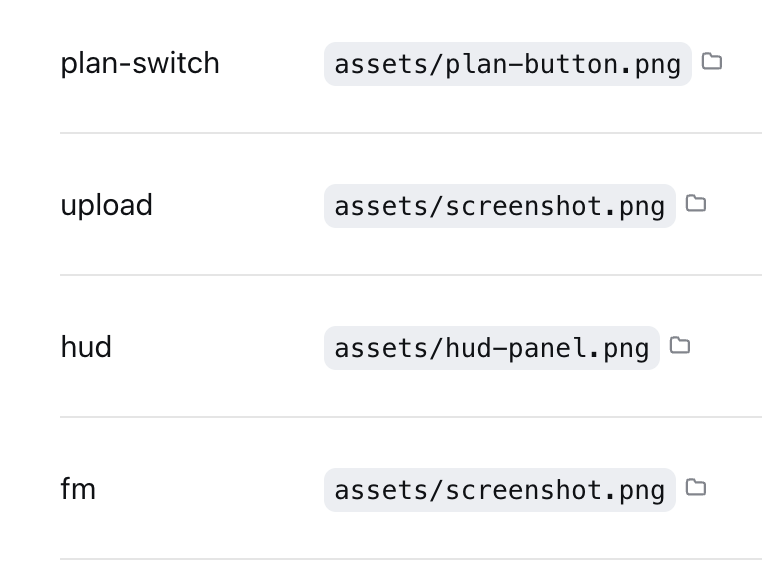
Inline paths wrapped in backticks (`~/...`, absolute, relative, or Chinese paths) become
click-to-open; each clickable path carries a small folder-icon button that reveals the file in your
file manager; a "📎 mentioned files" chip list at the turn tail covers the rest. URLs are
already auto-linked by the official renderer, so this plugin leaves them alone.
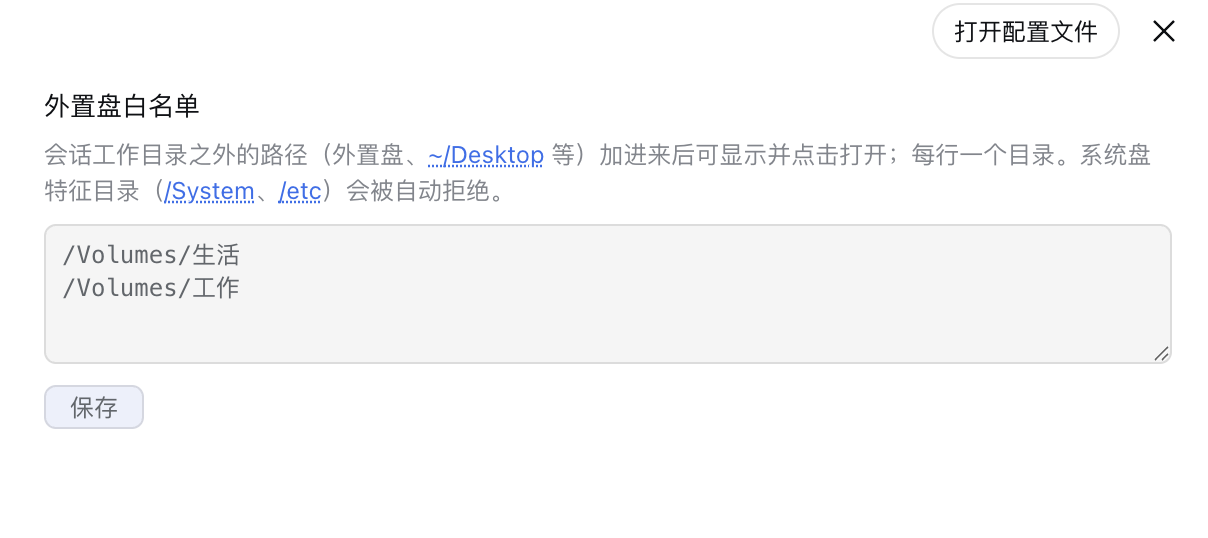
The external-drive whitelist (Settings → Plugins → file-mentions): local files in your home
directory are clickable by default; only external drives / network volumes (e.g.
/Volumes/USB) need their root added here — one path per line. System-disk marker
directories (/System, /etc) are rejected automatically.
Features
| Where | What | Effect |
|---|---|---|
| Inline path text | click | Open with default app / open directory |
| folder icon after inline path | click | Reveal in file manager |
| "📎 mentioned files" chip | click name | Preview content inside DSH |
| folder icon in the chip list | click | Reveal in file manager |
| Inline URL | click | Browser opens it (official autolink) |
Supports ~/ expansion, relative paths (resolved against the session cwd), and absolute
paths in macOS / Linux / Windows forms. Non-existent paths silently do nothing.
Install
This repository is an official bundle plugin (dsh.bundle + dsh.client in the root
package.json), installed through the official profile manager:
# DSH 0.1.7 and later:
dsh plugin --profile web add "github:a903067276-rgb/dsh-file-mentions#main"
# DSH 0.1.5 and older (this release needs 0.1.7+):
# dsh plugin --profile web add "github:a903067276-rgb/dsh-file-mentions#v1.0.14"
Then restart dsh web (bundle layers are composed at startup; HMR does not apply).
Requires pnpm on PATH (dsh plugin forwards to pnpm).
Manual mount fallback: see docs/install.md.
Usage
Have the agent wrap paths in backticks (e.g. `~/docs/plan.md`) to make them clickable
inline. The tail chip list appears automatically — no configuration.
Paths outside the session directory (external drives, etc.)
Local files inside your home directory (e.g. ~/Downloads, ~/Desktop) are clickable by
default — no configuration needed. For paths on an external drive / network volume (e.g.
/Volumes/USB), add that root to the external-drive whitelist in Settings → Plugins →
file-mentions (one path per line). Saving takes effect immediately — no restart required.
System-disk protection: whitelist roots containing system marker directories (/System,
/etc, or \Windows on Windows) are rejected automatically, so a full system disk mounted
externally can never be whitelisted by mistake.
Platform support
| Platform | Status |
|---|---|
| macOS | ✅ Fully tested (incl. Chinese paths) |
| Linux | ⚠️ Not tested — expected to work (command branching and path parsing implemented) |
| Windows | ⚠️ Not tested — expected to work (command branching and path parsing implemented) |
Requirements
- DSH web >= 0.1.0-rc.6 (run with
npx @deepseek-ai/dsh web) - Version compatibility (best effort — the settings card uses dual-field
key+idregistration to satisfy both rc.6 (id) and rc.7+ (key); verified locally on rc.6/rc.8/0.1.1-rc.2/0.1.2-alpha.2/0.1.5-rc.1 (clickable paths + "mentioned files" panel), not guaranteed on every DSH version):- DSH 0.1.0-rc.6 and newer (incl. 0.1.1-rc.1/rc.2 and 0.1.2): try
main(default). - DSH 0.1.5-rc.1: load-verified (the plugin is in the client bundle and
/api/file-mentions/checkresponds); UI interactions were not eyeballed item by item. ⚠️ 0.1.5 ships a narrow built-in "clickable inline-code paths in the closing reply" (only files written viawrite/edit/presentin that turn — seedsh-client-ui-deliverables), which partially overlaps; plain-text/bare paths, cross-turn and historical messages are still handled only by this plugin. - Conservative fallbacks (the last pre-0.1.1 build): DSH 0.1.0-rc.7/rc.8 →
v1.0.8(dsh plugin add github:a903067276-rgb/dsh-file-mentions#v1.0.8); DSH 0.1.0-rc.6 → frozenrc6-compattag (no maintenance).
- DSH 0.1.0-rc.6 and newer (incl. 0.1.1-rc.1/rc.2 and 0.1.2): try
- Pure Node stdlib implementation — peer dependencies (
@deepseek-ai/dsh-settings,@deepseek-ai/schemastery) are provided by the host - Opening files uses the system default app / file manager (per-platform command branching)
- ✅ DSH 0.1.7 and later — use this release (
v1.1.0): it declarespeerDependencies: {"@deepseek-ai/dsh": ">=0.1.7-rc.1 <0.2.0"}, so a mismatched host refuses to load it with an explicit reason instead of failing quietly. Settings move to the 0.1.7 model (pluginConfig, live-editable.volatile()fields), so changes apply without a restart. - ⚠️ DSH 0.1.5 and older — install the previous tag
v1.0.14: that line keeps the old behavior and uses no 0.1.7-only API. - ⛔ Old plugin releases (up to
v1.0.14) are not supported on 0.1.7 — the external-disk whitelist silently becomes empty (settings.getis gone). Upgrade the plugin together with the host.
- ✅ DSH 0.1.7 and later — use this release (
- Maintenance policy: this plugin keeps evolving with the latest DSH releases; compatibility with older DSH versions is best-effort only and not guaranteed going forward.
How it works
- Host (
lib/index.js): three routes —/api/file-mentions/check(existence check),/api/file-mentions/open(system open,mode: open/reveal, per-platform command) and/api/file-mentions/config(whitelist read/write for the settings page). All three routes are same-origin guarded. Probe surface: absolute/~/paths are checked only inside the session cwd or user-declared whitelist roots (stored via the official settings service — immediate effect, no restart); whitelist roots are protected against system disks and symlink escapes. Pure Node stdlib;execFileavoids shell injection. - Client (
lib/client.js): a conversationEvents collector extracts paths from each reply → publishes them to turn data → the tail list filters non-existent paths before rendering; inline clicks use a document-level click delegation (the official render entry is occupied by the official "deliverables" plugin, so DOM delegation is the only viable path); inline folder-icon buttons are inserted by a MutationObserver and restored automatically after React re-renders; a settings card (sidebar section + plugin page) edits the whitelist. Scanning/decoration is incremental: the observer callback only handles newly-added nodes inside the official message area ([data-conversation-scroll]), each new text is cheap-screened for path-like characters (no/,~or\→ skipped with zero regex work and zero requests), and existence checks hit only the current session — conversations without paths trigger no scanning at all; sidebars, hover cards, menus and settings are never touched (v1.0.13).
See docs/architecture.md.
Notes
- Use either the official bundle install or the manual mount — never both.
- Manual mounting needs a single entry in
~/.dsh/cordis.patch.yml; a double entry applies the plugin twice and crashes on duplicate route registration.
Compatibility notes
- Inline clicks rely on backtick-wrapped paths (the agent-output convention, same as Codex); bare paths inside message text are clickable too (decoration is CSS-Highlight only, zero DOM mutation; message area only — sidebars, hover cards, menus and settings are never touched, v1.0.13).
- The official "produced files" list and this plugin coexist: official wins when it has output, otherwise this plugin shows.
- Windows / Linux validation via issue or PR is welcome.
License
Links
More in this category
zhu1090093659/dsh-web#packages/dsh-task-board★ 8076
Task board for the dsh web GUI: a sidebar multi-column kanban whose cards run in real DSH agent sessions and can also be scheduled with cron expressions, executed host-side even with the browser closed.
zhu1090093659/dsh-web#packages/dsh-web-all★ 8076
Plugin and skin collection for the DSH Web UI: task board, Git graph, right-side panel, remote mobile UI, pet, live token stats, and a skin center.
omdsh-dev/DSH-better-sidebar★ 3828
Full sidebar workbench with file rendering and editing, terminal, Git, and subagents; third-party plugins can register new tabs.
ccch1mneyyy/dsh-TUI★ 3661
Claude Code-style full-screen terminal UI: pixel-whale header, live status line, and streaming thought expansion.
MeteorNOX/DeepSeek-Balance-Whale-Widget★ 3277
A fixed-corner whale widget for the DSH web GUI — balance, today's usage and per-turn cost with peak/off-peak pricing, editable balance-alert and daily-budget bubbles, a module-based custom bubble queue with A/B weighted choices and random lines or images, 30+ vendor templates (OpenAI, OpenRouter, Kimi, SiliconFlow, Ark, Zhipu, MiniMax and more) with per-model balance and subscription quota, plus task-end sound, imported audio, custom roles and a resource manager. Local-only, no telemetry.
Devin-AXIS/deepseek-design#deepseek-idesign★ 1628
Visual design studio for websites, app prototypes, posters, cards, reports, and magazines, with templates, direct element editing, selection-aware AI draft handoff, and export.
Community comments
Comments are public GitHub Discussions. Loading them connects to GitHub and Giscus; a GitHub account is required to post.