Codex-style workflow auto-collapse: finished turns fold into a single "processed in Xs" row leaving only the final answer; tool calls and think blocks collapse into live-summary chips that follow streaming; expand level by level, fully reversible on uninstall.
Install
# from npm (prebuilt)
dsh plugin --profile web add dsh-auto-collapse
# from GitHub (first run asks for allowBuilds approval — follow the hint, retry)
dsh plugin --profile web add github:a179-sanae/dsh-auto-collapse
Any plugin you install runs third-party code with your own permissions — it can read your files, use your credentials, and reach the network, and tool approvals don’t sandbox it. GitHub-sourced plugins also run build scripts at install time — pnpm blocks those until you allow them, so an install can stop with ERR_PNPM_GIT_DEP_PREPARE_NOT_ALLOWED or ERR_PNPM_IGNORED_BUILDS; dsh prints the exact key to add under allowBuilds in your profile’s pnpm-workspace.yaml, and the install works on the next run. Allowing a build is a trust decision: only install sources you trust, and pin a commit (github:owner/repo#sha).
README
DSH Web workflow folding: keep the native turn disclosure, combine thinking, tools and context between prose into one second-level summary, and reveal the original rows when expanded.
Interaction
Prose A
▸ Thought · Used the browser · Added context · Edited files
Prose B
▸ Running npm run check
Prose C
Each interval has one summary. Switching from thinking to a tool or adding context extends that interval. New prose closes it; later work starts another interval. A single work item also forms a group.
- Level 1 belongs to DSH: completed-turn folding, counts and final-answer visibility.
- Level 2 belongs to this plugin: one mixed-work summary between prose fragments, during streaming and after reopening the native turn.
- Level 3 stays native: thinking, tool and context rows in their original order, retaining their own disclosure state.
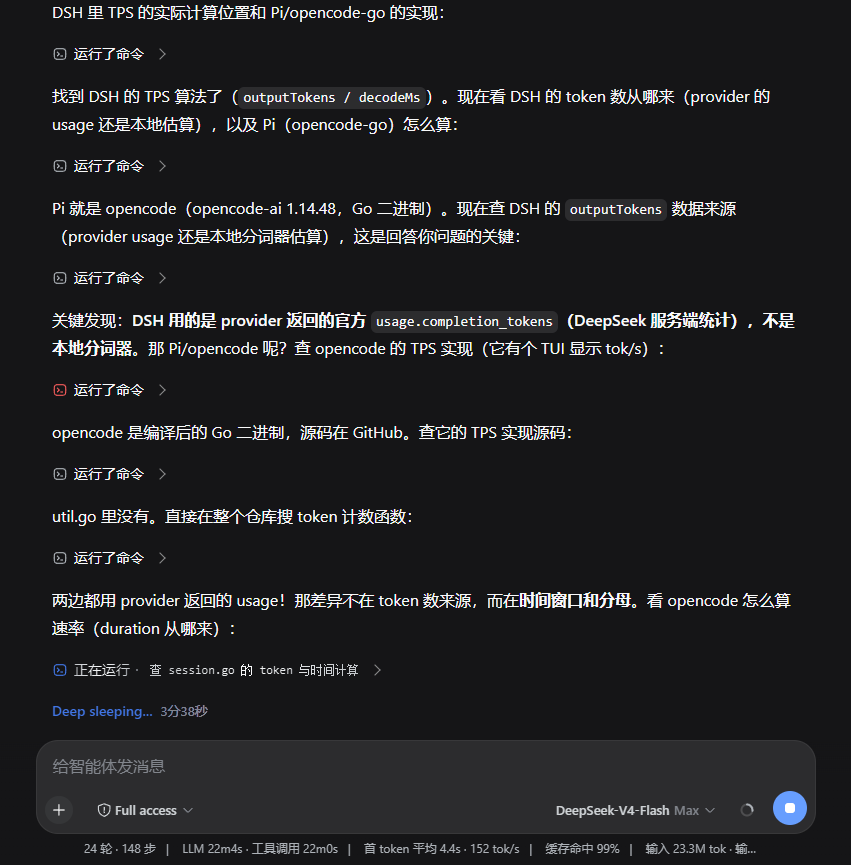
The preview is a browser acceptance fixture using native DSH 0.1.2-rc.1 disclosure, reasoning and turn-process components.
Behavior
Prose is a hard grouping boundary, including thinking/prose/thinking inside a single assistant-step. Markdown line breaks do not create groups. Images, SVG and other answer content remain native. Groups never cross user/steering messages, turns or unknown semantic surfaces.
Closing native Level 1 hides its groups without discarding their expansion state. Context outside the native process range keeps an accessible Level 2 entry; opening it can also open the native turn. Level 2 remains available in native Normal mode.
System prompts join the adjacent context work group. A prompt with an explicit turn owner follows that native Level 1 disclosure. Reopening Level 1 shows Level 2 first; opening Level 2 reveals the original system-prompt row with its detail state preserved.
Summaries describe actions and current activity; they never replace full reasoning content. hidden="until-found" and beforematch preserve browser search. Selection, focus and pending user input stay accessible. Session changes, HMR and error recovery restore plugin-controlled attributes without overwriting later host changes.
The optional status-text setting remains available under Settings → Plugins → Plugin configuration. It defaults to Deep sleeping...; saving an empty string restores the official wording while preserving elapsed-time suffixes. Its lifecycle is independent of grouping.
Compatibility and migration
| Plugin | Verified DSH |
|---|---|
| 0.2.x | 0.1.2-rc.1; 0.1.5-rc.2 (current browser component fixture) |
| 0.1.8 | 0.1.2-rc.1, legacy implementation |
| ≤ 0.1.6 | 0.1.1.x |
0.2.0 rewrites the folding engine. It retains mixed-work Level 2, removes the custom processed-time Level 1 and copied reasoning-body layer, and includes context in its surrounding group. Existing statusText configuration is preserved. Unrecognized DOM nodes remain visible; other host versions need separate validation.
Install
To install the published release:
dsh plugin --profile web add dsh-auto-collapse
To install from source, build a complete tarball and install the generated path:
npm ci
npm run package
dsh plugin --profile web add <absolute-path-to-generated-tgz>
Reload the plugin or restart the host Web app, then refresh the page. Roll back by installing a complete previous package, such as dsh-auto-collapse@0.1.8.
npm run package and its compatibility alias npm run deploy only produce a tarball. They no longer replace installed files individually, read credentials or stop/restart DSH.
Development
Node.js 22+. Install Playwright Chromium once; Windows can also use an installed Chrome/Edge. Override the executable with DSH_TEST_BROWSER if needed.
npm ci
npx playwright install chromium
npm run check
Linux CI uses npx playwright install --with-deps chromium.
npm run test:unit
npm run test:browser
npm run preview        # http://127.0.0.1:43190
npm run package        # complete tarball in artifacts/
Build after source changes before standalone browser testing or refreshing the preview. npm run check runs typechecking, a fresh build, unit tests, browser tests and package smoke tests.
Browser tests use real React, captured DSH 0.1.5-rc.2 widget implementations and the current client bundle. They cover mixed groups, inline prose boundaries, native turns, details, search, focus, SVG, recovery, settings and 100/1,000/5,000 historical nodes. The pwsh cases run the official Tool renderer bundle and terminal component, covering failed retries, error-body transitions and missing call heads. The complete suite includes a 30-second idle check. Fixtures use synthetic content without personal sessions or credentials; they do not validate an entire backend deployment. See the fixture notes.
The implementation separates host recognition, ordered work modeling, pure grouping/state, summaries, DOM rendering, scheduling and optional status text. It never copies message bodies, reparents native nodes, replaces the host renderer, infers a final answer, cleans arbitrary empty elements or writes the main scroll position.
License
MIT. Captured native test widgets retain DeepSeek's MIT license.
Links
More in this category
zhu1090093659/dsh-web#packages/dsh-task-board★ 8121
Task board for the dsh web GUI: a sidebar multi-column kanban whose cards run in real DSH agent sessions and can also be scheduled with cron expressions, executed host-side even with the browser closed.
zhu1090093659/dsh-web#packages/dsh-web-all★ 8121
Plugin and skin collection for the DSH Web UI: task board, Git graph, right-side panel, remote mobile UI, pet, live token stats, and a skin center.
omdsh-dev/DSH-better-sidebar★ 3868
Full sidebar workbench with file rendering and editing, terminal, Git, and subagents; third-party plugins can register new tabs.
ccch1mneyyy/dsh-TUI★ 3734
Claude Code-style full-screen terminal UI: pixel-whale header, live status line, and streaming thought expansion.
MeteorNOX/DeepSeek-Balance-Whale-Widget★ 3369
A fixed-corner whale widget for the DSH web GUI — balance, today's usage and per-turn cost with peak/off-peak pricing, editable balance-alert and daily-budget bubbles, a module-based custom bubble queue with A/B weighted choices and random lines or images, 30+ vendor templates (OpenAI, OpenRouter, Kimi, SiliconFlow, Ark, Zhipu, MiniMax and more) with per-model balance and subscription quota, plus task-end sound, imported audio, custom roles and a resource manager. Local-only, no telemetry.
Devin-AXIS/deepseek-design#deepseek-idesign★ 1665
Visual design studio for websites, app prototypes, posters, cards, reports, and magazines, with templates, direct element editing, selection-aware AI draft handoff, and export.
Community comments
Comments are public GitHub Discussions. Loading them connects to GitHub and Giscus; a GitHub account is required to post.