Codex-style auto-hiding right-edge turn rail: edge-peek show/hide, per-turn tooltip, in-rail search, and a scrolling 30-turn window for long sessions.
Install
# from npm (prebuilt)
dsh plugin --profile web add dsh-turn-rail
# from GitHub (first run asks for allowBuilds approval — follow the hint, retry)
dsh plugin --profile web add github:Yujm888/dsh-turn-rail
Any plugin you install runs third-party code with your own permissions — it can read your files, use your credentials, and reach the network, and tool approvals don’t sandbox it. GitHub-sourced plugins also run build scripts at install time — pnpm blocks those until you allow them, so an install can stop with ERR_PNPM_GIT_DEP_PREPARE_NOT_ALLOWED or ERR_PNPM_IGNORED_BUILDS; dsh prints the exact key to add under allowBuilds in your profile’s pnpm-workspace.yaml, and the install works on the next run. Allowing a build is a trust decision: only install sources you trust, and pin a commit (github:owner/repo#sha).
README
A Codex-style auto-hiding turn rail for DeepSeek Harness Web.
Minimal by design: no settings, no extra panels, zero runtime dependencies.
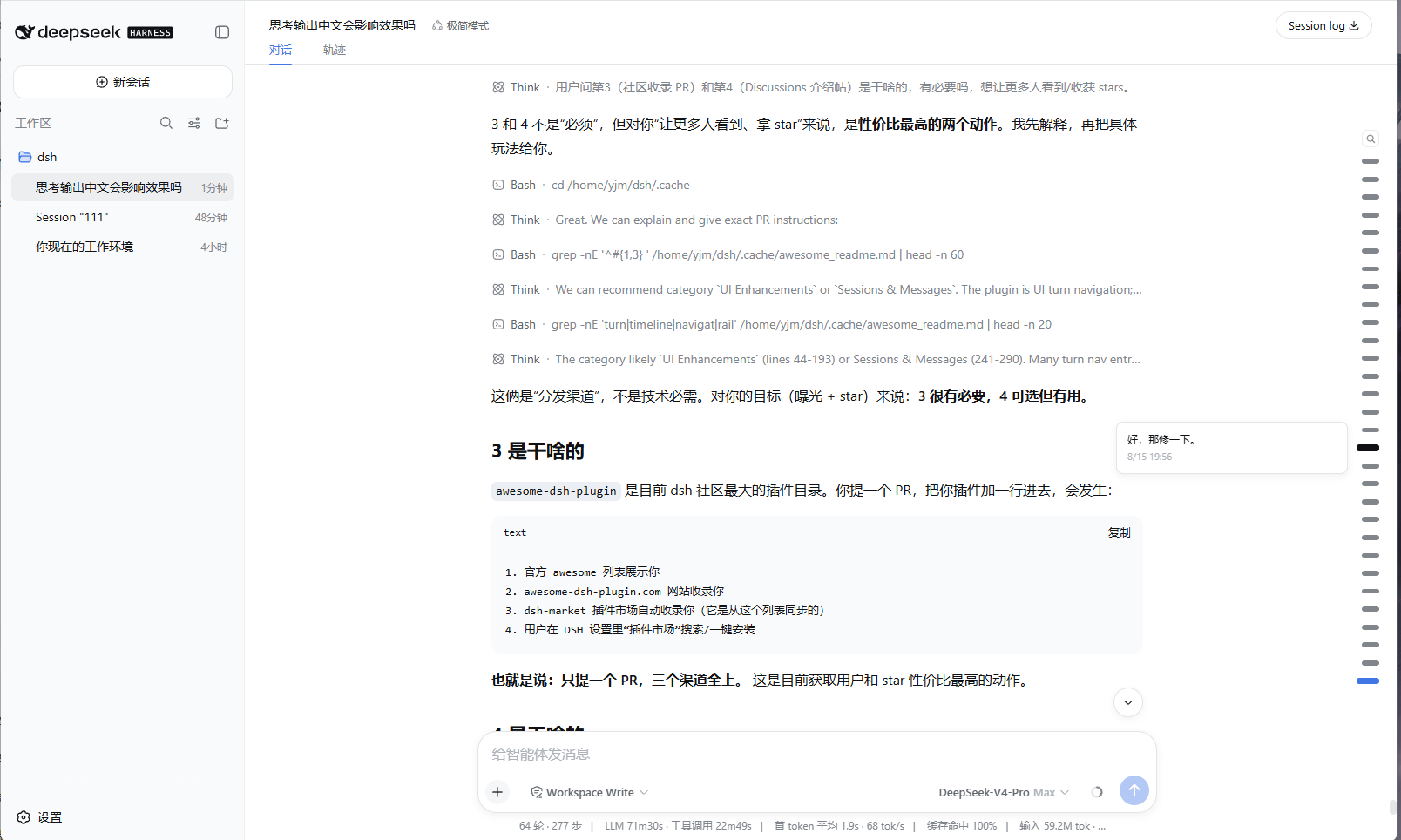
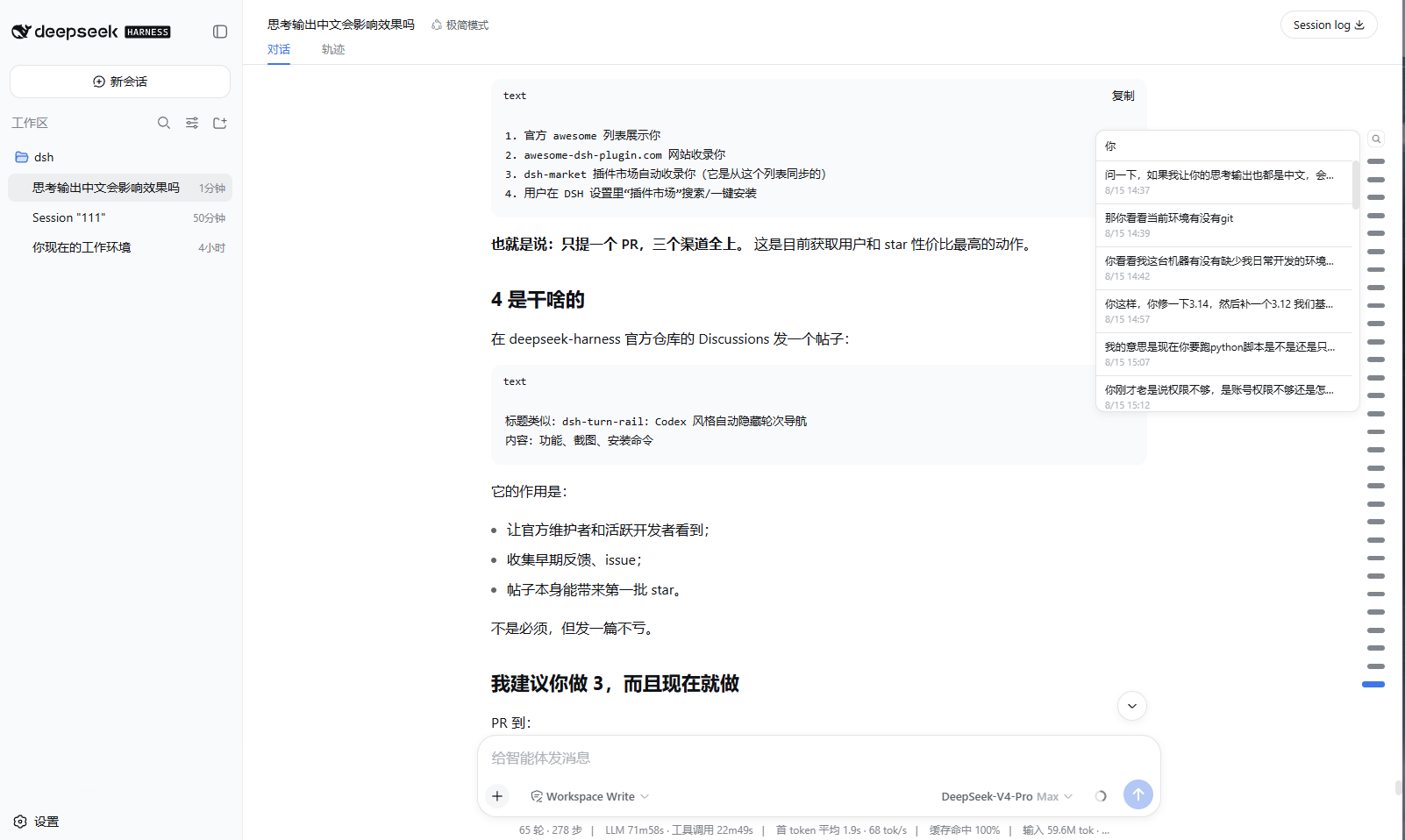
The rail lives on the right edge of the conversation. Move the pointer near the edge and it fades in; move away and it fades out. Hover the thin zone around a marker to preview that turn, click anywhere in the wider marker area to jump. Long conversations keep at most 30 visible markers and scroll inside the rail, following the current reading position.
This project is not affiliated with DeepSeek. The interaction pattern is inspired by common turn-navigation rails such as Codex and the DeepSeek web client; the implementation is independent.
Screenshots
Features
- Edge-peek auto-hide — appears when the pointer is within 110 px of the right edge, fades out 120 ms after leaving. Leaving the browser window or switching away follows the same fade timing.
- Layered hit zones — the outer zone only keeps the rail visible; the marker zone is clickable and highlights on hover; only the narrow detail zone around the marker shows the tooltip.
- Per-turn tooltip — one marker previews one message with time. It fades in
and fades out with the rail, and the native browser
titleis not used. - Search — the magnifier button opens a pinned search box. Type to filter
user messages, click a result to jump. Close with
Esc, another click on the button, a result click, or a click outside the rail. - 30-marker scrolling window — with more than 30 turns the rail scrolls internally with a hidden scrollbar. It pins to the newest window once when a session opens, then never moves itself again: the rail scroll position is fully user-owned.
- Theme-aware and responsive — markers use DSH CSS variables and scale slightly with viewport size.
- Full-session projection — the host half folds the durable session log so a page reload paints the complete rail without replaying history.
Requirements
- DSH
>= 0.1.0-rc.6 - Web profile with
sessionProjectionsavailable (the shipped web profile has it)
Install
dsh plugin --profile web add dsh-turn-rail
Then restart dsh web and hard-refresh the browser tab.
From a local checkout
dsh plugin --profile web add /path/to/dsh-turn-rail
Remove
dsh plugin --profile web remove dsh-turn-rail
Tuning
All tunables live at the top of lib/client.js:
| Constant | Default | Meaning |
|---|---|---|
EDGE_TRIGGER_PX |
110 |
Show the rail when the pointer is this close to the right edge |
DETAIL_LEFT_PX / DETAIL_RIGHT_PX |
46 / 10 |
Distance band from the right edge that opens the tooltip |
HIDE_DELAY_MS |
120 |
Wait before the rail starts fading out |
UNMOUNT_AFTER_MS |
200 |
Remove tooltip/search after the fade completes |
MAX_VISIBLE_MARKS |
30 |
Maximum markers visible when the rail scrolls |
MAX_MARK_GAP_PX |
30 |
Maximum center-to-center distance between markers when there are 30 or fewer turns |
SEARCH_LIMIT |
30 |
Maximum search results |
Rail geometry and marker sizes are in the css array in the same file.
Model Experience
None. This is a browser UI plugin; nothing here enters a model request.
License
MIT
Links
More in this category
zhu1090093659/dsh-web#packages/dsh-task-board★ 8121
Task board for the dsh web GUI: a sidebar multi-column kanban whose cards run in real DSH agent sessions and can also be scheduled with cron expressions, executed host-side even with the browser closed.
zhu1090093659/dsh-web#packages/dsh-web-all★ 8121
Plugin and skin collection for the DSH Web UI: task board, Git graph, right-side panel, remote mobile UI, pet, live token stats, and a skin center.
omdsh-dev/DSH-better-sidebar★ 3868
Full sidebar workbench with file rendering and editing, terminal, Git, and subagents; third-party plugins can register new tabs.
ccch1mneyyy/dsh-TUI★ 3734
Claude Code-style full-screen terminal UI: pixel-whale header, live status line, and streaming thought expansion.
MeteorNOX/DeepSeek-Balance-Whale-Widget★ 3369
A fixed-corner whale widget for the DSH web GUI — balance, today's usage and per-turn cost with peak/off-peak pricing, editable balance-alert and daily-budget bubbles, a module-based custom bubble queue with A/B weighted choices and random lines or images, 30+ vendor templates (OpenAI, OpenRouter, Kimi, SiliconFlow, Ark, Zhipu, MiniMax and more) with per-model balance and subscription quota, plus task-end sound, imported audio, custom roles and a resource manager. Local-only, no telemetry.
Devin-AXIS/deepseek-design#deepseek-idesign★ 1665
Visual design studio for websites, app prototypes, posters, cards, reports, and magazines, with templates, direct element editing, selection-aware AI draft handoff, and export.
Community comments
Comments are public GitHub Discussions. Loading them connects to GitHub and Giscus; a GitHub account is required to post.